ആമുഖം
This manual provides detailed instructions for the safe and effective use of your VGR Professional Hair Clippers and Trimmers Set. This set is designed for precision haircutting and styling, suitable for both professional and home use. Please read this manual thoroughly before operation and retain it for future reference.

Image: The VGR Professional Hair Clipper and Trimmer Set, showcasing രണ്ട് ഉപകരണങ്ങളും.
സുരക്ഷാ വിവരങ്ങൾ
- Always ensure the device is turned off before cleaning, attaching or removing accessories, or when not in use.
- Do not immerse the charging cable or power adapter in water or other liquids.
- Keep the device away from water. While the units are washable (IPX6 rated), ensure the charging port is dry before connecting to power.
- Do not use the device if the blades are damaged or broken, as this may cause injury.
- കുട്ടികൾക്ക് ലഭ്യമാകാതെ സൂക്ഷിക്കുക.
- Use only the provided charging cables.
- ഉപകരണം സ്വയം ഡിസ്അസംബ്ലിംഗ് ചെയ്യാനോ നന്നാക്കാനോ ശ്രമിക്കരുത്. സഹായത്തിന് ഉപഭോക്തൃ പിന്തുണയുമായി ബന്ധപ്പെടുക.
- ഉയർന്ന താപനിലയും നേരിട്ടുള്ള സൂര്യപ്രകാശവും ഒഴിവാക്കുക.
ഉൽപ്പന്നം കഴിഞ്ഞുview ഘടകങ്ങളും
Your VGR Hair Clippers and Trimmers Set includes the following components:
- Professional Hair Clipper (Large)
- T-Blade Zero Gapped Beard Trimmer (Small)
- 10 Limiting Combs for the Hair Clipper
- 4 Limiting Combs for the Beard Trimmer
- സോഫ്റ്റ് ക്ലീനിംഗ് ബ്രഷ്
- Lubricant Oil Bottle
- 2 യുഎസ്ബി ചാർജിംഗ് കേബിളുകൾ
- ചീപ്പ്

Image: The complete VGR Hair Clippers and Trimmers Set, showing both devices and all included accessories such as guide combs, cleaning brush, oil, and charging cables.
സ്പെസിഫിക്കേഷനുകൾ
| ഫീച്ചർ | സ്പെസിഫിക്കേഷൻ |
|---|---|
| മോഡൽ നമ്പർ | വി-675 |
| ഉൽപ്പന്ന അളവുകൾ | 7.4 x 2.28 x 1.77 ഇഞ്ച് |
| ഇനത്തിൻ്റെ ഭാരം | 1.03 പൗണ്ട് (465 ഗ്രാം) |
| പവർ ഉറവിടം | ബാറ്ററി പവർ |
| ക്ലിപ്പർ ബാറ്ററി കപ്പാസിറ്റി | 2000mAh ലിഥിയം ബാറ്ററി |
| Clipper Charge Time | 3.0 മണിക്കൂർ |
| Clipper Work Time | 200 മിനിറ്റ് |
| Trimmer Battery Capacity | 1200mAh ലിഥിയം ബാറ്ററി |
| Trimmer Charge Time | 2.0 മണിക്കൂർ |
| Trimmer Work Time | 120 മിനിറ്റ് |
| ബ്ലേഡ് മെറ്റീരിയൽ | Precision Stainless Steel |
| ജല പ്രതിരോധം | IPX6 (Washable Body) |
| മോട്ടോർ സ്പീഡ് | 7000 ആർപിഎം |

Image: Detailed battery specifications for both the clipper and trimmer, including charge and work times.

Image: Illustration highlighting the powerful 7000 RPM rotary motor, emphasizing safety, sharpness, low noise, and durability.
സജ്ജമാക്കുക
ഉപകരണങ്ങൾ ചാർജ് ചെയ്യുന്നു
Before first use, fully charge both the hair clipper and the beard trimmer. The integrated LED display will show the battery level.
- Connect one end of the provided USB charging cable to the charging port on the device.
- Connect the other end of the USB cable to a compatible USB power source (e.g., computer, laptop, USB wall adapter, power bank).
- The LED display will indicate charging progress. Once fully charged, the display will show 100%.
- Charging time for the clipper is approximately 3 hours for 200 minutes of runtime.
- Charging time for the trimmer is approximately 2 hours for 120 minutes of runtime.
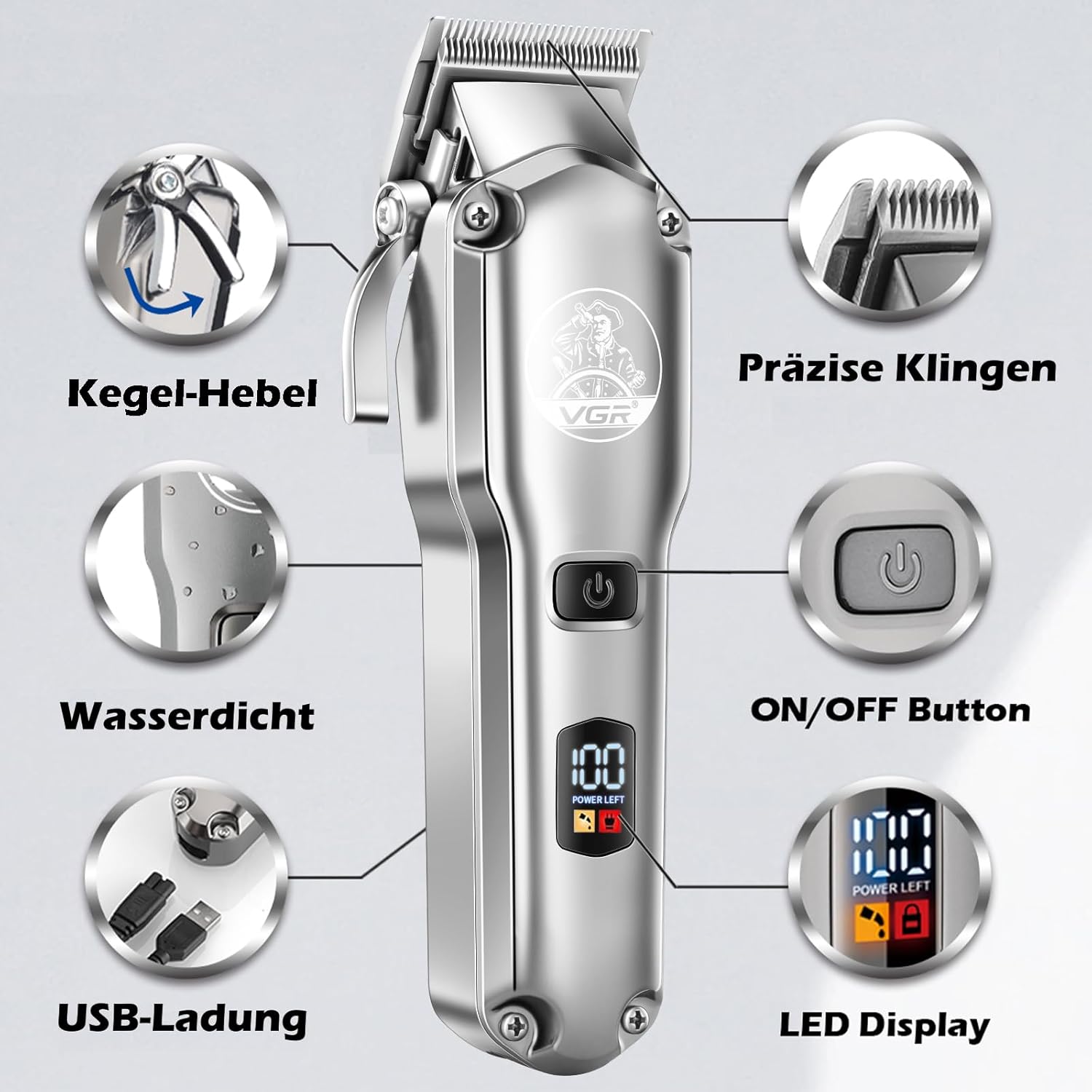
Image: The VGR clipper and trimmer being charged via USB, illustrating compatibility with computers, laptops, USB chargers, and power banks.
Attaching Guide Combs
Select the appropriate guide comb for your desired hair length. The large clipper comes with 10 combs, and the small trimmer with 4.
- ഉപകരണം ഓഫാണെന്ന് ഉറപ്പാക്കുക.
- Align the guide comb with the blade and push it firmly until it clicks into place.
- ചീപ്പ് നീക്കം ചെയ്യാൻ, ബ്ലേഡിൽ നിന്ന് പതുക്കെ ചീപ്പ് വലിക്കുക.

Image: The VGR clipper and trimmer displayed with their respective sets of 10 and 4 guide combs, indicating different cutting lengths.
Adjusting Blade Length (Clipper Only)
The large hair clipper features an adjustable taper lever for fine-tuning cutting length without changing guide combs. This allows for precise blending and fading.
- Move the taper lever up for a shorter cut (closer to 0.8mm).
- Move the taper lever down for a longer cut (up to 2.0mm).

Image: Diagram illustrating the adjustable blade length setting on the VGR clipper, showing the taper lever and its effect on cutting length from 0.8mm to 2.0mm.
പ്രവർത്തന നിർദ്ദേശങ്ങൾ
പൊതു പ്രവർത്തനം
- Press the power button to turn the device ON. The LED display will illuminate.
- To turn OFF, press the power button again.
- ശേഷിക്കുന്ന ബാറ്ററി ശതമാനം LED ഡിസ്പ്ലേ കാണിക്കുന്നു.tage.
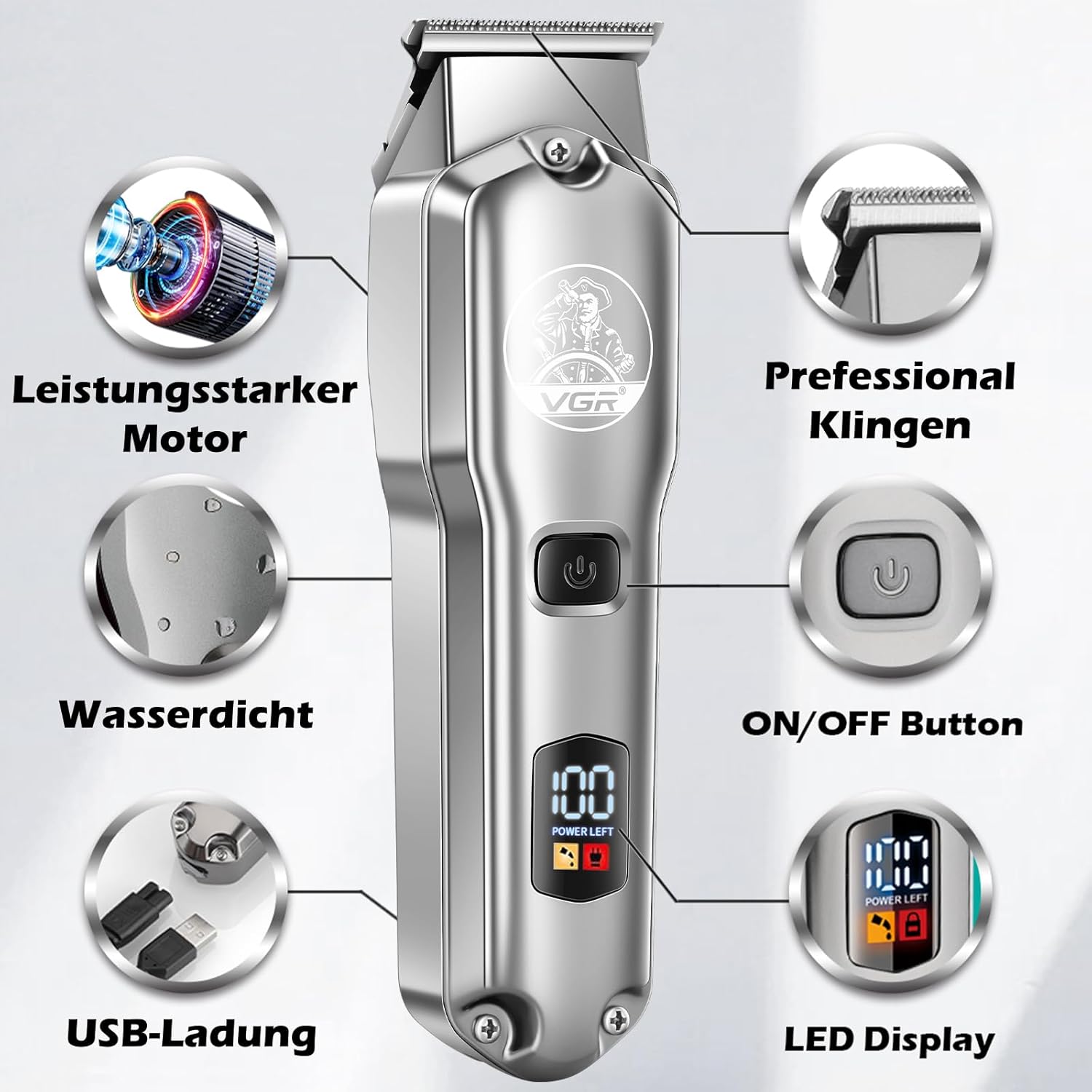
Image: Close-up of the VGR clipper highlighting its features, including the ON/OFF button and the LED display showing battery percentage.
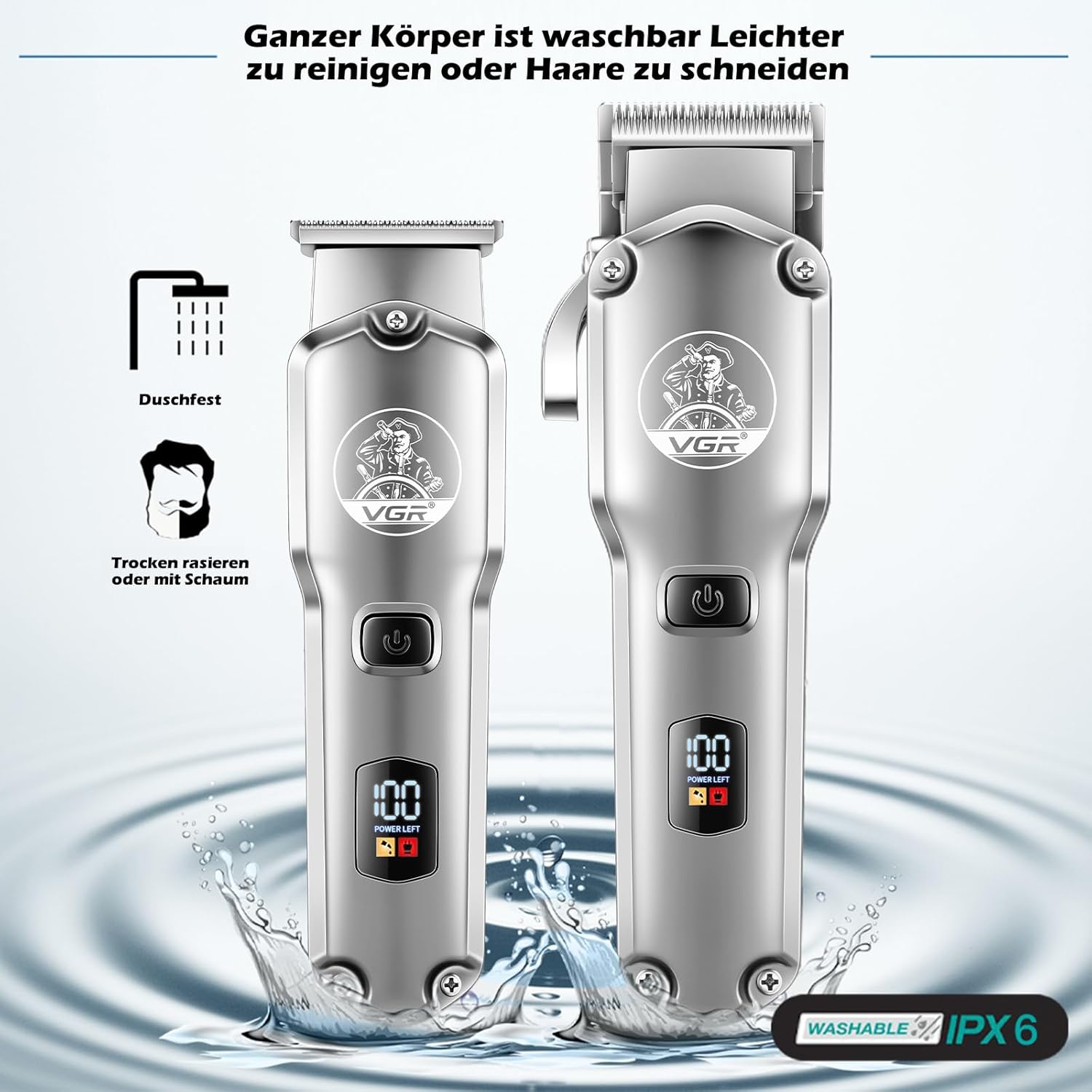
Image: Close-up of the VGR trimmer highlighting its features, including the ON/OFF button and the LED display showing battery percentage.
Using the Hair Clipper
The large clipper is designed for general haircutting and shaping.
- Attach the desired guide comb.
- Adjust the taper lever for fine-tuning the length.
- Hold the clipper firmly and move it against the direction of hair growth for an even cut.
- For best results, ensure hair is clean and dry.

Image: A man receiving a haircut using the VGR clipper, demonstrating its use for general hair cutting.
Using the Beard Trimmer
The small trimmer is ideal for detailing, outlining, and precise beard trimming due to its zero-gapped T-blade.
- Use without a guide comb for sharp lines and close trimming.
- Attach a small guide comb for beard length maintenance.
- Hold the trimmer at a slight angle and gently guide it along the desired line.

Image: A barber using the VGR trimmer to precisely trim a client's beard, highlighting its use for detailing and outlining.
മെയിൻ്റനൻസ്
ബ്ലേഡുകൾ വൃത്തിയാക്കുന്നു
Regular cleaning ensures optimal performance and extends the life of your devices.
- Turn off the device and remove any attached guide combs.
- Use the provided cleaning brush to remove loose hairs from the blades and inside the cutting head.
- The entire body of both devices is washable (IPX6 rated). You can rinse the blades under running water. Ensure the charging port is sealed and dry before charging.
- Allow the blades to air dry completely before reattaching guide combs or storing.

Image: The VGR clipper and trimmer being rinsed under water, demonstrating their IPX6 waterproof rating and ease of cleaning.
ബ്ലേഡുകൾ വഴിമാറിനടപ്പ്
To maintain blade sharpness and smooth operation, lubricate the blades regularly.
- After cleaning and drying the blades, apply a few drops of the provided lubricant oil across the top of the blades.
- Turn on the device for a few seconds to allow the oil to distribute evenly.
- വൃത്തിയുള്ള തുണി ഉപയോഗിച്ച് അധിക എണ്ണ തുടയ്ക്കുക.
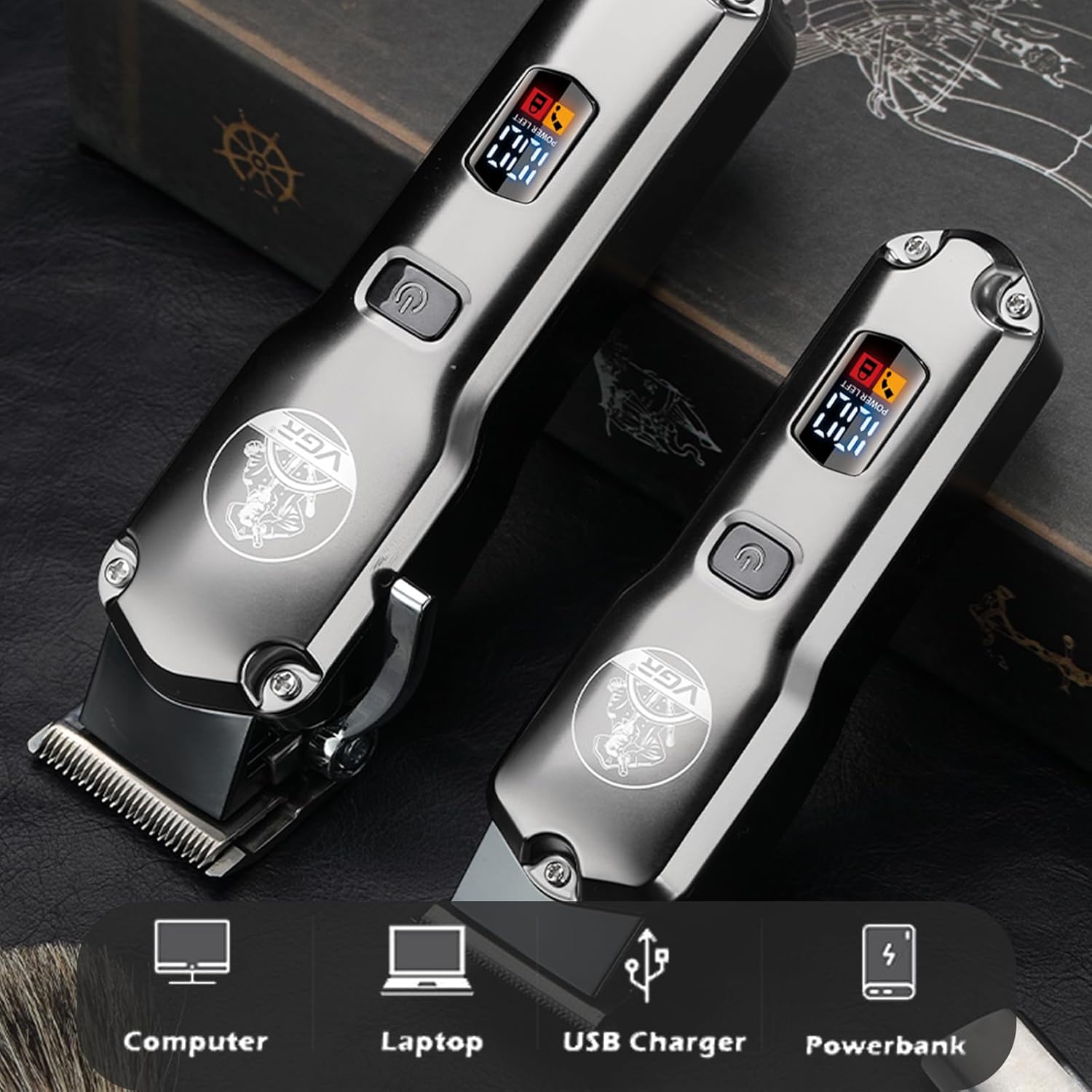
Image: Close-up of the self-sharpening blades, emphasizing their enduring sharpness and R-angle processing for skin protection.
ട്രബിൾഷൂട്ടിംഗ്
| പ്രശ്നം | സാധ്യമായ കാരണം | പരിഹാരം |
|---|---|---|
| ഉപകരണം ഓണാക്കില്ല. | ബാറ്ററി കുറവാണ് അല്ലെങ്കിൽ ചാർജ് ഇല്ല. | നൽകിയിരിക്കുന്ന USB കേബിൾ ഉപയോഗിച്ച് ഉപകരണം പൂർണ്ണമായി ചാർജ് ചെയ്യുക. |
| Blades pull hair or cut unevenly. | Blades are dull, dirty, or not lubricated. | Clean the blades thoroughly and apply lubricant oil. If problem persists, blades may need replacement (contact support). |
| Device makes unusual noise. | ബ്ലേഡുകൾ ശരിയായി വിന്യസിച്ചിട്ടില്ല അല്ലെങ്കിൽ ലൂബ്രിക്കേഷൻ ആവശ്യമാണ്. | Clean and lubricate blades. Ensure no hair is trapped. If noise continues, contact customer support. |
| LED ഡിസ്പ്ലേ പ്രവർത്തിക്കുന്നില്ല. | ഉപകരണത്തിന്റെ തകരാർ. | Ensure device is charged. If issue persists, contact customer support. |
വാറൻ്റിയും പിന്തുണയും
VGR products are manufactured with high-quality standards. This product comes with a 1-year warranty from the date of purchase, covering manufacturing defects.
For technical support, warranty claims, or any inquiries, please contact VGR customer service. Our support team is available to assist you.
- വാറൻ്റി കാലയളവ്: 1 വർഷം
- പിന്തുണ ലഭ്യത: 24 മണിക്കൂർ

Image: Icons representing a 1-year warranty and 24-hour customer support for VGR products.
Please visit the official VGR website or refer to your purchase documentation for specific contact details.


