1. ആമുഖം
Thank you for choosing the TECKNET TK-MS317 Wireless Rechargeable Mouse. This manual provides essential information for setting up, operating, and maintaining your new device. This mouse offers versatile connectivity options, adjustable sensitivity, and a comfortable design for enhanced productivity.

Image 1: TECKNET TK-MS317 Wireless Rechargeable Mouse (Blue)
2. ഉൽപ്പന്നം കഴിഞ്ഞുview
The TECKNET TK-MS317 mouse is designed for efficiency and comfort, featuring multiple connectivity modes and customizable settings.

Image 2: Detailed diagram of the mouse components including scroll wheel, buttons, DPI switch, Bluetooth pairing button, USB receiver, and Type-C charging port.
പാക്കേജ് ഉള്ളടക്കം:
- 1 x TECKNET TK-MS317 Rechargeable Mouse
- 1 x USB-A മുതൽ USB-C ചാർജിംഗ് കേബിൾ വരെ
- 1 x USB-A Receiver (stored in the mouse)
- 1 x ഉപയോക്തൃ മാനുവൽ
3. സജ്ജീകരണവും കണക്റ്റിവിറ്റിയും
3.1 മൗസ് ചാർജ് ചെയ്യുന്നു
Before first use, it is recommended to fully charge the mouse. Connect the provided USB-A to USB-C charging cable to the Type-C port on the front of the mouse and to a USB power source (e.g., computer, wall adapter). The LED indicator will show charging status.
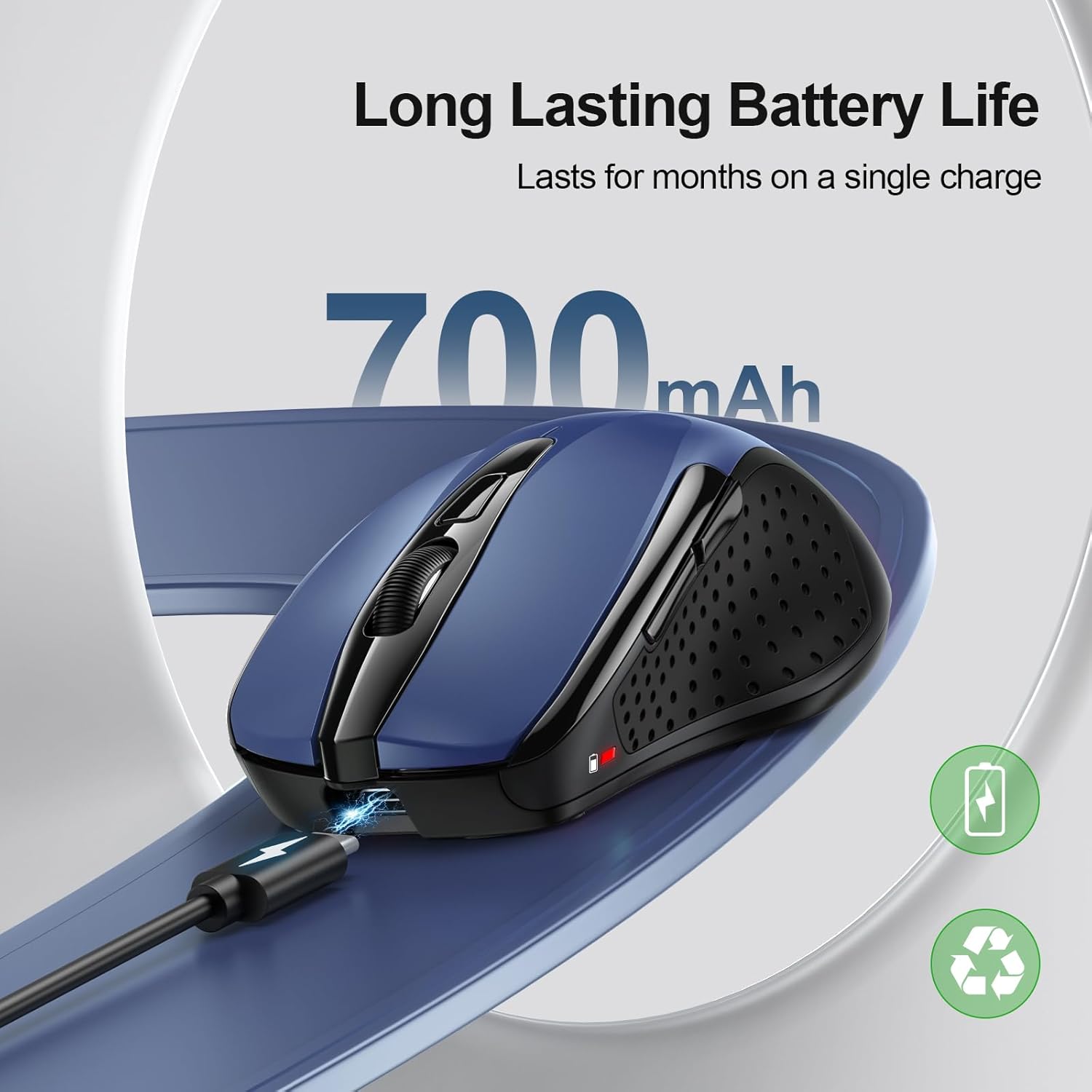
Image 3: The mouse connected to a charging cable, illustrating its rechargeable feature.
3.2 2.4G USB-A റിസീവർ വഴി ബന്ധിപ്പിക്കുന്നു
- മൗസിന്റെ അടിഭാഗത്തുള്ള കമ്പാർട്ടുമെന്റിൽ സൂക്ഷിച്ചിരിക്കുന്ന USB-A റിസീവർ കണ്ടെത്തുക.
- നിങ്ങളുടെ കമ്പ്യൂട്ടറിൽ ലഭ്യമായ ഒരു USB-A പോർട്ടിലേക്ക് USB-A റിസീവർ ചേർക്കുക.
- Slide the switch on the underside of the mouse to the '2.4G' position. The green LED indicator will light up.
- നിങ്ങളുടെ കമ്പ്യൂട്ടർ സ്വയമേവ മൗസ് കണ്ടെത്തി ബന്ധിപ്പിക്കണം.
3.3 Connecting via Bluetooth (BT3.0/BT5.0)
- Slide the switch on the underside of the mouse to the 'BT' position. The blue LED indicator will light up.
- Press and hold the Bluetooth pairing button (located near the switch) for 2-3 seconds until the blue LED indicator starts blinking rapidly. This indicates the mouse is in pairing mode.
- On your device (laptop, tablet, etc.), go to Bluetooth settings and search for new devices.
- Select 'TECKNET Mouse' (or similar name) from the list of available devices to pair.
- Once paired, the blue LED indicator will stop blinking and remain solid.

Image 4: Illustration of dual device connection using 2.4G USB and Bluetooth.
3.4 ബന്ധിപ്പിച്ച ഉപകരണങ്ങൾക്കിടയിൽ മാറൽ
The mouse supports connecting to two devices simultaneously (one via 2.4G USB-A and one via Bluetooth). To switch between devices, simply slide the connectivity switch on the underside of the mouse to the desired '2.4G' or 'BT' position.
Video 1: Official TECKNET video demonstrating the dual connectivity and switching between 2.4G and Bluetooth modes.
4. പ്രവർത്തന നിർദ്ദേശങ്ങൾ
4.1 ബട്ടൺ പ്രവർത്തനങ്ങൾ
- ഇടത് ബട്ടൺ: സ്റ്റാൻഡേർഡ് ക്ലിക്ക് ഫംഗ്ഷൻ.
- വലത് ബട്ടൺ: സ്റ്റാൻഡേർഡ് റൈറ്റ്-ക്ലിക്ക് ഫംഗ്ഷൻ.
- സ്ക്രോൾ വീൽ: Scroll up/down pages. Can also be clicked for middle-click functionality.
- ഡിപിഐ സ്വിച്ച് ബട്ടൺ: Located behind the scroll wheel. Press to cycle through DPI settings.
- ഫോർവേഡ്/ബാക്ക്വേർഡ് ബട്ടണുകൾ: Located on the left side of the mouse. Used for navigation (e.g., back/forward in web browsers). Note: Side buttons are not compatible with macOS.
4.2 ഡിപിഐ സെൻസിറ്റിവിറ്റി ക്രമീകരിക്കൽ
The mouse offers 6 adjustable DPI levels (800/1200/1600/2400/3200/4800). Press the DPI switch button to cycle through these settings. A higher DPI provides faster cursor movement, while a lower DPI offers more precise control.

Image 5: Visual representation of the 6 adjustable DPI levels.
4.3 നിശബ്ദ പ്രവർത്തനം
The TECKNET TK-MS317 is designed for silent clicks, making it suitable for quiet environments such as libraries or offices, minimizing disturbance to others.

Image 6: Demonstrating the silent click feature of the mouse.
4.4 എർഗണോമിക് ഡിസൈൻ
The mouse features an ergonomic design that fits the natural curvature of the human palm, providing a comfortable grip for extended use.

Image 7: The ergonomic shape designed for user comfort.
4.5 ഉപരിതല അനുയോജ്യത
The optical sensor allows the mouse to track effectively on various surfaces, including resin, wood, fabric, paper, and metal.

Image 8: The mouse operating on different surface types.
5. പരിപാലനം
5.1 ബാറ്ററി ലൈഫും ചാർജിംഗും
The mouse features a built-in rechargeable battery. A full charge takes approximately 1.5 to 2 hours and can provide up to 3 months of usage (based on 2 hours of daily use). The mouse can be used while charging.

Image 9: Details on charging time and battery longevity.
5.2 വൃത്തിയാക്കൽ
To clean the mouse, use a soft, damp തുണി. ഉപരിതലത്തിന് കേടുവരുത്തുന്ന കഠിനമായ രാസവസ്തുക്കളോ ഉരച്ചിലുകളോ ഉപയോഗിക്കുന്നത് ഒഴിവാക്കുക.
6. പ്രശ്നപരിഹാരം
- മൗസ് പ്രതികരിക്കുന്നില്ല: Ensure the mouse is charged and the connectivity switch is set to the correct mode (2.4G or BT). For 2.4G, ensure the USB receiver is properly inserted. For Bluetooth, ensure the mouse is paired correctly and Bluetooth is enabled on your device.
- ഇടവിട്ടുള്ള കണക്ഷൻ: Try moving the mouse closer to your device. Ensure there are no large metal objects or other wireless devices interfering with the signal.
- കഴ്സർ ചലനം ക്രമരഹിതമാണ്: Check the surface you are using the mouse on. Try adjusting the DPI settings.
- Side buttons not working on macOS: The side buttons are not compatible with macOS.
7 സ്പെസിഫിക്കേഷനുകൾ
| ഫീച്ചർ | വിശദാംശങ്ങൾ |
|---|---|
| മോഡൽ നമ്പർ | TK-MS317 |
| കണക്റ്റിവിറ്റി ടെക്നോളജി | Bluetooth (5.0/3.0), 2.4G Wireless, USB A |
| ഡിപിഐ ലെവലുകൾ | 800/1200/1600/2400/3200/4800 |
| പ്രത്യേക സവിശേഷതകൾ | Ergonomic Design, Rechargeable, Silent Operation |
| മൂവ്മെന്റ് ഡിറ്റക്ഷൻ ടെക്നോളജി | ഒപ്റ്റിക്കൽ |
| ഇനത്തിൻ്റെ ഭാരം | 4.9 ഔൺസ് |
| പാക്കേജ് അളവുകൾ | 4.88 x 3.94 x 1.73 ഇഞ്ച് |
| അനുയോജ്യത | Windows/macOS/Chrome/Linux (Side buttons not compatible with macOS) |
8. വാറൻ്റിയും പിന്തുണയും
TECKNET offers 36 MONTHS SUPPORT for this product. If you encounter any problems in using the product, please feel free to contact our professional customer service team for assistance. Please register your product to activate the full warranty period.
For customer service, visit the official TECKNET webസൈറ്റ് അല്ലെങ്കിൽ നിങ്ങളുടെ ഉൽപ്പന്ന പാക്കേജിംഗിൽ നൽകിയിരിക്കുന്ന കോൺടാക്റ്റ് വിവരങ്ങൾ റഫർ ചെയ്യുക.


