1. ആമുഖം
Thank you for choosing the TECKNET Bluetooth Keyboard. This ultra-slim, full-size wireless keyboard is designed for enhanced productivity and seamless switching between multiple devices. It supports 4 modes of connection (3 Bluetooth channels and 1 x 2.4G wireless mode) and features a long-lasting rechargeable battery, quiet scissor-switch keys, and an ergonomic design.
പാക്കേജ് ഉള്ളടക്കം:
- 1 x TECKNET Multi-Device Bluetooth Keyboard
- 1 x യുഎസ്ബി-സി ചാർജിംഗ് കേബിൾ
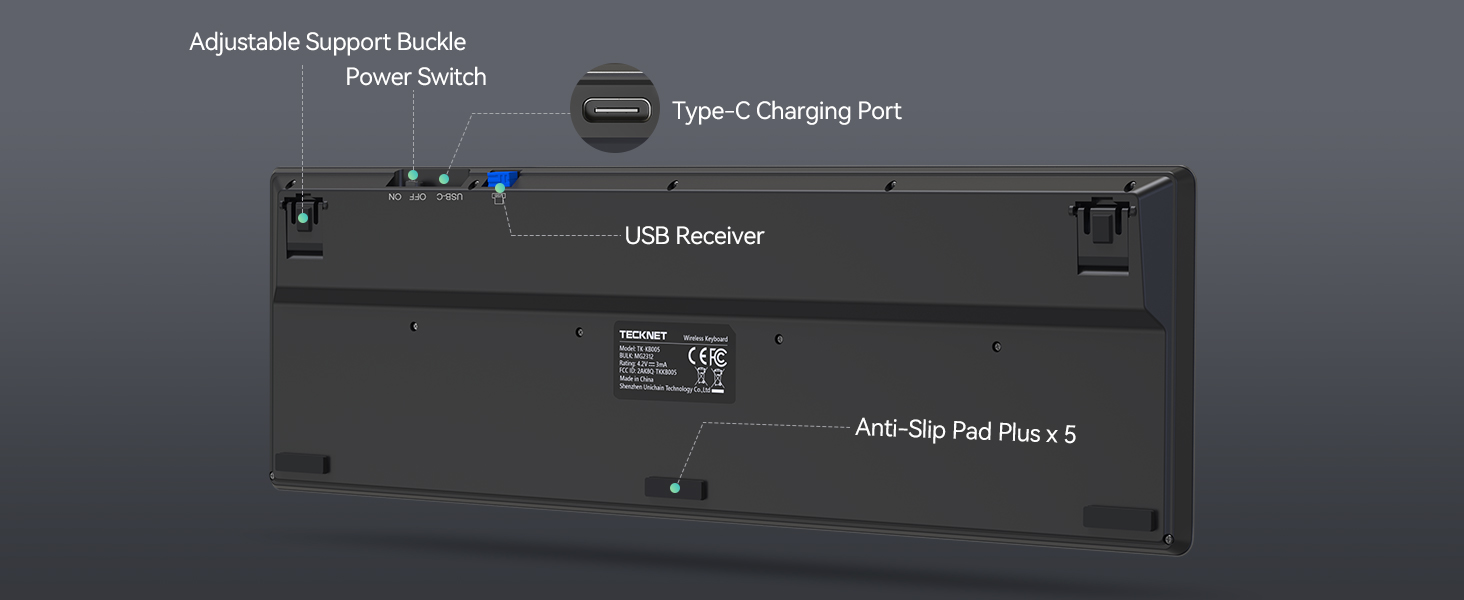
- 1 x 2.4G USB Receiver (stored in the keyboard's back compartment)
- 1 x ഉപയോക്തൃ മാനുവൽ
2. സജ്ജീകരണം
2.1. കീബോർഡ് ചാർജ് ചെയ്യുന്നു
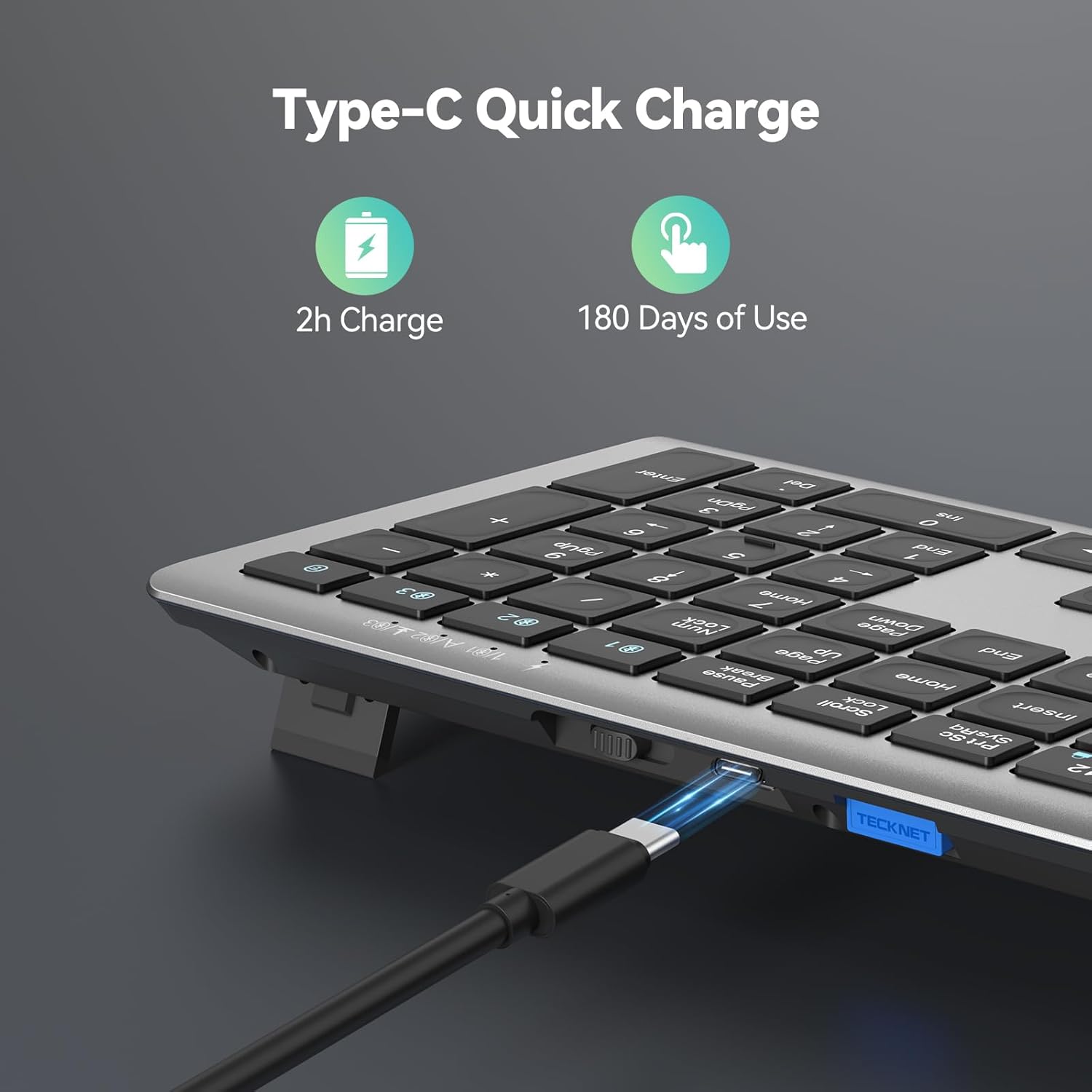
Before initial use, ensure the keyboard is fully charged. Connect the provided USB-C charging cable to the keyboard's USB-C port and the other end to a USB power source (e.g., computer USB port, USB wall adapter). The charging indicator light will turn red while charging and switch to green when fully charged.

2.2. 2.4G വയർലെസ് മോഡ് വഴി ബന്ധിപ്പിക്കുന്നു
For devices without Bluetooth, or for a dedicated connection, use the 2.4G wireless mode:
- Locate the 2.4G USB receiver stored in the back compartment of the keyboard.
- Insert the USB receiver into an available USB-A port on your computer or device.
- Slide the power switch on the back of the keyboard to the 'ON' position.
- Press the '2.4G' channel button (usually indicated by a wireless icon) on the keyboard. The indicator light will illuminate, confirming the connection.

2.3. Connecting via Bluetooth Mode (BT1, BT2, BT3)
The keyboard supports up to three Bluetooth connections, allowing you to switch between devices effortlessly:
- നിങ്ങളുടെ ഉപകരണത്തിന്റെ ബ്ലൂടൂത്ത് പ്രവർത്തനക്ഷമമാക്കിയിട്ടുണ്ടെന്ന് ഉറപ്പാക്കുക.
- Slide the power switch on the back of the keyboard to the 'ON' position.
- Press and hold one of the Bluetooth channel buttons (BT1, BT2, or BT3) for more than 3 seconds until the corresponding green LED light flashes quickly. This indicates pairing mode.
- On your device, search for Bluetooth devices and select 'TK-KB005' from the list.
- Once paired, the LED light will turn off after being on for 2 seconds.
- Repeat steps 3-5 for other Bluetooth channels (BT2, BT3) to connect additional devices.

3. പ്രവർത്തന നിർദ്ദേശങ്ങൾ
3.1. ഉപകരണങ്ങൾക്കിടയിൽ മാറൽ
To switch between connected devices, simply press the corresponding channel button (2.4G, BT1, BT2, or BT3). The keyboard will seamlessly connect to the selected device.
3.2. മൾട്ടിമീഡിയ കീകൾ
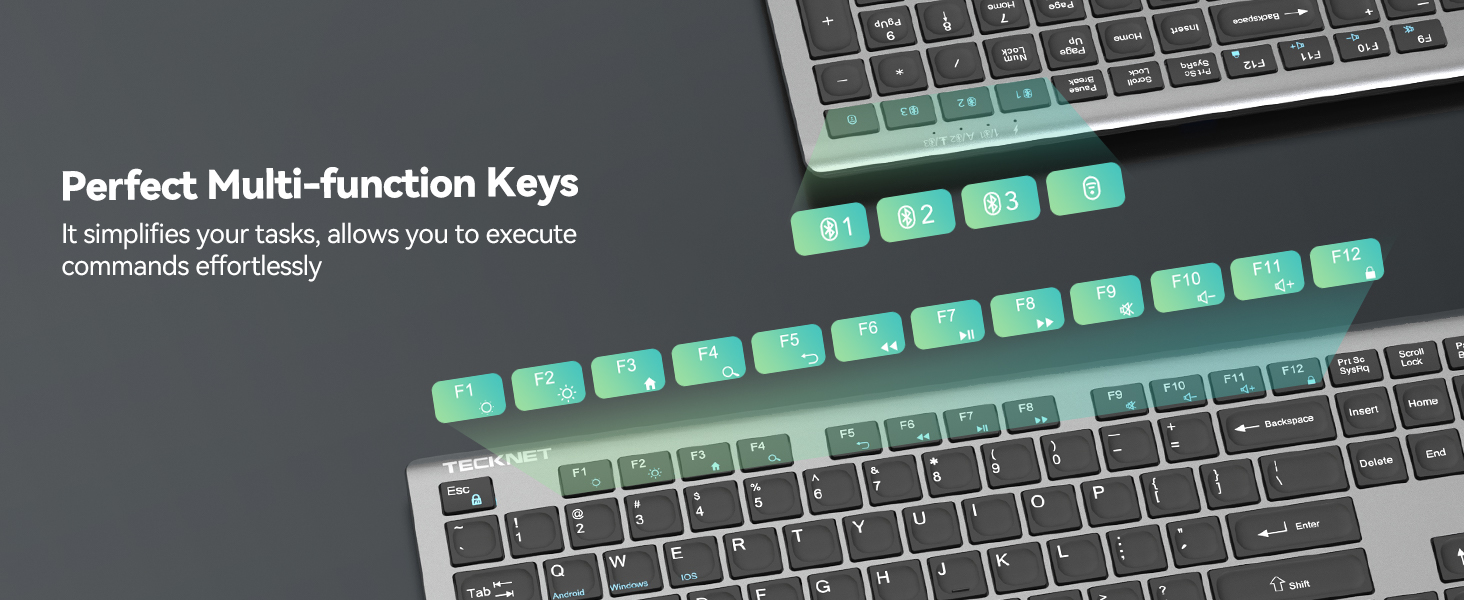
The keyboard features 12 multimedia keys for enhanced productivity. These keys are typically accessed by pressing the 'Fn' key in combination with the corresponding F-key (F1-F12).

3.3. ക്രമീകരിക്കാവുന്ന സ്റ്റാൻഡ്
The keyboard includes adjustable feet on the back, allowing you to customize the tilt angle between 3° and 7° for optimal typing comfort and to prevent fatigue during long sessions.
3.4. സിസ്റ്റം അനുയോജ്യത
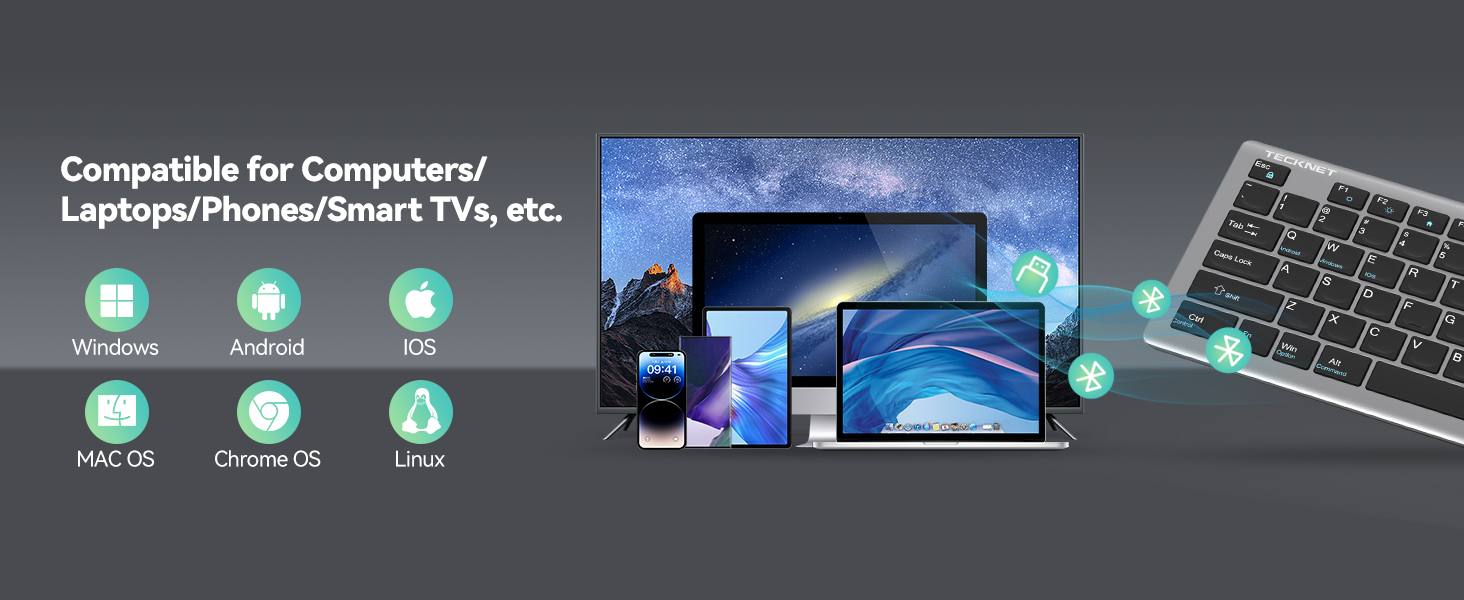
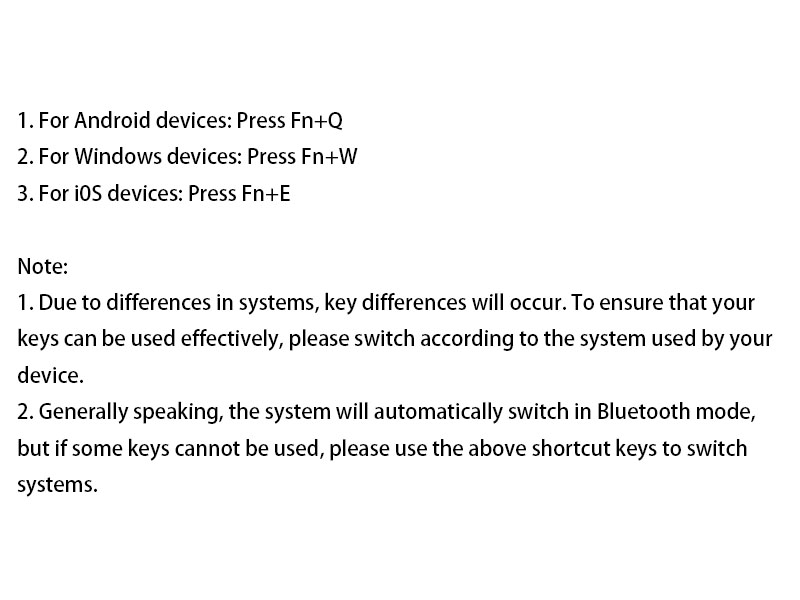
The keyboard is broadly compatible with Windows, iOS, macOS, and Android devices. To ensure effective key usage due to system differences, switch according to the system used by your device:
- ആൻഡ്രോയിഡ് ഉപകരണങ്ങൾക്ക്: അമർത്തുക Fn+Q
- വിൻഡോസ് ഉപകരണങ്ങൾക്ക്: അമർത്തുക Fn+W
- For iOS devices: Press Fn+E
Generally, the system will automatically switch in Bluetooth mode, but if some keys cannot be used, please use the above shortcut keys to switch systems.
4. പരിപാലനം
4.1. വൃത്തിയാക്കൽ
കീബോർഡ് വൃത്തിയാക്കാൻ, മൃദുവായ, ഡി-ടച്ച് ഉപയോഗിച്ച് പ്രതലം സൌമ്യമായി തുടയ്ക്കുക.amp cloth. Avoid using harsh chemicals or abrasive materials that could damage the finish or keycaps. Ensure no liquid enters the keyboard.
4.2. സംഭരണം
When not in use, the keyboard automatically enters sleep mode after 30 minutes of inactivity to conserve battery life. It wakes up instantly with any key press. For long-term storage, it is recommended to turn off the keyboard using the 'OFF' switch on the back.
5. പ്രശ്നപരിഹാരം
നിങ്ങളുടെ TECKNET കീബോർഡിൽ എന്തെങ്കിലും പ്രശ്നങ്ങൾ നേരിടുകയാണെങ്കിൽ, ദയവായി ഇനിപ്പറയുന്ന പൊതുവായ പരിഹാരങ്ങൾ പരിശോധിക്കുക:
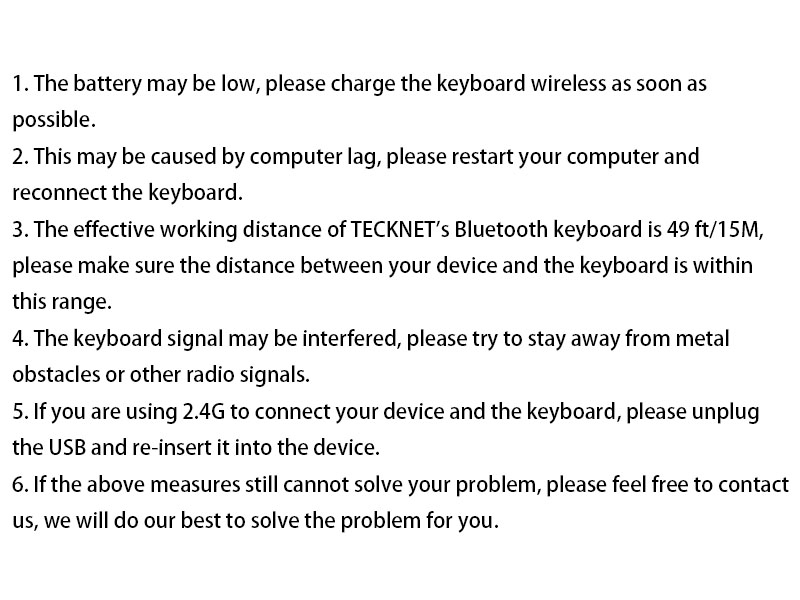
- കീബോർഡ് പ്രതികരിക്കുന്നില്ല: Ensure the keyboard is fully charged. Charge the keyboard before use and ensure it is used within a range of 49ft/15M.
- ബ്ലൂടൂത്ത് കണക്ഷൻ പ്രശ്നങ്ങൾ: Remove/delete all Bluetooth connection records on your device, then turn off Bluetooth. Turn on the device's Bluetooth again and reconnect the keyboard according to the user manual.
- Forced Bluetooth pairing method: Bring the keyboard close to the device, turn on the device's Bluetooth. Short press the Bluetooth channel button corresponding to the device (the light will light up). Long press the channel button for more than 3 seconds until the green LED light flashes quickly. Complete the pairing of the device and the keyboard within 2 minutes. The LED of the channel turns off after being on for 2 seconds, indicating that the device and the keyboard have been successfully paired.
- 2.4G forced pairing method: Bring the keyboard close to the device, short press the 2.4G channel button (the light will light up). Long press for more than 3 seconds until the red LED flashes quickly. Insert the USB Dongle within 20 seconds (make sure the keyboard is close to the receiver). The LED of the 2.4G channel turns off after being on for 2 seconds, indicating that the device and the keyboard are paired successfully.
- കാലതാമസം അല്ലെങ്കിൽ വൈകിയ ഇൻപുട്ട്: ഇത് കമ്പ്യൂട്ടർ ലാഗ് മൂലമാകാം; ദയവായി നിങ്ങളുടെ കമ്പ്യൂട്ടർ പുനരാരംഭിച്ച് കീബോർഡ് വീണ്ടും ബന്ധിപ്പിക്കുക.
- ഇടപെടൽ: കീബോർഡ് സിഗ്നൽ തടസ്സപ്പെട്ടേക്കാം; ലോഹ തടസ്സങ്ങളിൽ നിന്നോ മറ്റ് റേഡിയോ സിഗ്നലുകളിൽ നിന്നോ അകന്നു നിൽക്കാൻ ശ്രമിക്കുക.
- 2.4G കണക്ഷൻ പ്രവർത്തിക്കുന്നില്ല: If you are using 2.4G to connect your device and the keyboard, please unplug the USB and re-insert it into the device.
If none of the above solutions work, please contact our professional customer service team for additional support.

6 സ്പെസിഫിക്കേഷനുകൾ
| ഫീച്ചർ | വിശദാംശങ്ങൾ |
|---|---|
| മോഡൽ നമ്പർ | TK-KB005 |
| കണക്റ്റിവിറ്റി ടെക്നോളജി | Bluetooth (3 channels), 2.4G Wireless (USB-A) |
| കീകളുടെ എണ്ണം | 110 |
| കീ തരം | കത്രിക-സ്വിച്ച് |
| ശബ്ദം കുറയ്ക്കൽ | 90% |
| കീസ്ട്രോക്ക് ദൈർഘ്യം | 10 ദശലക്ഷം കീസ്ട്രോക്കുകൾ വരെ |
| പ്രധാന യാത്ര | 2 മി.മീ |
| ബാറ്ററി ശേഷി | 500mAh ലിഥിയം അയൺ (റീചാർജ് ചെയ്യാവുന്നത്) |
| ബാറ്ററി ലൈഫ് | Up to 180 days (based on 2 hours daily use) |
| ചാർജിംഗ് പോർട്ട് | USB-C |
| പ്രവർത്തന ദൂരം | 15 മീറ്റർ (49 അടി) വരെ |
| അനുയോജ്യത | Windows, iOS, macOS, Android (iPads, tablets, smartphones, laptops, desktops, smart TVs) |
| ഉൽപ്പന്ന അളവുകൾ | 17.13 x 5.12 x 0.57 ഇഞ്ച് |
| ഇനത്തിൻ്റെ ഭാരം | 1.29 പൗണ്ട് |
| നിറം | ചാരനിറം |
7. വാറൻ്റിയും പിന്തുണയും
TECKNET offers up to 36 മാസത്തെ പിന്തുണ for this product (registration may be required). If you encounter any problems or have questions regarding your keyboard, please do not hesitate to contact our professional customer service team. We are committed to providing friendly and helpful assistance every step of the way.
For support, please visit the official TECKNET webസൈറ്റ് അല്ലെങ്കിൽ നിങ്ങളുടെ ഉൽപ്പന്ന പാക്കേജിംഗിൽ നൽകിയിരിക്കുന്ന കോൺടാക്റ്റ് വിവരങ്ങൾ റഫർ ചെയ്യുക.


