1. ആമുഖം
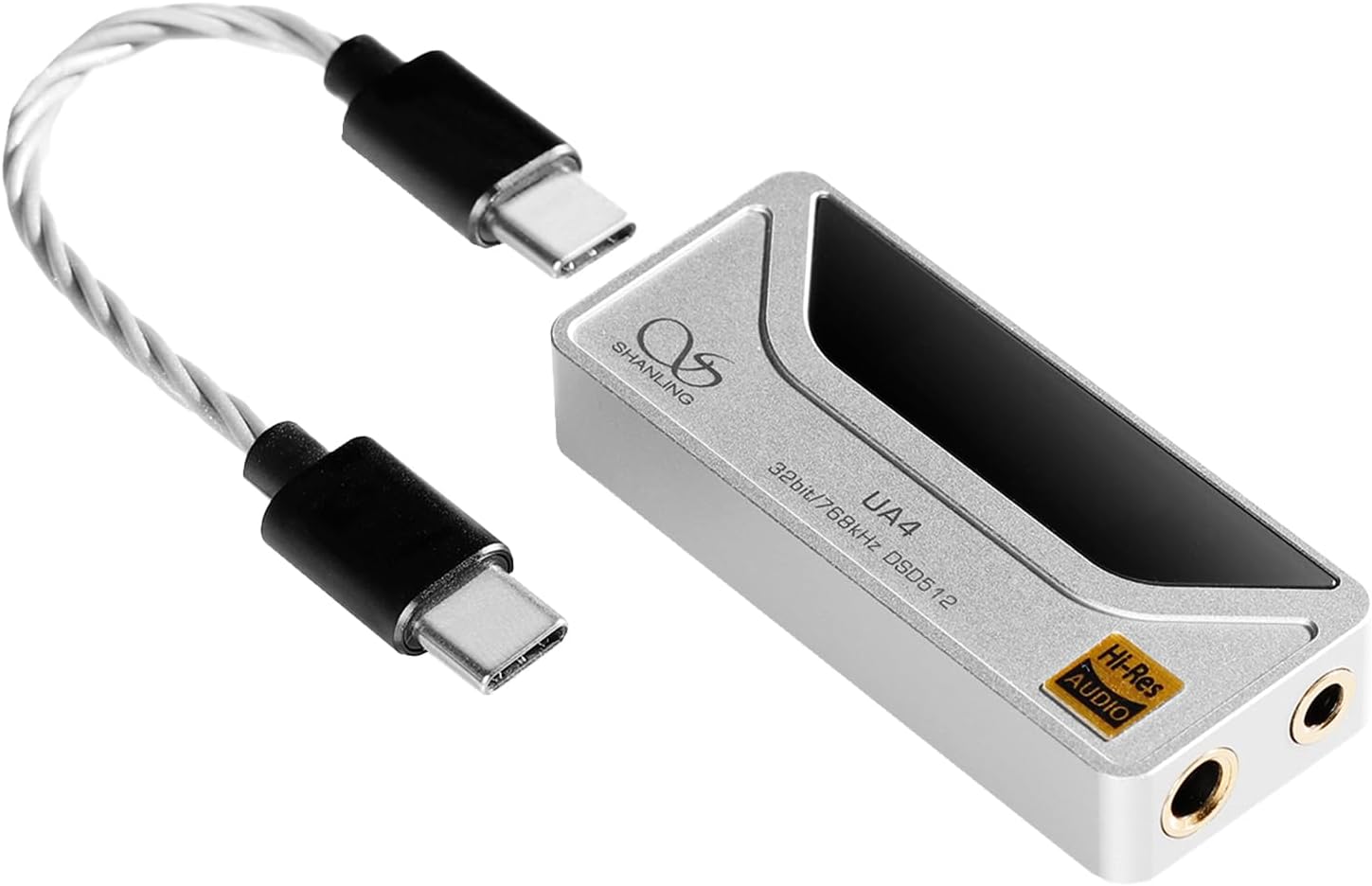
The SHANLING UA4 is a portable USB Digital-to-Analog Converter (DAC) and headphone amplifier designed to enhance audio quality from various devices. It features a high-fidelity DAC chip, MQA support, and dual headphone outputs for versatile connectivity. This manual provides instructions for setup, operation, and maintenance of your UA4 device.
2. ബോക്സിൽ എന്താണുള്ളത്?
- 1x SHANLING UA4 Portable USB DAC Headphone Ampജീവപര്യന്തം
- (Additional cables or accessories may be included depending on the package variant.)
3 പ്രധാന സവിശേഷതകൾ
- High-Fidelity DAC: Equipped with the Flagship ES9069Q HiFi DAC, supporting up to 768kHz/32bit and 256DSD with a Signal-to-Noise Ratio (SNR) of up to 120dB.
- MQA 16X Unfolding: Includes MQA decoding technology, enabling playback of MQA audio files and streams by a factor of 16X with compatible applications like Tidal.
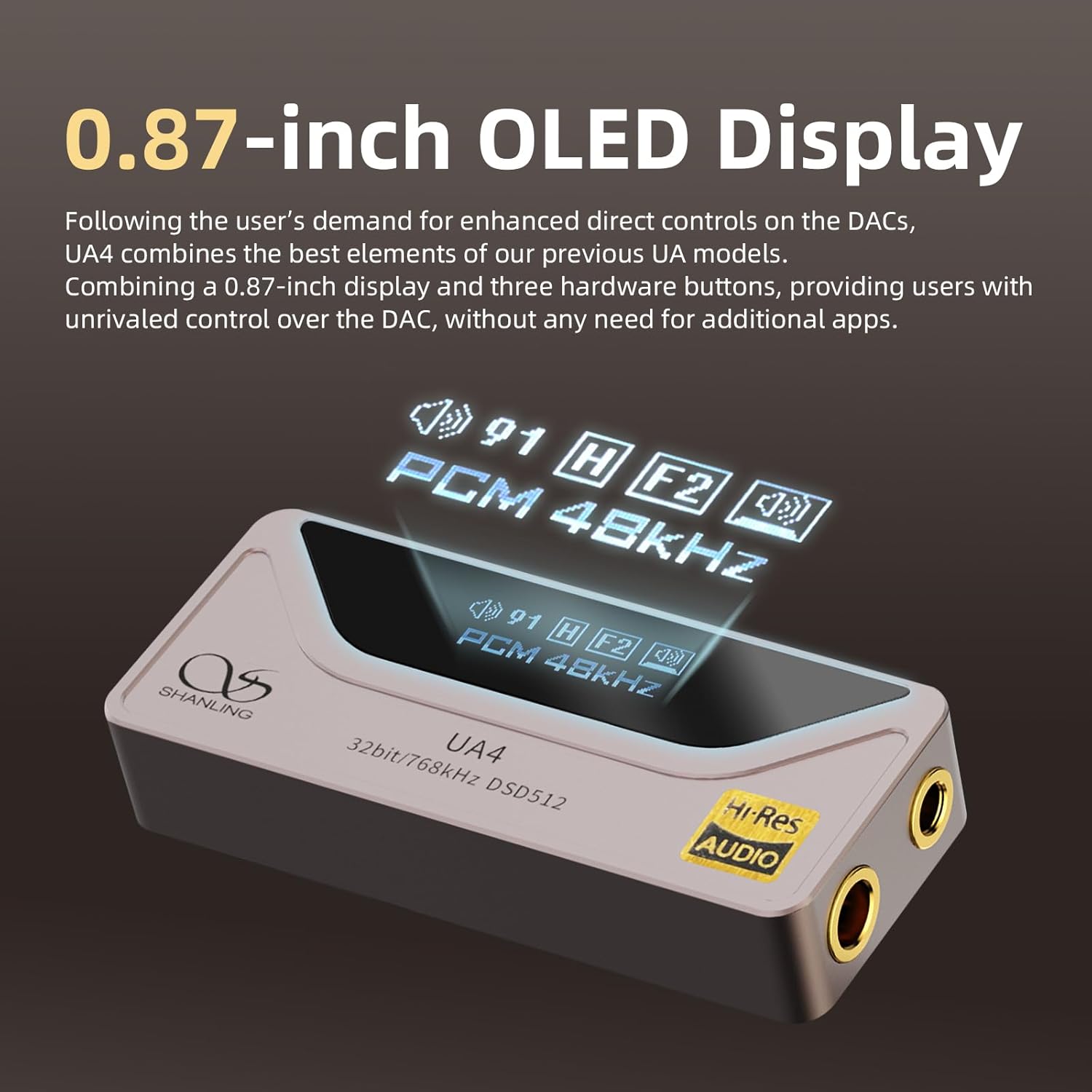
- Compact Design with Display: Features a 0.87-inch OLED display and three hardware buttons for direct control over DAC settings without requiring additional apps.
- ഡ്യുവൽ ഹെഡ്ഫോൺ ഔട്ട്പുട്ടുകൾ: Provides standard 3.5mm single-ended and balanced 4.4mm outputs for compatibility with a wide range of headphones.
- വിശാലമായ അനുയോജ്യത: Compatible with Android, iOS, Windows, and Mac operating systems.
- Android App Control: Connects with the Eddict Player APP on Android devices for advanced control over volume, digital filters, gain, and sound channel balance.
ഫീച്ചർ വിഷ്വലുകൾ


ഉൽപ്പന്നം കഴിഞ്ഞുview വീഡിയോ
MQA and Device Compatibility Video
4. സജ്ജീകരണ ഗൈഡ്
4.1 നിങ്ങളുടെ ഉപകരണത്തിലേക്ക് കണക്റ്റുചെയ്യുന്നു
- Identify Connection Port: The UA4 connects via USB-C. Ensure your source device (smartphone, tablet, computer) has a compatible USB-C port or an appropriate adapter.
- Connect UA4: Use the provided USB-C to USB-C cable to connect the UA4 to your source device.
- ഹെഡ്ഫോണുകൾ ബന്ധിപ്പിക്കുക: Plug your headphones into either the 3.5mm single-ended output or the 4.4mm balanced output on the UA4. Ensure the connection is secure.
- പവർ ഓൺ: The UA4 draws power directly from the connected source device and will power on automatically upon connection.
4.2 Driver Installation (Windows/Mac)
- വിൻഡോസ്: For optimal performance and high-resolution audio playback, it is recommended to install the dedicated SHANLING USB DAC driver. This can typically be found on the official SHANLING webസൈറ്റ്. ഇൻസ്റ്റാളേഷനായി ഓൺ-സ്ക്രീൻ നിർദ്ദേശങ്ങൾ പാലിക്കുക.
- മാക്: The UA4 is generally plug-and-play with Mac OS, requiring no additional drivers.
4.3 iOS Device Compatibility Note
When connecting to iOS devices, a special cable may be required for full compatibility and functionality. For example, the Shanling L3 cable is designed for this purpose. Standard USB-C to Lightning adapters may not provide full functionality.
5. പ്രവർത്തന നിർദ്ദേശങ്ങൾ
5.1 ഹാർഡ്വെയർ നിയന്ത്രണങ്ങൾ
The UA4 features a 0.87-inch OLED display and three hardware buttons for direct control:
- വോളിയം ബട്ടണുകൾ: Use the dedicated volume buttons to adjust the output level.
- മൾട്ടി-ഫംഗ്ഷൻ ബട്ടൺ: This button typically controls playback (play/pause) and can be used to navigate menus or change settings displayed on the OLED screen. Refer to the on-screen prompts for specific functions.
5.2 OLED ഡിസ്പ്ലേ വിവരങ്ങൾ
The OLED display shows important information such as:
- നിലവിലെ വോളിയം നില.
- Active digital filter setting.
- Gain setting (High/Low).
- ഓഡിയോ ഫോർമാറ്റും എസ്ampling rate (e.g., PCM 48kHz, DSD512, MQA).
5.3 Android App Control (Eddict Player APP)
For Android users, the Eddict Player APP provides extended control over the UA4:
- ഡൗൺലോഡ്: Download the Eddict Player APP from the Google Play Store.
- ബന്ധിപ്പിക്കുക: Connect your Android phone to the UA4.
- ക്രമീകരണങ്ങൾ ക്രമീകരിക്കുക: Within the app, you can adjust:
- വോളിയം
- ഡിജിറ്റൽ ഫിൽട്ടർ
- നേട്ടം
- Sound Channel Balance
- സ്ക്രീൻ ഓറിയൻ്റേഷൻ
- Idle Time (for screen shutdown)
- Button Function Settings (DAC Volume +/- or Volume adjustment +/-)
- കുറിപ്പ്: This function is only applicable to the Android platform due to iOS limitations.

6. പരിപാലനവും പരിചരണവും
- വൃത്തിയാക്കൽ: Use a soft, dry cloth to clean the exterior of the UA4. Avoid using liquid cleaners or solvents, as they may damage the finish or internal components.
- സംഭരണം: നേരിട്ടുള്ള സൂര്യപ്രകാശത്തിൽ നിന്നും കടുത്ത താപനിലയിൽ നിന്നും മാറി തണുത്തതും വരണ്ടതുമായ സ്ഥലത്ത് ഉപകരണം സൂക്ഷിക്കുക.
- കൈകാര്യം ചെയ്യൽ: ഉപകരണം ഉപേക്ഷിക്കുകയോ ശക്തമായ ആഘാതങ്ങൾക്ക് വിധേയമാക്കുകയോ ചെയ്യരുത്.
- ജല പ്രതിരോധം: The UA4 is not water-resistant. Avoid exposure to liquids.
7. പ്രശ്നപരിഹാരം
- സൗണ്ട് ഔട്ട്പുട്ട് ഇല്ല:
- Ensure the UA4 is securely connected to both the source device and headphones.
- Check the volume level on both the UA4 and your source device.
- Verify that the correct audio output device is selected on your computer (if applicable).
- For Windows, ensure the SHANLING USB DAC driver is installed correctly.
- For iOS, confirm you are using a compatible cable (e.g., Shanling L3).
- വികലമായ ശബ്ദം:
- Reduce the volume level to prevent clipping.
- Check the audio source file ഗുണനിലവാരം.
- Ensure headphone impedance is within the recommended range for the UA4.
- Try different digital filter settings via the Eddict Player app (Android) or hardware buttons.
- ഡിസ്പ്ലേ പ്രവർത്തിക്കുന്നില്ല:
- Ensure the device is properly connected and receiving power.
- The display may enter idle mode; press any button to wake it up.
- MQA Playback Issues:
- Ensure you are using an MQA-compatible streaming service (e.g., Tidal) and that MQA decoding is enabled in the application settings.
- Verify the MQA file is authentic and not corrupted.
8 സാങ്കേതിക സവിശേഷതകൾ
| ഫീച്ചർ | സ്പെസിഫിക്കേഷൻ |
|---|---|
| മോഡലിൻ്റെ പേര് | UA4 |
| DAC ചിപ്പ് | ESS ES9069Q |
| ഹൈ-റെസ് പിന്തുണ | Up to 768kHz/32bit, DSD512 |
| MQA Support | 16X Unfolding |
| ഹെഡ്ഫോണുകൾ ജാക്ക് | 3.5mm (Single-Ended), 4.4mm (Balanced) |
| Output Power (3.5mm) | 2.1V @ 32Ω (137 mW @ 32Ω) |
| Output Power (4.4mm) | 2.7V @ 32Ω (227 mW @ 32Ω) |
| എസ്.എൻ.ആർ | 120dB (എ-ഭാരം) |
| THD+N (3.5mm) | 0.0008% @ 32Ω (A-Weight @ 1.5V) |
| THD+N (4.4mm) | 0.0008% @ 32Ω (A-Weight @ 2V) |
| Dynamic Range (3.5mm) | 120dB (എ-ഭാരം) |
| Dynamic Range (4.4mm) | 116dB (എ-ഭാരം) |
| Channel Separation (3.5mm) | 71dB @ 32Ω |
| Channel Separation (4.4mm) | 106dB @ 32Ω |
| Output Impedance (3.5mm) | 0.4 Ω |
| Output Impedance (4.4mm) | 0.8 Ω |
| ക്രമീകരണം നേടുക | ഉയർച്ച താഴ്ച |
| ഡിജിറ്റൽ ഫിൽട്ടറുകൾ | 8 ഫിൽട്ടറുകൾ |
| പ്രദർശിപ്പിക്കുക | 0.87-ഇഞ്ച് OLED |
| കണക്റ്റിവിറ്റി ടെക്നോളജി | വയർഡ് (യുഎസ്ബി) |
| അനുയോജ്യമായ ഉപകരണങ്ങൾ | Android, Windows, Mac, iOS Devices |
| മെറ്റീരിയൽ | അലുമിനിയം |
| അളവുകൾ | 4.33 x 3.54 x 1.18 ഇഞ്ച് (പാക്കേജ് അളവുകൾ) |
| ഇനത്തിൻ്റെ ഭാരം | 2.82 ഔൺസ് (0.08 കിലോഗ്രാം) |
9. വാറൻ്റിയും പിന്തുണയും
9.1 ഉൽപ്പന്ന വാറന്റി
SHANLING products typically come with a 1-year maintenance service. In the event of quality problems with the product within this period, replacements may be provided unconditionally.
9.2 Customer Service and Technical Support
For any technical consultation or after-sales service inquiries, please contact SHANLING customer support. Support is generally available 24 hours a day to assist with your questions.
For further information, please visit the official SHANLING website or refer to the product's detail page on the retailer's webസൈറ്റ്.


