1. ആമുഖം
Welcome to the user manual for your new Dragon Touch Notepad K10 Tablet. This guide provides essential information to help you set up, operate, maintain, and troubleshoot your device. Please read this manual thoroughly to ensure proper and safe use of your tablet.
1.1 പാക്കേജ് ഉള്ളടക്കം
ആരംഭിക്കുന്നതിന് മുമ്പ്, നിങ്ങളുടെ പാക്കേജിൽ എല്ലാ ഇനങ്ങളും ഉണ്ടെന്ന് ദയവായി പരിശോധിക്കുക:
- Dragon Touch Notepad K10 Tablet
- USB കേബിൾ
- ചാർജർ
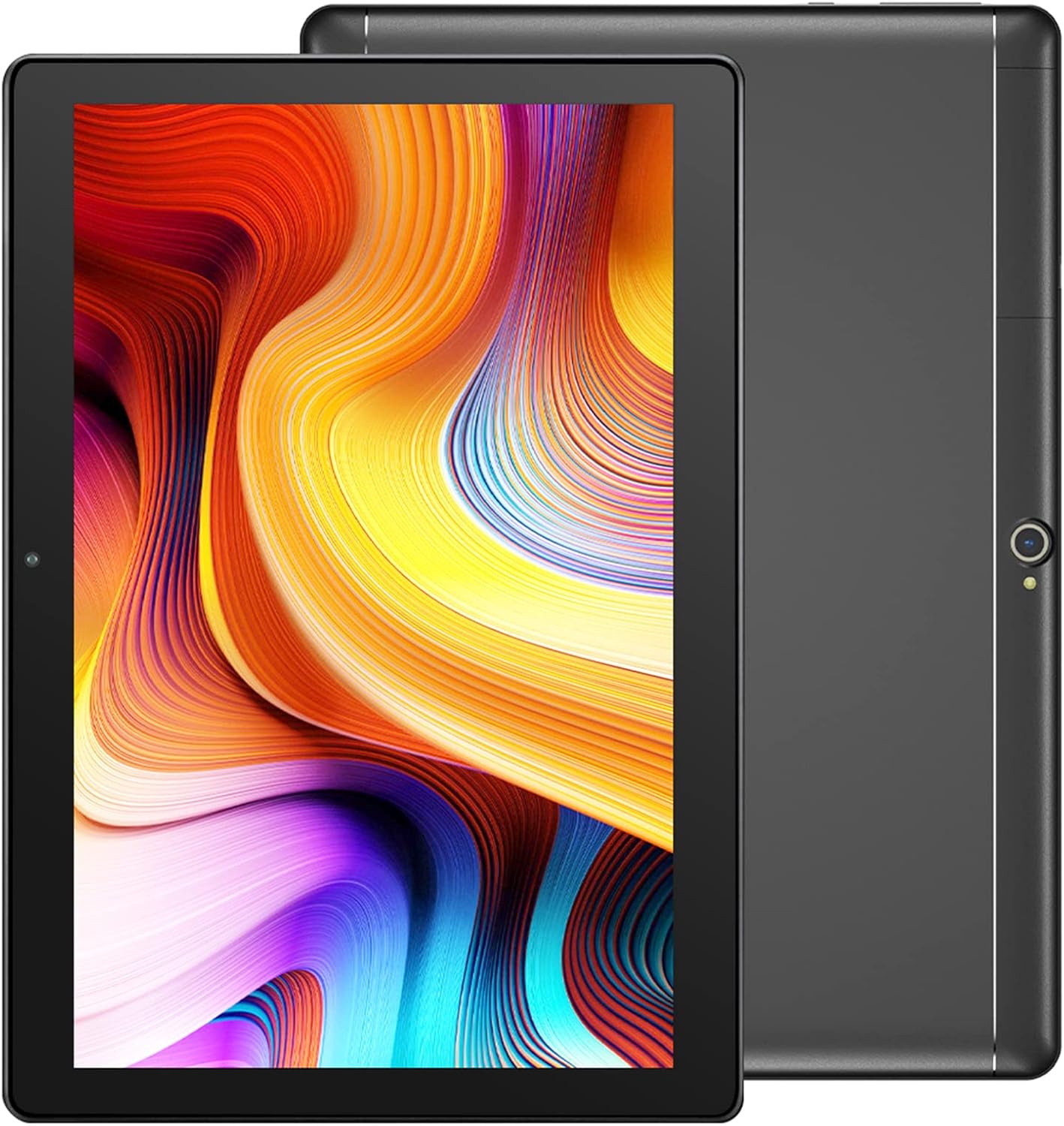
Image: The Dragon Touch Notepad K10 Tablet shown with its USB charging cable and power adapter.
2. ഡിവൈസ് ഓവർview
Familiarize yourself with the physical features and components of your Notepad K10 Tablet.
2.1 മുന്നിലും പിന്നിലും View
The tablet features a 10.1-inch IPS HD display on the front, along with a front-facing camera for video calls and selfies. The rear of the tablet houses the 8MP main camera and dual speakers.

ചിത്രം: വിശദമായ ഒരു ചിത്രം view of the Notepad K10 tablet, illustrating its 10.1-inch display, Android 9.0 operating system, Quad-Core CPU, 2GB RAM, 32GB storage, dual cameras, and dual Wi-Fi capabilities.
2.2 പോർട്ടുകളും ബട്ടണുകളും
Locate the following ports and buttons on your tablet:
- പവർ ബട്ടൺ: ടാബ്ലെറ്റ് ഓൺ/ഓഫ് ആക്കാനോ ഉറങ്ങാൻ/ഉണർത്താനോ ഉപയോഗിക്കുന്നു.
- വോളിയം ബട്ടണുകൾ: ഓഡിയോ വോളിയം ക്രമീകരിക്കുക.
- മൈക്രോ യുഎസ്ബി പോർട്ട്: ടാബ്ലെറ്റ് ചാർജ് ചെയ്യുന്നതിനും കമ്പ്യൂട്ടറുമായി ബന്ധിപ്പിക്കുന്നതിനും.
- മൈക്രോ HDMI പോർട്ട്: Connects the tablet to an external display (e.g., TV, monitor).
- 3.5 എംഎം ഹെഡ്ഫോൺ ജാക്ക്: ഹെഡ്ഫോണുകളോ ബാഹ്യ സ്പീക്കറുകളോ ബന്ധിപ്പിക്കുന്നതിന്.
- മൈക്രോ എസ്ഡി കാർഡ് സ്ലോട്ട്: മൈക്രോ എസ്ഡി കാർഡ് ഉപയോഗിച്ച് സംഭരണം വികസിപ്പിക്കുന്നതിന്.
3. സജ്ജീകരണം
3.1 പ്രാരംഭ ചാർജിംഗ്
Before first use, fully charge your tablet. Connect the included USB cable to the tablet's Micro USB port and the charger to a power outlet. The battery indicator will show charging status.
3.2 പവർ ഓൺ/ഓഫ്
- പവർ ഓണാക്കാൻ: Press and hold the Power button until the Dragon Touch logo appears.
- പവർ ഓഫ് ചെയ്യാൻ: Press and hold the Power button until a power-off menu appears, then select 'Power off'.
- ഉറക്കം/ഉണർവ്: ടാബ്ലെറ്റ് നിദ്രയിലാക്കാനോ ഉണർത്താനോ പവർ ബട്ടൺ അൽപ്പനേരം അമർത്തുക.
3.3 പ്രാരംഭ സജ്ജീകരണ വിസാർഡ്
ആദ്യമായി പവർ-ഓൺ ചെയ്യുമ്പോൾ, ടാബ്ലെറ്റ് നിങ്ങളെ ഒരു പ്രാരംഭ സജ്ജീകരണ വിസാർഡിലൂടെ നയിക്കും. ഓൺ-സ്ക്രീൻ നിർദ്ദേശങ്ങൾ പാലിക്കുക:
- നിങ്ങളുടെ ഭാഷ തിരഞ്ഞെടുക്കുക.
- ഒരു Wi-Fi നെറ്റ്വർക്കിലേക്ക് കണക്റ്റുചെയ്യുക.
- Set up your Google account (recommended for app downloads and services).
- Configure date, time, and other basic settings.
3.4 ഒരു മൈക്രോ എസ്ഡി കാർഡ് ചേർക്കുന്നു
The Notepad K10 supports Micro SD cards up to 128GB for expanded storage. Locate the Micro SD card slot, gently insert the card with the gold contacts facing down until it clicks into place. The tablet will recognize the new storage.
4. പ്രവർത്തന നിർദ്ദേശങ്ങൾ
4.1 അടിസ്ഥാന നാവിഗേഷൻ
The tablet uses a capacitive touchscreen. Common gestures include:
- ടാപ്പ് ചെയ്യുക: ഒരു ഇനം തിരഞ്ഞെടുക്കാനോ ഒരു ആപ്പ് തുറക്കാനോ.
- ടാപ്പ് & ഹോൾഡ്: സന്ദർഭോചിത മെനുകൾ ആക്സസ് ചെയ്യുന്നതിനോ ഐക്കണുകൾ നീക്കുന്നതിനോ.
- സ്വൈപ്പ്: പേജുകളിലൂടെയോ ലിസ്റ്റുകളിലൂടെയോ സ്ക്രോൾ ചെയ്യാൻ.
- പിഞ്ച്: ചിത്രങ്ങൾ സൂം ഇൻ ചെയ്യാനോ ഔട്ട് ചെയ്യാനോ, web പേജുകൾ.
4.2 Wi-Fi-ലേക്ക് ബന്ധിപ്പിക്കുന്നു
ഇന്റർനെറ്റിലേക്ക് കണക്റ്റുചെയ്യാൻ:
- പോകുക ക്രമീകരണങ്ങൾ > നെറ്റ്വർക്കും ഇൻ്റർനെറ്റും > വൈഫൈ.
- വൈഫൈ ടോഗിൾ ചെയ്യുക On.
- ലിസ്റ്റിൽ നിന്ന് നിങ്ങൾക്ക് ആവശ്യമുള്ള നെറ്റ്വർക്ക് തിരഞ്ഞെടുക്കുക.
- ആവശ്യപ്പെടുകയാണെങ്കിൽ പാസ്വേഡ് നൽകുക, തുടർന്ന് ടാപ്പുചെയ്യുക ബന്ധിപ്പിക്കുക.
The Notepad K10 supports dual-band Wi-Fi (2.4GHz and 5GHz) for faster and more stable connections.
4.3 ക്യാമറകൾ ഉപയോഗിക്കുന്നത്
The tablet is equipped with an 8MP rear camera for capturing photos and videos, and a front camera for video calls and selfies. Open the ക്യാമറ app from the home screen or app drawer to start. You can switch between front and rear cameras within the app.

Image: The tablet's 8MP rear camera is shown in use, capturing a family moment, highlighting its ability to record wonderful memories.

Image: The tablet's front camera facilitates video calls, allowing users to stay connected with friends and family.
4.4 Connecting to a TV via Micro HDMI
The Notepad K10 features a Micro HDMI port, allowing you to connect it to a larger display like a TV or monitor for an enhanced viewഅനുഭവം.
- Obtain a Micro HDMI to HDMI cable (not included).
- Connect the Micro HDMI end to your tablet and the HDMI end to your TV.
- Switch your TV's input source to the corresponding HDMI port.
- The tablet's screen content will be mirrored on the TV.

Image: The tablet connected to a television, demonstrating its capability to provide great entertainment enjoyment on a larger screen.
4.5 സംഭരണം കൈകാര്യം ചെയ്യൽ
The tablet comes with 32GB of internal storage. You can expand this by inserting a Micro SD card (up to 128GB). To check storage usage or manage files, പോകുക ക്രമീകരണങ്ങൾ > സംഭരണം.
4.6 ബാറ്ററി മാനേജ്മെൻ്റ്
The Notepad K10 is equipped with a 5000mAh Lithium Polymer battery. Average battery life is approximately 5 hours for general use. To optimize battery life:
- സ്ക്രീൻ തെളിച്ചം കുറയ്ക്കുക.
- ഉപയോഗത്തിലില്ലാത്തപ്പോൾ വൈ-ഫൈ, ബ്ലൂടൂത്ത് എന്നിവ ഓഫാക്കുക.
- ഉപയോഗിക്കാത്ത ആപ്ലിക്കേഷനുകൾ അടയ്ക്കുക.
- തീവ്രമായ താപനില ഒഴിവാക്കുക.

Image: An illustration of the tablet's 5000mAh battery, detailing its long-lasting performance for various activities like video playback, gaming, navigation, and music.
4.7 Eye-Care Mode
The tablet features an Eye-Care mode that automatically adjusts and optimizes the backlight to reduce eye strain, making it more comfortable for reading, especially at night. This setting can typically be found in the Display settings.
5. പരിപാലനം
5.1 ടാബ്ലെറ്റ് വൃത്തിയാക്കൽ
നിങ്ങളുടെ ടാബ്ലെറ്റ് വൃത്തിയാക്കാൻ, മൃദുവായ, ലിന്റ് രഹിത തുണി ഉപയോഗിക്കുക. കഠിനമായ പാടുകൾക്ക്, ചെറുതായി dampen the cloth with water. Avoid using harsh chemicals, abrasive cleaners, or aerosol sprays directly on the tablet.
5.2 സോഫ്റ്റ്വെയർ അപ്ഡേറ്റുകൾ
നിങ്ങളുടെ ടാബ്ലെറ്റിൽ ഏറ്റവും പുതിയ സവിശേഷതകളും സുരക്ഷാ പാച്ചുകളും ഉണ്ടെന്ന് ഉറപ്പാക്കാൻ ഇടയ്ക്കിടെ സിസ്റ്റം അപ്ഡേറ്റുകൾക്കായി പരിശോധിക്കുക. പോകുക ക്രമീകരണങ്ങൾ > സിസ്റ്റം > സിസ്റ്റം അപ്ഡേറ്റ്.
5.3 ബാറ്ററി കെയർ
നിങ്ങളുടെ ടാബ്ലെറ്റിന്റെ ബാറ്ററിയുടെ ആയുസ്സ് വർദ്ധിപ്പിക്കാൻ:
- ബാറ്ററി ഇടയ്ക്കിടെ പൂർണ്ണമായും ഡിസ്ചാർജ് ചെയ്യുന്നത് ഒഴിവാക്കുക.
- Do not leave the tablet in direct sunlight or extremely hot environments.
- If storing the tablet for a long period, charge it to about 50% before turning it off.
6. പ്രശ്നപരിഹാരം
നിങ്ങളുടെ ടാബ്ലെറ്റിൽ പ്രശ്നങ്ങൾ നേരിടുകയാണെങ്കിൽ, ഇനിപ്പറയുന്ന പൊതുവായ പ്രശ്നങ്ങളും പരിഹാരങ്ങളും പരിശോധിക്കുക:
6.1 ടാബ്ലെറ്റ് ഓണാകില്ല
- ബാറ്ററി ആവശ്യത്തിന് ചാർജ്ജ് ചെയ്തിട്ടുണ്ടെന്ന് ഉറപ്പാക്കുക. ചാർജർ കണക്റ്റ് ചെയ്ത് പവർ ഓൺ ചെയ്യാൻ ശ്രമിക്കുന്നതിന് മുമ്പ് കുറച്ച് മിനിറ്റ് കാത്തിരിക്കുക.
- നിർബന്ധിതമായി റീബൂട്ട് ചെയ്യാൻ പവർ ബട്ടൺ 10-15 സെക്കൻഡ് അമർത്തിപ്പിടിക്കുക.
6.2 വൈഫൈ കണക്ഷൻ പ്രശ്നങ്ങൾ
- Check that Wi-Fi is enabled in ക്രമീകരണങ്ങൾ.
- Ensure you are within range of the Wi-Fi router.
- നിങ്ങളുടെ വൈഫൈ റൂട്ടർ പുനരാരംഭിക്കുക.
- ടാബ്ലെറ്റ് ക്രമീകരണങ്ങളിൽ നെറ്റ്വർക്ക് മറന്ന് വീണ്ടും കണക്റ്റുചെയ്യുക.
6.3 മന്ദഗതിയിലുള്ള പ്രകടനം
- പശ്ചാത്തലത്തിൽ പ്രവർത്തിക്കുന്ന ഉപയോഗിക്കാത്ത ആപ്ലിക്കേഷനുകൾ അടയ്ക്കുക.
- ആപ്പുകളുടെ കാഷെ ഡാറ്റ മായ്ക്കുക ക്രമീകരണങ്ങൾ > ആപ്പുകളും അറിയിപ്പുകളും.
- ടാബ്ലെറ്റ് പുനരാരംഭിക്കുക.
- മതിയായ സൗജന്യ സംഭരണ സ്ഥലം ഉറപ്പാക്കുക.
6.4 സ്ക്രീൻ പ്രതികരിക്കുന്നില്ല
- Perform a forced restart (press and hold Power button for 10-15 seconds).
- സ്ക്രീൻ വൃത്തിയുള്ളതും ഈർപ്പമോ അവശിഷ്ടങ്ങളോ ഇല്ലാത്തതുമാണെന്ന് ഉറപ്പാക്കുക.
6.5 HDMI Output Issues
- Verify that the Micro HDMI cable is securely connected to both the tablet and the TV.
- Ensure the TV input source is set to the correct HDMI port.
- Try a different Micro HDMI cable if available.
- Restart both the tablet and the TV.
7 സ്പെസിഫിക്കേഷനുകൾ
Detailed technical specifications for the Dragon Touch Notepad K10 Tablet:
| ഫീച്ചർ | വിശദാംശങ്ങൾ |
|---|---|
| മോഡൽ | Notepad K10 |
| ഓപ്പറേറ്റിംഗ് സിസ്റ്റം | ആൻഡ്രോയിഡ് |
| ഡിസ്പ്ലേ വലിപ്പം | 10.1 ഇഞ്ച് |
| ഡിസ്പ്ലേ റെസല്യൂഷൻ | 1280 x 800 pixels IPS |
| പ്രോസസ്സർ | Quad-Core, 1.3GHz MediaTek |
| റാം | 2 ജിബി |
| ആന്തരിക സംഭരണം | 32 ജിബി |
| വികസിപ്പിക്കാവുന്ന സംഭരണം | മൈക്രോ എസ്ഡി കാർഡ് വഴി 128GB വരെ |
| പിൻ ക്യാമറ | 8എംപി |
| മുൻ ക്യാമറ | Yes (for video calls) |
| വൈഫൈ | 2.4GHz & 5GHz Dual-Band |
| ബ്ലൂടൂത്ത് | അതെ |
| തുറമുഖങ്ങൾ | Micro USB, Micro HDMI, 3.5mm Headphone Jack, Micro SD Card Slot |
| ബാറ്ററി | 5000mAh ലിഥിയം പോളിമർ |
| അളവുകൾ (LxWxH) | 9.4 x 0.4 x 6.7 ഇഞ്ച് |
| ഭാരം | 1.88 പൗണ്ട് |
8. വാറൻ്റിയും പിന്തുണയും
8.1 വാറൻ്റി വിവരങ്ങൾ
For detailed warranty information regarding your Dragon Touch Notepad K10 Tablet, please refer to the warranty card or documentation included with your original purchase. You may also find the most up-to-date warranty terms on the official Dragon Touch webസൈറ്റ്.
8.2 ഉപഭോക്തൃ പിന്തുണ
If you have any questions, require technical assistance, or encounter issues that cannot be resolved using this manual, please contact Dragon Touch customer support:
- ഉദ്യോഗസ്ഥനെ സന്ദർശിക്കുക Dragon Touch Store on Amazon ഉൽപ്പന്ന വിവരങ്ങൾക്കും പിന്തുണാ ഉറവിടങ്ങൾക്കും.
- Refer to the Dragon Touch official website for contact details, FAQs, and additional support.


