1. ആമുഖം
This manual provides essential information for the safe and efficient operation, maintenance, and troubleshooting of your Beko Robot Vacuum Cleaner VRR 94314 VB. Please read this manual thoroughly before using the product and retain it for future reference.
The Beko VRR 94314 VB is an advanced robotic vacuum cleaner designed for both dry vacuuming and wet mopping. It features Laser (LDS) navigation for precise mapping, Wi-Fi connectivity for app control, and an auto dirt disposal system for convenience.
2 സുരക്ഷാ വിവരങ്ങൾ
തീ, വൈദ്യുതാഘാതം അല്ലെങ്കിൽ പരിക്കുകൾ എന്നിവയ്ക്കുള്ള സാധ്യത കുറയ്ക്കുന്നതിന് ഇനിപ്പറയുന്ന സുരക്ഷാ മുൻകരുതലുകൾ എപ്പോഴും പാലിക്കുക:
- ഉപകരണം പ്രവർത്തിപ്പിക്കുന്നതിന് മുമ്പ് എല്ലാ നിർദ്ദേശങ്ങളും വായിക്കുക.
- ഈ ഉപകരണം, അവരുടെ സുരക്ഷയ്ക്ക് ഉത്തരവാദിയായ ഒരു വ്യക്തി ഉപകരണത്തിൻ്റെ ഉപയോഗത്തെ സംബന്ധിച്ച മേൽനോട്ടമോ നിർദ്ദേശമോ നൽകിയിട്ടില്ലെങ്കിൽ, ശാരീരികമോ ഇന്ദ്രിയപരമോ മാനസികമോ ആയ കഴിവുകൾ കുറഞ്ഞതോ അനുഭവത്തിൻ്റെയും അറിവിൻ്റെയും അഭാവം ഉള്ള വ്യക്തികൾക്ക് (കുട്ടികൾ ഉൾപ്പെടെ) ഉപയോഗിക്കാൻ ഉദ്ദേശിച്ചുള്ളതല്ല.
- കുട്ടികൾ ഉപകരണം ഉപയോഗിച്ച് കളിക്കുന്നില്ലെന്ന് ഉറപ്പാക്കാൻ മേൽനോട്ടം വഹിക്കണം.
- Do not use the appliance in wet conditions or on wet surfaces.
- കത്തുന്നതോ കത്തുന്നതോ ആയ വസ്തുക്കളോ, കത്തുന്നതോ പുകയുന്നതോ ആയ ഒന്നും എടുക്കരുത്.
- Ensure the charging station is placed against a wall in an open area, free from obstacles.
- മുടി, അയഞ്ഞ വസ്ത്രങ്ങൾ, വിരലുകൾ, ശരീരത്തിൻ്റെ എല്ലാ ഭാഗങ്ങളും തുറസ്സുകളിൽ നിന്നും ചലിക്കുന്ന ഭാഗങ്ങളിൽ നിന്നും അകറ്റി നിർത്തുക.
- നിർമ്മാതാവ് ശുപാർശ ചെയ്യുന്ന അറ്റാച്ചുമെൻ്റുകളും അനുബന്ധ ഉപകരണങ്ങളും മാത്രം ഉപയോഗിക്കുക.
- വൃത്തിയാക്കുന്നതിനോ അറ്റകുറ്റപ്പണികൾ നടത്തുന്നതിനോ മുമ്പ് പവർ ഔട്ട്ലെറ്റിൽ നിന്ന് ഉപകരണം അൺപ്ലഗ് ചെയ്യുക.
3. ഉൽപ്പന്നം കഴിഞ്ഞുview
Familiarize yourself with the components of your Beko Robot Vacuum Cleaner and its charging station.

ചിത്രം 3.1: The Beko Robot Vacuum Cleaner alongside its auto-empty charging station. The robot is a circular black unit, and the station is a taller, rectangular black unit.
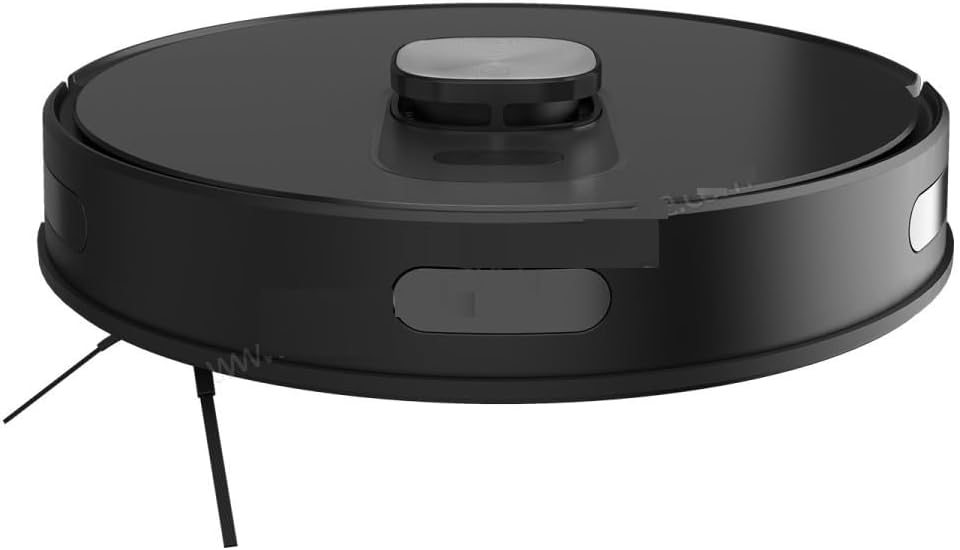
ചിത്രം 3.2: മുകളിൽ view of the Beko Robot Vacuum Cleaner, showing the central control button and the LDS laser navigation dome.

ചിത്രം 3.3: താഴെ view of the Beko Robot Vacuum Cleaner, illustrating the main brush, side brushes, wheels, and the attached blue mopping pad.
റോബോട്ട് ഘടകങ്ങൾ:
- LDS Laser Navigation System: Located on top, enables 360° scanning for precise mapping.
- പ്രധാന നിയന്ത്രണ ബട്ടൺ: For starting/pausing cleaning or returning to the charging station.
- ഡസ്റ്റ്ബിൻ: 0.4 L capacity, accessible from the top or side.
- സൈഡ് ബ്രഷുകൾ: Two brushes to sweep debris into the main brush path.
- Main Rolling Brush: Central brush for deep cleaning.
- ഡ്രൈവിംഗ് വീലുകൾ: For movement across various surfaces, including climbing thresholds up to 2 cm.
- സെൻസറുകൾ: Cliff sensors, wall sensors, and collision sensors for navigation and safety.
- Mopping Attachment: കട്ടിയുള്ള നിലകൾ നനഞ്ഞ വൃത്തിയാക്കലിനായി.
Auto-Empty Station Components:
- Dust Bag Compartment: Holds the disposable dust bag for automatic dirt disposal.
- ചാർജിംഗ് കോൺടാക്റ്റുകൾ: For recharging the robot's battery.
- Power Cord Port: Connects the station to an electrical outlet.
4. സജ്ജീകരണം
4.1 അൺപാക്കിംഗും പ്ലേസ്മെന്റും
- പാക്കേജിംഗിൽ നിന്ന് എല്ലാ ഘടകങ്ങളും ശ്രദ്ധാപൂർവ്വം നീക്കം ചെയ്യുക.
- Remove all protective films and stickers from the robot and charging station.
- Place the auto-empty station against a wall in an area with good Wi-Fi signal, ensuring at least 0.5 meters of clear space on both sides and 1.5 meters in front.
- Connect the power cord to the charging station and plug it into a power outlet.
4.2 പ്രാരംഭ ചാർജിംഗ്
Place the robot onto the charging station. Ensure the charging contacts on the robot align with those on the station. The robot will begin charging automatically. For first-time use, fully charge the robot before operation (approximately 4-6 hours).
4.3 ആപ്പ് ഇൻസ്റ്റാളേഷനും ജോടിയാക്കലും
The Beko Robot Vacuum Cleaner is controlled via a Wi-Fi connected mobile application.
- Download the official Beko robot vacuum app from your smartphone's app store (iOS or Android).
- ആപ്പ് തുറന്ന് ഒരു അക്കൗണ്ട് സൃഷ്ടിക്കുക അല്ലെങ്കിൽ ലോഗിൻ ചെയ്യുക.
- Follow the in-app instructions to add your Beko VRR 94314 VB robot vacuum cleaner. This typically involves connecting your phone to the robot's temporary Wi-Fi network and then connecting the robot to your home Wi-Fi network.
- Once paired, the app will allow you to control the robot, view maps, set schedules, and customize cleaning preferences.

ചിത്രം 4.1: A user interacting with the mobile application to control the Beko Robot Vacuum Cleaner, which is visible in the background.
5. പ്രവർത്തന നിർദ്ദേശങ്ങൾ
5.1 Initial Map Creation
For its first cleaning cycle, allow the robot to complete a full cleaning run without interruption. This enables the LDS navigation system to create an accurate map of your home. The robot can store up to 5 different maps, useful for multi-floor homes.
5.2 ഒരു ക്ലീനിംഗ് സൈക്കിൾ ആരംഭിക്കുന്നു
- ആപ്പ് വഴി: Open the mobile app, select your desired cleaning mode (e.g., Auto, Spot, Zone), and tap 'Start'. You can also customize specific rooms or cleaning zones.
- റോബോട്ട് ബട്ടൺ വഴി: Press the main control button on the robot once to start an automatic cleaning cycle.
5.3 ക്ലീനിംഗ് മോഡുകളും സവിശേഷതകളും
- ഓട്ടോ ക്ലീനിംഗ്: മാപ്പ് ചെയ്ത പ്രദേശം മുഴുവൻ റോബോട്ട് ബുദ്ധിപരമായി വൃത്തിയാക്കുന്നു.
- സ്പോട്ട് ക്ലീനിംഗ്: Directs the robot to clean a specific small area intensively.
- സോൺ ക്ലീനിംഗ്: റോബോട്ടിന് വൃത്തിയാക്കേണ്ട നിർദ്ദിഷ്ട സ്ഥലങ്ങൾ മാപ്പിൽ നിർവചിക്കുക.
- Virtual Walls: Use the app to set virtual boundaries or no-go zones to prevent the robot from entering certain areas.
- മോപ്പിംഗ് ഫംഗ്ഷൻ: Attach the mopping module and fill the water tank. The robot can sweep and mop hard floors simultaneously. Adjust water drop levels via the app.
- പരവതാനി ബൂസ്റ്റ്: The robot automatically detects carpets and increases suction power for deeper cleaning.
- സക്ഷൻ മോഡുകൾ: Choose from 4 different suction modes via the app to suit various cleaning needs and floor types.
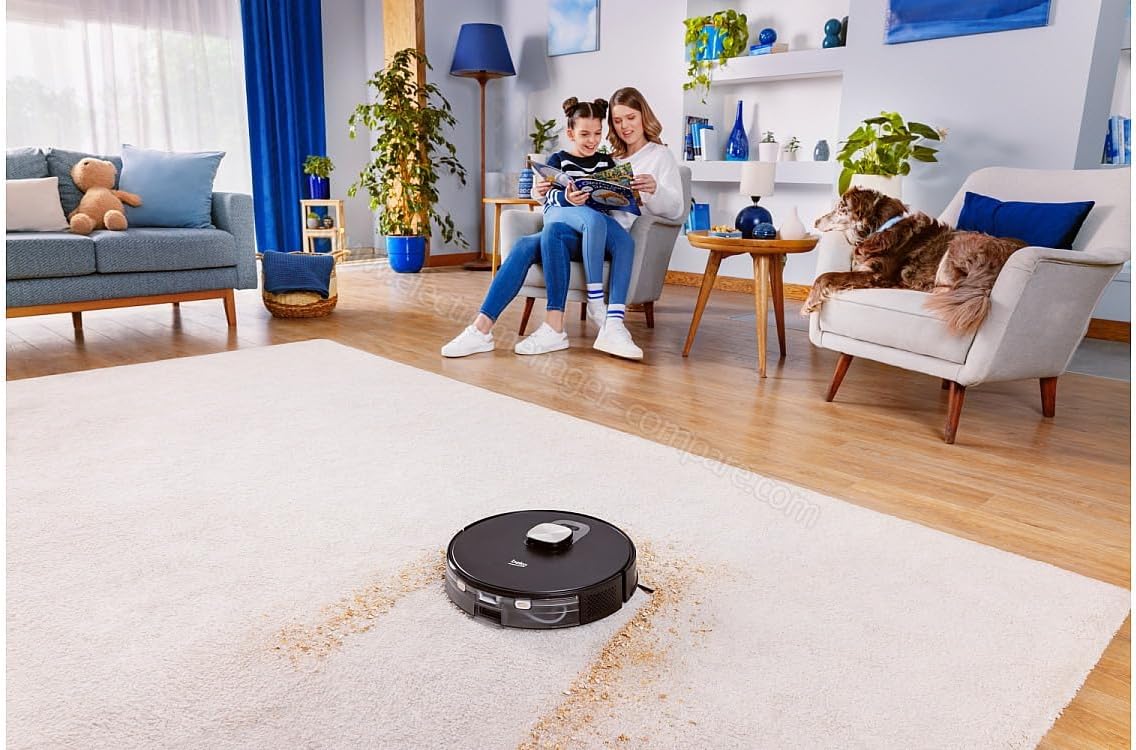
ചിത്രം 5.1: The Beko Robot Vacuum Cleaner actively cleaning a carpeted floor, demonstrating its ability to navigate and clean soft surfaces.

ചിത്രം 5.2: The Beko Robot Vacuum Cleaner operating on a hard floor, showcasing its versatility across different floor types.
5.4 Automatic Charging and Resume
When the robot's battery is low, it will automatically return to the charging station. After recharging, it will resume cleaning from where it left off to complete the cleaning cycle.
6. പരിപാലനം
പതിവ് അറ്റകുറ്റപ്പണികൾ ഒപ്റ്റിമൽ പ്രകടനം ഉറപ്പാക്കുകയും നിങ്ങളുടെ റോബോട്ട് വാക്വം ക്ലീനറിന്റെ ആയുസ്സ് വർദ്ധിപ്പിക്കുകയും ചെയ്യുന്നു.
6.1 ഡസ്റ്റ്ബിൻ ശൂന്യമാക്കൽ
The robot features a 0.4 L dust container. It is recommended to empty the dustbin after each cleaning cycle, especially if the auto-empty station is not used or if the robot is used for heavy cleaning. The auto-empty station will automatically transfer debris from the robot's dustbin to a larger dust bag within the station.
6.2 HEPA ഫിൽട്ടർ വൃത്തിയാക്കൽ
The HEPA filter should be cleaned regularly (e.g., weekly) by tapping it gently to remove dust. Replace the HEPA filter every 3-6 months, depending on usage.
6.3 ക്ലീനിംഗ് ബ്രഷുകൾ
- Main Rolling Brush: Remove hair and debris tangled around the main brush using the cleaning tool provided. Check weekly.
- സൈഡ് ബ്രഷുകൾ: Remove any tangled hair or debris. If brushes are worn or damaged, replace them. Check monthly.
6.4 സെൻസറുകളും ചാർജിംഗ് കോൺടാക്റ്റുകളും വൃത്തിയാക്കൽ
Wipe all sensors (cliff sensors, wall sensors, LDS sensor window) and the charging contacts on both the robot and the charging station with a clean, dry cloth. This should be done monthly to ensure proper navigation and charging.
6.5 മോപ്പിംഗ് പാഡ് പരിപാലനം
After each mopping session, remove the mopping pad, rinse it thoroughly with water, and allow it to air dry completely before reattaching or storing.
7. പ്രശ്നപരിഹാരം
If you encounter issues with your Beko Robot Vacuum Cleaner, refer to the following common problems and solutions:
| പ്രശ്നം | സാധ്യമായ കാരണം | പരിഹാരം |
|---|---|---|
| റോബോട്ട് ഓണാക്കുകയോ ചാർജ് ചെയ്യുകയോ ചെയ്യുന്നില്ല. | Low battery; charging contacts dirty; power cord not connected. | Ensure robot is properly docked; clean charging contacts; check power connection to station. |
| റോബോട്ട് ഇടയ്ക്കിടെ കുടുങ്ങിപ്പോകാറുണ്ട്. | Obstacles in path; sensors dirty; wheels tangled. | Clear obstacles; clean all sensors; remove hair/debris from wheels and brushes. |
| മോശം ക്ലീനിംഗ് പ്രകടനം. | Dustbin full; filter clogged; brushes tangled/worn. | Empty dustbin; clean/replace filter; clean/replace brushes. |
| റോബോട്ടിന് വൈഫൈ/ആപ്പുമായി കണക്റ്റ് ചെയ്യാൻ കഴിയുന്നില്ല. | Incorrect Wi-Fi password; weak signal; robot too far from router. | Verify Wi-Fi password; move charging station closer to router; restart robot and router. |
| Auto-empty station not working. | Dust bag full; suction port blocked. | Replace dust bag; check for blockages in the station's suction path. |
If the problem persists after attempting these solutions, please contact Beko customer support.
8 സ്പെസിഫിക്കേഷനുകൾ
| ഫീച്ചർ | സ്പെസിഫിക്കേഷൻ |
|---|---|
| ബ്രാൻഡ് നാമം | ബെക്കോ |
| മോഡൽ | വിആർആർ 94314 വി.ബി |
| നാവിഗേഷൻ തരം | Laser (LDS) |
| ക്ലീനിംഗ് തരം | Dry and Wet |
| പൊടി കണ്ടെയ്നർ ശേഷി | 0.4 എൽ |
| ക്ലീനിംഗ് ഏരിയ | 180 m² വരെ |
| ഉപരിതല ശുപാർശ | മൾട്ടി-ഉപരിതലം |
| പ്രത്യേക സവിശേഷതകൾ | Cordless, Auto Dirt Disposal, Carpet Boost, Virtual Walls, Multi-Floor Mapping |
| നിറം | കറുപ്പ് |
| ഇനത്തിന്റെ അളവുകൾ (L x W x H) | 9L x 9W x 9H centimeters (Robot dimensions) |
| കൺട്രോളർ തരം | അപ്ലിക്കേഷൻ നിയന്ത്രണം |
| ഫിൽട്ടർ തരം | HEPA |
| ബാറ്ററി ലൈഫ് | 120 മിനിറ്റ് വരെ |
| ബാറ്ററി സെൽ കോമ്പോസിഷൻ | ലിഥിയം |
| ഇനത്തിൻ്റെ ഭാരം | 249 Grams (Robot weight) |
| Climbing Threshold | 2 സെ.മീ |
9. വാറൻ്റിയും പിന്തുണയും
For warranty information, please refer to the warranty card included with your product or visit the official Beko website. For technical support, troubleshooting assistance beyond this manual, or to order replacement parts, please contact Beko customer service through their official channels.


