1. ആമുഖം
This manual provides instructions for the ORICO MINI20 512GB Portable SSD. This external solid-state drive is designed for high-speed data transfer and durability, featuring a rugged zinc alloy design with water and dust resistance. It is suitable for professionals and users requiring reliable storage on the go.

Image: The ORICO MINI20 Portable SSD, a compact and durable external storage device.
2. ഉൽപ്പന്ന സവിശേഷതകൾ
- Superior Speed: Achieves data transfer speeds up to 2000 MB/s, facilitating quick and efficient handling of large files and high-resolution videos.
- Multiple Capacities: Available in 512 GB, 1 TB, and 2 TB options to accommodate various storage requirements.
- പ്രീമിയം ബിൽഡ്: Constructed with a full aluminum alloy casing for lightweight durability and effective heat dissipation. The design also offers a sleek, professional appearance.
- ബഹുമുഖ കണക്റ്റിവിറ്റി: Includes a USB-A and USB-C 2-in-1 data cable for broad compatibility with various devices without needing additional adapters. An integrated hook enhances portability.
- On-the-Go Design: Compact (3.51 x 1.79 x 0.59 inches) and robust, making it easy to carry and suitable for rugged environments. Ideal for photographers and outdoor enthusiasts.

Image: Diagram illustrating the ultra-fast data transfer speeds of the ORICO PSSD, up to 2000MB/s.
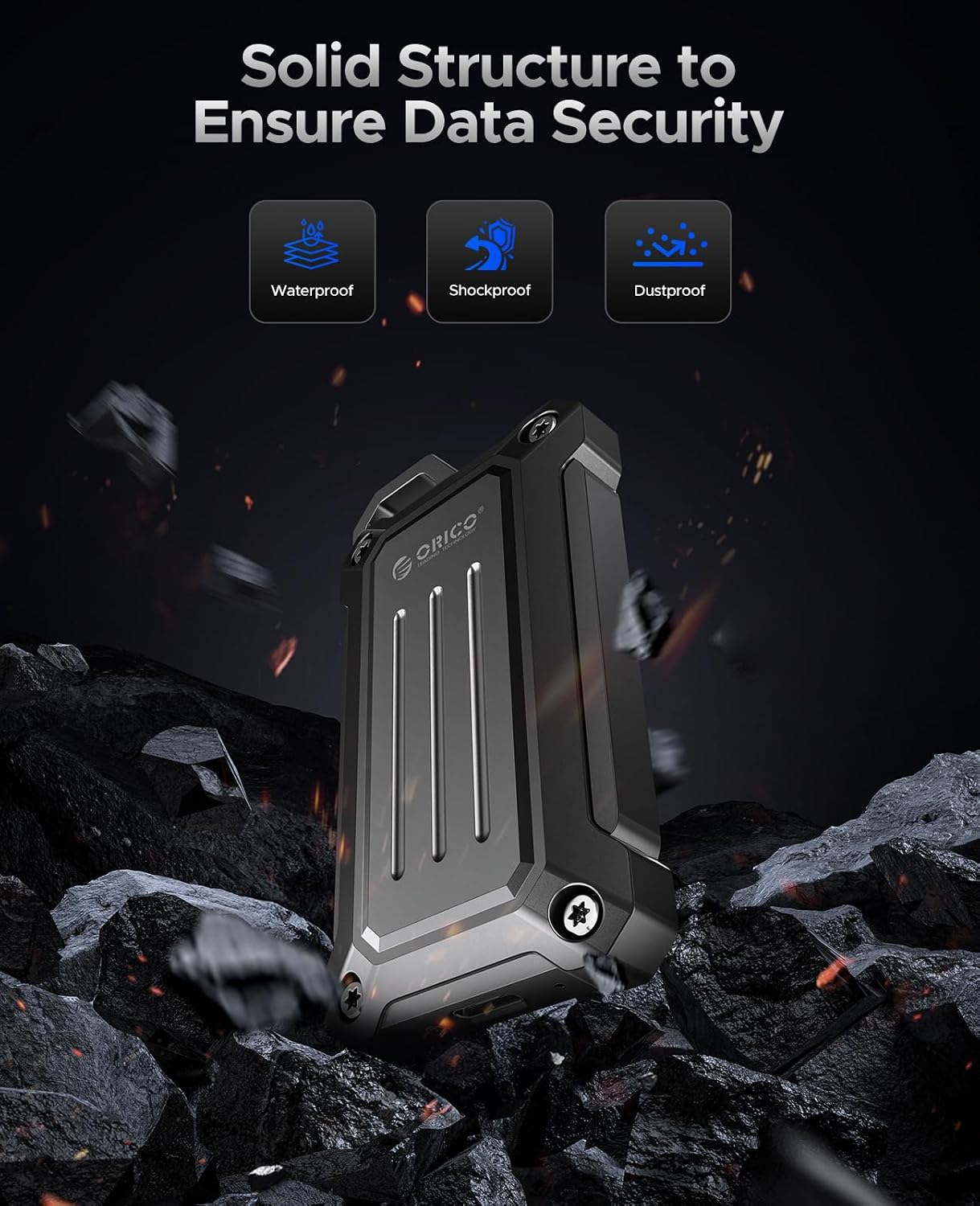
Image: The ORICO PSSD's solid structure, highlighting its waterproof, shockproof, and dustproof capabilities for data security.

Image: The ORICO PSSD featuring a circular design and integrated hook, demonstrating its ease of portability when attached to a backpack.
3. സജ്ജീകരണം
The ORICO MINI20 Portable SSD is designed for plug-and-play functionality across various devices.
3.1 പാക്കേജ് ഉള്ളടക്കം
- ORICO MINI20 Portable SSD
- USB-C to USB-C/USB-A 2-in-1 Data Cable
- Carabiner Hook (pre-attached or included)
3.2 നിങ്ങളുടെ ഉപകരണത്തിലേക്ക് കണക്റ്റുചെയ്യുന്നു
- നിങ്ങളുടെ ഉപകരണത്തിലെ ഉചിതമായ പോർട്ട് തിരിച്ചറിയുക (USB-C അല്ലെങ്കിൽ USB-A).
- Use the provided 2-in-1 data cable. Connect the USB-C end to the SSD.
- Connect the other end of the cable (USB-C or USB-A adapter) to your computer, tablet, or smartphone.
- The SSD should be automatically recognized by your operating system. If not, check your device's file explorer or disk management utility.
അനുയോജ്യത: The ORICO MINI20 is compatible with a wide range of operating systems and devices, including Mac, Windows, iPad, and Android smartphones, provided they have a compatible USB-C or USB-A port.

Image: The ORICO PSSD demonstrating compatibility with various devices such as laptops, iPads, and smartphones.
4. പ്രവർത്തന നിർദ്ദേശങ്ങൾ
4.1 ഡാറ്റ കൈമാറ്റം
Once connected, the ORICO MINI20 Portable SSD functions like any other external storage device. You can drag and drop files, പകർത്തി ഒട്ടിക്കുക, അല്ലെങ്കിൽ നിങ്ങളുടെ ഉപകരണത്തിന്റെ file management system to transfer data.
4.2 Maximizing Transfer Rate
To achieve the maximum transfer speeds of up to 2000 MB/s, ensure the following:
- പൊരുത്തപ്പെടുന്ന കേബിൾ: Use a data cable that supports 20Gbps transfer rates. The included ORICO 2-in-1 cable is designed for this.
- Compatible Interface: Your device's USB port must be at least USB 3.2 Gen 2x2 (20Gbps). While the PSSD is backward-compatible, speeds will be limited by the interface's maximum rate.
- Source/Destination Drive Speed: The read and write speeds of the source or destination drive (e.g., your computer's internal hard drive) also affect overall transfer performance. For optimal results, both drives should support high speeds.

Image: Diagram illustrating the importance of using a 20Gbps cable to maximize the ORICO PSSD's transfer rate.

Image: Diagram explaining that a 20Gbps transfer rate requires a USB 3.2 Gen 2x2 interface and that the receiving device's disk speed also impacts performance.
4.3 കേസുകൾ ഉപയോഗിക്കുക
The rugged design and high performance make the ORICO MINI20 suitable for various outdoor and professional applications:
- ഫോട്ടോഗ്രാഫിയും വീഡിയോഗ്രാഫിയും: Directly record or offload high-resolution photos and videos from cameras or drones.
- ഔട്ട്ഡോർ സാഹസങ്ങൾ: Securely store data during hiking, vlogging, or other outdoor activities.
- Mobile Workflows: Expand storage for smartphones and tablets for on-the-go editing and file മാനേജ്മെൻ്റ്.

Image: The ORICO PSSD being used in diverse outdoor settings, including hiking, vlogging, and for camera and drone storage.
4.4 ഔദ്യോഗിക ഉൽപ്പന്ന വീഡിയോകൾ
ORICO Portable Solid State Drive for Vlog Shooting Smartphone
Video: Demonstrates the ORICO Portable SSD being used for vlog shooting with a smartphone, highlighting its utility for mobile content creation.
ORICO External Solid State Drive for Outdoor
Video: Showcases the ORICO External SSD's durability and portability for outdoor use, emphasizing its rugged features.
5. പരിപാലനം
To ensure the longevity and optimal performance of your ORICO MINI20 Portable SSD, follow these maintenance guidelines:
- വൃത്തിയായി സൂക്ഷിക്കു: മൃദുവായതും ഉണങ്ങിയതുമായ തുണി ഉപയോഗിച്ച് പുറംഭാഗം തുടയ്ക്കുക. കഠിനമായ രാസവസ്തുക്കളോ ഉരച്ചിലുകളോ ഉപയോഗിക്കുന്നത് ഒഴിവാക്കുക.
- തുറമുഖങ്ങൾ സംരക്ഷിക്കുക: Ensure the USB-C port is free from dust and debris. When not in use, keep the port covered if a protective cap is provided.
- തീവ്രമായ അവസ്ഥകൾ ഒഴിവാക്കുക: While rugged, avoid prolonged exposure to extreme temperatures, direct sunlight, or highly corrosive environments.
- സുരക്ഷിതമായ എജക്ഷൻ: Always safely eject the SSD from your device before disconnecting to prevent data corruption.
6. പ്രശ്നപരിഹാരം
If you encounter issues with your ORICO MINI20 Portable SSD, refer to the following common solutions:
- SSD തിരിച്ചറിഞ്ഞിട്ടില്ല:
- കേബിൾ SSD-യിലേക്കും നിങ്ങളുടെ ഉപകരണത്തിലേക്കും സുരക്ഷിതമായി ബന്ധിപ്പിച്ചിട്ടുണ്ടെന്ന് ഉറപ്പാക്കുക.
- നിങ്ങളുടെ ഉപകരണത്തിൽ മറ്റൊരു USB പോർട്ട് പരീക്ഷിക്കുക.
- കേബിളിന് തകരാറുണ്ടോ എന്ന് ഉറപ്പാക്കാൻ മറ്റൊരു യുഎസ്ബി കേബിൾ ഉപയോഗിച്ച് പരിശോധിക്കുക.
- നിങ്ങളുടെ കമ്പ്യൂട്ടറോ ഉപകരണമോ പുനരാരംഭിക്കുക.
- Check your operating system's Disk Management (Windows) or Disk Utility (Mac) to see if the drive is detected but unformatted or uninitialized.
- മന്ദഗതിയിലുള്ള ട്രാൻസ്ഫർ വേഗത:
- Verify that your device's USB port supports USB 3.2 Gen 2x2 (20Gbps) for maximum speed.
- Ensure you are using the provided high-speed data cable.
- സിസ്റ്റം റിസോഴ്സുകൾ ഉപയോഗിക്കുന്നതോ പശ്ചാത്തല കൈമാറ്റം നടത്തുന്നതോ ആയ മറ്റ് ആപ്ലിക്കേഷനുകൾ അടയ്ക്കുക.
- Check the health and speed of your source/destination drive.
- ഡാറ്റ അഴിമതി:
- Always safely eject the SSD before disconnecting.
- നിങ്ങളുടെ ഓപ്പറേറ്റിംഗ് സിസ്റ്റം കാലികമാണെന്ന് ഉറപ്പാക്കുക.
- Run a disk check utility on the SSD.
7 സ്പെസിഫിക്കേഷനുകൾ
| ഫീച്ചർ | വിശദാംശങ്ങൾ |
|---|---|
| ഡിജിറ്റൽ സ്റ്റോറേജ് കപ്പാസിറ്റി | 512 ജിബി |
| ബ്രാൻഡ് | ഒറിക്കോ |
| പരമ്പര | MINI20-512G-US |
| ഇനം മോഡൽ നമ്പർ | MINI20-512G-US |
| ഇനത്തിൻ്റെ ഭാരം | 5.9 ഔൺസ് |
| ഉൽപ്പന്ന അളവുകൾ (LxWxH) | 3.51 x 0.59 x 1.79 ഇഞ്ച് |
| ഹാർഡ് ഡ്രൈവ് ഇൻ്റർഫേസ് | USB 3.0 (Note: Actual speed up to USB 3.2 Gen 2x2) |
| കണക്റ്റിവിറ്റി ടെക്നോളജി | USB |
| പ്രത്യേക ഫീച്ചർ | പോർട്ടബിൾ |
| ഹാർഡ് ഡിസ്ക് വിവരണം | സോളിഡ് സ്റ്റേറ്റ് ഹാർഡ് ഡ്രൈവ് |
| അനുയോജ്യമായ ഉപകരണങ്ങൾ | ഡെസ്ക്ടോപ്പ്, ലാപ്ടോപ്പ്, ടാബ്ലെറ്റ് |
| ഇൻസ്റ്റലേഷൻ തരം | ബാഹ്യ ഹാർഡ് ഡ്രൈവ് |
8. വാറൻ്റിയും പിന്തുണയും
വാറന്റി വിവരങ്ങൾക്കും സാങ്കേതിക പിന്തുണയ്ക്കും, ദയവായി ഔദ്യോഗിക ORICO കാണുക. website or contact ORICO customer service directly. Details regarding product registration and specific warranty terms can typically be found on the manufacturer's support pages.
കൂടുതൽ പിന്തുണയ്ക്കോ അന്വേഷണങ്ങൾക്കോ, ദയവായി സന്ദർശിക്കുക ആമസോണിലെ ORICO സ്റ്റോർ.


