ആമുഖം
This manual provides essential information for the proper use and care of your GameSir USB-A to USB-C Cable. Please read these instructions carefully before use to ensure optimal performance and longevity of the product.
The GameSir USB-A to USB-C cable is designed for connecting GameSir controllers and other compatible USB-C devices to a USB-A port for data transfer and charging.
ഉൽപ്പന്ന സവിശേഷതകൾ
- കണക്റ്റർ തരം: USB-A മുതൽ USB-C വരെ
- കേബിൾ നീളം: 1.8 മീറ്റർ (5.9 അടി)
- മെറ്റീരിയൽ: Durable PVC outer jacket
- പ്രവർത്തനക്ഷമത: ഡാറ്റ കൈമാറ്റവും ചാർജിംഗും
- അനുയോജ്യത: Compatible with all GameSir controllers that support wired connection, and other USB Type-C devices.

ചിത്രം: ക്ലോസ്-അപ്പ് view of the USB-A and USB-C connectors of the GameSir cable.

Image: The GameSir USB-A to USB-C cable with "GAMESIR PVC CABLE" branding, highlighting its material.

Image: The GameSir USB-A to USB-C cable coiled, illustrating its 1.8-meter (5.9-foot) length.
സജ്ജമാക്കുക
- തുറമുഖങ്ങൾ തിരിച്ചറിയുക: Locate the USB-A port on your computer, gaming console, or power adapter, and the USB-C port on your GameSir controller or other compatible device.
- USB-A ബന്ധിപ്പിക്കുക: Insert the USB-A end of the cable into the USB-A port of your host device (e.g., PC, console).
- USB-C ബന്ധിപ്പിക്കുക: Insert the USB-C end of the cable into the USB-C port of your GameSir controller or other compatible device. Ensure the connection is firm.
- പ്ലഗ് ആൻഡ് പ്ലേ: The cable is designed for plug-and-play functionality. Your device should automatically recognize the connection for data transfer or charging.

Image: The GameSir USB-A to USB-C cable connected to various GameSir controllers, demonstrating wired connection support.
പ്രവർത്തന നിർദ്ദേശങ്ങൾ
Once connected, the GameSir USB-A to USB-C cable facilitates two primary functions:
- ഡാറ്റ കൈമാറ്റം: For GameSir controllers, this enables a wired connection to your gaming platform, reducing input lag and ensuring a stable connection for gameplay. For other compatible devices, it allows for data synchronization.
- ചാർജിംഗ്: When connected to a power source (e.g., a USB wall adapter or a powered USB port on a computer/console), the cable will charge your compatible USB-C device.
Ensure your device's drivers are up-to-date if experiencing connectivity issues with a computer.
പരിപാലനവും പരിചരണവും
To ensure the longevity and optimal performance of your GameSir USB-A to USB-C cable, follow these maintenance guidelines:
- സംഭരണം: നേരിട്ടുള്ള സൂര്യപ്രകാശത്തിൽ നിന്നും ഉയർന്ന താപനിലയിൽ നിന്നും അകന്ന് തണുത്തതും വരണ്ടതുമായ സ്ഥലത്ത് കേബിൾ സൂക്ഷിക്കുക. കേബിൾ മുറുകെ ചുരുട്ടുകയോ മൂർച്ചയുള്ള കോണുകളിൽ വളയ്ക്കുകയോ ചെയ്യുന്നത് ഒഴിവാക്കുക.
- വൃത്തിയാക്കൽ: Use a soft, dry cloth to gently wipe the cable and connectors. Do not use harsh chemicals or abrasive cleaners.
- കൈകാര്യം ചെയ്യൽ: Always grasp the connector head when plugging or unplugging the cable. Avoid pulling directly on the cable itself, as this can damage the internal wires.
- ഈട്: The cable features a clean and durable PVC outer jacket, rigorously tested for durability through plugging, suspension, and bending simulations. However, excessive force or improper handling can still cause damage.
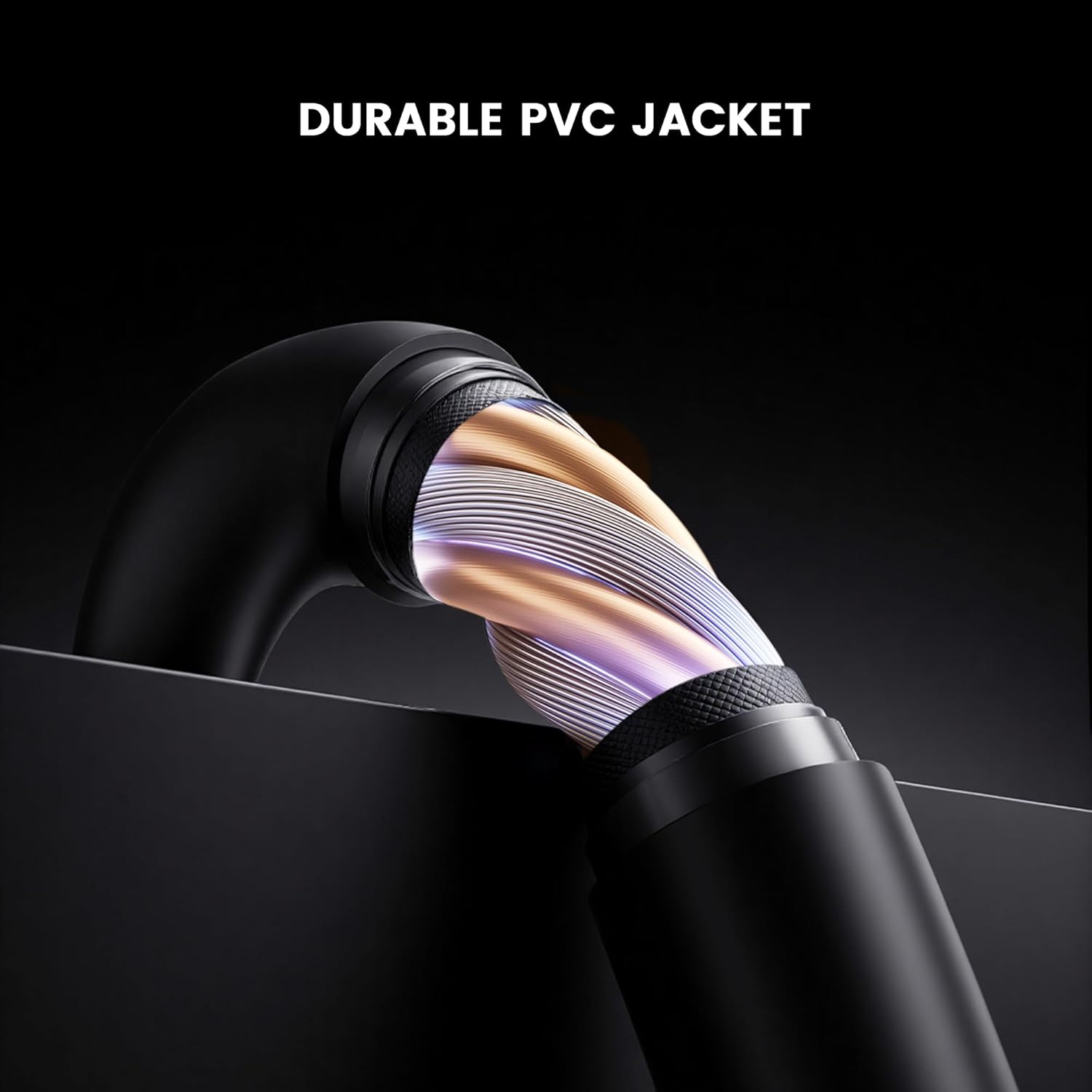
ചിത്രം: ക്രോസ്-സെക്ഷൻ view of the GameSir USB-A to USB-C cable, highlighting its durable PVC jacket and internal construction.
ട്രബിൾഷൂട്ടിംഗ്
If you encounter issues with your GameSir USB-A to USB-C cable, refer to the following common troubleshooting steps:
- ഉപകരണം തിരിച്ചറിഞ്ഞിട്ടില്ല:
- കേബിളിന്റെ രണ്ട് അറ്റങ്ങളും അവയുടെ അതാത് പോർട്ടുകളുമായി സുരക്ഷിതമായി ബന്ധിപ്പിച്ചിട്ടുണ്ടെന്ന് ഉറപ്പാക്കുക.
- Try connecting the cable to a different USB-A port on your host device.
- Test the cable with another compatible USB-C device to rule out an issue with the original device.
- If connecting to a computer, ensure necessary drivers for your GameSir controller or device are installed and up-to-date.
- സ്ലോ ചാർജിംഗ് അല്ലെങ്കിൽ ചാർജിംഗ് ഇല്ല:
- Verify that the power source (e.g., wall adapter, computer USB port) is providing sufficient power.
- പവർ സ്രോതസ്സിലും ഉപകരണത്തിലും കേബിൾ പൂർണ്ണമായും ഘടിപ്പിച്ചിട്ടുണ്ടെന്ന് ഉറപ്പാക്കുക.
- Try a different power source or wall adapter.
- ഇടവിട്ടുള്ള കണക്ഷൻ:
- കേബിളിനോ കണക്ടറുകൾക്കോ ദൃശ്യമായ എന്തെങ്കിലും കേടുപാടുകൾ ഉണ്ടോയെന്ന് പരിശോധിക്കുക.
- Ensure there is no dust or debris in the USB ports of your devices or the cable connectors.
- Avoid bending or stressing the cable during use.
സ്പെസിഫിക്കേഷനുകൾ
| ബ്രാൻഡ് | ഗെയിം സർ |
| മോഡൽ നമ്പർ | 6936685221581 |
| കണക്റ്റർ തരം | യുഎസ്ബി ടൈപ്പ് സി (പുരുഷൻ) മുതൽ യുഎസ്ബി ടൈപ്പ് എ (പുരുഷൻ) വരെ |
| കേബിൾ തരം | USB |
| കേബിൾ നീളം | 1.8 മീറ്റർ (5.9 അടി) |
| നിറം | കറുപ്പ് |
| അനുയോജ്യമായ ഉപകരണങ്ങൾ | GameSir Gaming Consoles/Controllers, other USB Type-C devices |
| പ്രത്യേക ഫീച്ചർ | ഡാറ്റ കൈമാറ്റം |
| പുറം ജാക്കറ്റ് മെറ്റീരിയൽ | പി.വി.സി |
| ഇൻഡോർ/ഔട്ട്ഡോർ ഉപയോഗം | ഇൻഡോർ |
| ഇനത്തിൻ്റെ ഭാരം | 1.76 ഔൺസ് |
വാറൻ്റിയും പിന്തുണയും
വാറന്റി വിവരങ്ങൾക്കും സാങ്കേതിക പിന്തുണയ്ക്കും, ദയവായി ഔദ്യോഗിക ഗെയിംസിർ പരിശോധിക്കുക. website or contact GameSir customer service directly. Keep your purchase receipt for warranty claims.
GameSir Official Store US: വിൽപ്പനക്കാരൻ്റെ വിവരങ്ങൾ


