1. ആമുഖം
This manual provides comprehensive instructions for the installation, operation, and maintenance of your CAMECHO Android 11 Car Stereo. Please read this manual thoroughly before using the product to ensure proper functionality and safety.
1.1. അനുയോജ്യമായ വാഹന മോഡലുകൾ
This 9-inch Android 11 car stereo is designed for specific Opel models:
- Opel Astra H (2004-2008)
- Opel Zafira B (2005-2015)

Figure 1.1: Compatible Opel models and a visual comparison of the dashboard before and after installing the CAMECHO car stereo.
2 സുരക്ഷാ വിവരങ്ങൾ
Always prioritize safety while operating your vehicle. Do not attempt to operate complex functions or watch videos that may distract you from driving. Ensure all connections are secure and correctly installed to prevent electrical hazards or damage to the unit or vehicle.
- യൂണിറ്റ് ഡിസ്അസംബ്ലിംഗ് ചെയ്യുകയോ പരിഷ്കരിക്കുകയോ ചെയ്യരുത്.
- തീവ്രമായ താപനിലയിലോ ഈർപ്പത്തിലോ യൂണിറ്റ് തുറന്നുകാട്ടുന്നത് ഒഴിവാക്കുക.
- നിങ്ങൾക്ക് ഉറപ്പില്ലെങ്കിൽ ഇൻസ്റ്റാളേഷനായി ഒരു പ്രൊഫഷണലിനെ സമീപിക്കുക.
3. പാക്കേജ് ഉള്ളടക്കം
താഴെ ലിസ്റ്റ് ചെയ്തിരിക്കുന്ന എല്ലാ ഇനങ്ങളും നിങ്ങളുടെ പാക്കേജിൽ ഉൾപ്പെടുത്തിയിട്ടുണ്ടെന്ന് ഉറപ്പാക്കുക:
- Main Head Unit
- പവർ കേബിൾ
- ജിപിഎസ് ആൻ്റിന
- ആർസിഎ കേബിൾ
- USB കേബിൾ
- മൈക്രോഫോൺ
- ക്യാമറ ഇൻപുട്ട് കേബിൾ
- ഉപയോക്തൃ മാനുവൽ
- Video Extension Cable
- ഇൻസ്റ്റാളേഷനുള്ള സ്ക്രൂകൾ
- AHD പിൻ ക്യാമറ
- ഇൻസ്റ്റലേഷൻ ടൂൾ
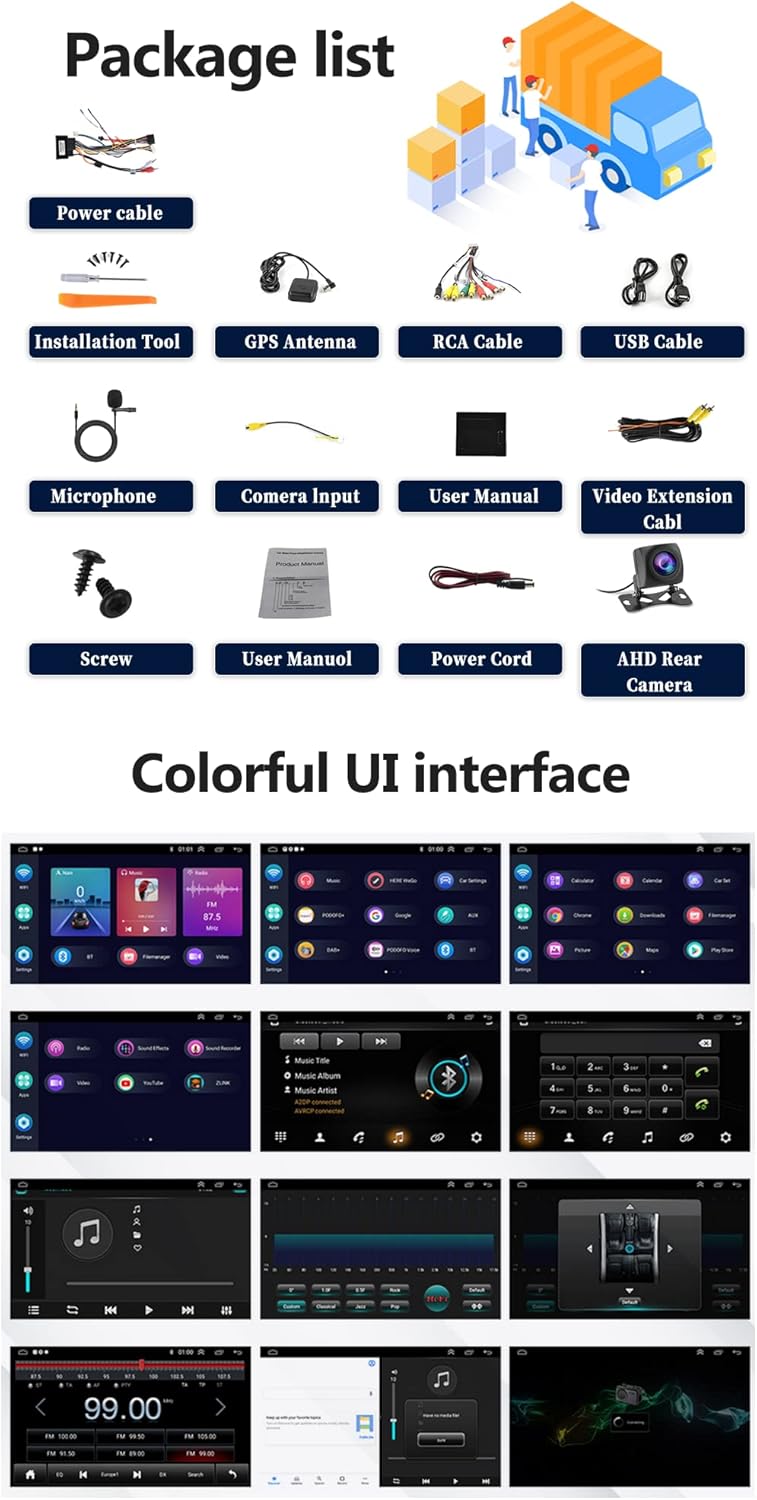
Figure 3.1: Contents of the CAMECHO car stereo package.
4. ഉൽപ്പന്നം കഴിഞ്ഞുview
Familiarize yourself with the physical dimensions and connection ports of your car stereo.

Figure 4.1: Product dimensions and rear port connections.
4.1. Main Unit Dimensions
- സ്ക്രീൻ വലിപ്പം: 9 ഇഞ്ച്
- മൊത്തത്തിലുള്ള വീതി: 236mm (9.30 ഇഞ്ച്)
- Overall Height: 137mm (5.41 inches)
- Mounting Frame Width: 225mm (8.85 inches)
- Mounting Frame Height: 190mm
- Mounting Frame Depth: 107mm
4.2. Back Ports and Connections
The rear of the unit features various ports for power, audio, video, and accessories:
- USB പോർട്ടുകൾ (USB1, USB2): For media playback and Android Auto/Carplay connections.
- ബാക്കപ്പ് ക്യാമറ ഇൻപുട്ട്: Dedicated input for the included AHD reversing camera.
- GPS Antenna Port: ബാഹ്യ GPS ആന്റിന ബന്ധിപ്പിക്കുന്നതിന്.
- ആർസിഎ കേബിളുകൾ: For audio output (front/rear, subwoofer), video output, and auxiliary input.
- Power Cable Connector: Main power and speaker connections.
5. സജ്ജീകരണവും ഇൻസ്റ്റാളേഷനും
പ്രൊഫഷണൽ ഇൻസ്റ്റാളേഷൻ ശുപാർശ ചെയ്യുന്നു. ഇൻസ്റ്റാളേഷൻ ആരംഭിക്കുന്നതിന് മുമ്പ് വാഹനത്തിന്റെ പവർ വിച്ഛേദിച്ചിട്ടുണ്ടെന്ന് ഉറപ്പാക്കുക.
5.1. പൊതുവായ ഇൻസ്റ്റലേഷൻ ഘട്ടങ്ങൾ
- Remove the original car stereo unit.
- Connect the main power cable harness to the vehicle's wiring.
- Connect the GPS antenna and route it to a suitable location (e.g., dashboard).
- Connect the USB cables and route them to a convenient location (e.g., glove compartment).
- Connect the RCA cables for any external amplifiers or auxiliary devices.
- Install the reversing camera (refer to section 5.2).
- Mount the new CAMECHO car stereo into the dashboard opening.
- സ്ക്രൂകൾ ഉപയോഗിച്ച് യൂണിറ്റ് സുരക്ഷിതമാക്കുക.
- Reconnect the vehicle's power and test all functions.
5.2. റിവേഴ്സിംഗ് ക്യാമറ ഇൻസ്റ്റാളേഷൻ
The reversing camera provides visual assistance when backing up. Ensure the reversing input is connected even if the camera is not immediately used.
- Connect the red wire (1) of the camera's power cable to the positive pole of the car's reversing light.
- Connect the black wire (2) of the camera's power cable to the negative pole of the car's reversing light.
- The reversing trigger (3) is controlled by the stereo and does not require a separate connection.
- Connect the camera's video output cable (4) to the 'Camera Input' port on the car stereo.
- പ്രധാനപ്പെട്ടത്: The white plug must be connected to the main device, otherwise Bluetooth and Wi-Fi signals may not function correctly.
To adjust camera settings: Go to Car Settings > Factory Settings (Password: 8888) > Reversing settings > Reverse video resolution. Select "NTSC/PAL" or "AHD/25" as appropriate, then restart your car.
ചിത്രം 5.1: റിവേഴ്സിംഗ് ക്യാമറ വയറിംഗ് ഡയഗ്രം.
6. പ്രവർത്തന നിർദ്ദേശങ്ങൾ
6.1. അടിസ്ഥാന പ്രവർത്തനം
- പവർ ഓൺ/ഓഫ്: Press and hold the power button on the front panel or use the vehicle's ignition.
- വോളിയം നിയന്ത്രണം: ഫിസിക്കൽ നോബ് അല്ലെങ്കിൽ ഓൺ-സ്ക്രീൻ നിയന്ത്രണങ്ങൾ ഉപയോഗിച്ച് ക്രമീകരിക്കുക.
- ടച്ച്സ്ക്രീൻ ഇന്റർഫേസ്: Navigate through menus and applications by tapping and swiping on the 9-inch HD display.
6.2. വയർലെസ് കാർപ്ലേയും ആൻഡ്രോയിഡ് ഓട്ടോയും
Connect your smartphone wirelessly to access navigation, music, calls, and other apps safely while driving. Supports split-screen functionality.
- നിങ്ങളുടെ സ്മാർട്ട്ഫോണിൽ ബ്ലൂടൂത്തും വൈഫൈയും പ്രവർത്തനക്ഷമമാക്കിയിട്ടുണ്ടെന്ന് ഉറപ്പാക്കുക.
- കാർ സ്റ്റീരിയോയിൽ, കാർപ്ലേ അല്ലെങ്കിൽ ആൻഡ്രോയിഡ് ഓട്ടോ ആപ്ലിക്കേഷൻ തുറക്കുക.
- നിങ്ങളുടെ ഉപകരണം ജോടിയാക്കാൻ ഓൺ-സ്ക്രീൻ നിർദ്ദേശങ്ങൾ പാലിക്കുക.
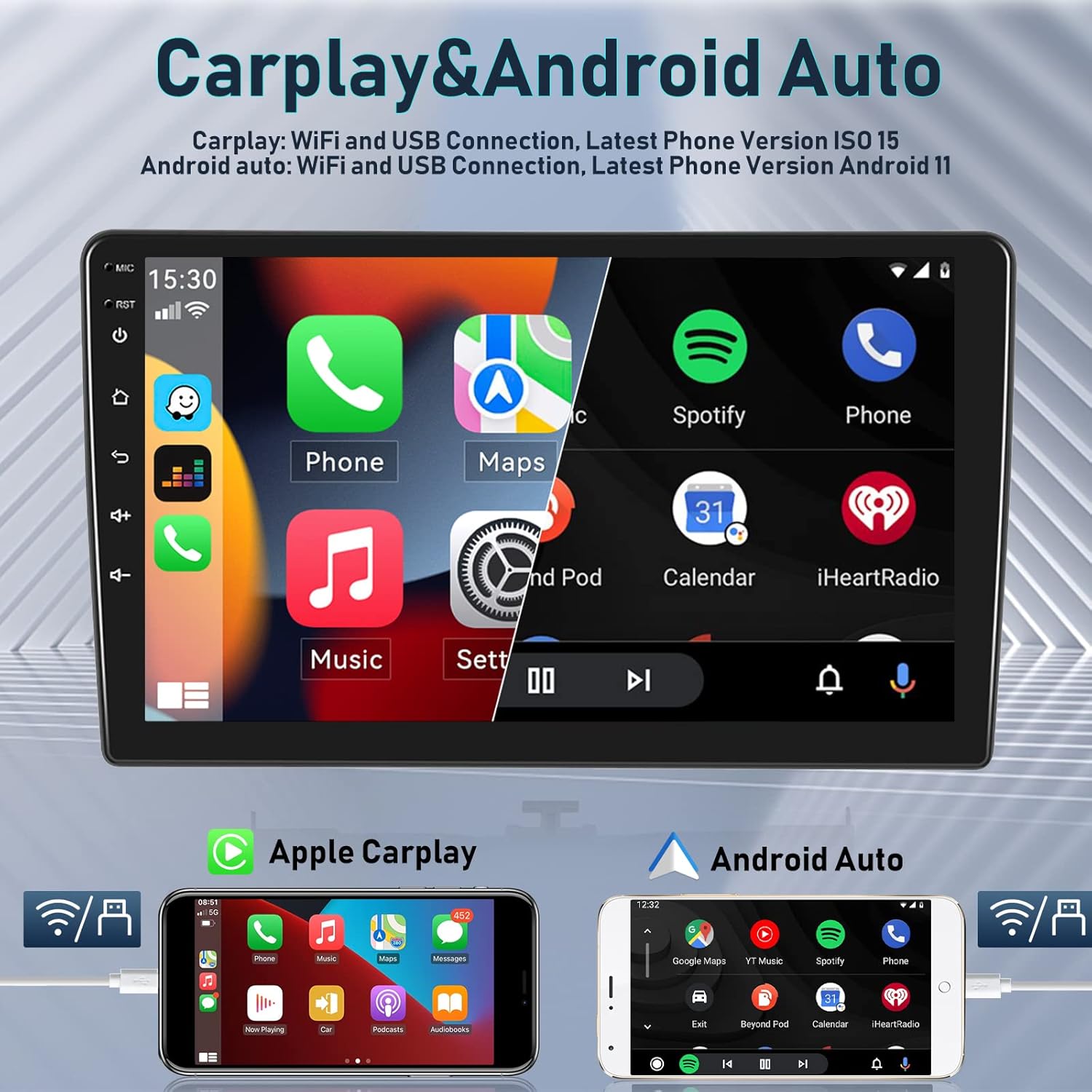
Figure 6.1: Wireless Carplay and Android Auto functionality.

Figure 6.2: Apple Carplay and Android Auto connection methods.
6.3. GPS Navigation & WiFi
The integrated GPS receiver supports both online and offline maps. Connect to Wi-Fi or a mobile hotspot to access online maps and other internet-based applications.
- ഓൺലൈൻ മാപ്പുകൾ: Requires a Wi-Fi connection for real-time traffic and updates.
- ഓഫ്ലൈൻ മാപ്പുകൾ: Download maps for navigation without an internet connection.
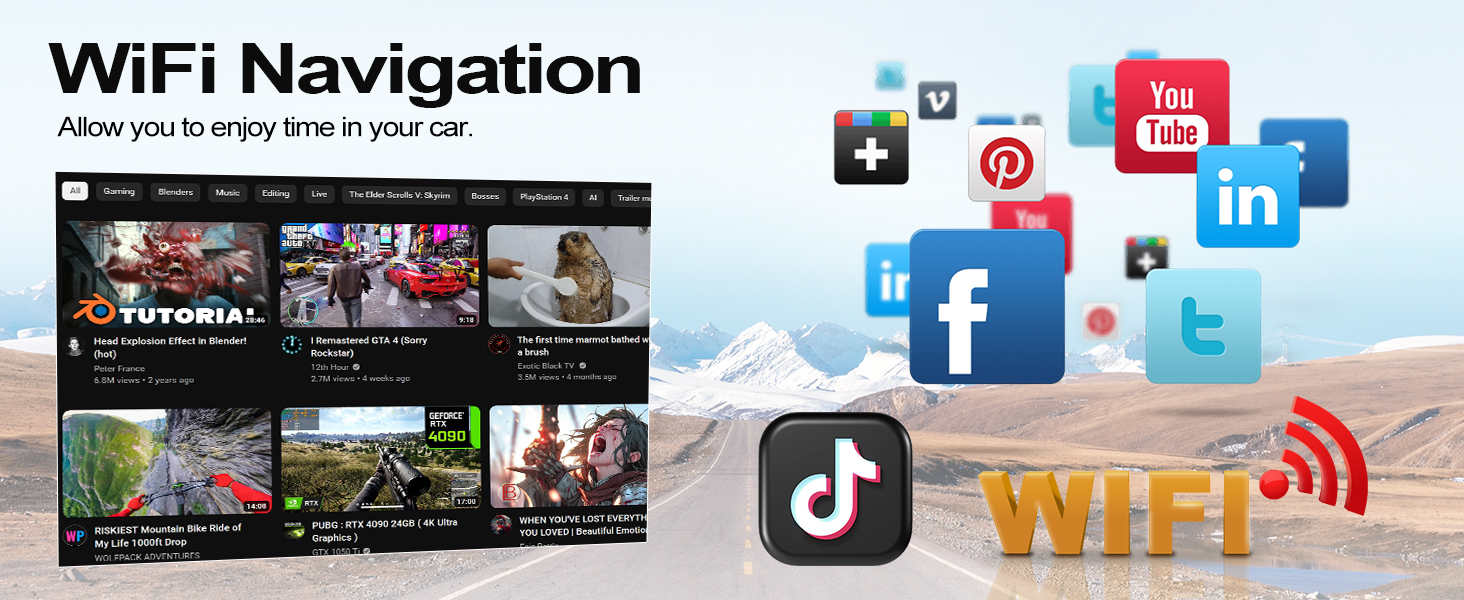
- വൈഫൈ ഹോട്ട്സ്പോട്ട്: Connect to your phone's hotspot to browse the internet, stream media, and use apps like YouTube, TikTok, and Spotify.
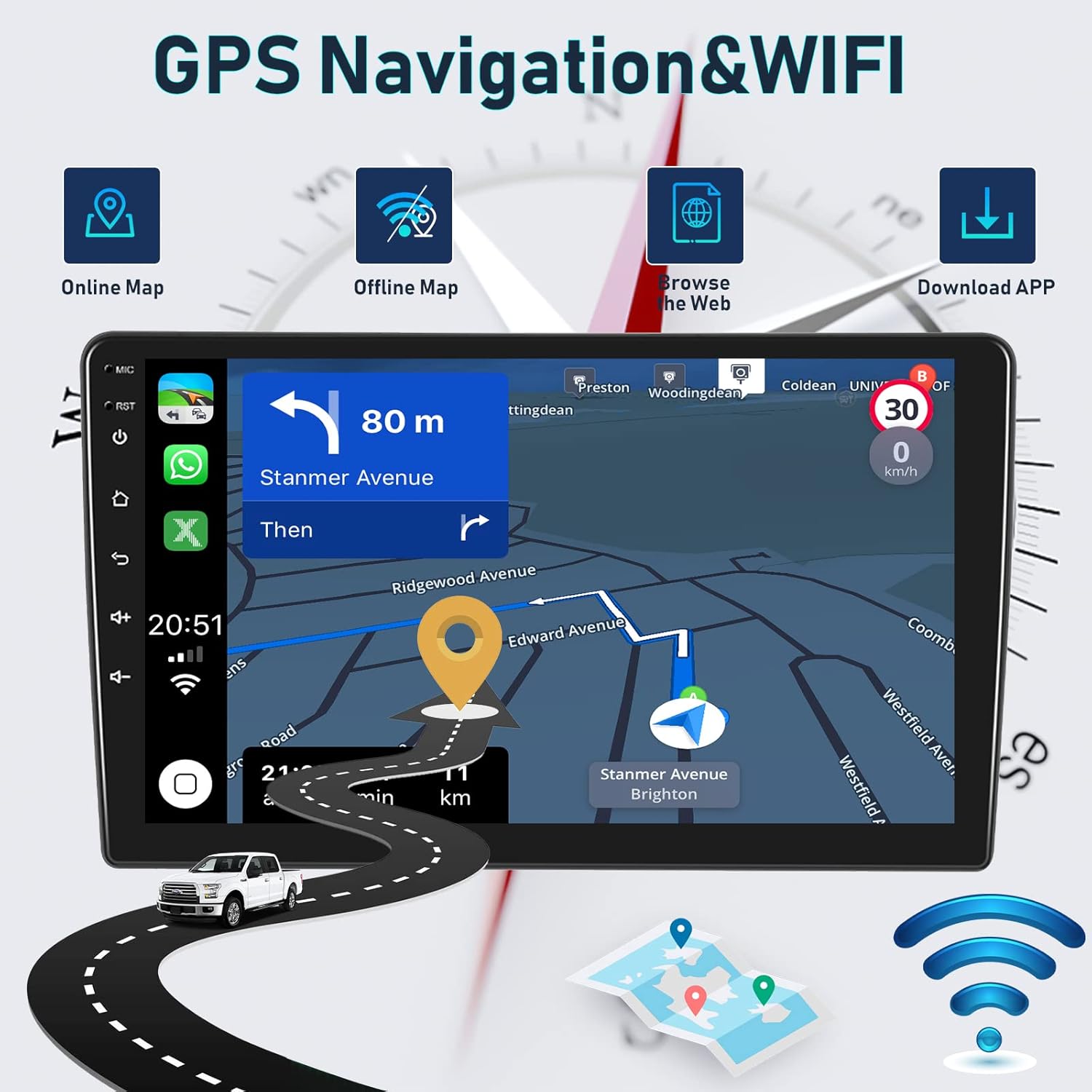
Figure 6.3: GPS Navigation and Wi-Fi features.

ചിത്രം 6.4: വിശദമായ ജിപിഎസ് നാവിഗേഷൻ സവിശേഷതകൾ.

Figure 6.5: WiFi connectivity for various applications.
6.4. ബ്ലൂടൂത്ത് പ്രവർത്തനം
The integrated microphone and Bluetooth module allow for hands-free calling and wireless music streaming from your iOS or Android device.
- ഹാൻഡ്സ് ഫ്രീ കോളിംഗ്: Make and receive calls directly from the car stereo.
- ബ്ലൂടൂത്ത് സംഗീതം: നിങ്ങളുടെ ഫോണിൽ നിന്ന് കാറിന്റെ സ്പീക്കറുകളിലേക്ക് ഓഡിയോ സ്ട്രീം ചെയ്യുക.
- കോൺടാക്റ്റുകൾ സമന്വയിപ്പിക്കുക: Access your phone's contact list on the stereo display.
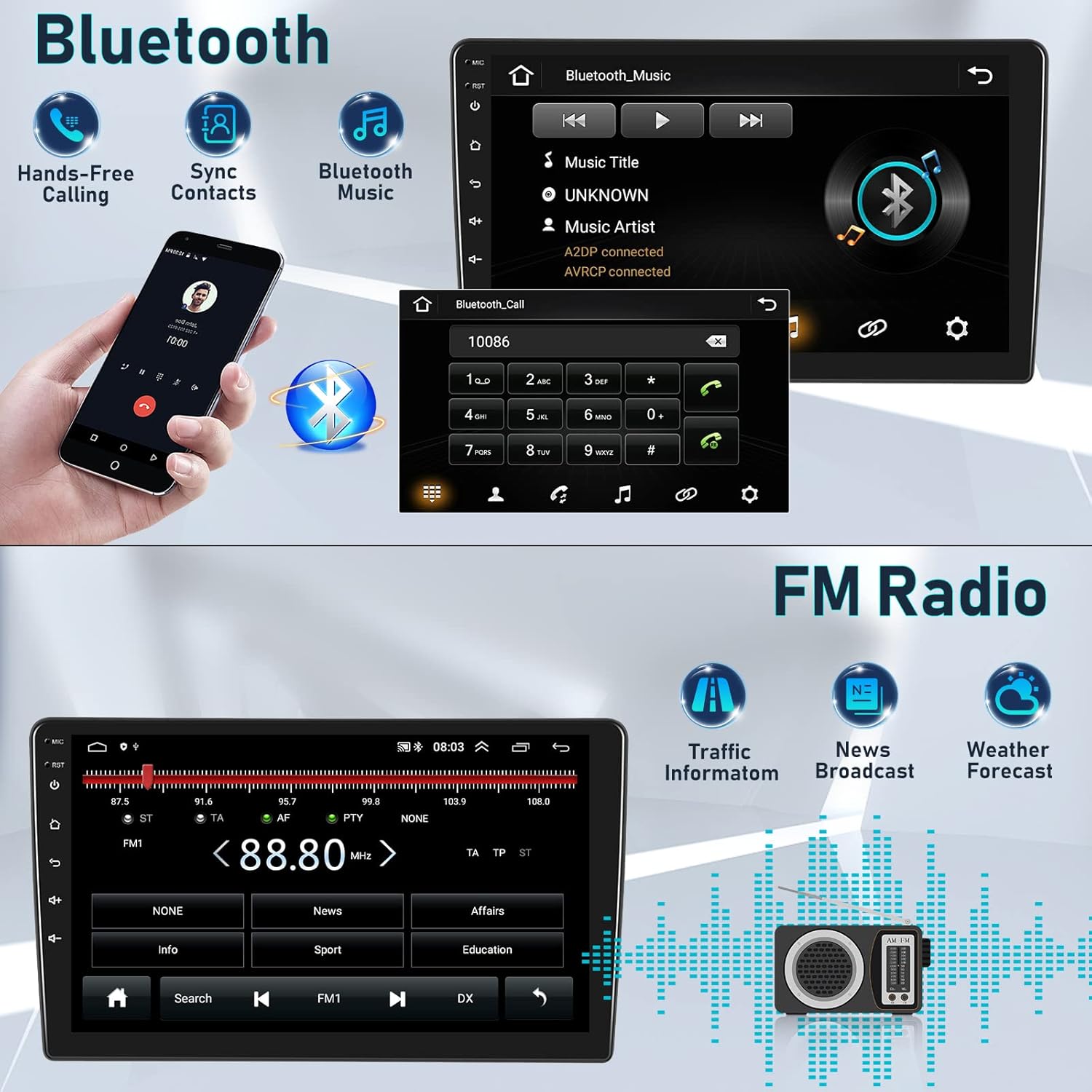
Figure 6.6: Bluetooth features for calls and music.
ചിത്രം 6.7: ബ്ലൂടൂത്ത് ഹാൻഡ്സ്-ഫ്രീ കോളിംഗ് ഇന്റർഫേസ്.
6.5. എഫ്എം/ആർഡിഎസ് റേഡിയോ
Enjoy high-quality digital stereo FM radio with RDS (Radio Data System) functionality. The unit can automatically or semi-automatically search for radio stations.
- Automatic/Manual Tuning: ലഭ്യമായ സ്റ്റേഷനുകൾക്കായി സ്കാൻ ചെയ്യുക.
- RDS Features: Display station information, traffic announcements, and program types.
- സ്പീക്കർ വോളിയം നിയന്ത്രണം: Adjust individual speaker volumes.
ചിത്രം 6.8: FM/RDS റേഡിയോ ഇന്റർഫേസ്.
6.6. HIFI Sound Settings
Customize your audio experience with the built-in 15-band graphic equalizer and various sound presets.
- 15-ബാൻഡ് EQ: നിങ്ങളുടെ ഇഷ്ടത്തിനനുസരിച്ച് ഓഡിയോ ഫ്രീക്വൻസികൾ ഫൈൻ-ട്യൂൺ ചെയ്യുക.
- സൗണ്ട് പ്രീസെറ്റുകൾ: Choose from Pop, Rock, Jazz, Classical, Flat, User, Voice, and Sound Delay.
- സബ് വൂഫർ putട്ട്പുട്ട്: Supports external subwoofer connection for enhanced bass.

Figure 6.9: HIFI sound customization options.
6.7. സ്റ്റിയറിംഗ് വീൽ നിയന്ത്രണം (SWC)
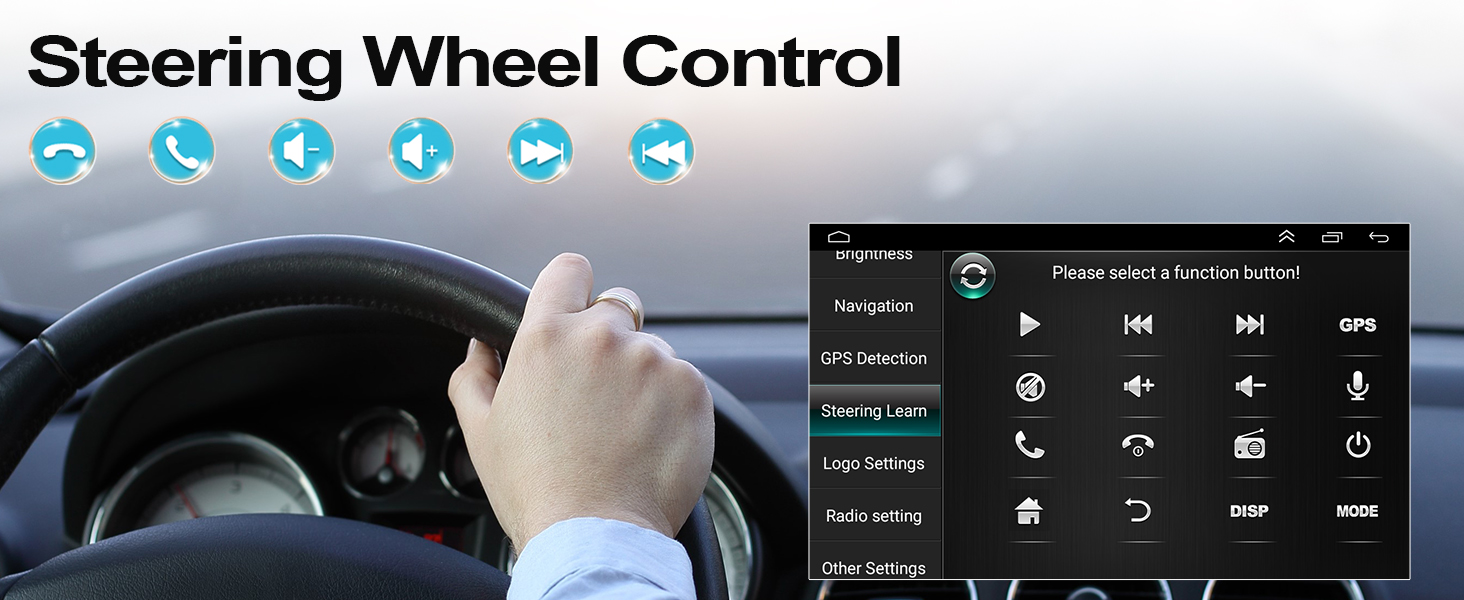
Integrate your vehicle's steering wheel controls for safer operation. This allows you to manage calls, adjust volume, and change tracks without taking your hands off the wheel.
- Access the 'Steering Learn' menu in the car stereo settings.
- Follow the on-screen instructions to map your steering wheel buttons to the desired functions.

ചിത്രം 6.10: സ്റ്റിയറിംഗ് വീൽ കൺട്രോൾ സജ്ജീകരണം.

Figure 6.11: Steering Wheel Control functions.
6.8. സ്പ്ലിറ്റ് സ്ക്രീൻ പ്രവർത്തനം
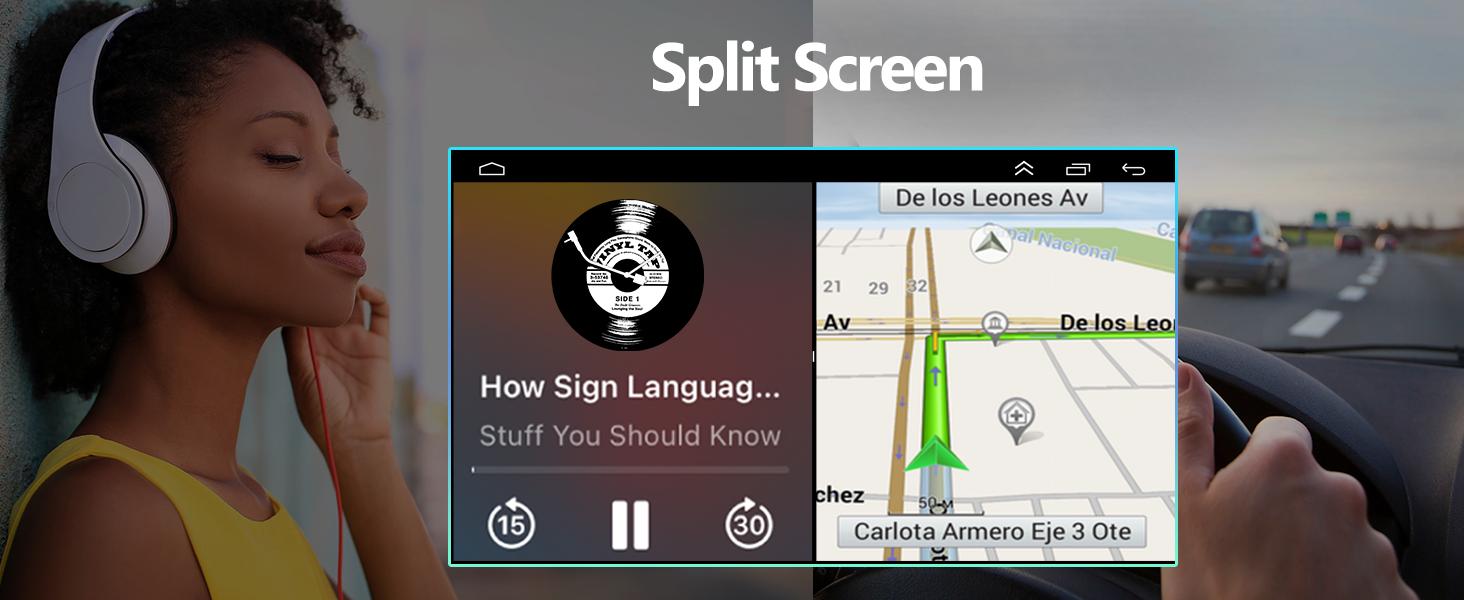
The split-screen feature allows you to run two applications simultaneously, such as navigation and music playback, enhancing multitasking capabilities.

Figure 6.12: Split Screen in action.
6.9. ഓപ്ഷണൽ ആക്സസറികൾ
The car stereo supports various optional accessories to expand its functionality:
- DVR (Digital Video Recorder): ഡ്രൈവിംഗ് ഫൂ റെക്കോർഡ് ചെയ്യുന്നതിന്tage.
- OBD2 (On-Board Diagnostics II): Connect an OBD2 scanner to monitor vehicle data.
- DAB+ (Digital Audio Broadcasting Plus): For enhanced digital radio reception.
- External USB Devices: For additional storage or connectivity.
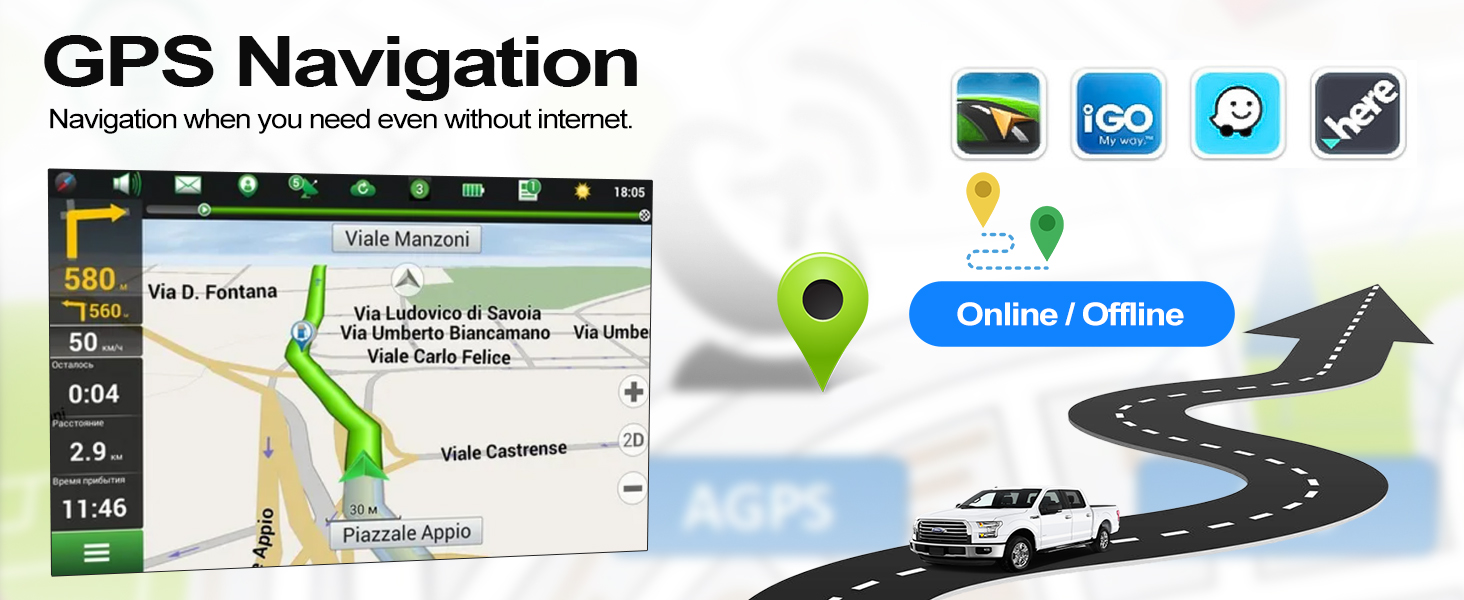
Figure 6.13: Optional accessories for the car stereo.
7. പരിപാലനം
To ensure the longevity and optimal performance of your CAMECHO car stereo, follow these maintenance guidelines:
- വൃത്തിയാക്കൽ: സ്ക്രീനും യൂണിറ്റും വൃത്തിയാക്കാൻ മൃദുവായതും ഉണങ്ങിയതുമായ തുണി ഉപയോഗിക്കുക. ഉരച്ചിലുകൾ ഉള്ള ക്ലീനറുകളോ ലായകങ്ങളോ ഉപയോഗിക്കുന്നത് ഒഴിവാക്കുക.
- സോഫ്റ്റ്വെയർ അപ്ഡേറ്റുകൾ: പ്രകടനം മെച്ചപ്പെടുത്തുന്നതിനും പുതിയ സവിശേഷതകൾ ചേർക്കുന്നതിനുമായി ഇടയ്ക്കിടെ സോഫ്റ്റ്വെയർ അപ്ഡേറ്റുകൾ പരിശോധിച്ച് ഇൻസ്റ്റാൾ ചെയ്യുക.
- പരിസ്ഥിതി വ്യവസ്ഥകൾ: Avoid exposing the unit to direct sunlight for extended periods or extreme temperatures.
- കേബിൾ കണക്ഷനുകൾ: എല്ലാ കേബിളുകളും സുരക്ഷിതമായി ബന്ധിപ്പിച്ചിട്ടുണ്ടെന്നും കേടുപാടുകൾ സംഭവിച്ചിട്ടില്ലെന്നും ഉറപ്പാക്കുക.
8. പ്രശ്നപരിഹാരം
If you encounter issues with your car stereo, refer to the following common troubleshooting tips:
| പ്രശ്നം | സാധ്യമായ കാരണം | പരിഹാരം |
|---|---|---|
| ശക്തിയില്ല | അയഞ്ഞ വൈദ്യുതി കണക്ഷൻ, ഫ്യൂസ് പൊട്ടി | പവർ കേബിളുകളും വാഹന ഫ്യൂസുകളും പരിശോധിക്കുക. ശരിയായ ഇൻസ്റ്റാളേഷൻ ഉറപ്പാക്കുക. |
| ശബ്ദമില്ല | Volume too low, incorrect audio source, speaker wiring issue | ശബ്ദം കൂട്ടുക, ശരിയായ ഓഡിയോ ഉറവിടം തിരഞ്ഞെടുക്കുക, സ്പീക്കർ കണക്ഷനുകൾ പരിശോധിക്കുക. |
| ബ്ലൂടൂത്ത്/വൈ-ഫൈ പ്രവർത്തിക്കുന്നില്ല | White plug not connected, interference, device not paired | Ensure the white plug is connected. Re-pair device. Check for interference. |
| GPS signal lost | GPS ആന്റിന തടസ്സപ്പെട്ടു അല്ലെങ്കിൽ വിച്ഛേദിക്കപ്പെട്ടു | ജിപിഎസ് ആന്റിനയ്ക്ക് വ്യക്തമായ ഒരു രേഖ ഉണ്ടെന്ന് ഉറപ്പാക്കുക view ആകാശത്തിന്റെ, സുരക്ഷിതമായി ബന്ധിപ്പിച്ചിരിക്കുന്നു. |
| Reversing camera not displaying | Incorrect wiring, camera settings, faulty camera | Verify camera wiring (Section 5.2). Check camera settings in the menu. |
പ്രശ്നം നിലനിൽക്കുകയാണെങ്കിൽ, ദയവായി ഉപഭോക്തൃ പിന്തുണയുമായി ബന്ധപ്പെടുക.
9 സ്പെസിഫിക്കേഷനുകൾ
| ഫീച്ചർ | വിവരണം |
|---|---|
| ബ്രാൻഡ് | കാമെക്കോ |
| മോഡൽ | 4Core 2G+64G Carplay Hifi |
| ഓപ്പറേറ്റിംഗ് സിസ്റ്റം | ആൻഡ്രോയിഡ് 11 |
| റാം | 2 ജിബി |
| ആന്തരിക സംഭരണം | 64 ജിബി |
| സ്ക്രീൻ വലിപ്പം | 9 ഇഞ്ച് |
| കണക്റ്റിവിറ്റി ടെക്നോളജി | Bluetooth, RCA, USB, Wi-Fi |
| പ്രത്യേക സവിശേഷതകൾ | Wireless Android Auto, Wireless Apple CarPlay, GPS Navigation, FM/RDS Radio, Steering Wheel Control, AHD Reversing Camera Support, HIFI Audio |
| അനുയോജ്യമായ ഉപകരണങ്ങൾ | സ്മാർട്ട്ഫോൺ |
| ഓഡിയോ put ട്ട്പുട്ട് മോഡ് | HIFI |
| സറൗണ്ട് സൗണ്ട് ചാനൽ കോൺഫിഗറേഷൻ | 4.0 |
| വീഡിയോ എൻകോഡിംഗ് | H.264 |
10. വാറൻ്റിയും പിന്തുണയും
CAMECHO is committed to providing quality products and customer satisfaction.
- വാറൻ്റി: ഈ ഉൽപ്പന്നം 1 വർഷത്തെ നിർമ്മാതാവിന്റെ വാറണ്ടിയോടെയാണ് വരുന്നത്.
- പണം തിരികെ നൽകാനുള്ള ഗ്യാരണ്ടി: Enjoy a 30-day money-back guarantee for any reason.
- ഗുണമേന്മ: A 12-month warranty covers any quality-related issues.
10.1. ഉപഭോക്തൃ പിന്തുണ
For any questions, issues, or support needs, please do not hesitate to contact us:
- ഇമെയിൽ: icamecho@hotmail.com
- Amazon Page: Refer to the seller information on the Amazon product page for direct contact options.
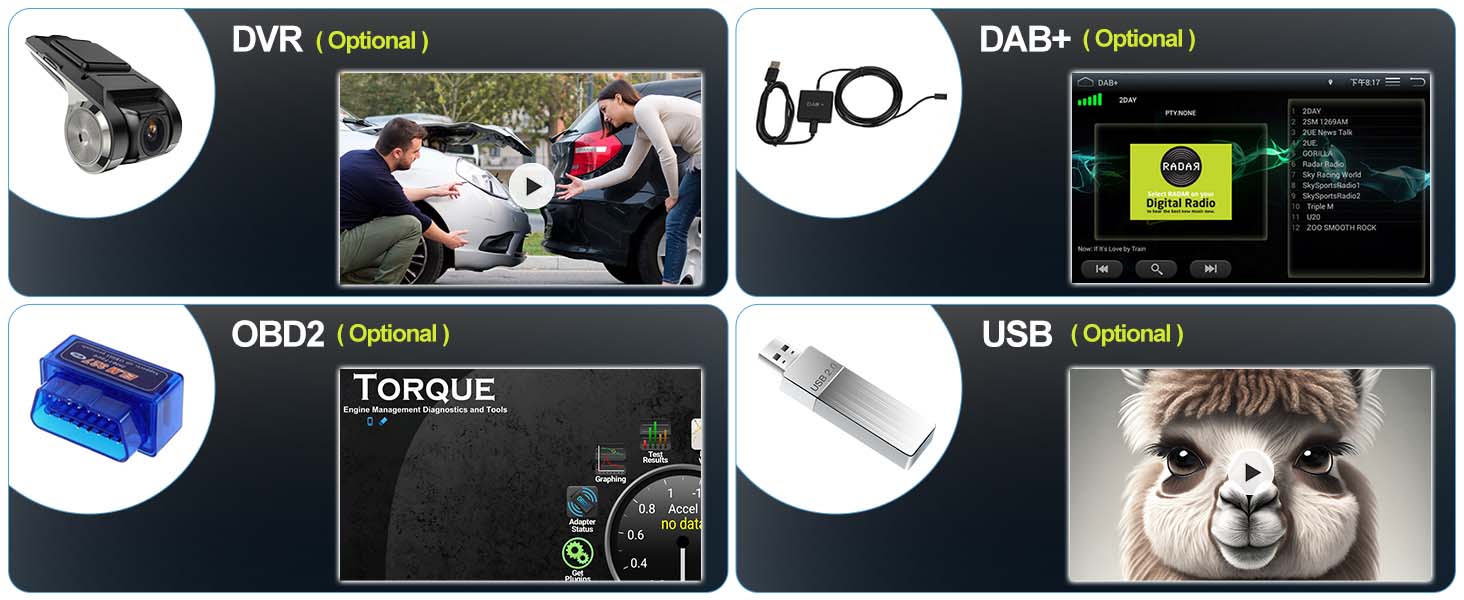
Figure 10.1: How to contact customer support.


