ആമുഖം
This manual provides detailed instructions for the installation, operation, and maintenance of your BOTSLAB 5MP Wireless Outdoor Doorbell Camera, Model R811. This device is designed to enhance your home security with advanced features such as 5MP resolution, 180-degree head-to-toe view, AI detection, two-way audio, and flexible storage options. Please read this manual thoroughly before using the product to ensure proper setup and functionality.
പാക്കേജ് ഉള്ളടക്കം
Verify that all items listed below are included in your package. If any items are missing or damaged, please contact BOTSLAB customer support.
- ഡോർബെൽ (x1)
- ബേസ് സ്റ്റേഷൻ (x1)
- മൗണ്ടിംഗ് ബ്രാക്കറ്റ് (x1)
- Bracket Positioning Stickers (x1)
- 15-degree Mounting Bracket (x1)
- 15-degree Bracket Positioning Stickers (x1)
- Power Plug (x1)
- Installation Accessory Kit (x1)
- AC Cable Pack (x1)
- Ejector Pin (x1)
- ദ്രുത ആരംഭ ഗൈഡ് (x1)
- Doorbell Button Sticker (x1)
- Parcel Sticker (x1)
- ചാർജിംഗ് കേബിൾ (x1)
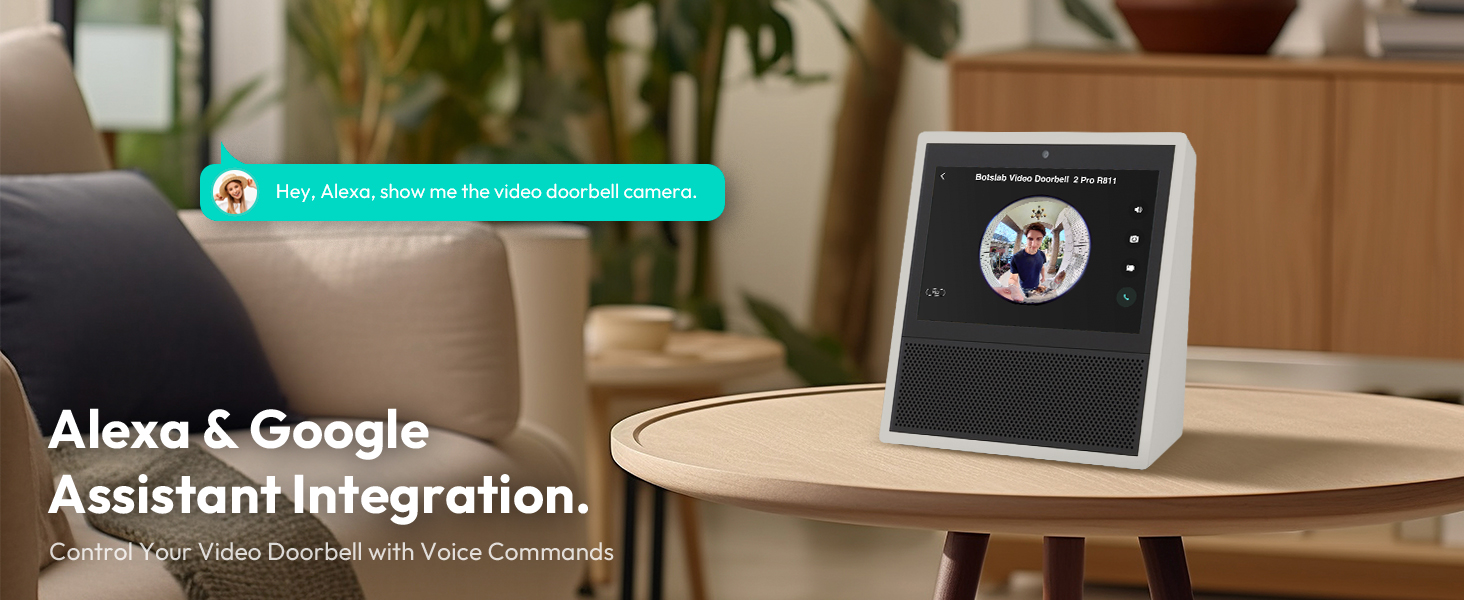
Image: Contents of the BOTSLAB Doorbell Camera package, including the doorbell unit, base station, mounting hardware, cables, and documentation.
സജ്ജീകരണവും ഇൻസ്റ്റാളേഷനും
The BOTSLAB Doorbell Camera offers flexible installation options, including battery-powered or wired connections, and can be mounted using adhesive or screws.
1 ബാറ്ററി ചാർജ് ചെയ്യുന്നു
Before initial use, fully charge the doorbell's built-in 6400mAh lithium-ion battery using the provided charging cable. A full charge ensures optimal performance and battery life.

Image: The doorbell unit with its internal components visible, highlighting the 6400mAh rechargeable battery.
2. ഡോർബെൽ ഘടിപ്പിക്കൽ
Choose between adhesive or screw-in installation. Ensure the installation surface is flat, smooth, and clean for adhesive mounting. A 15-degree bracket is included for angled installations to optimize the viewing ആംഗിൾ.
- പശ മൗണ്ടിംഗ്: Apply the 3M VHB adhesive to the back of the mounting bracket and firmly press it onto the desired surface.
- Screw-in Mounting: Use the provided screws and anchors to secure the mounting bracket to the wall.
- വയർഡ് കണക്ഷൻ: If connecting to existing doorbell wiring (AC cable included), follow the instructions in the Quick Start Guide for wiring the doorbell to your existing chime.

Image: Illustration of the doorbell installation process, showing the mounting bracket, adhesive, and wired connection options.
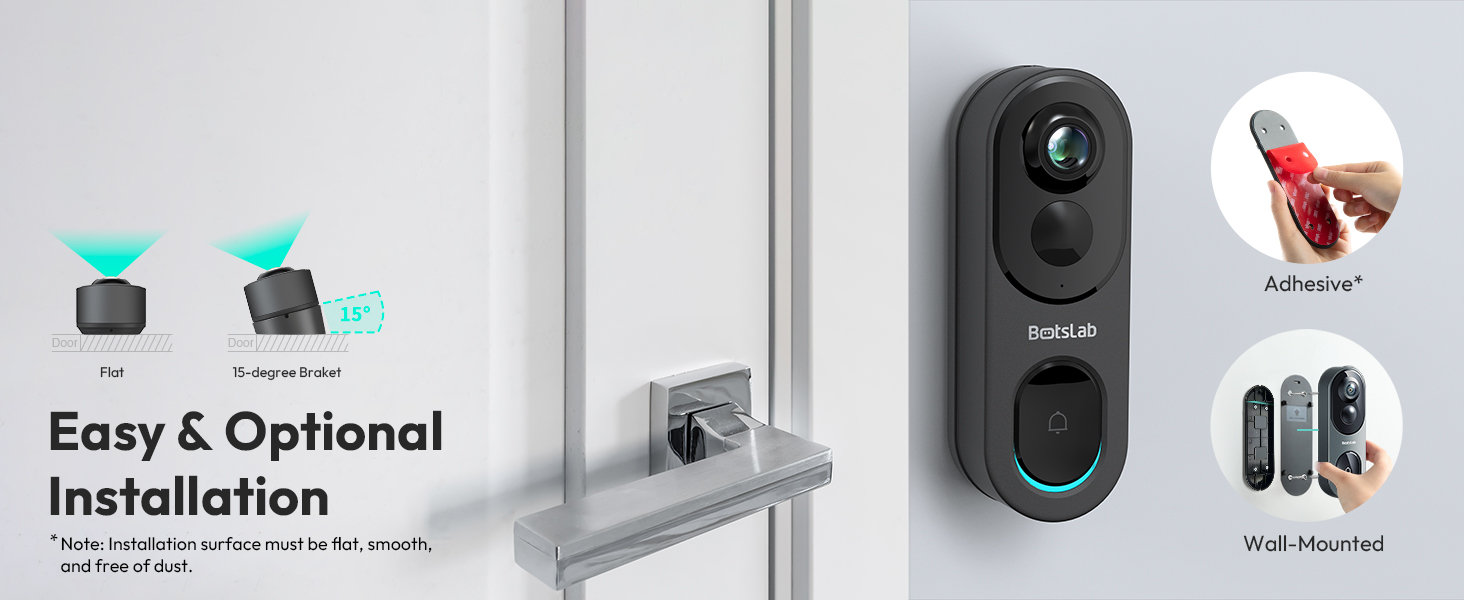
Image: Visual guide for easy and optional installation, demonstrating adhesive and wall-mounted methods, including the 15-degree bracket for angled views.
3. Connecting to Wi-Fi and App Setup
The doorbell supports both 2.4GHz and 5GHz Wi-Fi networks for a fast and stable connection. Download the Botslab APP from your device's app store (Google Play or Apple App Store) to set up and manage your doorbell camera.
- Download and install the Botslab APP.
- ഒരു അക്കൗണ്ട് സൃഷ്ടിക്കുക അല്ലെങ്കിൽ ലോഗിൻ ചെയ്യുക.
- Follow the in-app instructions to add your new doorbell camera, connecting it to your home Wi-Fi network.
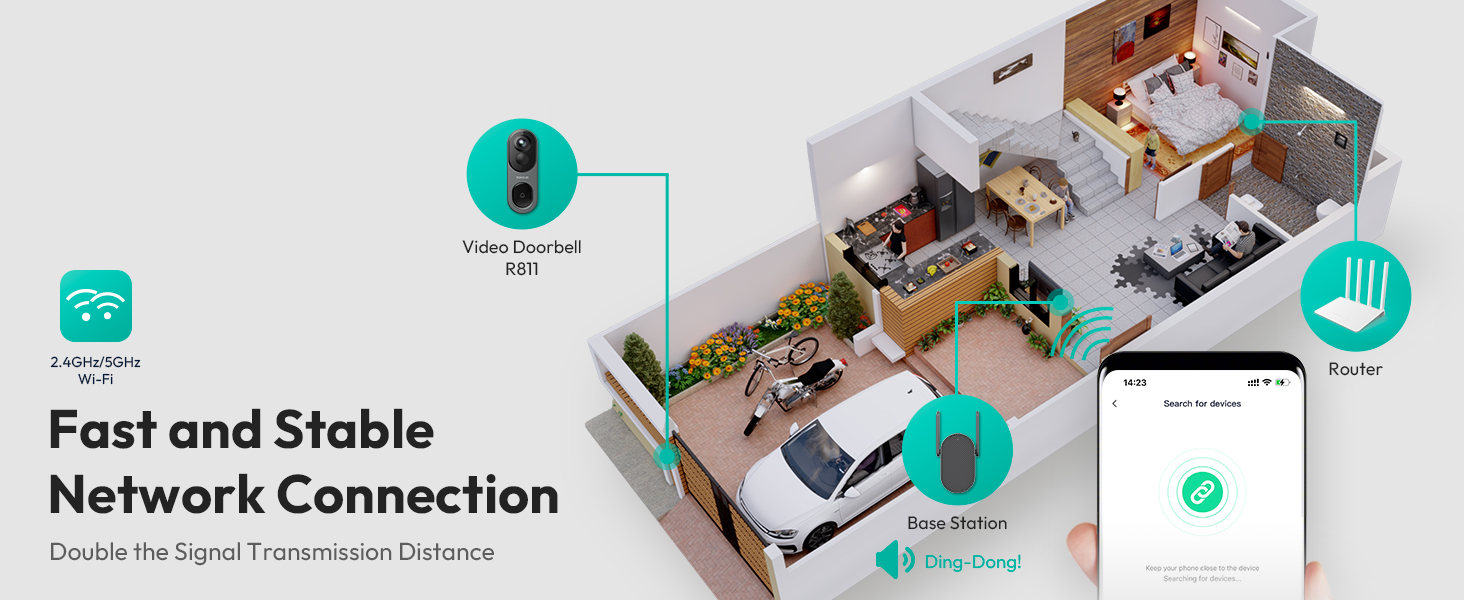
Image: Depiction of the network connection, illustrating how the doorbell, base station, and router work together for a stable 2.4GHz/5GHz Wi-Fi connection.
പ്രവർത്തന നിർദ്ദേശങ്ങൾ
1. തത്സമയം View ഒപ്പം റെക്കോർഡിംഗ്
Access the live feed of your doorbell camera through the Botslab APP. The camera provides a 5MP resolution with a 180-degree horizontal and 180-degree vertical panoramic view, ensuring a head-to-toe perspective of your visitors and surroundings.
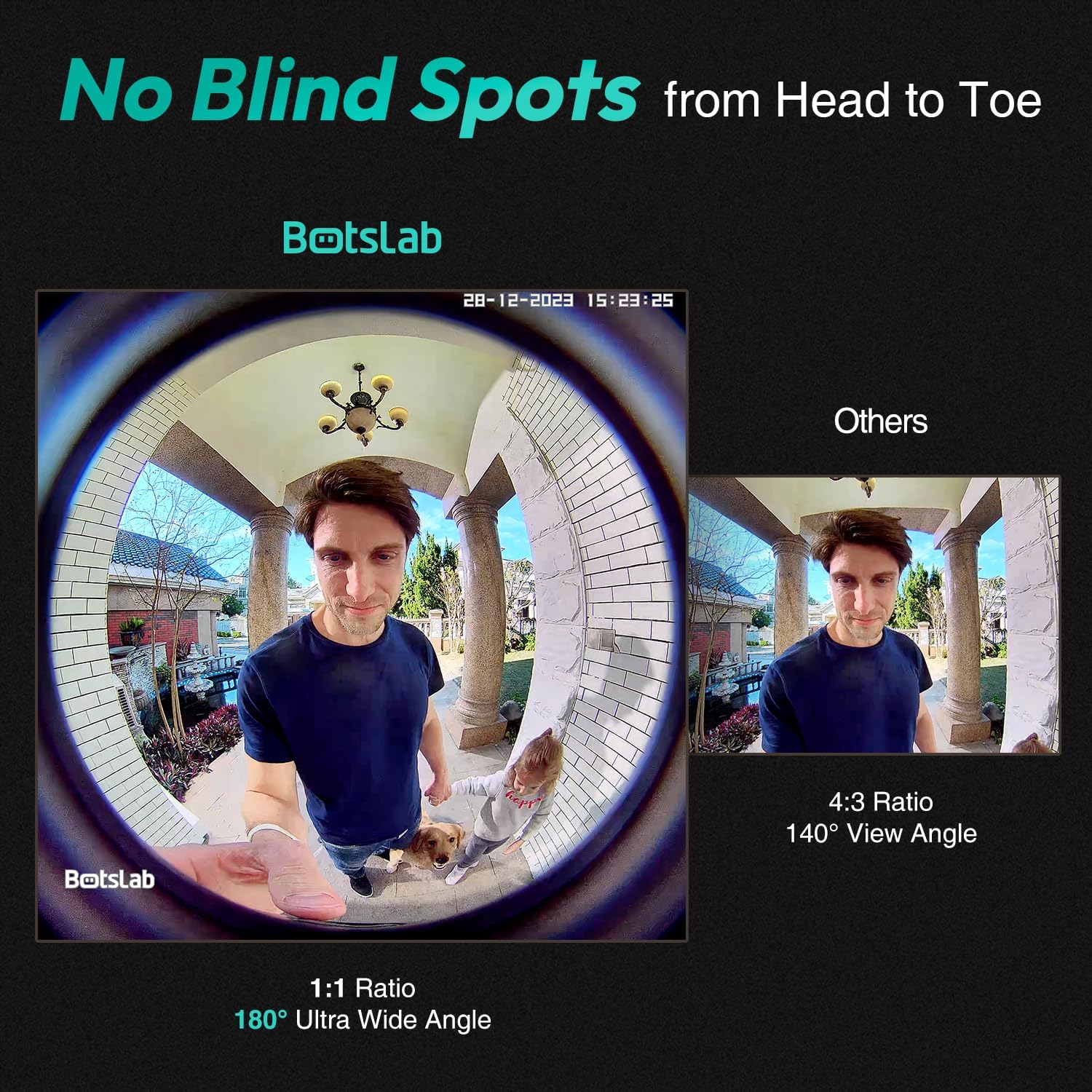
Image: A visual comparison demonstrating the 180-degree ultra-wide angle view of the Botslab doorbell, capturing a full head-to-toe perspective, compared to a narrower 140-degree view.
2. View മോഡുകൾ
The camera offers four distinct view modes to suit your preference and monitoring needs:
- Panoramic Mode: Provides a wide, fisheye view of the entire area.
- വിആർ മോഡ്: Allows you to pan and tilt within the panoramic view.
- Horizontal Correction Mode: Corrects the fisheye distortion horizontally.
- Vertical Correction Mode: Corrects the fisheye distortion vertically.

Image: Display of the four available view modes: Panoramic, VR, Horizontal Correction, and Vertical Correction, demonstrating how they cover every angle.
3. AI Detection and Alerts
Equipped with a professional AI chip, radar, and PIR detection, the doorbell camera accurately identifies human presence, lingering, and general motion, significantly reducing false alarms. You can customize detection distances and receive real-time alerts on your mobile device.

Image: A visual representation of how to personalize radar and PIR detection ranges, showing how the system reduces false alerts by focusing on specific areas.
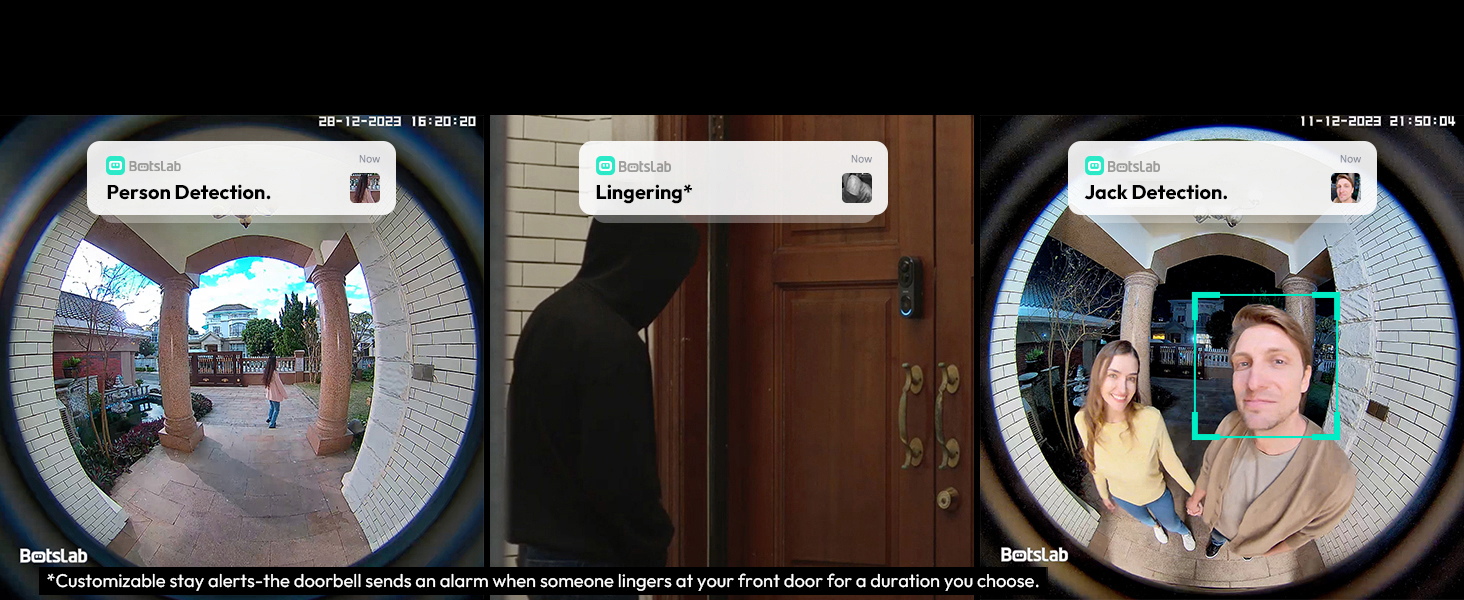
ചിത്രം: ഉദാamples of AI detection alerts, including person detection, lingering detection (customizable stay alerts), and specific individual detection.
4. Two-Way Audio with Voice Modulation
Communicate with visitors at your door using the two-way audio feature. For added privacy and security, you can utilize the voice modulation feature to change your voice to male or funny tones.
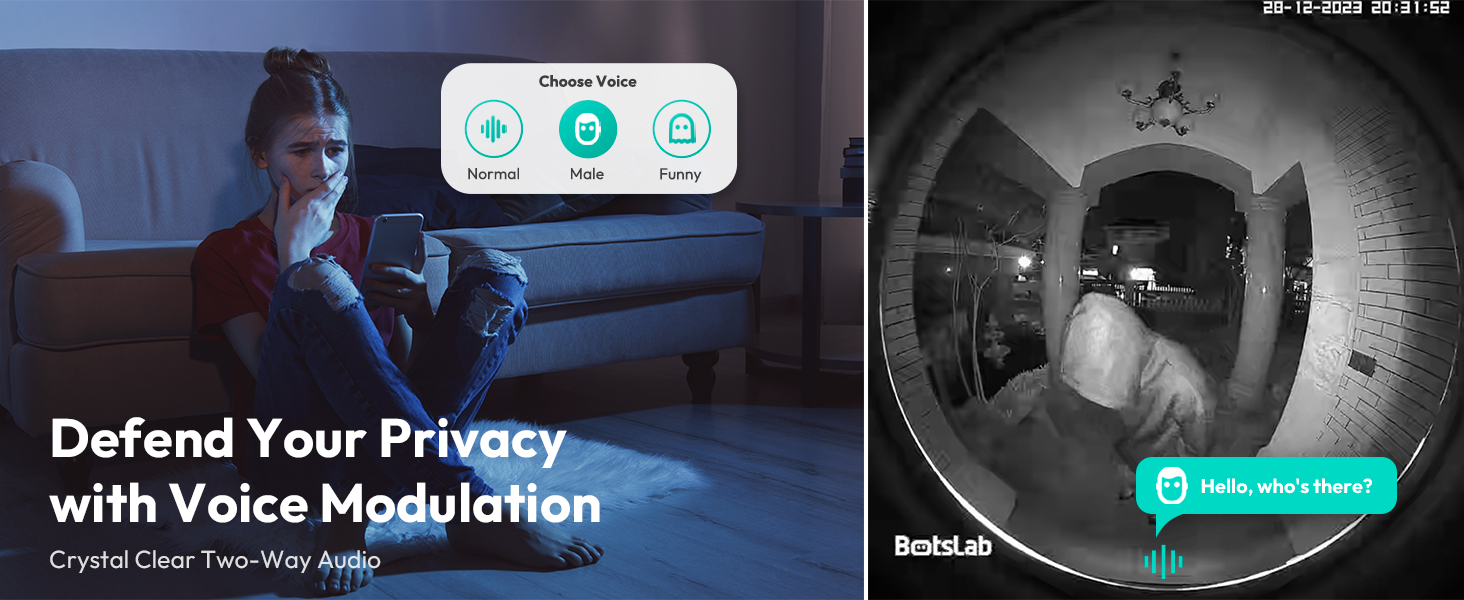
Image: Illustration of the voice modulation feature for two-way audio, allowing users to change their voice for enhanced privacy and security.
5. നൈറ്റ് വിഷൻ
The doorbell camera features crystal IR night vision, providing clear visibility up to 24 feet in low-light conditions, ensuring detailed recordings even at night.

Image: Depiction of the crystal IR night vision capability, allowing the camera to recognize more details in dark environments.
6. സ്റ്റോറേജ് ഓപ്ഷനുകൾ
The R811 model includes built-in 32GB EMMC local storage, providing up to 365 days of video history based on 12 daily detections of 30 seconds each. Additionally, it offers free 2-day cloud video storage forever, ensuring your videos are securely backed up without monthly fees.

Image: Information on the storage features, highlighting the 32GB built-in local storage and the lifetime free cloud storage option.
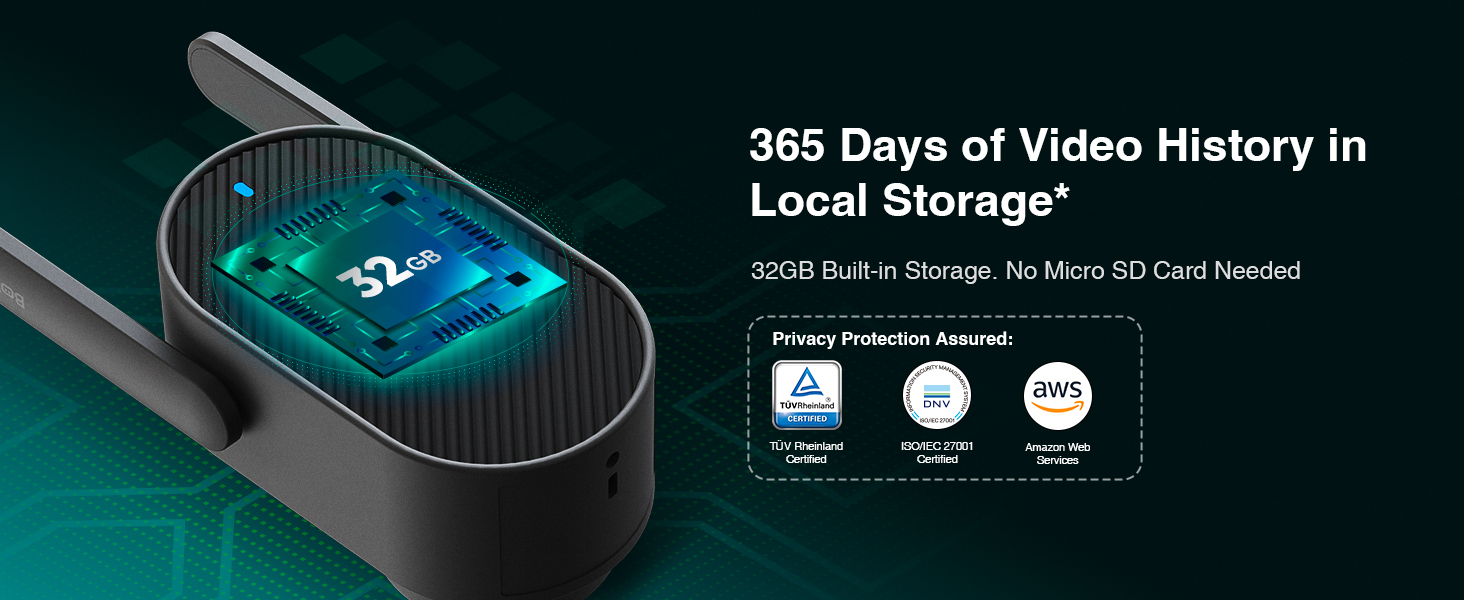
Image: Details on the 365 days of video history available with the 32GB built-in local storage, emphasizing no need for an SD card.
7. സ്മാർട്ട് ഹോം ഇന്റഗ്രേഷൻ
The BOTSLAB Doorbell Camera seamlessly integrates with Amazon Alexa and Google Assistant, allowing you to control your doorbell and view live feeds using voice commands.
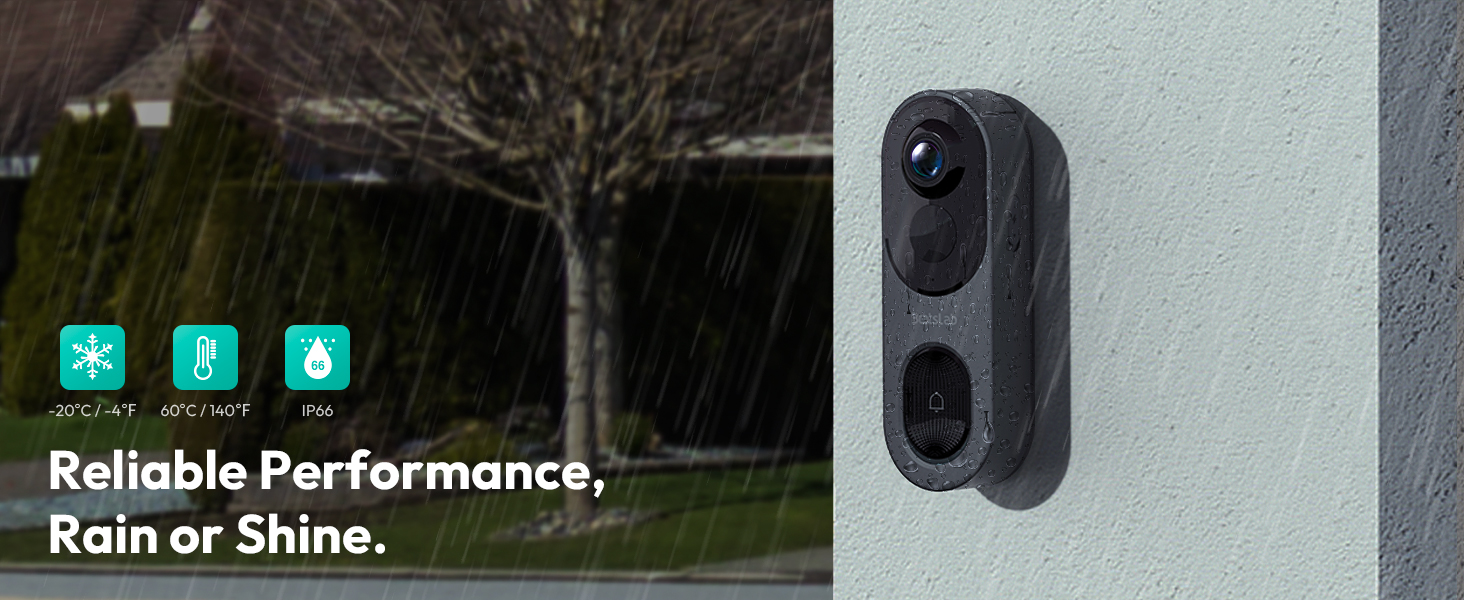
Image: Illustration of Alexa and Google Assistant integration, enabling voice control and viewing of the doorbell feed on smart displays.
8. കുടുംബ പങ്കിടൽ
Share access to your doorbell camera with up to 5 users, allowing multiple family members to view live videos and receive alerts simultaneously.
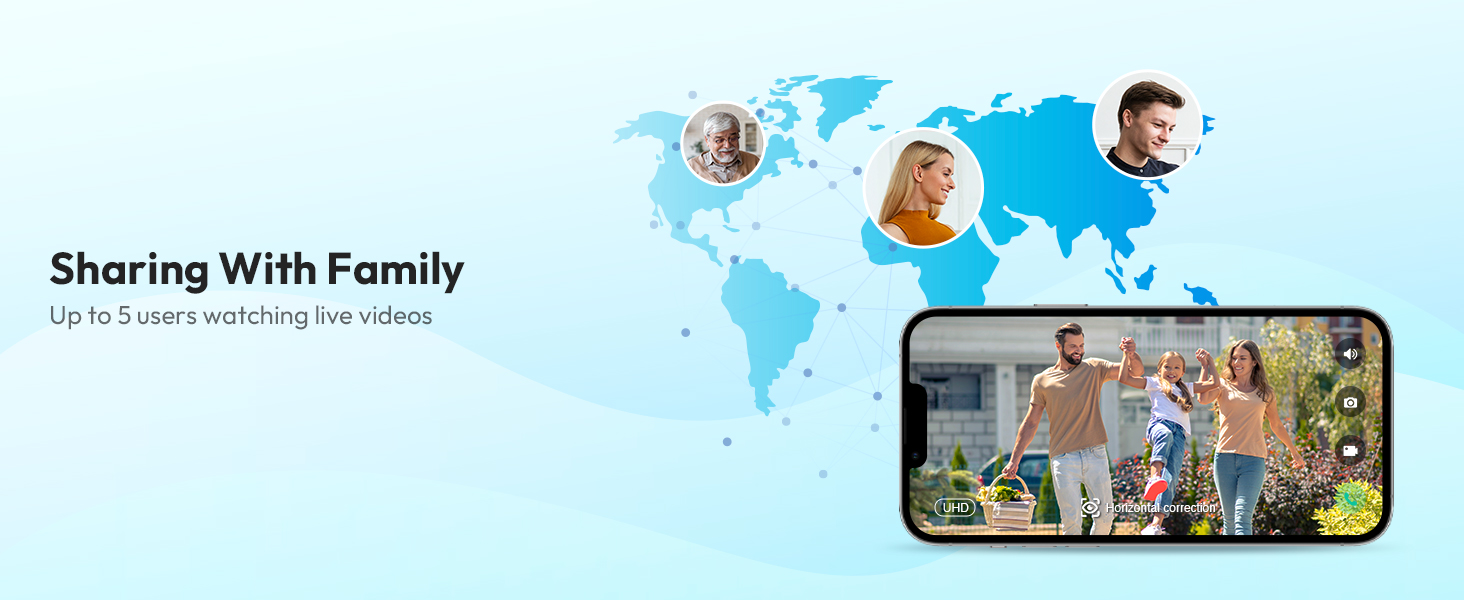
Image: Depiction of the family sharing feature, allowing up to 5 users to watch live videos from the doorbell camera.
മെയിൻ്റനൻസ്
1. ബാറ്ററി മാനേജ്മെന്റ്
The doorbell camera is powered by a 6400mAh rechargeable battery. Monitor the battery level through the Botslab APP and recharge as needed using the provided charging cable. The doorbell can also be continuously powered if wired to an existing chime.
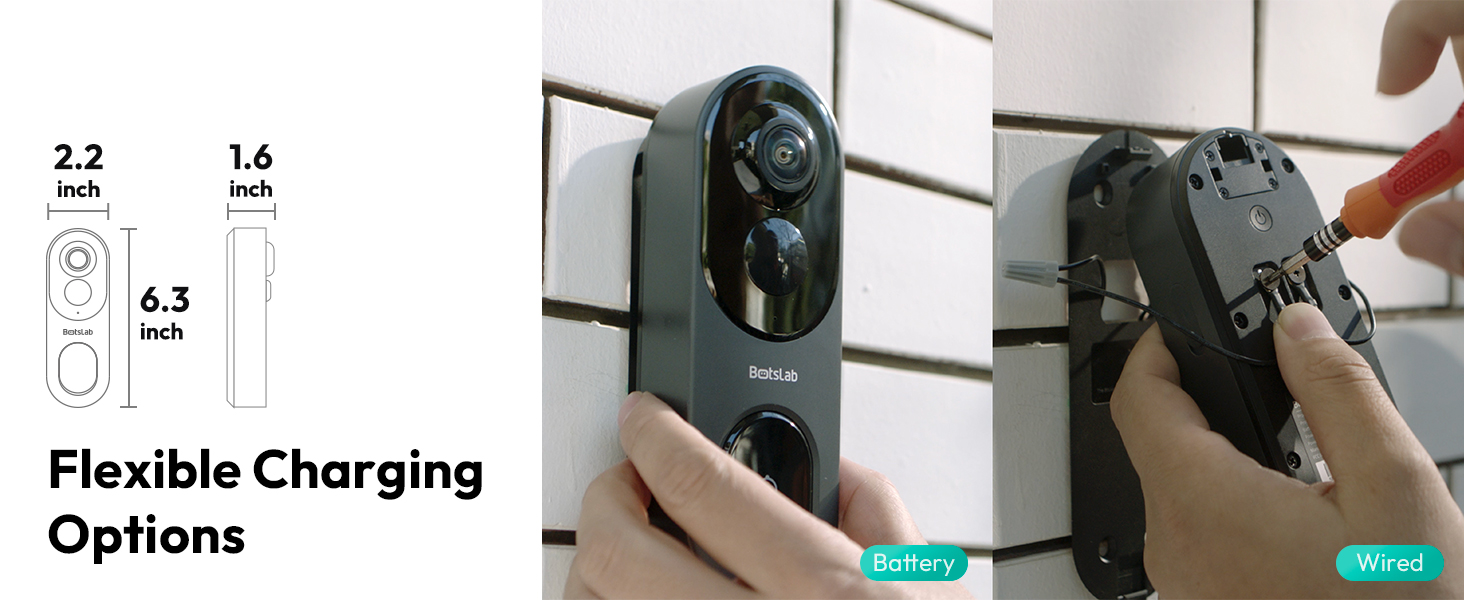
Image: Details on flexible charging options, illustrating both battery and wired power methods for the doorbell camera.
2. കാലാവസ്ഥാ പ്രതിരോധം
The BOTSLAB Doorbell Camera is IP66 rated, ensuring reliable performance in various weather conditions, including rain, snow, and extreme temperatures ranging from -20°C (-4°F) to 60°C (140°F).

Image: Visual representation of the doorbell's reliable performance in various weather conditions, highlighting its IP66 waterproof rating and temperature tolerance.
3. വൃത്തിയാക്കൽ
ക്യാമറ ലെൻസും ബോഡിയും ഒരു സോഫ്റ്റ്, ഡി ക്ലീനർ ഉപയോഗിച്ച് തുടയ്ക്കുക.amp cloth as needed to remove dust and smudges. Avoid using harsh chemicals or abrasive materials that could damage the device.
ട്രബിൾഷൂട്ടിംഗ്
If you encounter any issues with your BOTSLAB Doorbell Camera, please refer to the following common troubleshooting steps:
- ശക്തിയില്ല: Ensure the battery is charged or the wired connection is properly installed.
- ഓഫ്ലൈൻ നില: Check your Wi-Fi connection and ensure the doorbell is within range of your router or base station. Restart the doorbell and your router if necessary.
- മോശം വീഡിയോ നിലവാരം: Verify your Wi-Fi signal strength. Ensure the lens is clean and free from obstructions.
- തെറ്റായ അലേർട്ടുകൾ: Adjust the AI detection sensitivity and customize the detection zones in the Botslab APP.
- ടു-വേ ഓഡിയോ പ്രശ്നങ്ങൾ: Check the volume settings in the app and on your mobile device. Ensure there are no obstructions blocking the microphone or speaker on the doorbell.
For more detailed troubleshooting or persistent issues, please contact BOTSLAB customer support.
സ്പെസിഫിക്കേഷനുകൾ
Key technical specifications for the BOTSLAB 5MP Wireless Outdoor Doorbell Camera (Model R811):
| ഫീച്ചർ | സ്പെസിഫിക്കേഷൻ |
|---|---|
| മോഡൽ നമ്പർ | R811 |
| വീഡിയോ ക്യാപ്ചർ റെസല്യൂഷൻ | 5എംപി |
| Viewing ആംഗിൾ | 180 Degrees (Horizontal & Vertical) |
| വയർലെസ് കമ്മ്യൂണിക്കേഷൻ | 2.4/5GHz WiFi, Bluetooth |
| ബാറ്ററി ശേഷി | 6400mAh ലിഥിയം അയൺ (ഉൾപ്പെടുത്തിയത്) |
| പ്രാദേശിക സംഭരണം | 32GB EMMC Built-in |
| ക്ലൗഡ് സംഭരണം | Free 2-day cloud video forever |
| AI കണ്ടെത്തൽ | Person, Stay, Motion Detection (AI/Radar/PIR) |
| നൈറ്റ് വിഷൻ റേഞ്ച് | 24 അടി വരെ |
| കാലാവസ്ഥ പ്രതിരോധം | IP66 |
| പ്രവർത്തന താപനില | -20°C മുതൽ 60°C വരെ (-4°F മുതൽ 140°F വരെ) |
| അളവുകൾ (L x W x H) | 6 x 3 x 13 സെ.മീ |
| ഇനത്തിൻ്റെ ഭാരം | 810 ഗ്രാം |
| അനുയോജ്യത | Amazon Alexa, Google Assistant, Botslab App |

Image: A comparison table detailing the specifications of the R811 model against the R810 model.
വാറൻ്റിയും പിന്തുണയും
BOTSLAB is committed to providing high-quality products and excellent customer service.
വാറൻ്റി വിവരങ്ങൾ
Your BOTSLAB Doorbell Camera (Model R811) comes with a 1 വർഷത്തെ നിർമ്മാതാവിന്റെ വാറന്റി വാങ്ങിയ തീയതി മുതൽ, മെറ്റീരിയലുകളിലെയും ജോലിയിലെയും പോരായ്മകൾ ഉൾക്കൊള്ളുന്നു. വാറന്റി ക്ലെയിമുകൾക്കായി നിങ്ങളുടെ വാങ്ങിയതിന്റെ തെളിവ് സൂക്ഷിക്കുക.
ഉപഭോക്തൃ പിന്തുണ
For any questions, technical assistance, or warranty inquiries, BOTSLAB offers comprehensive support:
- ആജീവനാന്ത സാങ്കേതിക പിന്തുണ: Assistance is available for the lifespan of your product.
- 24/7 ഉപഭോക്തൃ സേവനം: പിന്തുണയ്ക്കായി എപ്പോൾ വേണമെങ്കിലും ഞങ്ങളെ ബന്ധപ്പെടുക.
- ഓൺലൈൻ ഉറവിടങ്ങൾ: സന്ദർശിക്കുക global.botslab.com for FAQs and detailed setup videos.
- ഇമെയിൽ പിന്തുണ: ഞങ്ങളെ സമീപിക്കുക service@botslab.com.
- In-App Live Chat: Access live chat support through the Botslab APP: Me > Support > Live Chat.
- Botslab Users Group: Join the community on Facebook for peer support and updates.

Image: Information on Botslab's customer support channels and care policies, including warranty and technical assistance.


