High Capacity Laptop Portable Charger with Flash Light
1. ആമുഖം
The MOVE SPEED 70,000mAh 100W Power Bank is a high-capacity portable charging solution designed to keep your devices powered on the go. With its robust battery and versatile output options, it is ideal for various scenarios, from daily use to outdoor adventures.
Figure 1: MOVE SPEED 70,000mAh 100W Power Bank
2 പ്രധാന സവിശേഷതകൾ
70000mAh Mega Capacity: Provides extensive power, capable of charging an iPhone 16 up to 15 times or a MacBook Air 5 times.
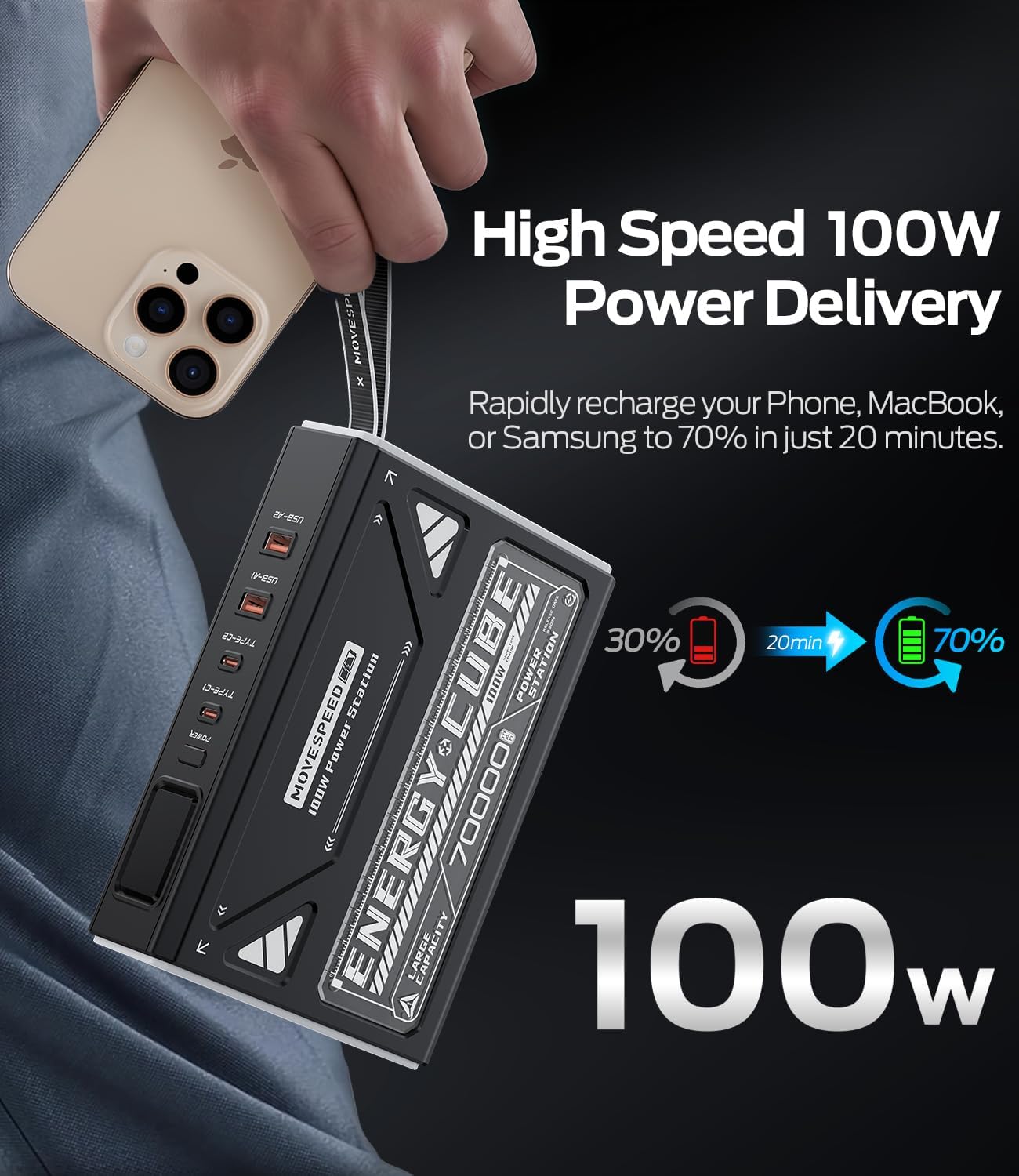
100W Fast Charging & 65W Recharge: Delivers rapid power output for devices and quick recharge times for the power bank itself.
4 Outputs + 2 Inputs: Equipped with multiple USB-C and USB-A ports for simultaneous charging of up to four devices.
Emergency Light & SOS Mode: Features a built-in light with three adjustable brightness levels (High/Medium/Low) and an instant SOS strobe flash for emergencies.
സ്മാർട്ട് ഡിജിറ്റൽ ഡിസ്പ്ലേ: A precision digital screen shows real-time battery percentagഇ, കറൻ്റ്, വോളിയംtagഇ outputട്ട്പുട്ട്.
Pass-Through Functionality: Allows you to power your devices while simultaneously recharging the power bank.
മോടിയുള്ള ഡിസൈൻ: Built with car-grade batteries and a convenient hand strap for easy carrying.
ചിത്രം 2: ഓവർview of Power Bank Features
Figure 3: High Capacity for Multiple Charges
Figure 4: 100W Power Delivery Speed
3. പ്രാരംഭ സജ്ജീകരണവും ചാർജിംഗും
Before first use, it is recommended to fully charge the power bank. For optimal performance, fully charge and discharge the unit 3-4 times. This process helps calibrate the battery for best performance.
Connect the provided USB-C to USB-C cable to one of the Type-C input ports (Type-C1 or Type-C2) on the power bank.
Connect the other end of the cable to a compatible 65W (or higher) USB-C power adapter (not included).
The digital display will show the charging status and battery percentage. A green lightning bolt symbol indicates fast charging.
Charging time to 100% is approximately 5 hours with a 65W input.
Figure 5: Input and Output Ports
4. പ്രവർത്തന നിർദ്ദേശങ്ങൾ
4.1. നിങ്ങളുടെ ഉപകരണങ്ങൾ ചാർജ്ജുചെയ്യുന്നു
To charge your devices, connect them to the appropriate output ports on the power bank using compatible cables. The power bank features two USB-C output ports (Type-C1, Type-C2) and two USB-A output ports (USB-A1, USB-A2).
ടൈപ്പ്-സി1 ഔട്ട്പുട്ട്: Up to 100W (5V=3A, 9V=3A, 12V=3A, 15V=3A, 20V=5A)
ടൈപ്പ്-സി2 ഔട്ട്പുട്ട്: Up to 45W (5V=3A, 9V=3A, 12V=3A, 15V=3A, 20V=2.25A)
USB-A1/A2 ഔട്ട്പുട്ട്: Up to 22.5W (5V=3A, 9V=2A, 10V=2.25A, 12V=1.5A)
ഒരേസമയം ചാർജിംഗ്: The power bank can intelligently distribute power when multiple devices are connected. For example, Type-C1 + Type-C2 can provide 65W + 35W.
Figure 6: Simultaneous Charging Capability
4.2. ഡിജിറ്റൽ ഡിസ്പ്ലേ
Press the power button once to activate the digital display. It shows the remaining battery percentage, and when charging or discharging, it will show the input/output voltagഇയും കറൻ്റും.
4.3. Emergency Light & SOS Mode
The power bank includes a powerful LED light with multiple modes for various situations.
ലൈറ്റ് സജീവമാക്കുക: Double-press the power button quickly to turn on the light at High Level.
സൈക്കിൾ മോഡുകൾ: Press the power button once to cycle through brightness levels: High > Medium > Low > SOS Flashing Mode.
ലൈറ്റ് ഓഫ് ചെയ്യുക: Double-press the power button quickly to turn off the light from any mode.
Figure 7: Emergency Light with 4 Modes
Video 1: Demonstrating Lighting and SOS Mode Operating Instructions
സംഭരണം: Store the power bank in a cool, dry environment (temperature range of 5-35°C) and avoid direct sunlight.
പതിവ് ഉപയോഗം: If the power bank is not used for more than three weeks, it is recommended to fully charge and discharge it at least once a month to prolong its service life.
ശാരീരിക നാശം ഒഴിവാക്കുക: Protect the device from strong impacts, drops, or collisions.
പരിസ്ഥിതി വ്യവസ്ഥകൾ: Avoid using this product in environments with high temperature, low air pressure, low temperature, moisture, dust, strong magnetic fields, and long-term exposure to sunlight.
വാട്ടർ എക്സ്പോഷർ: Do not expose the product to water droplets or splashes. It is prohibited to use after being soaked in water.
വൃത്തിയാക്കൽ: ഉപകരണം വൃത്തിയാക്കാൻ മൃദുവായതും ഉണങ്ങിയതുമായ തുണി ഉപയോഗിക്കുക. കഠിനമായ രാസവസ്തുക്കളോ ഉരച്ചിലുകളോ ഉള്ള വസ്തുക്കളോ ഉപയോഗിക്കരുത്.
7. പ്രശ്നപരിഹാരം
പവർ ബാങ്ക് ചാർജ് ചെയ്യുന്നില്ല: Ensure you are using a compatible USB-C power adapter (65W or higher recommended) and the provided USB-C cable. Check all connections.
Slow Charging of Devices: Verify that your device supports fast charging protocols (PD, QC) and that you are using the correct port (Type-C1 for 100W, Type-C2 for 45W, USB-A for 22.5W). Ensure your cable is also rated for high wattage.
Digital Display is Dim: The display may appear dim in bright daylight. Try viewing it in a shaded area.
Light Activates Accidentally: Be mindful of the power button when storing the power bank, as a double-press will activate the light.
പവർ ബാങ്കിൽ നിന്ന് ഉപകരണം ചാർജ് ചെയ്യുന്നില്ല: Ensure the power bank has sufficient charge. Press the power button to activate output if it's in standby mode.
അമിത ചൂടാക്കൽ: If the power bank feels excessively hot during use or charging, disconnect all devices and allow it to cool down. Avoid placing it on soft surfaces that can block ventilation.
8. വാറൻ്റിയും പിന്തുണയും
MOVE SPEED offers comprehensive support for its products:
ആജീവനാന്ത പിന്തുണ: Contact MOVE SPEED customer service anytime online for assistance.
വാറന്റി ഉറപ്പ്: A 12-month warranty is provided on all products. Select storage devices may have extended coverage up to 60 months (refer to the warranty card for specific details).
For any inquiries or support needs, please refer to the contact information provided on your product packaging or the official MOVE SPEED webസൈറ്റ്.
അനുബന്ധ രേഖകൾ - YSPBZ70Pro-100
മൂവ് സ്പീഡ് S80 80,000mAh 130W പോർട്ടബിൾ പവർ സ്റ്റേഷൻ ഉപയോക്തൃ ഗൈഡ് MOVE SPEED S80 പോർട്ടബിൾ പവർ സ്റ്റേഷനായുള്ള സമഗ്രമായ ഉപയോക്തൃ ഗൈഡ്. അതിന്റെ 80,000mAh ശേഷി, 130W ഔട്ട്പുട്ട്, ഡിജിറ്റൽ ഡിസ്പ്ലേ, USB-C പോർട്ടുകൾ, സോളാർ ചാർജിംഗ് കഴിവുകൾ എന്നിവ സി-ക്ക് എങ്ങനെ ഉപയോഗിക്കാമെന്ന് മനസിലാക്കുക.ampഇൻഷുറൻസ്, ലാപ്ടോപ്പുകൾ, അടിയന്തര ബാക്കപ്പ്.
MOVE SPEED 145W Laptop Power Bank User Manual and Guide Comprehensive user manual for the MOVE SPEED 145W Laptop Power Bank (Model YSPBM25Pro). Learn about its 25000mAh capacity, 140W fast charging, triple-port output, smart display, unboxing, features, usage, care, and troubleshooting.
MOVESPEED M25 Energy Planet 130W 25000mAh Portable Power Bank User Manual User manual for the MOVESPEED M25 Energy Planet portable power bank, detailing its 130W fast charging, 25000mAh capacity, USB-C PD3.0 capabilities, and smart LED display for charging laptops, smartphones, and other devices.
MOVE SPEED MoveSpeedDrivePro USB Flash Drive User Manual User manual for the MOVE SPEED MoveSpeedDrivePro USB flash drive. This guide covers PC software download and installation, setting up AES256 and fingerprint encryption, data backup procedures, and restoring factory settings. Features USB3.2, Type C, and 520MB/s speeds.