1. ഉൽപ്പന്നം കഴിഞ്ഞുview
The Kungfuking Wall Mount Power Strip with USB is designed to provide convenient power access and charging capabilities for multiple devices. This unit features 3 standard AC outlets, 2 USB-A ports with QC 3.0 fast charging, and 1 USB-C port with 18W power delivery. It includes surge protection and a 6-foot extension cord, making it suitable for various mounting applications such as under desks, on walls, or on tabletops.
പ്രധാന സവിശേഷതകൾ:
- 3 എസി ഔട്ട്ലെറ്റുകൾ: Provides standard power connections for electronic devices (100V-125V, 12A=1500W).
- 3 USB പോർട്ടുകൾ: Includes 2 QC 3.0 USB-A ports and 1 18W USB-C port for fast charging of compatible devices.
- സർജ് സംരക്ഷണം: Protects connected devices from power surges.
- മൗണ്ടബിൾ ഡിസൈൻ: Features mounting holes for secure installation on various surfaces (walls, desks, table legs).
- 6-Foot Extension Cord: Offers flexibility in placement.
- UL ലിസ്റ്റുചെയ്തത്: സുരക്ഷാ മാനദണ്ഡങ്ങൾക്കായി സാക്ഷ്യപ്പെടുത്തി.

ചിത്രം 1: മുൻഭാഗം view of the Kungfuking Wall Mount Power Strip, showing 3 AC outlets, 2 USB-A ports, 1 USB-C port, an on/off switch, and the coiled 6-foot power cord.
2. പ്രധാന സുരക്ഷാ നിർദ്ദേശങ്ങൾ
പരിക്കുകളോ കേടുപാടുകളോ തടയുന്നതിന് ഈ ഉൽപ്പന്നം ഉപയോഗിക്കുന്നതിന് മുമ്പ് ദയവായി എല്ലാ സുരക്ഷാ നിർദ്ദേശങ്ങളും ശ്രദ്ധാപൂർവ്വം വായിച്ച് പാലിക്കുക.
- Do not exceed the maximum load capacity of 12A / 1500W.
- This product is for indoor use only. Do not expose to moisture or use in wet environments.
- പവർ സ്ട്രിപ്പ് വേർപെടുത്തുകയോ പരിഷ്കരിക്കുകയോ ചെയ്യരുത്. എല്ലാ സേവനങ്ങളും യോഗ്യതയുള്ള ഉദ്യോഗസ്ഥർക്ക് റഫർ ചെയ്യുക.
- കുട്ടികളിൽ നിന്നും വളർത്തുമൃഗങ്ങളിൽ നിന്നും അകന്നു നിൽക്കുക.
- Ensure the power cord is fully inserted into a grounded wall outlet.
- പവർ കോർഡ് പരവതാനികൾക്കടിയിൽ വച്ചോ അല്ലെങ്കിൽ അത് മറിഞ്ഞു വീഴുകയോ കേടുപാടുകൾ സംഭവിക്കുകയോ ചെയ്യുന്ന സ്ഥലങ്ങളിൽ വച്ചോ പ്രവർത്തിപ്പിക്കുന്നത് ഒഴിവാക്കുക.
- If the power strip shows signs of damage, discontinue use immediately.
- The surge protector feature protects against power surges; however, it is not a substitute for proper grounding or protection against direct lightning strikes.
3. സജ്ജീകരണവും ഇൻസ്റ്റാളേഷനും
The Kungfuking Wall Mount Power Strip offers flexible installation options. Choose the method that best suits your needs.
മൗണ്ടിംഗ് നിർദ്ദേശങ്ങൾ:
- ഒരു ലൊക്കേഷൻ തിരഞ്ഞെടുക്കുക: Choose a flat, stable surface for mounting, such as a wall, under a desk, or on table legs. Ensure the location is dry and free from obstructions.
- മൗണ്ടിംഗ് പോയിൻ്റുകൾ അടയാളപ്പെടുത്തുക: Position the power strip in the desired location. Use a pencil to mark the positions of the four mounting holes located on the flanges at each end of the power strip.
- പൈലറ്റ് ദ്വാരങ്ങൾ തുരത്തുക (ആവശ്യമെങ്കിൽ): Depending on the mounting surface material, you may need to drill small pilot holes at the marked points. Use an appropriate drill bit size for the screws provided (or suitable screws for your surface).
- Secure the Power Strip: Align the mounting holes on the power strip with the pilot holes (or marks) and secure the unit using screws. Ensure the power strip is firmly attached and does not wobble.
- പവറിലേക്ക് ബന്ധിപ്പിക്കുക: Plug the 6-foot extension cord into a standard grounded wall outlet.

Figure 2: Illustration of the power strip's mounting holes for secure installation.

ചിത്രം 3: ഉദാamples of mounting locations: tabletop, under desk, and table legs.
4. പ്രവർത്തന നിർദ്ദേശങ്ങൾ
Once installed and connected to power, the power strip is ready for use.
പവർ ഓൺ/ഓഫ്:
- Locate the red ON/OFF switch on the power strip.
- Press the switch to the "ON" position to supply power to the outlets and USB ports. The switch will illuminate when power is active.
- Press the switch to the "OFF" position to cut power to all connected devices.
എസി ഔട്ട്ലെറ്റുകൾ ഉപയോഗിക്കുന്നത്:
- Plug your electronic devices directly into the 3 AC outlets.
- Ensure that the total power consumption of all connected devices does not exceed 1500W.
യുഎസ്ബി ചാർജിംഗ് പോർട്ടുകൾ ഉപയോഗിക്കുന്നു:
- യുഎസ്ബി-എ പോർട്ടുകൾ (ക്യുസി 3.0): Connect compatible devices using a USB-A cable for fast charging. These ports support Quick Charge 3.0 for accelerated charging speeds.
- USB-C Port (18W): Connect compatible devices using a USB-C cable for 18W power delivery. This port is suitable for charging smartphones, tablets, and other USB-C powered devices.
- The USB ports provide power automatically when a device is connected and the power strip is on.
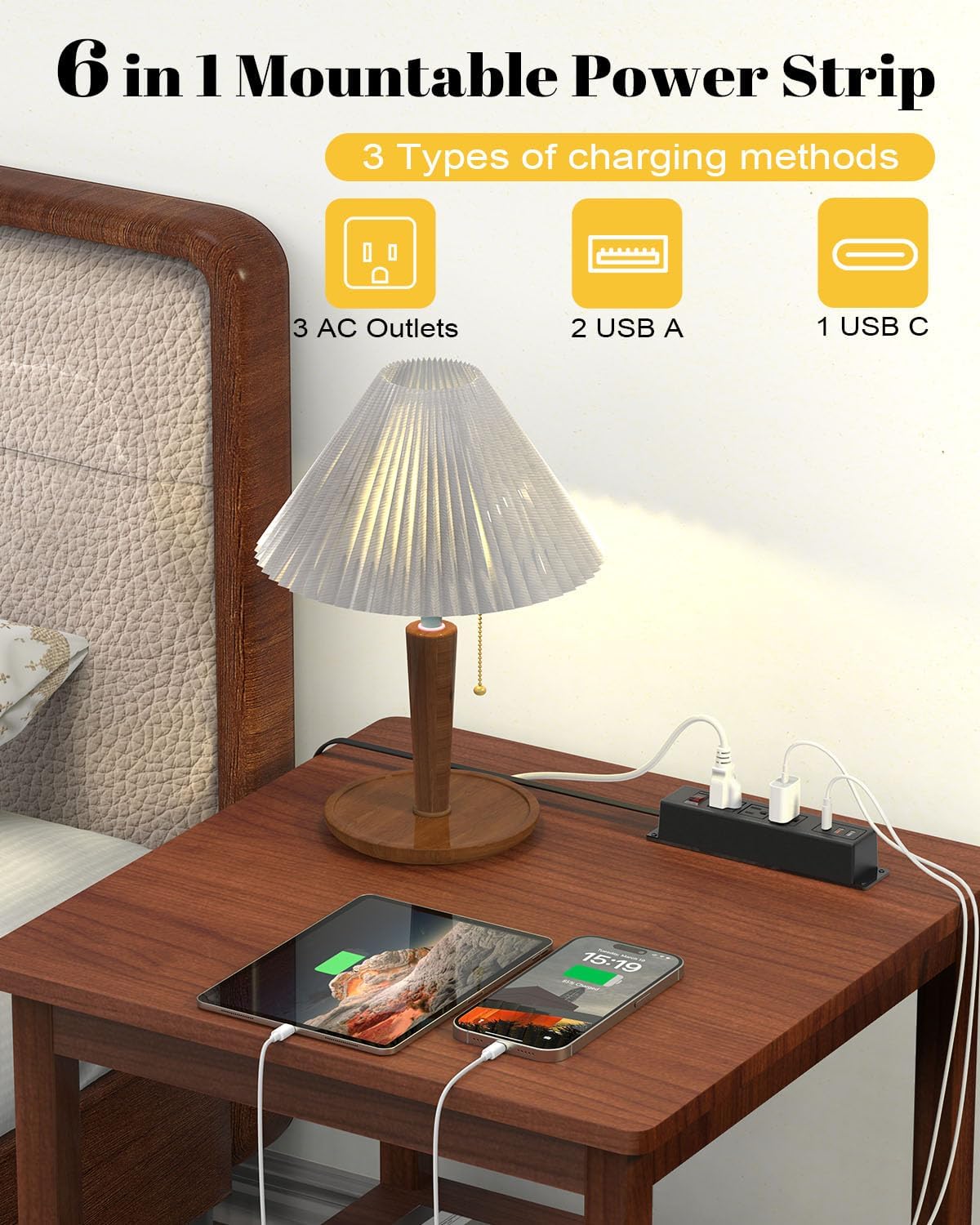
Figure 4: The power strip providing power to a lamp, phone, and tablet via AC and USB ports.

Figure 5: A device charging rapidly via the 18W USB-C port.
5. പരിപാലനം
Proper maintenance ensures the longevity and safe operation of your power strip.
- വൃത്തിയാക്കൽ: Disconnect the power strip from the wall outlet before cleaning. Use a dry, soft cloth to wipe the exterior. Do not use liquid cleaners or aerosols.
- പരിശോധന: Periodically inspect the power cord and the power strip for any signs of damage, such as frayed wires, cracks, or loose connections. If damage is found, discontinue use and replace the unit.
- സംഭരണം: If storing the power strip, ensure it is disconnected from power and stored in a dry, cool place away from direct sunlight.
6. പ്രശ്നപരിഹാരം
If you encounter issues with your power strip, refer to the following common problems and solutions:
| പ്രശ്നം | സാധ്യമായ കാരണം | പരിഹാരം |
|---|---|---|
| No power to outlets/USB ports. |
|
|
| USB വഴി ഉപകരണങ്ങൾ ചാർജ് ചെയ്യുന്നില്ല. |
|
|
| Power strip feels warm. |
|
|
7 സ്പെസിഫിക്കേഷനുകൾ
| ഫീച്ചർ | വിശദാംശങ്ങൾ |
|---|---|
| ബ്രാൻഡ് | കുങ്ഫുക്കിംഗ് |
| മോഡൽ | B0CT5QM5KD |
| എസി lets ട്ട്ലെറ്റുകൾ | 3 |
| USB പോർട്ടുകൾ | 2 x USB-A (QC 3.0), 1 x USB-C (18W) |
| വാല്യംtagഇ റേറ്റിംഗ് | 100V-125V |
| എസി ഔട്ട്പുട്ട് | 12A / 1500W (Max) |
| വിപുലീകരണ കോർഡ് നീളം | 6 അടി |
| ഇനത്തിൻ്റെ ഭാരം | 15.8 ഔൺസ് |
| അളവുകൾ (പാക്കേജ്) | 9.21 x 3.62 x 2.87 ഇഞ്ച് |
| പ്രത്യേക സവിശേഷതകൾ | Desk Mount, Wall Mount, On/Off Switch, USB Slot, Surge Protection |
| സർട്ടിഫിക്കേഷനുകൾ | UL ലിസ്റ്റുചെയ്തു |
8. വാറൻ്റിയും പിന്തുണയും
For warranty information or technical support, please contact Kungfuking customer service. You can find more information and contact details on the official Kungfuking store page:
