1. ആമുഖം
പള്ളികൾ, നൈറ്റ്ക്ലബ്ബുകൾ, മാളുകൾ തുടങ്ങിയ പ്രൊഫഷണൽ ലൈറ്റിംഗ് ആപ്ലിക്കേഷനുകൾക്കായി രൂപകൽപ്പന ചെയ്ത ഒരു കട്ടിംഗ്-എഡ്ജ് 512 ഇഞ്ച് റാക്ക്-മൗണ്ട് DMX കൺട്രോളറാണ് ADJ ലൈറ്റിംഗ് DMX FX19.tages, or for event production. With a compact 3-rack space design, this tactile, hands-on controller boasts powerful features for both moving heads and RGB LED fixtures, elevating the lighting experience for lighting designers and operators on the go or in a fixed installation.
Equipped with DMX-512 and RDM protocols, the DMX FX512 allows precise control of up to 512 DMX channels, managing up to 32 intelligent fixtures with 18 channels each. Create captivating light shows with 32 programmable scenes and 32 chases, each up to 100 steps, running up to 5 chases simultaneously. Soft-patchable faders and control wheels provide flexibility, while 16 built-in effect generators, 9 for moving lights and 7 for RGB LED fixtures, offer dynamic lighting possibilities.
Using RDM, you can remotely access and configure DMX addresses and channel modes for your fixtures, eliminating the need for physically reaching each device. This not only saves valuable time during setup but also ensures a hassle-free and error-free address assignment process. The control interface is intuitive, featuring a digital display, 16 channel control faders, dedicated Pan/Tilt wheels, and 16 Effects/Fixture select buttons. The built-in Mic with digitally adjustable sound sensitivity enhances the interactive experience. Connect effortlessly with 5-pin XLR DMX Output. A USB port is on the front panel designed for data backup and firmware updates. Compact and lightweight, the DMX FX512 measures 5.28" x 19" x 2.71" and weighs only 4.7lbs. It has rubber feet and can be used freely on a front of house design desk without being rack mounted.

ചിത്രം 1: മുൻഭാഗം view of the DMX FX512 DMX Operator.
2. സജ്ജീകരണം
2.1 അൺപാക്കിംഗും പരിശോധനയും
Carefully unpack the DMX FX512 and inspect it for any signs of damage during transit. Ensure all components listed in the "What's in the Box" section are present. If any damage or missing parts are found, contact your dealer immediately.
- DMX FX512 Controller
- വൈദ്യുതി വിതരണം
2.2 പവർ കണക്ഷൻ
Connect the included DC9V-12V 300mA min. power supply to the power input port on the rear of the unit. Ensure the connection is secure. The power consumption is DC9V 165mA (1.5W) or DC12V 16mA (2W).

Figure 2: Rear panel connections, including power input and DMX output.
2.3 DMX Output Connection
Connect your DMX-512 compatible lighting fixtures to the 5-pin XLR DMX Output port on the rear of the controller. Ensure proper DMX cabling (DMX-specific XLR cables) is used for reliable signal transmission.
2.4 USB പോർട്ട്
The USB A Port located on the front panel is used for data backup and firmware updates. Refer to future firmware update instructions for specific procedures.
2.5 Placement and Environmental Conditions
The DMX FX512 is a 19-inch rack-mount controller (3-rack space design) but can also be used freely on a desk due to its rubber feet. Ensure the unit is placed in a dry location. Maintain a minimum ambient temperature of 32°F (0°C) and a maximum ambient temperature of 113°F (45°C). Humidity should be less than 75%. Allow at least 6 inches of clearance between the controller and surrounding devices or walls for proper ventilation.
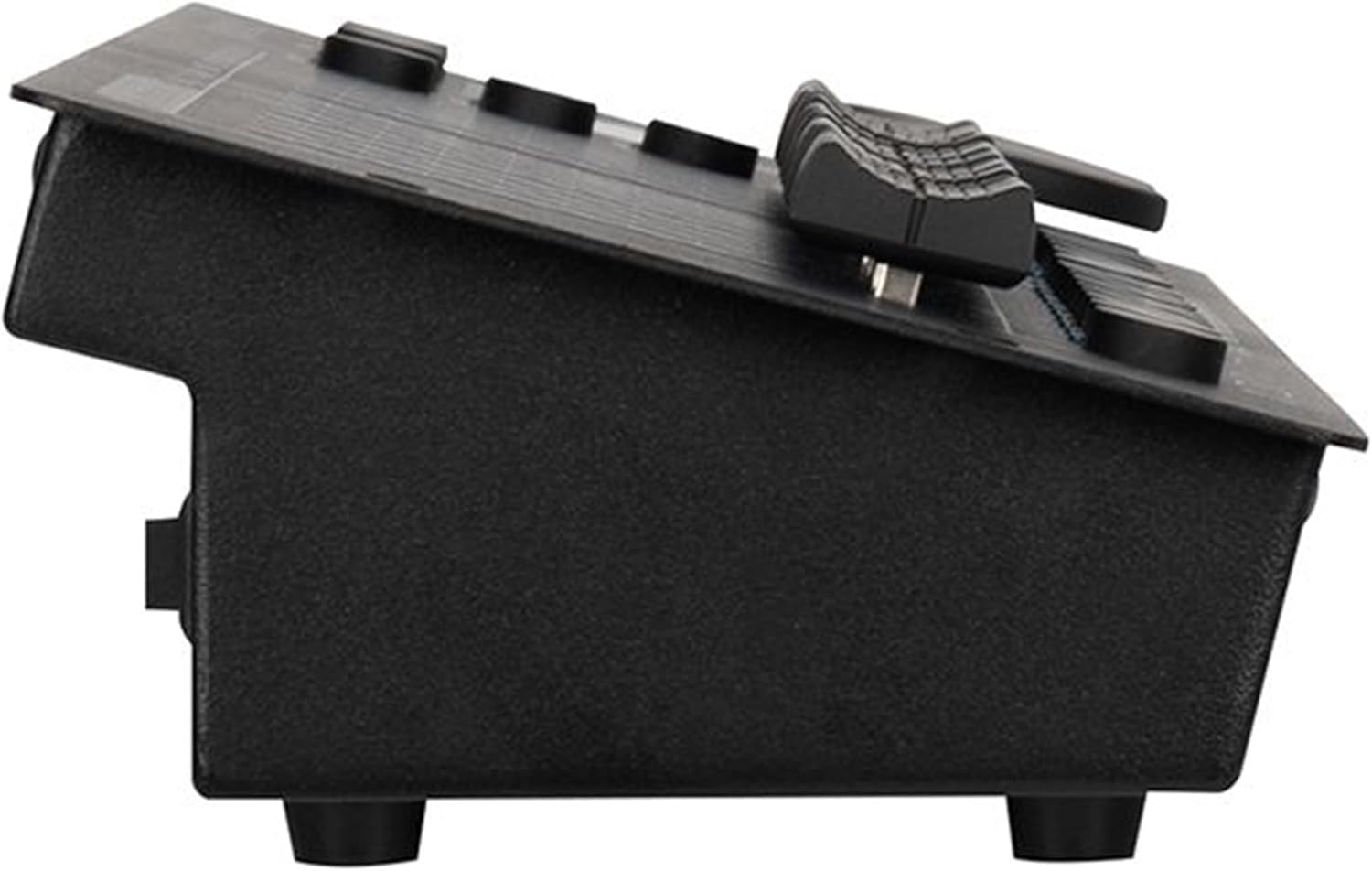
ചിത്രം 3: വശം view illustrating the unit's profile and rubber feet for desk use.
3. പ്രവർത്തന നിർദ്ദേശങ്ങൾ
3.1 DMX and RDM Protocol Control
The DMX FX512 supports DMX512 and RDM protocols. It can control up to 512 DMX channels and manage up to 32 intelligent fixtures, with each fixture utilizing up to 18 channels. RDM functionality allows you to remotely set DMX addresses and DMX channel modes of your fixtures directly from the controller, streamlining setup.

ചിത്രം 4: വിശദമായി view of the control panel, showing faders, buttons, and display.
3.2 നിയന്ത്രണ ഇന്റർഫേസ്
- ഡിജിറ്റൽ ഡിസ്പ്ലേ: Provides feedback on current settings and modes.
- 16 Channel Control Faders: Soft-patchable for flexible channel assignment.
- Dedicated Pan/Tilt Wheels: User-assignable for precise control of moving lights.
- 16 Effects / Fixture Select Buttons: For quick selection of effects or fixtures.
- അന്തർനിർമ്മിത മൈക്ക്: For sound-activated modes. Sound sensitivity is digitally adjustable from 0% to 100%.
3.3 Programming Scenes and Chases
The controller supports 32 programmable scenes and 32 chases. Each chase can have up to 100 steps, and up to 5 chases can run simultaneously. Refer to the on-screen menu and detailed programming guide (if available separately) for step-by-step instructions on creating and saving scenes and chases.
3.4 Built-in Effect Generators
The DMX FX512 includes 16 built-in effect generators: 9 for moving lights and 7 for RGB LED fixtures. These generators provide dynamic lighting possibilities and can be accessed and configured via the control interface.
4. പരിപാലനം
4.1 പൊതു പരിചരണം
To ensure the longevity and optimal performance of your DMX FX512, follow these general care guidelines:
- Keep the unit in a dry location, away from moisture and extreme temperatures.
- Avoid exposing the controller to direct sunlight or excessive heat sources.
- Ensure proper ventilation by maintaining the recommended 6-inch clearance around the unit.
- Store the unit in a dry location with an ambient storage temperature of 77°F (25°C) when not in use for extended periods.
4.2 വൃത്തിയാക്കൽ
Regularly clean the exterior of the DMX FX512 with a soft, lint-free cloth. Do not use abrasive cleaners, solvents, or harsh chemicals, as these can damage the finish and internal components. For stubborn dirt, a slightly damp തുണി ഉപയോഗിക്കാം, തുടർന്ന് ഉടനടി ഉണക്കാം.
5. പ്രശ്നപരിഹാരം
This section provides solutions to common issues you might encounter with your DMX FX512 controller. If you experience a problem not listed here, or if the suggested solutions do not resolve the issue, please contact ADJ customer support.
| പ്രശ്നം | സാധ്യമായ കാരണം | പരിഹാരം |
|---|---|---|
| കൺട്രോളർ പവർ ഓണാക്കുന്നില്ല. | No power, faulty power supply, or loose connection. | Ensure the power supply is correctly connected and plugged into a working outlet. Verify the power supply is the correct voltagഇയും കറൻ്റും. |
| Lights are not responding to the controller. | Incorrect DMX addressing, faulty DMX cable, DMX termination issues, or fixture not in DMX mode. | Check DMX addresses on fixtures and ensure they match the controller's output. Verify DMX cables are properly connected and not damaged. Ensure DMX termination is correctly applied if needed. Confirm fixtures are set to DMX control mode. |
| Pan/Tilt joystick movement is too fast or erratic. | Sensitivity settings or calibration issue. | Check the controller's settings for Pan/Tilt sensitivity or speed adjustments. Some users prefer using faders for more precise control. |
| ശബ്ദ സജീവമാക്കൽ പ്രവർത്തിക്കുന്നില്ല. | Microphone sensitivity too low, no audio input, or mic issue. | Increase the digital sound sensitivity setting (0-100%). Ensure there is sufficient audio input for the built-in microphone to detect. |
| USB data backup/firmware update not working. | USB drive format, file corruption, or incorrect procedure. | Ensure the USB drive is formatted correctly (e.g., FAT32). Verify the firmware file is not corrupted and follow the specific update instructions provided by ADJ. |
6 സ്പെസിഫിക്കേഷനുകൾ
| ഫീച്ചർ | വിശദാംശങ്ങൾ |
|---|---|
| ഉൽപ്പന്ന തരം | 19" Rack-mount DMX Controller |
| DMX പ്രോട്ടോക്കോൾ | DMX 512 & RDM |
| DMX ചാനലുകൾ | 512 |
| Intelligent Fixtures | Up to 32 (18 channels each) |
| പിന്തുടരുന്നു | 32 (up to 100 steps each, 5 simultaneous) |
| രംഗങ്ങൾ | 32 പ്രോഗ്രാമബിൾ |
| Effect Generators | 16 (9 for moving light, 7 for RGB LED fixtures) |
| Control Faders | 16 channel (soft-patchable) |
| പാൻ/ടിൽറ്റ് നിയന്ത്രണം | Dedicated wheels (User Assignable) |
| ശബ്ദ സംവേദനക്ഷമത | Digitally adjustable (0%-100%), built-in Mic |
| കണക്ഷനുകൾ | 5-pin XLR DMX Output, Power Supply Input, USB A Port |
| വൈദ്യുതി വിതരണം | DC9V~12V 300mA min. (DC9V 1A PSU Included) |
| വൈദ്യുതി ഉപഭോഗം | DC9V 165mA (1.5W), DC12V 16mA (2W) |
| അളവുകൾ (L x W x H) | 5.28" x 19" x 2.71" (134mm x 482mm x 68.9mm) |
| ഭാരം | 4.7 പൗണ്ട് (2.13 കി.ഗ്രാം) |
| പ്രവർത്തന താപനില | 32°F (0°C) മുതൽ 113°F (45°C) |
| ഈർപ്പം | <75% |
| സർട്ടിഫിക്കേഷനുകൾ | CE, cETLus (തീർച്ചപ്പെടുത്താത്തത്), IP20 |
7. വാറൻ്റിയും പിന്തുണയും
ADJ products are designed for reliability and performance. For specific warranty information regarding your DMX FX512, please refer to the warranty card included with your product or visit the official ADJ webസൈറ്റ്. വാറന്റി ക്ലെയിമുകൾക്കായി നിങ്ങളുടെ വാങ്ങലിന്റെ തെളിവ് സൂക്ഷിക്കുക.
For technical support, service, or general inquiries, please contact ADJ customer support. You can find contact information and additional resources by visiting the official ADJ store or webസൈറ്റ്:


