1. ആമുഖം
Welcome to your new Amazon Kindle (16 GB). This device is designed to provide a dedicated and distraction-free reading experience. It features a compact and lightweight design, a glare-free display, adjustable front light, and extended battery life, allowing you to carry thousands of books wherever you go.

Figure 1.1: The Amazon Kindle (16 GB) device, showcasing its sleek front and back design.
2. ആരംഭിക്കൽ: സജ്ജീകരണം
Follow these steps to set up your Kindle for the first time:
- നിങ്ങളുടെ കിൻഡിൽ ചാർജ് ചെയ്യുക: Connect the included USB-C cable to your Kindle and a power adapter (not included) or a computer's USB port. The charging indicator light will turn on. A full charge can take approximately 4 hours using a standard USB wall charger.
- പവർ ഓൺ: Press and hold the power button (located on the bottom edge) for a few seconds until the Kindle logo appears.
- ഭാഷ തിരഞ്ഞെടുക്കുക: നിങ്ങളുടെ ഇഷ്ടപ്പെട്ട ഭാഷ തിരഞ്ഞെടുക്കാൻ ഓൺ-സ്ക്രീൻ നിർദ്ദേശങ്ങൾ പാലിക്കുക.
- വൈഫൈയിലേക്ക് കണക്റ്റുചെയ്യുക: Choose your Wi-Fi network from the list and enter the password if prompted. A stable internet connection is required for initial setup and downloading content.
- നിങ്ങളുടെ കിൻഡിൽ രജിസ്റ്റർ ചെയ്യുക: Sign in with your Amazon account credentials. If you don't have an Amazon account, you can create one during this step.
- പര്യവേക്ഷണം ചെയ്യുക: Once registered, your Kindle is ready to use. You can browse the Kindle Store, download books, or access your existing library.
3. നിങ്ങളുടെ കിൻഡിൽ പ്രവർത്തിപ്പിക്കൽ
3.1 അടിസ്ഥാന നാവിഗേഷൻ
- പവർ ബട്ടൺ: Press briefly to put the Kindle to sleep or wake it up. Press and hold for 7 seconds to restart.
- ടച്ച് സ്ക്രീൻ: Tap to select items, swipe left/right to turn pages, and pinch to zoom (if supported by content).
- ഹോം സ്ക്രീൻ: Displays your current reads, recommended titles, and quick access to your library and the Kindle Store.
- ദ്രുത പ്രവർത്തനങ്ങൾ: Swipe down from the top of the screen to access settings like Wi-Fi, Airplane Mode, Dark Mode, and adjustable front light.
3.2 വായനാ പുസ്തകങ്ങൾ
To open a book, tap its cover on the Home screen or in your Library. While reading:
- പേജുകൾ തിരിക്കുക: Tap the right side of the screen to go to the next page, or the left side to go back. You can also swipe left or right.
- Adjust Font and Layout: Tap the top of the screen to bring up the reading toolbar. From here, you can change font size, font style, line spacing, and margins.
- Adjust Front Light: Use the sun icon in the Quick Actions menu or reading toolbar to adjust the brightness of the front light.
- Look Up Words: Tap and hold a word to see its definition, Wikipedia entry, or translate it.
- Highlight and Notes: Tap and drag to highlight text. A menu will appear allowing you to add notes or share.

Figure 3.1: Reading on the Kindle, demonstrating the clear text display.
4 പ്രധാന സവിശേഷതകൾ
- ഭാരം കുറഞ്ഞതും ഒതുക്കമുള്ളതുമായ ഡിസൈൻ: The Kindle (16 GB) is designed to be the lightest and most compact Kindle, making it easy to hold for extended periods and carry anywhere.
- തിളക്കമില്ലാത്ത ഡിസ്പ്ലേ: Enjoy reading even in bright sunlight with the 6-inch glare-free display, mimicking the look of real paper.

Figure 4.1: The Kindle's glare-free display allows comfortable reading in various environments, including outdoors.
- ക്രമീകരിക്കാവുന്ന ഫ്രണ്ട് ലൈറ്റ്: The adjustable front light allows for comfortable reading day or night. It is now 25% brighter at max setting for enhanced visibility.

Figure 4.2: The Kindle features a brighter front light and higher contrast ratio for improved readability.
- Faster Page Turns: Experience a more fluid reading experience with improved page turn speed.

Figure 4.3: The Kindle offers faster page turns for a seamless reading flow.
- നീണ്ട ബാറ്ററി ലൈഫ്: A single charge can last up to 6 weeks, depending on usage, reducing the need for frequent recharging.
- 16 GB Storage: With 16 GB of storage, your Kindle can hold thousands of books, magazines, and comics, ensuring your library is always with you.
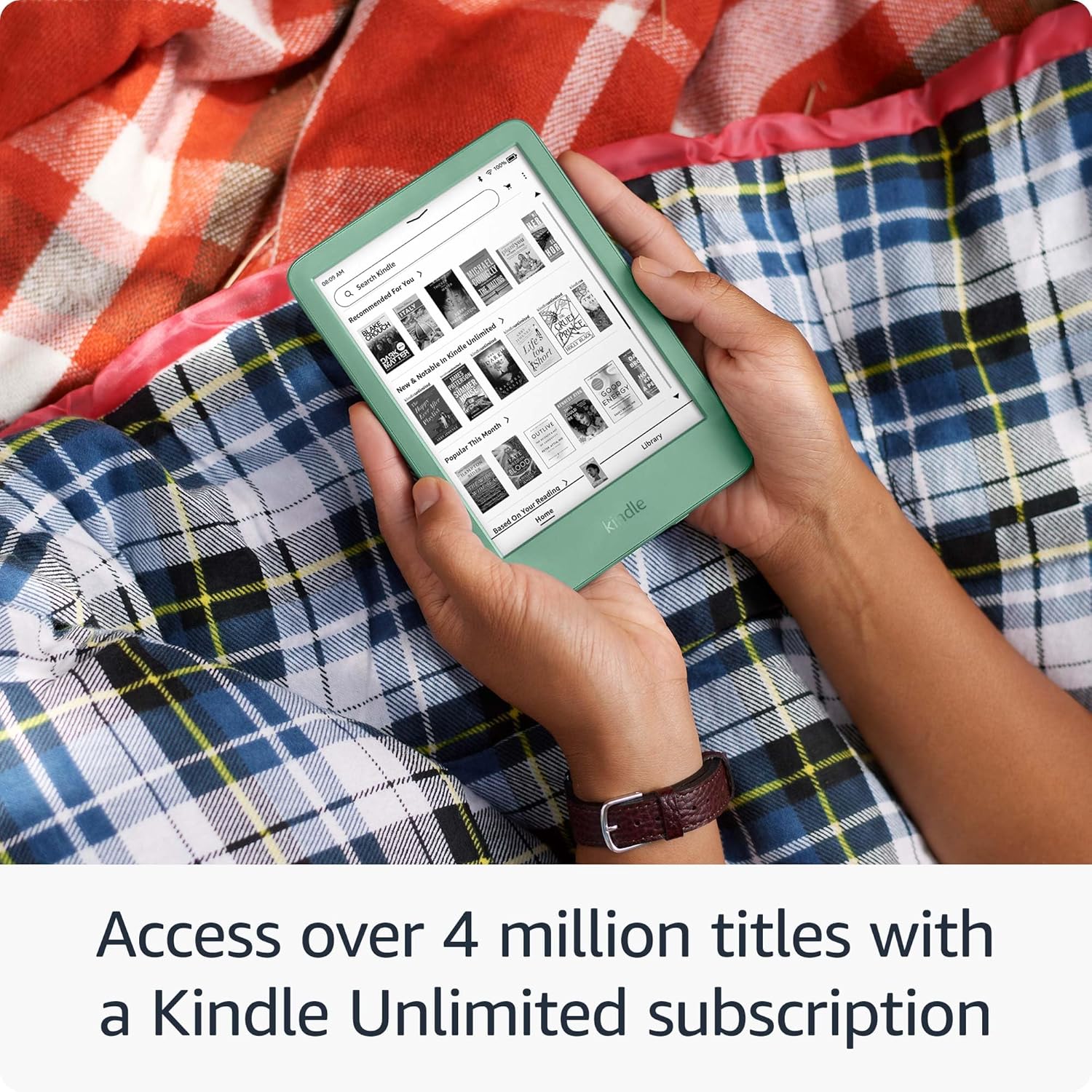
Figure 4.4: The 16 GB storage allows you to carry thousands of titles on your Kindle.
- Kindle Unlimited Access: A Kindle Unlimited subscription unlocks access to over 4 million titles and thousands of audiobooks.

Figure 4.5: Access to a vast library of books and audiobooks through Kindle Unlimited.
- സുസ്ഥിര രൂപകൽപ്പന: This Kindle is constructed with 75% recycled plastics and 90% recycled magnesium, and features 100% recyclable device packaging.
5. പരിപാലനം
- വൃത്തിയാക്കൽ: Use a soft, lint-free cloth to clean the screen and body of your Kindle. Do not use abrasive cleaners or solvents.
- സോഫ്റ്റ്വെയർ അപ്ഡേറ്റുകൾ: വൈഫൈയിലേക്ക് കണക്റ്റ് ചെയ്യുമ്പോൾ നിങ്ങളുടെ കിൻഡിൽ സ്വയമേവ സോഫ്റ്റ്വെയർ അപ്ഡേറ്റുകൾ ഡൗൺലോഡ് ചെയ്ത് ഇൻസ്റ്റാൾ ചെയ്യും. അപ്ഡേറ്റ് ചെയ്യുമ്പോൾ നിങ്ങളുടെ ഉപകരണം ചാർജ്ജ് ചെയ്തിട്ടുണ്ടെന്ന് ഉറപ്പാക്കുക.
- ബാറ്ററി കെയർ: For optimal battery life, avoid exposing your Kindle to extreme temperatures. Charge your device regularly, but it is not necessary to fully discharge it before recharging.
- സ്റ്റോറേജ് മാനേജ്മെന്റ്: To free up space, you can remove downloaded books from your device. They will remain stored in your Kindle library in the cloud and can be re-downloaded at any time.
6. പ്രശ്നപരിഹാരം
| പ്രശ്നം | പരിഹാരം |
|---|---|
| Kindle not turning on or frozen | Press and hold the power button for 7 seconds until the device restarts. If it doesn't turn on, ensure it is charged. |
| Wi-Fi-യിലേക്ക് കണക്റ്റുചെയ്യാൻ കഴിയില്ല | Ensure Wi-Fi is enabled on your Kindle. Verify your Wi-Fi password. Try restarting your Wi-Fi router. |
| പുസ്തകങ്ങൾ ഡൗൺലോഡ് ചെയ്യുന്നില്ല | Check your Wi-Fi connection. Ensure your Kindle is registered to the correct Amazon account. Check for available storage space. |
| സ്ക്രീൻ പ്രതികരിക്കുന്നില്ല | Perform a restart by holding the power button for 7 seconds. Ensure the screen is clean and free of debris. |
7 സ്പെസിഫിക്കേഷനുകൾ
- ഡിസ്പ്ലേ: 6-inch glare-free display with adjustable front light
- സംഭരണം: 16 ജിബി
- ബാറ്ററി ലൈഫ്: ഒറ്റ ചാർജിൽ 6 ആഴ്ച വരെ (വയർലെസ് ഓഫായിരിക്കുമ്പോഴും 13 മിനിറ്റിൽ ലൈറ്റ് സെറ്റിംഗ് ഉള്ളപ്പോഴും പ്രതിദിനം 30 മിനിറ്റ് വായനയെ അടിസ്ഥാനമാക്കി)
- കണക്റ്റിവിറ്റി: Wi-Fi (802.11b/g/n), USB-C
- അളവുകൾ: (Approximate, based on typical Kindle dimensions) 157.8 x 108.6 x 8.0 mm
- ഭാരം: (Approximate, based on typical Kindle weight) 158 g
8. വാറൻ്റിയും പിന്തുണയും
Your Amazon Kindle (16 GB) is covered by a limited warranty. For detailed warranty information, please refer to the warranty card included with your device or visit the official Amazon support webസൈറ്റ്.
For further assistance, troubleshooting, or to contact customer support, please visit the Amazon Device Support page:
ഈ മാനുവലിൽ ഉൾപ്പെടുത്തുന്നതിനായി വിൽപ്പനക്കാരന്റെ ഔദ്യോഗിക ഉൽപ്പന്ന വീഡിയോകളൊന്നും ലഭ്യമായിരുന്നില്ല.


