1. ആമുഖം
This manual provides essential instructions for setting up, operating, and maintaining your Denon DHT-C210 Full-Range Dolby Atmos Sound Bar. Please read this manual thoroughly before using the product to ensure correct operation and to prevent damage.
പ്രധാന സവിശേഷതകൾ:
- Dolby Atmos for immersive audio.
- Full-range sound with built-in subwoofers.
- 4K UHD HDMI connectivity with eARC.
- Wireless music streaming via Bluetooth.
- Denon Dialog Enhancer for clear voice reproduction.
- Easy setup process.
2. ബോക്സിൽ എന്താണുള്ളത്?
സജ്ജീകരണവുമായി മുന്നോട്ടുപോകുന്നതിനുമുമ്പ് എല്ലാ ഇനങ്ങളും നിലവിലുണ്ടെന്ന് ഉറപ്പാക്കുക:
- Denon DHT-C210 Sound Bar Unit
- റിമോട്ട് കൺട്രോൾ
- പവർ കോർഡ്
- HDMI കേബിൾ
- ക്വിക്ക് സ്റ്റാർട്ട് ഗൈഡ് (ഉൾപ്പെടുത്തിയിട്ടുണ്ടെങ്കിൽ)
3. സജ്ജീകരണം
3.1 ഫിസിക്കൽ പ്ലേസ്മെന്റ്
Place the sound bar centrally below your television. Ensure there is adequate space around the unit for proper ventilation and sound dispersion. The sound bar can be placed on a tabletop or mounted on a wall (mounting hardware not included).
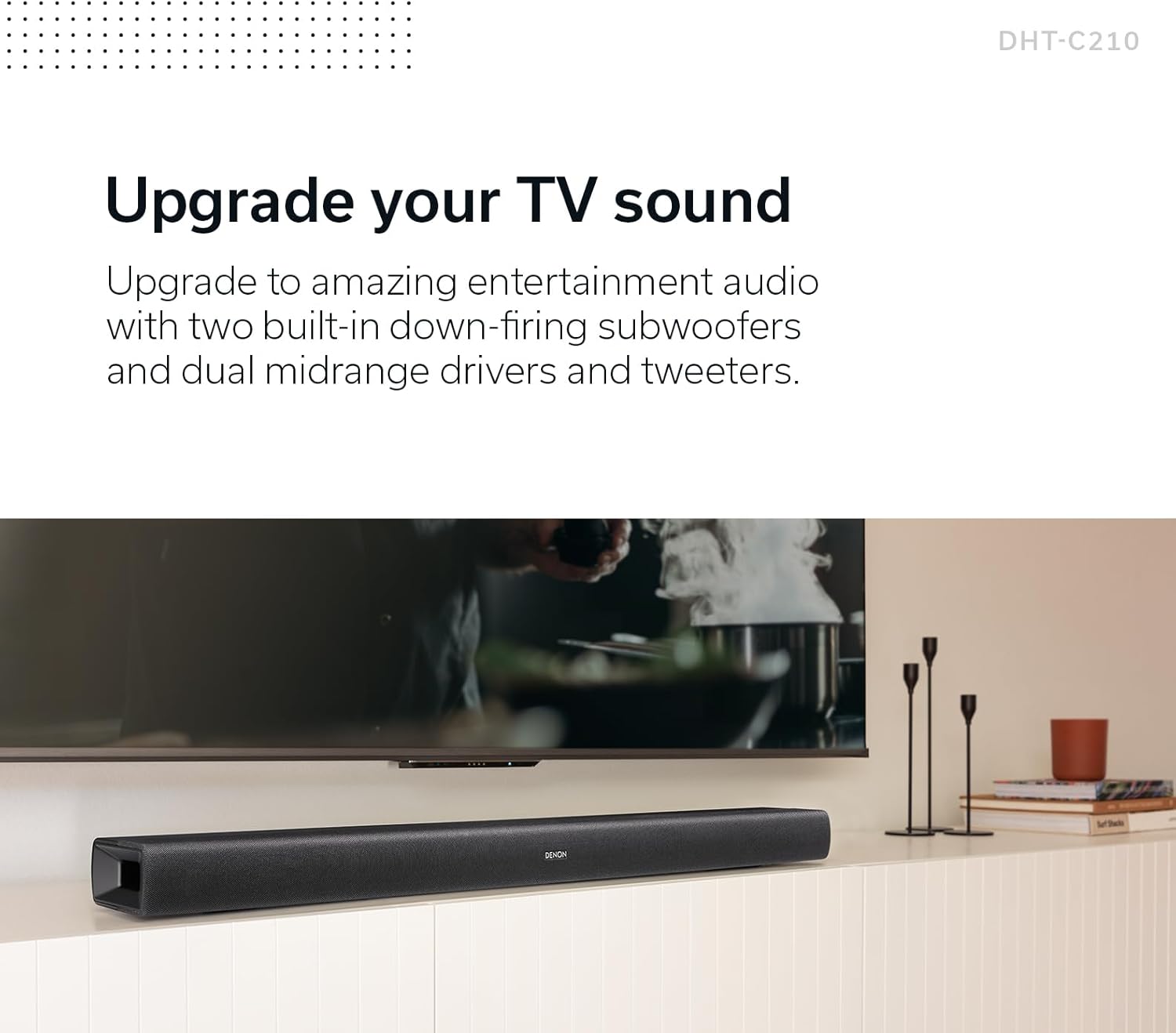
Image: The Denon DHT-C210 Sound Bar positioned on a media console beneath a television, illustrating a typical home entertainment setup.
3.2 നിങ്ങളുടെ ടിവിയിലേക്ക് കണക്റ്റുചെയ്യുന്നു
For optimal audio quality, connect the sound bar to your TV using the HDMI eARC/ARC port. This allows audio to be sent from your TV to the sound bar using a single HDMI cable.
- Locate the HDMI port labeled 'TV (HDMI eARC/ARC)' on the back of the sound bar.
- Connect one end of the provided HDMI cable to this port.
- Connect the other end of the HDMI cable to the HDMI port on your TV that supports eARC or ARC. This port is often labeled 'HDMI ARC' or 'HDMI eARC'.
- If your TV does not have an HDMI ARC/eARC port, use an optical digital cable to connect the sound bar's 'OPTICAL IN' port to your TV's optical digital output.
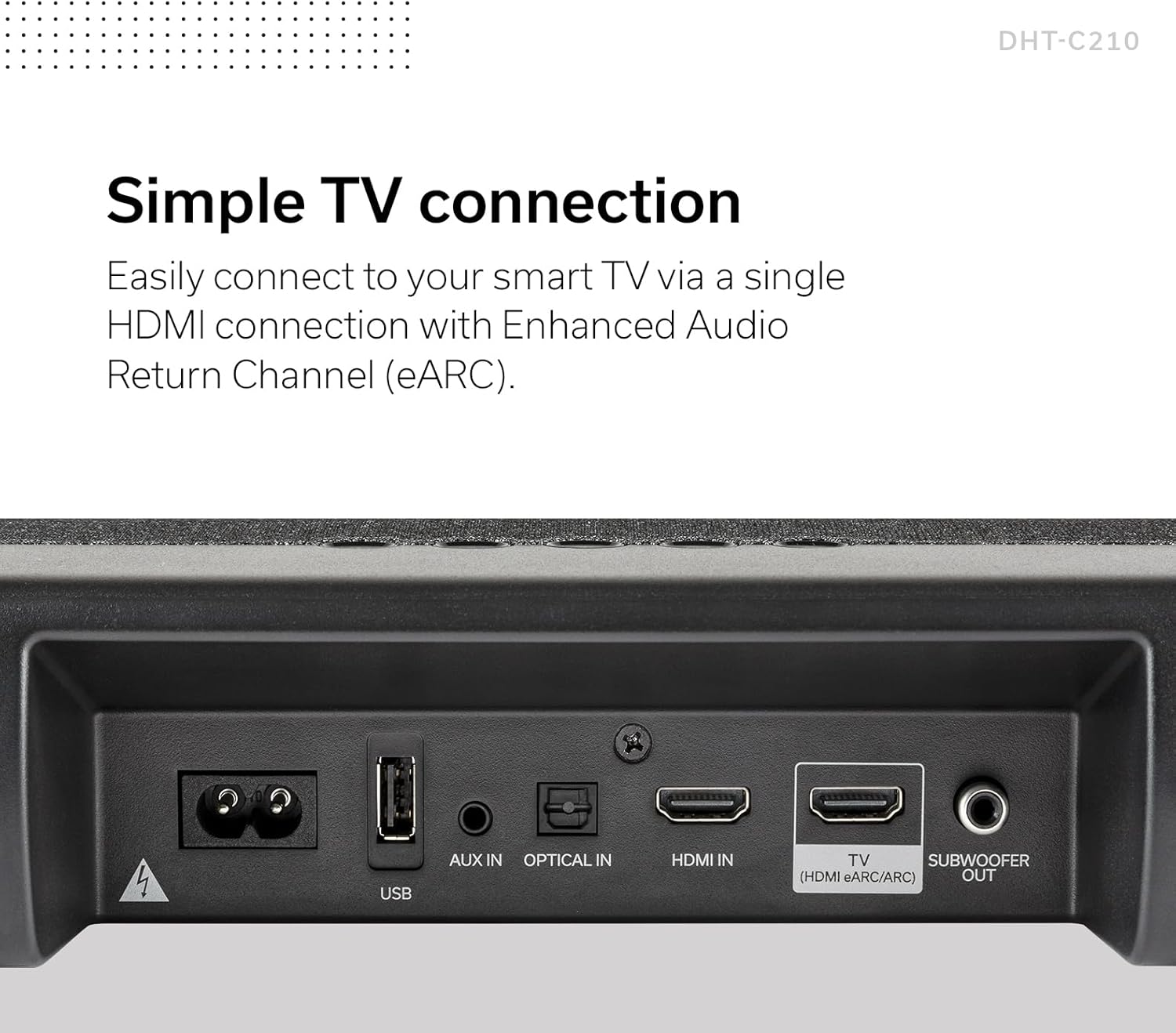
ചിത്രം: വിശദമായ ഒരു ചിത്രം view of the rear connection panel of the Denon DHT-C210 Sound Bar, highlighting the HDMI eARC/ARC, Optical In, AUX In, and USB ports for various connectivity options.
3.3 പവർ കണക്ഷൻ
After connecting the audio cables, connect the power cord to the sound bar's power input and then plug it into a wall outlet.
3.4 ബ്ലൂടൂത്ത് ജോടിയാക്കൽ
To stream audio wirelessly from a mobile device:
- സൗണ്ട് ബാർ ഓണാക്കുക.
- Press the Bluetooth button on the remote control or the sound bar. The Bluetooth indicator will flash.
- നിങ്ങളുടെ മൊബൈൽ ഉപകരണത്തിൽ, ബ്ലൂടൂത്ത് പ്രവർത്തനക്ഷമമാക്കി ലഭ്യമായ ഉപകരണങ്ങൾക്കായി തിരയുക.
- Select 'Denon DHT-C210' from the list.
- Once paired, the Bluetooth indicator on the sound bar will glow steadily.
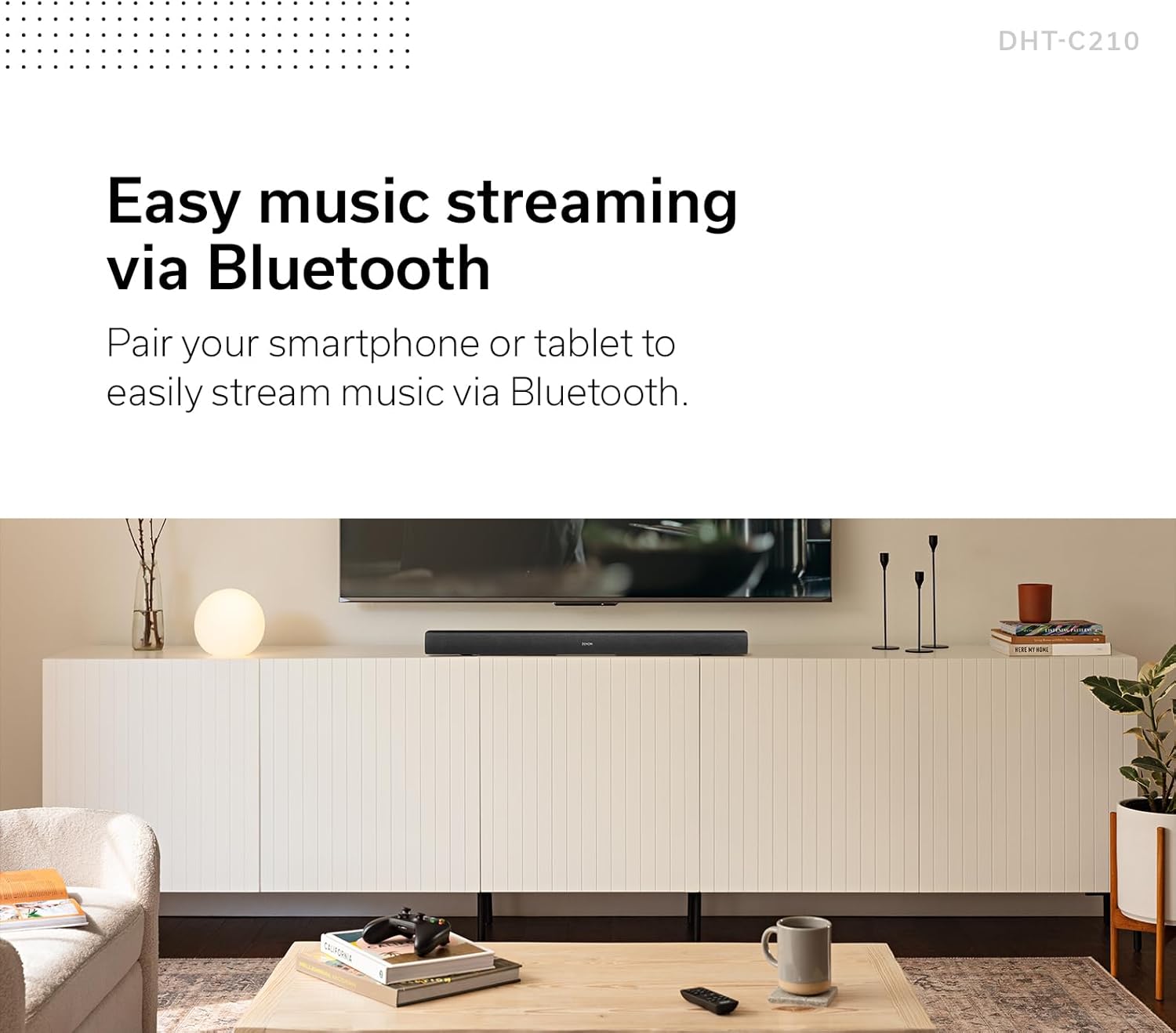
Image: The Denon DHT-C210 Sound Bar positioned under a television, with a smartphone nearby, symbolizing its capability for easy music streaming via Bluetooth.
4. പ്രവർത്തന നിർദ്ദേശങ്ങൾ
4.1 പവർ ഓൺ/ഓഫ്
Press the Power button on the remote control or the sound bar to turn the unit on or off.
4.2 വോളിയം നിയന്ത്രണം
Use the 'VOL +' and 'VOL -' buttons on the remote control to adjust the master volume. The sound bar also features dedicated 'BASS +' and 'BASS -' buttons for bass level adjustment.
4.3 ഇൻപുട്ട് തിരഞ്ഞെടുക്കൽ
Press the 'INPUT' button on the remote control to cycle through available input sources (HDMI, Optical, AUX, Bluetooth).
4.4 സൗണ്ട് മോഡുകൾ
The DHT-C210 offers multiple audio output modes to optimize your listening experience:
- സിനിമ: Enhances cinematic sound for films.
- രാത്രി: Reduces dynamic range, ideal for late-night viewമറ്റുള്ളവരെ ശല്യപ്പെടുത്താതെ.
- സംഗീതം: സംഗീത പ്ലേബാക്കിനായി ഒപ്റ്റിമൈസ് ചെയ്തു.
- PURE: Provides uncolored audio reproduction.
4.5 Denon Dialog Enhancer
The Denon Dialog Enhancer feature improves vocal clarity, making dialogue easier to understand, especially in content with complex soundtracks. Press the 'DIALOG ENHANCER' button on the remote control and select 'LOW', 'MED', or 'HIGH' to adjust the enhancement level.

ചിത്രം: വിശദമായ ഒരു ചിത്രം view of the Denon DHT-C210 remote control, showing buttons for volume, bass, various sound modes (Movie, Night, Music), and the three-level Dialog Enhancer function.
5. പരിപാലനം
5.1 വൃത്തിയാക്കൽ
To clean the sound bar, disconnect it from the power outlet. Use a soft, dry cloth to wipe the surfaces. Do not use liquid cleaners, abrasive cloths, or chemical solvents, as these may damage the finish.
5.2 സുരക്ഷാ മുൻകരുതലുകൾ
- വെന്റിലേഷൻ തുറക്കൽ തടയരുത്.
- മഴയോ ഈർപ്പമോ യൂണിറ്റ് തുറന്നുകാട്ടരുത്.
- താപ സ്രോതസ്സുകൾക്ക് സമീപം യൂണിറ്റ് സ്ഥാപിക്കുന്നത് ഒഴിവാക്കുക.
- യൂണിറ്റ് സ്വയം സർവീസ് ചെയ്യാൻ ശ്രമിക്കരുത്. എല്ലാ സർവീസിംഗും യോഗ്യതയുള്ള ഉദ്യോഗസ്ഥർക്ക് റഫർ ചെയ്യുക.
6. പ്രശ്നപരിഹാരം
If you encounter issues with your Denon DHT-C210, refer to the following common problems and solutions:
| പ്രശ്നം | സാധ്യമായ കാരണം / പരിഹാരം |
|---|---|
| സൗണ്ട് ബാറിൽ നിന്ന് ശബ്ദമൊന്നുമില്ല. |
|
| മോശം ശബ്ദ നിലവാരം അല്ലെങ്കിൽ വികൃതത. |
|
| ബ്ലൂടൂത്ത് ജോടിയാക്കൽ പ്രശ്നങ്ങൾ. |
|
| റിമോട്ട് കൺട്രോൾ പ്രവർത്തിക്കുന്നില്ല. |
|
7 സ്പെസിഫിക്കേഷനുകൾ
The following are key technical specifications for the Denon DHT-C210 Sound Bar:
| ഫീച്ചർ | സ്പെസിഫിക്കേഷൻ |
|---|---|
| മോഡലിൻ്റെ പേര് | DHT-C210 |
| സ്പീക്കർ തരം | 3D, Subwoofer, Surround Sound |
| സറൗണ്ട് സൗണ്ട് ചാനൽ കോൺഫിഗറേഷൻ | ഡോൾബി അറ്റ്മോസ് |
| കണക്റ്റിവിറ്റി ടെക്നോളജി | ബ്ലൂടൂത്ത്, HDMI |
| വയർലെസ് കമ്മ്യൂണിക്കേഷൻ ടെക്നോളജി | ബ്ലൂടൂത്ത് |
| അനുയോജ്യമായ ഉപകരണങ്ങൾ | ടെലിവിഷൻ |
| ഓഡിയോ put ട്ട്പുട്ട് മോഡ് | Multiple (Movie, Night, Music, Pure) |
| നിയന്ത്രണ രീതി | റിമോട്ട് |
| പവർ ഉറവിടം | കോർഡഡ് ഇലക്ട്രിക് |
| ഉൽപ്പന്ന അളവുകൾ (L x W x H) | 35.04 x 4.72 x 2.64 ഇഞ്ച് |
| ഇനത്തിൻ്റെ ഭാരം | 10.98 പൗണ്ട് |
| യു.പി.സി | 747192139537 |
8. വാറൻ്റി വിവരങ്ങൾ
The Denon DHT-C210 Sound Bar comes with a Limited Warranty. For detailed information regarding warranty terms, conditions, and registration, please refer to the warranty card included with your product or visit the official Denon webസൈറ്റ്. വാറന്റി ക്ലെയിമുകൾക്കായി നിങ്ങളുടെ വാങ്ങലിന്റെ തെളിവ് സൂക്ഷിക്കുക.
9. പിന്തുണ
For further assistance, technical support, or to download the latest version of this manual, please visit the official Denon support webസൈറ്റ്:
You may also contact Denon customer service directly for personalized support.


