ആമുഖം
This manual provides comprehensive instructions for the setup, operation, and maintenance of your Ceybo RC813 FMB1 Voice Remote Control. This remote is designed to work seamlessly with a wide range of TCL QLED Smart TVs, offering convenient control and voice assistant capabilities.

ചിത്രം 1: മുന്നിലും പിന്നിലും view of the Ceybo RC813 FMB1 Voice Remote Control. The front features various buttons including navigation, volume, channel, and dedicated app shortcuts. The back is smooth and ergonomic.
സജ്ജമാക്കുക
1. ബാറ്ററി ഇൻസ്റ്റാളേഷൻ
The RC813 FMB1 remote control requires two (2) AAA batteries (not included) for operation. Follow these steps to install the batteries:
- റിമോട്ട് കൺട്രോളിൻ്റെ പിൻഭാഗത്ത് ബാറ്ററി കമ്പാർട്ട്മെൻ്റ് കവർ കണ്ടെത്തുക.
- കമ്പാർട്ട്മെന്റ് തുറക്കാൻ കവർ താഴേക്ക് സ്ലൈഡ് ചെയ്യുക അല്ലെങ്കിൽ ലാച്ച് അമർത്തുക.
- രണ്ട് AAA ബാറ്ററികൾ ഇടുക, പോസിറ്റീവ് (+) ഉം നെഗറ്റീവ് (-) ടെർമിനലുകളും കമ്പാർട്ടുമെന്റിനുള്ളിലെ സൂചകങ്ങളുമായി ശരിയായി വിന്യസിക്കുന്നുണ്ടെന്ന് ഉറപ്പാക്കുക.
- സുരക്ഷിതമായി ക്ലിക്ക് ചെയ്യുന്നതുവരെ ബാറ്ററി കമ്പാർട്ട്മെന്റ് കവർ തിരികെ സ്ഥലത്തേക്ക് സ്ലൈഡുചെയ്ത് മാറ്റിസ്ഥാപിക്കുക.

ചിത്രം 2: Illustration of the battery compartment and proper insertion of AAA batteries.
2. റിമോട്ട് കൺട്രോൾ ജോടിയാക്കുന്നു
To ensure full functionality, including voice control, the remote must be paired with your TCL Smart TV. Follow these steps:
- Ensure your TCL Smart TV is powered on.
- ടിവിയുടെ നേരെ റിമോട്ട് കൺട്രോൾ ചൂണ്ടിക്കാണിക്കുക.
- ഒരേസമയം അമർത്തിപ്പിടിക്കുക "ശരി" button (center of the navigation pad) and the "Home" button (house icon) for approximately 2 seconds.
- A pairing confirmation message should appear on your TV screen, indicating successful pairing.
- If pairing fails, ensure the batteries are correctly installed and try again. Move closer to the TV if necessary.
റിമോട്ട് പ്രവർത്തിപ്പിക്കുന്നു
ബട്ടൺ പ്രവർത്തനങ്ങൾ കഴിഞ്ഞുview
The RC813 FMB1 remote control features a variety of buttons for intuitive navigation and control of your TCL Smart TV. Refer to the image below for button layout.
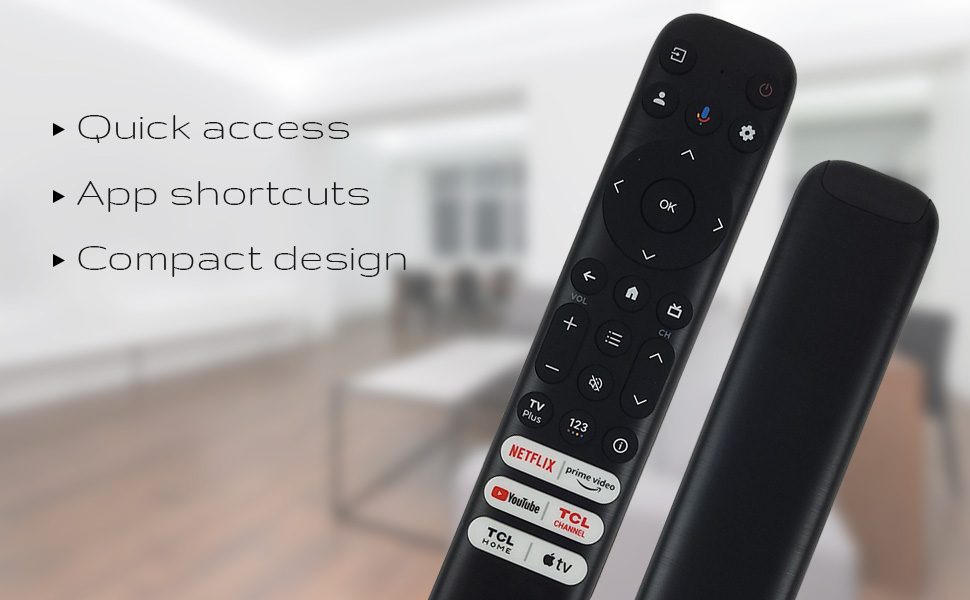
ചിത്രം 3: The remote's design emphasizes quick access, app shortcuts, and a compact form factor for ease of use.
- പവർ ബട്ടൺ (⏻): ടിവി ഓണാക്കുകയോ ഓഫാക്കുകയോ ചെയ്യുന്നു.
- Navigation Pad (Up, Down, Left, Right): മെനുകൾ നാവിഗേറ്റ് ചെയ്യാനും ഓപ്ഷനുകൾ തിരഞ്ഞെടുക്കാനും ഉപയോഗിക്കുന്നു.
- ശരി ബട്ടൺ: Confirms selections or opens items.
- ബാക്ക് ബട്ടൺ: മുമ്പത്തെ സ്ക്രീനിലേക്കോ മെനുവിലേക്കോ മടങ്ങുന്നു.
- ഹോം ബട്ടൺ (ഹൗസ് ഐക്കൺ): ടിവിയുടെ ഹോം സ്ക്രീനിലേക്ക് മടങ്ങുന്നു.
- വോളിയം കൂട്ടുക/താഴ്ത്തുക: Adjusts the TV's volume level.
- ചാനൽ മുകളിലേക്കും താഴേക്കും: ടിവി ചാനലുകൾ മാറ്റുന്നു.
- ക്രമീകരണ ബട്ടൺ (ഗിയർ ഐക്കൺ): ടിവി ക്രമീകരണങ്ങൾ ആക്സസ് ചെയ്യുന്നു.
- ഇൻപുട്ട് ബട്ടൺ: Changes the TV's input source.
വോയ്സ് അസിസ്റ്റന്റ് പ്രവർത്തനം
The remote features a dedicated button for Google Assistant, allowing you to control your TV and search for content using voice commands.
- Google Assistant Button (Microphone Icon): Press and hold this button, then speak your command clearly into the remote. Release the button when you are finished speaking.
- Examples of commands include: "Open Netflix," "ഇതിനായി തിരയുക action movies," "What's the weather like?", "Turn up the volume."
Dedicated Shortcut Buttons
Quickly access your favorite streaming services and TCL features with the dedicated shortcut buttons located at the bottom of the remote.

ചിത്രം 4: Dedicated shortcut buttons for popular streaming services and TCL applications.
- നെറ്റ്ഫ്ലിക്സ്: Direct access to the Netflix streaming service.
- പ്രധാന വീഡിയോ: Direct access to Amazon Prime Video.
- YouTube: Direct access to YouTube.
- TCL Channel: Direct access to the TCL Channel.
- TCL Home: Direct access to TCL Home features.
- ആപ്പിൾ ടിവി: Direct access to Apple TV.
അനുയോജ്യത
The Ceybo RC813 FMB1 Voice Remote Control is compatible with a wide range of TCL QLED Smart TV models, including those with Google TV functionality. Below is a list of some compatible models:
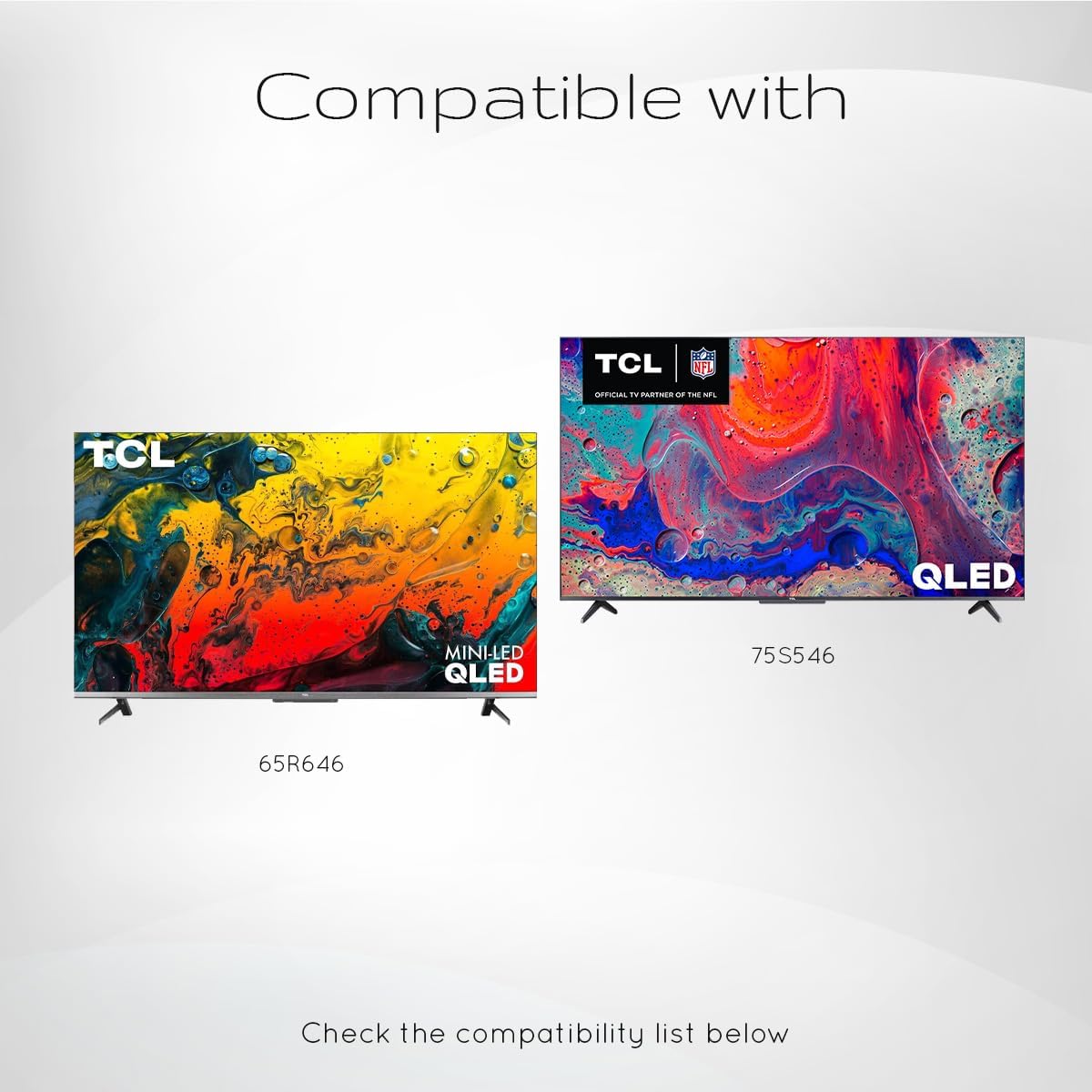
ചിത്രം 5: Examples of compatible TCL QLED TV models.
- Google TV 65Q750G
- Google TV 55Q750G
- Google TV 75Q750G
- Google TV 50Q750G
- Google TV 43Q750G
- Google TV 58Q750G
- 65QM850G
- 55QM850G
- 75QM850G
- 58QM850G
- And many more TCL QLED Smart TV models.
Note: Always verify compatibility with your specific TV model before use.
മെയിൻ്റനൻസ്
ബാറ്ററി മാറ്റിസ്ഥാപിക്കൽ
When the remote control's performance degrades or it stops responding, it is likely time to replace the batteries. Follow the battery installation steps outlined in the "Setup" section.
- Always replace both AAA batteries at the same time.
- പഴയതും പുതിയതുമായ ബാറ്ററികളോ വ്യത്യസ്ത തരം ബാറ്ററികളോ മിക്സ് ചെയ്യരുത്.
- ഉപയോഗിച്ച ബാറ്ററികൾ പ്രാദേശിക നിയന്ത്രണങ്ങൾ അനുസരിച്ച് ഉത്തരവാദിത്തത്തോടെ നീക്കം ചെയ്യുക.
റിമോട്ട് വൃത്തിയാക്കൽ
To maintain the remote control's appearance and functionality, clean it periodically.
- റിമോട്ടിന്റെ ഉപരിതലം തുടയ്ക്കാൻ മൃദുവായതും ഉണങ്ങിയതുമായ തുണി ഉപയോഗിക്കുക.
- കഠിനമായ അഴുക്കിന്, ചെറുതായി dampവെള്ളം അല്ലെങ്കിൽ നേരിയതും ഉരച്ചിലുകൾ ഇല്ലാത്തതുമായ ഒരു ക്ലീനർ ഉപയോഗിച്ച് തുണി തുടയ്ക്കുക. അമിതമായ ഈർപ്പം ഒഴിവാക്കുക.
- Do not use harsh chemicals, solvents, or abrasive cleaning materials, as these can damage the remote's finish or internal components.
ട്രബിൾഷൂട്ടിംഗ്
If you encounter issues with your Ceybo RC813 FMB1 remote control, refer to the following common problems and their solutions:
| പ്രശ്നം | സാധ്യമായ കാരണം / പരിഹാരം |
|---|---|
| റിമോട്ട് പ്രതികരിക്കുന്നില്ല. |
|
| Voice control is not working. |
|
| Shortcut buttons are not working. |
|
സ്പെസിഫിക്കേഷനുകൾ
| ഫീച്ചർ | വിശദാംശങ്ങൾ |
|---|---|
| മോഡൽ നമ്പർ | RC813 FMB1 |
| ബ്രാൻഡ് | സിബോ |
| കണക്റ്റിവിറ്റി ടെക്നോളജി | ബ്ലൂടൂത്ത് |
| അനുയോജ്യമായ ഉപകരണങ്ങൾ | TCL QLED Smart Televisions |
| പ്രത്യേക ഫീച്ചർ | Voice Search (Google Assistant) |
| പവർ ഉറവിടം | 2 x AAA ബാറ്ററികൾ (ഉൾപ്പെടുത്തിയിട്ടില്ല) |
| ഇനത്തിൻ്റെ ഭാരം | 3.2 ഔൺസ് (ഏകദേശം 90.7 ഗ്രാം) |
| പാക്കേജ് അളവുകൾ | 8 x 2 x 0.5 ഇഞ്ച് (ഏകദേശം 20.3 x 5.1 x 1.3 സെ.മീ) |


