ആമുഖം
This manual provides detailed instructions for the Ceybo OEM RC813 FMB1 Voice Remote Control. This remote is designed to operate various TCL QLED Smart TV models, offering convenient control and voice assistant functionality. Please read this manual thoroughly to ensure proper setup and operation of your remote control.

Image: The Ceybo RC813 FMB1 Voice Remote Control, showcasing അതിന്റെ ലേഔട്ടും രൂപകൽപ്പനയും.
സജ്ജീകരണ നിർദ്ദേശങ്ങൾ
1. ബാറ്ററി ഇൻസ്റ്റാളേഷൻ
The Ceybo RC813 FMB1 remote control requires two (2) AAA batteries (not included) for operation. Follow these steps to install the batteries:
- റിമോട്ട് കൺട്രോളിൻ്റെ പിൻഭാഗത്ത് ബാറ്ററി കമ്പാർട്ട്മെൻ്റ് കവർ കണ്ടെത്തുക.
- കമ്പാർട്ട്മെന്റ് തുറക്കാൻ കവർ താഴേക്ക് സ്ലൈഡ് ചെയ്യുക അല്ലെങ്കിൽ ലാച്ച് (ഉണ്ടെങ്കിൽ) അമർത്തുക.
- കമ്പാർട്ടുമെന്റിനുള്ളിലെ അടയാളപ്പെടുത്തലുകളുമായി പോസിറ്റീവ് (+), നെഗറ്റീവ് (-) ടെർമിനലുകൾ ശരിയായി വിന്യസിക്കുന്നുണ്ടെന്ന് ഉറപ്പാക്കാൻ രണ്ട് AAA ബാറ്ററികൾ ഇടുക.
- സുരക്ഷിതമായി ക്ലിക്ക് ചെയ്യുന്നതുവരെ ബാറ്ററി കമ്പാർട്ട്മെന്റ് കവർ തിരികെ സ്ഥലത്തേക്ക് സ്ലൈഡുചെയ്ത് മാറ്റിസ്ഥാപിക്കുക.

ചിത്രം: പിൻഭാഗം view of the Ceybo RC813 FMB1 remote control with the battery compartment open, showing where to insert two AAA batteries.
2. റിമോട്ട് കൺട്രോൾ ജോടിയാക്കുന്നു
To enable full functionality, including voice control, the remote must be paired with your TCL QLED Smart TV. Ensure your TV is powered on before proceeding.
- Point the remote control towards your TCL Smart TV.
- " അമർത്തിപ്പിടിക്കുകOK" button and the "വീട്" button simultaneously for approximately 2 seconds.
- Release the buttons once an on-screen message indicates that the pairing process has begun or is complete.
- If pairing is successful, you should be able to navigate your TV's menu and use voice commands.
3 അനുയോജ്യത
This remote control is compatible with a wide range of TCL QLED Smart TV models, including but not limited to:
- Google TV 65Q750G, 55Q750G, 75Q750G, 50Q750G, 43Q750G, 58Q750G
- 65QM850G, 55QM850G, 75QM850G, 58QM850G
- And many other compatible TCL QLED Smart TV models.
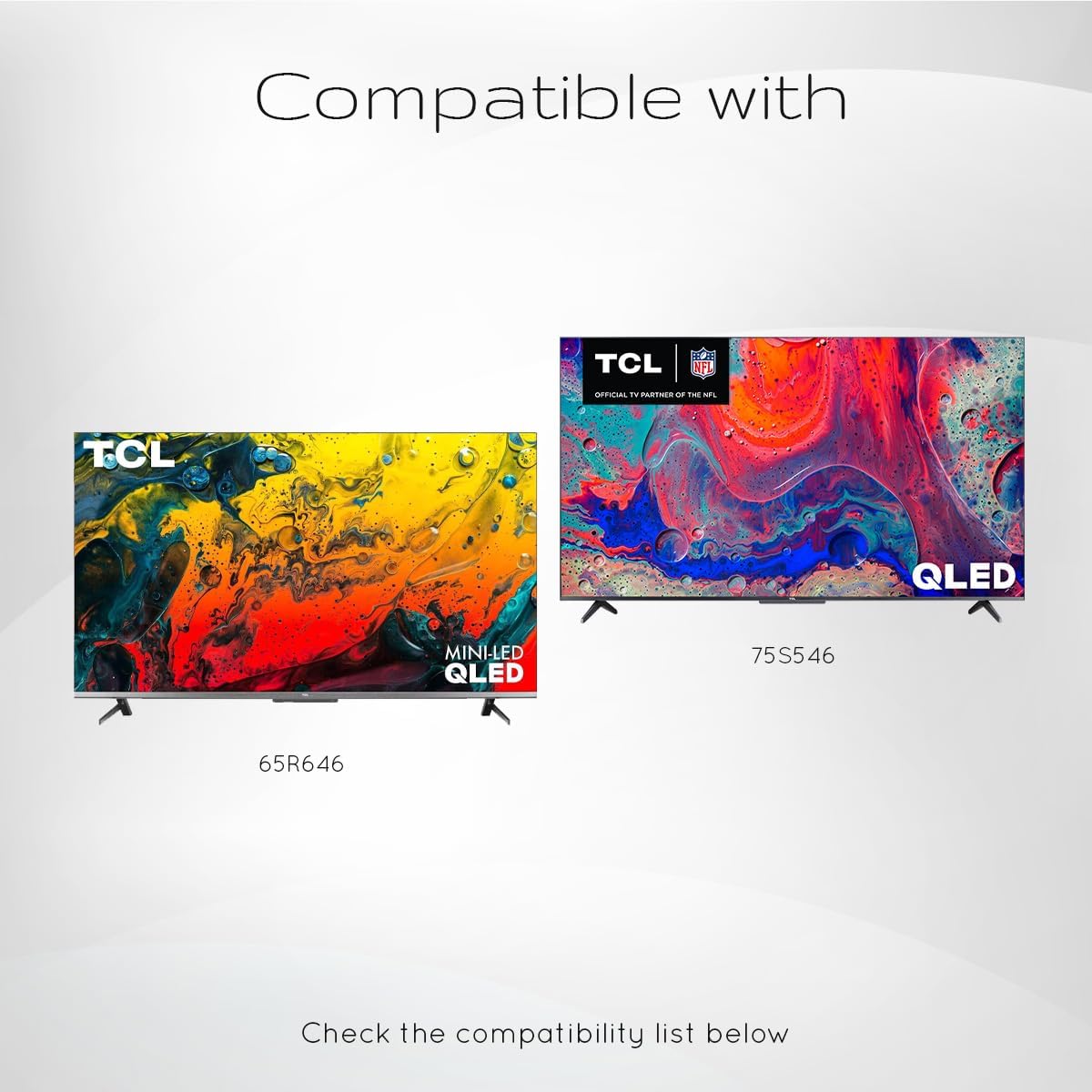
Image: Visual representation indicating compatibility with TCL QLED and Mini-LED QLED televisions, showing models like 65R646 and 75S546 as exampലെസ്.
പ്രവർത്തന നിർദ്ദേശങ്ങൾ
Once paired, your Ceybo RC813 FMB1 remote control provides intuitive control over your TCL Smart TV. Below are the primary functions:
അടിസ്ഥാന പ്രവർത്തനങ്ങൾ
- പവർ ബട്ടൺ: ടിവി ഓണാക്കുകയോ ഓഫാക്കുകയോ ചെയ്യുന്നു.
- നാവിഗേഷൻ പാഡ് (മുകളിലേക്ക്/താഴേക്ക്/ഇടത്/വലത്/ശരി): Used to navigate menus, select items, and confirm choices.
- വോളിയം കൂട്ടുക/താഴ്ത്തുക: Adjusts the TV's volume level.
- ചാനൽ മുകളിലേക്കും താഴേക്കും: ടിവി ചാനലുകൾ മാറ്റുന്നു.
- ബാക്ക് ബട്ടൺ: മുമ്പത്തെ സ്ക്രീനിലേക്കോ മെനുവിലേക്കോ മടങ്ങുന്നു.
- ഹോം ബട്ടണ്: ടിവിയുടെ പ്രധാന ഹോം സ്ക്രീൻ അല്ലെങ്കിൽ സ്മാർട്ട് ടിവി ഇന്റർഫേസ് ആക്സസ് ചെയ്യുന്നു.
- ക്രമീകരണ ബട്ടൺ: ടിവിയുടെ ക്രമീകരണ മെനു തുറക്കുന്നു.
കുറുക്കുവഴി ബട്ടണുകൾ
The remote features dedicated shortcut buttons for quick access to popular streaming services and TCL functions:
- നെറ്റ്ഫ്ലിക്സ്: Netflix ആപ്ലിക്കേഷൻ സമാരംഭിക്കുന്നു.
- പ്രധാന വീഡിയോ: ആമസോൺ പ്രൈം വീഡിയോ ആപ്ലിക്കേഷൻ സമാരംഭിക്കുന്നു.
- YouTube: YouTube ആപ്ലിക്കേഷൻ സമാരംഭിക്കുന്നു.
- TCL Channel: Accesses the TCL Channel content.
- TCL Home: Opens the TCL Home interface.
- ആപ്പിൾ ടിവി: Launches the Apple TV application.
വോയ്സ് അസിസ്റ്റന്റ് പ്രവർത്തനം
The remote includes a dedicated button for Google Assistant, allowing you to control your TV and search for content using voice commands.
- ഗൂഗിൾ അസിസ്റ്റന്റ് ബട്ടൺ: Press this button and speak clearly into the remote's microphone to issue commands or search for content.
- Ensure the remote is paired for voice functionality to work.
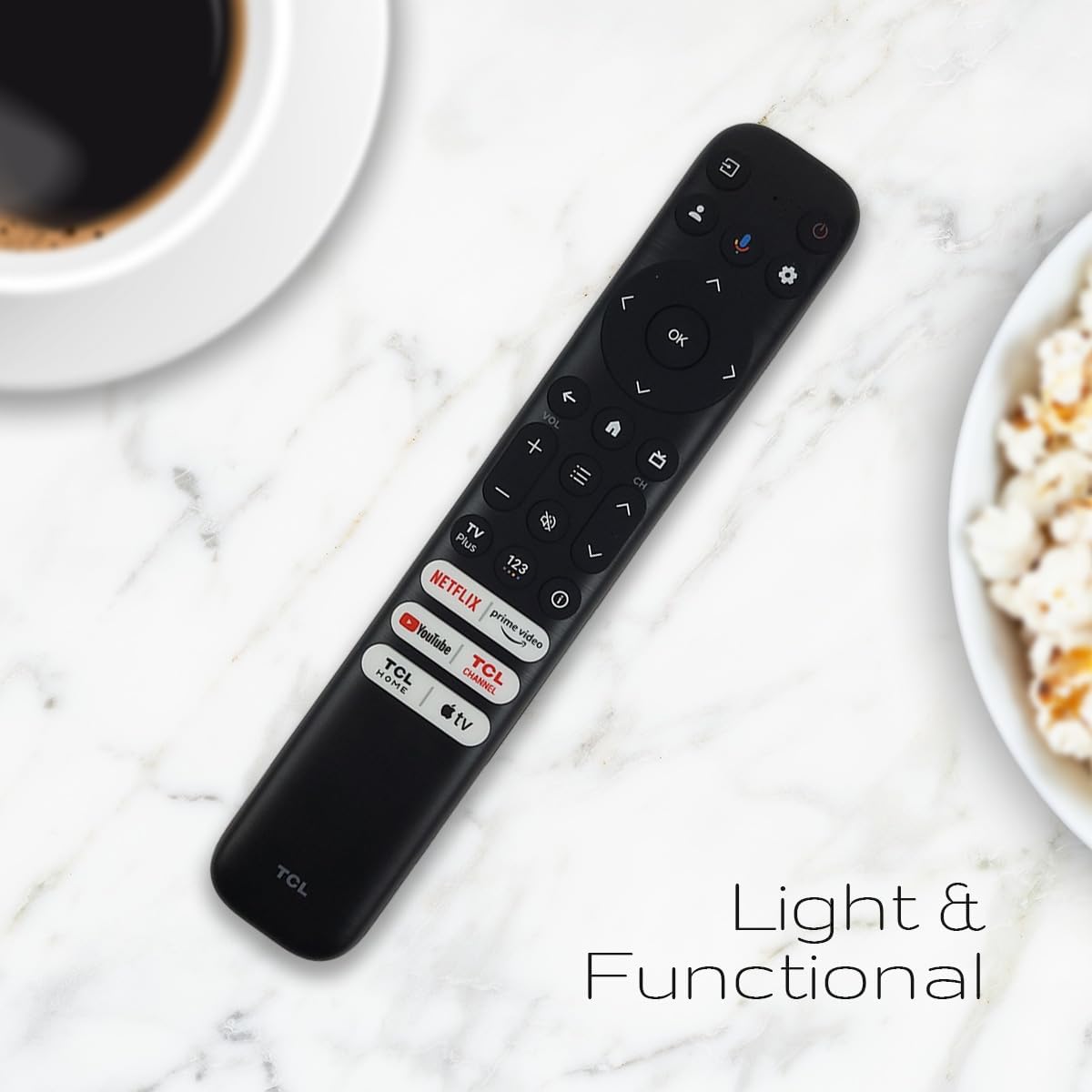
Image: The Ceybo RC813 FMB1 remote control positioned on a surface, illustrating its compact and functional design for everyday use.
മെയിൻ്റനൻസ്
ബാറ്ററി മാറ്റിസ്ഥാപിക്കൽ
When the remote control's performance degrades or it stops responding, it is likely time to replace the batteries. Follow the battery installation steps outlined in the "Setup Instructions" section.
- Always replace both AAA batteries at the same time.
- പഴയതും പുതിയതുമായ ബാറ്ററികളോ വ്യത്യസ്ത തരം ബാറ്ററികളോ മിക്സ് ചെയ്യരുത്.
- ഉപയോഗിച്ച ബാറ്ററികൾ പ്രാദേശിക നിയന്ത്രണങ്ങൾ അനുസരിച്ച് ഉത്തരവാദിത്തത്തോടെ നീക്കം ചെയ്യുക.
വൃത്തിയാക്കൽ
റിമോട്ട് കൺട്രോൾ വൃത്തിയാക്കാൻ മൃദുവായതും ഉണങ്ങിയതുമായ തുണി ഉപയോഗിക്കുക. ലിക്വിഡ് ക്ലീനറുകൾ, സ്പ്രേകൾ, അല്ലെങ്കിൽ അബ്രസീവ് വസ്തുക്കൾ എന്നിവ ഉപയോഗിക്കരുത്, കാരണം ഇവ റിമോട്ടിന്റെ ഉപരിതലത്തിനോ ആന്തരിക ഘടകങ്ങളോ കേടുവരുത്തും.
ട്രബിൾഷൂട്ടിംഗ്
| പ്രശ്നം | സാധ്യമായ കാരണം | പരിഹാരം |
|---|---|---|
| Remote not responding to TV. | Low or dead batteries. Remote not paired. Obstruction between remote and TV. | Replace batteries. Re-pair the remote (see "Pairing the Remote Control" section). Ensure a clear line of sight to the TV's IR receiver. |
| Voice Assistant not working. | Remote not paired correctly for voice functions. Internet connection issue on TV. | Ensure the remote is properly paired. Check your TV's internet connection. |
| No backlight on remote buttons. | This model does not feature a backlight. | This is a characteristic of the remote and not a malfunction. |
| Shortcut buttons not launching apps. | TV not connected to internet. App not installed or updated. | Check TV's internet connection. Ensure the respective app is installed and up-to-date on your TCL Smart TV. |
സ്പെസിഫിക്കേഷനുകൾ
- മോഡൽ: RC813 FMB1
- ബ്രാൻഡ്: സിബോ
- അനുയോജ്യമായ ഉപകരണങ്ങൾ: TCL QLED Smart Televisions
- പ്രത്യേക സവിശേഷത: Voice Search (Google Assistant)
- ഊർജ്ജ സ്രോതസ്സ്: 2 x AAA ബാറ്ററികൾ (ഉൾപ്പെടുത്തിയിട്ടില്ല)
- നിറം: കറുപ്പ്
- ഏകദേശ അളവുകൾ: 8.11 x 1.73 x 0.67 ഇഞ്ച് (20.6 x 4.4 x 1.7 സെ.മീ)
- ഏകദേശ ഇന ഭാരം: 2.39 ഔൺസ് (67.7 ഗ്രാം)
വാറൻ്റിയും പിന്തുണയും
For warranty information or technical support regarding your Ceybo RC813 FMB1 Voice Remote Control, please refer to the documentation provided with your purchase or contact the retailer/manufacturer directly. As this is a renewed product, specific warranty terms may vary. Please consult the Amazon Renewed Guarantee for details on returns and replacements.
For general inquiries or further assistance, please visit the Ceybo official webസൈറ്റ് അല്ലെങ്കിൽ അവരുടെ ഉപഭോക്തൃ സേവനവുമായി ബന്ധപ്പെടുക.


