1. ആമുഖം
This manual provides comprehensive instructions for the safe and efficient operation of your Dioche Electronic Password Safe Deposit Box. Please read this manual thoroughly before installation and use to ensure proper functionality and to maximize the security features of your safe. Keep this manual for future reference.
2 സുരക്ഷാ വിവരങ്ങൾ
- Do not store emergency keys inside the safe. Keep them in a secure, separate location.
- Ensure the safe is installed on a stable surface or securely mounted to a wall or floor to prevent unauthorized removal.
- Avoid exposing the safe to extreme temperatures or high humidity.
- Do not attempt to disassemble or modify the safe. This may compromise its security and void the warranty.
- Keep the safe and its components out of reach of children.
- The safe is designed to be fireproof but is not water-resistant. Avoid exposure to water.
3. പാക്കേജ് ഉള്ളടക്കം
പാക്കേജ് ഉള്ളടക്കങ്ങൾ ശ്രദ്ധാപൂർവ്വം പരിശോധിക്കുക. ഏതെങ്കിലും ഇനങ്ങൾ നഷ്ടപ്പെട്ടാലോ കേടുപാടുകൾ സംഭവിച്ചാലോ, ഉപഭോക്തൃ പിന്തുണയുമായി ബന്ധപ്പെടുക.
- Dioche Electronic Password Safe Deposit Box
- എമർജൻസി കീകൾ (2)
- Mounting Hardware (bolts, washers)
- Floor Mat/Lining
- ഉപയോക്തൃ മാനുവൽ (ഈ പ്രമാണം)
- Batteries (4 x AA, typically included)

Image 3.1: The Dioche Electronic Password Safe Deposit Box shown with its included accessories, including emergency keys, mounting bolts, and batteries.
4. ഉൽപ്പന്നം കഴിഞ്ഞുview
The Dioche Electronic Password Safe Deposit Box is constructed from heavy-duty cold-rolled alloy steel, offering robust security for your valuables. It features a dual unlocking mechanism: a digital keypad for password entry and a traditional key for emergency access.

ചിത്രം 4.1: മുൻഭാഗം view of the electronic safe, highlighting its multi-protection password system designed to prevent deciphering attempts.

Image 4.2: Close-up of the safe's digital panel, showing the keypad for code entry and the concealed keyhole for manual unlocking.
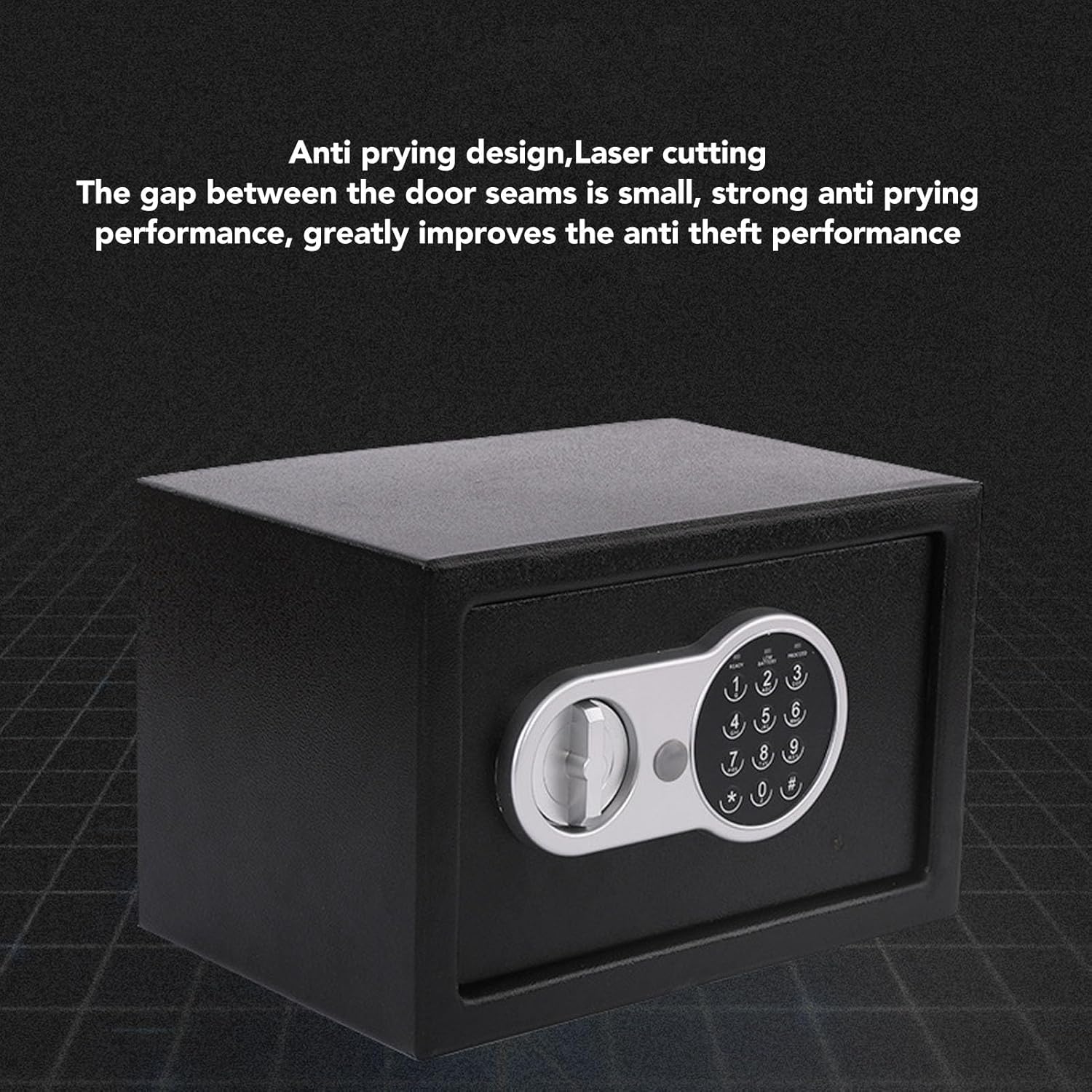
ചിത്രം 4.3: View illustrating the safe's anti-prying design, featuring laser-cut seams that minimize gaps and enhance anti-theft performance.

ചിത്രം 4.4: ഉൾഭാഗം view of the safe, demonstrating its multi-layer alloy steel plate construction for high strength and toughness.
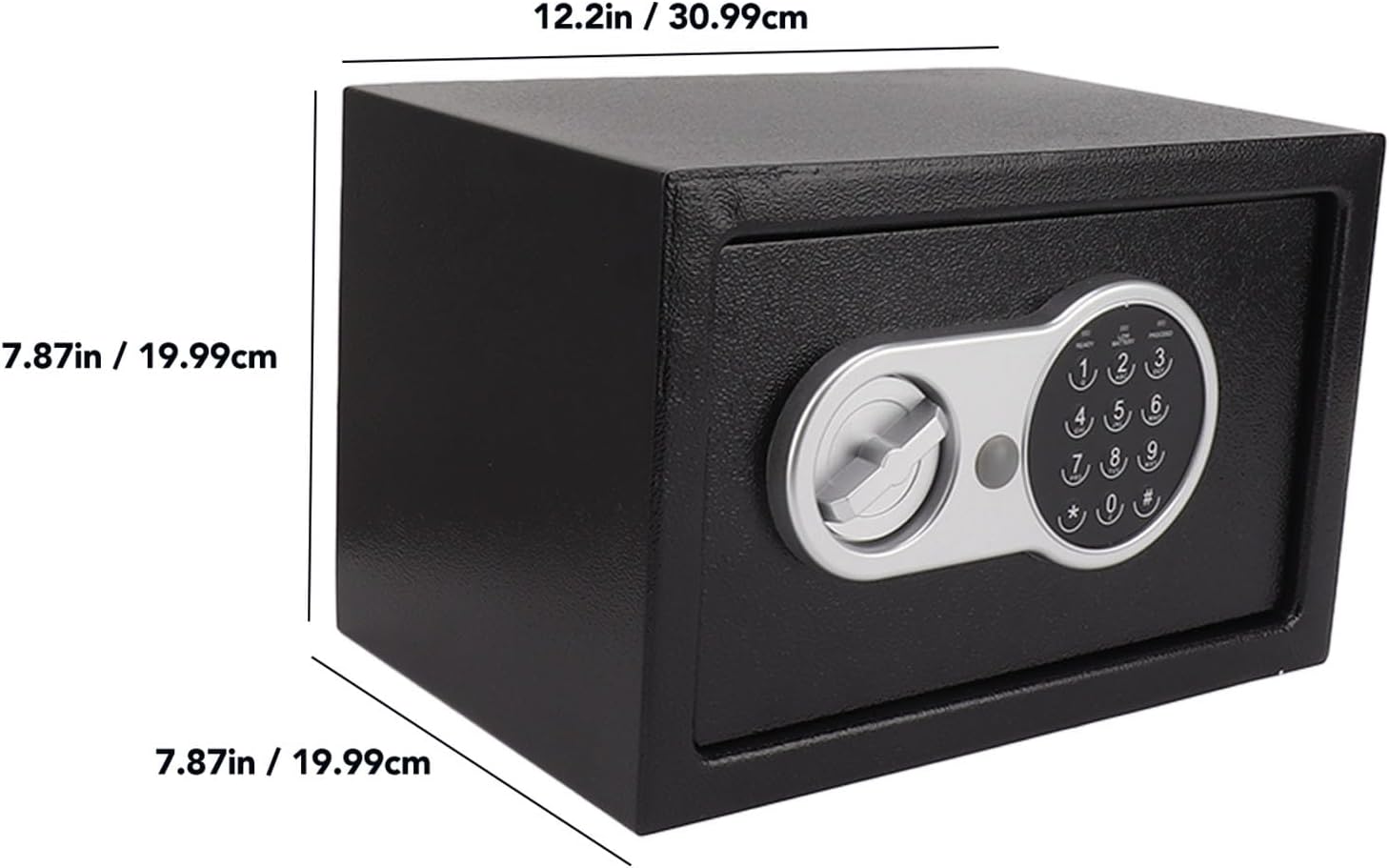
Image 4.5: Diagram showing the external dimensions of the safe: approximately 12.2 inches (30.99 cm) wide, 7.87 inches (19.99 cm) high, and 7.87 inches (19.99 cm) deep.
5. സജ്ജീകരണം
5.1 ബാറ്ററി ഇൻസ്റ്റാളേഷൻ
- Locate the battery compartment, usually on the inside of the safe door.
- Insert 4 AA batteries (included) according to the polarity markings (+/-).
- ബാറ്ററി കമ്പാർട്ട്മെൻ്റ് കവർ സുരക്ഷിതമായി അടയ്ക്കുക.
- The safe will emit a beep, indicating successful battery installation.
5.2 Initial Code Setting
The safe comes with a factory default code (e.g., "159"). It is crucial to change this immediately for security.
- With the safe door open, press the red reset button located on the inside of the door (often near the hinge). The yellow light on the keypad will illuminate.
- Enter your desired new password (3-8 digits) on the keypad.
- Press the "#" button to confirm. The safe will beep twice, and the yellow light will turn off, indicating the new code is set.
- Test the new code with the door open before closing it. Enter your new code, then turn the knob clockwise to ensure it opens.
പ്രധാനപ്പെട്ടത്: If you forget your password, you will need to use the emergency key to open the safe.
5.3 Mounting the Safe (Optional)
For enhanced security, the safe can be mounted to a floor or wall using the provided hardware.
- Choose a suitable location. Ensure there are no electrical wires or plumbing in the wall/floor where you plan to drill.
- Open the safe door and remove the floor mat to expose the pre-drilled mounting holes.
- Mark the drilling points on the wall or floor through the holes in the safe.
- Drill pilot holes using an appropriate drill bit for your mounting surface.
- Position the safe and secure it using the provided expansion bolts and washers. Tighten firmly.
6. Operating the Safe
6.1 Opening with Digital Code
- Enter your 3-8 digit personal password on the keypad.
- Press the "#" button. The green light will illuminate, and the safe will beep.
- 5 സെക്കൻഡിനുള്ളിൽ, വാതിൽ തുറക്കാൻ നോബ് ഘടികാരദിശയിൽ തിരിക്കുക.
- If an incorrect code is entered three times, the system will lock for 20 seconds. Further incorrect attempts will increase the lockout time.
6.2 Opening with Emergency Key
The emergency key can be used if you forget your password or if the batteries are depleted.
- Locate the emergency keyhole, usually concealed behind a small cover on the keypad panel.
- കവർ നീക്കം ചെയ്യുക.
- Insert the emergency key and turn it counter-clockwise.
- While holding the key turned, turn the main knob clockwise to open the safe door.
- Once open, you can replace the batteries or reset the password as needed.
6.3 Closing and Locking the Safe
- സുരക്ഷിതമായ വാതിൽ അടയ്ക്കുക.
- Turn the knob counter-clockwise until it locks into place. The safe is now secured.
7. പരിപാലനം
- ബാറ്ററി മാറ്റിസ്ഥാപിക്കൽ: Replace batteries annually or when the "LOW BATTERY" indicator lights up. Always use 4 new AA batteries.
- വൃത്തിയാക്കൽ: Wipe the safe's exterior with a soft, damp തുണി. ഉരച്ചിലുകൾ ഉണ്ടാക്കുന്ന ക്ലീനറുകളോ ലായകങ്ങളോ ഒഴിവാക്കുക.
- Keypad Care: Keep the keypad clean and dry. Avoid pressing buttons with excessive force.
8. പ്രശ്നപരിഹാരം
| പ്രശ്നം | സാധ്യമായ കാരണം | പരിഹാരം |
|---|---|---|
| Safe does not open with code. | Incorrect password entered. Batteries are low or dead. | Re-enter the correct password carefully. Replace batteries. Use emergency key to open. |
| കീപാഡ് പ്രതികരിക്കുന്നില്ല. | ബാറ്ററികൾ ഡെഡ് അല്ലെങ്കിൽ തെറ്റായി ഇൻസ്റ്റാൾ ചെയ്തു. | ബാറ്ററി പോളാരിറ്റി പരിശോധിക്കുക. പുതിയ ബാറ്ററികൾ ഉപയോഗിച്ച് മാറ്റിസ്ഥാപിക്കുക. |
| Safe beeps continuously. | കുറഞ്ഞ ബാറ്ററി മുന്നറിയിപ്പ്. | Replace all 4 AA batteries immediately. |
| പാസ്വേഡ് മറന്നോ. | Password forgotten. | Use the emergency key to open the safe. Once open, reset the password using the reset button. |
9 സ്പെസിഫിക്കേഷനുകൾ
- ബ്രാൻഡ്: ഡയോക്ക്
- മോഡൽ: ഇലക്ട്രോണിക് പാസ്വേഡ് സുരക്ഷിത നിക്ഷേപ ബോക്സ്
- ലോക്ക് തരം: ഇലക്ട്രോണിക്, കീ
- നിറം: കറുപ്പ്
- മെറ്റീരിയൽ: Alloy Steel (Cold Rolled Sheet)
- പ്രത്യേക സവിശേഷത: ഫയർപ്രൂഫ്
- മൗണ്ടിംഗ് തരം: ഫ്ലോർ മൗണ്ട്, വാൾ മൗണ്ട്
- ഉൾപ്പെടുത്തിയ ഘടകങ്ങൾ: Safe, Keys, Mounting Hardware, Batteries
- ജല പ്രതിരോധ നില: വാട്ടർ റെസിസ്റ്റൻ്റ് അല്ല
- അളവുകൾ (ഏകദേശം): 12.2 in (Width) x 7.87 in (Height) x 7.87 in (Depth)
10. വാറൻ്റിയും പിന്തുണയും
For warranty information or technical support, please refer to the retailer's policy or contact Dioche customer service directly. Keep your purchase receipt as proof of purchase.
കൂടുതൽ സഹായത്തിന്, സന്ദർശിക്കുക Dioche Store on Amazon.


