1. ആമുഖവും സുരക്ഷാ വിവരങ്ങളും
വാങ്ങിയതിന് നന്ദി.asing the SLuB SK20 80000mAh Mobile Power Bank. This device is designed to provide reliable portable power for your electronic devices. Please read this manual carefully before use to ensure safe and optimal performance.
പ്രധാനപ്പെട്ട സുരക്ഷാ നിർദ്ദേശങ്ങൾ
- Do not expose the power bank to extreme temperatures (above 60°C/140°F or below 0°C/32°F), direct sunlight, or fire.
- Avoid dropping, disassembling, or attempting to repair the device yourself. This may cause damage or injury.
- Keep the power bank away from water, moisture, and corrosive materials.
- സാക്ഷ്യപ്പെടുത്തിയ ചാർജിംഗ് കേബിളുകളും അഡാപ്റ്ററുകളും മാത്രം ഉപയോഗിക്കുക.
- കുട്ടികൾക്ക് ലഭ്യമാകാതെ സൂക്ഷിക്കുക.
- പ്രാദേശിക നിയന്ത്രണങ്ങൾ അനുസരിച്ച് പവർ ബാങ്ക് സംസ്കരിക്കുക. ഗാർഹിക മാലിന്യങ്ങൾക്കൊപ്പം അത് സംസ്കരിക്കരുത്.
The SLuB SK20 is equipped with multiple protection systems, including overcharge, over-discharge, overheating, and short-circuit protection, to ensure safe operation.
2. പാക്കേജ് ഉള്ളടക്കം
നിങ്ങളുടെ പാക്കേജിൽ എല്ലാ ഇനങ്ങളും ഉണ്ടെന്ന് ഉറപ്പാക്കുക:
- SLuB SK20 Mobile Power Bank
- യുഎസ്ബി ഡാറ്റ കേബിൾ (ടൈപ്പ്-സി)
- ഉപയോക്തൃ മാനുവൽ

3. ഉൽപ്പന്ന സവിശേഷതകൾ
- 80000mAh ഉയർന്ന ശേഷി: Provides multiple full charges for most smartphones and tablets, ideal for extended use or emergencies.
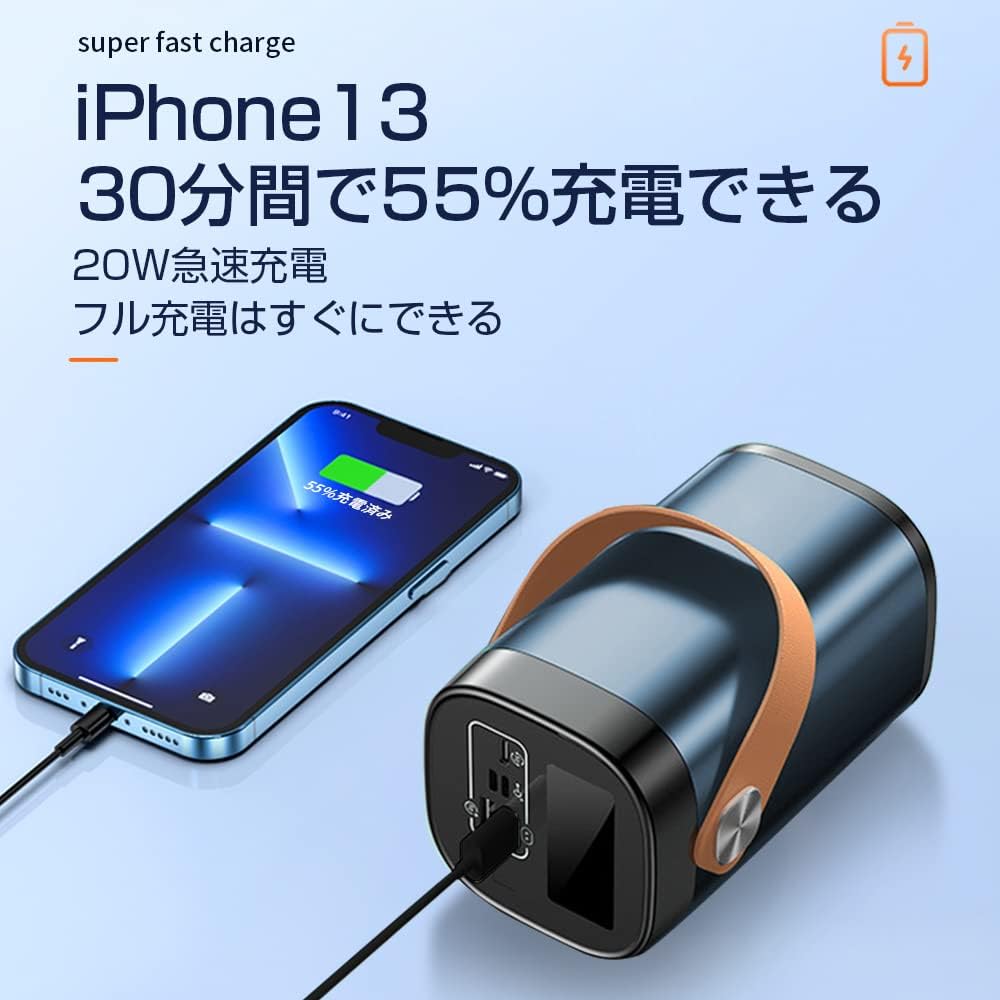
- ഒരേസമയം 3-ഉപകരണ ചാർജിംഗ്: Equipped with multiple output ports to charge up to three devices concurrently.
- 22.5W ഫാസ്റ്റ് ചാർജിംഗ്: Supports rapid charging for compatible devices, significantly reducing charging time.
- LCD ഡിസ്പ്ലേ മായ്ക്കുക: An easy-to-read digital screen shows the remaining battery percentagഇ ഒറ്റനോട്ടത്തിൽ.
- സംയോജിത LED ലൈറ്റ്: A high-brightness LED light provides illumination for dark environments, useful for outdoor activities or emergencies.
- ഒന്നിലധികം സുരക്ഷാ പരിരക്ഷകൾ: Built-in safeguards against overcharge, over-discharge, overheating, and short circuits.


4. സജ്ജീകരണം
പവർ ബാങ്കിന്റെ പ്രാരംഭ ചാർജിംഗ്
Before first use, fully charge your SLuB SK20 Mobile Power Bank. This ensures optimal battery performance and longevity.
- Connect the provided USB Type-C cable to the Type-C input port on the power bank.
- Connect the other end of the cable to a compatible USB wall adapter (not included). For fast charging, an 18W or higher PD/QC compatible adapter is recommended.
- The LCD display will show the charging progress. The power bank is fully charged when the display shows 100%.

5. പ്രവർത്തന നിർദ്ദേശങ്ങൾ
ബാഹ്യ ഉപകരണങ്ങൾ ചാർജ് ചെയ്യുന്നു
The SLuB SK20 offers multiple output ports for charging various devices.
- നിങ്ങളുടെ ഉപകരണത്തിന് അനുയോജ്യമായ ചാർജിംഗ് കേബിൾ തിരിച്ചറിയുക.
- ചാർജിംഗ് കേബിളിന്റെ ഒരറ്റം നിങ്ങളുടെ ഉപകരണവുമായി ബന്ധിപ്പിക്കുക.
- Connect the other end of the cable to one of the output ports on the power bank (USB-A or Type-C).
- The power bank will automatically begin charging your device. The LCD display will show the power bank's remaining battery level.

LED ലൈറ്റ് ഉപയോഗിച്ച്
To activate the LED light, press and hold the power button for a few seconds. Repeat the action to turn it off.
പോർട്ട് ഓവർview

The power bank features the following ports:
- Input Ports (for charging the power bank):
- മൈക്രോ യുഎസ്ബി ഇൻപുട്ട്
- മിന്നൽ ഇൻപുട്ട്
- Type-C Input (also functions as an output)
- Output Ports (for charging devices):
- 22.5W USB Output (x2)
- Type-C Output (also functions as an input)
6. പരിപാലനം
Proper maintenance ensures the longevity and performance of your power bank.
- വൃത്തിയാക്കൽ: Use a soft, dry cloth to clean the exterior of the power bank. Do not use harsh chemicals or abrasive cleaners.
- സംഭരണം: പവർ ബാങ്ക് നേരിട്ട് സൂര്യപ്രകാശത്തിൽ നിന്നും കടുത്ത താപനിലയിൽ നിന്നും അകന്ന് തണുത്തതും വരണ്ടതുമായ സ്ഥലത്ത് സൂക്ഷിക്കുക. കൂടുതൽ നേരം സൂക്ഷിക്കുകയാണെങ്കിൽ, ബാറ്ററിയുടെ ആരോഗ്യം നിലനിർത്താൻ ഓരോ 3 മാസത്തിലും പവർ ബാങ്ക് ഏകദേശം 50-70% വരെ ചാർജ് ചെയ്യുക.
- അമിത ഡിസ്ചാർജ് ഒഴിവാക്കുക: പവർ ബാങ്കിന്റെ ബാറ്ററി ഇടയ്ക്കിടെ പൂർണ്ണമായും തീർന്നു പോകാൻ അനുവദിക്കരുത്, കാരണം ഇത് അതിന്റെ ആയുസ്സ് കുറയ്ക്കും.
7. പ്രശ്നപരിഹാരം
If you encounter issues with your SLuB SK20 Mobile Power Bank, refer to the following common problems and solutions:
| പ്രശ്നം | സാധ്യമായ കാരണം | പരിഹാരം |
|---|---|---|
| പവർ ബാങ്ക് ചാർജ് ചെയ്യുന്നില്ല | കേബിളിലോ അഡാപ്റ്ററിലോ പ്രശ്നം; പവർ ബാങ്ക് പൂർണ്ണമായും ചാർജ് ചെയ്തു; പോർട്ട് തകരാറിലായി. | Check cable and adapter connections. Try a different cable or adapter. Ensure the power bank is not already at 100%. Try a different input port. |
| പവർ ബാങ്കിൽ നിന്ന് ഉപകരണം ചാർജ് ചെയ്യുന്നില്ല | Power bank is empty; cable issue; device issue; incompatible device. | Recharge the power bank. Try a different charging cable. Ensure your device is functioning correctly. Verify device compatibility. |
| സ്ലോ ചാർജിംഗ് | Non-fast charging cable/adapter; device not supporting fast charge; multiple devices charging. | Use a fast-charging compatible cable and adapter. Ensure your device supports fast charging. Charging multiple devices simultaneously may reduce individual charging speeds. |
| LED ലൈറ്റ് പ്രവർത്തിക്കുന്നില്ല | Not activated correctly; malfunction. | Press and hold the power button for a few seconds to activate. If it still doesn't work, contact customer support. |
If the problem persists after trying these solutions, please contact SLuB customer service for further assistance.
8 സ്പെസിഫിക്കേഷനുകൾ
| ഫീച്ചർ | വിശദാംശങ്ങൾ |
|---|---|
| മോഡൽ നമ്പർ | SK20 |
| ബാറ്ററി ശേഷി | 80000mAh |
| ഇൻപുട്ട് (ടൈപ്പ്-സി) | 22.5W (പരമാവധി) |
| ഔട്ട്പുട്ട് (ടൈപ്പ്-സി) | 22.5W (പരമാവധി) |
| ഔട്ട്പുട്ട് (USB-A) | 22.5W (പരമാവധി) |
| പ്രത്യേക സവിശേഷതകൾ | LED Indicator Light, Digital Display, LED Flashlight |
| നിറം | നീല |
| ഉൽപ്പന്ന അളവുകൾ | 14.5 സെ.മീ (നീളം) x 8.5 സെ.മീ (വീതി) x 8.5 സെ.മീ (കനം) |
| അനുയോജ്യമായ ഉപകരണങ്ങൾ | Smartphones, Tablets, Smartwatches, Headphones |
9. വാറൻ്റിയും പിന്തുണയും
SLuB provides customer support for its products. In case of initial defects upon product arrival or shipping errors, we offer prompt exchange services.
If you have any questions, concerns, or require assistance with your SLuB SK20 Mobile Power Bank, please do not hesitate to contact our customer service team. Please refer to the contact information provided on the product packaging or the official SLuB webസൈറ്റ്.


