1. ആമുഖം
The DAREU EK75PRO is a versatile 75% layout mechanical gaming keyboard designed for both gaming and office use. It features a Gasket Mount design for enhanced typing comfort and sound, Tri-Mode connectivity (USB-C wired, 2.4GHz wireless, and Bluetooth 5.1), hot-swappable switches, and customizable RGB backlighting. This manual provides detailed instructions for setting up, operating, and maintaining your EK75PRO keyboard.
2. ബോക്സിൽ എന്താണുള്ളത്?
എല്ലാ ഇനങ്ങളും ഉണ്ടെന്ന് ഉറപ്പാക്കാൻ നിങ്ങളുടെ പാക്കേജിന്റെ ഉള്ളടക്കങ്ങൾ പരിശോധിക്കുക:
- Keyboard body (1)
- Add-on keycaps (6)
- Key/switch puller (1)
- USB-C Connection cable (1)
- English Instruction manual (1)
3. സജ്ജീകരണം
3.1 കണക്റ്റിവിറ്റി മോഡുകൾ
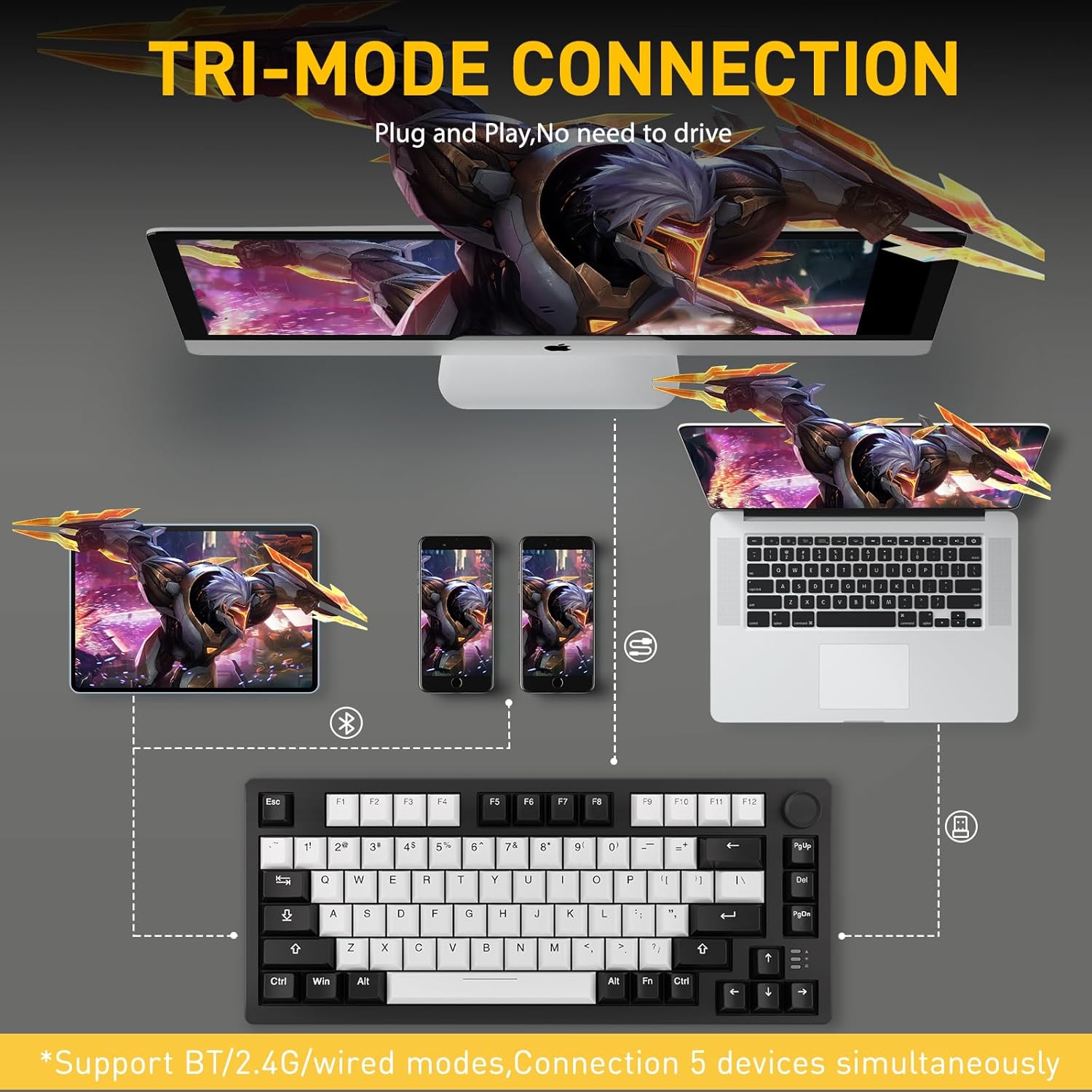
DAREU EK75PRO മൂന്ന് കണക്ഷൻ മോഡുകൾ പിന്തുണയ്ക്കുന്നു:
- USB-C വയേർഡ് മോഡ്: Connect the keyboard directly to your device using the provided USB-C cable. This mode offers the most stable connection and charges the keyboard.
- 2.4GHz വയർലെസ് മോഡ്: Insert the 2.4GHz USB receiver into your device's USB port. The keyboard will automatically connect. This mode provides a low-latency wireless experience.
- ബ്ലൂടൂത്ത് 5.1 മോഡ്: Pair the keyboard with up to 5 devices simultaneously. Refer to the specific pairing instructions in the included English Instruction Manual for detailed steps.
The keyboard is compatible with PCs, laptops, tablets, Macs, and mobile phones.
4. പ്രവർത്തന നിർദ്ദേശങ്ങൾ
4.1 Gasket Mount Design
The EK75PRO features a Gasket Mount design, incorporating multiple layers of filling silencers between the PCB, positioning plate, and shaft. This design, combined with PCB single key slotting, optimizes resilience and stability, reduces keystroke noises, and provides a more comfortable and satisfying typing experience with a clean and crisp sound.

4.2 81-Key Layout & Multi-Function Knob
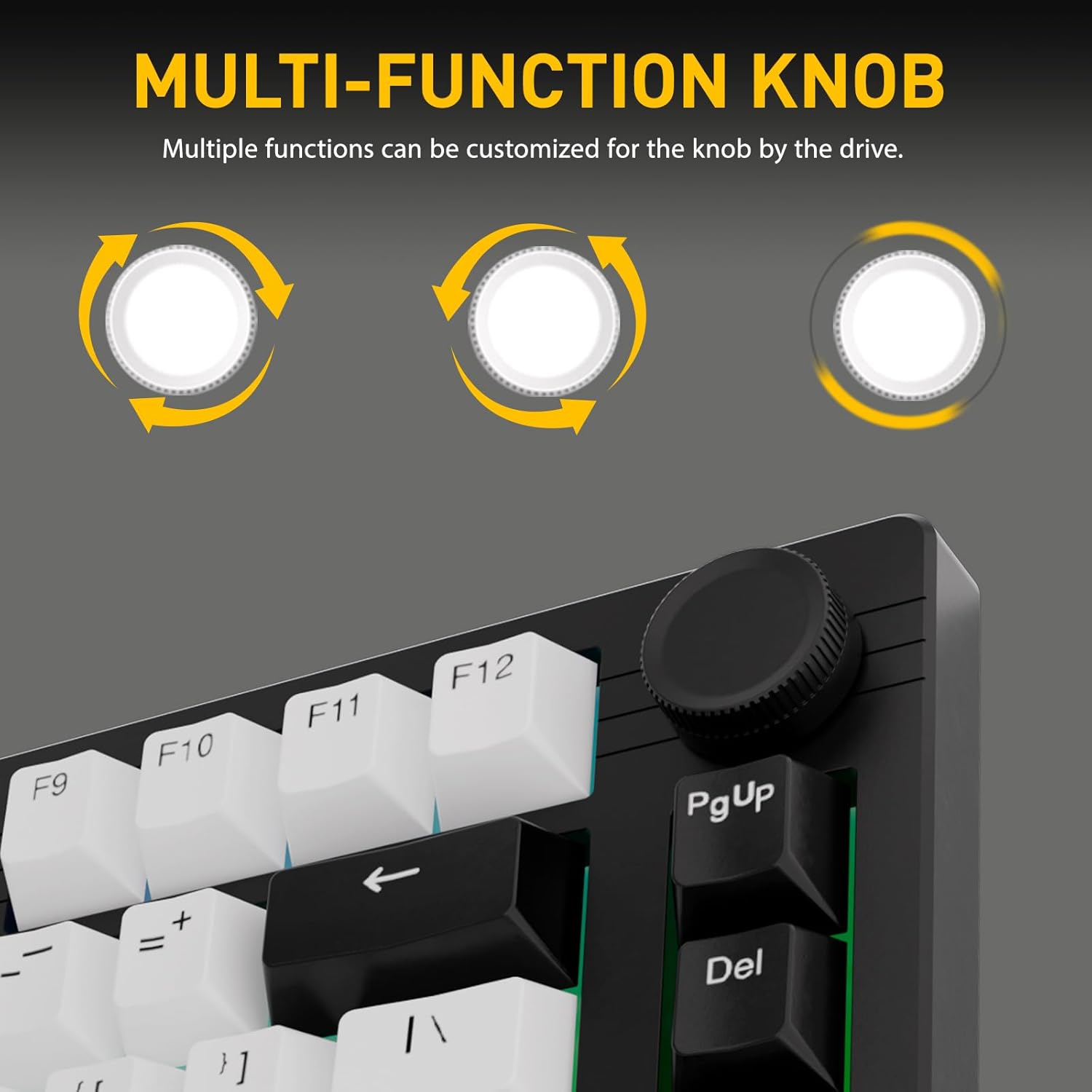
The 75% layout of the EK75PRO provides a compact form factor, making your desktop more concise while retaining essential keys. The keyboard includes a multi-function knob, which can be customized via the DAREU driver. By default, it allows for quick adjustment of volume, playback control, and brightness. It can also be programmed to call up common tools like a calculator, mail client, or media player.

4.3 Hot-Swappable Dream Switches
The EK75PRO features a hot-swap function, allowing you to easily change switches without soldering. It supports nearly all 3-pin and 5-pin switches available in the market, enabling you to customize your keyboard's feel. The keyboard comes pre-installed with DAREU's customized HIFI Dream switches, which offer a linear feel similar to red switches but are lighter and produce a cleaner sound.
- HIFI Dream Switch Specifications:
- Initial Force: 40±10gf
- Bottom Force: 55±10gf
- Pre Travel: 2.0±0.4mm
- ആകെ യാത്ര: 4.0±0.4 മിമി

4.4 Customizable South-Facing RGB Backlight
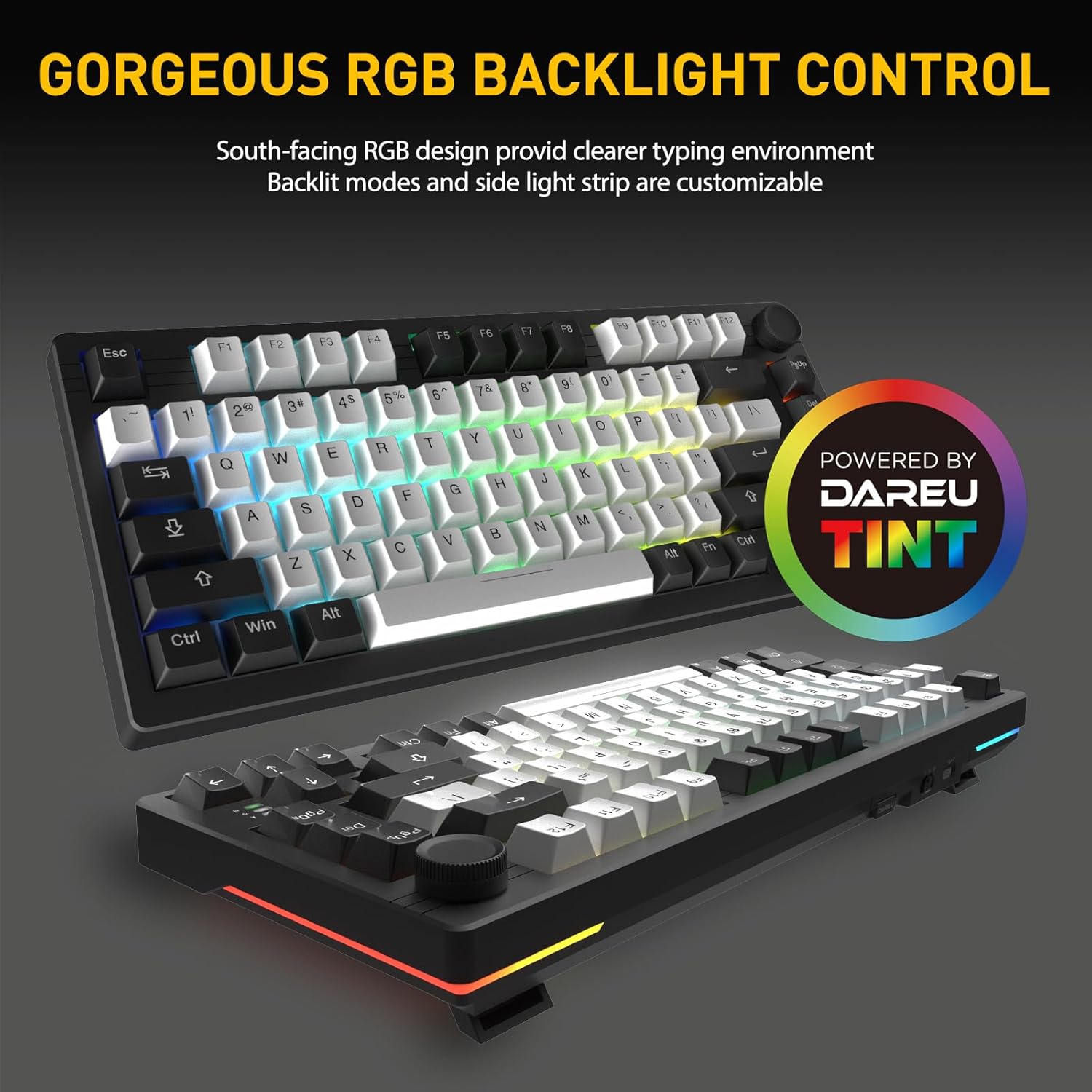
The EK75PRO features south-facing RGB lighting, providing a fuller and brighter illumination from the typist's perspective, creating a cleaner and more comfortable typing environment. You can customize up to 12 backlit modes, 5 lighting modes on the side light strips, and 16.8 million colors via the DAREU driver.
4.5 DAREU A+ Integrated Driver
The DAREU A+ driver enables unified and integrated management for both your keyboard and mouse. This software allows you to easily customize all keys, program macros, and adjust RGB lighting settings to personalize your experience.

5. പരിപാലനം
To ensure the longevity and optimal performance of your DAREU EK75PRO keyboard, follow these maintenance guidelines:
- കീക്യാപ്പുകൾ വൃത്തിയാക്കൽ: ഒരു സോഫ്റ്റ് ഉപയോഗിക്കുക, ഡിamp cloth with mild soap and water to clean the keycaps. Ensure they are completely dry before reattaching. For deeper cleaning, remove keycaps using the provided puller.
- കീബോർഡ് ബോഡി വൃത്തിയാക്കൽ: കീബോർഡ് ബോഡി ഉണങ്ങിയതോ ചെറുതായി ഡി-ടച്ച് ഉപയോഗിച്ചോ തുടയ്ക്കുക.amp microfiber cloth. Avoid using harsh chemicals or abrasive materials.
- പൊടി നീക്കം: കീക്യാപ്പുകൾക്കും സ്വിച്ചുകൾക്കുമിടയിലുള്ള പൊടിയും അവശിഷ്ടങ്ങളും നീക്കം ചെയ്യാൻ പതിവായി കംപ്രസ് ചെയ്ത വായു ഉപയോഗിക്കുക.
- സംഭരണം: നേരിട്ടുള്ള സൂര്യപ്രകാശവും കടുത്ത താപനിലയും ഏൽക്കാത്ത തണുത്തതും വരണ്ടതുമായ സ്ഥലത്ത് കീബോർഡ് സൂക്ഷിക്കുക.
- ബാറ്ററി കെയർ: For optimal battery life, avoid fully discharging the keyboard frequently. Charge it when the battery indicator is low.
6. പ്രശ്നപരിഹാരം
If you encounter any issues with your DAREU EK75PRO keyboard, refer to the following common troubleshooting steps:
- കീബോർഡ് പ്രതികരിക്കുന്നില്ല:
- കീബോർഡ് ചാർജ് ചെയ്തിട്ടുണ്ടെന്ന് ഉറപ്പാക്കുക.
- Check the connection mode (wired, 2.4GHz, Bluetooth) and ensure it's correctly selected.
- 2.4GHz-ന്, USB റിസീവർ സുരക്ഷിതമായി പ്ലഗ് ഇൻ ചെയ്തിട്ടുണ്ടെന്ന് ഉറപ്പാക്കുക.
- For Bluetooth, ensure the keyboard is paired and selected as the active device on your host system. Try re-pairing if necessary.
- വയർലെസ് പ്രശ്നങ്ങൾ ഒഴിവാക്കാൻ USB-C കേബിൾ വഴി കണക്റ്റുചെയ്യാൻ ശ്രമിക്കുക.
- RGB ലൈറ്റിംഗ് പ്രവർത്തിക്കുന്നില്ല/ഇഷ്ടാനുസൃതമാക്കുന്നു:
- കീബോർഡ് ഓണാണെന്ന് ഉറപ്പാക്കുക.
- Install or update the DAREU A+ driver software.
- Check lighting settings within the DAREU A+ driver.
- കീകൾ രജിസ്റ്റർ ചെയ്യുന്നില്ല അല്ലെങ്കിൽ ഇരട്ട ടൈപ്പിംഗ് നടത്തുന്നു:
- സ്വിച്ച് അതിന്റെ സോക്കറ്റിൽ ശരിയായി സ്ഥാപിച്ചിട്ടുണ്ടെന്ന് ഉറപ്പാക്കുക. കീക്യാപ്പിൽ സൌമ്യമായി അമർത്തുക.
- If a specific key is problematic, try hot-swapping the switch with a known working one to determine if the issue is with the switch or the PCB socket.
- ബാധിച്ച സ്വിച്ചിന് ചുറ്റും അവശിഷ്ടങ്ങൾ നീക്കം ചെയ്യാൻ വൃത്തിയാക്കുക.
- Knob Functionality Issues:
- Ensure the DAREU A+ driver is installed and running.
- Check the knob's assigned functions within the driver software.
If these steps do not resolve your issue, please contact DAREU customer support for further assistance.
7 സ്പെസിഫിക്കേഷനുകൾ
| ഫീച്ചർ | വിശദാംശങ്ങൾ |
|---|---|
| ഉൽപ്പന്ന അളവുകൾ | 13.11 x 5.51 x 1.57 ഇഞ്ച് |
| ഇനത്തിൻ്റെ ഭാരം | 1.56 പൗണ്ട് |
| നിർമ്മാതാവ് | DAREU |
| ഇനം മോഡൽ നമ്പർ | EK75 PRO-WH-D |
| ബാറ്ററികൾ | 1 ലിഥിയം അയോൺ ബാറ്ററികൾ ആവശ്യമാണ് (ഉൾപ്പെടുത്തിയിരിക്കുന്നു) |
| കണക്റ്റിവിറ്റി ടെക്നോളജി | 2.4GHz, BT (Bluetooth), USB-C |
| കീബോർഡ് വിവരണം | 81 Keys Gasket Tri-mode Mechanical Gaming Keyboard |
| കീകളുടെ എണ്ണം | 81 |
| കീബോർഡ് ബാക്ക്ലൈറ്റിംഗ് വർണ്ണ പിന്തുണ | RGB |
| പ്രത്യേക സവിശേഷതകൾ | Backlit, Hot-Swappable, Programmable Keys, Volume Roller, Noise-Canceling |
| അനുയോജ്യമായ ഉപകരണങ്ങൾ | ലാപ്ടോപ്പ്, പിസി, സ്മാർട്ട്ഫോൺ, ടാബ്ലെറ്റ് |
| ശുപാർശ ചെയ്യുന്ന ഉപയോഗങ്ങൾ | Gaming/Office |
| ആദ്യ തീയതി ലഭ്യമാണ് | ഫെബ്രുവരി 28, 2024 |
8. വാറൻ്റിയും പിന്തുണയും
For warranty information and customer support, please refer to the official DAREU website or contact DAREU customer service directly. You can also visit the DAREU Store on Amazon for additional resources and contact details.


