ആമുഖം
This manual provides essential information for the setup, operation, and maintenance of your amazon basics Wireless Bluetooth Keyboard. Designed for seamless multi-device connectivity, this keyboard allows you to effortlessly switch between up to three devices running on iOS, Windows, or Android operating systems. Its compact and lightweight design, combined with noiseless keys and a built-in rechargeable battery, makes it an ideal solution for versatile typing needs on the go.

ചിത്രം: മുകളിൽ നിന്ന് താഴേക്ക് view of the amazon basics Wireless Bluetooth Keyboard, showcasing its compact layout and grey and black color scheme.
പാക്കേജ് ഉള്ളടക്കം
പാക്കേജ് തുറക്കുമ്പോൾ, താഴെ പറയുന്ന എല്ലാ ഇനങ്ങളും ഉണ്ടെന്ന് ഉറപ്പാക്കുക:
- 1 x amazon basics Wireless Bluetooth Keyboard
- 1 x യുഎസ്ബി ടൈപ്പ്-സി ചാർജിംഗ് കേബിൾ
- 1 x ഉപയോക്തൃ മാനുവൽ (ഈ പ്രമാണം)
സജ്ജമാക്കുക
1. കീബോർഡ് ചാർജ് ചെയ്യുന്നു
The keyboard features a built-in rechargeable battery. Before first use, it is recommended to fully charge the keyboard.
- Locate the Type-C charging port on the side of the keyboard.
- Connect one end of the provided USB Type-C charging cable to the keyboard's charging port.
- കേബിളിന്റെ മറ്റേ അറ്റം ഒരു USB പവർ സ്രോതസ്സുമായി ബന്ധിപ്പിക്കുക (ഉദാ: കമ്പ്യൂട്ടർ USB പോർട്ട്, USB വാൾ അഡാപ്റ്റർ).
- ചാർജിംഗ് ഇൻഡിക്കേറ്റർ ലൈറ്റ് പ്രകാശിക്കും. പൂർണ്ണമായി ചാർജ് ചെയ്തുകഴിഞ്ഞാൽ, മോഡലിനെ ആശ്രയിച്ച് ലൈറ്റ് നിറം മാറുകയോ ഓഫാകുകയോ ചെയ്യാം.

ചിത്രം: ഒരു ക്ലോസ്-അപ്പ് വശം view of the keyboard, highlighting the Type-C charging port and the ON/OFF power switch.
2. പവർ ഓൺ/ഓഫ്
To power on the keyboard, slide the ON/OFF switch located on the side of the keyboard to the "ON" position. To power off, slide it to the "OFF" position.
3. ബ്ലൂടൂത്ത് ജോടിയാക്കൽ
The keyboard supports connection to up to three devices simultaneously. Follow these steps to pair your devices:
- കീബോർഡ് ഓണാണെന്ന് ഉറപ്പാക്കുക.
- അമർത്തുക Fn key simultaneously with one of the Bluetooth channel keys (BT1, BT2, അല്ലെങ്കിൽ BT3) for approximately 3-5 seconds until the corresponding indicator light flashes rapidly. This indicates the keyboard is in pairing mode.
- നിങ്ങളുടെ ഉപകരണത്തിൽ (സ്മാർട്ട്ഫോൺ, ടാബ്ലെറ്റ്, ലാപ്ടോപ്പ്), ബ്ലൂടൂത്ത് ക്രമീകരണങ്ങളിലേക്ക് പോയി ബ്ലൂടൂത്ത് പ്രവർത്തനക്ഷമമാക്കുക.
- ഇതിനായി തിരയുക available devices. The keyboard will appear as "amazon basics Keyboard" or similar.
- Select the keyboard from the list to connect. If prompted, enter the displayed code on the keyboard and press നൽകുക.
- കണക്ട് ചെയ്തുകഴിഞ്ഞാൽ, ഇൻഡിക്കേറ്റർ ലൈറ്റ് മിന്നുന്നത് നിർത്തുകയും ഓഫാക്കുന്നതിന് മുമ്പ് കുറച്ച് സെക്കൻഡ് നേരത്തേക്ക് ഉറച്ചുനിൽക്കുകയും ചെയ്യും.
- Repeat these steps for up to two additional devices using the other BT channel keys.

Image: The keyboard positioned between a laptop, tablet, and smartphone, visually representing its multi-device connectivity feature.
കീബോർഡ് പ്രവർത്തിപ്പിക്കുന്നു
1. ഉപകരണങ്ങൾക്കിടയിൽ മാറൽ
After pairing multiple devices, you can easily switch between them:
- ലളിതമായി അമർത്തുക Fn key simultaneously with the desired Bluetooth channel key (BT1, BT2, അല്ലെങ്കിൽ BT3) to switch to the corresponding paired device.
- The keyboard will automatically connect to the selected device.
2. ഓപ്പറേറ്റിംഗ് സിസ്റ്റം അനുയോജ്യത
The keyboard is designed to be compatible with various operating systems. Some keys may have dual functions or specific behaviors depending on the OS.
- iOS: Compatible with iPhones and iPads.
- വിൻഡോസ്: Fully functional with Windows PCs and laptops.
- ആൻഡ്രോയിഡ്: Works seamlessly with Android smartphones and tablets.
- മാക് ഒഎസ്: Compatible with MacBooks and iMacs.
- Chrome OS: Supports Chrome OS devices.
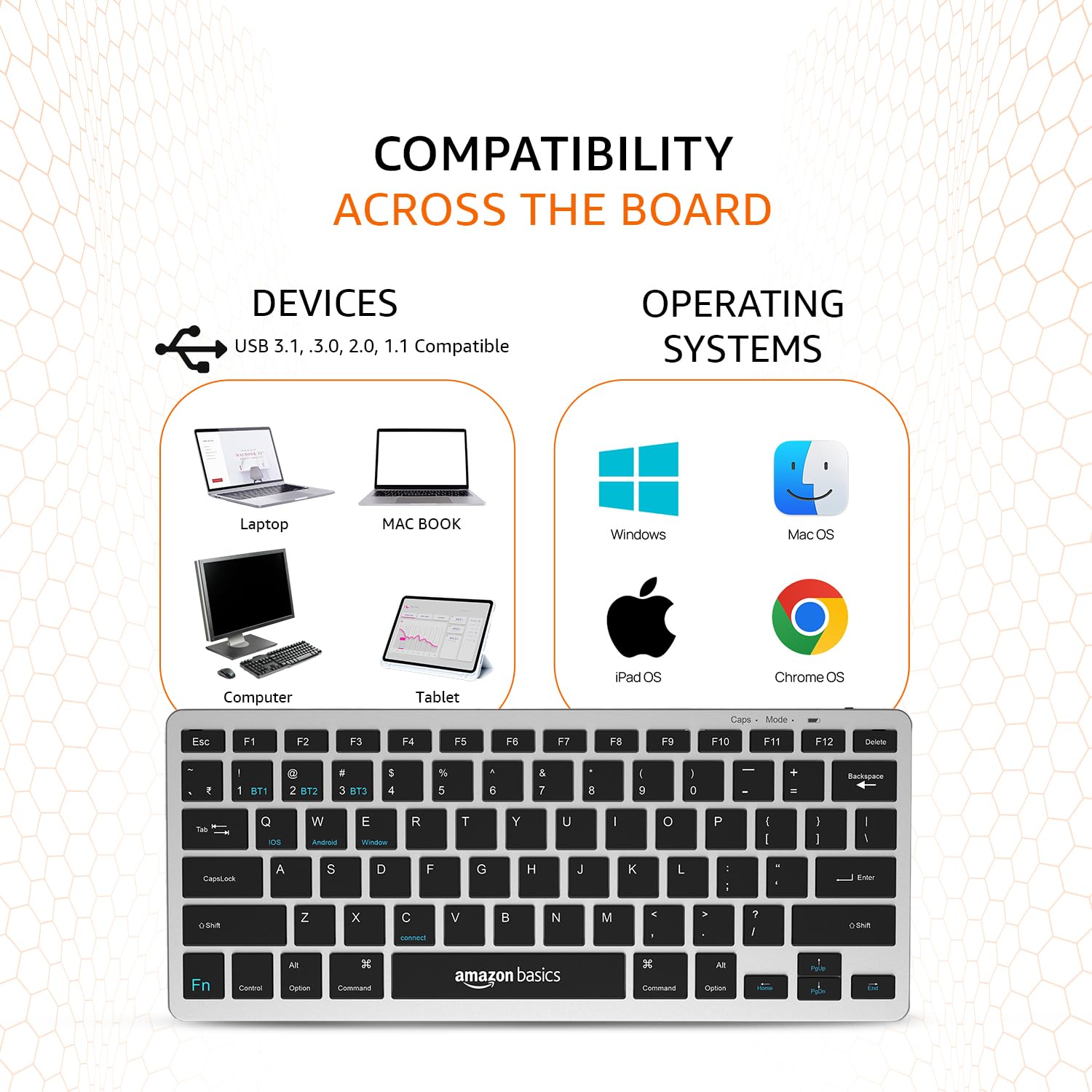
Image: A visual representation of the keyboard's broad compatibility, showing various device types and operating system logos it supports.
3. Special Function Keys
The keyboard features a dedicated Fn key that, when pressed in combination with other keys, activates special functions. Refer to the keycap legends for specific functions (e.g., media controls, volume, screen brightness).
മെയിൻ്റനൻസ്
ശരിയായ അറ്റകുറ്റപ്പണി നിങ്ങളുടെ കീബോർഡിന്റെ ദീർഘായുസ്സും മികച്ച പ്രകടനവും ഉറപ്പാക്കുന്നു.
- വൃത്തിയാക്കൽ: Use a soft, dry, lint-free cloth to wipe the keyboard surface. For stubborn dirt, slightly dampവെള്ളം അല്ലെങ്കിൽ നേരിയതും ഉരച്ചിലുകൾ ഇല്ലാത്തതുമായ ഒരു ക്ലീനർ ഉപയോഗിച്ച് തുണി തുടയ്ക്കുക. അമിതമായ ഈർപ്പം ഒഴിവാക്കുക.
- ബാറ്ററി കെയർ: To preserve battery life, avoid fully discharging the keyboard frequently. If storing for an extended period, charge the battery to about 50% and power off the keyboard.
- സംഭരണം: Store the keyboard in a cool, dry place away from direct sunlight, extreme temperatures, and corrosive materials.
- കൈകാര്യം ചെയ്യൽ: Avoid dropping the keyboard or subjecting it to strong impacts. Do not attempt to disassemble the keyboard, as this will void the warranty.
ട്രബിൾഷൂട്ടിംഗ്
If you encounter issues with your amazon basics Wireless Bluetooth Keyboard, refer to the following common troubleshooting steps:
- കീബോർഡ് ബന്ധിപ്പിക്കുന്നില്ല/ജോടിയാക്കുന്നില്ല:
- കീബോർഡ് ഓണാക്കിയിട്ടുണ്ടെന്നും പൂർണ്ണമായും ചാർജ് ചെയ്തിട്ടുണ്ടെന്നും ഉറപ്പാക്കുക.
- നിങ്ങളുടെ ഉപകരണത്തിൽ ബ്ലൂടൂത്ത് പ്രവർത്തനക്ഷമമാക്കിയിട്ടുണ്ടെന്ന് ഉറപ്പാക്കുക.
- Move the keyboard closer to your device to ensure it's within range.
- Forget or remove the keyboard from your device's Bluetooth list and attempt to re-pair it.
- Try pairing with a different device to rule out an issue with your primary device's Bluetooth.
- Keys Not Responding or Double Typing:
- Check the keyboard's battery level and recharge if low.
- Ensure the keyboard is properly connected to your device. Try switching to another BT channel and back.
- Clean the keys and surrounding areas to remove any debris that might be obstructing key presses.
- Restart both the keyboard (power off/on) and your connected device.
- പ്രതികരണം വൈകിയതോ വൈകിയതോ:
- Ensure there are no other strong wireless signals or devices interfering with the Bluetooth connection.
- Reduce the distance between the keyboard and your device.
- Check for any pending software updates on your device that might improve Bluetooth performance.
- ചാർജിംഗ് പ്രശ്നങ്ങൾ:
- Verify that the Type-C cable is securely connected to both the keyboard and the power source.
- മറ്റൊരു USB പോർട്ട് അല്ലെങ്കിൽ പവർ അഡാപ്റ്റർ ഉപയോഗിക്കാൻ ശ്രമിക്കുക.
- ചാർജിംഗ് കേബിളിന് കേടുപാടുകൾ സംഭവിച്ചിട്ടില്ലെന്ന് ഉറപ്പാക്കുക.
If the issue persists after trying these steps, please contact amazon basics customer support for further assistance.
സ്പെസിഫിക്കേഷനുകൾ
| ഫീച്ചർ | വിശദാംശങ്ങൾ |
|---|---|
| ബ്രാൻഡ് | ആമസോൺ അടിസ്ഥാനകാര്യങ്ങൾ |
| മോഡൽ | Wireless Bluetooth Keyboard (B0CX226DLQ) |
| കണക്റ്റിവിറ്റി ടെക്നോളജി | ബ്ലൂടൂത്ത് |
| കീ ലേഔട്ട് | 78-കീ കോംപാക്റ്റ് ലേഔട്ട് |
| കീ തരം | Noiseless Keys |
| അനുയോജ്യമായ ഉപകരണങ്ങൾ | ലാപ്ടോപ്പ്, ടാബ്ലെറ്റ്, സ്മാർട്ട്ഫോൺ |
| ഓപ്പറേറ്റിംഗ് സിസ്റ്റം അനുയോജ്യത | iOS, Windows, Android, Mac OS, Chrome OS |
| ബാറ്ററി തരം | Built-in Rechargeable Lithium Polymer |
| ബാറ്ററി എനർജി ഉള്ളടക്കം | 1.48 വാട്ട് മണിക്കൂർ |
| ചാർജിംഗ് പോർട്ട് | യുഎസ്ബി ടൈപ്പ്-സി |
| മെറ്റീരിയൽ | ഉയർന്ന നിലവാരമുള്ള എബിഎസ് |
| ഉൽപ്പന്ന അളവുകൾ (LxWxH) | 28.5 സെ.മീ x 12 സെ.മീ x 1.45 സെ.മീ |
| ഇനത്തിൻ്റെ ഭാരം | 290 ഗ്രാം |
| മാതൃരാജ്യം | ഇന്ത്യ |
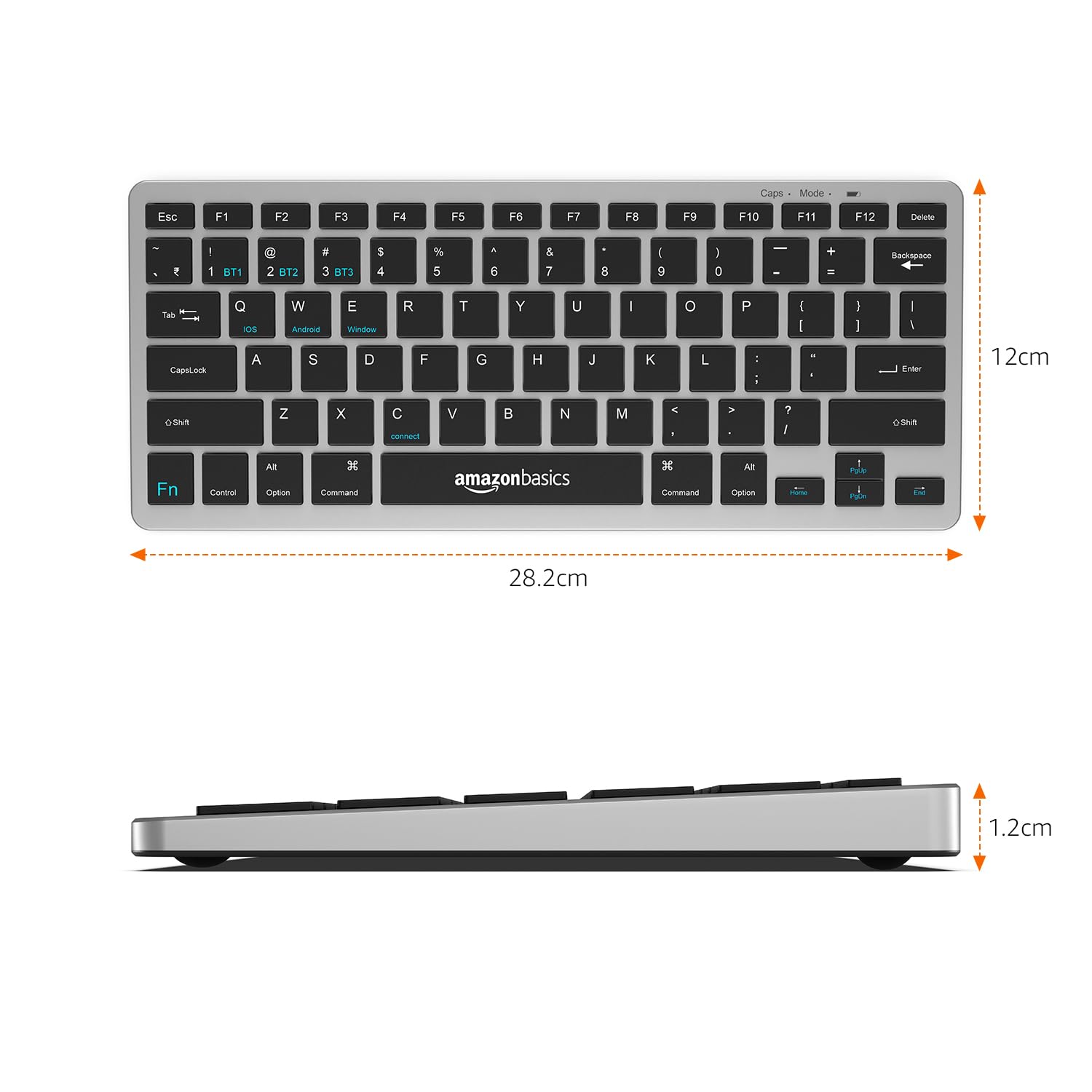
Image: The keyboard with overlaid measurements indicating its length (28.5 cm), width (12 cm), and thickness (1.2 cm).
വാറൻ്റിയും പിന്തുണയും
For information regarding the product warranty, please refer to the warranty card included in your package or contact amazon basics customer support directly. Warranty terms and conditions may vary by region and purchase date.
If you require further assistance, have questions, or need to report an issue that cannot be resolved using the troubleshooting guide, please contact amazon basics customer support through their official webനിങ്ങളുടെ വാങ്ങലിനൊപ്പം നൽകിയിരിക്കുന്ന സൈറ്റ് അല്ലെങ്കിൽ ബന്ധപ്പെടാനുള്ള വിവരങ്ങൾ.
For the latest support information and FAQs, visit the official amazon basics support page.


