1. ആമുഖം
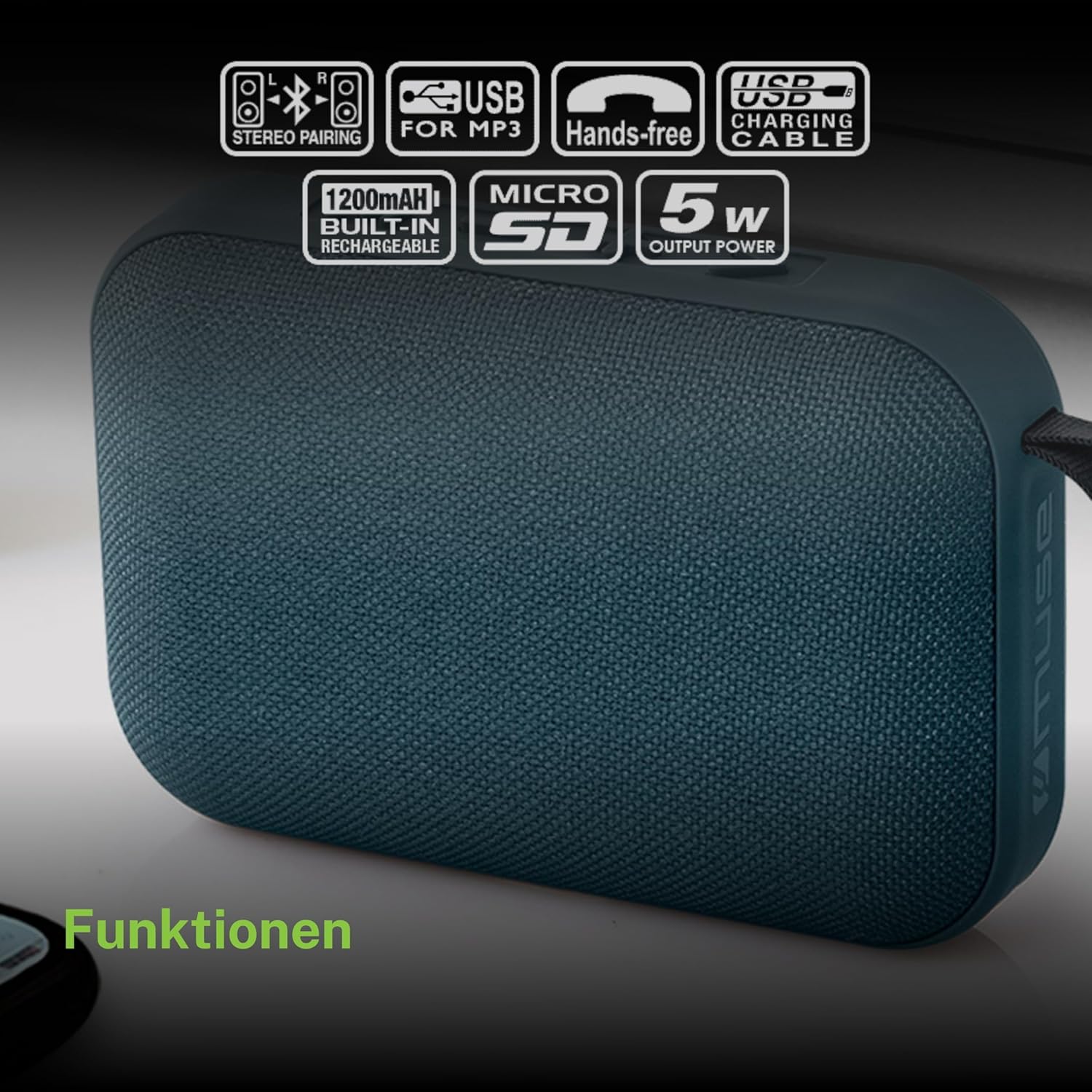
വാങ്ങിയതിന് നന്ദി.asing the MUSE M307BT Portable Bluetooth Speaker. This compact and versatile speaker is designed to provide high-quality audio from your laptop, tablet, or smartphone. It features Bluetooth connectivity, a 5W output, a built-in rechargeable battery, and support for USB and Micro SD card playback. This manual provides essential information for setting up, operating, and maintaining your device.
2 സുരക്ഷാ വിവരങ്ങൾ
- ഉപകരണത്തെ തീവ്രമായ താപനിലയിലോ, നേരിട്ടുള്ള സൂര്യപ്രകാശത്തിലോ, ഉയർന്ന ആർദ്രതയിലോ തുറന്നുകാട്ടരുത്.
- സ്പീക്കറെ ശക്തമായ ആഘാതങ്ങൾക്ക് വിധേയമാക്കുകയോ താഴെയിടുകയോ ചെയ്യുന്നത് ഒഴിവാക്കുക.
- ഉപകരണം സ്വയം ഡിസ്അസംബ്ലിംഗ് ചെയ്യുകയോ നന്നാക്കാൻ ശ്രമിക്കുകയോ ചെയ്യരുത്. എല്ലാ സേവനങ്ങളും യോഗ്യതയുള്ള ഉദ്യോഗസ്ഥരെ ഏൽപ്പിക്കുക.
- Keep the speaker away from water and other liquids. This device is not waterproof.
- നൽകിയിരിക്കുന്ന USB ചാർജിംഗ് കേബിളോ സാക്ഷ്യപ്പെടുത്തിയ തത്തുല്യമായതോ മാത്രം ഉപയോഗിക്കുക.
- Dispose of the battery and device responsibly according to local regulations.
3. പാക്കേജ് ഉള്ളടക്കം
പാക്കേജിൽ എല്ലാ ഇനങ്ങളും ഉണ്ടെന്ന് ഉറപ്പാക്കുക:
- MUSE M307BT Portable Bluetooth Speaker
- യുഎസ്ബി ചാർജിംഗ് കേബിൾ
4. ഉൽപ്പന്നം കഴിഞ്ഞുview
സ്പീക്കറിന്റെ ഘടകങ്ങളും നിയന്ത്രണങ്ങളും സ്വയം പരിചയപ്പെടുത്തുക.


നിയന്ത്രണങ്ങളും തുറമുഖങ്ങളും:
- പവർ ബട്ടൺ: സ്പീക്കർ ഓൺ/ഓഫ് ചെയ്യുന്നു.
- മോഡ് ബട്ടൺ (M): Switches between Bluetooth, USB, and Micro SD modes.
- ശബ്ദം കുറയ്ക്കുക / മുമ്പത്തെ ട്രാക്ക് (-): വോളിയം കുറയ്ക്കാൻ ഷോർട്ട് പ്രസ്സ് ചെയ്യുക, മുമ്പത്തെ ട്രാക്കിനായി ദീർഘനേരം അമർത്തുക.
- Play/Pause / Call Button (>): സംഗീതം പ്ലേ ചെയ്യുന്നു/താൽക്കാലികമായി നിർത്തുന്നു, കോളുകൾക്ക് മറുപടി നൽകുന്നു/അവസാനിപ്പിക്കുന്നു.
- വോളിയം കൂട്ടുക / അടുത്ത ട്രാക്ക് (+): വോളിയം കൂട്ടാൻ ഷോർട്ട് പ്രസ്സ് ചെയ്യുക, അടുത്ത ട്രാക്കിനായി ദീർഘനേരം പ്രസ്സ് ചെയ്യുക.
- മൈക്രോ-യുഎസ്ബി പോർട്ട്: സ്പീക്കർ ചാർജ് ചെയ്തതിന്.
- USB പോർട്ട്: ഒരു യുഎസ്ബി ഫ്ലാഷ് ഡ്രൈവിൽ നിന്ന് സംഗീതം പ്ലേ ചെയ്യുന്നതിന്.
- മൈക്രോ എസ്ഡി (ടിഎഫ്) സ്ലോട്ട്: മൈക്രോ എസ്ഡി കാർഡിൽ നിന്ന് സംഗീതം പ്ലേ ചെയ്യുന്നതിന്.
- LED സൂചകം: ചാർജിംഗ് സ്റ്റാറ്റസും ബ്ലൂടൂത്ത് ജോടിയാക്കൽ സ്റ്റാറ്റസും കാണിക്കുന്നു.
5. സജ്ജീകരണം
5.1 സ്പീക്കർ ചാർജ് ചെയ്യുന്നു
- Connect the Micro-USB end of the charging cable to the speaker's Micro-USB port.
- ചാർജിംഗ് കേബിളിന്റെ USB-A അറ്റം ഒരു USB പവർ അഡാപ്റ്ററുമായി (ഉൾപ്പെടുത്തിയിട്ടില്ല) അല്ലെങ്കിൽ ഒരു കമ്പ്യൂട്ടറിന്റെ USB പോർട്ടുമായി ബന്ധിപ്പിക്കുക.
- The LED indicator will illuminate to show charging status. It will typically turn off or change color once fully charged.
- ഒരു ഫുൾ ചാർജ് ഏകദേശം 2-3 മണിക്കൂർ എടുക്കും.
5.2 പവർ ഓൺ/ഓഫ്
- പവർ ഓണാക്കാൻ: Press and hold the Power button for a few seconds until you hear an audible prompt and the LED indicator flashes.
- പവർ ഓഫ് ചെയ്യാൻ: കേൾക്കാവുന്ന ഒരു പ്രോംപ്റ്റ് കേൾക്കുന്നതുവരെയും LED ഇൻഡിക്കേറ്റർ ഓഫാകുന്നതുവരെയും പവർ ബട്ടൺ കുറച്ച് സെക്കൻഡ് അമർത്തിപ്പിടിക്കുക.
6. പ്രവർത്തന നിർദ്ദേശങ്ങൾ
6.1 ബ്ലൂടൂത്ത് ജോടിയാക്കൽ
Pair your speaker with a Bluetooth-enabled device (smartphone, tablet, laptop).

- സ്പീക്കർ ഓണാണെന്നും ബ്ലൂടൂത്ത് മോഡിൽ ആണെന്നും ഉറപ്പാക്കുക. എൽഇഡി ഇൻഡിക്കേറ്റർ വേഗത്തിൽ മിന്നിമറയും, ഇത് ജോടിയാക്കാൻ തയ്യാറാണെന്ന് സൂചിപ്പിക്കുന്നു.
- നിങ്ങളുടെ ഉപകരണത്തിൽ, ബ്ലൂടൂത്ത് പ്രവർത്തനക്ഷമമാക്കി ലഭ്യമായ ഉപകരണങ്ങൾക്കായി തിരയുക.
- Select "MUSE M307BT" from the list of devices.
- ജോടിയാക്കിക്കഴിഞ്ഞാൽ, LED ഇൻഡിക്കേറ്റർ മിന്നുന്നത് നിർത്തുകയും ദൃഢമായി തുടരുകയും ചെയ്യും, കൂടാതെ നിങ്ങൾ ഒരു സ്ഥിരീകരണ ശബ്ദം കേൾക്കുകയും ചെയ്യും.
- ഇപ്പോൾ നിങ്ങളുടെ ഉപകരണത്തിൽ നിന്ന് സ്പീക്കറിലൂടെ ഓഡിയോ പ്ലേ ചെയ്യാൻ കഴിയും.
6.2 യുഎസ്ബി പ്ലേബാക്ക്
- MP3 ഓഡിയോ അടങ്ങിയ ഒരു USB ഫ്ലാഷ് ഡ്രൈവ് ഇടുക. fileയുഎസ്ബി പോർട്ടിലേക്ക് എസ്.
- അമർത്തുക മോഡ് (എം) button to switch to USB mode. The speaker will automatically begin playing music from the USB drive.
- ഉപയോഗിക്കുക + ഒപ്പം - ട്രാക്ക് നാവിഗേഷനും വോളിയം നിയന്ത്രണത്തിനുമുള്ള ബട്ടണുകൾ.
6.3 Micro SD (TF) Card Playback
- Insert a Micro SD (TF) card containing MP3 audio files into the Micro SD slot.
- അമർത്തുക മോഡ് (എം) button to switch to Micro SD mode. The speaker will automatically begin playing music from the Micro SD card.
- ഉപയോഗിക്കുക + ഒപ്പം - ട്രാക്ക് നാവിഗേഷനും വോളിയം നിയന്ത്രണത്തിനുമുള്ള ബട്ടണുകൾ.
6.4 സ്റ്റീരിയോ പെയറിംഗ് (TWS ഫംഗ്ഷൻ)
To achieve a more immersive stereo sound experience, you can pair two MUSE M307BT speakers together.
- Ensure both MUSE M307BT speakers are powered on and in Bluetooth pairing mode (LED flashing).
- സ്പീക്കറുകളിലൊന്നിൽ (ഇത് നിങ്ങളുടെ പ്രാഥമിക സ്പീക്കറായിരിക്കും), അമർത്തിപ്പിടിക്കുക മോഡ് (എം) button for a few seconds. You will hear a sound indicating that the speakers are attempting to pair with each other.
- Once successfully paired, you will hear a confirmation sound, and the LED indicator on the primary speaker will flash slowly, while the secondary speaker's LED will remain solid.
- Now, connect your Bluetooth device to the primary speaker as described in section 6.1. Audio will play in stereo through both speakers.
6.5 ഹാൻഡ്സ് ഫ്രീ കോളിംഗ്
നിങ്ങളുടെ സ്മാർട്ട്ഫോണുമായി ബ്ലൂടൂത്ത് വഴി ബന്ധിപ്പിക്കുമ്പോൾ, ഹാൻഡ്സ് ഫ്രീ കോളുകൾക്കായി സ്പീക്കർ ഉപയോഗിക്കാം.
- മറുപടി കോൾ: അമർത്തുക Play/Pause (>) ബട്ടൺ ഒരിക്കൽ.
- കോൾ അവസാനിപ്പിക്കുക: അമർത്തുക Play/Pause (>) ഒരു കോളിനിടെ ഒരിക്കൽ ബട്ടൺ അമർത്തുക.
- കോൾ നിരസിക്കുക: അമർത്തിപ്പിടിക്കുക Play/Pause (>) 2 സെക്കൻഡിനുള്ള ബട്ടൺ.
7. പരിപാലനം
- മൃദുവായതും ഉണങ്ങിയതുമായ തുണി ഉപയോഗിച്ച് സ്പീക്കർ വൃത്തിയാക്കുക. അബ്രസീവ് ക്ലീനറുകളോ ലായകങ്ങളോ ഉപയോഗിക്കരുത്.
- ദീർഘനേരം ഉപയോഗിക്കാത്തപ്പോൾ സ്പീക്കർ തണുത്തതും വരണ്ടതുമായ സ്ഥലത്ത് സൂക്ഷിക്കുക.
- Avoid blocking the speaker grille to ensure optimal sound quality.
8. പ്രശ്നപരിഹാരം
| പ്രശ്നം | സാധ്യമായ കാരണം | പരിഹാരം |
|---|---|---|
| സ്പീക്കർ പവർ ഓൺ ചെയ്യുന്നില്ല. | കുറഞ്ഞ ബാറ്ററി. | സ്പീക്കർ പൂർണ്ണമായും ചാർജ് ചെയ്യുക. |
| ബ്ലൂടൂത്ത് വഴി ജോടിയാക്കാൻ കഴിയില്ല. | Speaker not in pairing mode; Bluetooth disabled on device; device too far. | Ensure speaker LED is flashing; enable Bluetooth on your device; move device closer to speaker (within 10 meters). |
| ശബ്ദമില്ല. | ശബ്ദം വളരെ കുറവാണ്; തെറ്റായ മോഡ്; ഉപകരണം പ്ലേ ചെയ്യുന്നില്ല. | Increase speaker and device volume; press Mode button to select correct input; ensure audio is playing on your device. |
| USB/മൈക്രോ SD പ്ലേബാക്ക് പ്രവർത്തിക്കുന്നില്ല. | തെറ്റാണ് file ഫോർമാറ്റ്; കാർഡ്/ഡ്രൈവ് ശരിയായി ചേർത്തിട്ടില്ല; കേടായി files. | ഉറപ്പാക്കുക files are MP3 format; reinsert card/drive; try different files or storage device. |
| Stereo pairing fails. | സ്പീക്കറുകൾ വളരെ അകലെയാണ്; ഒരു സ്പീക്കർ ഇതിനകം ഒരു ഉപകരണവുമായി ജോടിയാക്കിയിരിക്കുന്നു. | Ensure speakers are close; disconnect any existing Bluetooth connections before attempting stereo pairing. |
9 സ്പെസിഫിക്കേഷനുകൾ

| ഫീച്ചർ | സ്പെസിഫിക്കേഷൻ |
|---|---|
| മോഡലിൻ്റെ പേര് | M307BT |
| ബ്രാൻഡ് | മ്യൂസ് |
| ഔട്ട്പുട്ട് പവർ | 5 വാട്ട്സ് |
| ബാറ്ററി | 1200 mAh / 3.7V Lithium-ion (Rechargeable) |
| കണക്റ്റിവിറ്റി | Bluetooth, USB, Micro SD (TF) |
| ഓഡിയോ put ട്ട്പുട്ട് മോഡ് | സ്റ്റീരിയോ (TWS ജോടിയാക്കൽ ഉള്ളത്) |
| അളവുകൾ (L x W x H) | 118 x 30 x 76 മിമി |
| ഭാരം | 200 ഗ്രാം |
| നിറം | നീല |
| ഉൾപ്പെടുത്തിയ ഘടകങ്ങൾ | യുഎസ്ബി ചാർജിംഗ് കേബിൾ |
| വാട്ടർപ്രൂഫ് | ഇല്ല |
| ശുപാർശ ചെയ്യുന്ന ഉപയോഗങ്ങൾ | For computer, smartphone, or tablet |
| അനുയോജ്യമായ ഉപകരണങ്ങൾ | ലാപ്ടോപ്പ്, ടാബ്ലെറ്റ്, സ്മാർട്ട്ഫോൺ |
10. വാറൻ്റിയും പിന്തുണയും
10.1 നിർമ്മാതാവിന്റെ വാറന്റി
This MUSE M307BT Portable Bluetooth Speaker comes with a 2 വർഷത്തെ നിർമ്മാതാവിന്റെ വാറന്റി വാങ്ങിയ തീയതി മുതൽ. സാധാരണ ഉപയോഗത്തിലുള്ള നിർമ്മാണ വൈകല്യങ്ങളും പ്രവർത്തനക്ഷമതയും ഈ വാറന്റി ഉൾക്കൊള്ളുന്നു. ദുരുപയോഗം, അപകടങ്ങൾ, അനധികൃത പരിഷ്കാരങ്ങൾ, അല്ലെങ്കിൽ സാധാരണ തേയ്മാനം എന്നിവ മൂലമുണ്ടാകുന്ന നാശനഷ്ടങ്ങൾക്ക് ഇത് പരിരക്ഷ നൽകുന്നില്ല.
10.2 ഉപഭോക്തൃ പിന്തുണ
For technical assistance, warranty claims, or further inquiries, please contact your retailer or the official MUSE customer support channel. Please have your proof of purchase and product model number (M307BT) ready when contacting support.


