1. ആമുഖം
This manual provides essential information for setting up, operating, maintaining, and troubleshooting your OnePlus 12R PJE110 smartphone. Please read this guide thoroughly to ensure optimal performance and longevity of your device.
The OnePlus 12R is a high-performance 5G smartphone featuring a powerful Octa-core processor, 16GB of RAM, and 256GB of internal storage. It runs on Android 14 with OxygenOS and is equipped with a 5500mAh non-removable battery.
2. സജ്ജീകരണം
2.1 അൺബോക്സിംഗും പ്രാരംഭ പരിശോധനയും
പാക്കേജിംഗിൽ നിന്ന് എല്ലാ ഇനങ്ങളും ശ്രദ്ധാപൂർവ്വം നീക്കം ചെയ്യുക. ഇനിപ്പറയുന്ന ഘടകങ്ങൾ ഉണ്ടെന്ന് ഉറപ്പാക്കുക:
- OnePlus 12R PJE110 Smartphone
- USB കേബിൾ
- ക്വിക്ക് സ്റ്റാർട്ട് ഗൈഡ് (ഉൾപ്പെടുത്തിയിട്ടുണ്ടെങ്കിൽ)
- Safety Information (if included)
Inspect the device for any physical damage. If any components are missing or damaged, contact your retailer or OnePlus support immediately.
2.2 സിം കാർഡുകൾ ചേർക്കൽ
The OnePlus 12R supports Dual SIM functionality. Follow these steps to insert your SIM cards:
- ഉപകരണത്തിന്റെ വശത്ത് സിം കാർഡ് ട്രേ കണ്ടെത്തുക.
- ട്രേയുടെ അടുത്തുള്ള ചെറിയ ദ്വാരത്തിലേക്ക് സിം എജക്റ്റർ ടൂൾ (നൽകിയിട്ടുണ്ടെങ്കിൽ) തിരുകുക, ട്രേ പുറത്തേക്ക് വരുന്നത് വരെ സൌമ്യമായി തള്ളുക.
- Place your Nano-SIM cards into the designated slots on the tray, ensuring the gold contacts face downwards and the cut corner aligns correctly.
- Carefully push the SIM card tray back into the device until it is flush with the side.
Note for USA Buyers: This smartphone is not compatible with CDMA networks, including Verizon, Sprint, and US Cellular. Please verify compatibility with your network provider before use.
2.3 പ്രാരംഭ പവർ ഓണും സജ്ജീകരണവും
നിങ്ങളുടെ ഉപകരണം ആദ്യമായി ഓണാക്കാൻ:
- വൺപ്ലസ് ലോഗോ ദൃശ്യമാകുന്നതുവരെ പവർ ബട്ടൺ (വലതുവശത്ത് സ്ഥിതിചെയ്യുന്നു) അമർത്തിപ്പിടിക്കുക.
- Follow the on-screen instructions to complete the initial setup, which includes selecting your language, connecting to Wi-Fi, setting up your Google account, and configuring security features.
2.4 ഉപകരണം ചാർജ് ചെയ്യുന്നു
Before first use, it is recommended to fully charge your device. The OnePlus 12R supports 100W SUPERVOOC fast charging.
- Connect the USB cable to the charging port on the bottom of your phone.
- Connect the other end of the USB cable to a compatible power adapter (sold separately) and plug it into a power outlet.
- ചാർജിംഗ് ഇൻഡിക്കേറ്റർ സ്ക്രീനിൽ ദൃശ്യമാകും.

ചിത്രം: OnePlus 12R charging. The device features a 5500 mAh battery and supports 100W charging, capable of reaching 100% in approximately 26 minutes.
3. നിങ്ങളുടെ ഉപകരണം പ്രവർത്തിപ്പിക്കുന്നു
3.1 അടിസ്ഥാന നാവിഗേഷൻ
The OnePlus 12R utilizes a touchscreen interface for most interactions. Physical buttons include:
- പവർ ബട്ടൺ: On the right side, used to turn the screen on/off, power the device on/off, or restart.
- വോളിയം ബട്ടണുകൾ: On the left side, used to adjust media volume, call volume, and notification volume.
- അലേർട്ട് സ്ലൈഡർ: On the left side, used to quickly switch between Ring, Vibrate, and Silent modes.
3.2 ഡിസ്പ്ലേ സവിശേഷതകൾ
Your device features a 6.78-inch LTPO4 AMOLED display with a resolution of 1264 x 2780 pixels.
- ഡൈനാമിക് പുതുക്കൽ നിരക്ക്: The display supports a dynamic refresh rate from 1-120 Hz for smooth scrolling and power efficiency.
- High Touch Response: Up to 1000 Hz touch response rate for quick and accurate input.
- വർണ്ണ കൃത്യത: Compatible with sRGB and Display P3, offering 10-bit color depth and HDR10+ support.

ചിത്രം: OnePlus 12R AMOLED ProXDR Display. Key features include 6.78 inches, 2780 x 1264 pixel resolution, 1-120 Hz dynamic refresh rate, and up to 1000 Hz touch response rate.
3.3 ക്യാമറ ഉപയോഗം
The OnePlus 12R is equipped with a versatile camera system:
- പ്രധാന ക്യാമറ: 50 MP Sony IMX890 with Optical Image Stabilization (OIS).
- Ultra-Wide Angle Camera: 8 MP Sony IMX355 with a 112° field of view.
- മാക്രോ ലെൻസ്: 2 MP for close-up shots (4 cm focus distance).
- മുൻ ക്യാമറ: 16 MP for selfies and video calls.
To access the camera, tap the Camera app icon on your home screen or app drawer. You can switch between different modes (Photo, Video, Portrait, Night, Pro, etc.) by swiping across the screen or selecting from the mode options.

ചിത്രം: OnePlus 12R Camera System. Features a 50 MP main camera (Sony IMX890 + OIS), an 8 MP ultra-wide angle camera (112° Sony IMX355), and a 2 MP macro lens (4 cm).
3.4 കണക്റ്റിവിറ്റി
നിങ്ങളുടെ ഉപകരണം വിവിധ കണക്റ്റിവിറ്റി ഓപ്ഷനുകളെ പിന്തുണയ്ക്കുന്നു:
- 5G/4G/3G/2G: For cellular data and calls. Ensure your SIM card is active and your plan supports these networks.
- വൈഫൈ: ഇന്റർനെറ്റ് ആക്സസ്സിനായി വയർലെസ് നെറ്റ്വർക്കുകളിലേക്ക് കണക്റ്റുചെയ്യുക. പോകുക ക്രമീകരണങ്ങൾ > Wi-Fi കണക്ഷനുകൾ കൈകാര്യം ചെയ്യാൻ.
- ബ്ലൂടൂത്ത്: Pair with wireless headphones, speakers, and other Bluetooth devices. Go to ക്രമീകരണങ്ങൾ > ബ്ലൂടൂത്ത് കണക്ഷനുകൾ കൈകാര്യം ചെയ്യാൻ.
- ജിപിഎസ്: ലൊക്കേഷൻ സേവനങ്ങൾക്കും നാവിഗേഷനും.
3.5 OxygenOS Overview
The OnePlus 12R runs on OxygenOS, a customized version of Android 14. OxygenOS offers a clean, fast, and customizable user experience. Explore the ക്രമീകരണങ്ങൾ app to personalize your device, manage notifications, set up gestures, and more.
4. പരിപാലനം
4.1 ബാറ്ററി കെയർ
നിങ്ങളുടെ ബാറ്ററിയുടെ ആയുസ്സ് പരമാവധിയാക്കാൻ:
- തീവ്രമായ താപനില ഒഴിവാക്കുക.
- Use the provided USB cable and a compatible charger.
- Avoid frequently draining the battery completely or keeping it at 100% for extended periods.
- Utilize battery optimization features in ക്രമീകരണങ്ങൾ > ബാറ്ററി.
4.2 സോഫ്റ്റ്വെയർ അപ്ഡേറ്റുകൾ
Regular software updates provide new features, security patches, and performance improvements. To check for updates, go to Settings > About device > OxygenOS version.
4.3 ഉപകരണം വൃത്തിയാക്കുന്നു
Use a soft, lint-free cloth to clean your device. Avoid using harsh chemicals or abrasive materials, which can damage the screen or finish. Do not expose the device to excessive moisture.
4.4 സ്റ്റോറേജ് മാനേജ്മെൻ്റ്
Your OnePlus 12R comes with 256GB of internal storage, which is not expandable. Regularly manage your storage by:
- അനാവശ്യമായി ഇല്ലാതാക്കുന്നു fileകൾ, ഫോട്ടോകൾ, വീഡിയോകൾ.
- Uninstalling unused applications.
- Utilizing cloud storage services for backups.
5. പ്രശ്നപരിഹാരം
നിങ്ങളുടെ ഉപകരണത്തിൽ പ്രശ്നങ്ങൾ നേരിടുകയാണെങ്കിൽ, ഇനിപ്പറയുന്ന പൊതുവായ ട്രബിൾഷൂട്ടിംഗ് ഘട്ടങ്ങൾ പരീക്ഷിക്കുക:
5.1 പൊതുവായ പ്രശ്നങ്ങൾ
- ഉപകരണം പ്രതികരിക്കുന്നില്ല: പുനരാരംഭിക്കാൻ നിർബന്ധിക്കുന്നതിന് പവർ ബട്ടൺ ഏകദേശം 10 സെക്കൻഡ് അമർത്തിപ്പിടിക്കുക.
- ബാറ്ററി വേഗത്തിൽ തീർന്നു: പശ്ചാത്തല ആപ്പ് ഉപയോഗം പരിശോധിക്കുക ക്രമീകരണങ്ങൾ > ബാറ്ററി. Reduce screen brightness, disable unused features like GPS or Bluetooth, and ensure apps are updated.
- നെറ്റ്വർക്ക് കണക്റ്റിവിറ്റി പ്രശ്നങ്ങൾ: Ensure SIM cards are correctly inserted. Try toggling Airplane Mode on and off. Restart the device. Verify network settings in ക്രമീകരണങ്ങൾ > മൊബൈൽ നെറ്റ്വർക്ക്.
- ആപ്പുകൾ ക്രാഷാകുകയോ മരവിക്കുകയോ ചെയ്യുന്നു: ആപ്പിന്റെ കാഷെയും ഡാറ്റയും മായ്ക്കുക ക്രമീകരണങ്ങൾ > ആപ്പുകൾ > [ആപ്പ് നാമം] > സംഭരണം > കാഷെ മായ്ക്കുക/ഡാറ്റ മായ്ക്കുക. പ്രശ്നം നിലനിൽക്കുകയാണെങ്കിൽ, ആപ്പ് അൺഇൻസ്റ്റാൾ ചെയ്ത് വീണ്ടും ഇൻസ്റ്റാൾ ചെയ്യുക.
5.2 ഫാക്ടറി റീസെറ്റ്
ഒരു ഫാക്ടറി റീസെറ്റ് നിങ്ങളുടെ ഉപകരണത്തിലെ എല്ലാ ഡാറ്റയും മായ്ക്കുകയും അതിന്റെ യഥാർത്ഥ ഫാക്ടറി ക്രമീകരണങ്ങളിലേക്ക് പുനഃസ്ഥാപിക്കുകയും ചെയ്യും. തുടരുന്നതിന് മുമ്പ് എല്ലാ പ്രധാനപ്പെട്ട ഡാറ്റയും ബാക്കപ്പ് ചെയ്യുക.
- പോകുക ക്രമീകരണങ്ങൾ > സിസ്റ്റം ക്രമീകരണങ്ങൾ > ബാക്കപ്പ് ചെയ്ത് റീസെറ്റ് ചെയ്യുക > ഫോൺ റീസെറ്റ് ചെയ്യുക.
- തിരഞ്ഞെടുക്കുക എല്ലാ ഡാറ്റയും മായ്ക്കുക (ഫാക്ടറി റീസെറ്റ്).
- നിങ്ങളുടെ തീരുമാനം സ്ഥിരീകരിച്ച് ആവശ്യപ്പെടുകയാണെങ്കിൽ സ്ക്രീൻ ലോക്ക് പാസ്വേഡ് നൽകുക.
6 സ്പെസിഫിക്കേഷനുകൾ
Detailed technical specifications for the OnePlus 12R PJE110 smartphone:
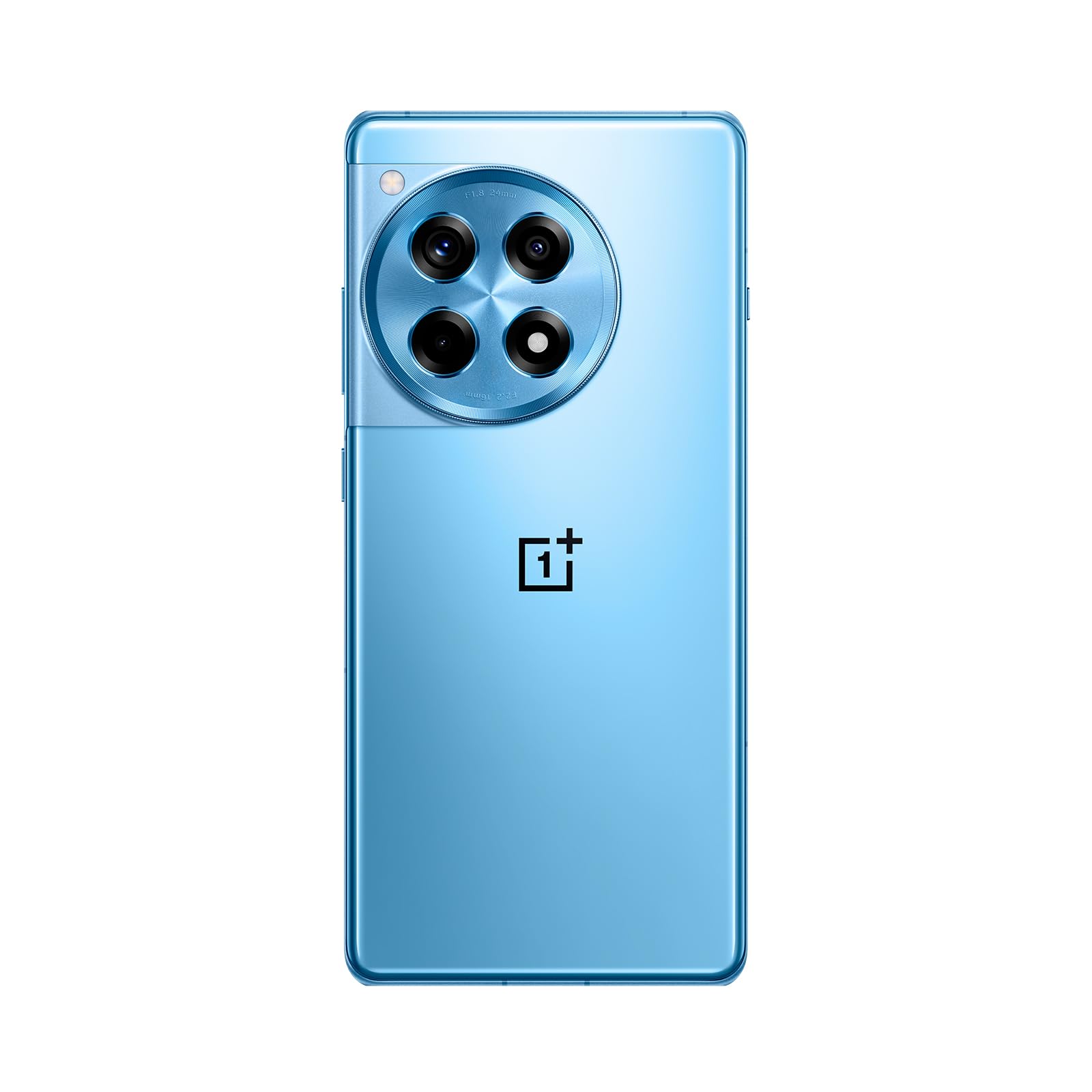
ചിത്രം: മുന്നിലും പിന്നിലും view of the OnePlus 12R in Cool Blue.
| ഫീച്ചർ | സ്പെസിഫിക്കേഷൻ |
|---|---|
| മോഡലിൻ്റെ പേര് | OnePlus 12R PJE110 |
| ഓപ്പറേറ്റിംഗ് സിസ്റ്റം | Android 14, OxygenOS |
| പ്രോസസ്സർ | Qualcomm SM8550-AB Snapdragon 8 Gen 2 (4 nm) Octa-core |
| റാം | 16 ജിബി |
| ആന്തരിക സംഭരണം | 256 ജിബി (വികസിപ്പിക്കാൻ കഴിയില്ല) |
| പ്രദർശിപ്പിക്കുക | 6.78 inches LTPO4 AMOLED, 1264 x 2780 pixels, 1-120 Hz dynamic, 1000 Hz touch response |
| പിൻ ക്യാമറ | 50 MP (main, OIS), 8 MP (ultra-wide), 2 MP (macro) |
| മുൻ ക്യാമറ | 16 എം.പി |
| ബാറ്ററി | 5500 mAh (non-removable), 100W SUPERVOOC fast charging |
| കണക്റ്റിവിറ്റി | 5G, 4G LTE, 3G, 2G, വൈ-ഫൈ, ബ്ലൂടൂത്ത്, GPS |
| അളവുകൾ | 6.43 x 2.96 x 0.35 ഇഞ്ച് (163.30 x 75.27 x 8.8 മിമി) |
| ഭാരം | 7.3 ഔൺസ് (207 ഗ്രാം) |
| ഓഡിയോ ജാക്ക് | 3.5 മി.മീ |
| ബോക്സിൽ | USB കേബിൾ |

ചിത്രം: Internal components highlighting the Snapdragon 8 Gen 2 processor and 16GB LPDDR5X RAM.

ചിത്രം: വശം view of the OnePlus 12R.
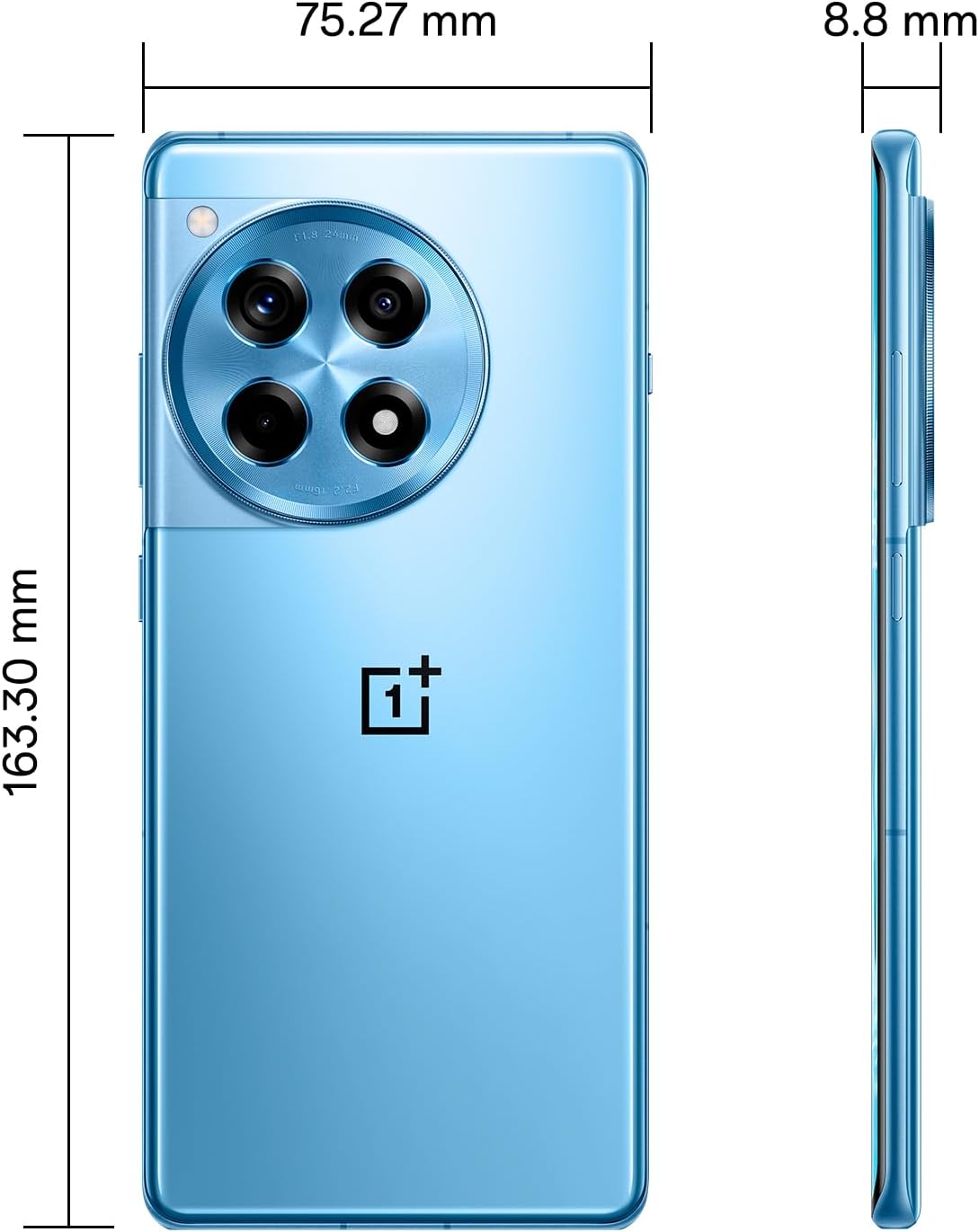
ചിത്രം: തിരികെ view of the OnePlus 12R.

ചിത്രം: ഫ്രണ്ട് view of the OnePlus 12R.
7 സുരക്ഷാ വിവരങ്ങൾ
ഇനിപ്പറയുന്ന സുരക്ഷാ മാർഗ്ഗനിർദ്ദേശങ്ങൾ പാലിക്കുക:
- ഉപകരണം സ്വയം ഡിസ്അസംബ്ലിംഗ് ചെയ്യാനോ നന്നാക്കാനോ ശ്രമിക്കരുത്.
- Use only authorized accessories (chargers, cables, etc.).
- ഉപകരണം തീവ്രമായ താപനിലയിലോ, നേരിട്ടുള്ള സൂര്യപ്രകാശത്തിലോ, ദ്രാവകങ്ങളിലോ ഏൽക്കുന്നത് ഒഴിവാക്കുക.
- Keep the device away from medical implants and pacemakers.
- പ്രാദേശിക നിയന്ത്രണങ്ങൾ അനുസരിച്ച് ഉപകരണവും അതിന്റെ ബാറ്ററിയും ഉത്തരവാദിത്തത്തോടെ നിർമാർജനം ചെയ്യുക.
8. വാറൻ്റിയും പിന്തുണയും
8.1 വാറൻ്റി വിവരങ്ങൾ
Your OnePlus 12R PJE110 smartphone is covered by a limited warranty. The terms and conditions of this warranty may vary by region and retailer. Please refer to the warranty card included with your product or visit the official OnePlus website for detailed information regarding warranty coverage, duration, and claims process.
8.2 ഉപഭോക്തൃ പിന്തുണ
For further assistance, technical support, or service inquiries, please contact OnePlus customer support through their official channels:
- OnePlus Official Webസൈറ്റ്: സന്ദർശിക്കുക www.oneplus.com/support പതിവുചോദ്യങ്ങൾ, ട്രബിൾഷൂട്ടിംഗ് ഗൈഡുകൾ, കോൺടാക്റ്റ് ഓപ്ഷനുകൾ എന്നിവയ്ക്കായി.
- സേവന കേന്ദ്രങ്ങൾ: Locate authorized service centers in your region via the OnePlus webസൈറ്റ്.


