1. ആമുഖം
This manual provides essential instructions for the safe and effective use of your HOLEWOR Biometric Fingerprint Pistol Safe. Please read this manual thoroughly before installation and operation. Keep it for future reference.
2 പ്രധാനപ്പെട്ട സുരക്ഷാ വിവരങ്ങൾ
WARNING: Firearm safety is paramount. Always store firearms securely to prevent unauthorized access, especially by children. This safe is designed to aid in responsible firearm storage.
- Never store loaded firearms in an unsecured manner.
- Keep backup keys in a secure location separate from the safe.
- Ensure the safe is properly mounted and secured to prevent removal.
- Regularly check battery levels to ensure continuous operation.
3. ഉൽപ്പന്നം കഴിഞ്ഞുview
The HOLEWOR Biometric Fingerprint Pistol Safe offers quick and secure access to your firearm. It features multiple access methods, an internal environment display, and flexible mounting options.
പ്രധാന സവിശേഷതകൾ:
- Biometric Fingerprint Access: Stores up to 100 fingerprints for rapid entry.
- Electronic Keypad Access: Supports up to 10 sets of 6-digit passcodes.
- Manual Key Access: Two backup keys are provided for emergency entry.
- LCD ഡിസ്പ്ലേ: Shows current time, battery level, internal temperature, and humidity.
- ആന്തരിക LED ലൈറ്റ്: Automatically illuminates upon opening for visibility in low-light conditions.
- ഒന്നിലധികം മൗണ്ടിംഗ് ഓപ്ഷനുകൾ: Can be mounted on the left, right, or top of a surface.
- നീണ്ടുനിൽക്കുന്ന നിർമ്മാണം: Made from alloy steel for enhanced security.
4. എന്താണ് ഉൾപ്പെടുത്തിയിരിക്കുന്നത്
- HOLEWOR Biometric Fingerprint Pistol Safe
- മൌണ്ടിംഗ് ബ്രാക്കറ്റ്
- 2 ബാക്കപ്പ് കീകൾ
- 4 AAA ബാറ്ററികൾ
- മൗണ്ടിംഗ് സ്ക്രൂകളും ആങ്കറുകളും
- ഉപയോക്തൃ മാനുവൽ
- ചെറിയ സ്ക്രൂഡ്രൈവർ
5. സജ്ജീകരണ നിർദ്ദേശങ്ങൾ
5.1. ബാറ്ററി ഇൻസ്റ്റാളേഷൻ
- Locate the battery compartment on the back of the safe.
- Use the provided screwdriver to remove the cover screws.
- Insert the 4 AAA batteries, ensuring correct polarity.
- കവർ മാറ്റി സ്ക്രൂകൾ ഉപയോഗിച്ച് ഉറപ്പിക്കുക.
5.2. Initial Unlock
In its initial state, the safe is locked. Use one of the provided mechanical keys to open it for the first time.
- Insert the mechanical key into the keyhole on the back of the safe.
- Turn the key to unlock and open the safe door.
5.3. ഫിംഗർപ്രിന്റുകൾ പ്രോഗ്രാമിംഗ് ചെയ്യുന്നു
സേഫിൽ 100 വരെ അദ്വിതീയ വിരലടയാളങ്ങൾ സൂക്ഷിക്കാൻ കഴിയും.
- With the safe open, locate the setting button inside the safe.
- Short press the setting button. The display will prompt for fingerprint registration.
- Place your finger on the fingerprint scanner. Lift and repeat several times until the display confirms successful registration.
- Repeat for additional fingerprints as desired.
5.4. Programming Passcode
The safe can store up to 10 sets of 6-digit passcodes.
- With the safe open, short press the setting button.
- Press the '1' key on the numeric keypad. The display will prompt for passcode entry.
- Enter your desired 6-digit passcode.
- Press the '#' key to confirm. The display will confirm successful registration.
- Repeat for additional passcodes as desired.
6. മ ing ണ്ടിംഗ് നിർദ്ദേശങ്ങൾ
The safe offers versatile mounting options to suit various locations such as under a desk, inside a nightstand, or in a bookcase.

Image: Pistol safe mounted on the top of a desk, showing the top mounting bracket.
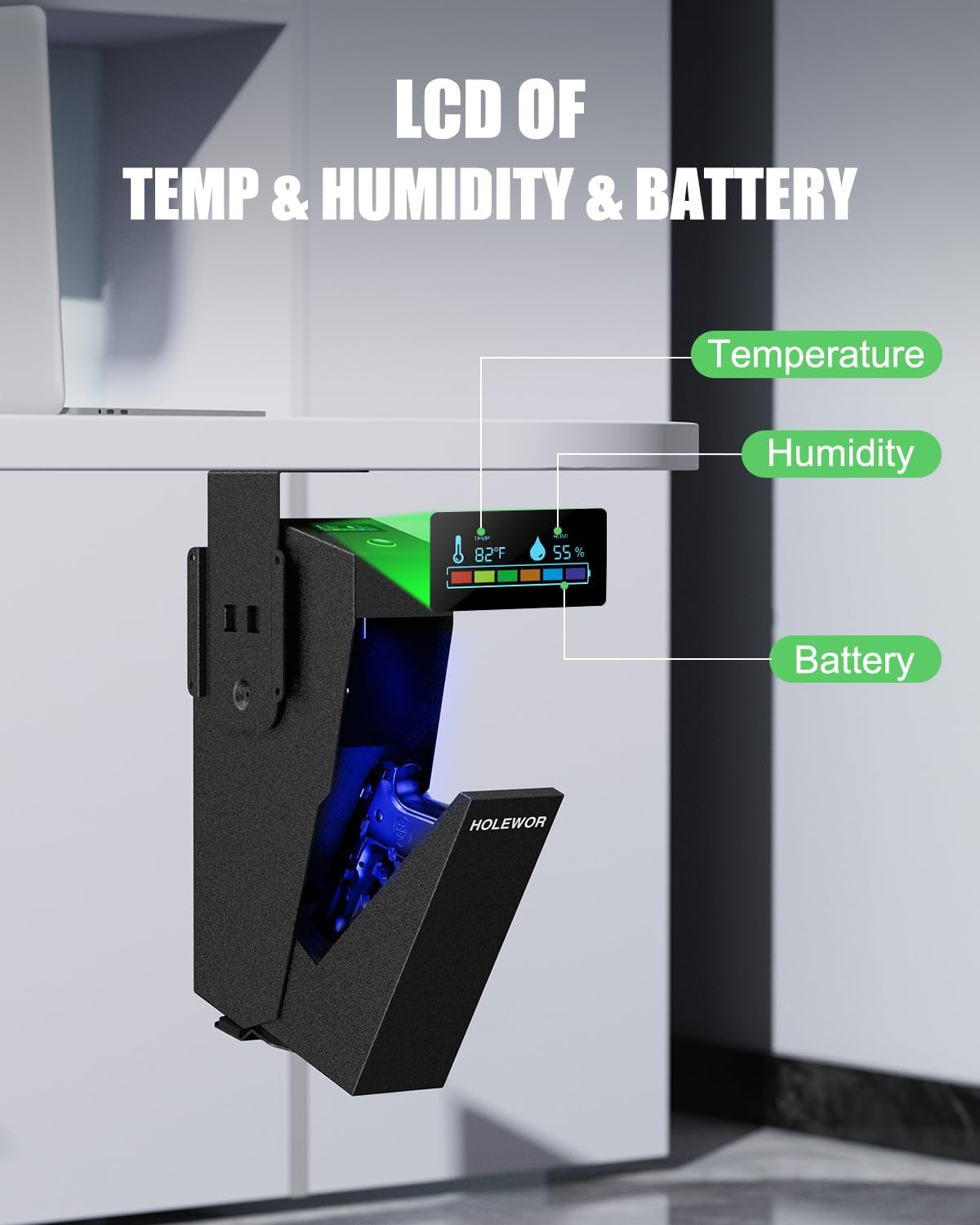
Image: Pistol safe mounted on the left side of a cabinet, demonstrating side mounting.

Image: Pistol safe mounted under a desk, showing the drop-down access.
- Choose a suitable mounting location (e.g., under a desk, inside a nightstand, or on a wall).
- Position the mounting bracket in the desired orientation (top, left, or right).
- Mark the drill holes through the bracket onto the surface.
- Drill pilot holes into the marked spots.
- Secure the mounting bracket to the surface using the provided screws and anchors.
- Align the safe with the mounted bracket and slide it into place.
- Secure the safe to the bracket using the internal security screw (located inside the safe once mounted).
7. പ്രവർത്തന നിർദ്ദേശങ്ങൾ
7.1. Quick Access (Fingerprint or Passcode)
- To open with a fingerprint, place a registered finger firmly on the fingerprint scanner. The safe will open automatically.
- To open with a passcode, enter your 6-digit passcode on the numeric keypad. The safe will open automatically.
7.2. മാനുവൽ കീ ആക്സസ്
Use the mechanical keys for emergency access or if batteries are depleted.
- Locate the keyhole on the back of the safe.
- Insert the mechanical key and turn it to unlock the safe.
7.3. എൽസിഡി ഡിസ്പ്ലേ
The LCD screen on top of the safe provides real-time information:
- സമയം: നിലവിലെ സമയം പ്രദർശിപ്പിക്കുന്നു.
- ബാറ്ററി നില: ശേഷിക്കുന്ന ബാറ്ററി പവർ സൂചിപ്പിക്കുന്നു.
- താപനില: Shows the internal temperature in Fahrenheit.
- ഈർപ്പം: Displays the internal humidity percentage.
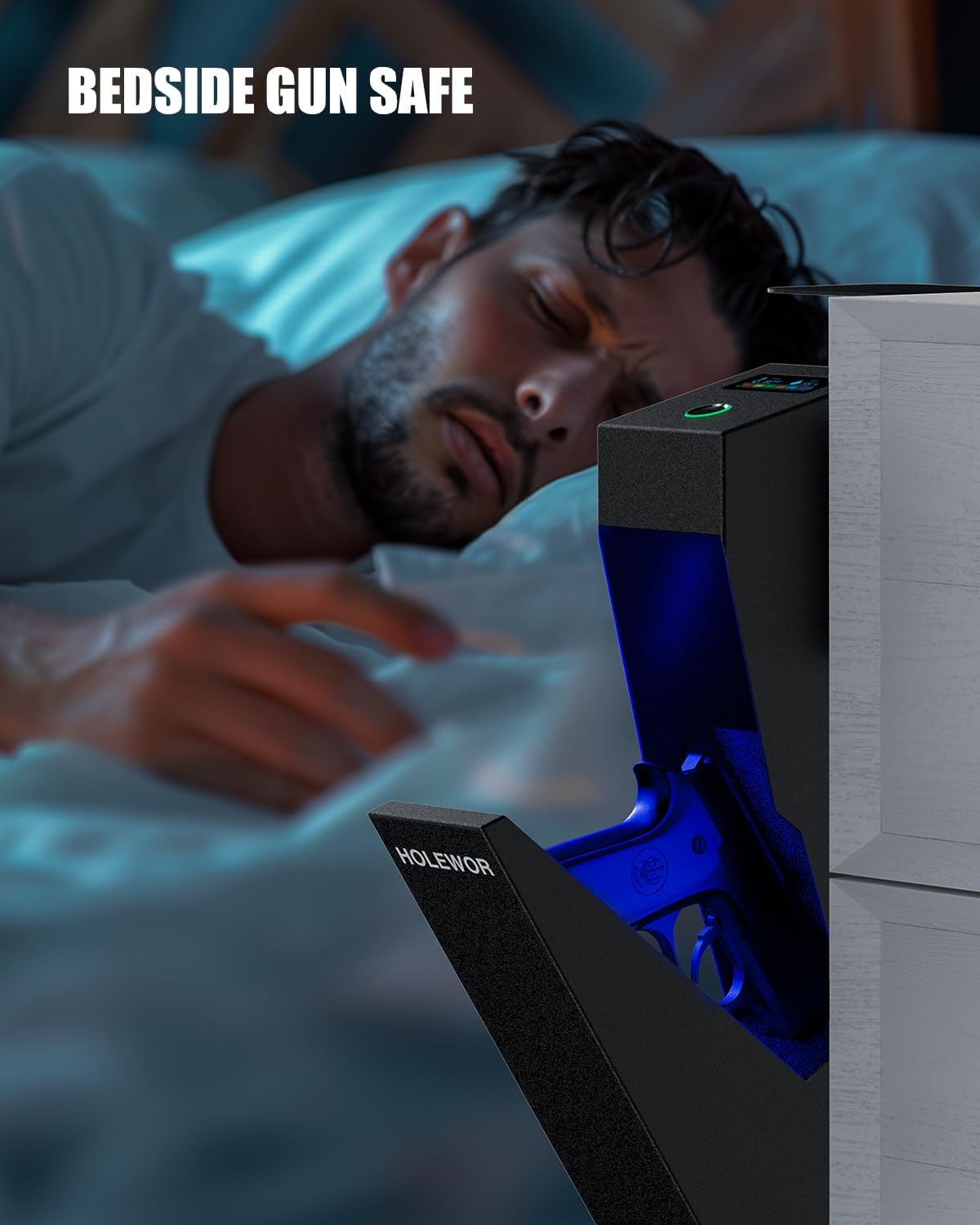
Image: Close-up of the LCD display on the safe, showing temperature, humidity, and battery status.
7.4. ആന്തരിക LED ലൈറ്റ്
The internal blue LED light automatically turns on when the safe door opens and remains on for approximately 10 seconds, assisting visibility in dark environments.
8. പരിപാലനം
8.1. ബാറ്ററി മാറ്റിസ്ഥാപിക്കൽ
When the battery level indicator on the LCD display is low, replace the batteries promptly to ensure continuous operation. Follow the battery installation steps in Section 5.1.
8.2. ഈർപ്പം നിയന്ത്രണം
Monitor the humidity level on the LCD display. If the internal humidity is too high, consider placing desiccant packets (dry packs) inside the safe to protect contents from moisture damage.
9. പ്രശ്നപരിഹാരം
- ഫിംഗർപ്രിന്റ്/പാസ്കോഡ് ഉപയോഗിച്ച് സേഫ് തുറക്കരുത്: Ensure batteries are not low. Re-register fingerprints or re-enter passcode if issues persist. Use backup keys if necessary.
- എൽസിഡി ഡിസ്പ്ലേ പ്രവർത്തിക്കുന്നില്ല: ബാറ്ററി ലെവൽ പരിശോധിക്കുക, കുറവാണെങ്കിൽ മാറ്റി വയ്ക്കുക.
- Safe not mounting securely: Ensure appropriate screws and anchors are used for your surface type. Verify the internal security screw is tightened.
10 സ്പെസിഫിക്കേഷനുകൾ
| ഫീച്ചർ | സ്പെസിഫിക്കേഷൻ |
|---|---|
| ബ്രാൻഡ് | ഹോൾവർ |
| ഉൽപ്പന്ന അളവുകൾ | 7.87"D x 2.76"W x 15.6"H |
| ലോക്ക് തരം | ബയോമെട്രിക്, ഇലക്ട്രോണിക് കോമ്പിനേഷൻ ലോക്ക്, കീ |
| നിറം | കറുപ്പ് |
| ശേഷി | 9.5 പൗണ്ട് |
| മെറ്റീരിയൽ | അലോയ് സ്റ്റീൽ |
| പ്രത്യേക സവിശേഷതകൾ | Biometric Fingerprint, Combination Lock, Keys, LED Light, Temp & Humidity Display |
| മൗണ്ടിംഗ് തരം | Under Desk, In Nightstand, Bookcase, Car |
| ഇനത്തിൻ്റെ ഭാരം | 8.86 പൗണ്ട് |
| ബാറ്ററികൾ ആവശ്യമാണ് | 4 AAA (ഉൾപ്പെടുത്തിയിരിക്കുന്നു) |
| ജല പ്രതിരോധ നില | വാട്ടർ റെസിസ്റ്റൻ്റ് അല്ല |
11. വാറൻ്റിയും പിന്തുണയും
This HOLEWOR product comes with a 1 വർഷത്തെ വാറൻ്റി from the date of purchase. For technical support, warranty claims, or any questions regarding your safe, please refer to the contact information provided in the original product packaging or visit the official HOLEWOR webസൈറ്റ്.


