1. ആമുഖം
Thank you for choosing the Aubric Smart WiFi Ceiling Fan Remote Control Kit. This kit is designed to convert your traditional ceiling fan and light into a smart, controllable device, offering convenience through remote control, smartphone application, and voice commands. It is compatible with most 1-wire controlling 3-speed fans and dimmable LED/CFL lights.

കഴിഞ്ഞുview of the Aubric Smart WiFi Ceiling Fan Remote Control Kit, including the remote, receiver, and smart home integration.
2. ഉൽപ്പന്ന സവിശേഷതകൾ
- ഒന്നിലധികം നിയന്ത്രണ രീതികൾ: Control your ceiling fan via the included remote, the Smart Life or Tuya Smart App on your smartphone, or through voice commands with Alexa or Google Assistant.
- സാർവത്രിക അനുയോജ്യത: Works with most ceiling fans that use a single wire to control 3 speeds, including popular brands like Hunter, Westinghouse, Honeywell, Hampടൺ ബേ, ഹാർബർ ബ്രീസ്.
- Light Dimmer Function: The remote and receiver support dimming for incandescent, halogen, and dimmable LED/CFL bulbs. Non-dimmable LED lights will function as ON/OFF only.
- Timer and Group Control: Set scheduled ON/OFF times for your fan and light, or group multiple smart ceiling fans together for simultaneous control via the app or voice commands.
- എളുപ്പമുള്ള ഇൻസ്റ്റാളേഷൻ: Designed for straightforward installation with only 5 wire hookups, typically without needing to remove the light kit or blades.
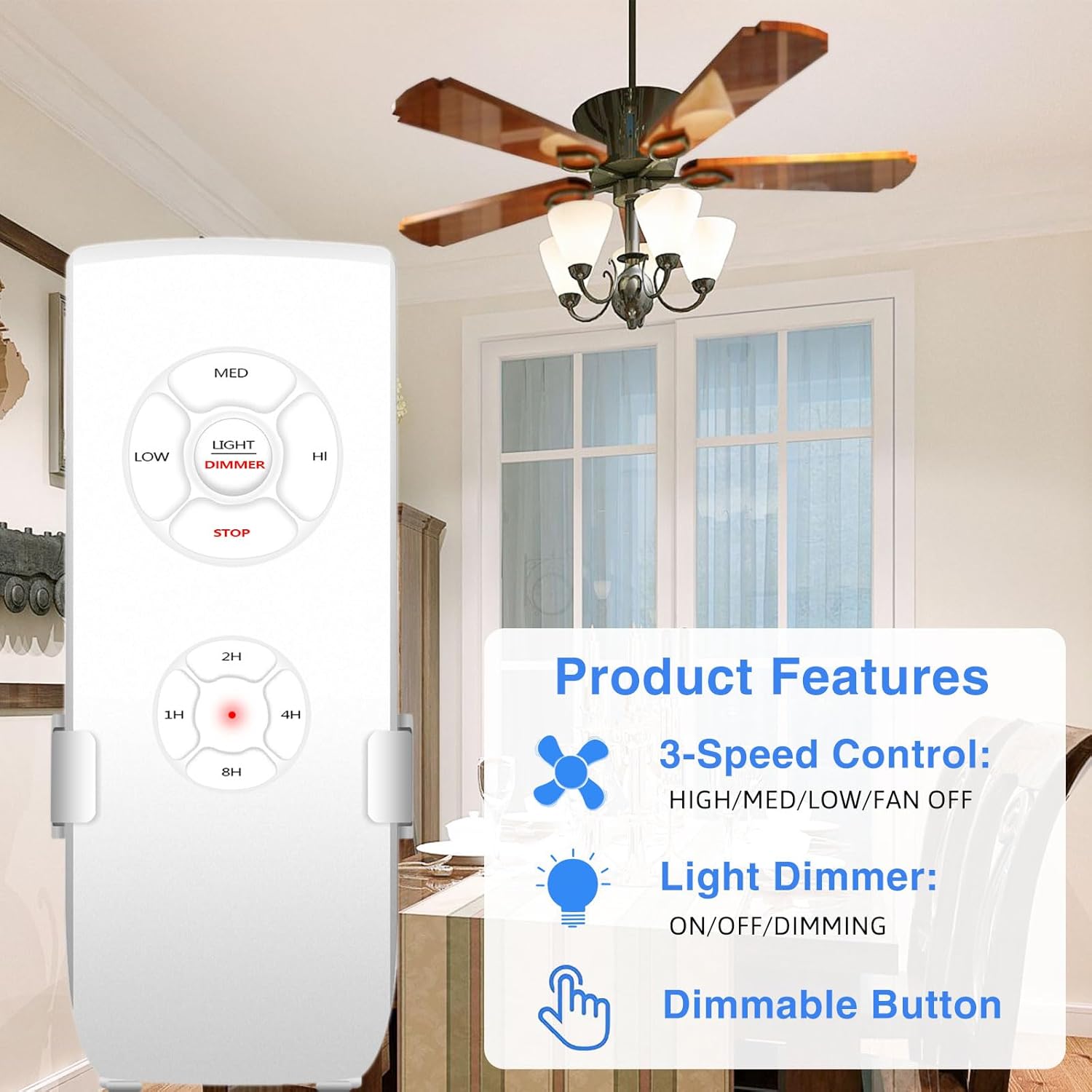
Key product features: 3-speed fan control, light dimming, and a dedicated dimmable button on the remote.
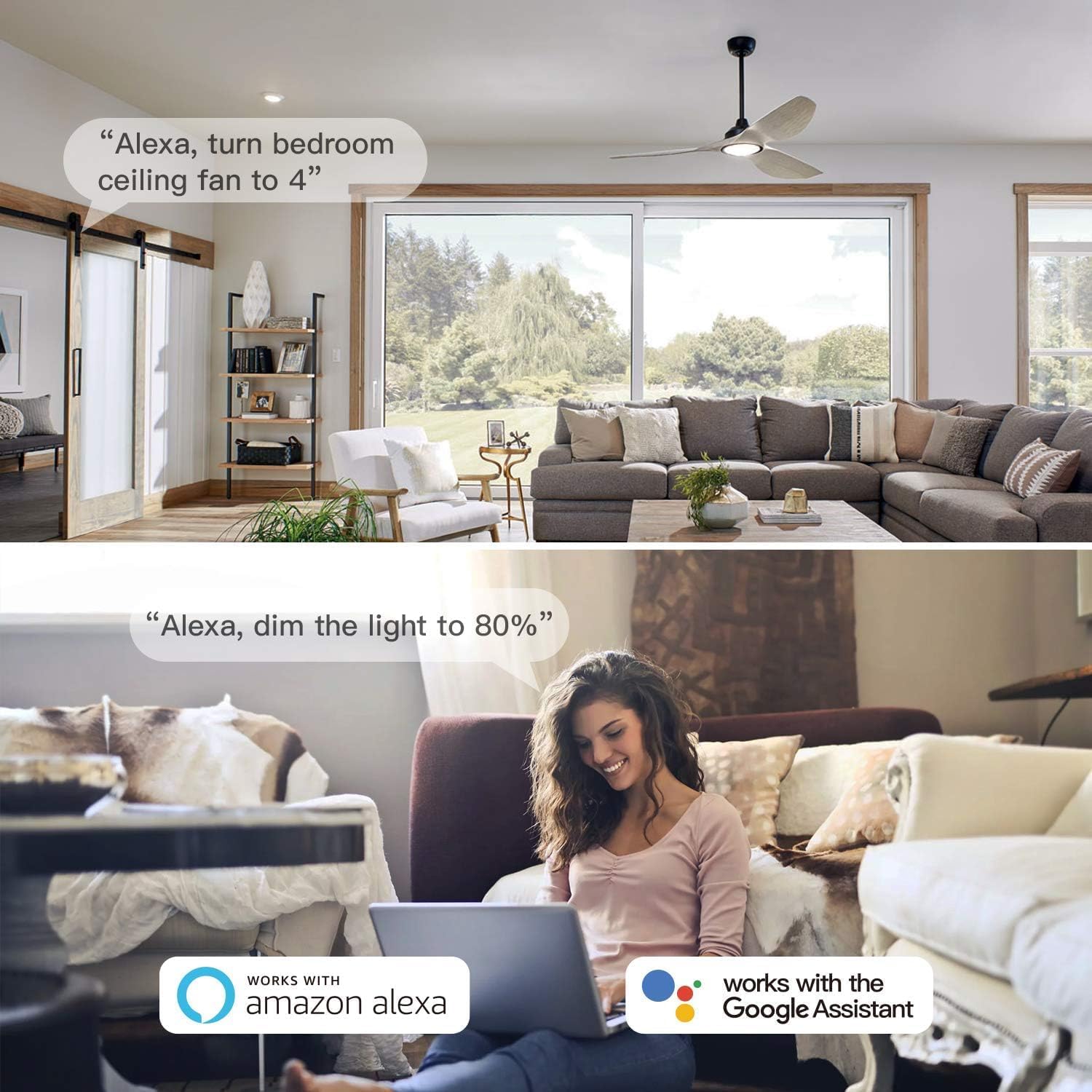
Control your fan and light hands-free using Amazon Alexa or Google Assistant voice commands.
3. പാക്കേജ് ഉള്ളടക്കം
നിങ്ങളുടെ പാക്കേജിൽ എല്ലാ ഇനങ്ങളും ഉണ്ടെന്ന് ഉറപ്പാക്കുക:
- Smart WiFi Ceiling Fan Receiver
- റിമോട്ട് കൺട്രോൾ
- Wire Nuts (5 pcs)
- Mounting Screws and Wall Anchors (2 sets)
- ഇൻസ്ട്രക്ഷൻ മാനുവൽ

ഉൽപ്പന്ന പാക്കേജിൽ ഉൾപ്പെടുത്തിയിരിക്കുന്ന എല്ലാ ഘടകങ്ങളും.
4. ഇൻസ്റ്റലേഷൻ
പ്രധാനപ്പെട്ട സുരക്ഷാ വിവരങ്ങൾ: Before beginning installation, ensure the power to the ceiling fan circuit is turned OFF at the circuit breaker. Consult a qualified electrician if you are unsure about any steps.
- സർക്യൂട്ട് ബ്രേക്കറിൽ പവർ ഓഫ് ചെയ്യുക.
- Loosen the collar at the ceiling canopy of your fan and slide it down to expose the wiring.
- Identify the existing wiring. The receiver requires 2 wires from the ceiling (AC Neutral and AC Live) and 3 wires to the fan (Live to FAN, Live to LIGHT, and Neutral).
- Connect the receiver wires according to the wiring diagram below using the provided wire nuts. Ensure all connections are secure.
- Carefully tuck the receiver and wires into the fan canopy. The compact design of this receiver (3.0"L x 2.07"W x 1.0"H) is designed to fit most standard fan canopies.
- Re-secure the fan canopy.
- സർക്യൂട്ട് ബ്രേക്കറിൽ വൈദ്യുതി പുനഃസ്ഥാപിക്കുക.

Detailed wiring diagram for connecting the receiver to your ceiling fan and main power supply.

The compact size of the Aubric receiver allows for easier installation in various fan canopies.
5. Setup: App and Voice Control
5.1 Smart Life / Tuya Smart App Setup
- ഡൗൺലോഡ് ചെയ്യുക സ്മാർട്ട് ലൈഫ് or തുയ സ്മാർട്ട് ആപ്പ് സ്റ്റോറിൽ (iOS) നിന്നോ ഗൂഗിൾ പ്ലേ സ്റ്റോറിൽ (ആൻഡ്രോയിഡ്) നിന്നോ ഉള്ള ആപ്പ്.
- നിങ്ങളുടെ അക്കൗണ്ടിലേക്ക് രജിസ്റ്റർ ചെയ്യുക അല്ലെങ്കിൽ ലോഗിൻ ചെയ്യുക.
- നിങ്ങളുടെ ഫോൺ 2.4GHz വൈഫൈ നെറ്റ്വർക്കിലേക്ക് കണക്റ്റുചെയ്തിട്ടുണ്ടെന്ന് ഉറപ്പാക്കുക.
- ആപ്പിൽ, ഒരു പുതിയ ഉപകരണം ചേർക്കാൻ "+" ഐക്കൺ ടാപ്പ് ചെയ്യുക.
- Select "Lighting" > "Ceiling Fan Light" or search for "Fan Controller".
- Follow the in-app instructions to put the device into pairing mode (usually by cycling power to the fan a few times).
- Once the device is discovered, name it appropriately (e.g., "Living Room Fan").
5.2 Voice Assistant Integration (Alexa / Google Assistant)
- നിങ്ങളുടെ Alexa അല്ലെങ്കിൽ Google Home ആപ്പ് തുറക്കുക.
- Navigate to "Skills & Games" (Alexa) or "Works with Google" (Google Home).
- ഇതിനായി തിരയുക and enable the "Smart Life" skill.
- Link your Smart Life account when prompted.
- Discover devices. Your ceiling fan should now appear in your voice assistant app.
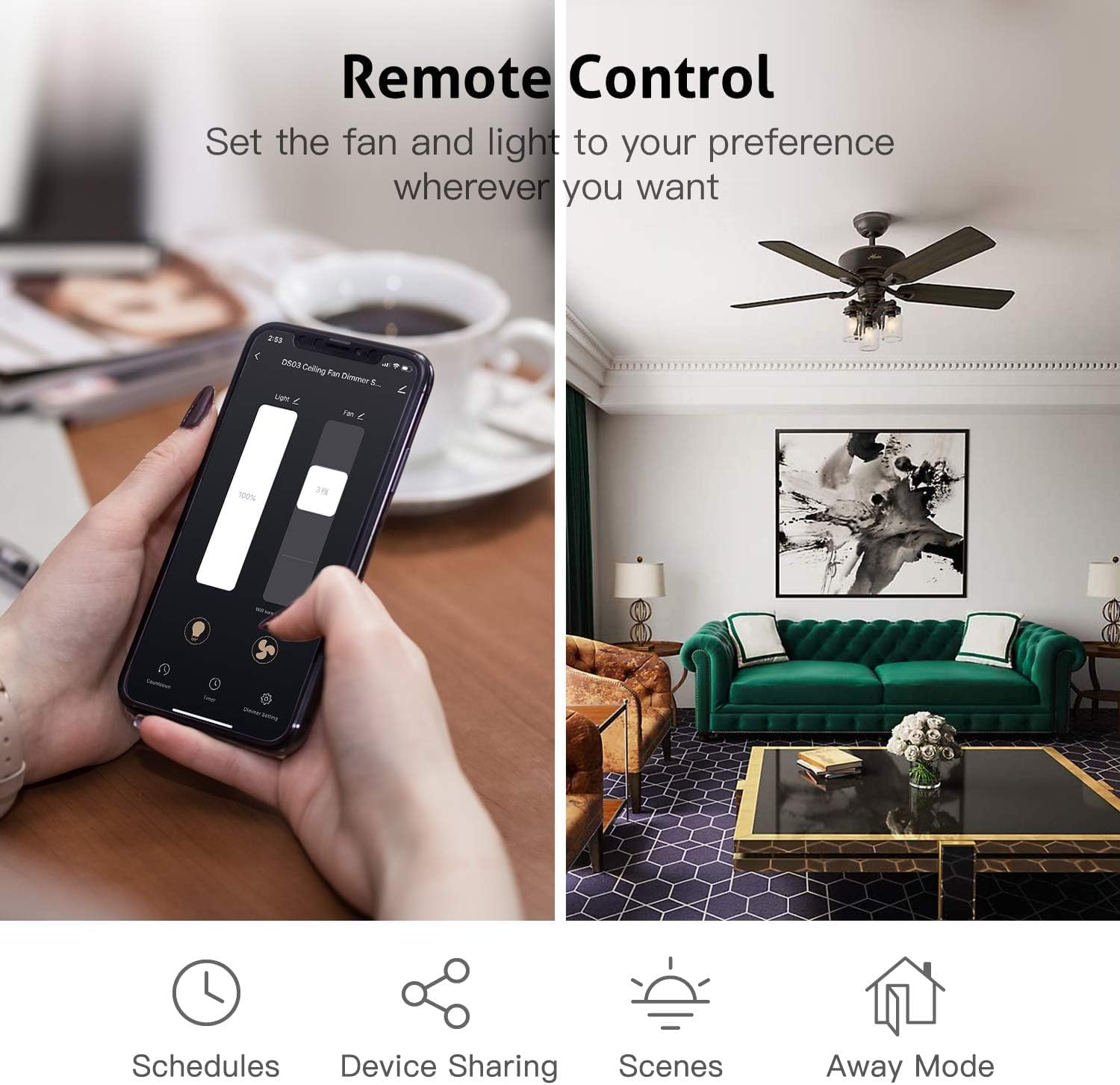
Control your fan and light settings directly from the Smart Life or Tuya Smart app.
6. ഓപ്പറേഷൻ
6.1 വിദൂര നിയന്ത്രണ പ്രവർത്തനങ്ങൾ
- MED / LOW / HI: ഫാൻ വേഗത ക്രമീകരിക്കുക.
- നിർത്തുക: ഫാൻ ഓഫ് ചെയ്യുക.
- LIGHT / DIMMER: Turn light ON/OFF. Press and hold to dim the light.
- 1H / 2H / 4H / 8H: Set a countdown timer for the fan to turn off.
6.2 ആപ്പ് നിയന്ത്രണ പ്രവർത്തനങ്ങൾ
Through the Smart Life / Tuya Smart App, you can:
- Turn the fan ON/OFF and adjust speeds (Low, Medium, High).
- Turn the light ON/OFF and adjust brightness (dimming).
- Set schedules and timers for automated operation.
- Create groups to control multiple smart fans simultaneously.
- Share device control with family members.
6.3 വോയ്സ് കൺട്രോൾ കമാൻഡുകൾ
Once integrated with Alexa or Google Assistant, use commands such as:
- "Alexa, turn on [Fan Name]."
- "Hey Google, set [Fan Name] speed to high."
- "Alexa, dim [Light Name] to 50 percent."
- "ഹേ ഗൂഗിൾ, [ലൈറ്റ് നെയിം] ഓഫ് ചെയ്യൂ."
7. പ്രശ്നപരിഹാരം
- Fan/Light not responding: Ensure power is on at the circuit breaker. Check all wire connections. Verify the remote has working batteries. For app control, ensure your Wi-Fi is active and the device is connected.
- വെളിച്ചം മങ്ങുന്നില്ല: Confirm that your light bulbs are dimmable LED/CFL, incandescent, or halogen. Non-dimmable LED/CFL bulbs will only support ON/OFF functionality.
- Receiver not fitting in canopy: While designed to be compact, some older or uniquely designed fan canopies may have limited space. Carefully arrange wires and the receiver. Do not force the receiver into a space that is too small.
- Difficulty pairing with app: Ensure your smartphone is connected to a 2.4GHz Wi-Fi network (5GHz networks are not supported for initial pairing). Try cycling power to the fan (turn off/on at the wall switch or breaker) to re-enter pairing mode.
- ശബ്ദ നിയന്ത്രണ പ്രശ്നങ്ങൾ: Verify that the Smart Life skill is enabled in your Alexa/Google Home app and your Smart Life account is linked. Try rediscovering devices in your voice assistant app.
8 സ്പെസിഫിക്കേഷനുകൾ
| ആട്രിബ്യൂട്ട് | മൂല്യം |
|---|---|
| മോഡൽ നമ്പർ | JF028-WIFI |
| ഉൽപ്പന്ന അളവുകൾ | 6.2 x 5 x 1.3 inches (Receiver: 3.0"L x 2.07"W x 1.0"H) |
| ഇനത്തിൻ്റെ ഭാരം | 7 ഔൺസ് |
| വാല്യംtage | 120 വോൾട്ട് |
| നിറം | Black (Receiver), White (Remote) |
| ബാറ്ററികൾ ആവശ്യമാണ് | അതെ (വിദൂര നിയന്ത്രണത്തിന്) |
9. വാറൻ്റിയും പിന്തുണയും
ഈ ഉൽപ്പന്നം എ ഒരു വർഷത്തെ വാറൻ്റി from the date of purchase. For technical support, troubleshooting assistance, or warranty claims, please contact Aubric customer service through the retailer's platform or the contact information provided with your purchase. Please have your model number (JF028-WIFI) and purchase details ready when contacting support.


