1. ആമുഖം
This manual provides comprehensive instructions for the safe and efficient operation of your eufy Omni S1 Pro Robot Vacuum Cleaner with Mop. Please read this manual thoroughly before using the product and retain it for future reference. The eufy Omni S1 Pro is designed to provide advanced floor cleaning, combining vacuuming and mopping functionalities with an intelligent UniClean Station.
2. ബോക്സിൽ എന്താണുള്ളത്?
അൺപാക്ക് ചെയ്യുമ്പോൾ എല്ലാ ഘടകങ്ങളും ഉണ്ടെന്നും നല്ല നിലയിലാണെന്നും ഉറപ്പാക്കുക.
- 10-in-1 UniClean Station
- റോബോട്ട് വാക്വം
- Additional Rolling Mop
- Additional Dust Bag
- ക്ലീനിംഗ് ടൂൾ
- പവർ കോർഡ്
- ഹാർഡ് ഫ്ലോർ ക്ലീനർ
- അധിക ഉയർന്ന പ്രകടന ഫിൽട്ടർ
- Side Brush × 2 Sets

3. സജ്ജീകരണം
3.1 UniClean Station Placement
Place the UniClean Station on a hard, level surface against a wall, ensuring there are no obstacles within 1 meter (3 feet) to the front and 0.5 meters (1.5 feet) to the sides. Connect the power cord to the station and plug it into a wall outlet. Ensure the station is in an area with good Wi-Fi signal.
3.2 പ്രാരംഭ ചാർജിംഗ്
Place the robot vacuum onto the UniClean Station. The robot will automatically begin charging. For optimal battery life, fully charge the robot before its first use.
3.3 ആപ്പ് കണക്ഷൻ
Download the eufy Clean app from your device's app store. Follow the in-app instructions to connect your Omni S1 Pro. കുറിപ്പ്: The robot supports 2.4GHz Wi-Fi networks only. Ensure your router is configured to support a 2.4GHz frequency band.

4. പ്രവർത്തന നിർദ്ദേശങ്ങൾ
4.1 ക്ലീനിംഗ് മോഡുകൾ
The Omni S1 Pro offers various cleaning modes, including vacuum-only, mop-only, and combined vacuum & mop. These can be selected and customized via the eufy Clean app.

4.2 HydroJet Roller Mop System
The revolutionary HydroJet System features an Instant Clean Mop Combo and a dual water reservoir. The 11.4-inch mop self-cleans in real-time at 170 RPM, removing dirt. With 1 kg of downward pressure, it mimics hand scrubbing for effective stain removal. The system uses ozonated water for enhanced cleaning.

4.3 Powerful Suction
The robot delivers intense suction for deep cleaning on both carpets and hard floors, efficiently removing hair and embedded dirt. Actual performance may vary based on floor type and dust level.

4.4 3D MatrixEye Obstacle Avoidance
Equipped with active binocular infrared imaging technology and an RGB camera, 3D MatrixEye mimics human vision to create real-time 3D models. This allows the robot to identify and avoid various objects, ensuring smooth navigation even in low-light conditions.
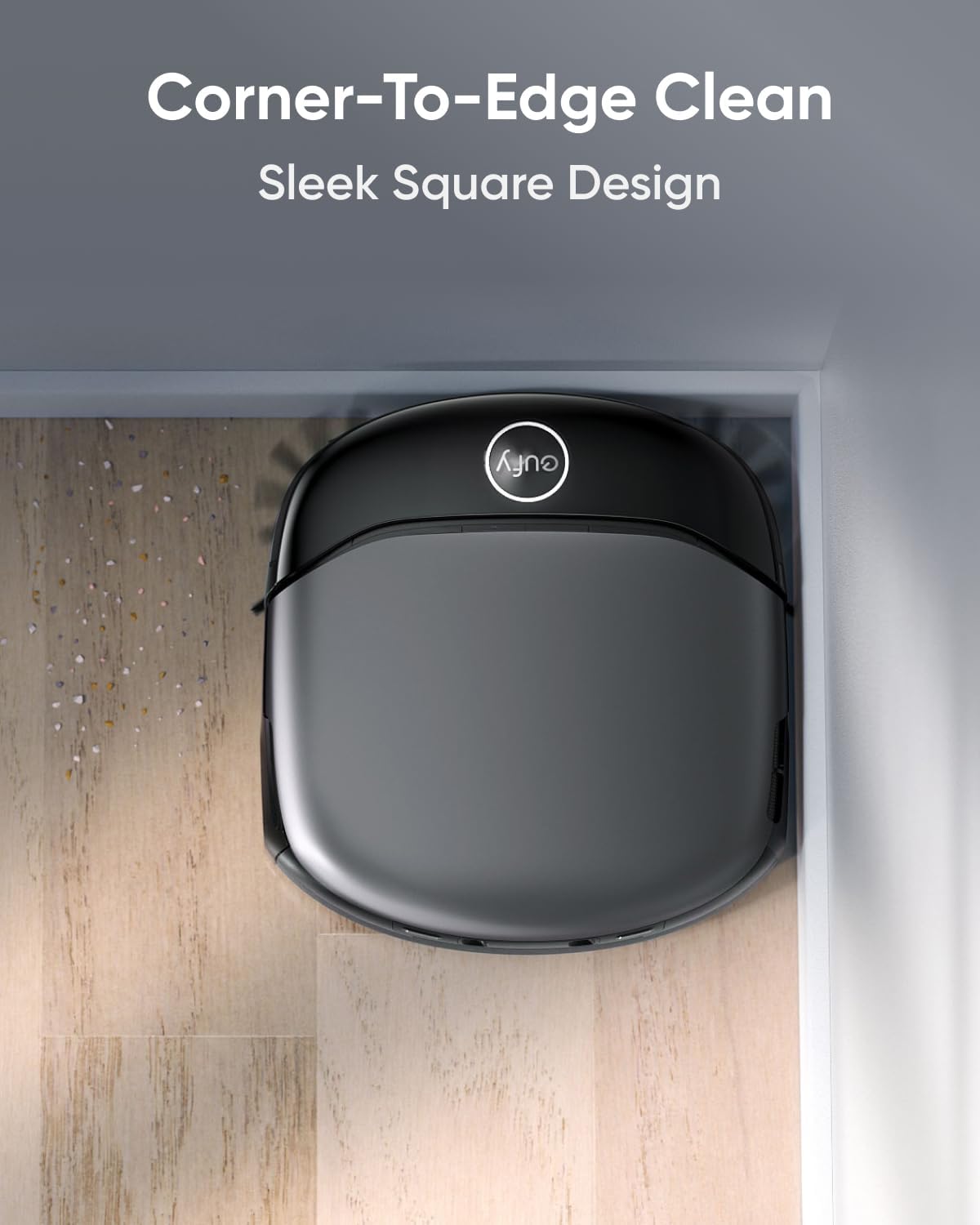
4.5 Corner-to-Edge Cleaning
The robot's square design allows it to reach and clean hard-to-access areas, including edges and corners, for a thorough clean.

4.6 App Control and Mapping
Utilize the eufy Clean app for customized cleaning experiences. This includes setting up cleaning schedules, defining no-go zones, and viewing real-time 3D maps of your home. The app supports multi-level mapping for homes with multiple floors.


4.7 സ്മാർട്ട് സവിശേഷതകൾ
- ശബ്ദ നിയന്ത്രണം: ഹാൻഡ്സ്-ഫ്രീ പ്രവർത്തനത്തിനായി ആമസോൺ അലക്സയുമായും ഗൂഗിൾ അസിസ്റ്റന്റുമായും പൊരുത്തപ്പെടുന്നു.
- പരിധി കയറ്റം: Effortlessly climbs over thresholds up to 0.79 inches (2 cm) high.
- കുട്ടികളുടെ സുരക്ഷാ ലോക്ക്: The UniClean Station features a child safety lock to prevent accidental operation.
- റീചാർജ് ചെയ്ത് പുനരാരംഭിക്കുക: The robot automatically returns to its station to recharge and resumes cleaning from where it left off.
- വിപുലീകരിച്ച പ്രവർത്തനസമയം: Provides up to 3.6 hours of runtime, covering areas up to 1,976 sq ft (183.5 sq m).

5. പരിപാലനം
5.1 10-in-1 UniClean Station
The UniClean Station automates many maintenance tasks, reducing manual effort.
- യാന്ത്രിക ശൂന്യമാക്കൽ: Collects and stores dust and debris in a 2.5 L dust bag for up to 68 days of hands-free cleaning.
- ഓട്ടോ വാഷിംഗ്: ഓസോണേറ്റഡ് വെള്ളവും ഹാർഡ് ഫ്ലോർ ക്ലീനറും ഉപയോഗിച്ച് റോളിംഗ് മോപ്പിനെ പുനരുജ്ജീവിപ്പിക്കുന്നു.
- ഓട്ടോ ഹീറ്റഡ് എയർ ഡ്രൈയിംഗ്: Dries the rolling mop at 131°F (55°C) after washing to prevent odors and mildew.
- യാന്ത്രിക റീഫില്ലിംഗ്: Automatically refills the robot's clean water tank with a mix of hard floor cleaner and ozonated water.
- ഓട്ടോ വേസ്റ്റ് വാട്ടർ കളക്ഷൻ: Transfers dirty water from the robot to the station's dirty water tank.
- ഓട്ടോ ഡിറ്റർജന്റ് ഡിസ്പെൻസിങ്: Automatically mixes the correct amount of hard floor cleaner with clean water.
- പരിസ്ഥിതി ശുദ്ധിയുള്ള ഓസോൺ: Produces ozonated water using tap water for optimal disinfection, removing up to 99.99% of germs.


5.2 റോബോട്ട് പരിപാലനം
Regularly inspect and clean the robot's brushes, filters, and sensors to maintain optimal performance. Refer to the app for specific cleaning schedules and instructions.
- സൈഡ് ബ്രഷുകൾ: കെട്ടിക്കിടക്കുന്ന മുടിയോ അവശിഷ്ടങ്ങളോ ഉണ്ടോ എന്ന് പരിശോധിച്ച് ആവശ്യാനുസരണം വൃത്തിയാക്കുക.
- Detangling Brush: Remove hair and debris from the main rolling brush.
- High-Performance Filter: Clean or replace the filter according to the app's recommendations.

6. പ്രശ്നപരിഹാരം
നിങ്ങളുടെ eufy Omni S1 Pro-യിൽ നിങ്ങൾ നേരിട്ടേക്കാവുന്ന പൊതുവായ പ്രശ്നങ്ങൾ ഈ വിഭാഗം അഭിസംബോധന ചെയ്യുന്നു.
6.1 Cleaning Solution Usage
Q: Is it possible to use my own cleaning solution with S1 Pro?
A: We do not recommend adding other cleaning liquids arbitrarily. Some cleaning solutions can be corrosive and may damage the internal structure of the robot. High-foaming cleaning liquids may also cause sensor misreadings, affecting the robot's operation. Therefore, we suggest using our dedicated cleaning solution. Our cleaning solution has undergone rigorous reliability and non-toxicity testing.
6.2 Obstacle Detection and Height Sensitivity
Q: How to optimize obstacle detection and height sensitivity?
A: S1 Pro detects obstacles down to 1 inch. Clear smaller items beforehand. For pet hair or fine debris, disable "Small Object Less Collision Mode" via the eufy Clean app (Settings > Robot Settings). Adjust height sensitivity in the eufy Clean app (Settings > Robot Settings > Height Sensitivity). Available modes include: 1. സുരക്ഷിത മോഡ്: Tailored for low furniture to avoid getting stuck. 2. മീഡിയം മോഡ്: Balances avoidance with thorough exploration. 3. സൗജന്യ മോഡ്: വിപുലമായി പര്യവേക്ഷണം ചെയ്യുന്നു; ഫർണിച്ചറിനടിയിലുള്ള ഇനങ്ങൾ പോറലുകളില്ലാതെ സൂക്ഷിക്കുകയും റോബോട്ട് കുടുങ്ങുന്നത് തടയാൻ സഹായിക്കുകയും ചെയ്യുന്നു.
6.3 Carpet Cleaning During Mopping
Q: How can I ensure S1 Pro works effectively on carpeted areas during mopping sessions?
A: S1 Pro അതിന്റെ ബുദ്ധിപരമായ സവിശേഷതകൾ കാരണം, പരവതാനി വിരിച്ച പ്രദേശങ്ങൾ എളുപ്പത്തിൽ കൈകാര്യം ചെയ്യുന്നതിനാണ് രൂപകൽപ്പന ചെയ്തിരിക്കുന്നത്:
- കാർപെറ്റ് കണ്ടെത്തൽ സാങ്കേതികവിദ്യ: സെൻസറുകൾ കൊണ്ട് സജ്ജീകരിച്ചിരിക്കുന്ന S1 Pro, പരവതാനികൾ കണ്ടെത്തുകയും മോപ്പിംഗ് സമയത്ത് പരവതാനി നനയാതിരിക്കാൻ റോളിംഗ് മോപ്പ് യാന്ത്രികമായി ഉയർത്തുകയും ചെയ്യുന്നു.
- ഇഷ്ടാനുസൃതമാക്കാവുന്ന നോ-ഗോ സോണുകൾ: For carpets with a pile height exceeding 0.78 inches, long-pile carpets with fibers longer than 0.47 inches, or those that are particularly light and thin, create no-go zones within the app. This prevents the robot from getting trapped or tangled in carpet fibers.
- കാർപെറ്റ് എഡ്ജ് മാനേജ്മെന്റ്: നിങ്ങളുടെ പരവതാനിയുടെ അരികുകൾ സി ആണെങ്കിൽurl, flatten, or secure them to ensure smooth navigation for S1 Pro.
- ഇരുണ്ടതോ പ്രതിഫലിപ്പിക്കുന്നതോ ആയ പ്രതലങ്ങൾ ഒഴിവാക്കൽ: റോബോട്ടിന്റെ നാവിഗേഷൻ സിസ്റ്റത്തിൽ ആശയക്കുഴപ്പം ഉണ്ടാകാതിരിക്കാൻ, പരിധിക്ക് സമീപമുള്ള കറുത്തതോ ഉയർന്ന പ്രതിഫലനശേഷിയുള്ളതോ ആയ വസ്തുക്കൾ നീക്കം ചെയ്യുക.
- മോപ്പ് ഉപയോഗിക്കാത്ത മേഖലകൾ: Designate no-mop zones in areas where the mop might not lift in time, ensuring areas like rubber pads remain dry. By following these guidelines, you can optimize S1 Pro's mopping performance and maintain the cleanliness of both your hard floors and carpeted areas without manual intervention.
6.4 Multi-Floor Operation
ചോദ്യം: ഒന്നിലധികം നിലകളിൽ eufy S1 Pro ഉപയോഗിക്കുന്നത്: പ്രധാന പോയിന്റുകൾ
A: S1 Pro supports cleaning on multiple floors with specific considerations:
- സിംഗിൾ സ്വീപ്പ് മോഡ്: ഒന്നിലധികം നിലകളിൽ പൊസിഷനിംഗ്, മാപ്പിംഗ്, ക്ലീനിംഗ് എന്നിവ S1 Pro പിന്തുണയ്ക്കുന്നു. ബേസ് സ്റ്റേഷൻ ഇല്ലാതെ, വൃത്തിയാക്കിയ ശേഷം അത് അതിന്റെ ആരംഭ സ്ഥാനത്തേക്ക് മടങ്ങുന്നു.
- മോപ്പിംഗ്, സ്വീപ്പിംഗ് മോഡ്: Wet the mop at the base station, simply open the eufy Clean app and go to the device homepage. Tap the base station icon at the bottom right, then select "Wash Mop" to clean the mop. Move S1 Pro to different floors for positioning, mapping, and cleaning. On new floors without a base station, manually return S1 Pro to the base for mop cleaning and drying.
- ശുദ്ധജല സംഭരണിയുടെ ശേഷി: Soft Mode: Cleans up to 1291.7 sq ft. Deep Mode: Cleans up to 322.92 sq ft.
- പ്രധാന കുറിപ്പുകൾ: S1 Pro requires a base station for dust collection and mop washing. Positioning errors may occur when changing floors; click "Continue Task" to proceed. Additional base stations can be purchased and must be paired individually. For more details, refer to the knowledge base or contact eufy support.
7 സ്പെസിഫിക്കേഷനുകൾ
| ഉൽപ്പന്ന അളവുകൾ | 43 x 73.8 x 51.7 സെ.മീ; 13.79 കി.ഗ്രാം |
| ഫോം ഫാക്ടർ | റോബോട്ടിക് |
| ബാറ്ററികൾ ആവശ്യമാണ് | അതെ (1 ലിഥിയം അയൺ ബാറ്ററി ഉൾപ്പെടുത്തിയിട്ടുണ്ട്) |
| ഇനം മോഡൽ നമ്പർ | eufy Omni S1 Pro |
| ബ്രാൻഡ് | eufy |
| മോഡലിൻ്റെ പേര് | eufy Robot Vacuum Omni S1 Pro |
| പ്രത്യേക സവിശേഷതകൾ | Incredible Suction, 10-in-1 UniClean Station, Precision Corner to Edge Clean, 3D MatrixEye Obstacle Avoidance, Always Clean Mop |
| നിറം | S1 Pro Black |
8. വാറൻ്റിയും പിന്തുണയും
For warranty information, technical support, or service inquiries, please refer to the eufy Clean app or visit the official eufy support website. You can also find additional resources and FAQs there.


