1. ആമുഖം
This manual provides comprehensive instructions for the installation, operation, and maintenance of your hornbill A5-SBFT-H Smart Front Door Lock. This keyless entry system offers multiple unlocking methods including fingerprint, passcode, app control, and traditional mechanical keys, enhancing security and convenience for your home or apartment.

Image: The hornbill A5-SBFT-H Smart Lock with its digital keypad and fingerprint sensor, alongside a smartphone displaying the lock's control application.
2. ഉൽപ്പന്നം കഴിഞ്ഞുview ഘടകങ്ങളും
The hornbill A5-SBFT-H Smart Lock system includes the following main components:
- Front Lock Assembly: Exterior unit with keypad, fingerprint sensor, and keyhole.
- Back Lock Assembly: Interior unit with battery compartment and thumb turn.
- മൗണ്ടിംഗ് ഹാർഡ്വെയർ: Screws, bolts, and other necessary parts for installation.
- മെക്കാനിക്കൽ കീകൾ: For emergency manual unlocking.
- ഉപയോക്തൃ മാനുവൽ: ഈ പ്രമാണം.
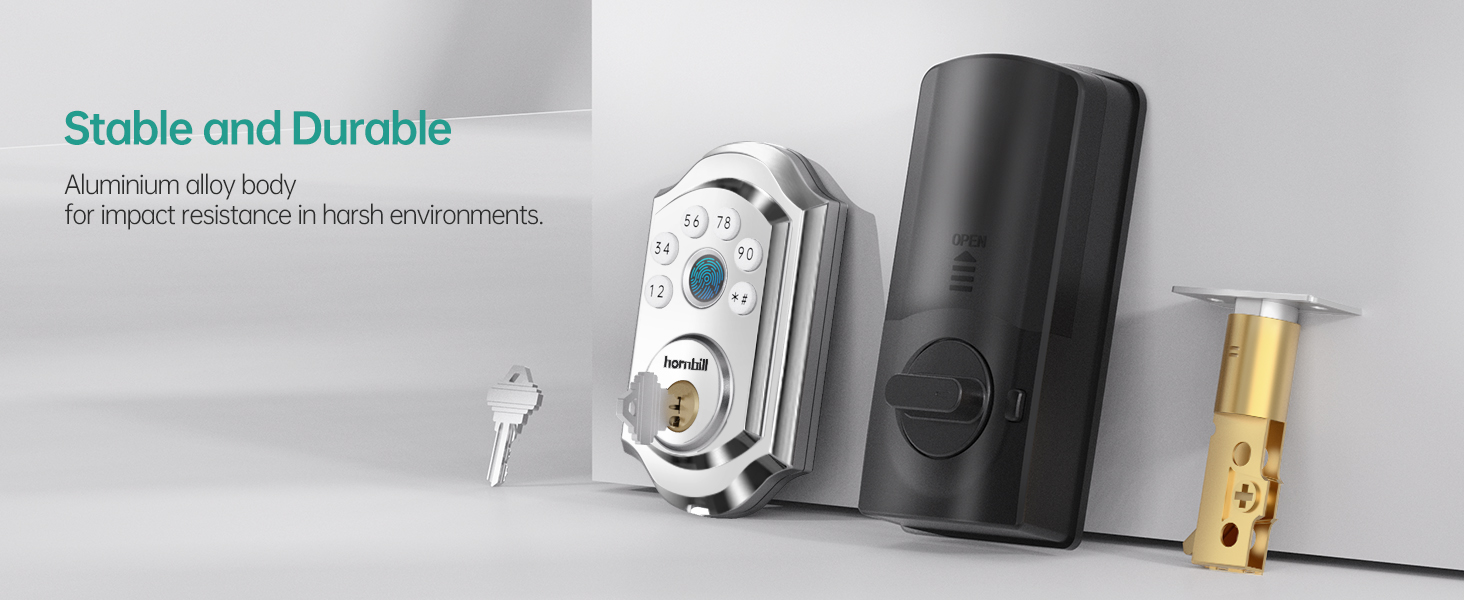
Image: An illustration showing the various components of the hornbill smart lock, including the exterior keypad, interior unit, deadbolt, and mechanical keys.
3. ഇൻസ്റ്റാളേഷൻ ഗൈഡ്
The hornbill A5-SBFT-H Smart Lock is designed for easy installation, typically requiring only a screwdriver. No drilling is necessary for standard door preparations.
3.1 പ്രീ-ഇൻസ്റ്റലേഷൻ ചെക്ക്ലിസ്റ്റ്
- Ensure your door thickness is between 1.49 inches and 1.88 inches.
- Verify that your door has a standard deadbolt preparation.
- Confirm the lock is compatible with both left and right-handed doors. The direction can be set in the app after installation.
- ആവശ്യമായ ഉപകരണങ്ങൾ ശേഖരിക്കുക: ഫിലിപ്സ് ഹെഡ് സ്ക്രൂഡ്രൈവർ.

Image: A diagram illustrating the required door thickness and backset dimensions for proper installation of the smart lock.
3.2 ഘട്ടം ഘട്ടമായുള്ള ഇൻസ്റ്റാളേഷൻ
- വാതിൽ തയ്യാറാക്കുക: Remove any existing deadbolt hardware from your door.
- Install the Deadbolt: Insert the new deadbolt into the door edge. Ensure the latch bolt is facing the correct direction for your door swing.
- ബാഹ്യ അസംബ്ലി ഇൻസ്റ്റാൾ ചെയ്യുക: Place the exterior keypad assembly onto the door, aligning the spindle through the deadbolt mechanism.
- ഇന്റീരിയർ അസംബ്ലി ഇൻസ്റ്റാൾ ചെയ്യുക: Attach the interior assembly, ensuring the cable from the exterior unit is connected to the interior unit. Secure with screws.
- ബാറ്ററികൾ ചേർക്കുക: Open the battery cover on the interior unit and insert 4 AA batteries (not included).
- ടെസ്റ്റ് ഓപ്പറേഷൻ: Manually test the deadbolt with a mechanical key to ensure smooth operation.
- ആപ്പ് കോൺഫിഗറേഷൻ: Download the companion app and follow the on-screen instructions to pair your lock and set the door direction (left or right-handed).
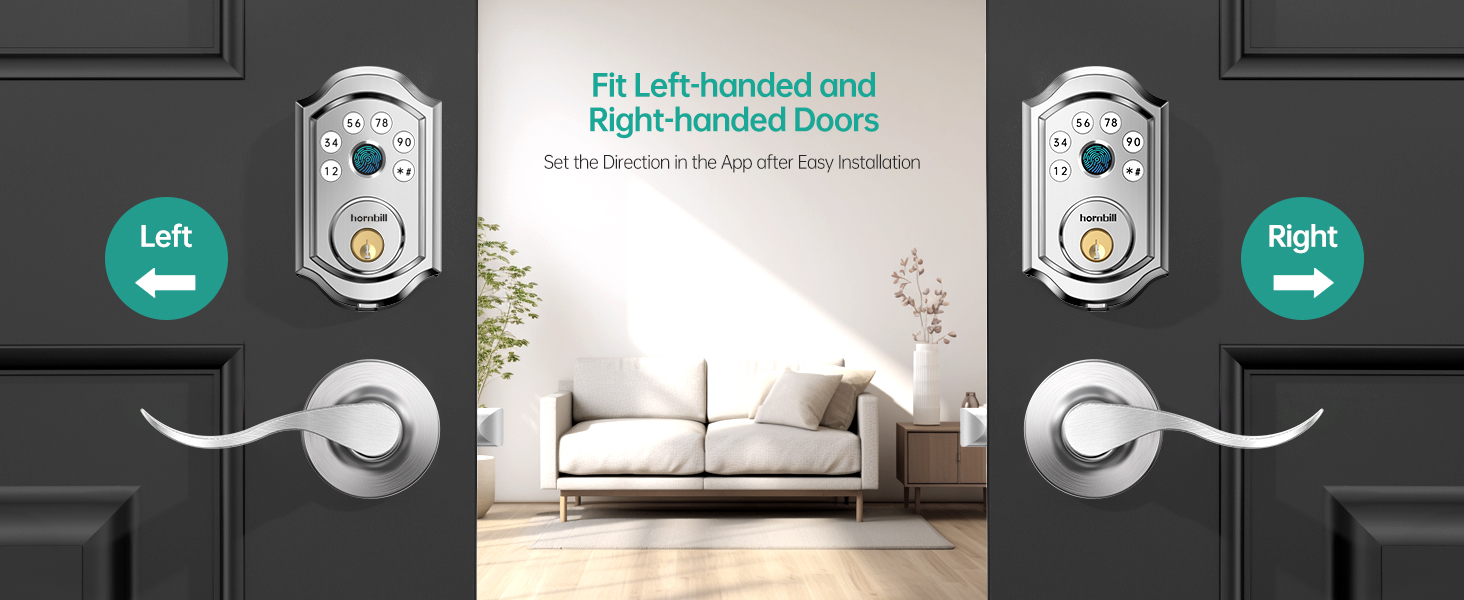
Image: A visual guide demonstrating the compatibility and configuration for both left-handed and right-handed door installations.
4. പ്രവർത്തന നിർദ്ദേശങ്ങൾ
Your hornbill Smart Lock offers multiple convenient ways to lock and unlock your door.
4.1 അൺലോക്ക് രീതികൾ
- ഫിംഗർപ്രിന്റ് അൺലോക്കിംഗ്:
Place your registered fingerprint on the sensor. The lock will unlock within 1 second after identification. The lock features encryption and anti-hacker fingerprint reader chips for security.

Image: A hand placing a finger on the lock's biometric sensor, illustrating the quick 0.1s identification and 0.3s unlocking process.
- Passcode Unlocking:
Enter your registered passcode on the keypad. The lock supports up to 100 passcodes. If an incorrect password or fingerprint is entered more than 5 times, the lock will be temporarily disabled for 5 minutes.
- ആന്റി-പീപ്പിംഗ് പാസ്കോഡ്:
To prevent others from guessing your code, you can enter random digits before and after your actual passcode. For example, if your code is 369668, you can enter ****369668****. The lock will still recognize the correct sequence.
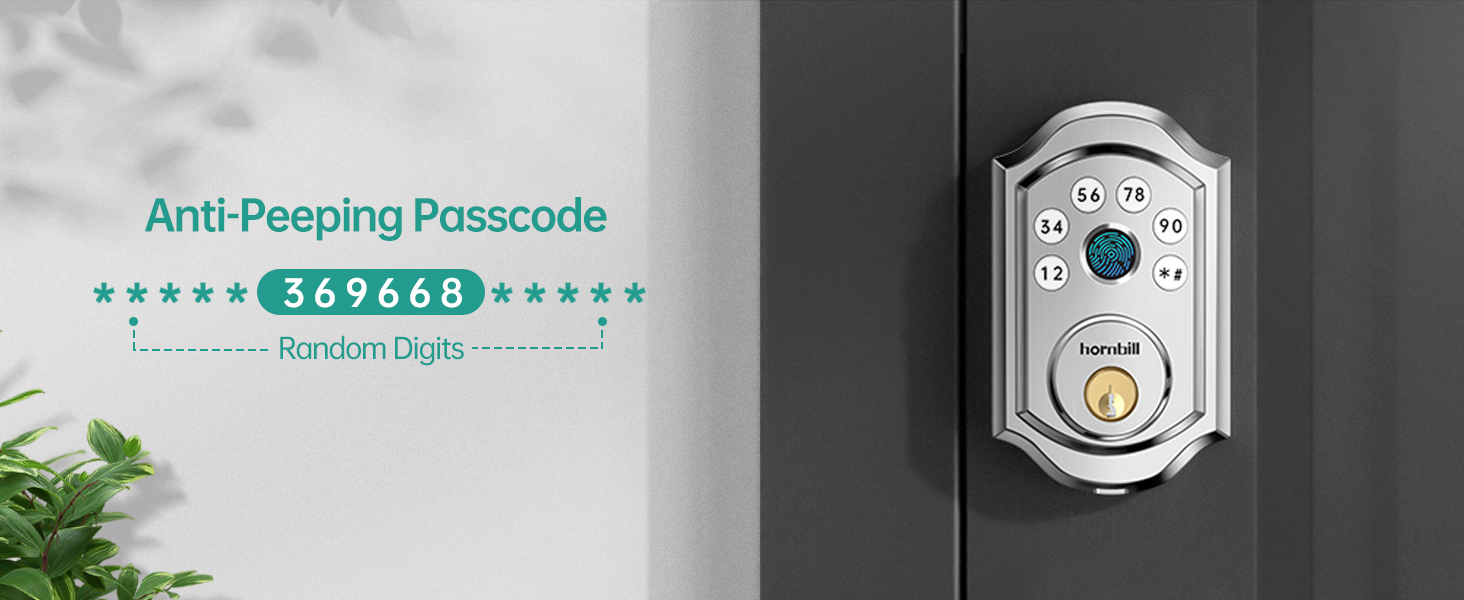
Image: A visual explanation of the anti-peeping passcode feature, showing how random digits can be added before and after the actual code for enhanced security.
- App Control (Bluetooth/Wi-Fi):
Use the dedicated mobile application to unlock your door via Bluetooth when nearby, or remotely via Wi-Fi if a Tuya Gateway (ASIN: B0CQ4MK442, sold separately) is connected. The app allows for lock/unlock, user management, eKey sharing, and tracking operation records.

Image: A smartphone screen showing the "Smart Life App Control" interface, with options for lock/unlock, user management, and activity logs.
- മെക്കാനിക്കൽ കീ:
In case of battery depletion or electronic malfunction, the lock can always be opened using the provided mechanical keys.
4.2 ലോക്കിംഗ് രീതികൾ
- യാന്ത്രിക ലോക്ക്:
The deadbolt will automatically lock after a set period (5-1800 seconds) once the door is closed. This feature ensures your door is always secured.
- വൺ-ടച്ച് ലോക്കിംഗ്:
Hold the '#' button on the keypad for 2 seconds to manually lock the door from the outside. This can also be done through the mobile app.

Image: A person demonstrating the one-touch locking feature by pressing the '#' button on the keypad, alongside an illustration of the auto-lock timer setting.
- ഇരട്ട ലോക്കിംഗ്:
From the inside, press and hold the double lock button for 5 seconds to activate. In this mode, only the mechanical key, admin code, or app can unlock the door from the outside, providing an extra layer of security.

Image: A child pressing the double lock button on the interior unit of the smart lock, indicating activation of the double locking mode.
4.3 സ്മാർട്ട് സവിശേഷതകൾ
- Smart User Management:
Authorize and manage family members, guests, or employees through the app. You can assign unique fingerprints and passcodes, or allow them to use the app for access. This includes setting temporary codes with specific validity periods.

Image: An illustration demonstrating how to add users as family members, highlighting keyless entry, 100 passcodes, free app control, and user authorization.
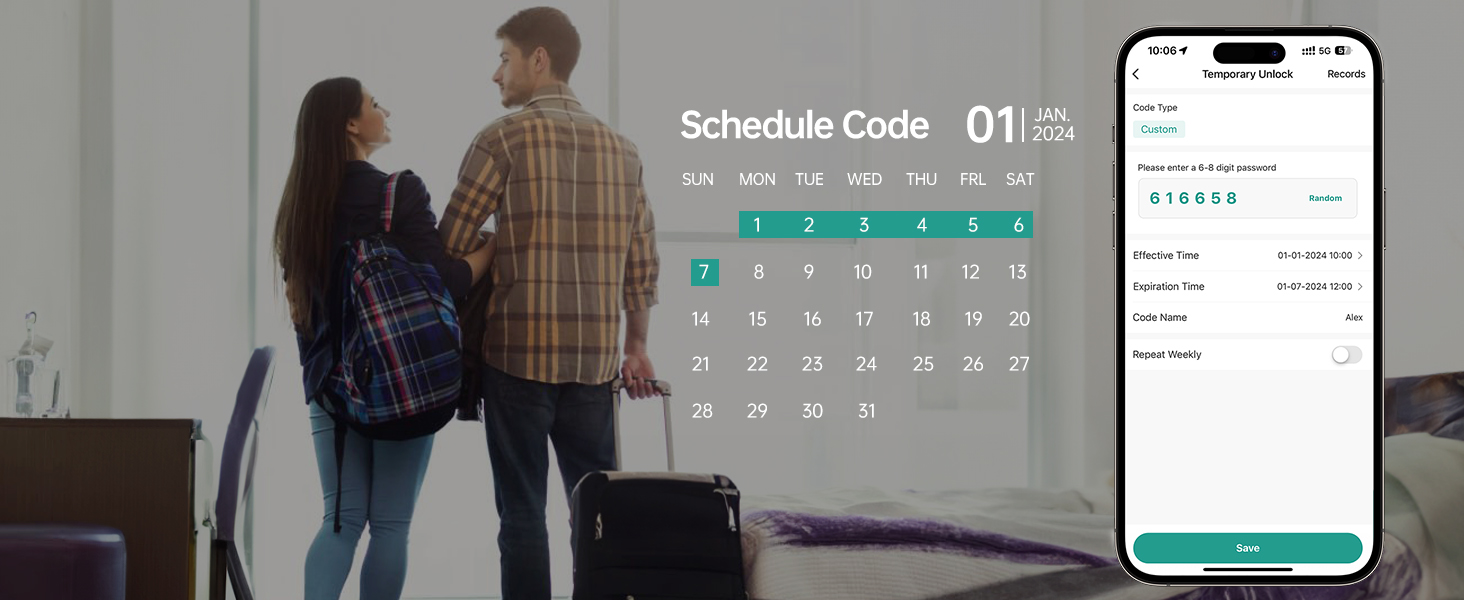
Image: The mobile app interface for creating and managing scheduled access codes, showing options for effective time, expiration time, and repeat weekly settings.
- Voice Control (Alexa/Google Assistant):
Integrate your smart lock with Amazon Alexa or Google Assistant for voice-activated locking and unlocking. This feature requires a Tuya Gateway (sold separately) to enable Wi-Fi connectivity.

Image: A family interacting with an Amazon Alexa device to control the smart lock, demonstrating voice command functionality.
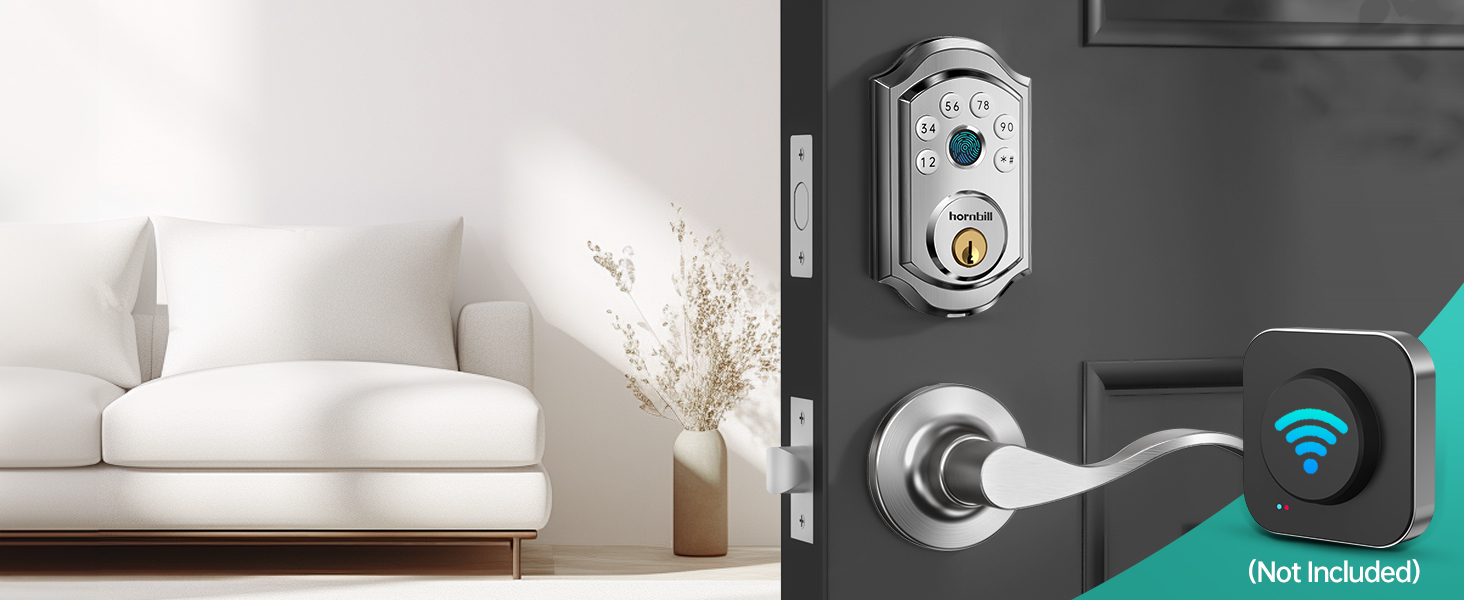
Image: The smart lock installed on a door, with a separate Wi-Fi gateway device shown, indicating its necessity for remote and voice control features.
- Real-time Records:
View a history of all lock and unlock events, including who accessed the door and when, directly from the mobile app.

Image: A smartphone on a desk displaying notifications of recent lock activity, such as "Unlock with Code" and "Local manual lock."
5. പരിപാലനം
- ബാറ്ററി മാറ്റിസ്ഥാപിക്കൽ: The lock will provide a low battery alarm. Replace all four AA batteries promptly to ensure continuous operation. Do not mix old and new batteries.
- വൃത്തിയാക്കൽ: Wipe the lock's exterior with a soft, dry cloth. Avoid abrasive cleaners or solvents that could damage the finish or electronic components.
- പരിസ്ഥിതി വ്യവസ്ഥകൾ: The lock is made of durable aluminum alloy and is designed for harsh environments, with a temperature range of -13°F to 158°F and IP63 water resistance. However, prolonged exposure to extreme conditions should be minimized.
- ഫേംവെയർ അപ്ഡേറ്റുകൾ: Regularly check the mobile application for available firmware updates to ensure optimal performance and security.
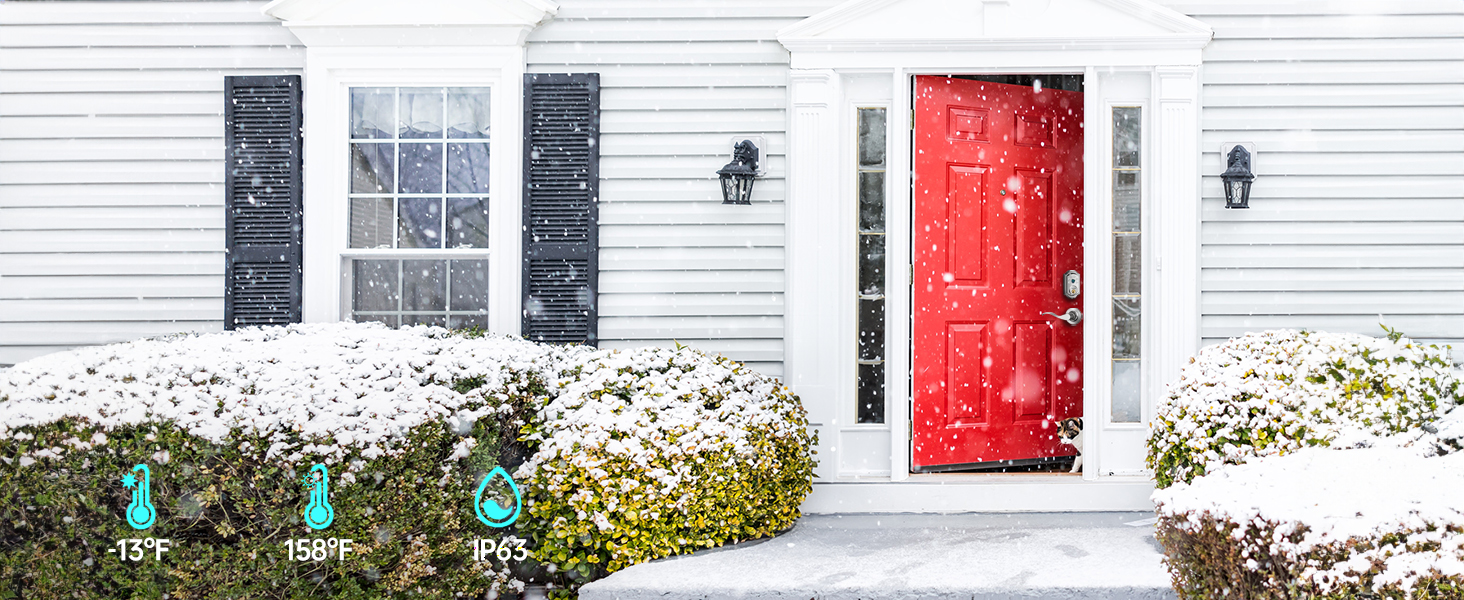
Image: The smart lock installed on a front door during winter, illustrating its durability and resistance to various weather conditions (temperatures from -13°F to 158°F and IP63 rating).
6. പ്രശ്നപരിഹാരം
| പ്രശ്നം | സാധ്യമായ കാരണം | പരിഹാരം |
|---|---|---|
| Lock does not respond to fingerprint/passcode. | Low batteries, incorrect entry, or lock is in a temporary lockout state. | Replace batteries. Ensure correct fingerprint/passcode. Wait 5 minutes if locked out due to multiple incorrect attempts. |
| App cannot connect to the lock. | Bluetooth is off, lock is out of range, or Tuya Gateway is not connected/configured. | Ensure Bluetooth is enabled on your phone and you are within range. Verify Tuya Gateway connection and configuration for remote access. Metal doors can affect signal transmission. |
| Auto-lock feature not working. | Auto-lock setting is disabled or timer is set too long. | Check auto-lock settings in the mobile app and adjust the timer as needed. |
| Keypad buttons are unresponsive or difficult to press. | Possible manufacturing defect or environmental factor. | Ensure buttons are pressed firmly. If issue persists, contact customer support. |
| Voice control (Alexa/Google) not working. | Tuya Gateway not connected, incorrect voice command, or integration issue. | Verify Tuya Gateway is properly set up and connected to your Wi-Fi network. Ensure correct voice commands are used. Check app for integration status. |
7 സ്പെസിഫിക്കേഷനുകൾ
| ഫീച്ചർ | വിശദാംശങ്ങൾ |
|---|---|
| ബ്രാൻഡ് | ഹോൺബിൽ |
| മോഡലിൻ്റെ പേര് | A5 സ്മാർട്ട് ലോക്ക് |
| ഭാഗം നമ്പർ | A5-SBFT-H |
| ലോക്ക് തരം | ബയോമെട്രിക്, ഡെഡ്ബോൾട്ട്, കീപാഡ് |
| മെറ്റീരിയൽ | അലുമിനിയം |
| നിറം | വെള്ളി |
| ഉൽപ്പന്ന അളവുകൾ (L x W x H) | 2.45 x 0.8 x 3.9 ഇഞ്ച് |
| ഇനത്തിൻ്റെ ഭാരം | 1.76 പൗണ്ട് |
| വാതിലിന്റെ കനം അനുയോജ്യത | 1.49 ഇഞ്ച് മുതൽ 1.88 ഇഞ്ച് വരെ |
| പ്രത്യേക സവിശേഷതകൾ | Anti-Peeping Password, Auto-Lock, Fingerprint, One-Touch Lock, Passcode Unlock |
| കണക്റ്റിവിറ്റി പ്രോട്ടോക്കോൾ | Bluetooth (Wi-Fi with Tuya Gateway) |
| കൺട്രോളർ തരം | Amazon Alexa, Android, Google Assistant, Hand Control, iOS |
| പവർ ഉറവിടം | Batteries (4x AA, not included) |
| ഉൾപ്പെടുത്തിയ ഘടകങ്ങൾ | Front Lock, Back Lock, User Manual, Keys, Accessories |
8. വാറൻ്റിയും പിന്തുണയും
hornbill provides the following support for your A5-SBFT-H Smart Lock:
- വാറൻ്റി: വാങ്ങിയ തീയതി മുതൽ 18 മാസത്തെ വാറന്റി.
- റിട്ടേണുകൾ/എക്സ്ചേഞ്ചുകൾ: 30 days free return and exchange service.
- സാങ്കേതിക സഹായം: ആജീവനാന്ത സാങ്കേതിക പിന്തുണ ലഭ്യമാണ്.
- ഭാഗങ്ങൾ മാറ്റിസ്ഥാപിക്കൽ: If any parts are damaged during or after the warranty period, replacements will be provided.
For assistance, please refer to the contact information provided with your product packaging or visit the official hornbill support webസൈറ്റ്.


