ആമുഖം
Thank you for choosing the Baseus Bowie E20 True Wireless Earbuds. This manual will guide you through the features, setup, and operation of your new earbuds, ensuring you get the best possible audio experience. Please read this manual carefully before use and retain it for future reference.
ഉൽപ്പന്നം കഴിഞ്ഞുview
The Baseus Bowie E20 earbuds are designed for superior sound quality, comfort, and durability. Key features include:
- അഡ്വാൻസ്ഡ് ബ്ലൂടൂത്ത് 5.3 കണക്റ്റിവിറ്റി: For stable and reliable wireless connection.
- Crystal Clear Calls with 2-Mics ENC: Environmental Noise Cancellation for clear voice transmission.
- 33 Hours of Playtime & Fast Charging: Extended battery life with quick charge capability.
- IPX5 വാട്ടർപ്രൂഫ്: Resistant to sweat and rain, ideal for active lifestyles.
- Immersive Sound with 12mm Driver: Powerful bass and crisp audio.

Image: Baseus Bowie E20 True Wireless Earbuds shown inside their open charging case. The earbuds are black with silver accents, and the case is also black.
പാക്കേജ് ഉള്ളടക്കം
പാക്കേജിൽ ഇനിപ്പറയുന്ന ഇനങ്ങൾ ഉണ്ടോ എന്ന് പരിശോധിക്കുക:
- Baseus Bowie E20 True Wireless Earbuds (Left and Right)
- ചാർജിംഗ് കേസ്
- USB-C ചാർജിംഗ് കേബിൾ
- Multiple sizes of Ear Tips (S, M, L)
- ഉപയോക്തൃ മാനുവൽ (ഈ പ്രമാണം)

Image: The complete package contents of the Baseus Bowie E20, including the charging case with earbuds, a USB-C charging cable, and various sizes of ear tips.
സജ്ജീകരണ ഗൈഡ്
1. പ്രാരംഭ നിരക്ക്
ആദ്യമായി ഉപയോഗിക്കുന്നതിന് മുമ്പ്, ഇയർബഡുകളും ചാർജിംഗ് കേസും പൂർണ്ണമായും ചാർജ് ചെയ്യുക.
- രണ്ട് ഇയർബഡുകളും ചാർജിംഗ് കേസിൽ വയ്ക്കുക.
- USB-C ചാർജിംഗ് കേബിൾ കേസിലെ ചാർജിംഗ് പോർട്ടിലേക്കും മറ്റേ അറ്റം ഒരു USB പവർ സ്രോതസ്സിലേക്കും (ഉദാ: വാൾ അഡാപ്റ്റർ, കമ്പ്യൂട്ടർ USB പോർട്ട്) ബന്ധിപ്പിക്കുക.
- ചാർജിംഗ് കെയ്സിലെ ഇൻഡിക്കേറ്റർ ലൈറ്റ് ചാർജിംഗ് സ്റ്റാറ്റസ് കാണിക്കും. പൂർണ്ണമായി ചാർജ് ചെയ്തുകഴിഞ്ഞാൽ, ലൈറ്റ് മാറുകയോ ഓഫാകുകയോ ചെയ്യും.

Image: The Baseus Bowie E20 charging case connected to a USB-C charging cable, illustrating the charging process.
2. നിങ്ങളുടെ ഉപകരണവുമായി ജോടിയാക്കുന്നു
കേസിൽ നിന്ന് പുറത്തെടുക്കുമ്പോൾ ഇയർബഡുകൾ യാന്ത്രികമായി ജോടിയാക്കൽ മോഡിലേക്ക് പ്രവേശിക്കും.
- ചാർജിംഗ് കേസ് തുറന്ന് രണ്ട് ഇയർബഡുകളും പുറത്തെടുക്കുക. അവ യാന്ത്രികമായി ഓണാകുകയും ജോടിയാക്കൽ മോഡിലേക്ക് പ്രവേശിക്കുകയും ചെയ്യും.
- നിങ്ങളുടെ ഉപകരണത്തിൽ (സ്മാർട്ട്ഫോൺ, ടാബ്ലെറ്റ്, കമ്പ്യൂട്ടർ), ബ്ലൂടൂത്ത് പ്രവർത്തനക്ഷമമാക്കുക.
- ഇതിനായി തിരയുക "Baseus Bowie E20" in the list of available Bluetooth devices.
- Select "Baseus Bowie E20" to connect. Once connected, you will hear a confirmation tone.
Note: If pairing fails, place the earbuds back into the case, close the lid, wait a few seconds, then repeat the steps.

Image: A close-up illustration highlighting the Bluetooth 5.3 chip within the Baseus Bowie E20 earbud, emphasizing its advanced connectivity.
പ്രവർത്തന നിർദ്ദേശങ്ങൾ
ടച്ച് നിയന്ത്രണങ്ങൾ
The Baseus Bowie E20 features intuitive touch controls on each earbud. The capacitive touch technology ensures responsiveness and durability.
| ആക്ഷൻ | ഇടത് ഇയർബഡ് (എൽ) | വലത് ഇയർബഡ് (R) |
|---|---|---|
| പ്ലേ/താൽക്കാലികമായി നിർത്തുക | ഒറ്റ ടാപ്പ് | ഒറ്റ ടാപ്പ് |
| അടുത്ത ട്രാക്ക് | രണ്ടുതവണ ടാപ്പ് ചെയ്യുക | രണ്ടുതവണ ടാപ്പ് ചെയ്യുക |
| മുമ്പത്തെ ട്രാക്ക് | ട്രിപ്പിൾ ടാപ്പ് | ട്രിപ്പിൾ ടാപ്പ് |
| ഉത്തരം / കോൾ അവസാനിപ്പിക്കുക | ഒറ്റ ടാപ്പ് | ഒറ്റ ടാപ്പ് |
| കോൾ നിരസിക്കുക | അമർത്തിപ്പിടിക്കുക (2സെ) | അമർത്തിപ്പിടിക്കുക (2സെ) |
| വോയ്സ് അസിസ്റ്റൻ്റ് സജീവമാക്കുക | അമർത്തിപ്പിടിക്കുക (3സെ) | അമർത്തിപ്പിടിക്കുക (3സെ) |
| Noise Cancellation Mode Cycle | (L or R) Cycle through Noise Cancellation (default) > Normal > Transparency | (L or R) Cycle through Noise Cancellation (default) > Normal > Transparency |
| Spatial Audio Mode Cycle | (L or R) Cycle through Music Mode > Theater Mode > Normal (default) | (L or R) Cycle through Music Mode > Theater Mode > Normal (default) |

Image: A diagram illustrating the touch control areas and functions on the Baseus Bowie E20 earbuds, showing various tap and hold gestures for playback, calls, and mode switching.
ഇയർബഡുകൾ ധരിക്കുന്നു
For optimal sound quality and comfort, choose the ear tips that best fit your ears. Gently insert the earbuds into your ear canal and rotate them slightly to secure a snug fit.
പരിപാലനവും പരിചരണവും
- വൃത്തിയാക്കൽ: ഇയർബഡുകളും ചാർജിംഗ് കെയ്സും മൃദുവായതും ഉണങ്ങിയതും ലിന്റ് രഹിതവുമായ തുണി ഉപയോഗിച്ച് പതിവായി വൃത്തിയാക്കുക. കഠിനമായ രാസവസ്തുക്കളോ ഉരച്ചിലുകളോ ഉള്ള വസ്തുക്കൾ ഉപയോഗിക്കരുത്.
- ചെവി ടിപ്പുകൾ: Remove and clean the ear tips periodically with mild soap and water. Ensure they are completely dry before reattaching.
- ചാർജിംഗ് കോൺടാക്റ്റുകൾ: If charging issues occur, gently clean the charging contacts on both the earbuds and the case with a cotton swab.
- ജല പ്രതിരോധം: The earbuds are IPX5 waterproof, meaning they are resistant to sweat and light splashes. Do not submerge them in water or expose them to heavy rain. Ensure the charging port is dry before charging.
- സംഭരണം: ഉപയോഗത്തിലില്ലാത്തപ്പോൾ, ഇയർബഡുകൾ ചാർജിംഗ് കേസിൽ സൂക്ഷിക്കുക, അതുവഴി അവയെ സംരക്ഷിക്കുകയും ചാർജ്ജ് ആയി നിലനിർത്തുകയും ചെയ്യുക. ഉയർന്ന താപനിലയിൽ നിന്ന് മാറി തണുത്തതും വരണ്ടതുമായ സ്ഥലത്ത് സൂക്ഷിക്കുക.

Image: An illustration demonstrating the IPX5 waterproof rating of the Baseus Bowie E20 earbuds, showing them resistant to water splashes, suitable for workouts and outdoor activities.
ട്രബിൾഷൂട്ടിംഗ്
നിങ്ങളുടെ Baseus Bowie E20 ഇയർബഡുകളിൽ എന്തെങ്കിലും പ്രശ്നങ്ങൾ നേരിടുകയാണെങ്കിൽ, ദയവായി ഇനിപ്പറയുന്ന പൊതുവായ പരിഹാരങ്ങൾ പരിശോധിക്കുക:
| പ്രശ്നം | സാധ്യമായ പരിഹാരം |
|---|---|
| ഇയർബഡുകൾ ജോടിയാക്കുന്നില്ല/കണക്റ്റ് ചെയ്യുന്നില്ല |
|
| ഒരു ഇയർബഡ് മാത്രം ശബ്ദം പ്ലേ ചെയ്യുന്നു |
|
| കുറഞ്ഞ ശബ്ദം അല്ലെങ്കിൽ മോശം ശബ്ദ നിലവാരം |
|
| ഇയർബഡുകൾ ചാർജ് ചെയ്യുന്നില്ല |
|
| ടച്ച് നിയന്ത്രണങ്ങൾ പ്രതികരിക്കുന്നില്ല |
|
സ്പെസിഫിക്കേഷനുകൾ
| ഫീച്ചർ | വിശദാംശങ്ങൾ |
|---|---|
| മോഡലിൻ്റെ പേര് | ബോവി E20 |
| മോഡൽ നമ്പർ | A00069700113-00 |
| ബ്ലൂടൂത്ത് പതിപ്പ് | 5.3 |
| ഡ്രൈവർ വലിപ്പം | 12 മി.മീ |
| നോയ്സ് റദ്ദാക്കൽ | 2-Mics ENC (Environmental Noise Cancellation) |
| Playtime (Total with Case) | 33 മണിക്കൂർ വരെ |
| വാട്ടർപ്രൂഫ് റേറ്റിംഗ് | IPX5 |
| ബാറ്ററി (ഇയർബഡുകൾ) | ലിഥിയം അയോൺ (ഉൾപ്പെടുന്നു) |
| ചെവി പ്ലേസ്മെൻ്റ് | ചെവിയിൽ |
| പ്രതിരോധം | 2 ഓം |
| നിർമ്മാതാവ് | ബേസിയസ് |
| മാതൃരാജ്യം | ചൈന |
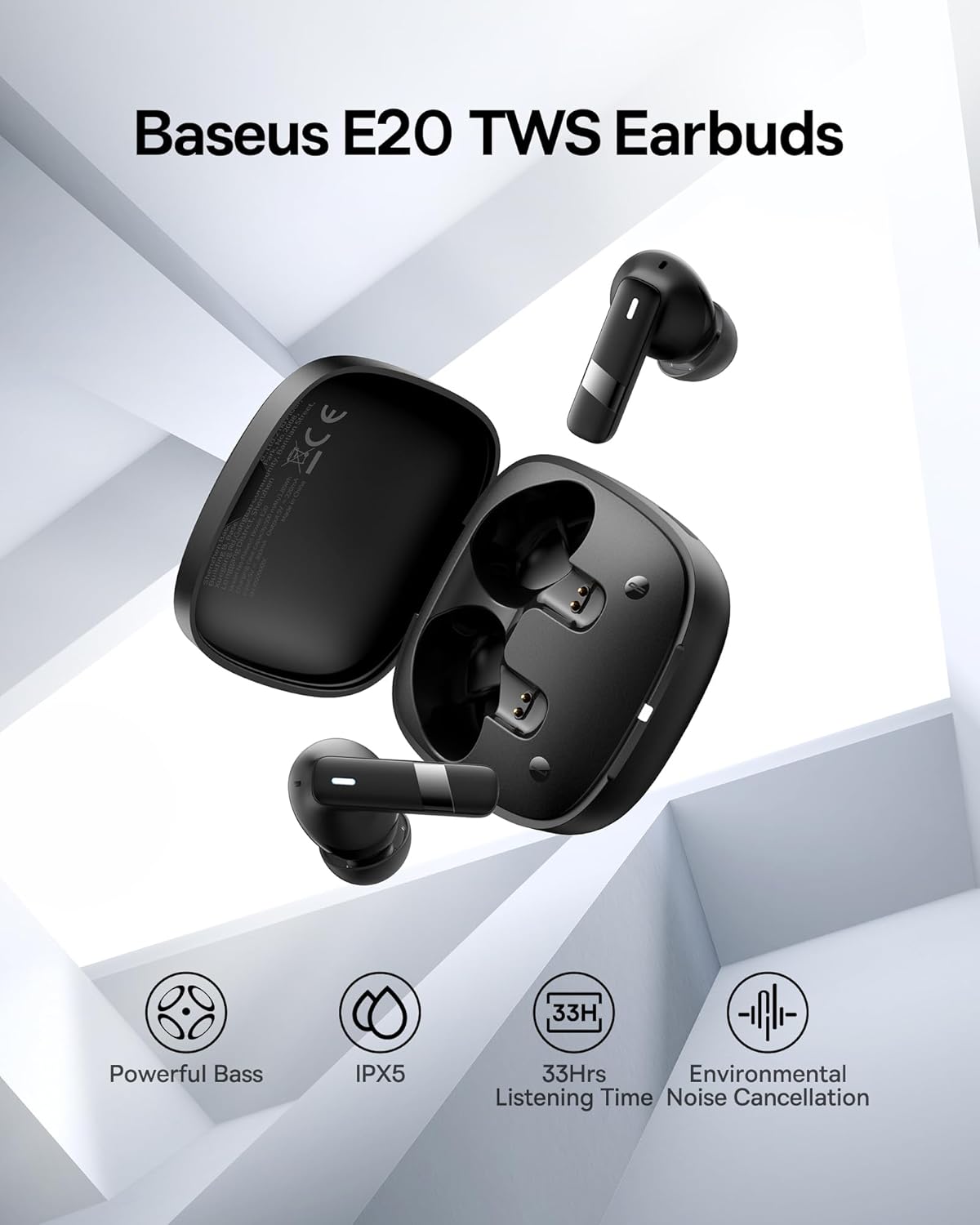
ചിത്രം: ഒരു ഓവർview image of the Baseus E20 TWS Earbuds highlighting key features such as Powerful Bass, IPX5 waterproof rating, 33 hours listening time, and Environmental Noise Cancellation.

ചിത്രം: വിശദമായ ഒരു കട്ട്അവേ view of the 12mm PU diaphragm driver inside the Baseus Bowie E20 earbud, illustrating its design for strong and accurate ultra-low frequencies.
വാറൻ്റി വിവരങ്ങൾ
Baseus products are designed and manufactured to the highest quality standards. For specific warranty details and terms, please refer to the warranty card included in your product packaging or visit the official Baseus webവാറന്റി ക്ലെയിമുകൾക്കുള്ള വാങ്ങലിന്റെ തെളിവായി നിങ്ങളുടെ വാങ്ങൽ രസീത് സൂക്ഷിക്കുക.
A 2-Year Extended Warranty by Salama Care is also available for purchase, providing additional coverage. (Note: This is a separate purchase and not included with the standard product.)
ഉപഭോക്തൃ പിന്തുണ
For further assistance, technical support, or inquiries, please contact Baseus customer service through their official website or the retailer from whom you purchased the product. You can also visit the ആമസോണിലെ ബേസിയസ് സ്റ്റോർ കൂടുതൽ വിവരങ്ങൾക്കും ഉൽപ്പന്ന അപ്ഡേറ്റുകൾക്കും.
സുരക്ഷാ വിവരങ്ങൾ
- ഉൽപ്പന്നം വേർപെടുത്തുകയോ പരിഷ്കരിക്കുകയോ ചെയ്യരുത്.
- തീവ്രമായ താപനില, നേരിട്ടുള്ള സൂര്യപ്രകാശം, തുറന്ന തീജ്വാലകൾ എന്നിവയിൽ നിന്ന് അകന്നുനിൽക്കുക.
- Do not expose to strong magnetic fields.
- ഉൽപ്പന്നം ശക്തമായ ആഘാതങ്ങൾക്ക് വിധേയമാക്കുകയോ ഉപേക്ഷിക്കുകയോ ചെയ്യരുത്.
- കുട്ടികൾക്കും വളർത്തുമൃഗങ്ങൾക്കും ലഭ്യമാകാതെ സൂക്ഷിക്കുക.
- പ്രാദേശിക ചട്ടങ്ങൾക്കനുസൃതമായി ഉൽപ്പന്നം ഉത്തരവാദിത്തത്തോടെ വിനിയോഗിക്കുക.


