1. ആമുഖം
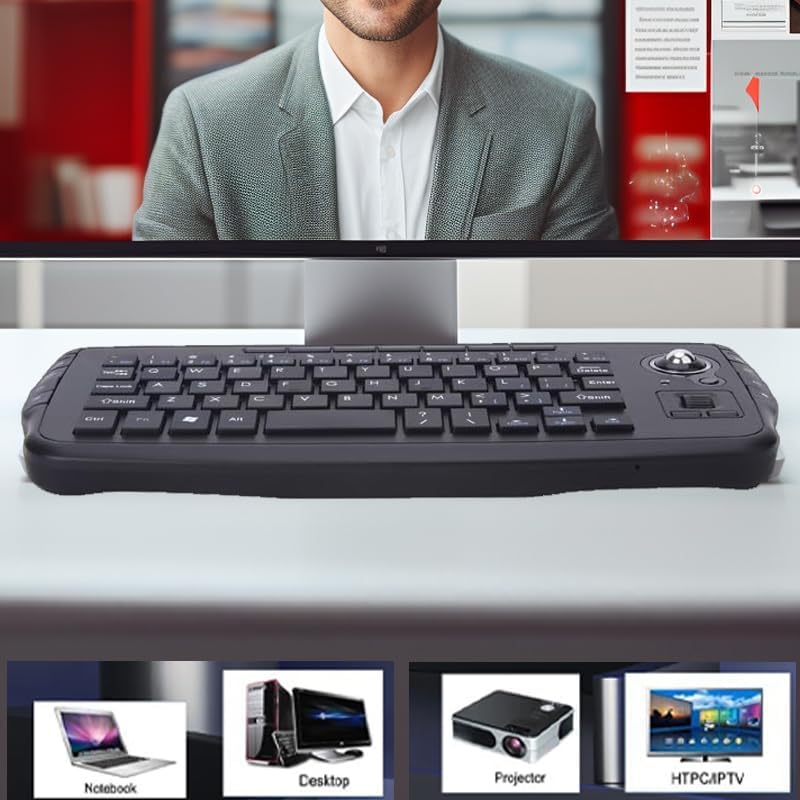
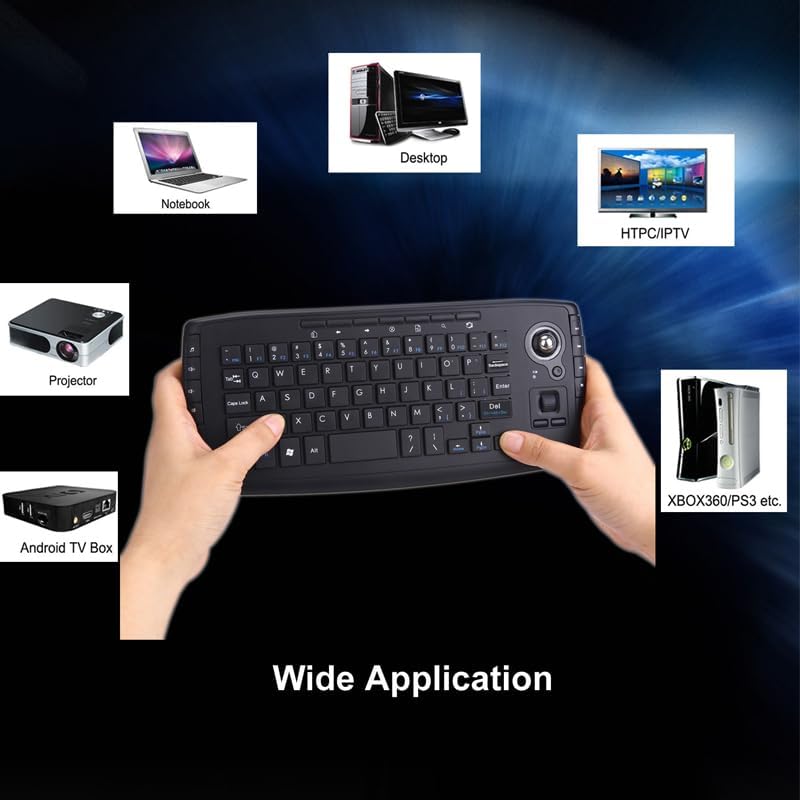
Thank you for choosing the JOMAA Mini Ergonomic Keyboard Trackball Air Mouse. This compact and versatile device combines the functionality of a keyboard and a trackball mouse, offering seamless control for various systems including Android, Windows, and Linux OS. It is ideal for use with laptops, personal computers, televisions, XBOX 360, PS3, HTPC/IPTV, and Android TV Boxes.
This manual provides detailed instructions for setup, operation, and maintenance to ensure you get the most out of your new device.
2. പാക്കേജ് ഉള്ളടക്കം
നിങ്ങളുടെ പാക്കേജിൽ എല്ലാ ഇനങ്ങളും ഉണ്ടെന്ന് ഉറപ്പാക്കുക:
- JOMAA Mini Ergonomic Keyboard Trackball Air Mouse (Model TK5)
- 2.4G Wireless USB Receiver
- USB Charging Cable (Micro USB to USB-A)
- ഉപയോക്തൃ മാനുവൽ
Note: 2 AA batteries are required for operation and are not included.
3. സജ്ജീകരണം
3.1 ബാറ്ററി ഇൻസ്റ്റാളേഷൻ
The keyboard requires 2 AA batteries. Locate the battery compartment on the underside of the keyboard. Open the battery cover, insert the batteries according to the polarity markings, and close the cover securely.

3.2 2.4G Wireless USB Connection
For 2.4G wireless connection, locate the USB nano receiver stored in its dedicated port at the bottom of the keyboard. Plug this receiver into an available USB port on your computer, TV, or other compatible device. The keyboard is plug-and-play, requiring no additional drivers.
3.3 Bluetooth Pairing (If applicable to your model)
Some models may support Bluetooth connectivity. To pair via Bluetooth, ensure your device's Bluetooth is enabled. Press and hold the designated Bluetooth pairing button (refer to your specific model's markings, often indicated by a Bluetooth icon) until the indicator light flashes, signifying it's in pairing mode. Select "JOMAA Keyboard" or similar from your device's Bluetooth list to connect.
3.4 മൾട്ടി-ഡിവൈസ് സ്വിച്ചിംഗ്
The keyboard supports connecting to multiple devices. Use the dedicated device switching buttons (e.g., USB, BT1, BT2) to seamlessly switch control between your paired devices without re-pairing.
4. പ്രവർത്തന നിർദ്ദേശങ്ങൾ
4.1 കീബോർഡ് പ്രവർത്തനങ്ങൾ
The keyboard features a standard QWERTY layout with additional function keys. Keys are designed for a soft and silent touch, minimizing noise during use.

4.2 Trackball and Mouse Buttons
The integrated trackball allows for precise cursor movement. Below the trackball, you will find physical buttons that replicate the left and right mouse clicks, as well as a scroll wheel function for easy navigation through documents and web പേജുകൾ.

4.3 മൾട്ടിമീഡിയ, കുറുക്കുവഴി കീകൾ
The keyboard includes various multimedia keys and shortcut keys, typically located on the sides and top, providing quick access to functions such as volume control, media playback, and more.

4.4 വ്യാപകമായ പ്രയോഗം
This keyboard is compatible with a wide range of operating systems and devices, including Android, Windows, and Linux. It is suitable for XBOX 360, PS3, HTPC/IPTV, Android TV Box, Laptops, and Projectors.
5. പരിപാലനം
5.1 ട്രാക്ക്ബോൾ വൃത്തിയാക്കൽ
To maintain optimal performance, periodically clean the trackball. Gently remove the trackball from its housing (some models may have a small opening on the underside to push it out). Wipe the trackball and the inside of its housing with a soft, lint-free cloth. Reinsert the trackball securely.
5.2 ബാറ്ററി മാറ്റിസ്ഥാപിക്കൽ
When the low battery indicator illuminates or performance degrades, replace the 2 AA batteries. Follow the instructions in Section 3.1 for proper battery installation.
6. പ്രശ്നപരിഹാരം
- ബന്ധമില്ല: Ensure the USB receiver is properly plugged in or Bluetooth is paired correctly. Check battery levels.
- Lagging cursor: Replace batteries. Clean the trackball as described in Section 5.1. Ensure no obstructions between the keyboard and receiver.
- പ്രതികരിക്കാത്ത കീകൾ: Check battery levels. Ensure the keyboard is powered on.
- ഇടപെടൽ: Move the keyboard closer to the receiver or away from other wireless devices that may cause interference.
7 സ്പെസിഫിക്കേഷനുകൾ
| ബ്രാൻഡ് | JOMAA |
| മോഡൽ നമ്പർ | TK5 |
| കണക്റ്റിവിറ്റി ടെക്നോളജി | 2.4G വയർലെസ് |
| അനുയോജ്യമായ ഉപകരണങ്ങൾ | Laptop, Personal Computer, Television, XBOX 360, PS3, HTPC/IPTV, Android TV Box, Projector |
| പവർ ഉറവിടം | 2 AA ബാറ്ററികൾ (ഉൾപ്പെടുത്തിയിട്ടില്ല) |
| ഇനത്തിൻ്റെ ഭാരം | 10.2 ഔൺസ് |
| പാക്കേജ് അളവുകൾ | 11.14 x 5 x 1.34 ഇഞ്ച് |
| പ്രത്യേക ഫീച്ചർ | Portable, Integrated Trackball, Multimedia Keys, Silent Keys |
8. വാറൻ്റിയും പിന്തുണയും
For warranty information or technical support, please refer to the documentation included with your product or visit the official JOMAA webസൈറ്റ്. വാറൻ്റി ക്ലെയിമുകൾക്കായി നിങ്ങളുടെ വാങ്ങൽ രസീത് സൂക്ഷിക്കുക.


