1. ആമുഖം
The Tilta Khronos Phone Case is custom-designed for the iPhone 15 Pro, transforming your smartphone into a versatile tool for advanced mobile filmmaking. Crafted from durable aluminum, this case offers comprehensive protection while providing an expandable ecosystem for various accessories. It features a locking clamp design for secure accessory attachment and mounting to tripods, along with integrated electronic contact points for passthrough power to compatible accessories.
2. ബോക്സിൽ എന്താണുള്ളത്?
Upon unboxing your Tilta Khronos Phone Case, you will find the following components:
- Khronos iPhone 15 Pro Case
3. സജ്ജീകരണം
3.1 Installing Your iPhone 15 Pro into the Case
Carefully align your iPhone 15 Pro with the Khronos case. Ensure all buttons and ports are correctly aligned with the case cutouts. Gently press the phone into the case until it is securely seated. The case's aluminum frame provides robust protection for your device.
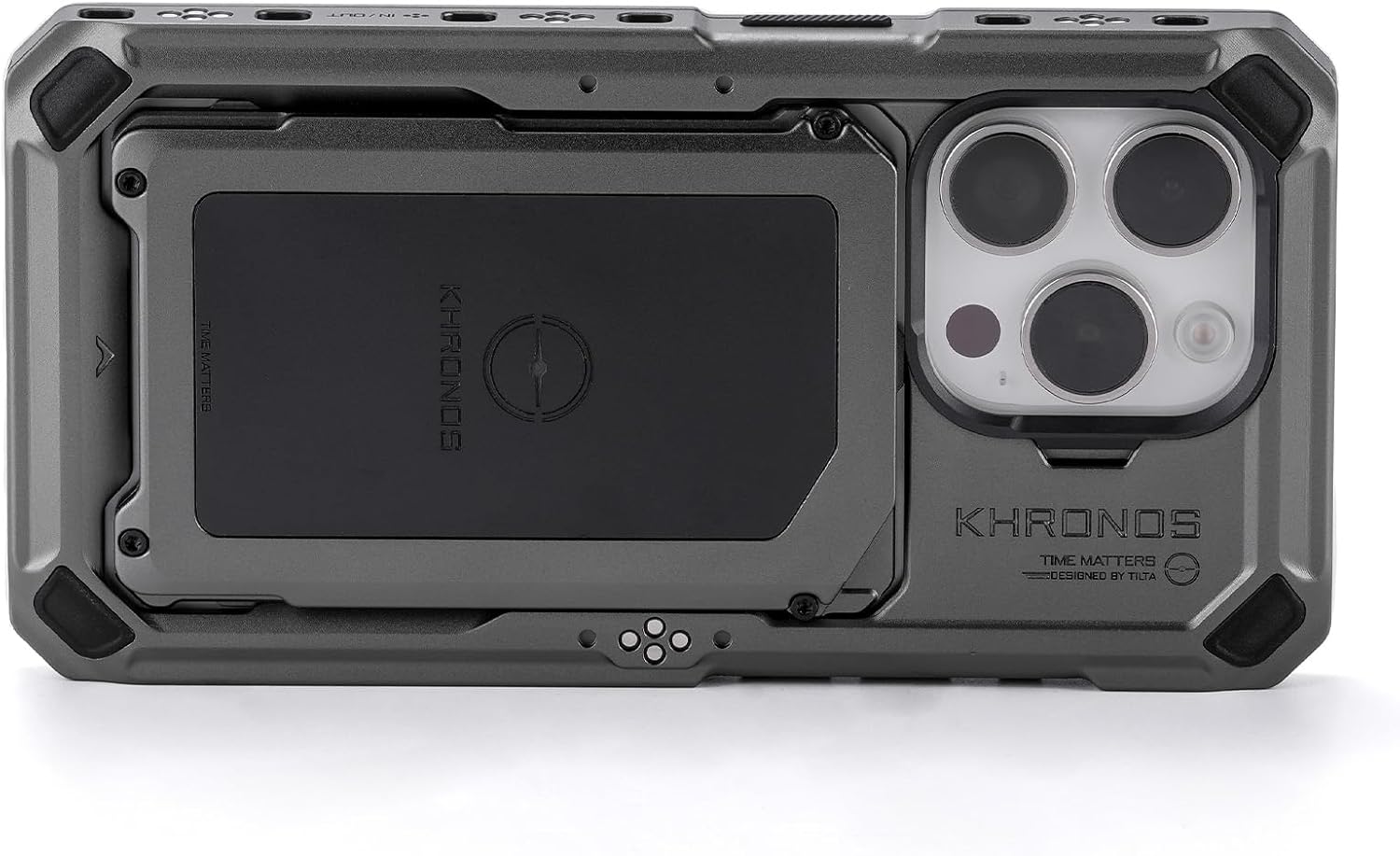
ചിത്രം 1: പിന്നിലേക്ക് view of the Tilta Khronos iPhone 15 Pro Case, showing the camera module and MagSafe area.
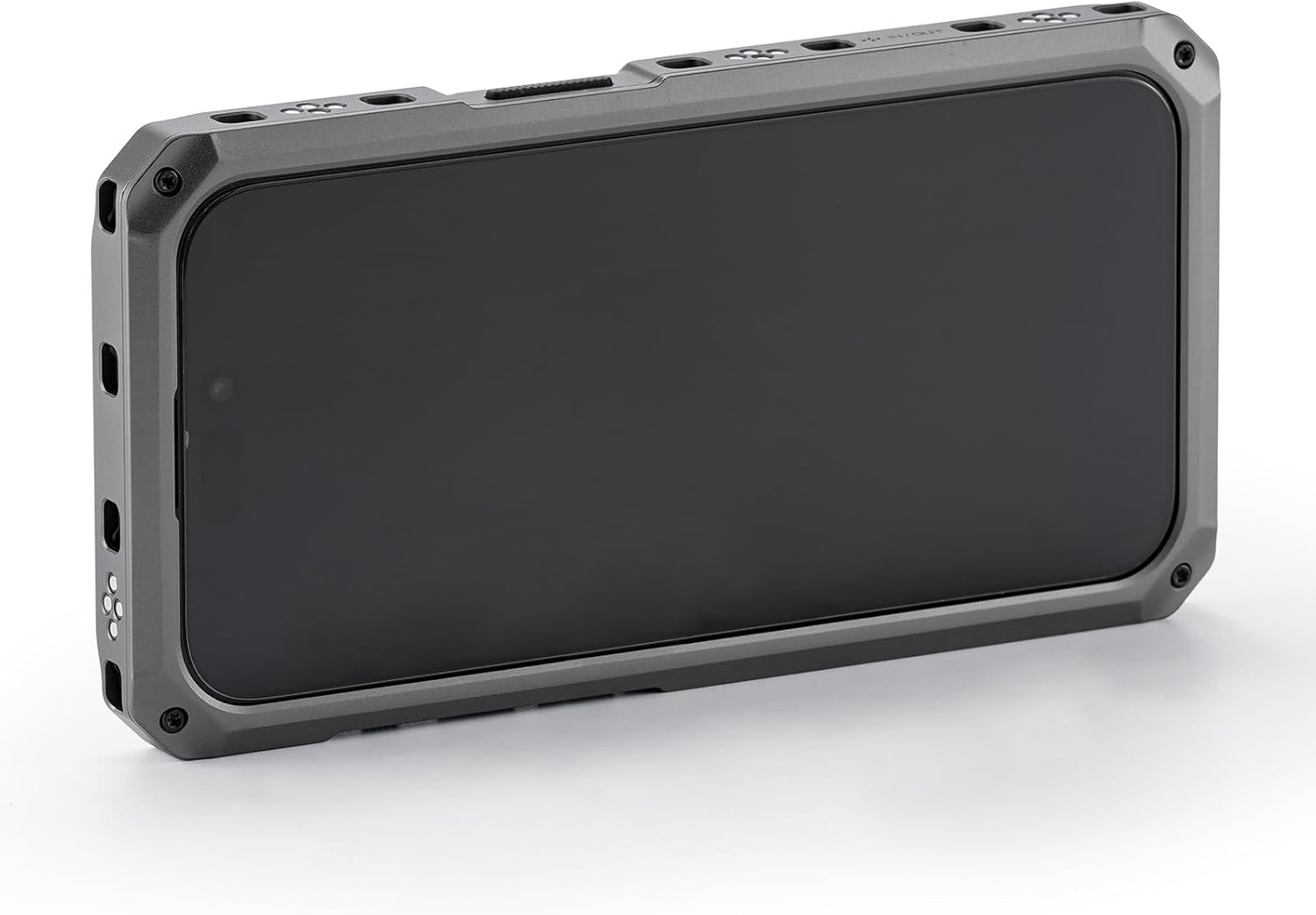
ചിത്രം 2: മുൻഭാഗം view of the Tilta Khronos iPhone 15 Pro Case, showcasing the protective frame around the screen.
3.2 MagSafe Card Holder
The Khronos case includes a MagSafe-compatible card holder. Simply align the card holder with the MagSafe area on the back of the case until it snaps into place. This allows for convenient storage of a single card.
3.3 Mounting Points and Electronic Contacts
The case features multiple mounting points around its perimeter. Most of these points include electronic contacts that allow for passthrough power to compatible accessories. These contacts ensure a clean setup without excessive cabling for power delivery.
3.4 Setup Guide Video
Video 1: Detailed setup guide and overview of the Tilta Khronos Ecosystem for iPhone, covering case installation, accessory mounting, and power features.
4. പ്രവർത്തന നിർദ്ദേശങ്ങൾ
The Tilta Khronos Phone Case is designed to be highly modular, allowing you to customize your mobile filmmaking rig. Operating instructions for specific accessories are detailed in the following section.
5 ആക്സസറികൾ
The Khronos ecosystem supports a wide range of accessories that attach securely to the case's mounting points.
5.1 ഹാൻഡിലുകൾ
Various handles can be attached to the side or top mounting points for improved grip and stability. These include wooden handles, NATO bracket handles, and the Focus PD Handle.

Figure 3: The Tilta Khronos Focus PD Handle, providing power and control for mobile filmmaking.
Focus PD Handle
The Focus PD Handle provides power to the case and phone via a USB-C connection. It also offers control over zoom and focus when using the Blackmagic Camera app. Double-tapping the function button on the handle allows switching between Blackmagic app control (red LED) and native iPhone camera app control (green LED). A USB-C port on the handle is for power only, and a 3.5mm mic jack is available for external audio.
5.2 Quick Release USB-C Hub
The USB-C Hub attaches to the bottom mounting points of the case. It features a PD USB-C port for external power, two additional USB-C ports for accessories or data transfer to an external hard drive, an HDMI port for video output to an external monitor, and a 3.5mm microphone jack for external audio input.

Figure 4: The Tilta Khronos Quick Release USB-C Hub, expanding connectivity options for the phone case.
5.3 Cooling Module
The cooling module attaches magnetically via MagSafe to the back of the case. It draws power from the case's electronic contacts and activates fans to provide additional cooling, which is crucial during extended recording sessions.

Figure 5: The Tilta Khronos Cooling Module, designed to prevent overheating during intensive use.
5.4 Mini LED Panel
The Mini LED Panel mounts to any cold shoe receiver on the case. It is daylight balanced and powered via the case's electronic contacts. Press and hold the power button to turn it on, then single tap to cycle through intensity levels. Note: This accessory does not have an internal battery and requires external power from the case.

Figure 6: The Tilta Khronos Mini LED Panel, providing portable lighting for mobile filmmaking.
5.5 Universal SSD Holder
The SSD holder attaches to the case's mounting points, allowing you to securely mount a variety of SSDs for external recording, expanding your storage capabilities for high-quality video files.

Figure 7: The Tilta Khronos Universal SSD Holder, for attaching external storage devices.
5.6 Filter Tray and Lens Adapters
The quick-release filter tray snaps over the iPhone's camera lenses, allowing for easy attachment and removal of various filters (e.g., ND, mist filters) to control exposure and creative effects. Lens adapters, such as the M-mount, T-series, and 17mm threaded lens adapters, enable the use of external lenses to achieve different focal lengths and optical characteristics beyond the iPhone's built-in cameras.

Figure 8: The Tilta Khronos Quick Release Filter Tray, allowing for quick changes of filters.

Figure 9: The Tilta Khronos M-Series Mount Lens Adapter, for attaching external M-series lenses.
6. പരിപാലനം
To ensure the longevity and optimal performance of your Tilta Khronos Phone Case and accessories, follow these maintenance guidelines:
- വൃത്തിയാക്കൽ: Use a soft, dry cloth to wipe down the aluminum case. For stubborn dirt, a slightly damp cloth can be used, ensuring no moisture enters the electronic contacts or ports.
- സംഭരണം: Store the case and accessories in a clean, dry environment away from extreme temperatures and direct sunlight.
- പരിശോധന: Periodically check all screws and connection points for tightness. Ensure electronic contacts are free from debris.
7. പ്രശ്നപരിഹാരം
If you encounter issues with your Tilta Khronos Phone Case or accessories, refer to the following common solutions:
- Accessory Not Powering On: Ensure the accessory is correctly attached to a mounting point with electronic contacts. Verify that the main case is receiving power (if applicable) and that the accessory is fully seated.
- അയഞ്ഞ കണക്ഷനുകൾ: Check all quick-release levers and screws to ensure they are tightened appropriately.
- App Control Issues (Focus PD Handle): Confirm Bluetooth is enabled on your iPhone and the handle is correctly paired within the Blackmagic Camera app settings. Ensure the handle's LED indicator matches the desired control mode (red for Blackmagic, green for native camera app).
8 സ്പെസിഫിക്കേഷനുകൾ
| ഫീച്ചർ | വിശദാംശങ്ങൾ |
|---|---|
| ഉൽപ്പന്ന അളവുകൾ | 11.5 x 9 x 4.5 ഇഞ്ച് |
| ഇനത്തിൻ്റെ ഭാരം | 2 പൗണ്ട് |
| ഇനം മോഡൽ നമ്പർ | TK-IP15-PFC-SG |
| പ്രത്യേക സവിശേഷതകൾ | Detachable Wallet |
| ഫോം ഫാക്ടർ | അടിസ്ഥാന കേസ് |
| നിറം | സ്പേസ് ഗ്രേ |
| മെറ്റീരിയൽ | അലുമിനിയം |
| അനുയോജ്യമായ ഫോൺ മോഡലുകൾ | iPhone 15 Pro |
| അനുയോജ്യമായ ഉപകരണങ്ങൾ | Cellphone, Tilta Khronos Ecosystem |
9. വാറൻ്റിയും പിന്തുണയും
The Tilta Khronos Phone Case is covered by a manufacturer's warranty against defects in materials and workmanship. For specific warranty details, please refer to the warranty card included with your product or visit the official Tilta website. For technical support, troubleshooting assistance, or inquiries about replacement parts, please contact Tilta customer service through their official channels.


