1. ആമുഖം
This manual provides detailed instructions for the installation, operation, and maintenance of your mcdodo 15W MagSafe Wireless Car Charger. This device is designed to securely hold and wirelessly charge compatible smartphones in your vehicle.
2. പാക്കേജ് ഉള്ളടക്കം
- വയർലെസ് ചാർജർ x1
- USB-C മുതൽ USB-C കേബിൾ x1 വരെ
- Air Vent Mount x1
- ഉപയോക്തൃ മാനുവൽ x1
- വാറന്റി കാർഡ് x1
3. ഉൽപ്പന്നം കഴിഞ്ഞുview
The mcdodo 15W MagSafe Wireless Car Charger features 18 strong permanent magnets for secure phone attachment and 15W wireless charging capability. Its design includes a soft silicone surface to protect your device and a built-in Type-C data cable for convenience. The charger supports 360-degree rotation for optimal viewകോണുകൾ.

ചിത്രം 1: mcdodo 15W MagSafe Wireless Car Charger securely mounted in a car's air vent, holding an iPhone.

ചിത്രം 2: The charger's strong magnetic connection ensures the phone remains stable during travel.

ചിത്രം 3: ആന്തരികം view illustrating the Qi2 15W magnetic wireless charging coils for fast and efficient power transfer.

ചിത്രം 4: Universal compatibility with iPhone 12-15 series directly, and other wireless charging phones via an included metal ring.
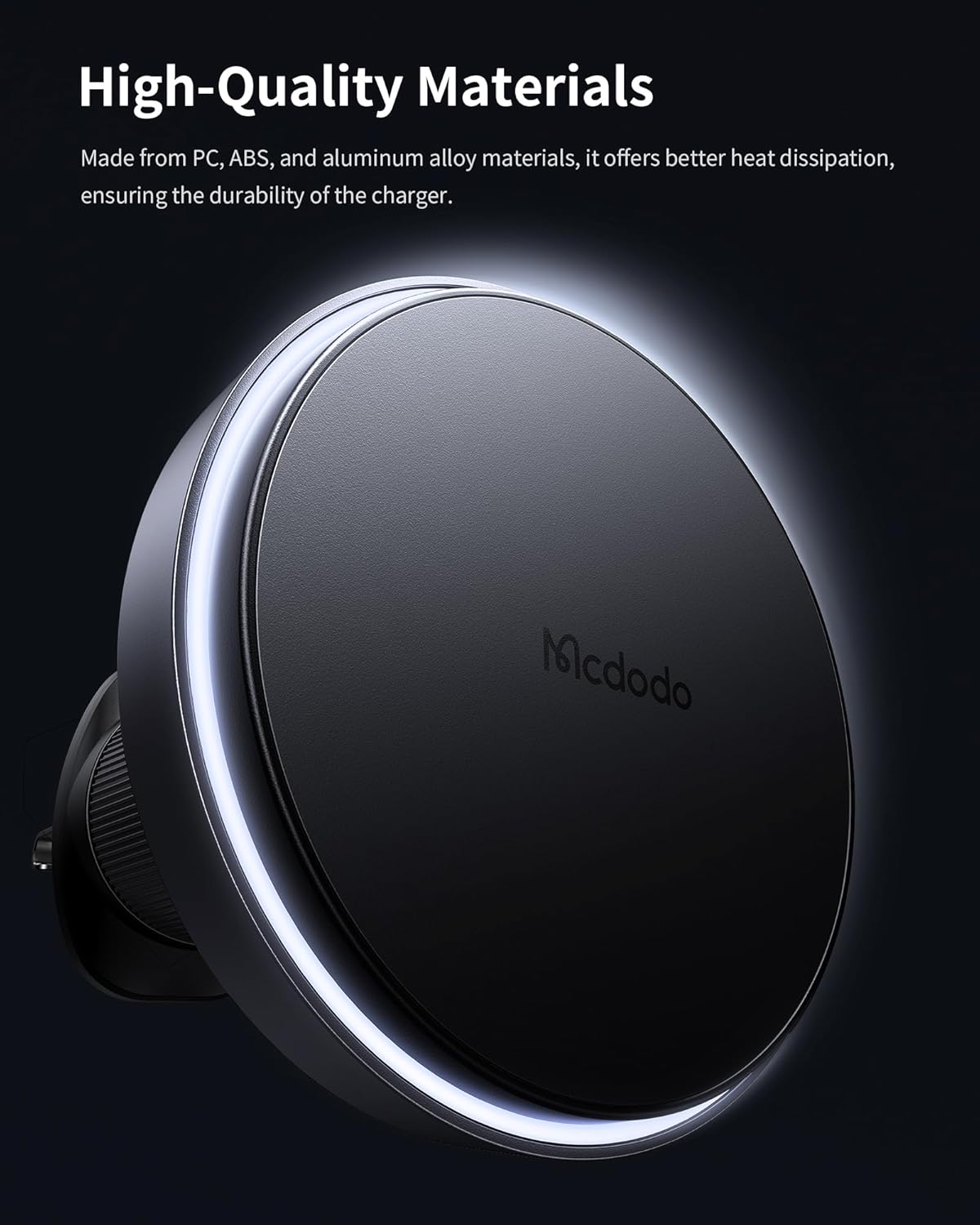
ചിത്രം 5: Constructed from high-quality PC, ABS, and aluminum alloy materials for durability and efficient heat dissipation.

ചിത്രം 6: The charger's compact and portable design, measuring 63.5*17.3mm and weighing just 90 grams.
4. സജ്ജീകരണവും ഇൻസ്റ്റാളേഷനും
4.1 Attaching the Air Vent Mount
- Unscrew the threaded nut on the air vent mount to loosen the clip.
- Insert the air vent clip into a suitable air vent slat in your vehicle.
- Tighten the threaded nut by twisting it clockwise until the mount is securely fastened to the vent. Ensure it is stable and does not wobble.
- Attach the magnetic charging pad to the ball joint of the air vent mount. Tighten the securing ring to fix the charging pad in your desired orientation.
വീഡിയോ 1: Demonstration of attaching the mcdodo MagSafe Wireless Car Charger to an air vent and securing it. This video shows the process of mounting the device and its stability.
4.2 ബന്ധിപ്പിക്കുന്ന പവർ
- Connect the provided USB-C to USB-C cable to the USB-C port on the bottom of the magnetic charging pad.
- Plug the other end of the USB-C cable into a compatible car charger or USB port in your vehicle. For optimal 15W fast charging, ensure your car charger supports Power Delivery (PD) or Quick Charge (QC) protocols.
4.3 Non-MagSafe Phone Compatibility
If your phone does not have built-in MagSafe functionality, you can use the included metal ring. Attach the metal ring to the back of your phone or phone case, ensuring it is centered for proper magnetic alignment and wireless charging.
5. പ്രവർത്തന നിർദ്ദേശങ്ങൾ
5.1 നിങ്ങളുടെ ഫോൺ അറ്റാച്ചുചെയ്യൽ
Once the charger is installed and powered, simply place your MagSafe-compatible iPhone (iPhone 12-15 series) or a phone with the attached metal ring onto the magnetic charging surface. The strong magnets will automatically align and secure your phone.
5.2 വയർലെസ് ചാർജിംഗ്
The charger will automatically begin 15W wireless charging upon proper alignment. The built-in NTC chip dynamically measures temperature to prevent overheating and protect your phone's battery health.
5.3 ക്രമീകരിക്കുന്നു Viewing ആംഗിൾ
The charger features a 360-degree rotatable ball joint, allowing you to easily adjust your phone to any desired horizontal or vertical viewing angle for navigation or hands-free use.
6. പരിപാലനം
- Air Vent Clip: It is recommended to re-tighten the air vent clip once every two weeks to ensure it remains stable and secure.
- വൃത്തിയാക്കൽ: Use a soft, dry cloth to clean the silicone surface of the charger. Avoid using harsh chemicals or abrasive materials.
- കേബിൾ കെയർ: Ensure the USB-C cable is not bent sharply or pinched, as this can damage the cable and affect charging performance.
7. പ്രശ്നപരിഹാരം
- ഫോൺ ചാർജ് ചെയ്യുന്നില്ല:
- Ensure the USB-C cable is securely connected to both the charger and the power source.
- Verify that your car charger or USB port is functioning correctly and providing sufficient power.
- Confirm your phone is MagSafe compatible or has the metal ring correctly attached and aligned with the charger.
- വയർലെസ് ചാർജിംഗിന് തടസ്സമായേക്കാവുന്ന കട്ടിയുള്ള ഫോൺ കേസുകൾ നീക്കം ചെയ്യുക.
- Phone falling off the mount:
- Re-tighten the air vent clip to ensure it is firmly attached to the vent.
- Ensure your phone case is MagSafe compatible or the metal ring is properly adhered and aligned.
- Avoid excessive force or sudden movements that could dislodge the phone.
- ചാർജർ അമിതമായി ചൂടാക്കൽ:
- The charger has a built-in NTC chip for temperature control. If overheating occurs, disconnect the device and allow it to cool down.
- Ensure there is adequate airflow around the charger and phone.
8 സ്പെസിഫിക്കേഷനുകൾ
| ഫീച്ചർ | മൂല്യം |
|---|---|
| ബ്രാൻഡ് | mcdodo |
| മോഡൽ നമ്പർ | US-MDD-CH-5480 |
| പാക്കേജ് അളവുകൾ | 6.26 x 4.02 x 1.38 ഇഞ്ച് |
| ഇനത്തിൻ്റെ ഭാരം | 6 ഔൺസ് |
| കണക്റ്റിവിറ്റി ടെക്നോളജികൾ | USB |
| പ്രത്യേക സവിശേഷതകൾ | വയർലെസ് ചാർജിംഗ് |
| മൗണ്ടിംഗ് തരം | വെൻ്റ് |
| അനുയോജ്യമായ ഉപകരണങ്ങൾ | iPhone (12-15 series), other wireless charging phones with metal ring |
| നിർമ്മാതാവ് | MCDODO |
| ആദ്യ തീയതി ലഭ്യമാണ് | ഏപ്രിൽ 10, 2024 |
9 സുരക്ഷാ വിവരങ്ങൾ
- ഉപകരണത്തെ തീവ്രമായ താപനിലയിലോ, നേരിട്ടുള്ള സൂര്യപ്രകാശത്തിലോ, ഈർപ്പത്തിലോ തുറന്നുകാട്ടരുത്.
- ഉപകരണം കുട്ടികളിൽ നിന്ന് അകറ്റി നിർത്തുക.
- ഉപകരണം ഡിസ്അസംബ്ലിംഗ് ചെയ്യരുത് അല്ലെങ്കിൽ സ്വയം നന്നാക്കാൻ ശ്രമിക്കരുത്.
- ഉപയോഗ സമയത്ത് ചാർജറിന് ചുറ്റും ശരിയായ വായുസഞ്ചാരം ഉറപ്പാക്കുക.
- Avoid placing metal objects between the phone and the charger, as this may interfere with charging or cause overheating.
10. വാറൻ്റിയും പിന്തുണയും
Your mcdodo 15W MagSafe Wireless Car Charger comes with a Warranty Card. Please refer to the card for specific warranty terms and conditions. For further support or inquiries, please visit the official mcdodo Store on Amazon or contact customer service.
mcdodo Store: Visit the mcdodo Store


