1. ആമുഖം
This manual provides essential instructions for the proper use and maintenance of your SANOTO DG08 Bone Conduction Headphones. Please read this manual thoroughly before using the product to ensure optimal performance and longevity.
2. എന്താണ് ഉൾപ്പെടുത്തിയിരിക്കുന്നത്
Carefully unpack your new SANOTO DG08 Bone Conduction Headphones. The package should contain the following items:
- 1 x SANOTO Bone Conduction Headphones (DG08)
- 1 x ഉപയോക്തൃ മാനുവൽ
- 2 x ഇയർപ്ലഗുകൾ
- 1 x മാഗ്നറ്റിക് ചാർജിംഗ് കേബിൾ

Image: Contents of the SANOTO DG08 headphone package, including the headphones, charging cable, and earplugs.
3. ഉൽപ്പന്നം കഴിഞ്ഞുview
The SANOTO DG08 headphones utilize bone conduction technology, delivering sound through vibrations to your cheekbones, leaving your ears open to ambient sounds. This design enhances situational awareness during activities.

Image: A pair of SANOTO DG08 bone conduction headphones in navy blue, showcasing the open-ear design and the magnetic charging contacts.
പ്രധാന സവിശേഷതകൾ:
- തുറന്ന ചെവി ഡിസൈൻ: Allows awareness of surroundings.
- ഭാരം കുറഞ്ഞ: Weighs approximately 29 grams for comfortable wear.
- ബ്ലൂടൂത്ത് 5.3: For stable and fast wireless connectivity.
- IPX7 വാട്ടർപ്രൂഫ്: Resistant to sweat and water splashes (not for swimming).
- 8 മണിക്കൂർ ബാറ്ററി ലൈഫ്: Extended listening and call time.
- കാന്തിക ചാർജിംഗ്: Convenient and secure charging connection.
- CVC Microphone Noise Reduction: Enhances call clarity.

Image: The SANOTO DG08 headphones highlighting their core features: Bluetooth 5.3, magnetic charging, CVC microphone noise reduction, and 8-hour battery life.
4. സജ്ജീകരണം
4.1. ഹെഡ്ഫോണുകൾ ചാർജ് ചെയ്യുന്നു
- Connect the magnetic charging cable to a USB power source (e.g., computer USB port, wall adapter).
- Align the magnetic end of the cable with the charging contacts on the headphones. The magnets will snap into place.
- The LED indicator on the headphones will illuminate during charging.
- A full charge typically takes approximately 1.5 to 2 hours. The LED indicator will change or turn off once charging is complete.
Note: Ensure the charging contacts are dry before connecting the cable to prevent damage.
4.2. ബ്ലൂടൂത്ത് ജോടിയാക്കൽ
- പവർ ഓൺ: Press and hold the power button on the headphones for approximately 3 seconds until you hear a voice prompt indicating "Power On" and the LED indicator flashes.
- ജോടിയാക്കൽ മോഡ്: The headphones will automatically enter pairing mode, indicated by the LED flashing alternately (e.g., red and blue).
- ബ്ലൂടൂത്ത് പ്രവർത്തനക്ഷമമാക്കുക: On your smartphone, tablet, or other Bluetooth-enabled device, go to the Bluetooth settings and ensure Bluetooth is turned on.
- ഉപകരണം തിരഞ്ഞെടുക്കുക: Look for "DG08" (or similar name) in the list of available devices and select it to connect.
- സ്ഥിരീകരണം: Once successfully paired, you will hear a voice prompt "Connected" and the LED indicator will stop flashing or flash slowly.
The headphones can also support pairing with two devices simultaneously. Refer to your device's Bluetooth settings for managing multiple connections.
5. പ്രവർത്തന നിർദ്ദേശങ്ങൾ
5.1. ഹെഡ്ഫോണുകൾ ധരിക്കുക
Place the headphones over your ears so that the transducers rest comfortably on your cheekbones, just in front of your ears. The band should wrap around the back of your head. Adjust for a secure yet comfortable fit.

Image: A woman running, demonstrating the comfortable and secure fit of the SANOTO DG08 bone conduction headphones during physical activity.
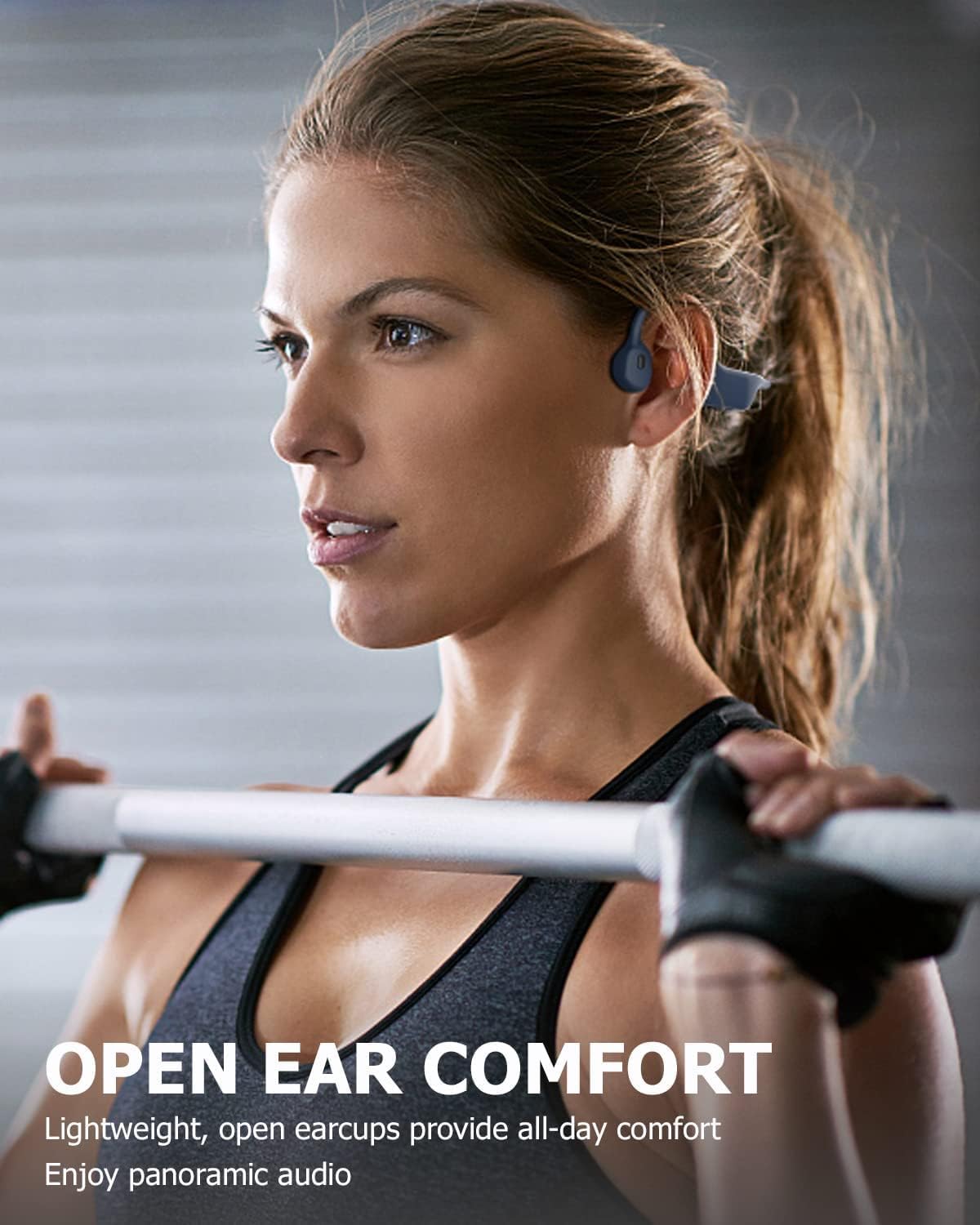
Image: A woman in a gym setting wearing the SANOTO DG08 headphones, illustrating the open-ear comfort during exercise.
5.2. അടിസ്ഥാന നിയന്ത്രണങ്ങൾ
The headphones feature a multifunctional button for various operations:
- പവർ ഓൺ/ഓഫ്: പവർ ബട്ടൺ 3 സെക്കൻഡ് അമർത്തിപ്പിടിക്കുക.
- പ്ലേ/താൽക്കാലികമായി നിർത്തുക: Single press the multifunctional button.
- ഉത്തരം/അവസാന കോൾ: Single press the multifunctional button during an incoming call or active call.
- കോൾ നിരസിക്കുക: Press and hold the multifunctional button for 2 seconds during an incoming call.
- വോളിയം കൂട്ടുക/താഴ്ത്തുക: Use the dedicated volume buttons (if present, otherwise typically integrated with the multi-function button or side controls).
- അടുത്ത ട്രാക്ക്: Double press the multifunctional button.
- മുമ്പത്തെ ട്രാക്ക്: Triple press the multifunctional button.
- വോയ്സ് അസിസ്റ്റന്റിനെ സജീവമാക്കുക: Press and hold the multifunctional button for 2 seconds (when not on a call).
5.3. Waterproof Functionality (IPX7)
The SANOTO DG08 headphones are rated IPX7 waterproof, meaning they are protected against immersion in water up to 1 meter for up to 30 minutes. This makes them suitable for use during sweaty workouts, in rain, or near splashes. They are not designed for swimming or prolonged underwater use.
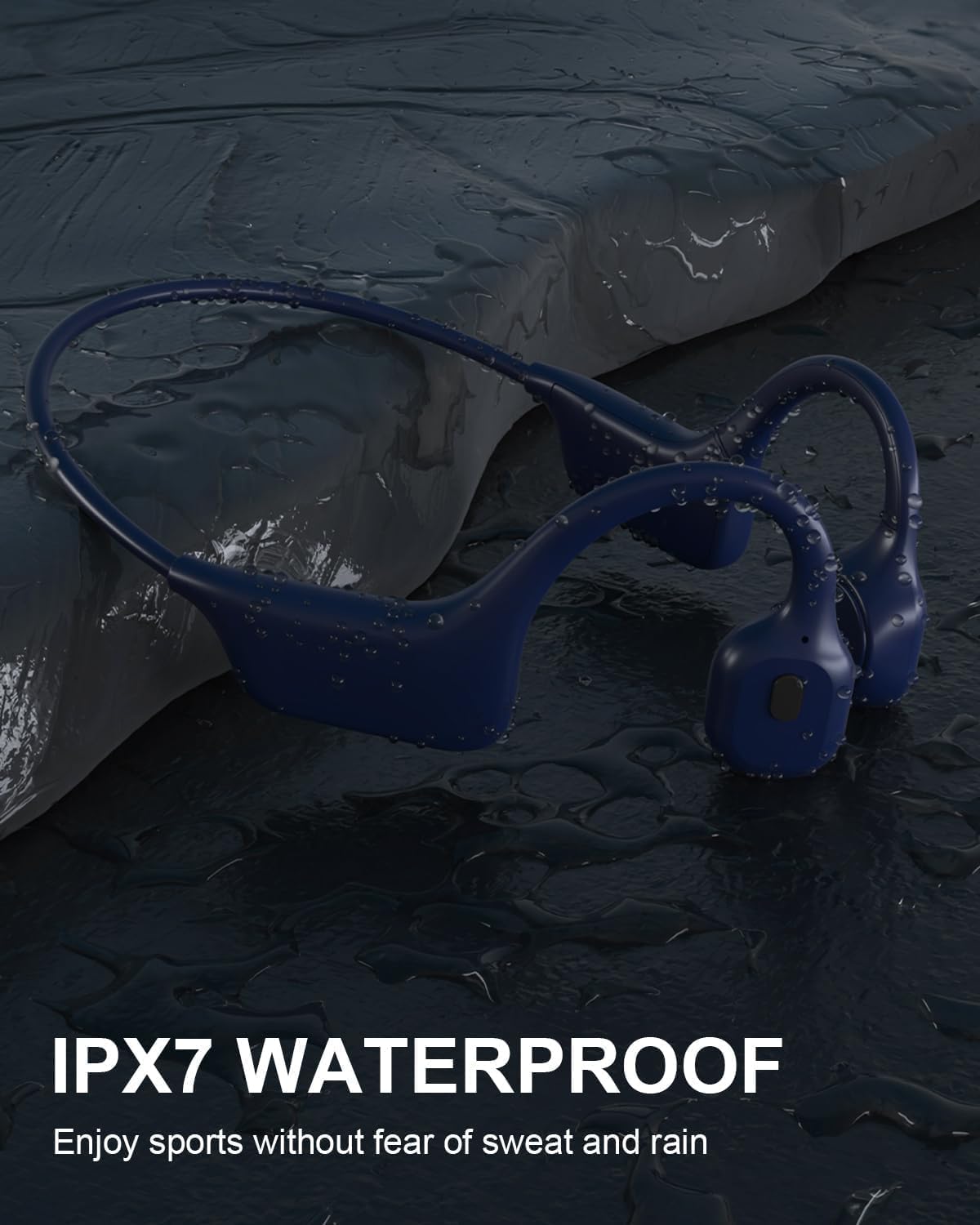
Image: The SANOTO DG08 headphones on a wet, dark surface, illustrating their IPX7 waterproof capability, suitable for sports in various weather conditions.
6. പരിപാലനം
6.1. വൃത്തിയാക്കൽ
- ഒരു സോഫ്റ്റ്, ഡി ഉപയോഗിച്ച് ഹെഡ്ഫോണുകൾ തുടയ്ക്കുകamp cloth after each use, especially after intense workouts, to remove sweat and dirt.
- ചാർജ് ചെയ്യുന്നതിനുമുമ്പ് ചാർജിംഗ് കോൺടാക്റ്റുകൾ വൃത്തിയുള്ളതും വരണ്ടതുമാണെന്ന് ഉറപ്പാക്കുക.
- Do not use abrasive cleaners or harsh chemicals, as these can damage the product.
6.2. സംഭരണം
- നേരിട്ടുള്ള സൂര്യപ്രകാശത്തിൽ നിന്നും കടുത്ത താപനിലയിൽ നിന്നും മാറി തണുത്തതും വരണ്ടതുമായ സ്ഥലത്ത് ഹെഡ്ഫോണുകൾ സൂക്ഷിക്കുക.
- ഹെഡ്ഫോണുകളിൽ ഭാരമുള്ള വസ്തുക്കൾ വയ്ക്കുന്നത് ഒഴിവാക്കുക.
7. പ്രശ്നപരിഹാരം
If you encounter issues with your SANOTO DG08 headphones, refer to the following common solutions:
| പ്രശ്നം | സാധ്യമായ പരിഹാരം |
|---|---|
| ഹെഡ്ഫോണുകൾ പവർ ഓൺ ചെയ്യുന്നില്ല. | Ensure the headphones are fully charged. Press and hold the power button for at least 3 seconds. |
| ഉപകരണവുമായി ജോടിയാക്കാൻ കഴിയില്ല. | Ensure Bluetooth is enabled on your device. Make sure the headphones are in pairing mode (LED flashing). Forget previous pairings on your device and try again. Move closer to your device. |
| ശബ്ദമില്ല അല്ലെങ്കിൽ കുറഞ്ഞ ശബ്ദമില്ല. | Adjust the volume on both the headphones and your connected device. Ensure the headphones are properly positioned on your cheekbones. Check if the headphones are connected to the correct audio output on your device. |
| Charging LED is dim or not visible. | Ensure the magnetic charging cable is securely connected and the contacts are clean. Try a different USB power source. |
| ഇടവിട്ടുള്ള കണക്ഷൻ. | Reduce the distance between the headphones and your device. Avoid obstacles that may interfere with the Bluetooth signal. Ensure no other devices are causing interference. |
8 സ്പെസിഫിക്കേഷനുകൾ
| ഫീച്ചർ | വിശദാംശങ്ങൾ |
|---|---|
| മോഡലിൻ്റെ പേര് | DG08 |
| കണക്റ്റിവിറ്റി ടെക്നോളജി | വയർലെസ്സ് (ബ്ലൂടൂത്ത് 5.3) |
| ജല പ്രതിരോധ നില | IPX7 വാട്ടർപ്രൂഫ് |
| ബാറ്ററി ശരാശരി ആയുസ്സ് | 8 മണിക്കൂർ |
| ചാർജിംഗ് സമയം | 1.5 - 2 മണിക്കൂർ |
| ഇനത്തിൻ്റെ ഭാരം | 29 ഗ്രാം |
| മെറ്റീരിയൽ | പ്ലാസ്റ്റിക്, സിലിക്കൺ |
| ഫ്രീക്വൻസി റേഞ്ച് | 20 ഹെർട്സ് - 20,000 ഹെർട്സ് |
| നിയന്ത്രണ തരം | ബട്ടൺ നിയന്ത്രണം |
| ചെവി പ്ലേസ്മെൻ്റ് | തുറന്ന ചെവി |
9 സുരക്ഷാ വിവരങ്ങൾ
- ഉൽപ്പന്നം വേർപെടുത്തുകയോ നന്നാക്കുകയോ പരിഷ്കരിക്കുകയോ ചെയ്യരുത്. ഇത് തീ, വൈദ്യുതാഘാതം, അല്ലെങ്കിൽ ഉൽപ്പന്നത്തിന് പൂർണ്ണമായ കേടുപാടുകൾ എന്നിവയ്ക്ക് കാരണമായേക്കാം.
- ഉയർന്ന താപനില, നേരിട്ടുള്ള സൂര്യപ്രകാശം, തുറന്ന തീജ്വാലകൾ എന്നിവയിൽ നിന്ന് ഉൽപ്പന്നത്തെ അകറ്റി നിർത്തുക.
- Avoid using the headphones at excessively high volumes for prolonged periods to prevent hearing damage.
- While the open-ear design enhances awareness, always exercise caution in environments requiring full attention, such as heavy traffic.
- കുട്ടികൾക്കും വളർത്തുമൃഗങ്ങൾക്കും ലഭ്യമാകാതെ സൂക്ഷിക്കുക.
10. വാറൻ്റിയും പിന്തുണയും
SANOTO products are designed for reliability and performance. For warranty information or technical support, please refer to the contact details provided with your purchase documentation or visit the official SANOTO webസൈറ്റ്.
If you experience any issues not covered in this manual, please contact customer support for assistance.


