1. ആമുഖം
This manual provides detailed instructions for the Phomemo M834 Portable Thermal Printer. The M834 is a compact, wireless, and inkless printer designed for various printing needs, offering 300 dpi print clarity and support for multiple thermal paper sizes. Please read this manual thoroughly to ensure proper use and optimal performance of your device.
2. പാക്കേജ് ഉള്ളടക്കം
പാക്കേജിൽ എല്ലാ ഇനങ്ങളും ഉണ്ടെന്ന് ഉറപ്പാക്കുക:
- 1 Phomemo M834 Portable Printer (Upgraded)
- പേപ്പർ
- 1 USB-C കേബിൾ
- 1 USB-C മുതൽ USB അഡാപ്റ്റർ വരെ
- 1 ഫ്ലാനലെറ്റ് സ്റ്റോറേജ് ബാഗും 1 ഉപയോക്തൃ ഗൈഡും
3. ഉൽപ്പന്നം കഴിഞ്ഞുview
The Phomemo M834 is a lightweight and portable thermal printer. Its design emphasizes ease of use and mobility, making it suitable for various environments.

The printer features a power button, paper input slot, and a USB-C port for charging and wired connection. Its compact size and light weight (approximately 1.5 lbs) allow for easy transport.
4. സജ്ജീകരണം
4.1 പ്രിന്റർ ചാർജ് ചെയ്യുന്നു
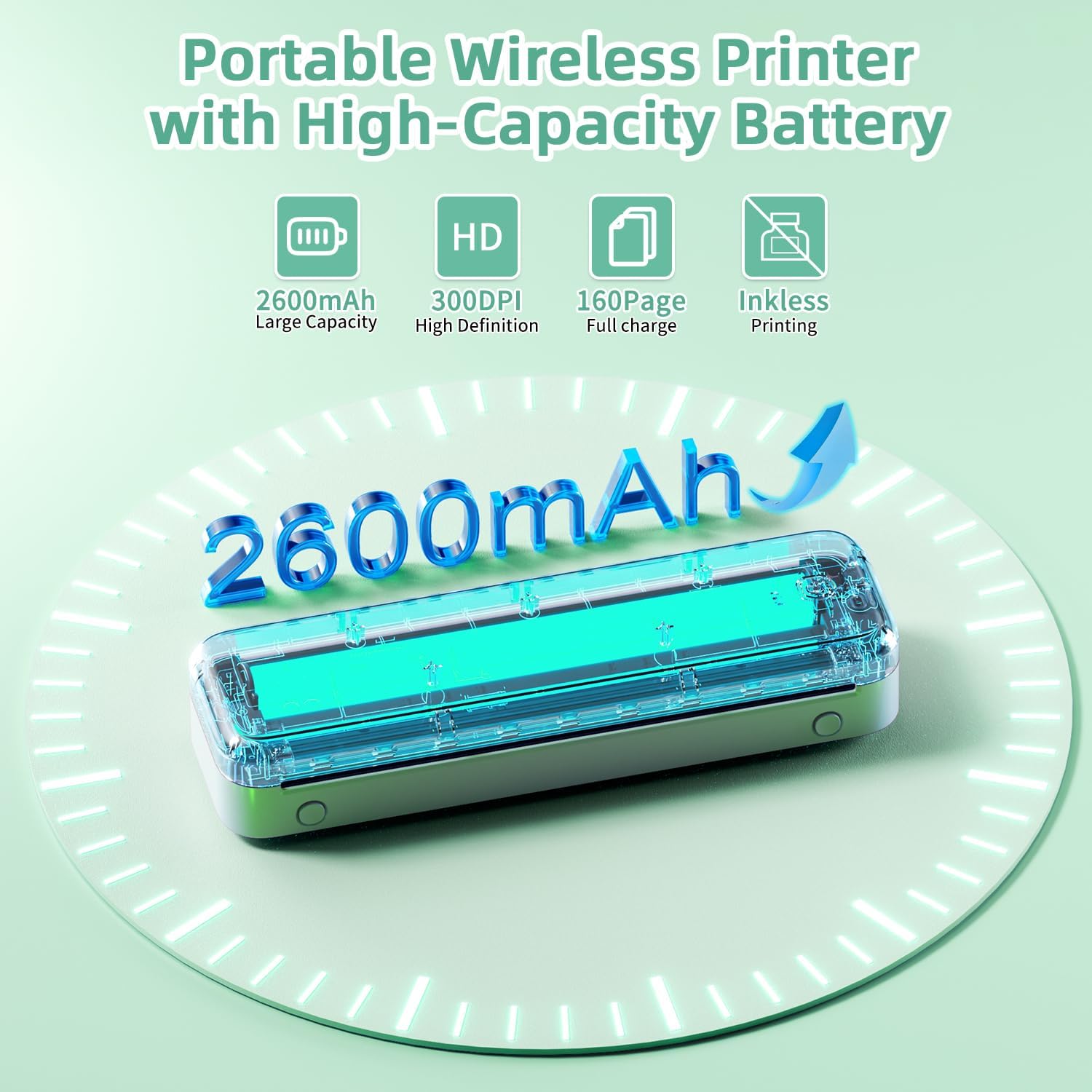
Before first use, fully charge the printer. Connect the provided USB-C cable to the printer's charging port and the other end to a compatible USB power adapter (not included) or a computer's USB port. The built-in 2600mAh rechargeable battery allows for extended use.
4.2 തെർമൽ പേപ്പർ ലോഡുചെയ്യുന്നു
The M834 supports various types and sizes of thermal paper, including flat paper, continuous paper, and roll paper. Ensure the thermal side of the paper is facing the print head.
- Open the paper input cover.
- Carefully insert the thermal paper into the input slot, ensuring it is aligned straight.
- പേപ്പറിന്റെ വീതിക്ക് അനുയോജ്യമായ രീതിയിൽ പേപ്പർ ഗൈഡുകൾ ക്രമീകരിക്കുക.
- പേപ്പർ ഇൻപുട്ട് കവർ അടയ്ക്കുക.

4.3 ആപ്പ് ഇൻസ്റ്റാളേഷനും കണക്റ്റിവിറ്റിയും
For mobile printing, download the official Phomemo app from your device's app store (iOS or Android). For PC printing, drivers may be required.

Bluetooth Connection (for Smartphones/Tablets):
- പ്രിൻ്റർ ഓണാണെന്ന് ഉറപ്പാക്കുക.
- നിങ്ങളുടെ മൊബൈൽ ഉപകരണത്തിൽ ബ്ലൂടൂത്ത് പ്രവർത്തനക്ഷമമാക്കുക.
- Open the Phomemo app and follow the in-app instructions to search for and connect to your M834 printer.
USB Connection (for PCs/Laptops):
- Connect the printer to your PC using the provided USB-C cable.
- ഔദ്യോഗിക ഫോമെമോ സന്ദർശിക്കുക website to download and install the appropriate drivers for your operating system (Windows 10/11, Linux, macOS, Chrome OS).
- Once drivers are installed, the printer should be recognized by your computer.
5. പ്രവർത്തന നിർദ്ദേശങ്ങൾ
5.1 പവർ ഓൺ/ഓഫ്
Press and hold the power button located on the printer for approximately 3 seconds to turn it on or off. An indicator light will confirm the power status.
5.2 പ്രമാണങ്ങൾ അച്ചടിക്കൽ
Once connected via Bluetooth (mobile) or USB (PC), you can initiate printing from your device. The M834 offers a print clarity of 300 dpi for clear results.

From Mobile Devices (via Phomemo App):
- Phomemo ആപ്പ് തുറക്കുക.
- Select the document or image you wish to print.
- Adjust print settings (e.g., size, density) as needed within the app.
- ജോലി പ്രിന്ററിലേക്ക് അയയ്ക്കാൻ പ്രിന്റ് ബട്ടൺ ടാപ്പ് ചെയ്യുക.
From PC (via USB):
- Open the document or image on your computer.
- ആപ്ലിക്കേഷന്റെ മെനുവിൽ നിന്ന് 'പ്രിന്റ്' തിരഞ്ഞെടുക്കുക.
- Choose the Phomemo M834 from the list of available printers.
- ആവശ്യമെങ്കിൽ പ്രിന്റ് മുൻഗണനകൾ ക്രമീകരിച്ച് 'പ്രിന്റ്' ക്ലിക്ക് ചെയ്യുക.
5.3 പിന്തുണയ്ക്കുന്ന പേപ്പർ വലുപ്പങ്ങൾ
The Phomemo M834 supports various thermal paper sizes, including:
- 8.5'' x 11'' US Letter
- A4 (8.26'' x 11.69'')
- 4.33'' (110mm)
- 3.15'' (80mm)
- 2.09'' (53mm)
6. പരിപാലനം
6.1 പ്രിന്റർ വൃത്തിയാക്കുന്നു
As a thermal printer, the M834 does not use ink cartridges. Regular maintenance primarily involves keeping the print head and paper path clean.
- Turn off the printer and disconnect it from power.
- മൃദുവായ, ലിന്റ് രഹിത തുണി ഉപയോഗിച്ച് പ്രിന്റ് ഹെഡ് മൃദുവായി തുടയ്ക്കുക d.ampഐസോപ്രോപൈൽ ആൽക്കഹോൾ ചേർത്തത്. ഉപയോഗിക്കുന്നതിന് മുമ്പ് പൂർണ്ണമായും ഉണങ്ങാൻ അനുവദിക്കുക.
- മൃദുവായ ബ്രഷ് അല്ലെങ്കിൽ കംപ്രസ് ചെയ്ത വായു ഉപയോഗിച്ച് പേപ്പർ പാതയിൽ നിന്ന് ഏതെങ്കിലും പേപ്പർ പൊടി അല്ലെങ്കിൽ അവശിഷ്ടങ്ങൾ നീക്കം ചെയ്യുക.
6.2 സംഭരണം
Store the printer in a cool, dry place away from direct sunlight and extreme temperatures. When not in use for extended periods, ensure the battery is partially charged (around 50%) to prolong its lifespan. Store thermal paper in a dark, cool place to prevent premature fading.
7. പ്രശ്നപരിഹാരം
നിങ്ങളുടെ Phomemo M834 പ്രിന്ററിൽ പ്രശ്നങ്ങൾ നേരിടുകയാണെങ്കിൽ, ഇനിപ്പറയുന്ന പൊതുവായ പ്രശ്നങ്ങളും പരിഹാരങ്ങളും പരിശോധിക്കുക:
| പ്രശ്നം | സാധ്യമായ കാരണം | പരിഹാരം |
|---|---|---|
| പ്രിന്റർ ചാർജ് ചെയ്യുന്നില്ല | Faulty cable, power adapter, or internal battery issue. | Ensure USB-C cable and adapter are working. Try a different power source. If issue persists, contact customer support. |
| ബ്ലൂടൂത്ത് വഴി ബന്ധിപ്പിക്കാൻ കഴിയില്ല | Bluetooth off, printer not in pairing mode, app issue. | Ensure printer is on and Bluetooth is enabled on your device. Restart both devices. Reinstall the Phomemo app. |
| PC not recognizing printer via USB | Missing or incorrect drivers, faulty USB cable. | Install or update drivers from the official Phomemo website. Try a different USB-C cable or port. |
| Printouts are blurry or faint | Low battery, dirty print head, incorrect paper type/side. | Charge the printer. Clean the print head (see Maintenance). Ensure you are using thermal paper with the correct side facing up. |
| Paper jam or misfeed | Improper paper loading, damaged paper. | Turn off the printer. Carefully remove any jammed paper. Reload paper correctly, ensuring it is straight and aligned with guides. |
| പ്രിന്റർ ഓണാക്കുന്നില്ല | Low battery, power button issue. | Ensure the printer is charged. Press and hold the power button firmly for 3 seconds. If unresponsive, contact support. |
8 സ്പെസിഫിക്കേഷനുകൾ
| ഫീച്ചർ | വിശദാംശങ്ങൾ |
|---|---|
| ബ്രാൻഡ് | ഫേമോമോ |
| മോഡലിൻ്റെ പേര് | M834 |
| പ്രിൻ്റിംഗ് ടെക്നോളജി | തെർമൽ |
| കണക്റ്റിവിറ്റി ടെക്നോളജി | ബ്ലൂടൂത്ത്, യുഎസ്ബി ടൈപ്പ് സി |
| പരമാവധി കറുപ്പും വെളുപ്പും പ്രിന്റ് റെസല്യൂഷൻ | 300 ഡിപിഐ |
| പരമാവധി പ്രിന്റ് സ്പീഡ് മോണോക്രോം | 6 പി.പി.എം |
| പിന്തുണയ്ക്കുന്ന മീഡിയ വലുപ്പങ്ങൾ | 8.5''x11.69'' US Letter, 8.26''x11.69'' A4, 2.09'', 3.15'', 4.33'' Inches |
| അച്ചടി മാധ്യമം | തെർമൽ പേപ്പർ |
| അനുയോജ്യമായ ഉപകരണങ്ങൾ | Laptops, PC, Smartphones, Tablets (Android, iOS, Windows 10/11, Linux, macOS) |
| ബാറ്ററി | 2600mAh (1 A batteries required, included) |
| ഇനത്തിൻ്റെ ഭാരം | 1.54 പൗണ്ട് (700 ഗ്രാം) |
| ഉൽപ്പന്ന അളവുകൾ | 10.39 x 3.07 x 1.77 ഇഞ്ച് |
| പരമാവധി ഇൻപുട്ട് ഷീറ്റ് ശേഷി | 50 |
| പ്രിൻ്റർ ഔട്ട്പുട്ട് | മോണോക്രോം |
| ഇരട്ട-വശങ്ങളുള്ള പ്രിന്റിംഗ് | ഇല്ല (സിംപ്ലക്സ്) |
9. വാറൻ്റിയും പിന്തുണയും
9.1 വാറൻ്റി വിവരങ്ങൾ
The Phomemo M834 Portable Printer comes with a limited warranty. Please refer to the warranty card included in your package or visit the official Phomemo webവിശദമായ നിബന്ധനകൾക്കും വ്യവസ്ഥകൾക്കും സൈറ്റ്.
9.2 ഉപഭോക്തൃ പിന്തുണ
For technical assistance, troubleshooting not covered in this manual, or warranty claims, please contact Phomemo customer service. You can typically find contact information on the official Phomemo website or through the Phomemo app.
For additional resources, you may visit the official Phomemo Store: Phomemo Store on Amazon.


