1. ഉൽപ്പന്നം കഴിഞ്ഞുview
The Western Digital Ultrastar DC HA340 WUS721208BLE6L4 is an 8TB internal 3.5-inch hard drive designed for data center environments. It features a SATA 6Gb/s interface, operates at 7200 RPM, and includes a 256 MB buffer to optimize performance for demanding workloads. This drive is engineered for reliability and efficiency in enterprise-grade storage systems.
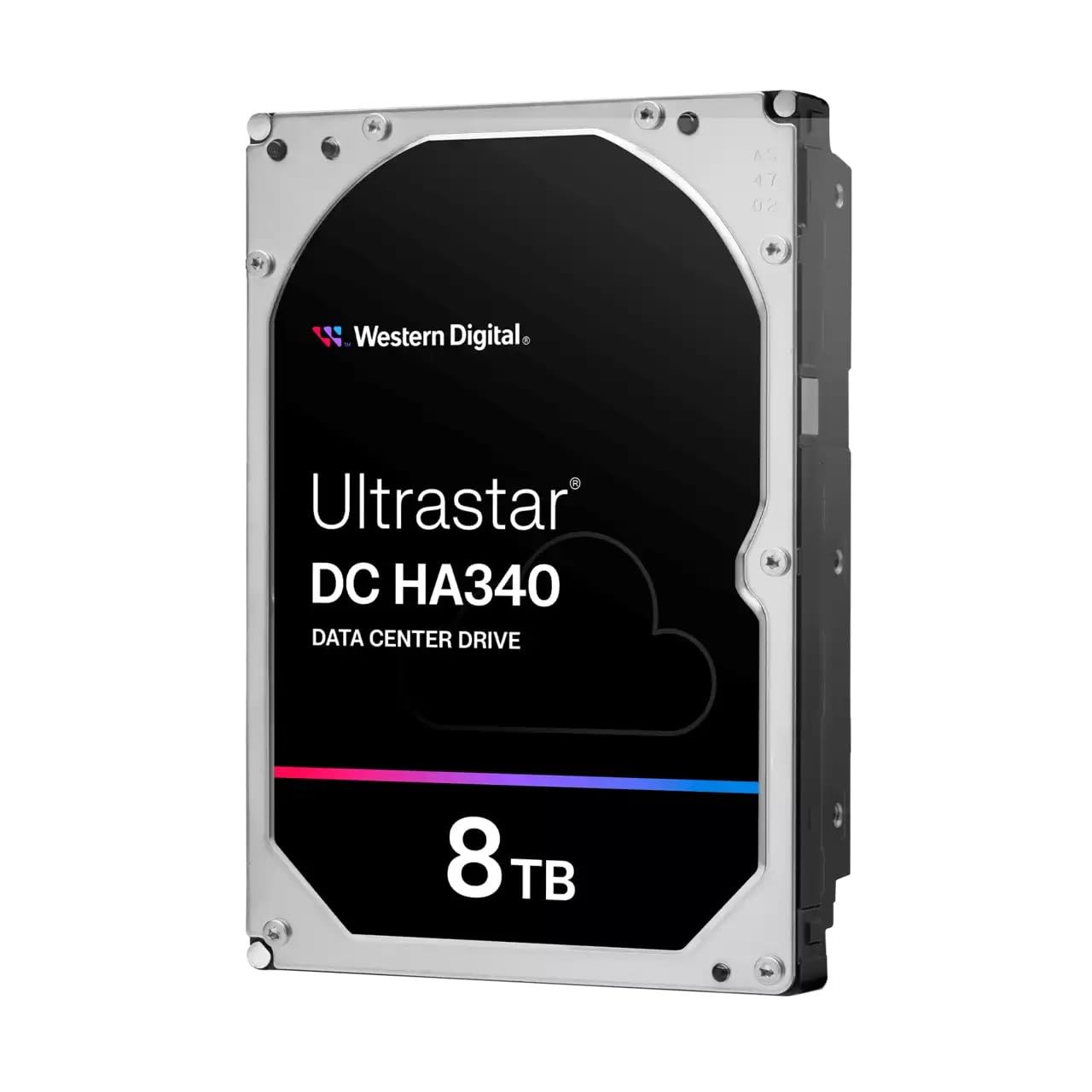
ചിത്രം 1: മുൻഭാഗം view of the Western Digital Ultrastar DC HA340 8TB Data Center Hard Drive, showing the label with 'Ultrastar DC HA340 DATA CENTER DRIVE' and '8TB'.
2 സുരക്ഷാ വിവരങ്ങൾ
- ഇലക്ട്രോസ്റ്റാറ്റിക് ഡിസ്ചാർജ് (ESD) മുൻകരുതലുകൾ: Always handle the hard drive by its edges and avoid touching the circuit board or connector pins. Use an anti-static wrist strap or ensure you are properly grounded before handling the drive to prevent damage from static electricity.
- ശാരീരിക കൈകാര്യം ചെയ്യൽ: Hard drives are delicate. Avoid dropping, jarring, or exposing the drive to excessive vibration. Do not apply pressure to the top cover.
- പവർ കണക്ഷൻ: Ensure the power supply is turned off before connecting or disconnecting the drive's power cable. Use only compatible power connectors.
- പരിസ്ഥിതി വ്യവസ്ഥകൾ: Operate the drive within specified temperature and humidity ranges. Avoid extreme temperatures or direct sunlight.
3. പാക്കേജ് ഉള്ളടക്കം
നിങ്ങളുടെ പാക്കേജിൽ ഇനിപ്പറയുന്ന ഇനം അടങ്ങിയിട്ടുണ്ടെന്ന് ഉറപ്പാക്കുക:
- Western Digital Ultrastar DC HA340 Hard Drive
Note: SATA data cables, power cables, and mounting screws are typically sold separately and are not included with the drive.
4. സജ്ജീകരണവും ഇൻസ്റ്റാളേഷനും
This section outlines the general steps for installing your Ultrastar DC HA340 hard drive into a compatible system.
4.1 ഫിസിക്കൽ ഇൻസ്റ്റലേഷൻ
- സിസ്റ്റം തയ്യാറാക്കുക: Power off your computer or server and disconnect the power cord. Open the computer case to access the drive bays.
- Mount the Drive: Slide the 3.5-inch hard drive into an available drive bay. Secure the drive using appropriate screws on both sides of the drive bay. Ensure the drive is firmly seated to prevent vibration.
- ഡാറ്റ കേബിൾ ബന്ധിപ്പിക്കുക: Connect one end of a SATA data cable to the SATA port on the hard drive and the other end to an available SATA port on your motherboard or RAID controller.
- പവർ കേബിൾ ബന്ധിപ്പിക്കുക: നിങ്ങളുടെ പവർ സപ്ലൈ യൂണിറ്റിൽ (പിഎസ്യു) നിന്ന് ഒരു SATA പവർ കേബിൾ ഹാർഡ് ഡ്രൈവിലെ പവർ കണക്ടറിലേക്ക് ബന്ധിപ്പിക്കുക.
- സിസ്റ്റം അടയ്ക്കുക: കമ്പ്യൂട്ടർ കേസ് അടച്ച് പവർ കോർഡ് വീണ്ടും ബന്ധിപ്പിക്കുക.

ചിത്രം 2: വശം view of the Western Digital Ultrastar DC HA340 Hard Drive, showing the SATA data and power connectors.
4.2 പ്രാരംഭ സിസ്റ്റം സജ്ജീകരണം
- ബയോസ്/യുഇഎഫ്ഐ കോൺഫിഗറേഷൻ: Power on your system and enter the BIOS/UEFI setup. Verify that the newly installed hard drive is detected. Ensure the SATA controller mode (e.g., AHCI, RAID) is configured appropriately for your operating system and intended use.
- ഓപ്പറേറ്റിംഗ് സിസ്റ്റം കണ്ടെത്തൽ: Boot into your operating system. For Windows, open Disk Management. For Linux, use tools like
fdiskorlsblk. The drive should appear as unallocated space. - ഇനീഷ്യലൈസ് ചെയ്ത് ഫോർമാറ്റ് ചെയ്യുക: Initialize the drive (GPT for 8TB drives) and create new partitions. Format the partitions with a suitable file system (e.g., NTFS for Windows, ext4 for Linux).
5. പ്രവർത്തന നിർദ്ദേശങ്ങൾ
Once installed and formatted, the Ultrastar DC HA340 operates like any standard storage device within your system. It is optimized for continuous operation in data center environments.
- ഡാറ്റ സംഭരണം: Use the drive for storing large volumes of data, including databases, virtual machine images, and archival data.
- പ്രകടനം: The 7200 RPM rotational speed and 256 MB buffer contribute to efficient data access and transfer rates, suitable for demanding data center applications.
- റെയ്ഡ് കോൺഫിഗറേഷനുകൾ: For enhanced performance, redundancy, or both, the drive can be integrated into various RAID arrays managed by a hardware or software RAID controller. Consult your RAID controller's documentation for specific setup instructions.
6. പരിപാലനം
Proper maintenance ensures the longevity and reliability of your hard drive.
- ഫേംവെയർ അപ്ഡേറ്റുകൾ: Periodically check the Western Digital support website for any available firmware updates for your drive model. Firmware updates can improve performance, stability, and compatibility.
- ഡ്രൈവ് ആരോഗ്യം നിരീക്ഷിക്കുക: Utilize SMART (Self-Monitoring, Analysis and Reporting Technology) tools to monitor the health status of your drive. Many operating systems and third-party utilities provide access to SMART data.
- ഡാറ്റ ബാക്കപ്പ്: Regularly back up critical data to another storage device or system. No storage device is infallible, and backups are essential for data protection.
- പരിസ്ഥിതി നിയന്ത്രണം: Maintain a stable operating environment with adequate airflow to prevent overheating. Ensure the system's cooling fans are functioning correctly.
7. പ്രശ്നപരിഹാരം
If you encounter issues with your Ultrastar DC HA340 hard drive, consider the following troubleshooting steps:
- ഡ്രൈവ് കണ്ടെത്തിയില്ല:
- എല്ലാ SATA ഡാറ്റയും പവർ കേബിൾ കണക്ഷനുകളും പരിശോധിക്കുക. അവ സുരക്ഷിതമായി സ്ഥാപിച്ചിട്ടുണ്ടെന്ന് ഉറപ്പാക്കുക.
- Verify that the SATA port on the motherboard/controller is enabled in BIOS/UEFI.
- Test the drive in a different SATA port or with different cables if available.
- നിങ്ങളുടെ പവർ സപ്ലൈ യൂണിറ്റിൽ (പിഎസ്യു) ആവശ്യത്തിന് വെള്ളം ഉണ്ടെന്ന് ഉറപ്പാക്കുക.tage, ലഭ്യമായ SATA പവർ കണക്ടറുകൾ.
- പ്രകടന പ്രശ്നങ്ങൾ:
- Check for high CPU or RAM usage that might be impacting drive performance.
- Ensure the drive is not excessively fragmented (though less critical for modern file സംവിധാനങ്ങൾ).
- Monitor drive temperature; overheating can lead to performance throttling.
- Verify that the SATA controller drivers are up to date.
- അസാധാരണമായ ശബ്ദങ്ങൾ:
- Clicking, grinding, or repetitive noises often indicate a mechanical failure. Immediately back up any accessible data and consider replacing the drive.
- A slight hum or whirring is normal during operation.
- ഡാറ്റ അഴിമതി:
- Run disk check utilities (e.g.,
chkdskon Windows,fsckon Linux) to identify and repair file സിസ്റ്റം പിശകുകൾ. - Check SMART data for any pending sector reallocations or uncorrectable errors.
- Run disk check utilities (e.g.,
If these steps do not resolve the issue, contact Western Digital technical support for further assistance.
8 സ്പെസിഫിക്കേഷനുകൾ
Key technical specifications for the Western Digital Ultrastar DC HA340 WUS721208BLE6L4 hard drive:
| ഫീച്ചർ | സ്പെസിഫിക്കേഷൻ |
|---|---|
| മോഡൽ നമ്പർ | 0B47078 |
| ഡിജിറ്റൽ സ്റ്റോറേജ് കപ്പാസിറ്റി | 8 ടി.ബി |
| ഹാർഡ് ഡിസ്ക് ഫോം ഫാക്ടർ | 3.5 ഇഞ്ച് |
| ഹാർഡ് ഡിസ്ക് ഇന്റർഫേസ് | സീരിയൽ ATA-600 (SATA 6Gb/s) |
| ഹാർഡ് ഡ്രൈവ് റൊട്ടേഷണൽ സ്പീഡ് | 7200 ആർപിഎം |
| ബഫർ വലിപ്പം | 256 MB |
| ഇൻസ്റ്റലേഷൻ തരം | ആന്തരിക ഹാർഡ് ഡ്രൈവ് |
| അനുയോജ്യമായ ഉപകരണങ്ങൾ | Desktop, Laptop (primarily data center servers) |
| ഇനത്തിൻ്റെ ഭാരം | 1.74 പൗണ്ട് (ഏകദേശം 0.79 കിലോഗ്രാം) |
| പാക്കേജ് അളവുകൾ | 8.03 x 6.38 x 3.86 ഇഞ്ച് |
9. വാറൻ്റിയും പിന്തുണയും
Western Digital products are backed by a limited warranty. For specific warranty terms and conditions, please refer to the warranty information included with your purchase or visit the official Western Digital webസൈറ്റ്.
For technical support, product registration, and access to drivers and firmware updates, please visit the Western Digital support portal:
Western Digital Support: https://support.wdc.com
When contacting support, please have your drive's model number (0B47078) and serial number ready.


