ആമുഖം
This manual provides comprehensive instructions for the setup, operation, and maintenance of your RockJam 49 Key USB Keyboard Piano. Designed for both beginners and experienced musicians, this compact digital piano offers a wide range of features to enhance your musical journey.
പ്രധാന സവിശേഷതകളിൽ ഇവ ഉൾപ്പെടുന്നു:
- 49 velocity-sensitive keys for expressive play.
- 200 built-in tones and 200 rhythms for diverse musical styles.
- 50 demo songs for learning and inspiration.
- Record and playback functionality to capture your performances.
- Integrated stereo speakers for clear audio output.
- സ്വകാര്യ പ്രാക്ടീസിനുള്ള ഹെഡ്ഫോൺ ഔട്ട്പുട്ട്.
- Auxiliary input for playing along with external audio sources.
- Microphone input for vocal accompaniment.
- USB connectivity for computer integration.
സജ്ജമാക്കുക
Follow these steps to set up your RockJam 49 Key USB Keyboard Piano for the first time.
1. അൺബോക്സിംഗും പരിശോധനയും
Carefully remove all components from the packaging. Verify that all items listed in the packing contents are present and undamaged. Retain the packaging for future transport or storage.
2. കീബോർഡ് പവർ ചെയ്യുന്നു
The keyboard can be powered using either batteries or a USB power adapter (not included).
- ബാറ്ററി പവർ: Locate the battery compartment on the underside of the keyboard. Insert 6 x AA batteries, ensuring correct polarity. Close the battery compartment cover securely.
- യുഎസ്ബി പവർ: Connect a standard USB power adapter (DC 5V-2A) to the USB port on the back of the keyboard. Plug the adapter into a wall outlet.

ചിത്രം: ക്ലോസ്-അപ്പ് view of the power button and volume knob located on the top panel of the keyboard.

ചിത്രം: പിൻഭാഗം view of the keyboard displaying the DC 5V-2A USB power input, headphone output, auxiliary input, and microphone input ports.
3. പെരിഫറലുകൾ ബന്ധിപ്പിക്കുന്നു
- ഹെഡ്ഫോണുകൾ: For private practice, connect standard 3.5mm headphones to the "PHONES" jack on the rear panel.
- സഹായ ഇൻപുട്ട്: To play along with external audio devices (e.g., smartphone, MP3 player), connect them to the "AUX IN" jack using a 3.5mm audio cable.
- മൈക്രോഫോൺ ഇൻപുട്ട്: Connect a microphone to the "MIC" jack for vocal accompaniment.
പ്രവർത്തന നിർദ്ദേശങ്ങൾ
This section details the various functions and controls of your RockJam keyboard.
1. അടിസ്ഥാന പ്രവർത്തനം
- പവർ ഓൺ/ഓഫ്: അമർത്തുക പവർ കീബോർഡ് ഓണാക്കാനോ ഓഫാക്കാനോ ഉള്ള ബട്ടൺ.
- വോളിയം നിയന്ത്രണം: തിരിക്കുക വോളിയം knob to adjust the overall sound level.

ചിത്രം: ഓവർഹെഡ് view of the RockJam 49 Key USB Keyboard Piano, showing the full layout of keys and control panel.
2. Tones and Rhythms
The keyboard features 200 tones and 200 rhythms. Refer to the tone and rhythm lists printed on the keyboard's panel.
- ടോണുകൾ തിരഞ്ഞെടുക്കുന്നു: അമർത്തുക ടോൺ button, then use the number buttons (0-9) to enter the desired two-digit tone number.
- താളങ്ങൾ തിരഞ്ഞെടുക്കൽ: അമർത്തുക താളം button, then use the number buttons (0-9) to enter the desired two-digit rhythm number.

ചിത്രം: വിശദമായത് view of the tone and rhythm categories and their corresponding numerical codes printed on the keyboard's surface.

Image: Close-up of the keyboard's control panel, highlighting the numerical input buttons and function buttons such as TONE, RHYTHM, SUSTAIN, and VIBRATO.
3. റെക്കോർഡിംഗും പ്ലേബാക്കും
- റെക്കോർഡ്: അമർത്തുക REC button to start recording your performance. The keyboard will record the notes you play.
- പ്ലേബാക്ക്: അമർത്തുക കളിക്കുക button to listen to your recorded performance.
4. ഡെമോ ഗാനങ്ങൾ
The keyboard includes 50 demo songs. Press the ഡെമോ button to cycle through and play the pre-loaded demonstration tracks.
5. Tempo and Sync
- ടെമ്പോ: ഉപയോഗിക്കുക ടെമ്പോ +/- buttons to adjust the speed of rhythms and demo songs.
- സമന്വയം: ദി SYNC function allows the rhythm to start automatically when you play a key.
- ആരംഭിക്കുക/നിർത്തുക: ഉപയോഗിക്കുക ആരംഭിക്കുക/നിർത്തുക button to begin or end rhythms and demo songs.
- മെട്രോനോം: അമർത്തുക മെട്രോനോം button to activate a click track for timing practice.
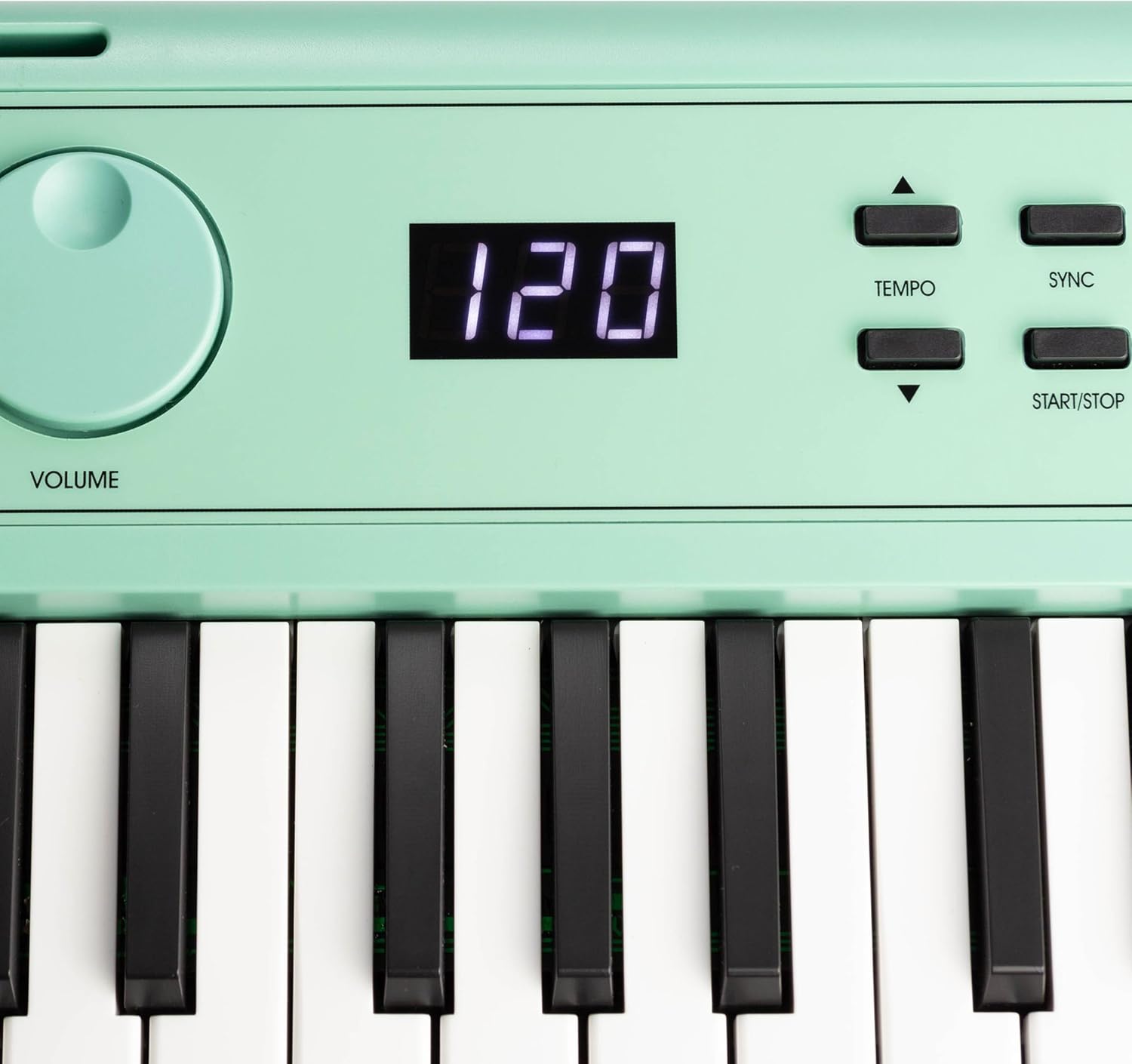
Image: Close-up of the keyboard's digital display showing the tempo setting, along with the TEMPO, SYNC, and START/STOP control buttons.
6. ഇഫക്റ്റുകൾ
- നിലനിർത്തുക: അമർത്തുക സ്ഥിരം button to add a lingering effect to notes.
- വൈബ്രറ്റോ: അമർത്തുക വിബ്രാറ്റോ button to add a slight pitch modulation effect to notes.
7. Learning with Simply Piano
Your RockJam keyboard is designed to integrate with the Simply Piano application, providing an interactive learning experience. You will receive exclusive content access with your purchase.
- Download the Simply Piano app on your iOS or Android device.
- Connect your device to the keyboard via a compatible USB cable (not included) or use your device's microphone to detect the notes played.
- Follow the in-app instructions to learn songs and fundamental piano techniques.

Image: The official logo icon for the Simply Piano application.

Image: Two individuals engaged in learning piano using the RockJam keyboard in conjunction with the Simply Piano application displayed on a tablet.
Additionally, piano note stickers are included to assist with learning key positions.

ചിത്രം: ക്ലോസ്-അപ്പ് view of the piano keys with note stickers affixed, indicating musical notes for learning assistance.
മെയിൻ്റനൻസ്
ശരിയായ പരിചരണം നിങ്ങളുടെ കീബോർഡിന്റെ ദീർഘായുസ്സും മികച്ച പ്രകടനവും ഉറപ്പാക്കും.
- വൃത്തിയാക്കൽ: കീബോർഡിന്റെ ഉപരിതലം തുടയ്ക്കാൻ മൃദുവായതും ഉണങ്ങിയതുമായ ഒരു തുണി ഉപയോഗിക്കുക. കഠിനമായ അഴുക്കിന്, അല്പം ഡി.amp തുണി ഉപയോഗിക്കാം, തുടർന്ന് ഉണങ്ങിയ തുണി ഉപയോഗിക്കാം. ഉരച്ചിലുകൾ ഉള്ള ക്ലീനറുകളോ ലായകങ്ങളോ ഒഴിവാക്കുക.
- സംഭരണം: When not in use, store the keyboard in a cool, dry place away from direct sunlight, extreme temperatures, and high humidity.
- ബാറ്ററി കെയർ: If the keyboard will not be used for an extended period, remove the batteries to prevent leakage and damage.
- കൈകാര്യം ചെയ്യൽ: കീബോർഡ് താഴെയിടുകയോ ശക്തമായ ആഘാതങ്ങൾക്ക് വിധേയമാക്കുകയോ ചെയ്യരുത്. ഭാരമുള്ള വസ്തുക്കൾ അതിന് മുകളിൽ വയ്ക്കരുത്.
ട്രബിൾഷൂട്ടിംഗ്
If you encounter issues with your keyboard, refer to the following common problems and solutions.
| പ്രശ്നം | സാധ്യമായ കാരണം | പരിഹാരം |
|---|---|---|
| സ്പീക്കറുകളിൽ നിന്നും/ഹെഡ്ഫോണുകളിൽ നിന്നും ശബ്ദമില്ല. |
|
|
| കീബോർഡ് ഓണാക്കുന്നില്ല. |
|
|
| Rhythm/Demo not playing. |
|
|
ഈ പരിഹാരങ്ങൾ പരീക്ഷിച്ചതിന് ശേഷവും പ്രശ്നം നിലനിൽക്കുകയാണെങ്കിൽ, ദയവായി ഉപഭോക്തൃ പിന്തുണയുമായി ബന്ധപ്പെടുക.
സ്പെസിഫിക്കേഷനുകൾ
| ഫീച്ചർ | വിശദാംശങ്ങൾ |
|---|---|
| മോഡലിൻ്റെ പേര് | RockJam 49 Key USB Keyboard Piano Mint Green |
| മോഡൽ നമ്പർ | RJ490MG |
| കീകളുടെ എണ്ണം | 49 |
| ടോണുകൾ | 200 |
| താളം | 200 |
| Demo Tracks | 50 |
| കണക്റ്റിവിറ്റി | USB, 3.5mm Jack (Headphones, Aux In, Mic In) |
| പവർ ഉറവിടം | Battery Powered (6 x AA), DC 5V-2A USB |
| ഇനത്തിൻ്റെ ഭാരം | 4.4 പൗണ്ട് (2 കിലോഗ്രാം) |
| ഉൽപ്പന്ന അളവുകൾ | 7.28 x 30.71 x 2.36 ഇഞ്ച് |
| നിർമ്മാതാവ് | PDT UK Ltd |
| പിന്തുണയ്ക്കുന്ന സോഫ്റ്റ്വെയർ | Simply Piano |
| പ്രത്യേക സവിശേഷതകൾ | Built-In Speaker, Compact, Headphone Jack, Lightweight, Recording |
വാറൻ്റിയും പിന്തുണയും
This product is manufactured by PDT UK Ltd. For warranty information or technical support, please refer to the contact details provided with your purchase documentation or visit the official RockJam webസൈറ്റ്. വാറന്റി ക്ലെയിമുകൾക്കായി നിങ്ങളുടെ വാങ്ങലിന്റെ തെളിവ് സൂക്ഷിക്കുക.
For additional resources and learning tools, visit the RockJam Store on Amazon.


