1. ഉൽപ്പന്നം കഴിഞ്ഞുview
The ARES WING Single Monitor Mount is a heavy-duty, adjustable gas spring arm designed to securely hold monitors from 17 to 49 inches, including ultrawide screens, with a maximum weight capacity of 44 lbs. It features integrated USB-A and USB-C ports for convenient charging and data transfer, and offers a full range of motion for optimal ergonomic positioning.
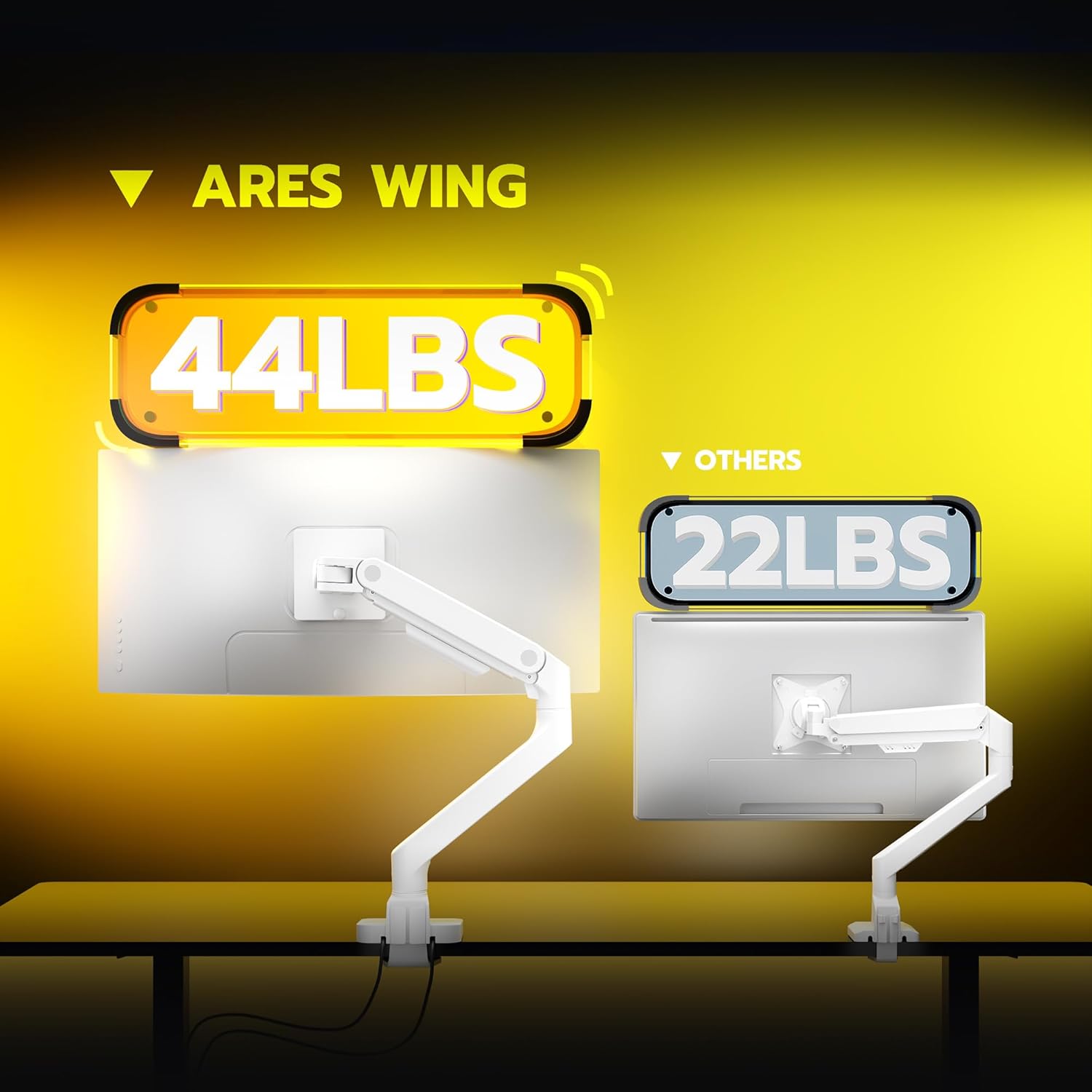
Heavy-Duty Support: This monitor arm is engineered to support monitors up to 49 inches and weighing up to 44 lbs, making it suitable for most ultrawide and heavy displays.

പൂർണ്ണ ചലന ശ്രേണി: Enjoy flexible adjustments with +50° to -20° tilt, 180° swivel, and 360° rotation. The arm extends up to 22.4 inches and offers a height range of 8.7 to 18.7 inches.
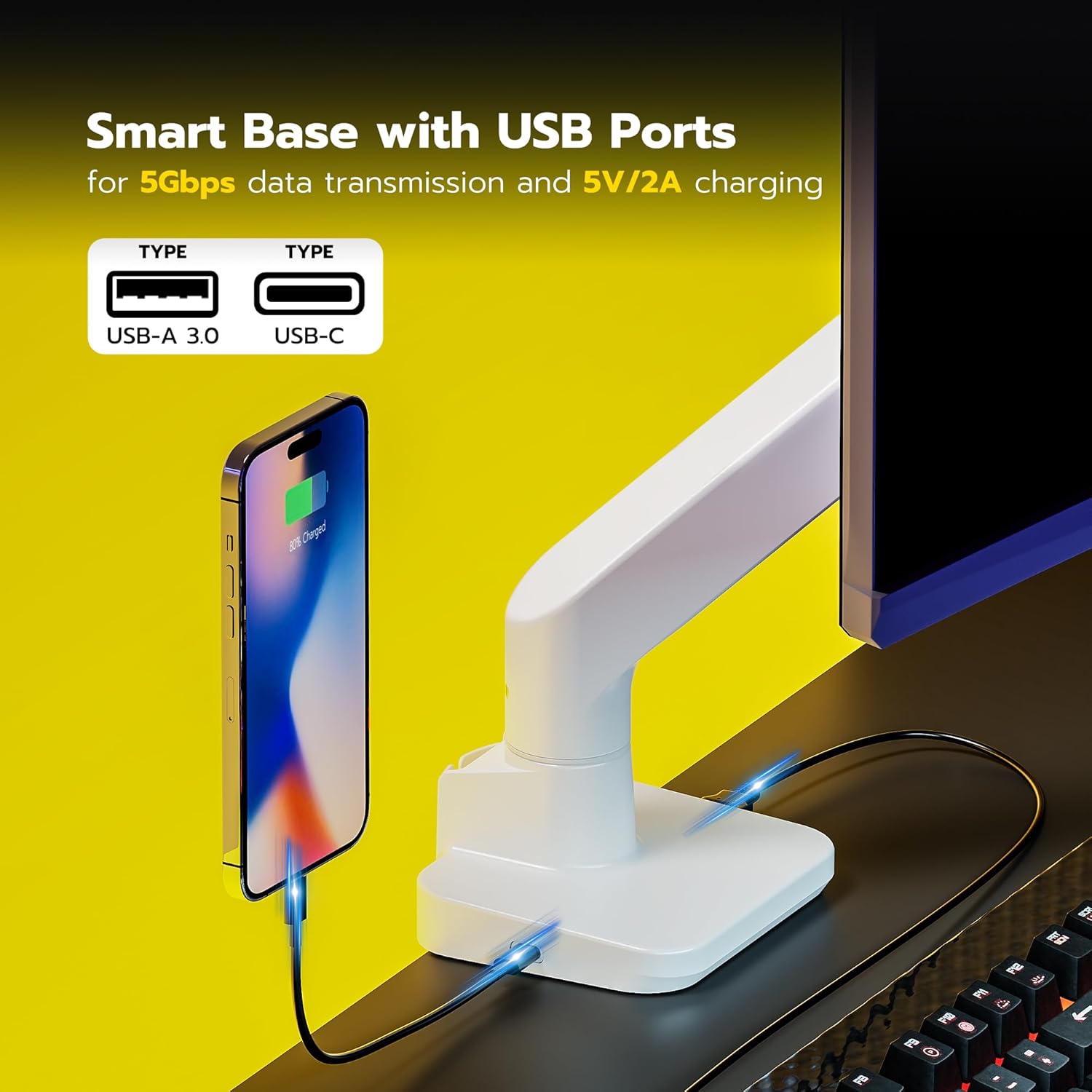
Smart Base with USB Ports: The base includes integrated USB 3.0 ports (Type-A and Type-C) for convenient charging of devices and high-speed data transfer, helping to declutter your workspace.

എളുപ്പമുള്ള ഇൻസ്റ്റാളേഷൻ: The monitor arm offers two mounting options: C-clamp (for desks 0.5"-1.8" thick) and grommet (for desks 0.5"-2" thick). The topside installation and detachable VESA plate simplify the setup process.
2. ഇൻസ്റ്റാളേഷൻ ഗൈഡ്
Before beginning installation, ensure all components are present and your monitor is compatible with VESA 75x75mm or 100x100mm mounting patterns. If your monitor lacks VESA holes, a separate VESA adapter is required.
2.1. VESA Compatibility Check
Verify your monitor's VESA compatibility. The ARES WING monitor arm supports VESA 75x75mm and 100x100mm. For monitors without built-in VESA holes, a VESA adapter plate must be acquired separately.

Ensure your monitor has VESA 75x75mm or 100x100mm mounting holes.
2.2 മൗണ്ടിംഗ് ഓപ്ഷനുകൾ
The monitor arm provides two installation methods:
- C-Clamp മൗണ്ട്: Suitable for desks with a thickness between 0.5 inches and 1.8 inches. Ensure your desk does not have a beveled edge or underframe that would interfere with the clamp.
- Grommet Mount: Suitable for desks with a thickness between 0.5 inches and 2 inches.

Choose the appropriate mounting option for your desk.
2.3. ഘട്ടം ഘട്ടമായുള്ള ഇൻസ്റ്റാളേഷൻ
Follow these general steps for installation:
- Mount the Base to Desk: Securely attach the chosen C-clamp or grommet base to your desk. Ensure the base screws are tightened to prevent instability.
- Assemble the Arms: Connect the monitor arm sections.
- Attaching the Screen to Arm: Attach the VESA plate to your monitor, then slide the monitor onto the arm's head.
Simplified installation process.
3. പ്രവർത്തന നിർദ്ദേശങ്ങളും ക്രമീകരണങ്ങളും
The ARES WING monitor arm allows for various adjustments to achieve your desired ergonomic position.
3.1. ഗ്യാസ് സ്പ്രിംഗ് ടെൻഷൻ ക്രമീകരണം
The gas spring tension needs to be adjusted according to your monitor's weight to ensure stable positioning. Use the included Allen key to adjust the tension at points A and B on the arm.
- തിരിയുക എതിർ ഘടികാരദിശയിൽ if the arm drops (for heavier monitors).
- തിരിയുക ഘടികാരദിശയിൽ if the arm rises (for lighter monitors).

Adjust the gas spring tension to match your monitor's weight.
3.2. Tilting Ultrawide Monitors
For optimal tilt with ultrawide monitors, follow these steps:
- Before mounting the monitor, adjust the gas spring tension of the head and upper arm to the maximum.
- Hang the monitor and tighten the knob on the arm's head.
- If the display cannot be tilted, loosen the adjustment screw on the head until it can be tilted to the desired position.

Specific steps for tilting larger or ultrawide monitors.
3.3. Official Product Video: How to Tilt Monitor with Monitor Arm
This video demonstrates how to adjust the tilt of the ARES WING monitor arm, especially for ultrawide monitors, by adjusting the gas spring tension and the VESA plate screw.
4. പരിപാലനം
To ensure the longevity and optimal performance of your ARES WING monitor arm, follow these maintenance guidelines:
- വൃത്തിയാക്കൽ: Wipe down the arm and base regularly with a soft, damp തുണി. ഫിനിഷിന് കേടുവരുത്തുന്ന ഉരച്ചിലുകളുള്ള ക്ലീനറുകളോ ലായകങ്ങളോ ഒഴിവാക്കുക.
- കണക്ഷനുകൾ പരിശോധിക്കുക: Periodically inspect all screws and connections to ensure they remain tight. Re-tighten if necessary to maintain stability.
- ഗ്യാസ് സ്പ്രിംഗ്: The internal gas spring is designed for durability, having undergone over 20,000 fatigue tests. No specific user maintenance is required for the gas spring itself, but proper tension adjustment is crucial for its function.
5. പ്രശ്നപരിഹാരം
If you encounter issues with your monitor arm, refer to the common problems and solutions below:
- മോണിറ്റർ സാഗുകൾ അല്ലെങ്കിൽ സ്ഥാനം പിടിക്കുന്നില്ല:
This indicates that the gas spring tension is too low for your monitor's weight. Refer to Section 3.1 "Gas Spring Tension Adjustment" and turn the adjustment screw counter-clockwise to increase tension until the arm holds the monitor securely.
- Monitor Cannot Be Tilted:
If the monitor cannot be tilted to the desired angle, the tilt adjustment screw on the VESA head might be too tight. Loosen this screw using the included Allen key until the monitor can be tilted freely, then re-tighten it slightly to secure the position. Refer to Section 3.2 "Tilting Ultrawide Monitors" for detailed steps.
- Arm Feels Loose or Unstable:
Ensure that the C-clamp or grommet base is securely tightened to the desk. Check all connection points on the arm for any looseness and tighten them with the appropriate tools.
- പ്രവർത്തിക്കാത്ത USB പോർട്ടുകൾ:
Verify that the USB cables from the monitor arm base are properly connected to the corresponding USB ports on your computer or power source.
6 സ്പെസിഫിക്കേഷനുകൾ
| ഫീച്ചർ | വിശദാംശങ്ങൾ |
|---|---|
| ബ്രാൻഡ് | ആരെസ് വിംഗ് |
| മോഡൽ നമ്പർ | ജിഡിടി1004യുസിഡബ്ല്യുഎച്ച് |
| മോണിറ്റർ വലുപ്പ അനുയോജ്യത | 17 - 49 ഇഞ്ച് |
| ഭാരം ശേഷി | 44 പൗണ്ട് വരെ |
| VESA അനുയോജ്യത | 75x75mm, 100x100mm |
| ടിൽറ്റ് ആംഗിൾ | +50° മുതൽ -20° വരെ |
| സ്വിവൽ ആംഗിൾ | 180° |
| റൊട്ടേഷൻ ആംഗിൾ | 360° |
| ഉയരം ക്രമീകരിക്കൽ ശ്രേണി | 8.7 - 18.7 ഇഞ്ച് |
| പരമാവധി ആം എക്സ്റ്റൻഷൻ | 22.4 ഇഞ്ച് |
| മൗണ്ടിംഗ് ഓപ്ഷനുകൾ | C-Clamp (0.5"-1.8" desk), Grommet (0.5"-2" desk) |
| മെറ്റീരിയൽ | അലുമിനിയം, സ്റ്റീൽ |
| നിറം | വെള്ള |
| ഇനത്തിൻ്റെ ഭാരം | 8.6 പൗണ്ട് |
7. വാറൻ്റിയും പിന്തുണയും
ARES WING is committed to providing excellent customer support. If you encounter any problems during the use or installation of your monitor arm, please contact us for assistance.
- Pro Support: We offer one-on-one installation guidance to help you set up your monitor arm correctly.
- Parts & Replacement: In case of any issues with parts or the monitor arm itself, ARES WING provides replacement services.
- For further assistance, please refer to the contact information provided with your product packaging or visit the official ARES WING webസൈറ്റ്.


