1. ആമുഖം
Thank you for choosing the Ctronics 4K Security Camera Outdoor. This manual provides detailed instructions for the installation, operation, and maintenance of your new security camera. Designed for robust outdoor surveillance, this camera offers advanced features such as 4K Ultra HD resolution, AI-powered detection, auto-tracking, and dual-band Wi-Fi connectivity. Please read this manual thoroughly before use to ensure proper setup and optimal performance.
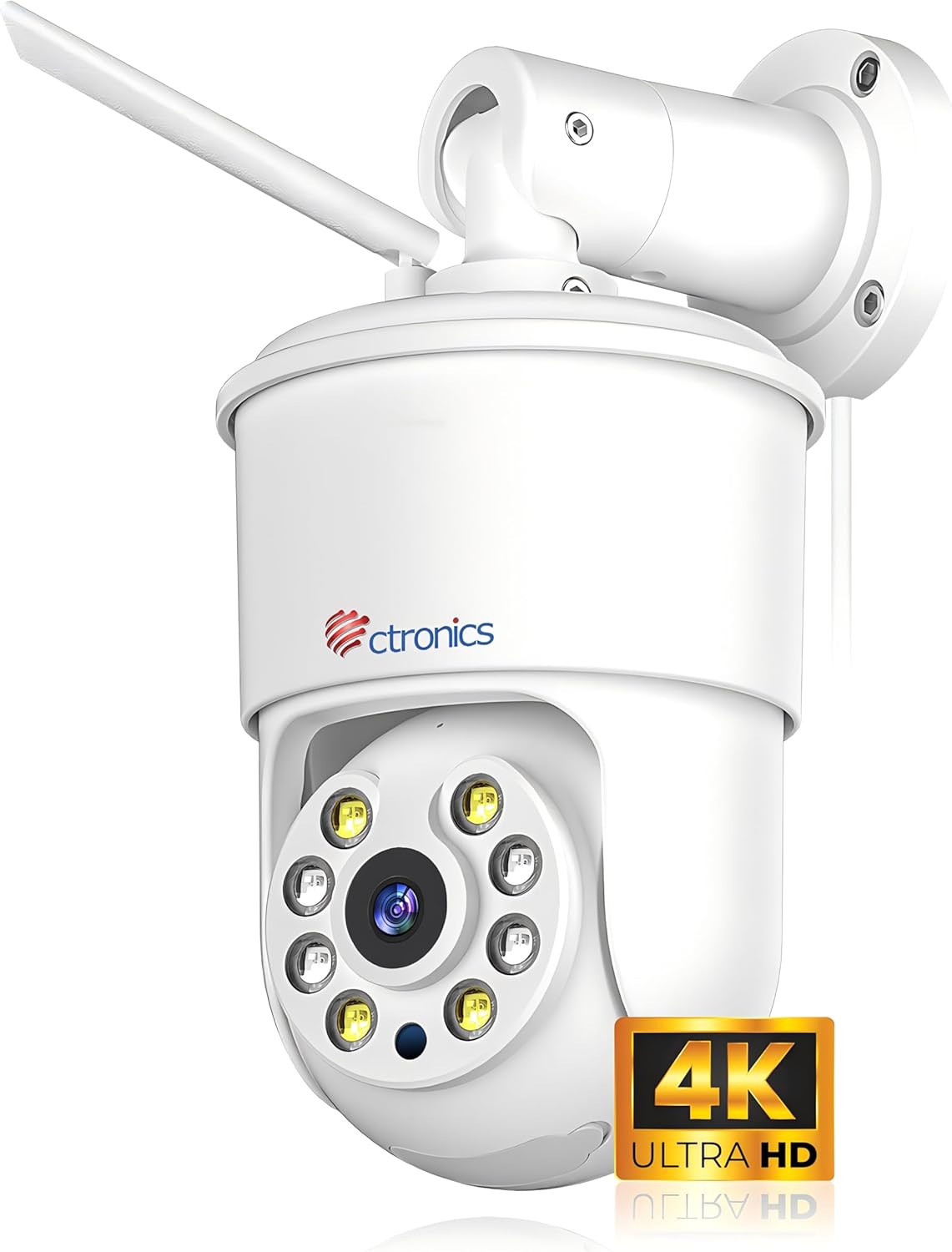
Figure 1.1: Ctronics 4K Security Camera Outdoor (Model: CTIPC-840C-4K)
2. ഉൽപ്പന്നം കഴിഞ്ഞുview
2.1 പ്രധാന സവിശേഷതകൾ
- 4K അൾട്രാ HD റെസല്യൂഷൻ: Equipped with a SONY IMX415 sensor, delivering 8 million pixels (3840x2160) for crystal-clear images.
- പൂർണ്ണ വർണ്ണ രാത്രി ദർശനം: Innovative technology captures vivid images even in low-light or total darkness.
- സ്മാർട്ട് AI കണ്ടെത്തൽ: Precise detection and tracking of people, vehicles, and pets.
- യാന്ത്രിക ട്രാക്കിംഗ്: Automatically follows detected subjects within the camera's field of view.
- Sound and Light Alarms: Integrated alarms to deter potential threats.
- ഡ്യുവൽ-ബാൻഡ് വൈഫൈ: Supports 2.4G and 5G WiFi for faster and more stable connections.
- റിമോട്ട് മോണിറ്ററിംഗ്: തത്സമയ foo ആക്സസ് ചെയ്യുകtage via smartphone or computer from anywhere.
- പൂർണ്ണമായും ലോഹം കൊണ്ടുള്ള ബോഡി: Robust construction for superior durability and heat dissipation, suitable for outdoor use.
- ഫ്ലെക്സിബിൾ സ്റ്റോറേജ്: Supports up to 256GB Micro SD cards, cloud storage, FTP, and NAS.
- ടു-വേ ഓഡിയോ: ആശയവിനിമയത്തിനായി ബിൽറ്റ്-ഇൻ മൈക്രോഫോണും സ്പീക്കറും.
- മുൻകൂട്ടി നിശ്ചയിച്ച സ്ഥാനങ്ങൾ: Set and save specific viewing angles for quick access.
2.2 പാക്കേജ് ഉള്ളടക്കം
ബോക്സിൽ എല്ലാ ഇനങ്ങളും ഉണ്ടെന്ന് ഉറപ്പാക്കുക:
- Ctronics 4K Security Camera
- WLAN Cable
- മൗണ്ടിംഗ് സ്ക്രൂകളും ആങ്കറുകളും
- പവർ അഡാപ്റ്റർ (കോർഡഡ് ഇലക്ട്രിക്)
- ദ്രുത ആരംഭ ഗൈഡ്
3. സജ്ജീകരണം
3.1 ക്യാമറ മൗണ്ടിംഗ്
The camera offers flexible installation with both ceiling and wall mounting options. Choose a location that provides optimal viewing coverage and a stable surface for mounting.
- ലൊക്കേഷൻ തിരഞ്ഞെടുക്കുക: Identify a suitable outdoor location, ensuring it is within Wi-Fi range and has access to a power outlet.
- ഡ്രില്ലിംഗ് പോയിന്റുകൾ അടയാളപ്പെടുത്തുക: Use the mounting template (if provided) or the camera base to mark the screw holes on the wall or ceiling.
- തുളകൾ: Drill pilot holes at the marked points. Insert wall anchors if mounting on masonry or drywall.
- സുരക്ഷിത ക്യാമറ: ക്യാമറ ബേസ് ദ്വാരങ്ങളുമായി വിന്യസിക്കുക, നൽകിയിരിക്കുന്ന സ്ക്രൂകൾ ഉപയോഗിച്ച് അത് ഉറപ്പിക്കുക.

Figure 3.1: Flexible Installation Options (Ceiling and Wall Mount)
3.2 പവർ ചെയ്യുന്നു
Connect the power adapter to the camera's power input port and then plug it into a standard electrical outlet. The camera will power on and initiate its startup sequence.
3.3 നെറ്റ്വർക്ക് കണക്ഷൻ
The Ctronics camera supports both 2.4GHz and 5GHz Wi-Fi for flexible and stable connectivity.
- അപ്ലിക്കേഷൻ ഡൗൺലോഡുചെയ്യുക: Download the "Ctronics Pro" app from your smartphone's app store (iOS or Android).
- അക്കൗണ്ട് സൃഷ്ടിക്കുക: ആപ്പ് തുറന്ന് പുതിയൊരു അക്കൗണ്ടിനായി രജിസ്റ്റർ ചെയ്യുക അല്ലെങ്കിൽ നിങ്ങൾക്ക് ഇതിനകം ഒരു അക്കൗണ്ട് ഉണ്ടെങ്കിൽ ലോഗിൻ ചെയ്യുക.
- ഉപകരണം ചേർക്കുക: Follow the in-app instructions to add your new camera. This typically involves scanning a QR code on the camera or using Bluetooth networking for quick pairing.
- വൈഫൈയിലേക്ക് കണക്റ്റുചെയ്യുക: Select your Wi-Fi network (2.4GHz or 5GHz) and enter the password. Ensure your phone is connected to the same Wi-Fi network during setup.

Figure 3.2: Fast Bluetooth Networking for Initial Setup
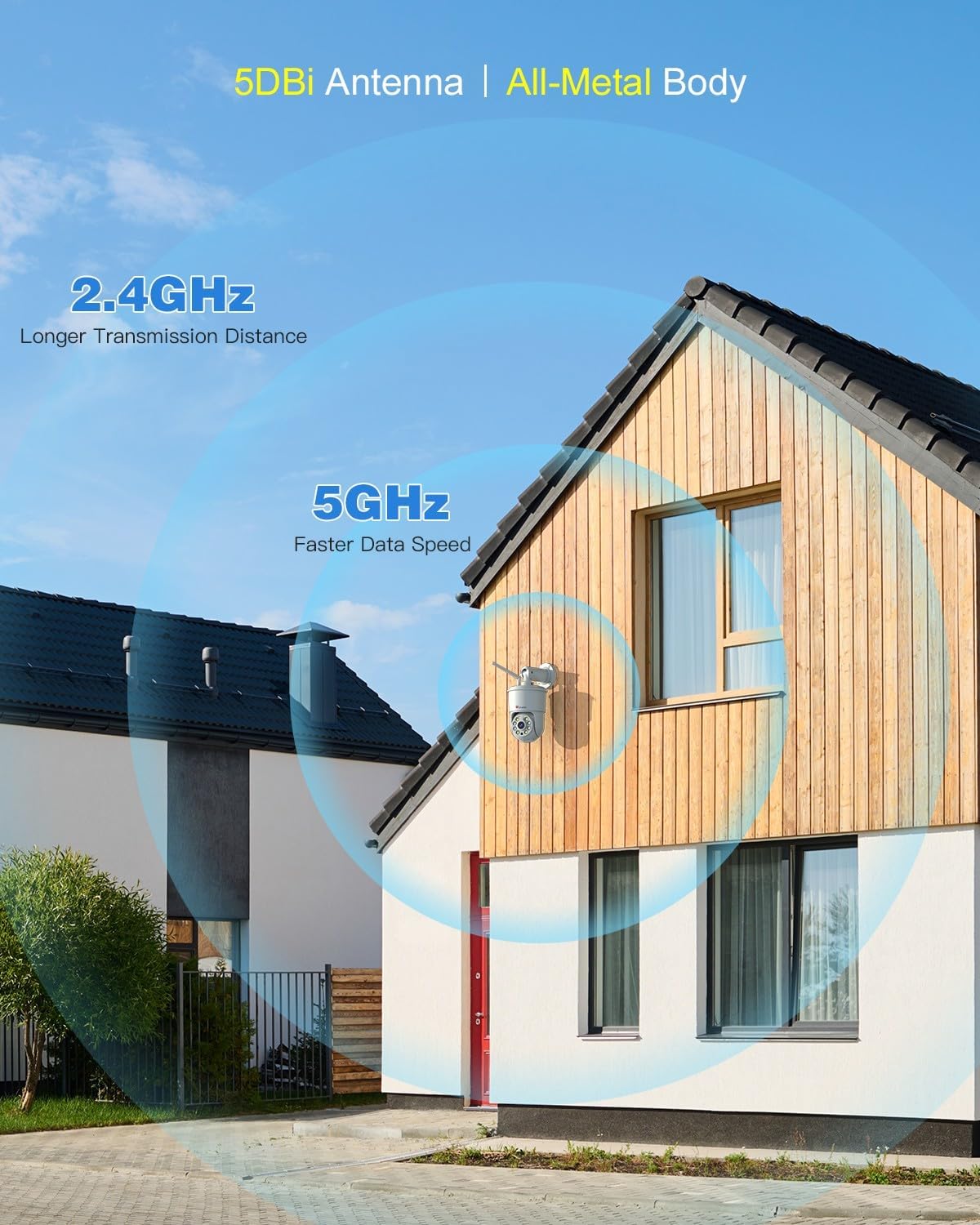
Figure 3.3: Dual-Band Wi-Fi Connectivity
4. പ്രവർത്തന നിർദ്ദേശങ്ങൾ
4.1 തത്സമയം View ഒപ്പം പ്ലേബാക്ക്
കണക്റ്റുചെയ്തുകഴിഞ്ഞാൽ, നിങ്ങൾക്ക് കഴിയും view തത്സമയംtage and access recorded videos through the Ctronics Pro app or PC client. The 4K resolution provides exceptional clarity.

Figure 4.1: 4K 8MP Ultra HD Resolution and Color Night Vision

Figure 4.2: Remote Monitoring via PC and Mobile Devices
4.2 Smart AI Detection and Auto Tracking
The camera utilizes advanced AI to distinguish between humans, vehicles, and pets, reducing false alarms. When a detected object enters the monitoring area, the camera can automatically track its movement.
- മനുഷ്യ കണ്ടെത്തൽ: Focuses on human shapes to minimize alerts from swaying trees or insects.
- വാഹനം കണ്ടെത്തൽ: Identifies vehicles for specific monitoring needs.
- വളർത്തുമൃഗങ്ങളെ കണ്ടെത്തൽ: Recognizes pets, useful for monitoring animal activity.
- യാന്ത്രിക ട്രാക്കിംഗ്: The camera will pan and tilt to follow the detected subject.

Figure 4.3: AI Human, Vehicle, and Pet Detection with Auto Tracking
4.3 Sound and Light Alarms
Upon detection of an intruder, the camera can activate a sound alarm and flash its built-in lights to deter them. You will also receive instant notifications on your connected device.

Figure 4.4: Sound & Light Alerts for Enhanced Security
4.4 ടു-വേ ഓഡിയോ
Communicate with visitors or deter unwanted guests using the camera's integrated microphone and speaker. This feature allows for real-time, two-way conversations.

ചിത്രം 4.5: ടു-വേ ഓഡിയോ കമ്മ്യൂണിക്കേഷൻ
5. വിപുലമായ സവിശേഷതകൾ
5.1 Preset Positions and Detection Zones
Set up to 8 preset positions for quick navigation to specific areas. You can also customize detection zones to focus monitoring on critical areas and ignore irrelevant ones, reducing unnecessary alerts.

Figure 5.1: Preset Positions and Customizable Detection Zones
5.2 മൾട്ടി-ക്യാമറ മാനേജ്മെന്റ്
The Ctronics Pro app allows you to monitor up to four cameras simultaneously with Quad View പ്രീview. You can manage over 36 cameras and organize them into groups for effortless management. Family sharing features allow multiple users to access the camera feed.

Figure 5.2: Advanced App Features for Multi-Camera Management
5.3 Video Masking
For privacy protection, you can define user-defined video masks to block out specific areas from being recorded or viewed.

Figure 5.3: Video Masking for Privacy
6. സ്റ്റോറേജ് ഓപ്ഷനുകൾ
Your Ctronics camera offers multiple secure storage solutions for your footage:
- മൈക്രോ എസ്ഡി കാർഡ്: Supports up to 256GB Micro SD cards for local storage. Insert the card into the designated slot on the camera.
- ക്ലൗഡ് സംഭരണം: Secure cloud storage options are available through the Ctronics app (subscription may be required).
- FTP/NAS: Compatible with FTP and NAS systems for continuous 24/7 recording and secure data backup.

Figure 6.1: Flexible Storage Solutions
7. പരിപാലനം
To ensure the longevity and optimal performance of your Ctronics 4K Security Camera, follow these maintenance guidelines:
- വൃത്തിയാക്കൽ: ക്യാമറ ലെൻസും ബോഡിയും പതിവായി മൃദുവായ, d തുണി ഉപയോഗിച്ച് തുടയ്ക്കുക.amp പൊടിയും അഴുക്കും നീക്കം ചെയ്യാൻ തുണി ഉപയോഗിക്കുക. കഠിനമായ രാസവസ്തുക്കളോ അഗ്രസീവ് ക്ലീനറുകളോ ഉപയോഗിക്കരുത്.
- കാലാവസ്ഥ സംരക്ഷണം: The camera features an all-metal body and an IP66 international protection rating, making it highly resistant to dust and water jets. While designed for outdoor use, avoid direct exposure to extreme weather conditions if possible to prolong its lifespan.
- ഫേംവെയർ അപ്ഡേറ്റുകൾ: Check the Ctronics Pro app periodically for firmware updates. Keeping the firmware updated ensures the latest features and security enhancements.
- കേബിൾ പരിശോധന: Periodically inspect the power cable and WLAN cable for any signs of wear or damage.

Figure 7.1: All-Metal Body and Weather Resistance (IP66)
8. പ്രശ്നപരിഹാരം
If you encounter issues with your Ctronics 4K Security Camera, refer to the following common problems and solutions:
| പ്രശ്നം | സാധ്യമായ കാരണം | പരിഹാരം |
|---|---|---|
| ക്യാമറ ഓഫ്ലൈനാണ്/വൈഫൈയിലേക്ക് കണക്റ്റുചെയ്യാൻ കഴിയില്ല. | Weak Wi-Fi signal, incorrect password, router issues, camera too far from router. | Ensure camera is within Wi-Fi range. Check Wi-Fi password. Restart router and camera. Try connecting to 5GHz if available for better stability. |
| മോശം ചിത്ര നിലവാരം | വൃത്തികെട്ട ലെൻസ്, കുറഞ്ഞ വെളിച്ചം, നെറ്റ്വർക്ക് ബാൻഡ്വിഡ്ത്ത് പ്രശ്നങ്ങൾ. | Clean the camera lens. Ensure sufficient lighting for optimal color night vision. Check network speed. |
| പതിവ് തെറ്റായ അലാറങ്ങൾ | Sensitivity too high, objects like trees or shadows triggering detection. | Adjust detection sensitivity in the app. Set up custom detection zones to exclude irrelevant areas. Utilize AI detection filters (human, vehicle, pet). |
| SD കാർഡിലേക്ക് റെക്കോർഡിംഗ് ഇല്ല | SD കാർഡ് നിറഞ്ഞിരിക്കുന്നു, കേടായി, അല്ലെങ്കിൽ ശരിയായി ചേർത്തിട്ടില്ല. | Check if the SD card is inserted correctly. Format the SD card via the app. Replace with a new SD card if corrupted. Ensure recording settings are enabled. |
| ടു-വേ ഓഡിയോ പ്രവർത്തിക്കുന്നില്ല | ആപ്പിൽ മൈക്രോഫോൺ/സ്പീക്കർ മ്യൂട്ട് ചെയ്തിരിക്കുന്നു, നെറ്റ്വർക്ക് കാലതാമസം. | Ensure microphone and speaker are enabled in the app. Check network connection for stability. |
If the problem persists, please refer to the Ctronics official website for more detailed troubleshooting guides or contact customer support.
9 സ്പെസിഫിക്കേഷനുകൾ
| ഫീച്ചർ | സ്പെസിഫിക്കേഷൻ |
|---|---|
| മോഡലിൻ്റെ പേര് | CTIPC-840C-4K |
| ഇൻഡോർ/ഔട്ട്ഡോർ ഉപയോഗം | ഔട്ട്ഡോർ |
| വീഡിയോ ക്യാപ്ചർ റെസല്യൂഷൻ | 4K (3840x2160) |
| ഫലപ്രദമായ സ്റ്റിൽ റെസല്യൂഷൻ | 8 എം.പി |
| കണക്റ്റിവിറ്റി ടെക്നോളജി | Wireless (Wi-Fi 2.4G/5G, Bluetooth) |
| പവർ ഉറവിടം | കോർഡഡ് ഇലക്ട്രിക് (12 വോൾട്ട്, 12 വാട്ട്സ്) |
| കൺട്രോളർ തരം | സിട്രോണിക്സ് ആപ്പ് |
| മൗണ്ടിംഗ് തരം | വാൾ മൗണ്ട്, സീലിംഗ് മൗണ്ട് |
| നൈറ്റ് വിഷൻ റേഞ്ച് | 30 മീറ്റർ |
| ഫ്രെയിം റേറ്റ് | സെക്കൻഡിൽ 15 ഫ്രെയിമുകൾ |
| മെറ്റീരിയൽ | ലോഹം |
| ഫ്ലാഷ് മെമ്മറി തരം | മൈക്രോ എസ്.ഡി |
| ഫ്ലാഷ് മെമ്മറി പിന്തുണയ്ക്കുന്ന പരമാവധി വലുപ്പം | 256 ജിബി |
| അന്താരാഷ്ട്ര സംരക്ഷണ റേറ്റിംഗ് | IP66 |
| ഇനത്തിൻ്റെ അളവുകൾ L x W x H | 8.27 x 5.91 x 3.94 ഇഞ്ച് |
| ഇനത്തിൻ്റെ ഭാരം | 2.4 പൗണ്ട് |
| അലേർട്ട് തരം | ഓഡിയോയും ചലനവും |
| സൂം തരം | ഡിജിറ്റൽ സൂം (4x) |
10. വാറൻ്റിയും പിന്തുണയും
Ctronics products are manufactured with high-quality standards. For warranty information, please refer to the warranty card included with your product or visit the official Ctronics website. For technical support, product inquiries, or assistance with setup and troubleshooting, please contact Ctronics customer service through the following channels:
- ഉദ്യോഗസ്ഥൻ Webസൈറ്റ്: www.ctronics.com
- ഇമെയിൽ പിന്തുണ: ഉൽപ്പന്ന പാക്കേജിംഗിൽ നൽകിയിരിക്കുന്ന ബന്ധപ്പെടാനുള്ള വിവരങ്ങൾ അല്ലെങ്കിൽ ഉദ്യോഗസ്ഥനെ കാണുക. webസൈറ്റ്.
Please have your model number (CTIPC-840C-4K) and purchase details ready when contacting support.


