1. ആമുഖം
Thank you for choosing the Tronsmart KH02 Kids Wireless Headphones. This manual provides detailed instructions for setting up, operating, maintaining, and troubleshooting your headphones to ensure a safe and enjoyable listening experience for children.
2. ബോക്സിൽ എന്താണുള്ളത്?
- 1 x Tronsmart KH02 Wireless Kids Headphones
- 1 x വാറൻ്റി കാർഡ്
- 1 x ഉപയോക്തൃ മാനുവൽ
- 1 x ടൈപ്പ്-സി കേബിൾ
- 1 x ഓക്സ്-ഇൻ കേബിൾ
3. ഉൽപ്പന്നം കഴിഞ്ഞുview
The Tronsmart KH02 headphones are designed for children, featuring a volume limit function, long battery life, and a comfortable, durable design. They support both wireless (Bluetooth) and wired (3.5mm Aux-in) connections.

Image: Tronsmart KH02 Kids Wireless Headphones in Princess Pink, showcasing മൊത്തത്തിലുള്ള രൂപകൽപ്പന.
വീഡിയോ: ഒരു ഓവർview of the Tronsmart KH02 Wireless Kids Headphones, highlighting features like portability, durability, comfortable fit, safe volume control, long playtime, and dual mode (wireless/wired).
4. സജ്ജീകരണവും കണക്ഷനും
4.1 ഹെഡ്ഫോണുകൾ ചാർജ് ചെയ്യുന്നു
Before first use, fully charge the headphones. Connect the provided Type-C cable to the charging port on the headphones and the other end to a USB power source. A full charge takes approximately 2 hours and provides up to 45 hours of playtime.

Image: A child enjoying music with Tronsmart KH02 headphones, emphasizing the 45-hour battery life.
4.2 വയർലെസ് (ബ്ലൂടൂത്ത്) കണക്ഷൻ
- പവർ ഓൺ: Press and hold the 'Multifunction' button for 2 seconds to turn on the headphones. The indicator light will flash, indicating pairing mode.
- ബ്ലൂടൂത്ത് പ്രവർത്തനക്ഷമമാക്കുക: നിങ്ങളുടെ ഉപകരണത്തിൽ (സ്മാർട്ട്ഫോൺ, ടാബ്ലെറ്റ് മുതലായവ), ബ്ലൂടൂത്ത് ക്രമീകരണങ്ങളിലേക്ക് പോയി ബ്ലൂടൂത്ത് പ്രവർത്തനക്ഷമമാക്കിയിട്ടുണ്ടെന്ന് ഉറപ്പാക്കുക.
- ജോടി: ഇതിനായി തിരയുക "Tronsmart KH02" in the list of available devices and select it to connect. Once connected, the indicator light will stop flashing.
Video: Demonstrates how to operate the Tronsmart KH02 Wireless Kids Headphones, including power on, Bluetooth pairing, music control, and call management.

Image: Tronsmart KH02 headphones demonstrating wireless connectivity with a smartphone.
4.3 Wired Connection (3.5mm Aux-in)
To use the headphones in wired mode, simply plug the provided 3.5mm Aux-in cable into the headphone's audio jack and the other end into your device's 3.5mm audio output. This mode is useful when the battery is depleted or for devices without Bluetooth connectivity.

Image: Children using Tronsmart KH02 headphones in both wireless and wired modes.
5. പ്രവർത്തന നിർദ്ദേശങ്ങൾ
5.1 അടിസ്ഥാന നിയന്ത്രണങ്ങൾ
- പവർ ഓൺ/ഓഫ്: Press and hold the 'Multifunction' button for 2 seconds.
- സംഗീതം പ്ലേ ചെയ്യുക/താൽക്കാലികമായി നിർത്തുക: Press the 'Multifunction' button once.
- വോളിയം കൂട്ടുക: Press the 'Volume +' button once.
- വോളിയം താഴേക്ക്: Press the 'Volume -' button once.
- അടുത്ത ട്രാക്ക്: Press and hold the 'Volume +' button for 2 seconds.
- മുമ്പത്തെ ട്രാക്ക്: Press and hold the 'Volume -' button for 2 seconds.
- ഉത്തരം/അവസാന കോൾ: Press the 'Multifunction' button once.
- കോൾ നിരസിക്കുക: Double-press the 'Multifunction' button.
5.2 Volume Limit Control
The headphones feature a three-level volume control switch to protect children's hearing. You can select between 74dB, 85dB, and 93dB depending on the environment and age of the child. Adjust the switch located on the earcup to your desired volume limit.

Image: Visual representation of the volume limit settings (74dB for sleep, 85dB for study, 93dB for travel).
5.3 Built-in HD Microphone
The integrated HD microphone allows for clear, hands-free calls, making the headphones suitable for online learning or communication.

Image: Child using headphones with a laptop, highlighting the built-in HD microphone.
6. പരിപാലനം
6.1 വൃത്തിയാക്കൽ
Wipe the headphones with a soft, dry cloth. Do not use abrasive cleaners or solvents. Keep the charging port and audio jack free of dust and debris.
6.2 സംഭരണം
The headphones feature a foldable design for compact storage and portability. When not in use, fold them to save space and protect them from damage. Store in a cool, dry place away from extreme temperatures.

Image: Features of the Tronsmart KH02 headphones, including adjustable headband, soft ear pads, eco-friendly materials, and foldable design.
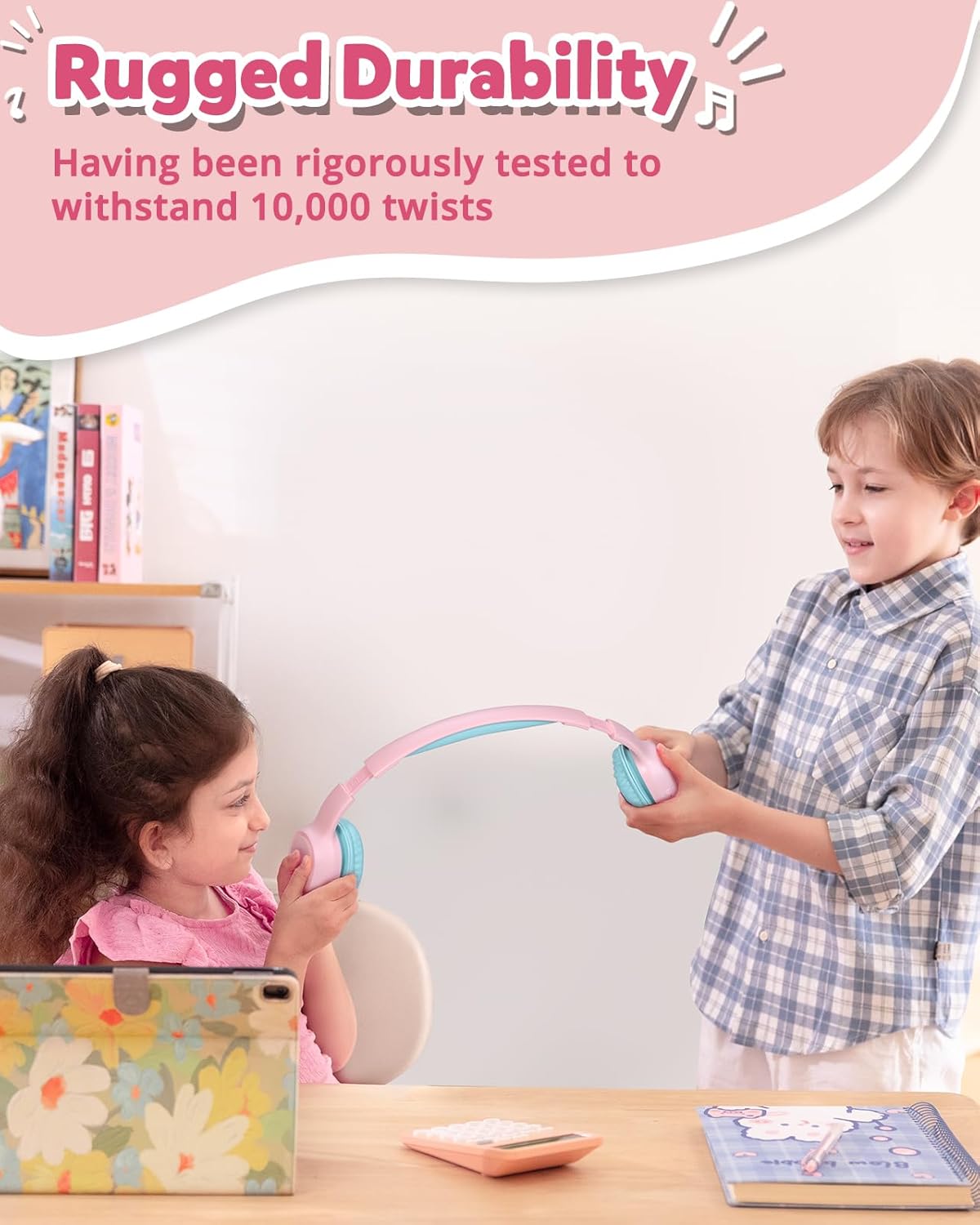
Image: Children demonstrating the durability and flexibility of the headphones' headband.
7. പ്രശ്നപരിഹാരം
- ഹെഡ്ഫോണുകൾ ഓണാക്കുന്നില്ല: ഹെഡ്ഫോണുകൾ പൂർണ്ണമായും ചാർജ്ജ് ചെയ്തിട്ടുണ്ടെന്ന് ഉറപ്പാക്കുക.
- ഉപകരണവുമായി ജോടിയാക്കാൻ കഴിയില്ല:
- നിങ്ങളുടെ ഉപകരണത്തിൽ ബ്ലൂടൂത്ത് പ്രവർത്തനക്ഷമമാക്കിയിട്ടുണ്ടെന്നും ഹെഡ്ഫോണുകൾ ജോടിയാക്കൽ മോഡിലാണെന്നും ഉറപ്പാക്കുക.
- ഹെഡ്ഫോണുകൾ നിങ്ങളുടെ ഉപകരണത്തിന് അടുത്തേക്ക് നീക്കുക.
- Try resetting the headphones by pressing and holding the 'Multifunction' and 'Volume +' buttons simultaneously for 5 seconds.
- ശബ്ദമില്ല അല്ലെങ്കിൽ കുറഞ്ഞ ശബ്ദം:
- ഹെഡ്ഫോണുകളിലും കണക്റ്റുചെയ്തിരിക്കുന്ന ഉപകരണത്തിലും വോളിയം ലെവൽ പരിശോധിക്കുക.
- ഹെഡ്ഫോണുകൾ ശരിയായി ബന്ധിപ്പിച്ചിട്ടുണ്ടെന്ന് ഉറപ്പാക്കുക (ബ്ലൂടൂത്ത് അല്ലെങ്കിൽ വയർഡ്).
- Verify the volume limit switch is set to an appropriate level.
- മോശം കോൾ നിലവാരം: Ensure the microphone is not obstructed and you are in an area with good signal strength.
8 സ്പെസിഫിക്കേഷനുകൾ
| ഫീച്ചർ | വിശദാംശങ്ങൾ |
|---|---|
| മോഡലിൻ്റെ പേര് | KH02 |
| കണക്റ്റിവിറ്റി ടെക്നോളജി | വയർലെസ്സ് (ബ്ലൂടൂത്ത് 5.3) |
| ഹെഡ്ഫോണുകൾ ജാക്ക് | 3.5 mm ജാക്ക് |
| വോളിയം പരിധി | 74dB, 85dB, 93dB |
| ബാറ്ററി ലൈഫ് | 45 മണിക്കൂർ വരെ |
| ചാർജിംഗ് സമയം | 2 മണിക്കൂർ |
| ബിൽറ്റ്-ഇൻ മൈക്രോഫോൺ | അതെ (HD മൈക്ക്) |
| മടക്കാവുന്ന ഡിസൈൻ | അതെ |
| ക്രമീകരിക്കാവുന്ന ഹെഡ്ബാൻഡ് | Yes (Four levels) |
| Earpad Material | Imitation Protein Leather |
| മെറ്റീരിയൽ | Eco-friendly Plastic |
| ഇനത്തിൻ്റെ ഭാരം | 5.9 ഔൺസ് |
| ഉൽപ്പന്ന അളവുകൾ | 6.17 x 2.89 x 7.07 ഇഞ്ച് |
| ബ്ലൂടൂത്ത് ശ്രേണി | 49 അടി |
| ഫ്രീക്വൻസി പ്രതികരണം | 20 Hz |
| സംവേദനക്ഷമത | 93 ഡി.ബി |
| പ്രതിരോധം | 8 ഓം |
9. വാറൻ്റിയും പിന്തുണയും
The Tronsmart KH02 Kids Wireless Headphones come with a Warranty Card. Please refer to the card for specific warranty terms and conditions. For product support, technical assistance, or further inquiries, please contact Tronsmart customer service through their official webഉൽപ്പന്നം വാങ്ങിയ സൈറ്റ് അല്ലെങ്കിൽ റീട്ടെയിലർ.


