1. ആമുഖം
This manual provides detailed instructions for the NBD K100 4K 56MP Digital Camera. Please read this manual carefully before use to ensure proper operation and to maximize your camera's performance. Keep this manual for future reference.

Image: The NBD K100 4K 56MP Digital Camera, showcasing അതിന്റെ ഒതുക്കമുള്ള രൂപകൽപ്പനയും ഫ്രണ്ട് ലെൻസും.
2. സജ്ജീകരണം
2.1 അൺബോക്സിംഗും ഘടകങ്ങളും
നിങ്ങളുടെ പാക്കേജിൽ ഇനിപ്പറയുന്ന എല്ലാ ഘടകങ്ങളും ഉൾപ്പെടുത്തിയിട്ടുണ്ടെന്ന് ഉറപ്പാക്കുക:
- ക്യാമറ x1
- ബാറ്ററി x2
- ടൈപ്പ്-സി കേബിൾ x1
- MicroSD Card (32GB) x1
- Shoulder Strap x1
- ചാർജർ x1
- ഇൻസ്ട്രക്ഷൻ മാനുവൽ x1
2.2 ബാറ്ററി ഇൻസ്റ്റാളേഷനും ചാർജിംഗും
The NBD K100 camera uses two 1500mAh batteries for extended use. Ensure both batteries are fully charged before first use.
- ക്യാമറയുടെ അടിയിൽ ബാറ്ററി കമ്പാർട്ട്മെന്റ് കണ്ടെത്തുക.
- Slide the battery compartment latch to open it.
- Insert the two batteries according to the polarity indicators inside the compartment.
- Close the battery compartment securely until it clicks.
- To charge, connect the camera to the charger using the provided Type-C cable and plug the charger into a power outlet. The camera can be charged even while recording.

Image: The camera's 180-degree rotatable screen, battery compartment (unlock/locking mechanism), and built-in LED flash.
2.3 മൈക്രോ എസ്ഡി കാർഡ് ഇൻസ്റ്റാളേഷൻ
256GB വരെയുള്ള മൈക്രോ എസ്ഡി കാർഡുകൾ ക്യാമറ പിന്തുണയ്ക്കുന്നു. 32GB മൈക്രോ എസ്ഡി കാർഡ് ഉൾപ്പെടുത്തിയിട്ടുണ്ട്.
- Locate the MicroSD card slot, usually on the side or bottom of the camera.
- Insert the MicroSD card with the gold contacts facing the correct direction (refer to the diagram near the slot). Push until it clicks into place.
- നീക്കം ചെയ്യാൻ, കാർഡ് വീണ്ടും പുറത്തേക്ക് വരുന്നത് വരെ സൌമ്യമായി അകത്തേക്ക് തള്ളുക.
3. പ്രവർത്തന നിർദ്ദേശങ്ങൾ
3.1 പവർ ഓൺ/ഓഫ്
ക്യാമറ ഓണാക്കാനോ ഓഫാക്കാനോ പവർ ബട്ടൺ (സാധാരണയായി മുകളിലോ വശത്തോ സ്ഥിതിചെയ്യുന്നു) കുറച്ച് സെക്കൻഡ് അമർത്തിപ്പിടിക്കുക.
3.2 Quick Rotary Button (Mode Dial)
The quick rotary button allows you to switch between various shooting modes quickly.

Image: The camera's quick rotary button with labels for different shooting modes.
- 1. Photo: Standard still image capture.
- 2. വീഡിയോ: Record 4K high-definition videos.
- 3. Slow Motion Video: Capture videos in slow motion.
- 4. Time-lapse Video: Create time-lapse sequences.
- 5. Continuous Shooting: വേഗത്തിൽ ഒന്നിനുപുറകെ ഒന്നായി ഒന്നിലധികം ഫോട്ടോകൾ എടുക്കുക.
- 6. Interval Shooting: Capture images at set intervals.
- 7. പ്രത്യേക ഇഫക്റ്റുകൾ: Apply various creative filters and effects.
- 8. Beauty Photo Mode: Enhance portraits for a more flattering look.
3.3 Autofocus (AF) Function
The camera features an innovative autofocus system for sharp images.
- നിങ്ങളുടെ വിഷയത്തിന് നേരെ ക്യാമറ ചൂണ്ടുക.
- Half-press the shutter button. The camera will automatically focus.
- For macro shots, the system supports focusing from a minimum distance of 5cm.

Image: The autofocus function in action, showing clear focus on both near and far subjects.
3.4 സൂം പ്രവർത്തനം
The NBD K100 offers 16x digital zoom with a high-precision 5-piece lens system.
- Use the zoom rocker (usually labeled 'W' for Wide and 'T' for Telephoto) to adjust the zoom level.
- Zoom in to bring distant subjects closer or zoom out for a wider field of view.
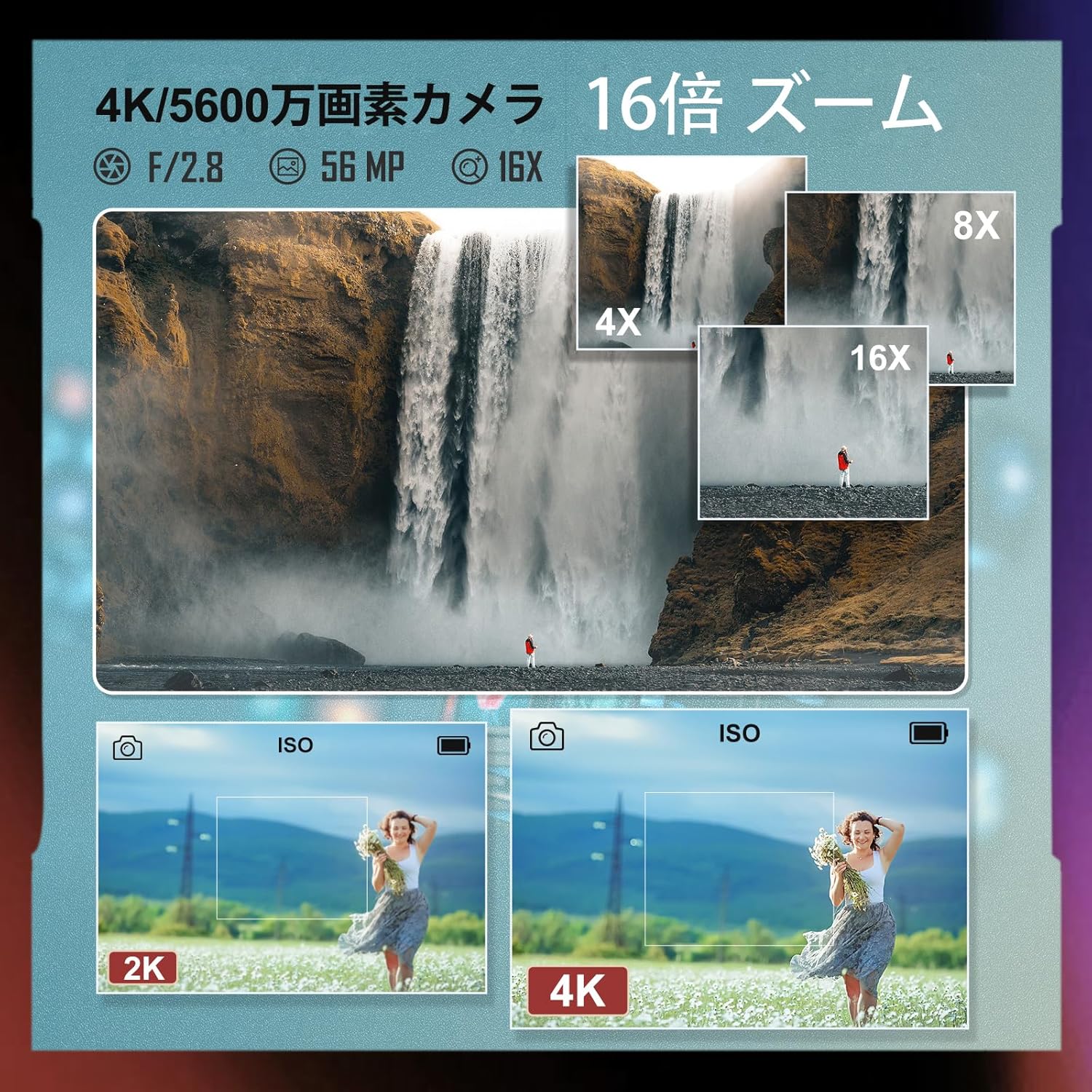
Image: A waterfall scene demonstrating 4x, 8x, and 16x zoom levels, alongside a comparison of 2K and 4K image quality.
3.5 Display (LCD Screen)
The camera features a 3-inch high-definition IPS LCD display that can rotate 180 degrees.
- The rotatable screen is ideal for self-portraits, vlogging, or shooting from difficult angles.
- നിങ്ങളുടെ ഇഷ്ടത്തിനനുസരിച്ച് സ്ക്രീൻ ക്രമീകരിക്കുക viewing ആംഗിൾ.
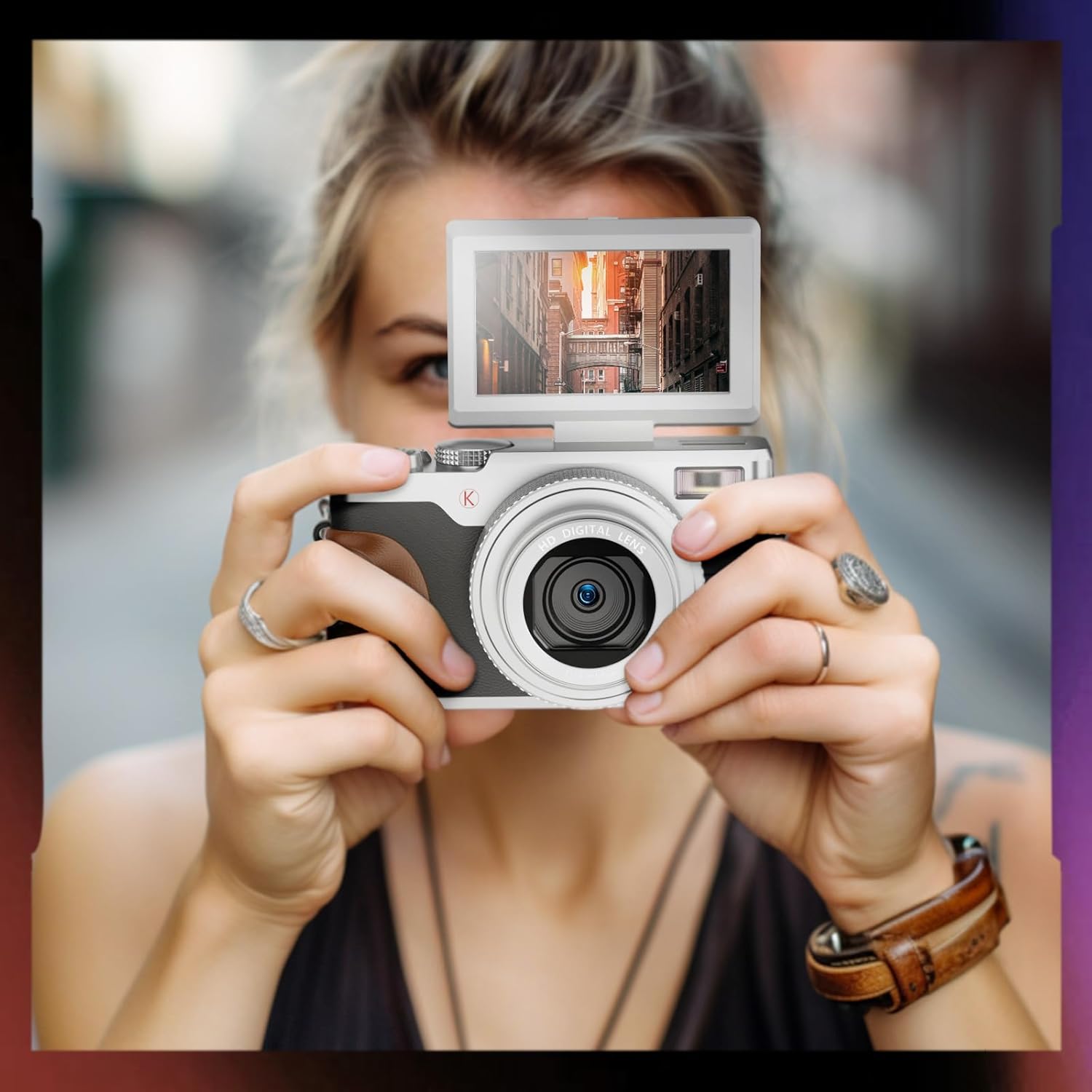
Image: A person holding the NBD K100 camera, demonstrating the flip-out screen feature.
3.6 LED ഫ്ലാഷ്
The built-in LED flash provides illumination in low-light conditions.
- Activate the LED flash via the camera's menu or a dedicated button (if available) to brighten your photos and videos in dark environments.
3.7 Webcam Function and Live Streaming
Transform your NBD K100 into a high-definition webതത്സമയ സ്ട്രീമിംഗിനോ വീഡിയോ കോളുകൾക്കോ വേണ്ടിയുള്ള കാം.
- ടൈപ്പ്-സി കേബിൾ ഉപയോഗിച്ച് ക്യാമറ നിങ്ങളുടെ കമ്പ്യൂട്ടറുമായി ബന്ധിപ്പിക്കുക.
- 'തിരഞ്ഞെടുക്കുക'Webcam Mode' from the camera's menu (if prompted).
- നിങ്ങളുടെ കമ്പ്യൂട്ടർ ക്യാമറയെ ഒരു ആയി തിരിച്ചറിയണം webcam, allowing you to use it with video conferencing or streaming software.

Image: The NBD K100 camera being used for video recording and as a webcam for online meetings.
3.8 വീഡിയോ റെക്കോർഡിംഗ്
The camera supports 4K video recording with a high-sensitivity stereo microphone and dual image stabilization.
- Switch to 'Video Mode' using the quick rotary button.
- Press the shutter button to start recording and again to stop.
- The dual image stabilization helps reduce blur from camera shake.
4. പരിപാലനം
4.1 ക്യാമറ വൃത്തിയാക്കൽ
- ക്യാമറ ബോഡി വൃത്തിയാക്കാൻ മൃദുവായ, ലിന്റ് രഹിത തുണി ഉപയോഗിക്കുക.
- ലെൻസിനും എൽസിഡി സ്ക്രീനിനും, ഒരു പ്രത്യേക ലെൻസ് ക്ലീനിംഗ് തുണിയും ലായനിയും ഉപയോഗിക്കുക. കഠിനമായ രാസവസ്തുക്കൾ ഒഴിവാക്കുക.
- Gently blow away dust from the lens surface before wiping.
4.2 ബാറ്ററി കെയർ
- ഉപയോഗത്തിലില്ലാത്തപ്പോൾ തണുത്തതും ഉണങ്ങിയതുമായ സ്ഥലത്ത് ബാറ്ററികൾ സൂക്ഷിക്കുക.
- ബാറ്ററികളുടെ ആയുസ്സ് വർദ്ധിപ്പിക്കുന്നതിന് ഇടയ്ക്കിടെ പൂർണ്ണമായും ഡിസ്ചാർജ് ചെയ്യുന്നത് ഒഴിവാക്കുക.
- If storing for an extended period, charge batteries to about 50% capacity.
4.3 സംഭരണം
- Store the camera in a dry, dust-free environment, away from direct sunlight and extreme temperatures.
- Use a camera bag or case to protect it from physical damage.
5. പ്രശ്നപരിഹാരം
If you encounter issues with your NBD K100 camera, refer to the following common problems and solutions:
| പ്രശ്നം | സാധ്യമായ കാരണം | പരിഹാരം |
|---|---|---|
| ക്യാമറ പവർ ഓൺ ചെയ്യുന്നില്ല. | Low or depleted battery; incorrectly inserted battery. | ബാറ്ററികൾ പൂർണ്ണമായും ചാർജ് ചെയ്യുക. ബാറ്ററികൾ ശരിയായി ചേർത്തിട്ടുണ്ടെന്ന് ഉറപ്പാക്കുക. |
| ചിത്രങ്ങൾ അവ്യക്തമാണ്. | Autofocus not engaged; camera shake; dirty lens. | Half-press shutter to focus. Hold camera steady or use a tripod. Clean the lens. |
| Shutter speed is slow. | Low light conditions; incorrect settings. | Use LED flash. Adjust ISO settings or switch to a brighter shooting mode. |
| ബാറ്ററി പെട്ടെന്ന് തീരുന്നു. | Frequent use of flash/LCD; old battery. | Reduce flash/LCD usage. Ensure batteries are fully charged. Consider replacing old batteries. |
| മൈക്രോഎസ്ഡി കാർഡ് പിശക്. | കാർഡ് ശരിയായി ചേർത്തിട്ടില്ല; പൊരുത്തപ്പെടാത്ത കാർഡ്; കേടായ കാർഡ്. | Reinsert card. Use a compatible card (up to 256GB). Format the card (this will erase all data). |
6 സ്പെസിഫിക്കേഷനുകൾ
| ബ്രാൻഡ് | എൻ.ബി.ഡി |
| മോഡലിൻ്റെ പേര് | K100 |
| പരമാവധി Webക്യാമറ ഇമേജ് റെസല്യൂഷൻ | 56 എം.പി |
| ഫോട്ടോ സെൻസർ ടെക്നോളജി | CMOS |
| ഫോട്ടോ സെൻസർ വലുപ്പം | പൂർണ്ണ ഫ്രെയിം (35 മിമി) |
| സ്ക്രീൻ വലിപ്പം | 3 ഇഞ്ച് |
| ഫോക്കസ് തരം | AF function included |
| Viewഫൈൻഡർ തരം | ഇലക്ട്രോണിക് |
| ലെൻസ് തരം | F/2.8, f=5.6mm |
| ലെൻസ് കോൺഫിഗറേഷൻ | Zoom/Telephoto/Wide-angle/Macro |
| ഇമേജ് സ്റ്റെബിലൈസേഷൻ | ഇരട്ട തരം |
| ആക്സസറികൾ ഉൾപ്പെടുത്തിയിട്ടുണ്ട് | Camera x1, Battery x2, Type-C Cable x1, MicroSD Card x1, Shoulder Strap x1, Charger, Instruction Manual x1 |
| ഷൂട്ടിംഗ് പ്രവർത്തനങ്ങൾ | Portrait, Landscape, Sports, Night Scene, Macro, Auto |
| മോട്ടോർ തരം | Optical Zoom + Digital Zoom |
| നിറം | വെള്ളി |
| ബാറ്ററികൾ ഉൾപ്പെടുത്തിയിട്ടുണ്ട് | അതെ |
| ഉൽപ്പന്ന അളവുകൾ | 12.5 x 5.6 x 7 സെ.മീ; 520 ഗ്രാം |
| ഉൽപ്പന്ന മോഡൽ നമ്പർ | K100 |
| ASIN | B0D2XB26Q8 |
| അനുയോജ്യമായ മൗണ്ട് | എൻ.ബി.ഡി |
| അനുയോജ്യം File ഫോർമാറ്റ് | JPEG |
| Expanded ISO Minimum Value | 100 |
| മീറ്ററിംഗ് വിവരണം | Average Metering, Center-weighted Metering, Spot Metering |
7. വാറൻ്റിയും പിന്തുണയും
NBD provides a reliable 1-year warranty period for the K100 Digital Camera.
- If any issues arise with your camera, please contact NBD customer support.
- Customer support aims to respond to inquiries within 24 hours.
- വാറൻ്റി ക്ലെയിമുകൾക്കായി നിങ്ങളുടെ വാങ്ങിയതിൻ്റെ തെളിവ് സൂക്ഷിക്കുക.


