1. ആമുഖം
Thank you for choosing the Imagebon 9-inch Portable Carplay Screen. This device is designed to enhance your driving experience by bringing advanced Android capabilities, seamless smartphone integration, and versatile multimedia options directly to your vehicle. With its powerful hardware and user-friendly interface, you can enjoy navigation, entertainment, and connectivity on the go.
2. ഉൽപ്പന്ന സവിശേഷതകൾ
- ശക്തമായ ആൻഡ്രോയിഡ് സിസ്റ്റം: Equipped with an 8-Core CPU, 4GB RAM, and 64GB ROM, running on Android 13 for smooth and efficient performance.
- തടസ്സമില്ലാത്ത സ്മാർട്ട്ഫോൺ സംയോജനം: Supports wireless Apple CarPlay and Android Auto for hands-free calls, navigation, and app control via Bluetooth or Wi-Fi.
- Enhanced Multimedia Experience: Access popular streaming apps like YouTube, Netflix, and TikTok directly from the Google Play Store.
- Versatile Audio Outputs: Connect to your car's audio system via Bluetooth, USB, AUX, or FM transmission.
- സ്ക്രീൻ മിററിംഗ്: Utilize AirPlay and Miracast to mirror your device's screen for easy access to maps, videos, and music.
- GPS നാവിഗേഷൻ: Built-in GPS with support for offline maps (Google Maps, Waze, Apple Map, Sygic) when connected to Wi-Fi or a phone hotspot.
- OTA Upgrade Support: Receive over-the-air updates to keep your device's software current.
- Dash Cam Compatibility: റെക്കോർഡ് ഫോtage directly to the device's internal storage or an SD card (dash cam not included).

ചിത്രം 2.1: ഓവർview of the Imagebon Portable Carplay Screen interface.

Figure 2.2: Highlighting the advanced hardware configuration.
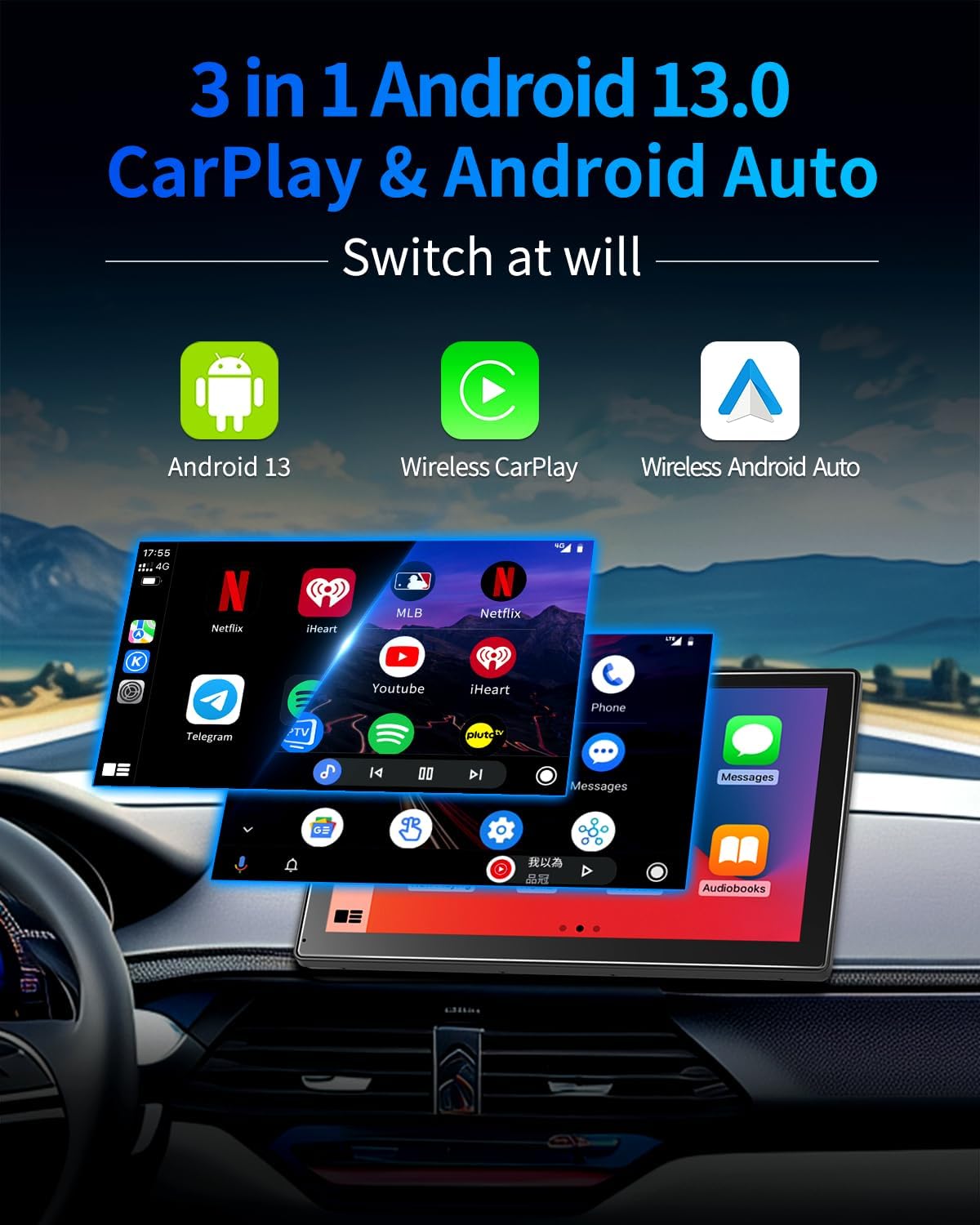
Figure 2.3: Demonstrating 3-in-1 connectivity options.
3. ബോക്സിൽ എന്താണുള്ളത്?
- Imagebon Portable Carplay Screen
- AUX കേബിൾ
- കാർ ചാർജർ
- ജിപിഎസ് ആൻ്റിന
- 3M സ്റ്റിക്കി മൗണ്ട്

Figure 3.1: All included components in the package.
4. സജ്ജീകരണ ഗൈഡ്
4.1 പ്രാരംഭ ചാർജിംഗ്
Before first use, ensure the device is charged for at least 10 minutes using the original car charger or a 5V/3A charging head.
4.2 ഉപകരണം മൌണ്ട് ചെയ്യുന്നു
- Attach the 3M Sticky Mount securely to a flat, clean surface on your car's dashboard.
- Connect the portable carplay screen to the mounted stand.
4.3 പെരിഫറലുകൾ ബന്ധിപ്പിക്കുന്നു
- Plug the car charger into your car's cigarette lighter socket and connect the USB-C end to the carplay screen.
- Connect the GPS antenna to the designated GPS port on the device and place it on your dashboard for optimal signal reception.
- For audio output through your car's speakers, connect the provided AUX cable from the carplay screen's AUX output to your car's AUX input. Alternatively, use FM transmission (refer to Operating Instructions).
Video 4.1: Imagebon 4+64GB Android 13 Car Stereo - Demonstrates product features and setup.
5. പ്രവർത്തന നിർദ്ദേശങ്ങൾ
5.1 വയർലെസ് കാർപ്ലേയും ആൻഡ്രോയിഡ് ഓട്ടോയും
- നിങ്ങളുടെ സ്മാർട്ട്ഫോണിൽ ബ്ലൂടൂത്തും വൈഫൈയും പ്രവർത്തനക്ഷമമാക്കിയിട്ടുണ്ടെന്ന് ഉറപ്പാക്കുക.
- On the carplay screen, select either 'CarPlay' or 'Android Auto' from the main menu.
- Follow the on-screen prompts to pair your phone via Bluetooth. Once paired, the system will automatically connect for wireless CarPlay or Android Auto.
- Enjoy hands-free navigation, music, calls, and messages.
5.2 ജിപിഎസ് നാവിഗേഷൻ
The device comes with pre-installed navigation apps like Google Maps. Connect to Wi-Fi (via your phone's hotspot or an external Wi-Fi source) to download offline maps or use real-time navigation. The external GPS antenna ensures accurate positioning.

Figure 5.1: GPS Navigation options available.
5.3 മൾട്ടിമീഡിയ പ്ലേബാക്ക്
Connect to Wi-Fi to access the Google Play Store and download your favorite streaming apps (Netflix, YouTube, TikTok, Spotify, etc.). You can also play music, videos, and view images from a connected USB flash drive or SD card.
5.4 സിസ്റ്റം ക്രമീകരണങ്ങൾ
Access the 'Settings' icon from the main menu to customize various aspects of the device, including Wi-Fi, Bluetooth, display brightness, audio output, and system updates (OTA).
6 സ്പെസിഫിക്കേഷനുകൾ
| ഫീച്ചർ | വിശദാംശങ്ങൾ |
|---|---|
| ഉൽപ്പന്ന അളവുകൾ | 2 x 9 x 5.59 ഇഞ്ച് |
| ഇനത്തിൻ്റെ ഭാരം | 2.81 പൗണ്ട് |
| സ്ക്രീൻ വലിപ്പം | 9 ഇഞ്ച് |
| ഓപ്പറേറ്റിംഗ് സിസ്റ്റം | ആൻഡ്രോയിഡ് 13 |
| സിപിയു | 8 കോർ |
| മെമ്മറി (റാം) | 4 ജിബി |
| സംഭരണം (ROM) | 64 ജിബി |
| കണക്റ്റിവിറ്റി ടെക്നോളജി | ബ്ലൂടൂത്ത്, വൈഫൈ |
| പ്രത്യേക സവിശേഷതകൾ | Android Auto, Apple CarPlay, Digital Display Screen, GPS Navigation, Multimedia Playback, OTA Upgrade |
| ഓഡിയോ put ട്ട്പുട്ട് മോഡ് | Stereo (via Bluetooth, USB, AUX, FM) |
| അനുയോജ്യമായ ഉപകരണങ്ങൾ | സ്മാർട്ട്ഫോൺ |
| നിയന്ത്രണ രീതി | സ്പർശിക്കുക |
7. പ്രശ്നപരിഹാരം
7.1 ഉപകരണം ഓണാക്കുന്നില്ല
- Ensure the car charger is securely plugged into both the device and the car's cigarette lighter.
- Verify that the car's power outlet is functioning correctly.
- Check if the device has sufficient charge (initial charge of 10+ minutes recommended).
7.2 ഓഡിയോ ഔട്ട്പുട്ട് ഇല്ല
- If using AUX: Ensure the AUX cable is fully inserted into both the device and your car's AUX input. Select AUX as the input source on your car stereo.
- If using FM: Tune your car stereo to the same FM frequency displayed on the carplay screen. Adjust the volume on both the device and your car stereo.
- If using Bluetooth: Ensure your phone is successfully paired and connected to the carplay screen via Bluetooth. Check volume levels on both devices.
7.3 Wireless CarPlay/Android Auto Connectivity Issues
- Ensure your phone's Bluetooth and Wi-Fi are active.
- Forget the device from your phone's Bluetooth settings and re-pair.
- Restart both the carplay screen and your smartphone.
- Ensure the carplay screen's firmware is up to date via OTA update.
8. പരിപാലനം
To ensure the longevity and optimal performance of your Imagebon Portable Carplay Screen, follow these maintenance guidelines:
- വൃത്തിയാക്കൽ: Use a soft, lint-free cloth to clean the screen and exterior. Avoid abrasive cleaners or solvents that may damage the surface.
- താപനില: Avoid exposing the device to extreme temperatures (hot or cold) for prolonged periods, as this can affect battery life and internal components.
- സംഭരണം: If storing the device for an extended period, ensure it is fully charged and kept in a cool, dry place.
- കേബിളുകൾ: Handle all cables and connectors with care to prevent damage.
9. വാറൻ്റിയും പിന്തുണയും
Imagebon products are manufactured to high-quality standards and are backed by a manufacturer's warranty. Please refer to the warranty card included in your package for specific terms and conditions.
For technical support, troubleshooting assistance, or any inquiries regarding your product, please contact our customer support team:
ഇമെയിൽ: Imagebons@outlook.com
Our support team is available 24/7 online to answer your questions and resolve any arising issues.


