1. ആമുഖം
Thank you for choosing the boAt Airdopes Unity ANC TWS Earbuds. This manual provides essential information for setting up, operating, and maintaining your earbuds to ensure optimal performance and longevity. Please read this manual thoroughly before using the product.
The boAt Airdopes Unity ANC earbuds are designed for an immersive audio experience with Active Noise Cancellation (ANC) up to 32dB, long playback time, and clear calls facilitated by Dual Mics with ENx Technology.
2. ബോക്സിൽ എന്താണുള്ളത്?
നിങ്ങളുടെ പാക്കേജിൽ എല്ലാ ഇനങ്ങളും ഉണ്ടെന്ന് ഉറപ്പാക്കുക:
- 1 x ഇയർബഡുകൾ
- 1 x ചാർജിംഗ് കേബിൾ
- 1 x ഉപയോക്തൃ മാനുവൽ
3. ഉൽപ്പന്നം കഴിഞ്ഞുview
Familiarize yourself with the components of your Airdopes Unity ANC earbuds and charging case.

Image: The boAt Airdopes Unity ANC earbuds are shown resting inside their open charging case. The earbuds are grey, matching the case, and feature a sleek, ergonomic design. The boAt logo is visible on the front of the charging case.
ഇയർബഡ് ഘടകങ്ങൾ:
- ടച്ച് കൺട്രോൾ ഏരിയ: പ്ലേബാക്ക്, കോളുകൾ, മോഡുകൾ എന്നിവ കൈകാര്യം ചെയ്യുന്നതിന്.
- മൈക്രോഫോൺ: Dual Mics with ENx™ Technology for clear voice capture.
- LED സൂചകം: കണക്ഷനും ബാറ്ററി നിലയും കാണിക്കുന്നു.
- ചാർജിംഗ് കോൺടാക്റ്റുകൾ: കേസിനുള്ളിൽ ചാർജ് ചെയ്യുന്നതിന്.
ചാർജിംഗ് കേസ് ഘടകങ്ങൾ:
- ചാർജിംഗ് പോർട്ട്: കേസ് ചാർജ് ചെയ്യുന്നതിനുള്ള യുഎസ്ബി ടൈപ്പ്-സി പോർട്ട്.
- കേസ് LED സൂചകം: Displays charging status of the case.
- ഇയർബഡ് സ്ലോട്ടുകൾ: ഇയർബഡുകൾ സുരക്ഷിതമായി പിടിച്ച് ചാർജ് ചെയ്യുന്നു.
4. സജ്ജീകരണം
4.1 ഇയർബഡുകളും കേസും ചാർജ് ചെയ്യുന്നു
ആദ്യമായി ഉപയോഗിക്കുന്നതിന് മുമ്പ്, ഇയർബഡുകളും ചാർജിംഗ് കേസും പൂർണ്ണമായും ചാർജ് ചെയ്യുക.
- Place both earbuds into the charging case, ensuring they are correctly seated.
- Connect the USB Type-C charging cable to the charging port on the case and the other end to a USB power adapter (5V/1A recommended) or a computer's USB port.
- The case LED indicator will show charging status. Once fully charged, the indicator will change or turn off.
- A full charge provides up to 50 hours of total playback time with the charging case.

Image: The boAt Airdopes Unity ANC earbuds are depicted floating above their charging case, with a clock-like graphic below, illustrating the impressive 50 hours of total playback time. The earbuds and case are grey.
4.2 നിങ്ങളുടെ ഉപകരണവുമായി ജോടിയാക്കൽ
The Airdopes Unity ANC features Insta Wake 'n' Pair (IWP) Technology for seamless connection.
- ആദ്യമായി ജോടിയാക്കൽ: Open the lid of the charging case. The earbuds will automatically enter pairing mode, indicated by a flashing LED on one of the earbuds.
- നിങ്ങളുടെ സ്മാർട്ട്ഫോണിലോ ബ്ലൂടൂത്ത് പ്രവർത്തനക്ഷമമാക്കിയ ഉപകരണത്തിലോ, ബ്ലൂടൂത്ത് ക്രമീകരണങ്ങളിലേക്ക് പോയി ലഭ്യമായ ഉപകരണങ്ങൾക്കായി തിരയുക.
- Select "Airdopes Unity ANC" from the list. Once connected, a voice prompt will confirm the successful pairing.
- Subsequent Pairing (IWP): After the initial pairing, simply open the lid of the charging case, and the earbuds will automatically connect to the last paired device (if Bluetooth is enabled on the device).

Image: This composite image showcases three key features. Top right shows the earbuds and case with text "Dual EQ Modes", indicating "boAt Signature Sound" and "Balanced Mode". Bottom left shows the earbuds and case with "Ambient Mode". Bottom right shows a smartphone screen displaying "Airdopes Unity ANC" with the earbuds and case, highlighting "Insta Wake 'n' Pair Technology".
5. നിങ്ങളുടെ ഇയർബഡുകൾ പ്രവർത്തിപ്പിക്കുക
The Airdopes Unity ANC earbuds feature intuitive touch controls for various functions.
5.1 ടച്ച് നിയന്ത്രണങ്ങൾ
| ഫംഗ്ഷൻ | ആക്ഷൻ |
|---|---|
| പ്ലേ/താൽക്കാലികമായി നിർത്തുക | ഇയർബഡുകളിൽ ഏതെങ്കിലുമൊന്നിൽ ഒറ്റ ടാപ്പ് ചെയ്യുക. |
| അടുത്ത ട്രാക്ക് | വലതുവശത്തെ ഇയർബഡിൽ രണ്ടുതവണ ടാപ്പ് ചെയ്യുക. |
| മുമ്പത്തെ ട്രാക്ക് | ഇടതുവശത്തെ ഇയർബഡിൽ രണ്ടുതവണ ടാപ്പ് ചെയ്യുക. |
| ഉത്തരം / കോൾ അവസാനിപ്പിക്കുക | ഇയർബഡുകളിൽ ഏതെങ്കിലുമൊന്നിൽ ഒറ്റ ടാപ്പ് ചെയ്യുക. |
| കോൾ നിരസിക്കുക | Long press (2 seconds) on either earbud. |
| വോയ്സ് അസിസ്റ്റൻ്റ് സജീവമാക്കുക | ഇയർബഡുകളിൽ ഏതെങ്കിലുമൊന്നിൽ മൂന്ന് തവണ ടാപ്പ് ചെയ്യുക. |
| Switch ANC/Transparency/Normal Mode | Long press (2 seconds) on the Left earbud. |
| Toggle BEAST™ Mode | Long press (2 seconds) on the Right earbud. |
5.2 സജീവ ശബ്ദം റദ്ദാക്കൽ (ANC)
The Airdopes Unity ANC features Active Noise Cancellation up to 32dB, reducing ambient noise for an immersive listening experience.
- ANC മോഡ്: Reduces external noise. Ideal for travel or noisy environments.
- സുതാര്യത മോഡ്: Allows you to hear your surroundings while still enjoying your audio. Useful for awareness in urban environments.
- സാധാരണ മോഡ്: ANC, സുതാര്യത മോഡുകൾ ഓഫാണ്.
Toggle between these modes by long-pressing the Left earbud's touch control area.
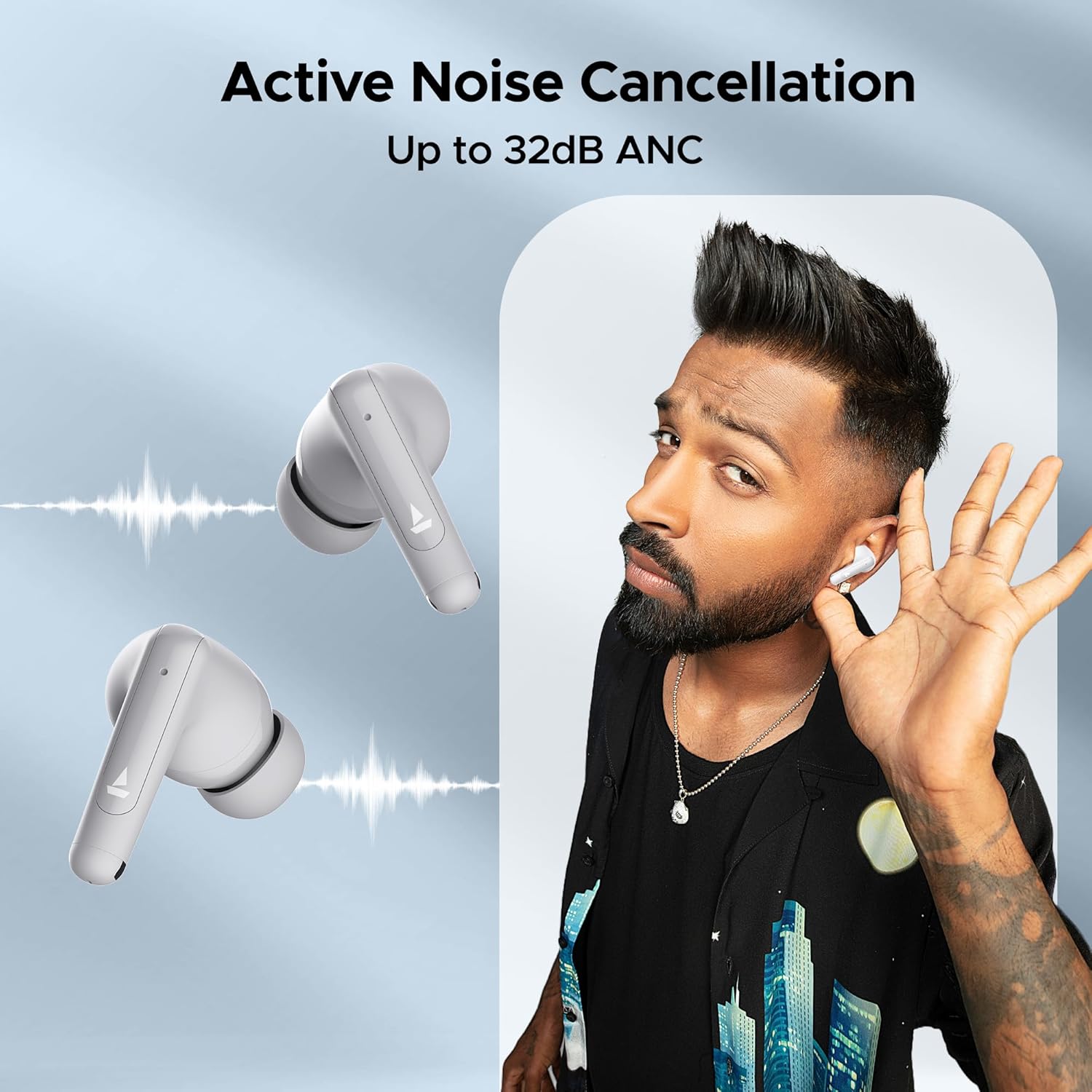
Image: A person is shown wearing the boAt Airdopes Unity ANC earbuds, with sound wave graphics emanating from the earbuds, illustrating the Active Noise Cancellation feature. The text "Active Noise Cancellation Up to 32dB ANC" is prominently displayed.
5.3 BEAST™ Mode (Low Latency)
Activate BEAST™ Mode for a low-latency audio experience, perfect for gaming or watching videos, ensuring audio and video synchronization.
- Latency is reduced to 50ms in BEAST™ Mode.
- Toggle BEAST™ Mode by long-pressing the Right earbud's touch control area.

Image: The boAt Airdopes Unity ANC earbuds are shown alongside a smartphone displaying a gaming scene, with text "BEAST™ Mode 50ms Low Latency", emphasizing the earbuds' suitability for gaming due to reduced audio delay.
5.4 ENx™ Technology (Environmental Noise Cancellation)
The Dual Mics with ENx™ Technology enhance call clarity by suppressing environmental noise, ensuring your voice is heard clearly during calls.
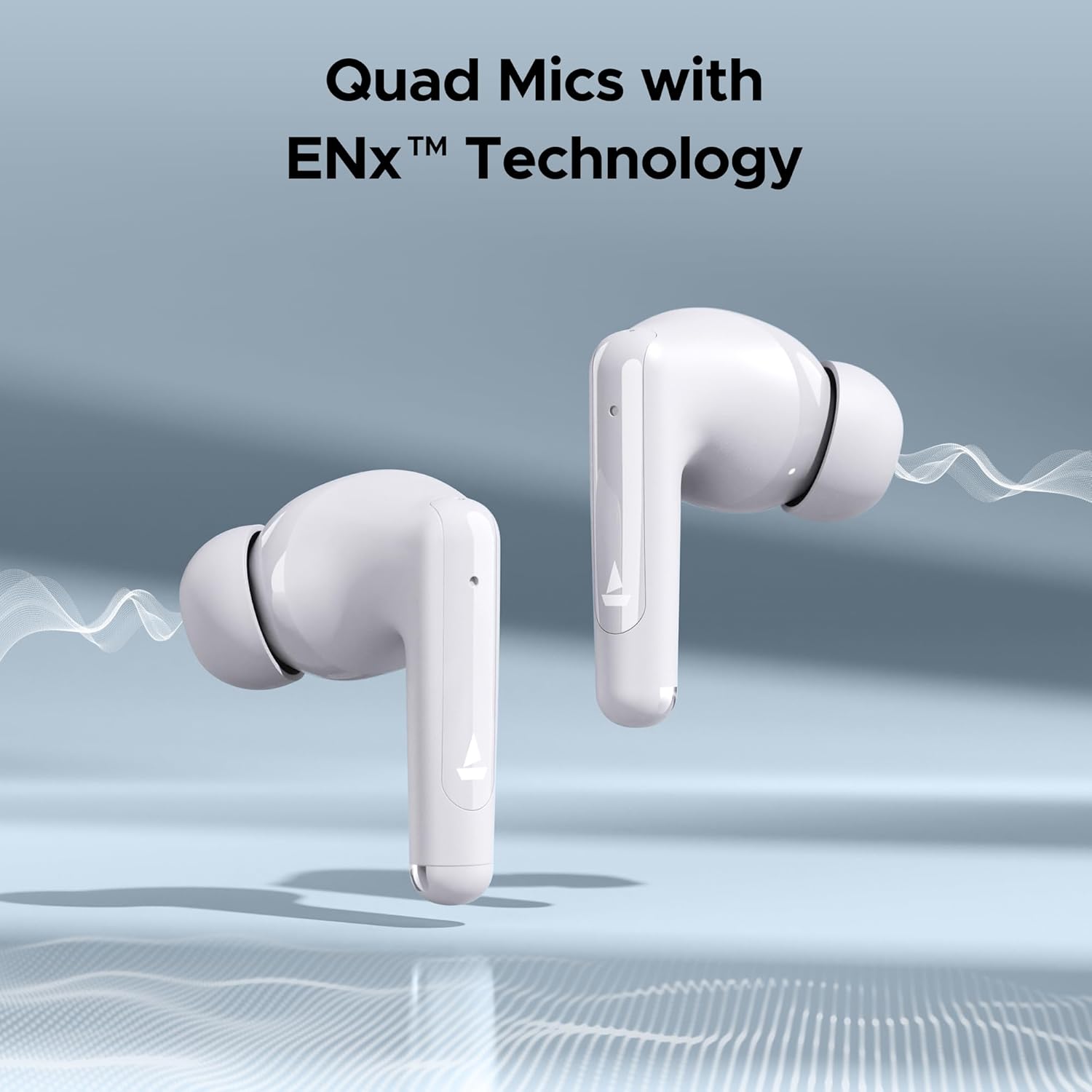
Image: Close-up of the boAt Airdopes Unity ANC earbuds with sound wave graphics, highlighting the "Quad Mics with ENx™ Technology" feature, which improves call quality by reducing background noise.
6. പരിപാലനം
ശരിയായ അറ്റകുറ്റപ്പണി നിങ്ങളുടെ ഇയർബഡുകളുടെ ദീർഘായുസ്സും മികച്ച പ്രകടനവും ഉറപ്പാക്കുന്നു.
6.1 വൃത്തിയാക്കൽ
- Regularly clean the earbuds, especially the eartips and charging contacts, with a soft, dry, lint-free cloth.
- അബ്രാസീവ് ക്ലീനറുകൾ, ആൽക്കഹോൾ, കെമിക്കൽ ലായകങ്ങൾ എന്നിവ ഉപയോഗിക്കരുത്.
- മൃദുവായതും ഉണങ്ങിയതുമായ തുണി ഉപയോഗിച്ച് ചാർജിംഗ് കേസ് വൃത്തിയാക്കുക.
6.2 സംഭരണം
- ഉപയോഗത്തിലില്ലാത്തപ്പോൾ, ഇയർബഡുകൾ സംരക്ഷിക്കുന്നതിനും ചാർജ്ജ് ചെയ്ത നിലയിൽ നിലനിർത്തുന്നതിനും എല്ലായ്പ്പോഴും ചാർജിംഗ് കേസിൽ സൂക്ഷിക്കുക.
- തീവ്രമായ താപനിലയിൽ നിന്നും നേരിട്ടുള്ള സൂര്യപ്രകാശത്തിൽ നിന്നും അകന്ന്, തണുത്തതും വരണ്ടതുമായ സ്ഥലത്ത് സൂക്ഷിക്കുക.
6.3 ജല പ്രതിരോധം (IPX5)
The Airdopes Unity ANC earbuds are IPX5 rated, meaning they are resistant to sweat and light splashes of water. They are not designed for submersion in water or exposure to heavy rain.
- ഇയർബഡുകൾ മനഃപൂർവ്വം വെള്ളത്തിൽ മുക്കരുത്.
- Dry the earbuds thoroughly before placing them back in the charging case if they get wet.
7. പ്രശ്നപരിഹാരം
If you encounter issues with your Airdopes Unity ANC, try the following solutions:
- ഇയർബഡുകൾ ജോടിയാക്കുന്നില്ല:
- രണ്ട് ഇയർബഡുകളും ചാർജ്ജ് ചെയ്തിട്ടുണ്ടെന്ന് ഉറപ്പാക്കുക.
- ഇയർബഡുകൾ വീണ്ടും കെയ്സിൽ വയ്ക്കുക, ലിഡ് അടയ്ക്കുക, കുറച്ച് നിമിഷങ്ങൾ കാത്തിരിക്കുക, തുടർന്ന് ജോടിയാക്കൽ മോഡിലേക്ക് വീണ്ടും പ്രവേശിക്കാൻ ലിഡ് തുറക്കുക.
- നിങ്ങളുടെ ഉപകരണത്തിൽ ബ്ലൂടൂത്ത് ഓഫാക്കി ഓണാക്കുക.
- Forget "Airdopes Unity ANC" from your device's Bluetooth list and try pairing again.
- ഒരു ഇയർബഡ് മാത്രമേ പ്രവർത്തിക്കുന്നുള്ളൂ:
- രണ്ട് ഇയർബഡുകളും ചാർജ്ജ് ചെയ്തിട്ടുണ്ടെന്ന് ഉറപ്പാക്കുക.
- Place both earbuds back in the case, close the lid, then open it again.
- ഇയർബഡുകൾ പുനഃസജ്ജമാക്കാൻ ശ്രമിക്കുക (നിർമ്മാതാവിന്റെ webആവശ്യമെങ്കിൽ നിർദ്ദിഷ്ട റീസെറ്റ് നിർദ്ദേശങ്ങൾക്കായി സൈറ്റ്).
- കുറഞ്ഞ ശബ്ദം അല്ലെങ്കിൽ മോശം ശബ്ദ നിലവാരം:
- നിങ്ങളുടെ കണക്റ്റുചെയ്ത ഉപകരണത്തിൽ വോളിയം ക്രമീകരിക്കുക.
- Ensure eartips are properly sealed in your ear canal. Try different sized eartips.
- ഇയർബഡ് നോസിലുകളിൽ നിന്ന് അവശിഷ്ടങ്ങൾ വൃത്തിയാക്കുക.
- ANC ഫലപ്രദമല്ല:
- Ensure ANC mode is activated (long press Left earbud).
- Ensure a proper seal with your ear canal.
8 സ്പെസിഫിക്കേഷനുകൾ
Key technical specifications for the boAt Airdopes Unity ANC:
| ഫീച്ചർ | വിശദാംശങ്ങൾ |
|---|---|
| മോഡലിൻ്റെ പേര് | Airdopes Unity ANC |
| കണക്റ്റിവിറ്റി ടെക്നോളജി | ബ്ലൂടൂത്ത് |
| വയർലെസ് കമ്മ്യൂണിക്കേഷൻ ടെക്നോളജി | ബ്ലൂടൂത്ത് |
| ശബ്ദ നിയന്ത്രണം | ആക്ടീവ് നോയ്സ് റദ്ദാക്കൽ (32dB വരെ) |
| ആകെ പ്ലേബാക്ക് സമയം | 50 മണിക്കൂർ വരെ (ചാർജിംഗ് കേസിനൊപ്പം) |
| മൈക്രോഫോണുകൾ | Dual Mics with ENx™ Technology |
| വാട്ടർ റെസിസ്റ്റൻസ് റേറ്റിംഗ് | IPX5 |
| നിയന്ത്രണ തരം | Wireless (Touch Controls) |
| നിയന്ത്രണ രീതി | Voice (Built-In Voice Assistant) |
| ഇനത്തിൻ്റെ ഭാരം | 45 ഗ്രാം |
| മെറ്റീരിയൽ | പ്ലാസ്റ്റിക് |
| ഉൽപ്പന്ന അളവുകൾ | 5 x 3 x 5 സെ.മീ |
| ബാറ്ററികൾ | 1 ലിഥിയം പോളിമർ ബാറ്ററി (ഉൾപ്പെടുത്തിയിരിക്കുന്നു) |
9. വാറൻ്റിയും പിന്തുണയും
boAt products come with a standard warranty. For detailed warranty information, terms, and conditions, please refer to the warranty card included in your package or visit the official boAt webസൈറ്റ്.
For product-related queries, technical support, or service requests, please contact boAt customer support:
- ബന്ധപ്പെടേണ്ട നമ്പർ: +91 (022) 69181920
- ഇമെയിൽ: info@imaginemarketingindia.com
- നിർമ്മാതാവ്: ഇമാജിൻ മാർക്കറ്റിംഗ് ലിമിറ്റഡ്
- വിലാസം: Unit no. 204 & 205, 2nd floor, D-wing & E-wing, Corporate Avenue, Andheri Ghatkopar Link Road, Mumbai, Maharashtra-400093, India
You can also visit the official boAt store on Amazon for more information: boAt Store


