1. ആമുഖം
The Innova 1000 Bluetooth OBD2 Scanner is a diagnostic tool designed to connect wirelessly to compatible mobile devices (iPhone & Android) via Bluetooth. It allows users to access vehicle data, read and clear diagnostic trouble codes (DTCs) for various systems including the engine, Anti-lock Braking System (ABS), and Supplemental Restraint System (SRS). This device provides real-time data, maintenance reminders, and predicted repair information through the companion RepairSolutions2 app, all without subscription fees.

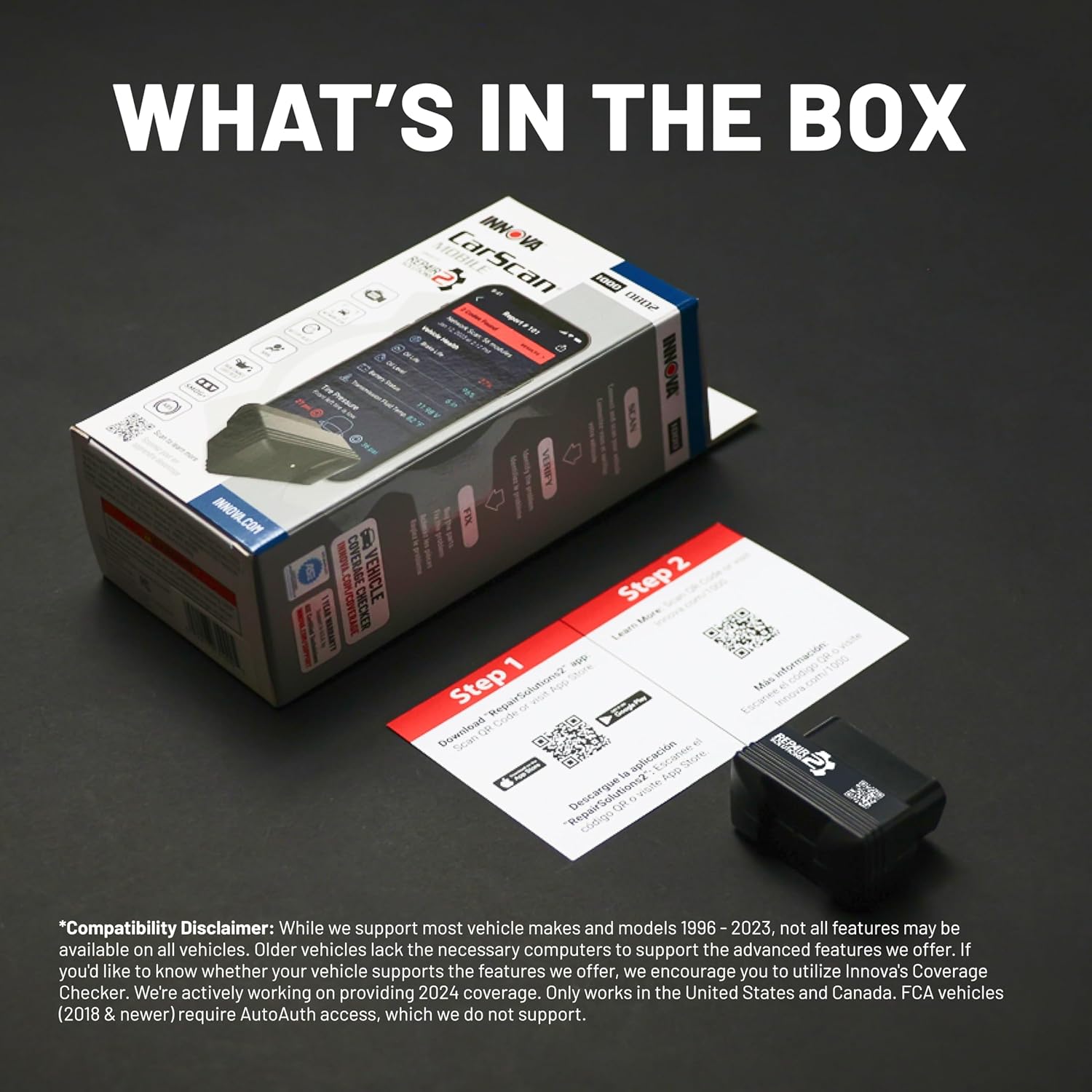
2. പാക്കേജ് ഉള്ളടക്കം
Upon opening your Innova 1000 package, please ensure all the following items are present:
- Innova 1000 OBD2 Dongle
- ദ്രുത ആരംഭ ഗൈഡ്
3. സജ്ജീകരണവും ഇൻസ്റ്റാളേഷനും
Follow these steps to set up and begin using your Innova 1000 Bluetooth OBD2 Scanner:
- Download the RepairSolutions2 App: ഇതിനായി തിരയുക "RepairSolutions2" in your device's app store (Apple App Store or Google Play Store) and install it.
- Locate Your Vehicle's OBD2 Port: The OBD2 port is typically located under the dashboard on the driver's side. Refer to your vehicle's owner's manual if you have difficulty locating it.
- Connect the Innova 1000 Dongle: Plug the Innova 1000 dongle firmly into your vehicle's OBD2 port. Ensure a secure connection.
- Turn Vehicle Ignition to ON: Turn your vehicle's ignition to the 'ON' position. The engine does not need to be running.
- Pair with the RepairSolutions2 App:
- Open the RepairSolutions2 app on your mobile device.
- The app will prompt you to pair a scan tool. Select the option to 'Pair scan tool'.
- The app will search for available Innova scan tools. Select your Innova 1000 dongle from the list.
- Once paired, the app will confirm a successful connection.


Video: Demonstrates the pairing process of the Innova 1000 OBD2 Scanner with the RepairSolutions2 app.
4. പ്രവർത്തന നിർദ്ദേശങ്ങൾ
The RepairSolutions2 app provides a user-friendly interface to access various diagnostic and maintenance features:
- ചെക്ക് എഞ്ചിൻ: Performs a quick scan for engine-related trouble codes and provides potential fixes.
- Whole System Scan: Conducts a comprehensive scan of all available vehicle modules to generate a complete scan report.
- കോഡുകൾ വായിക്കുക: നിങ്ങളെ അനുവദിക്കുന്നു view current, pending, and permanent diagnostic trouble codes.
- മായ്ക്കൽ കോഡുകൾ: Clears diagnostic trouble codes from your vehicle's computer after repairs have been made.
- തത്സമയ ഡാറ്റ: Displays real-time operational parameters from your vehicle, such as engine RPM, coolant temperature, intake air temperature, and fuel rail pressure. This data can be viewed as a dashboard or recorded for later analysis.
- I/M Monitors: Checks the readiness status of various emission control systems, helping you determine if your vehicle is ready for an emissions (smog) test.
- സേവന പരിശോധനകൾ: Provides information on key maintenance items like brake life, oil level, and battery voltage.
- Service Functions: Allows you to perform specific resets and relearns, such as oil maintenance reset, battery reset procedures, battery tests, and alternator tests (availability depends on vehicle compatibility).


വീഡിയോ: കഴിഞ്ഞുview of the Innova 1000 app features, including live data monitoring and code reading.
5 അനുയോജ്യത
The Innova 1000 is compatible with most cars, trucks, and SUVs manufactured in 1996 and newer. This includes popular brands such as Toyota, Ford, Honda, Chevrolet, Nissan, and more. However, compatibility for specific features may vary depending on your vehicle's specific year, make, and model. For accurate readings and trouble code information, it is recommended to use Innova’s Coverage Checker to verify compatibility before purchase.
Video: Explains how to check vehicle compatibility for Innova OBD2 Scanners using the Coverage Checker.
6. പരിപാലനം
The RepairSolutions2 app offers features to help you stay on top of your vehicle's maintenance:
- Vehicle Health: സമഗ്രമായ ഒരു ഓവർ നേടുകview of your vehicle's health, including battery status, transmission fluid temperature, brake life, and oil life.
- Predicted Repairs: The app's database can compare your vehicle data with millions of others to suggest upcoming vehicle failures and repairs, helping you prevent expensive issues.
- Upcoming Maintenance: Provides a schedule of recommended maintenance items based on your vehicle's mileage and condition.
- TSBs & Recalls: Access Technical Service Bulletins (TSBs) and recall information relevant to your vehicle.

7. പ്രശ്നപരിഹാരം
If you encounter issues with your Innova 1000 scanner or the RepairSolutions2 app, consider the following:
- കണക്ഷൻ പ്രശ്നങ്ങൾ: Ensure the dongle is firmly seated in the OBD2 port and your vehicle's ignition is in the 'ON' position. Verify Bluetooth is enabled on your mobile device.
- ആപ്പ് പ്രവർത്തനം: Close and restart the RepairSolutions2 app. Ensure your app is updated to the latest version.
- കൃത്യമല്ലാത്ത വായനകൾ: Confirm your vehicle's compatibility using the Innova Coverage Checker. Some older vehicles may not support all advanced features.
- സ്ഥിരമായ പ്രശ്നങ്ങൾ: If issues persist, refer to the tutorials within the RepairSolutions2 app or contact Innova customer support.
8 സ്പെസിഫിക്കേഷനുകൾ
| ഫീച്ചർ | വിശദാംശങ്ങൾ |
|---|---|
| നിർമ്മാതാവ് | ഇന്നോവ |
| ബ്രാൻഡ് | ഇന്നോവ |
| മോഡൽ | 1000 |
| ഇനത്തിൻ്റെ ഭാരം | 2.89 ഔൺസ് |
| പാക്കേജ് അളവുകൾ | 7.36 x 3.39 x 2.24 ഇഞ്ച് |
| ഇനം മോഡൽ നമ്പർ | 1000 |
| നിർമ്മാതാവിൻ്റെ ഭാഗം നമ്പർ | 1000 |
| പവർ ഉറവിടം | Vehicle Powered |
| ഓപ്പറേറ്റിംഗ് സിസ്റ്റം | ആൻഡ്രോയിഡ്, ഐഫോൺ |
| യു.പി.സി | 042173310005 |
9. വാറൻ്റിയും പിന്തുണയും
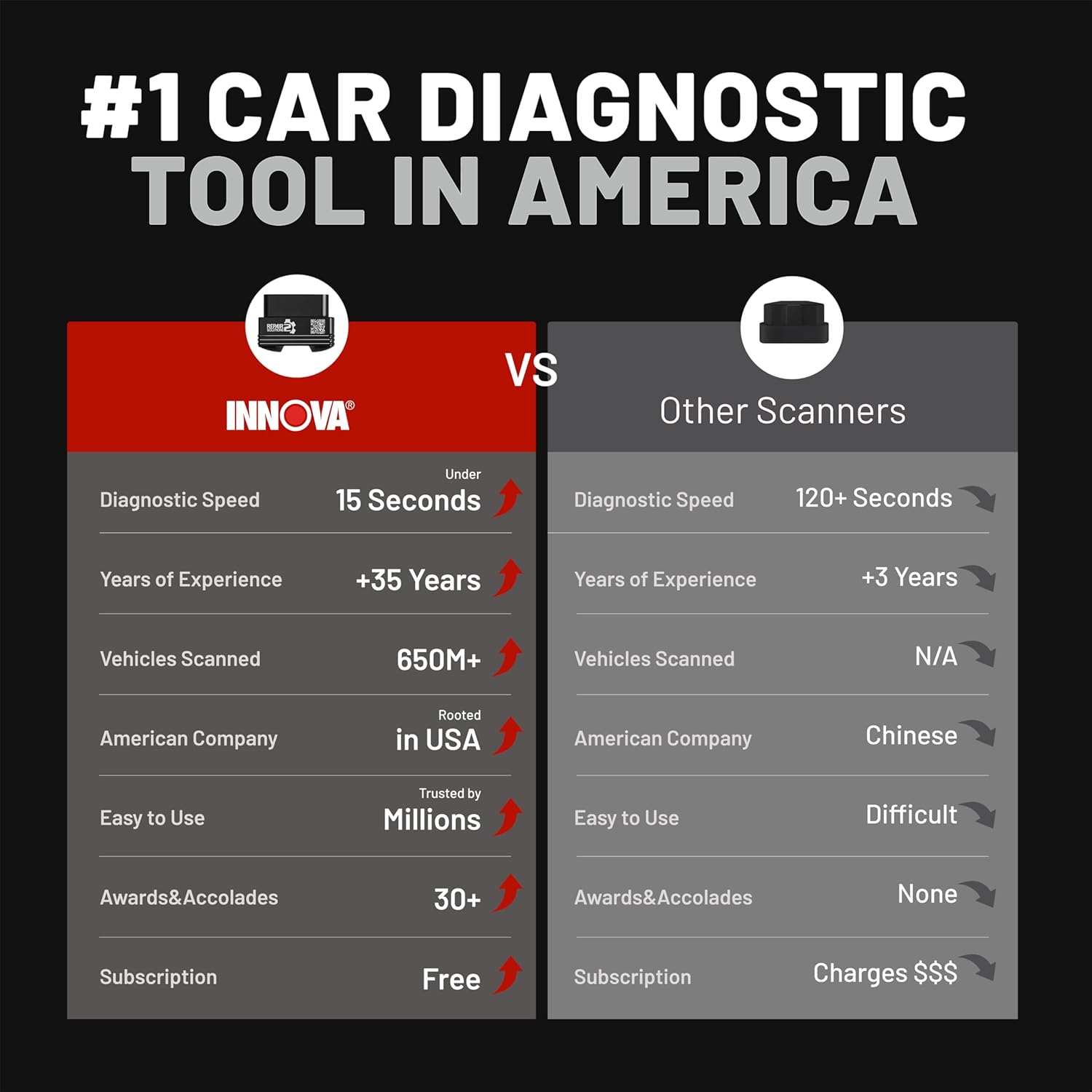
Innova is committed to providing reliable products and excellent customer service. The Innova 1000 comes with free software updates, ensuring you always have access to the latest features and vehicle data without recurring charges.
If you have any questions or require assistance, please do not hesitate to contact Innova's customer service team. They are available Monday through Friday from 6 AM to 6 PM Pacific Standard Time. Innova is a proud American company that values its customers and is happy to assist you.
Video: Highlights Innova's commitment to customer support and product reliability.


