1. ഉൽപ്പന്നം കഴിഞ്ഞുview
The Arctic Wind 10,000 BTU Window Air Conditioner and Dehumidifier is designed to provide efficient cooling and moisture removal for medium-sized rooms up to 450 square feet. This unit operates on 115V and includes a remote control for convenient operation. Its 3-in-1 functionality offers cooling, dehumidification, and fan-only modes to maintain a comfortable indoor environment.
Key features include precise digital controls, an auto mode for consistent climate, a 24-hour timer for scheduled operation, and an auto-restart function that restores previous settings after a power interruption. The unit also features an easy tilt-out removable and washable filter for simplified maintenance and a 'Follow Me' remote control that places the thermostat at your location for accurate temperature sensing.

ചിത്രം 1: മുൻഭാഗം view of the Arctic Wind 10,000 BTU Window Air Conditioner.
2 പ്രധാനപ്പെട്ട സുരക്ഷാ വിവരങ്ങൾ
Read all instructions before using this appliance. Failure to follow these instructions may result in electric shock, fire, or property damage. Keep this manual for future reference.
- ഇലക്ട്രിക്കൽ സുരക്ഷ: Ensure the unit is plugged into a properly grounded 115V, 3-prong outlet. Do not use extension cords or adapter plugs. Do not operate the unit with a damaged power cord or plug.
- ഇൻസ്റ്റലേഷൻ: Install the unit securely in a window according to the installation instructions. Ensure the window is structurally sound to support the unit's weight.
- ക്ലിയറൻസ്: Maintain adequate clearance around the unit for proper airflow. Do not block air vents.
- വാട്ടർ ഡ്രെയിനേജ്: Ensure proper drainage of condensed water. Do not obstruct the drain outlet.
- വൃത്തിയാക്കൽ: വൃത്തിയാക്കുന്നതിനോ അറ്റകുറ്റപ്പണികൾ നടത്തുന്നതിനോ മുമ്പ് എല്ലായ്പ്പോഴും യൂണിറ്റ് അൺപ്ലഗ് ചെയ്യുക.
- കുട്ടികളും വളർത്തുമൃഗങ്ങളും: പ്രവർത്തന സമയത്ത് കുട്ടികളെയും വളർത്തുമൃഗങ്ങളെയും യൂണിറ്റിൽ നിന്ന് അകറ്റി നിർത്തുക.
- സേവനം: Do not attempt to repair or modify the unit yourself. Refer all servicing to qualified personnel.
3. പാക്കേജ് ഉള്ളടക്കം
താഴെ ലിസ്റ്റ് ചെയ്തിരിക്കുന്ന എല്ലാ ഇനങ്ങളും നിങ്ങളുടെ പാക്കേജിൽ ഉൾപ്പെടുത്തിയിട്ടുണ്ടെന്ന് ഉറപ്പാക്കുക. ഏതെങ്കിലും ഇനങ്ങൾ നഷ്ടപ്പെട്ടിട്ടുണ്ടെങ്കിലോ കേടായിട്ടുണ്ടെങ്കിലോ, ഉപഭോക്തൃ പിന്തുണയുമായി ബന്ധപ്പെടുക.
- Arctic Wind Window Air Conditioner Unit
- റിമോട്ട് കൺട്രോൾ
- റിമോട്ട് കൺട്രോളിനുള്ള ബാറ്ററികൾ
- ഉപയോക്തൃ മാനുവൽ (ഈ പ്രമാണം)
- വാറൻ്റി വിവരങ്ങൾ
- വിൻഡോ മൗണ്ടിംഗ് കിറ്റ്
4. ഉൽപ്പന്ന സവിശേഷതകൾ
The Arctic Wind 10,000 BTU Window Air Conditioner is equipped with several features designed for optimal comfort and convenience:
- 3-ഇൻ-1 പ്രവർത്തനം: Offers powerful cooling, dehumidification for excess moisture removal, and a fan-only mode.
- തണുപ്പിക്കൽ ശേഷി: 10,000 BTUs suitable for rooms up to 450 square feet.
- ഫാൻ വേഗത: Three adjustable fan speeds to customize airflow and comfort.
- Window Mounting Kit: Included for straightforward and secure installation.
- 24-മണിക്കൂർ ടൈമർ: നിർദ്ദിഷ്ട സമയങ്ങളിൽ യൂണിറ്റ് ഓണാക്കാനോ ഓഫാക്കാനോ പ്രോഗ്രാം ചെയ്യുക.
- എനർജി സേവർ ഫംഗ്ഷൻ: Reduces energy consumption by cycling the compressor and fan.
- ഓട്ടോ-റീസ്റ്റാർട്ട് ഫംഗ്ഷൻ: Automatically resumes operation with previous settings after a power outage.
- കഴുകാവുന്ന ഫിൽട്ടർ: Easy-to-remove and clean filter for improved air quality and unit efficiency.
- റിമോട്ട് കൺട്രോൾ: Includes a 'Follow Me' remote that senses the temperature at its location for precise comfort.
- 4-Way Adjustable Air Vents: Direct airflow where it's needed most.

ചിത്രം 2: ഓവർview പ്രധാന ഉൽപ്പന്ന സവിശേഷതകൾ.
5. സജ്ജീകരണവും ഇൻസ്റ്റാളേഷനും
Proper installation is crucial for the efficient and safe operation of your air conditioner. The unit is designed for standard double-hung windows. Refer to the detailed instructions provided in the included window mounting kit for specific steps.
5.1 പ്രീ-ഇൻസ്റ്റലേഷൻ ചെക്ക്ലിസ്റ്റ്
- Ensure the window opening meets the required dimensions (Product Dimensions: 19"D x 21.5"W x 14.75"H).
- Verify that the electrical outlet is a grounded 115V, 3-prong receptacle.
- Gather necessary tools (e.g., screwdriver, measuring tape).
5.2 Window Installation Steps (General)
- വിൻഡോ ഡിസിയും ഫ്രെയിമും വൃത്തിയാക്കി ജനൽ തയ്യാറാക്കുക.
- Attach the top mounting rail to the unit (if not pre-attached).
- Carefully place the unit into the window opening, ensuring it is centered and level or slightly tilted outwards for proper condensation drainage.
- Extend the side panels to fill the window gap and secure them with screws.
- Install the window sash seal and any additional weather stripping to prevent air leaks.
- Secure the window sash to prevent it from being opened from the outside.
- Plug the unit into the dedicated electrical outlet.
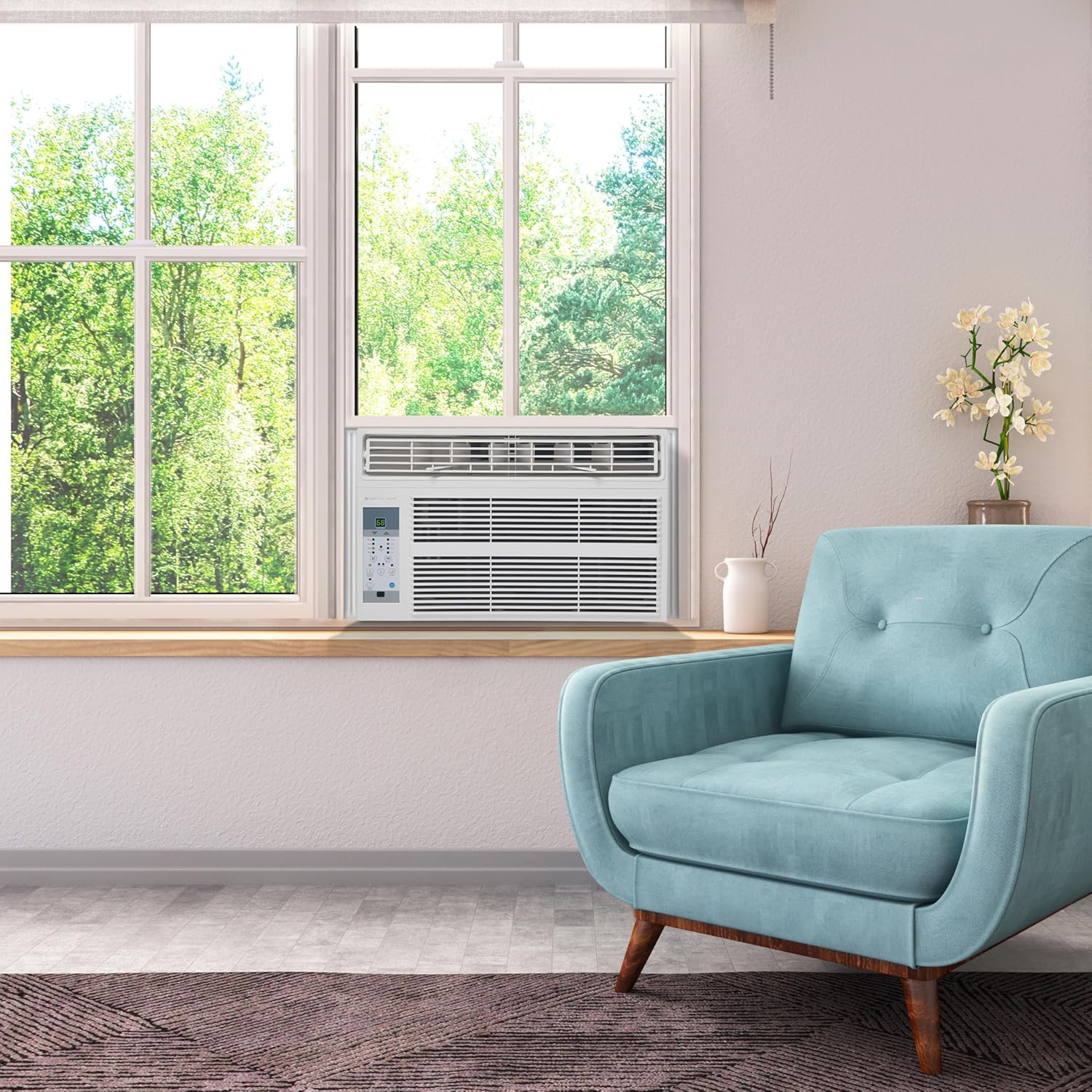
Figure 3: The air conditioner unit properly installed in a window.
6. പ്രവർത്തന നിർദ്ദേശങ്ങൾ
Your Arctic Wind air conditioner can be operated using the control panel on the unit or the included remote control.
6.1 നിയന്ത്രണ പാനലും റിമോട്ട് നിയന്ത്രണവും
The control panel features a digital display and various buttons for mode selection, temperature adjustment, fan speed, and timer settings. The remote control duplicates most of these functions and includes the 'Follow Me' feature.

Figure 4: Unit control panel and remote control with function labels.
6.2 അടിസ്ഥാന പ്രവർത്തനം
- പവർ ഓൺ/ഓഫ്: യൂണിറ്റ് ഓണാക്കാനോ ഓഫാക്കാനോ പവർ ബട്ടൺ അമർത്തുക.
- മോഡ് തിരഞ്ഞെടുക്കൽ: Press the 'Mode' button to cycle through available modes: Cool, Dry, Fan, and Auto.
- താപനില ക്രമീകരണം: Use the Up/Down arrows to set your desired temperature. The temperature range is typically 62°F to 86°F (17°C to 30°C).
- ഫാൻ വേഗത: In Cool or Fan mode, press the 'Fan Speed' button to select Low, Medium, or High.
6.3 വിപുലമായ പ്രവർത്തനങ്ങൾ
- ടൈമർ പ്രവർത്തനം: Press the 'Timer' button to set a delay for the unit to turn on or off (up to 24 hours). Use the Up/Down arrows to adjust the time.
- സ്ലീപ്പ് മോഡ്: Activates a quiet operation mode and gradually adjusts the temperature overnight for comfortable sleep.
- എനർജി സേവർ മോഡ്: The fan will continue to run for a few minutes after the compressor turns off. The fan will cycle on periodically to sample the room air. If the room temperature is above the set temperature, the compressor will turn back on.
- സ്വയമേവ പുനരാരംഭിക്കുക: In the event of a power interruption, the unit will automatically restart with the last settings once power is restored.
- Follow Me (Remote Control): When activated, the remote control acts as the thermostat, sensing the temperature at its location and adjusting the unit's operation accordingly.
7. പരിപാലനം
പതിവ് അറ്റകുറ്റപ്പണികൾ മികച്ച പ്രകടനം ഉറപ്പാക്കുകയും നിങ്ങളുടെ എയർ കണ്ടീഷണറിന്റെ ആയുസ്സ് വർദ്ധിപ്പിക്കുകയും ചെയ്യുന്നു.
7.1 എയർ ഫിൽട്ടർ വൃത്തിയാക്കൽ
The unit features a 'Check Filter' indicator light that reminds you to clean the filter. A dirty filter can reduce cooling efficiency and airflow.
- യൂണിറ്റ് അൺപ്ലഗ് ചെയ്യുക: വൃത്തിയാക്കുന്നതിന് മുമ്പ് എല്ലായ്പ്പോഴും വൈദ്യുതി വിച്ഛേദിക്കുക.
- ഫിൽറ്റർ നീക്കം ചെയ്യുക: Open the front panel and gently slide out the washable air filter.
- ഫിൽട്ടർ വൃത്തിയാക്കുക: Wash the filter with warm, soapy water. Rinse thoroughly and allow it to air dry completely before reinstallation. Do not use hot water or harsh detergents.
- ഫിൽറ്റർ വീണ്ടും ഇൻസ്റ്റാൾ ചെയ്യുക: Slide the dry filter back into its slot and close the front panel.
- ഫിൽറ്റർ ലൈറ്റ് പുനഃസജ്ജമാക്കുക: After cleaning and reinstalling, press the 'Filter' button on the control panel to reset the indicator light.
7.2 Cleaning the Unit Casing
- പുറംഭാഗം തുടയ്ക്കുക casinഗ്രാം വിത്ത് എ സോഫ്റ്റ്, ഡിamp തുണി.
- Do not use abrasive cleaners, waxes, or polishes.
7.3 End of Season Storage
- Clean the air filter and the unit's exterior.
- Run the unit in Fan mode for a few hours to dry out any internal moisture.
- Unplug the unit and store it in a dry, cool place, preferably in its original packaging.
8. പ്രശ്നപരിഹാരം
ഉപഭോക്തൃ സേവനവുമായി ബന്ധപ്പെടുന്നതിന് മുമ്പ്, വീണ്ടുംview ഇനിപ്പറയുന്ന പൊതുവായ പ്രശ്നങ്ങളും പരിഹാരങ്ങളും:
| പ്രശ്നം | സാധ്യമായ കാരണം | പരിഹാരം |
|---|---|---|
| യൂണിറ്റ് ഓണാക്കുന്നില്ല | No power; tripped circuit breaker; unit unplugged | പവർ കോർഡ് കണക്ഷൻ പരിശോധിക്കുക; സർക്യൂട്ട് ബ്രേക്കർ പുനഃസജ്ജമാക്കുക; ഔട്ട്ലെറ്റ് പ്രവർത്തനക്ഷമമാണെന്ന് ഉറപ്പാക്കുക. |
| യൂണിറ്റ് ഫലപ്രദമായി തണുപ്പിക്കുന്നില്ല. | Dirty air filter; blocked air vents; room too large; open windows/doors | Clean air filter; ensure vents are clear; close windows/doors; check room size against BTU rating. |
| പുറത്ത് ഒലിച്ചിറങ്ങുന്ന വെള്ളം | Normal condensation | This is normal during high humidity. Ensure unit is slightly tilted outwards. |
| ഉള്ളിൽ ഒലിച്ചിറങ്ങുന്ന വെള്ളം | Unit not level or tilted incorrectly; clogged drain pan | Adjust unit to be slightly tilted outwards; check and clear drain pan/hose. |
| അസാധാരണമായ ശബ്ദം | Loose parts; unit not securely installed; fan obstruction | Check for loose screws; ensure secure installation; inspect fan for obstructions (unplug first). |
| റിമോട്ട് കൺട്രോൾ പ്രവർത്തിക്കുന്നില്ല | Dead batteries; obstruction between remote and unit | Replace batteries; remove any obstructions. |
9. ഉൽപ്പന്ന സവിശേഷതകൾ
| ഫീച്ചർ | വിശദാംശങ്ങൾ |
|---|---|
| ബ്രാൻഡ് | ആർട്ടിക് കാറ്റ് |
| മോഡൽ നമ്പർ | 4AW10000A |
| കൂളിംഗ് പവർ | 10,000 ബി.ടി.യു |
| കവറേജ് ഏരിയ | 450 ചതുരശ്ര അടി വരെ |
| ഉൽപ്പന്ന അളവുകൾ (D x W x H) | 19" x 21.5" x 14.75" |
| ഇനത്തിൻ്റെ ഭാരം | 58 പൗണ്ട് |
| വാല്യംtage | 115 വോൾട്ട് |
| റഫ്രിജറൻ്റ് | R-32 |
| സീസണൽ എനർജി എഫിഷ്യൻസി റേഷ്യോ (SEER) | 10.9 |
| ഫിൽട്ടർ തരം | Mesh (Washable) |
| പവർ ഉറവിടം | കോർഡഡ് ഇലക്ട്രിക് |
| പ്രത്യേക സവിശേഷതകൾ | ഡീഹ്യൂമിഡിഫയർ, ഫിൽറ്റർ ലൈറ്റ് റിമൈൻഡർ, റിമോട്ട് കൺട്രോൾ |

Figure 5: BTU and room size guidance chart.
10. വാറണ്ടിയും ഉപഭോക്തൃ പിന്തുണയും
10.1 വാറൻ്റി വിവരങ്ങൾ
This Arctic Wind air conditioner comes with a 1 വർഷത്തെ പരിമിത വാറൻ്റി. This warranty covers defects in materials and workmanship under normal use. Please refer to the warranty card included in your package for full terms, conditions, and exclusions.
10.2 ഉപഭോക്തൃ പിന്തുണ
If you experience any issues with your unit that cannot be resolved using the troubleshooting guide, or if you require warranty service, please contact Arctic Wind customer support. Have your model number (4AW10000A) and purchase date ready when you call.
For the most current contact information, please visit the official Arctic Wind website or refer to the contact details provided in your warranty documentation.


