ആമുഖം
The ADAM ELEMENTS GRAVITY Pro is a high-capacity 20000mAh power bank designed to provide fast and efficient charging for a wide range of devices, including smartphones, tablets, and laptops. Featuring multiple output ports and an intuitive LED display, it ensures your devices stay powered throughout the day, wherever you are.

ചിത്രം: മുൻഭാഗം view of the GRAVITY Pro power bank, showcasing its LED display and sleek design.
പാക്കേജ് ഉള്ളടക്കം
താഴെ ലിസ്റ്റ് ചെയ്തിരിക്കുന്ന എല്ലാ ഇനങ്ങളും നിങ്ങളുടെ പാക്കേജിൽ ഉൾപ്പെടുത്തിയിട്ടുണ്ടെന്ന് ദയവായി പരിശോധിക്കുക:
- GRAVITY Pro 100W Fast Charging Power Bank (20000mAh)
- Premium Knit-Braid 100W Charging Cable (47.2 inches / 1.2 meters)
- Velvet-Like Drawstring Bag
- User Instruction Manual (this document)
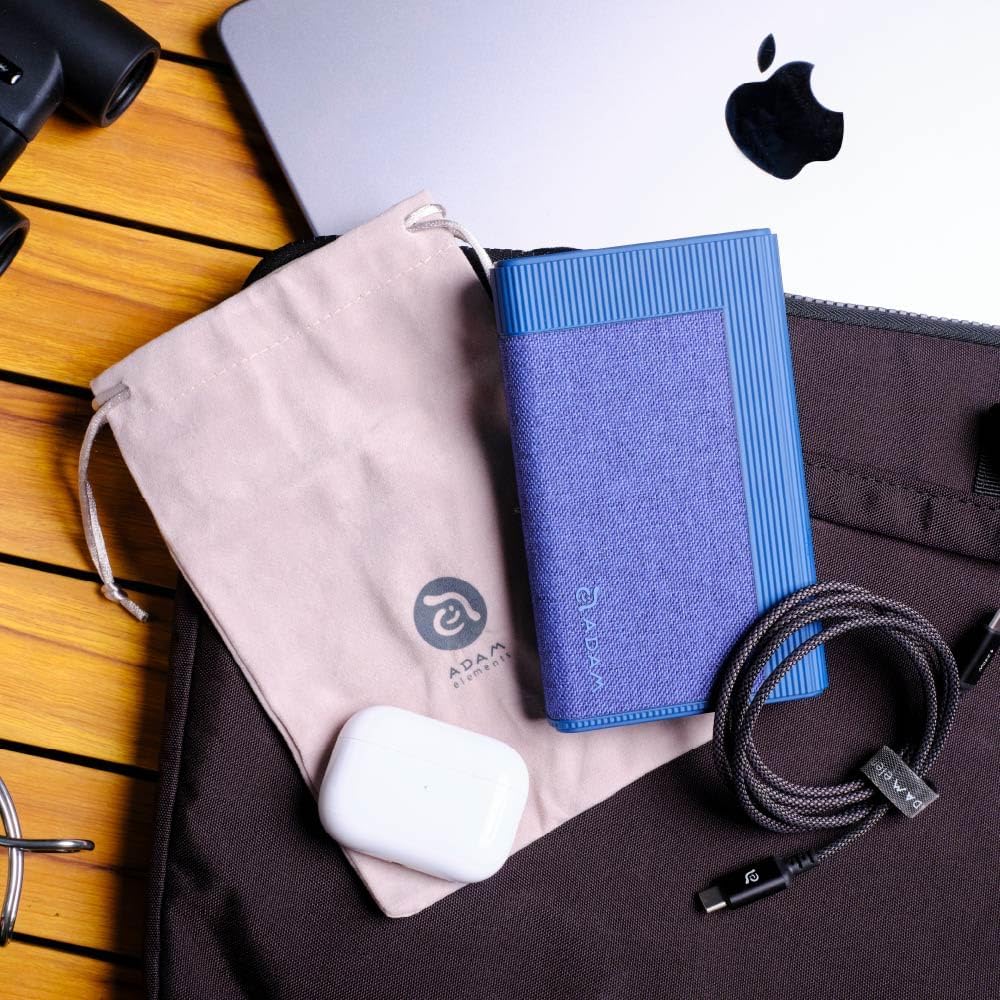
Image: The GRAVITY Pro power bank displayed alongside its included premium knit-braid 100W charging cable and velvet-like drawstring bag.
ഉൽപ്പന്നം കഴിഞ്ഞുview
Familiarize yourself with the various components and ports of your GRAVITY Pro power bank.

ചിത്രം: വിശദമായ ഒരു ചിത്രം view of the GRAVITY Pro's front panel, highlighting the LED display, USB-A port (QC/SCP), and two USB-C ports (PD 20W and PD 100W IN/OUT).
- LED ഡിസ്പ്ലേ: ബാറ്ററി ശതമാനം കാണിക്കുന്നുtage, fast charging status, output/input status, and total discharge power.
- USB-A Port (QC/SCP): Output port for Quick Charge and SuperCharge Protocol compatible devices.
- USB-C പോർട്ട് (PD 20W): Power Delivery output port, up to 20W.
- USB-C Port (PD 100W IN/OUT): Bi-directional Power Delivery port, supporting up to 100W input and output.
- പവർ ബട്ടൺ: Activates the power bank and controls low-current charging mode.
സജ്ജമാക്കുക
പവർ ബാങ്കിന്റെ പ്രാരംഭ ചാർജിംഗ്
Before first use, it is recommended to fully charge your GRAVITY Pro power bank.
- Connect the included 100W USB-C to USB-C cable to the PD 100W IN/OUT പവർ ബാങ്കിലെ പോർട്ട്.
- Connect the other end of the cable to a compatible USB-C wall charger (not included) with a power output of at least 65W for optimal charging speed.
- ചാർജിംഗ് നിലയും ബാറ്ററി ശതമാനവും LED ഡിസ്പ്ലേ കാണിക്കും.tage. The power bank is fully charged when the display shows "100%".
A full charge may take several hours depending on the power adapter used.
പ്രവർത്തന നിർദ്ദേശങ്ങൾ
നിങ്ങളുടെ ഉപകരണങ്ങൾ ചാർജ് ചെയ്യുന്നു
The GRAVITY Pro can charge a variety of devices using its multiple output ports.
- Connect your device's charging cable to the appropriate port on the GRAVITY Pro (USB-A, USB-C PD 20W, or USB-C PD 100W).
- കേബിളിന്റെ മറ്റേ അറ്റം നിങ്ങളുടെ ഉപകരണവുമായി ബന്ധിപ്പിക്കുക.
- The power bank will automatically begin charging. The LED display will show the output status and remaining battery percentage.
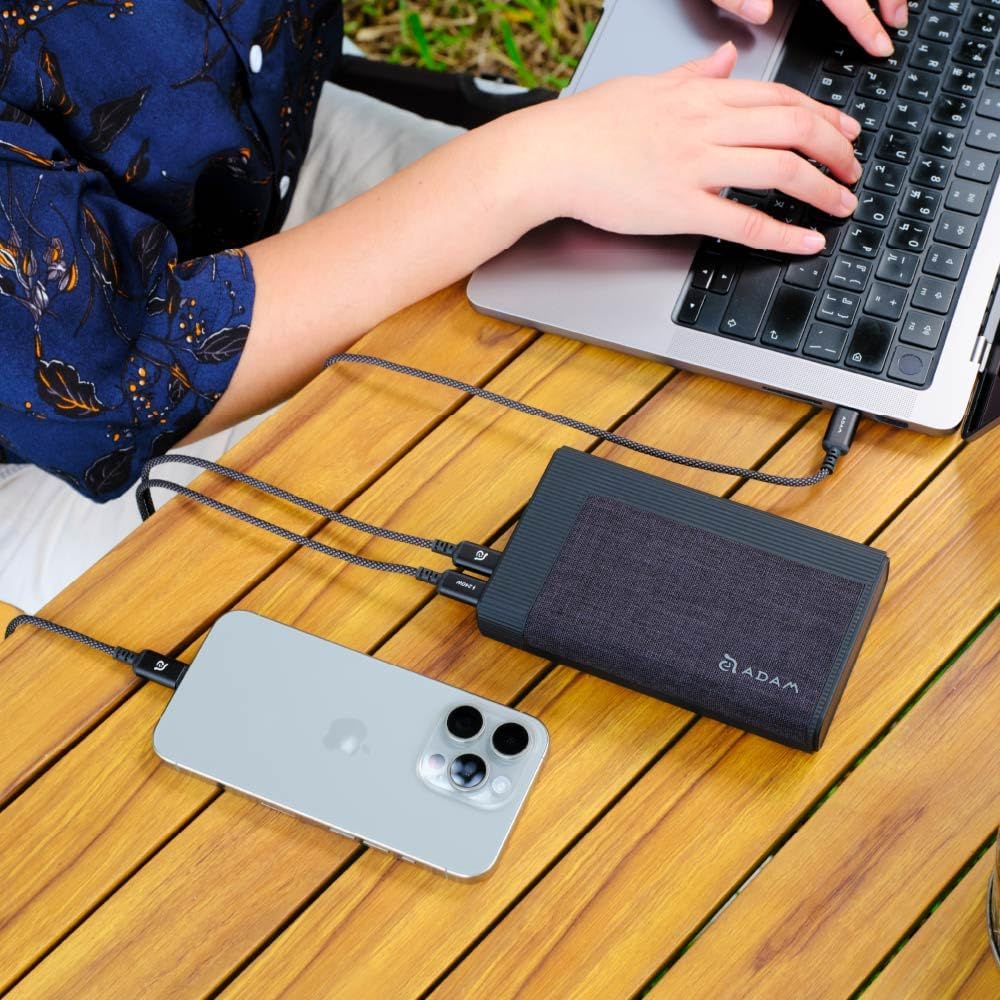
Image: The GRAVITY Pro power bank connected via USB-C cables to simultaneously charge a laptop and a smartphone, demonstrating its multi-device charging capability.
For optimal charging of high-power devices like laptops, use the PD 100W IN/OUT തുറമുഖം.

Image: The GRAVITY Pro power bank connected to a laptop via a USB-C cable, illustrating its ability to fast-charge high-end laptops like the MacBook Pro.
കുറഞ്ഞ നിലവിലെ ചാർജിംഗ് മോഡ്
This mode is ideal for charging low-power devices such as Apple Watch, AirPods, or Bluetooth earbuds, which require a lower charging current to prevent battery degradation.
- To activate low-current charging mode, പവർ ബട്ടൺ അമർത്തിപ്പിടിക്കുക for approximately 3 seconds until the LED display indicates the mode change.
- Connect your low-power device to any of the power bank's output ports.
- To revert to full-power charging mode, long-press the power button again, then press it once more briefly.
Checking the LED Display
The built-in LED display provides real-time information about the power bank's status:
- ബാറ്ററി ശതമാനംtage: Shows the remaining charge level of the power bank.
- Fast Charging Status: Indicates when fast charging protocols are active.
- Output/Input Status: Shows whether the power bank is currently charging a device (output) or being charged itself (input).
- മൊത്തം ഡിസ്ചാർജ് പവർ: Displays the current power output in watts.
മെയിൻ്റനൻസ്
Proper care and maintenance will extend the lifespan of your GRAVITY Pro power bank.
- സംഭരണം: നേരിട്ടുള്ള സൂര്യപ്രകാശവും കടുത്ത താപനിലയും ഏൽക്കാത്ത തണുത്തതും വരണ്ടതുമായ സ്ഥലത്ത് പവർ ബാങ്ക് സൂക്ഷിക്കുക.
- വൃത്തിയാക്കൽ: പവർ ബാങ്കിന്റെ പ്രതലം വൃത്തിയാക്കാൻ മൃദുവായതും ഉണങ്ങിയതുമായ തുണി ഉപയോഗിക്കുക. ലിക്വിഡ് ക്ലീനറുകളോ ഉരച്ചിലുകളുള്ള വസ്തുക്കളോ ഉപയോഗിക്കരുത്.
- ചാർജിംഗ് ഫ്രീക്വൻസി: ദീർഘനേരം ഉപയോഗിച്ചിട്ടില്ലെങ്കിൽ, ബാറ്ററിയുടെ ആരോഗ്യം നിലനിർത്താൻ കുറഞ്ഞത് മൂന്ന് മാസത്തിലൊരിക്കലെങ്കിലും പവർ ബാങ്ക് ചാർജ് ചെയ്യുക.
- തുള്ളികൾ ഒഴിവാക്കുക: ആന്തരിക ഘടകങ്ങളെ തകരാറിലാക്കുന്ന വീഴ്ചകളിൽ നിന്നും ആഘാതങ്ങളിൽ നിന്നും ഉപകരണത്തെ സംരക്ഷിക്കുക.
ട്രബിൾഷൂട്ടിംഗ്
| പ്രശ്നം | സാധ്യമായ കാരണം | പരിഹാരം |
|---|---|---|
| ഉപകരണങ്ങൾ ചാർജ് ചെയ്യാത്ത പവർ ബാങ്ക്. |
|
|
| പവർ ബാങ്ക് റീചാർജ് ചെയ്യുന്നില്ല. |
|
|
| Low-current mode not activating/deactivating. |
|
|
സ്പെസിഫിക്കേഷനുകൾ
| മോഡലിൻ്റെ പേര് | GRAVITY Pro |
| ബാറ്ററി ശേഷി | 20000mAh |
| ഇൻപുട്ട് (USB-C PD) | 100W വരെ |
| ഔട്ട്പുട്ട് 1 (USB-C PD) | 100W വരെ |
| ഔട്ട്പുട്ട് 2 (USB-C PD) | 20W വരെ |
| Output 3 (USB-A QC/SCP) | 22.5W വരെ |
| അളവുകൾ (L x W x H) | 5.5 x 3.3 x 1 ഇഞ്ച് (13.97 x 8.38 x 2.54 സെ.മീ) |
| ഭാരം | 12.8 ഔൺസ് (362.87 ഗ്രാം) |
| പ്രത്യേക സവിശേഷതകൾ | LED Indicator Lights, Fast Charging, Low-Current Charging Mode |
സുരക്ഷാ വിവരങ്ങൾ
സുരക്ഷിതമായ പ്രവർത്തനം ഉറപ്പാക്കുന്നതിനും ഉപകരണത്തിന് കേടുപാടുകൾ സംഭവിക്കാതിരിക്കുന്നതിനും അല്ലെങ്കിൽ പരിക്കേൽക്കാതിരിക്കുന്നതിനും ദയവായി ഈ സുരക്ഷാ മാർഗ്ഗനിർദ്ദേശങ്ങൾ വായിച്ച് പാലിക്കുക.
- പവർ ബാങ്കിനെ തീവ്രമായ താപനിലയിൽ (45°C/113°F-ന് മുകളിൽ അല്ലെങ്കിൽ 0°C/32°F-ൽ താഴെ), നേരിട്ടുള്ള സൂര്യപ്രകാശം, ഉയർന്ന ഈർപ്പം എന്നിവ ഏൽക്കരുത്.
- Do not disassemble, modify, or attempt to repair the device. This will void the warranty and may cause harm.
- വെള്ളത്തിൽ നിന്നും മറ്റ് ദ്രാവകങ്ങളിൽ നിന്നും അകറ്റി നിർത്തുക.
- പവർ ബാങ്ക് താഴെയിടുകയോ, കുത്തുകയോ, അമിത ബലം പ്രയോഗിക്കുകയോ ചെയ്യരുത്.
- കുട്ടികൾക്ക് ലഭ്യമാകാതെ സൂക്ഷിക്കുക.
- പ്രാദേശിക നിയന്ത്രണങ്ങൾ അനുസരിച്ച് പവർ ബാങ്ക് ഉത്തരവാദിത്തത്തോടെ സംസ്കരിക്കുക. ഗാർഹിക മാലിന്യങ്ങൾക്കൊപ്പം അത് സംസ്കരിക്കരുത്.
- The GRAVITY Pro includes multiple safety protections: Flame Retardant Protection, Over-Heat Protection, Short-Circuit Protection, Over-Voltage Protection, and Over-Current Protection.

Image: Visual representation of the GRAVITY Pro's international certification safety standards, including protections against flame, overheating, short-circuits, over-voltagഇ, കൂടാതെ ഓവർ കറൻ്റും.
വാറൻ്റിയും പിന്തുണയും
വാറൻ്റി വിവരങ്ങൾ
The ADAM ELEMENTS GRAVITY Pro comes with a ഒരു വർഷത്തെ വാറൻ്റി from the date of purchase. No registration is required. This warranty covers manufacturing defects and workmanship under normal use. It does not cover damage caused by misuse, accidents, unauthorized modifications, or natural disasters.
ഉപഭോക്തൃ പിന്തുണ
For technical support, warranty claims, or any questions regarding your GRAVITY Pro power bank, please contact ADAM ELEMENTS customer service:
- Webസൈറ്റ്: www.adamelements.com
- ഇമെയിൽ: ഉദ്യോഗസ്ഥനെ റഫർ ചെയ്യുക webഏറ്റവും പുതിയ കോൺടാക്റ്റ് ഇമെയിലിനുള്ള സൈറ്റ്.
Please have your product model number (GRAVITY Pro) and proof of purchase ready when contacting support.


