1. ആമുഖം
വാങ്ങിയതിന് നന്ദി.asing the Samsung UE50DU7172 50-inch 4K LED Smart TV. This manual provides essential information for the safe and efficient use of your television. Please read these instructions thoroughly before operating the device and retain them for future reference.
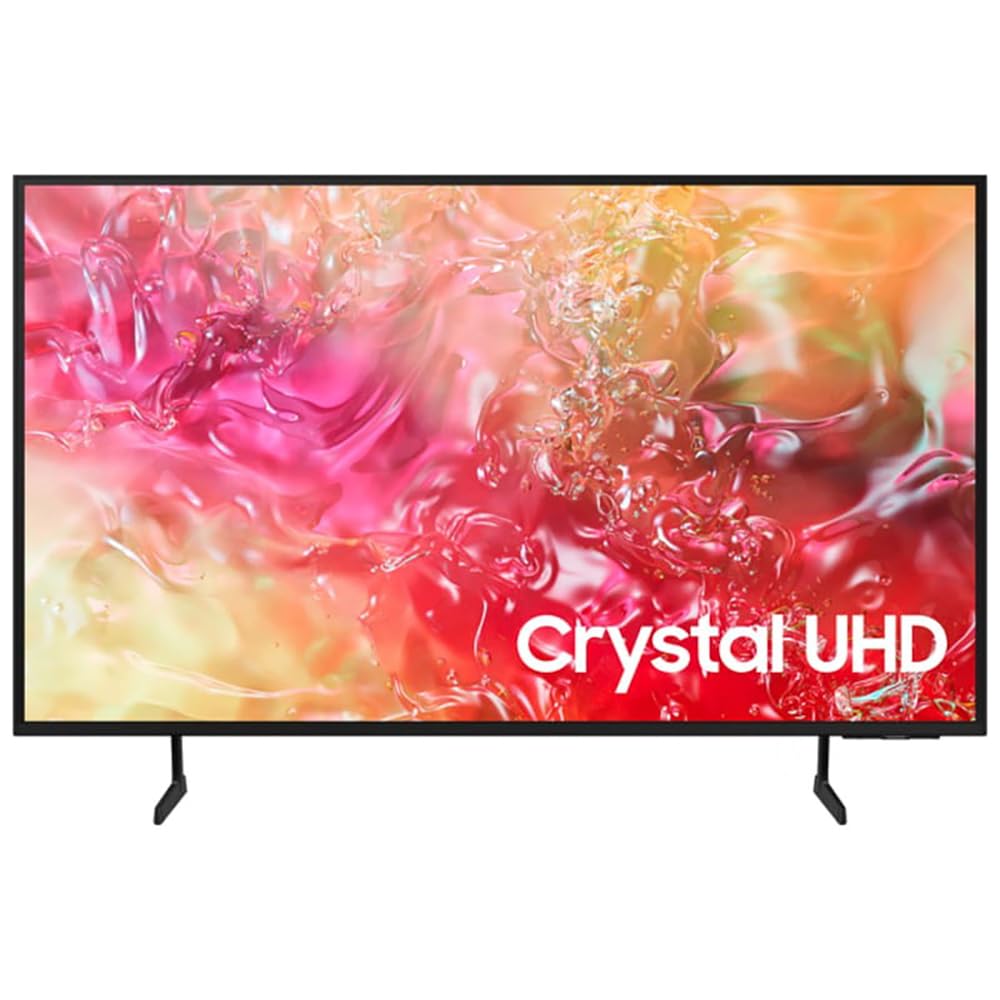
ചിത്രം 1.1: മുൻഭാഗം view of the Samsung UE50DU7172 50-inch 4K LED Smart TV.
2 സുരക്ഷാ വിവരങ്ങൾ
വൈദ്യുതാഘാതം, തീപിടുത്തം അല്ലെങ്കിൽ പരിക്ക് എന്നിവയുടെ അപകടസാധ്യത കുറയ്ക്കുന്നതിന്, എല്ലായ്പ്പോഴും ഈ അടിസ്ഥാന സുരക്ഷാ മുൻകരുതലുകൾ പാലിക്കുക:
- ഈ ഉപകരണം മഴയിലോ ഈർപ്പത്തിലോ തുറന്നുകാട്ടരുത്.
- വെന്റിലേഷൻ തുറസ്സുകളൊന്നും തടയരുത്. നിർമ്മാതാവിന്റെ നിർദ്ദേശങ്ങൾക്കനുസൃതമായി ഇൻസ്റ്റാൾ ചെയ്യുക.
- റേഡിയറുകൾ, ഹീറ്റ് രജിസ്റ്ററുകൾ, സ്റ്റൗകൾ, അല്ലെങ്കിൽ മറ്റ് ഉപകരണങ്ങൾ (ഉൾപ്പെടെ) പോലെയുള്ള താപ സ്രോതസ്സുകൾക്ക് സമീപം ഇൻസ്റ്റാൾ ചെയ്യരുത്. ampലൈഫയറുകൾ) ചൂട് ഉത്പാദിപ്പിക്കുന്നത്.
- പ്രത്യേകിച്ച് പ്ലഗുകൾ, കൺവീനിയൻസ് റെസെപ്റ്റക്കിളുകൾ, ഉപകരണത്തിൽ നിന്ന് പുറത്തുകടക്കുന്ന ഇടം എന്നിവയിൽ നടക്കുകയോ നുള്ളുകയോ ചെയ്യുന്നതിൽ നിന്ന് പവർ കോർഡ് സംരക്ഷിക്കുക.
- നിർമ്മാതാവ് വ്യക്തമാക്കിയ അറ്റാച്ച്മെൻ്റുകൾ/ആക്സസറികൾ മാത്രം ഉപയോഗിക്കുക.
- യോഗ്യതയുള്ള സേവന ഉദ്യോഗസ്ഥർക്ക് എല്ലാ സേവനങ്ങളും റഫർ ചെയ്യുക. ഉപകരണം ഏതെങ്കിലും വിധത്തിൽ കേടുവരുമ്പോൾ സർവീസ് ആവശ്യമാണ്.
3. പാക്കേജ് ഉള്ളടക്കം
ബോക്സിൽ എല്ലാ ഘടകങ്ങളും ഉണ്ടെന്ന് ഉറപ്പാക്കുക:
- Samsung UE50DU7172 50-inch 4K LED Smart TV
- Remote Control (Bluetooth)
- പവർ കേബിൾ (എസി)
- Stand Components (if not wall-mounted)
- ഉപയോക്തൃ മാനുവൽ (ഈ പ്രമാണം)
- Batteries for Remote Control (2 x AAAA, may be included)
4. സജ്ജീകരണം
4.1. സ്റ്റാൻഡ് ഇൻസ്റ്റാളേഷൻ അല്ലെങ്കിൽ വാൾ മൗണ്ടിംഗ്
If using the included stand, carefully attach it to the TV following the instructions provided in the separate stand assembly guide. Ensure all screws are tightened securely.
For wall mounting, use a VESA-compatible wall mount (200 x 200 mm standard) and consult a professional for installation to prevent damage or injury. The TV weighs approximately 11 kg.
4.2. പവർ ബന്ധിപ്പിക്കുന്നു
Connect the power cable to the TV's power input and then plug it into a wall outlet (220-240V AC, 50Hz). Ensure the connection is firm.
4.3. പ്രാരംഭ സജ്ജീകരണം
ആദ്യമായി പവർ-ഓൺ ചെയ്യുമ്പോൾ, ടിവി നിങ്ങളെ ഒരു പ്രാരംഭ സജ്ജീകരണ പ്രക്രിയയിലൂടെ നയിക്കും. ഇതിൽ ഇവ ഉൾപ്പെടുന്നു:
- Language selection (French is an available option).
- നെറ്റ്വർക്ക് കണക്ഷൻ (വൈ-ഫൈ അല്ലെങ്കിൽ ഇതർനെറ്റ്).
- Channel scanning (DVB-T2, DVB-S2, DVB-C tuners are supported).
- സാംസങ് അക്കൗണ്ട് ലോഗിൻ (ഓപ്ഷണൽ, പൂർണ്ണ സ്മാർട്ട് ടിവി സവിശേഷതകൾക്ക്).
5. പ്രവർത്തന നിർദ്ദേശങ്ങൾ
5.1. റിമോട്ട് കൺട്രോൾ
The included Bluetooth remote control allows you to navigate the TV's interface. Insert 2 AAAA batteries (if not pre-installed) into the remote. Pair the remote with the TV during initial setup or by following the on-screen instructions if pairing is lost.
5.2. അടിസ്ഥാന പ്രവർത്തനങ്ങൾ
- പവർ ഓൺ/ഓഫ്: റിമോട്ടിലെ പവർ ബട്ടൺ അമർത്തുക.
- വോളിയം നിയന്ത്രണം: വോളിയം കൂട്ടുക/കുറയ്ക്കുക ബട്ടണുകൾ ഉപയോഗിക്കുക.
- ചാനൽ തിരഞ്ഞെടുക്കൽ: Use the Channel Up/Down buttons or the number pad (if available on your remote model).
- ഇൻപുട്ട് ഉറവിടം: Press the Source button to select between connected devices (HDMI, USB, etc.).
6. സ്മാർട്ട് ഫീച്ചറുകൾ
Your Samsung UE50DU7172 TV runs on the Tizen operating system, offering a range of smart functionalities:
- സ്മാർട്ട് ഹബ്: Access streaming applications, web browser, and other smart features.
- ആപ്പിൾ എയർപ്ലേ 2: നിങ്ങളുടെ ആപ്പിൾ ഉപകരണങ്ങളിൽ നിന്ന് നേരിട്ട് ഉള്ളടക്കം സ്ട്രീം ചെയ്യുക.
- ബിക്സ്ബി: Use voice commands for TV control and information.
- സ്മാർട്ട് തിംഗ്സ് ഇന്റഗ്രേഷൻ: അനുയോജ്യമായ സ്മാർട്ട് ഹോം ഉപകരണങ്ങൾ കണക്റ്റ് ചെയ്ത് നിയന്ത്രിക്കുക.
- ഇലക്ട്രോണിക് പ്രോഗ്രാം ഗൈഡ് (ഇപിജി): View TV schedules for digital channels.
- HbbTV: പ്രക്ഷേപകരിൽ നിന്ന് സംവേദനാത്മക സേവനങ്ങൾ ആക്സസ് ചെയ്യുക.
7. കണക്റ്റിവിറ്റി
The TV offers various ports and wireless options for connecting external devices:
- HDMI പോർട്ടുകൾ: 3 ports (HDMI 1.4 compatible), supporting eARC (Enhanced Audio Return Channel) for high-quality audio to sound systems.
- USB പോർട്ടുകൾ: 1 port (USB 2.0/3.0 compatible) for media playback from USB drives.
- ഇഥർനെറ്റ് (LAN): RJ45 port for wired internet connection.
- RF ഇൻപുട്ട്: 2 inputs for antenna/cable and satellite connections.
- CI+ സ്ലോട്ട്: For conditional access modules (CAM) to decrypt pay-TV channels.
- വൈഫൈ: Built-in Wi-Fi (5 GHz) for wireless internet access.
- ബ്ലൂടൂത്ത് 5.2: For connecting wireless headphones, soundbars, and other compatible devices.
- Anynet+: Samsung's HDMI-CEC feature for controlling compatible devices connected via HDMI with a single remote.
8. പരിപാലനം
8.1. ടിവി വൃത്തിയാക്കൽ
Always unplug the TV before cleaning. Use a soft, dry cloth to wipe the screen and cabinet. Do not use liquid cleaners, sprays, or abrasive materials, as they may damage the TV's surface.
8.2. സോഫ്റ്റ്വെയർ അപ്ഡേറ്റുകൾ
Ensure your TV's software is up to date for optimal performance and security. You can check for updates via the TV's settings menu (Settings > Support > Software Update).
9. പ്രശ്നപരിഹാരം
നിങ്ങളുടെ ടിവിയിൽ പ്രശ്നങ്ങൾ നേരിടുകയാണെങ്കിൽ, ഇനിപ്പറയുന്ന പൊതുവായ പരിഹാരങ്ങൾ പരിശോധിക്കുക:
- ശക്തിയില്ല: പവർ കേബിൾ ടിവിയിലേക്കും വാൾ ഔട്ട്ലെറ്റിലേക്കും സുരക്ഷിതമായി ബന്ധിപ്പിച്ചിട്ടുണ്ടോയെന്ന് പരിശോധിക്കുക. ഔട്ട്ലെറ്റ് പ്രവർത്തനക്ഷമമാണെന്ന് ഉറപ്പാക്കുക.
- ചിത്രം/ശബ്ദം ഇല്ല: ശരിയായ ഇൻപുട്ട് ഉറവിടം തിരഞ്ഞെടുത്തിട്ടുണ്ടെന്ന് ഉറപ്പാക്കുക. എല്ലാ കേബിൾ കണക്ഷനുകളും (HDMI, ആന്റിന) പരിശോധിക്കുക. ടിവി പുനരാരംഭിക്കാൻ ശ്രമിക്കുക.
- റിമോട്ട് കൺട്രോൾ പ്രവർത്തിക്കുന്നില്ല: ബാറ്ററികൾ മാറ്റിസ്ഥാപിക്കുക. റിമോട്ടിനും ടിവിക്കും ഇടയിൽ തടസ്സങ്ങളൊന്നുമില്ലെന്ന് ഉറപ്പാക്കുക. ആവശ്യമെങ്കിൽ ബ്ലൂടൂത്ത് റിമോട്ട് വീണ്ടും ജോടിയാക്കുക.
- മോശം ചിത്ര നിലവാരം: Check antenna/cable connections. Adjust picture settings in the TV menu. Ensure the source content is high quality.
- ഇൻ്റർനെറ്റ് കണക്ഷൻ ഇല്ല: Check your Wi-Fi router or Ethernet cable. Reconnect to the network via TV settings.
കൂടുതൽ വിശദമായ ട്രബിൾഷൂട്ടിംഗിനായി, നിങ്ങളുടെ ടിവിയുടെ ക്രമീകരണങ്ങളിലൂടെ ആക്സസ് ചെയ്യാവുന്ന ഇ-മാനുവൽ പരിശോധിക്കുകയോ സാംസങ് പിന്തുണ സന്ദർശിക്കുകയോ ചെയ്യുക. webസൈറ്റ്.
10 സ്പെസിഫിക്കേഷനുകൾ
| ഫീച്ചർ | സ്പെസിഫിക്കേഷൻ |
|---|---|
| മോഡലിൻ്റെ പേര് | Smart TV Samsung 50DU7172 |
| മോഡൽ നമ്പർ | 8806095478357 |
| സ്ക്രീൻ വലിപ്പം | 50 ഇഞ്ച് (127 സെ.മീ) |
| ഡിസ്പ്ലേ ടെക്നോളജി | എൽഇഡി |
| റെസലൂഷൻ | 4K അൾട്രാ എച്ച്ഡി (3840 x 2160 പിക്സൽ) |
| പുതുക്കിയ നിരക്ക് | 60 Hz |
| HDR പിന്തുണ | HDR10 and/or HLG |
| ഓപ്പറേറ്റിംഗ് സിസ്റ്റം | ടൈസെൻ |
| കണക്റ്റിവിറ്റി | Wi-Fi (5 GHz), Bluetooth 5.2, Ethernet LAN |
| HDMI പോർട്ടുകൾ | 3 (HDMI 1.4, eARC compatible) |
| USB പോർട്ടുകൾ | 1 (USB 2.0/3.0 compatible) |
| ഓഡിയോ ഔട്ട്പുട്ട് | 2.0 Channels, 20W RMS, Q-Symphony |
| VESA മൗണ്ടിംഗ് സ്റ്റാൻഡേർഡ് | 200 x 200 മി.മീ |
| അളവുകൾ (W x H x D) | 112 cm x 64.7 cm x 6 cm (without stand) |
| ഭാരം | 11 കിലോഗ്രാം |
| വൈദ്യുതി വിതരണം | 220-240V എസി, 50Hz |
| എനർജി ക്ലാസ് | G |
11. വാറൻ്റിയും പിന്തുണയും
This Samsung UE50DU7172 TV comes with a 1 വർഷത്തെ പരിമിത വാറൻ്റി വാങ്ങിയ തീയതി മുതൽ. സാധാരണ ഉപയോഗത്തിലുള്ള നിർമ്മാണ വൈകല്യങ്ങൾ ഈ വാറന്റി ഉൾക്കൊള്ളുന്നു. വാറന്റി ക്ലെയിമുകൾക്കായി നിങ്ങളുടെ വാങ്ങിയതിന്റെ തെളിവ് സൂക്ഷിക്കുക.
For technical support, service requests, or further information, please visit the official Samsung support website or contact your local Samsung customer service center. You may need your model number (UE50DU7172) and serial number (found on the back of the TV) when contacting support.


