1. ആമുഖം
Welcome to the user manual for your new TRIGKEY S6 Mini PC. This compact yet powerful computer is designed for a wide range of applications, from everyday computing and business tasks to multimedia consumption and light gaming. This manual provides essential information on setting up, operating, maintaining, and troubleshooting your device to ensure optimal performance and longevity.

ഫ്രണ്ട് view of the TRIGKEY S6 Mini PC, showcasing അതിന്റെ ഒതുക്കമുള്ള രൂപകൽപ്പനയും പ്രധാന സവിശേഷതകളും.
2. സജ്ജീകരണം
2.1 പാക്കേജ് ഉള്ളടക്കം
- 1*mini pc
2.2 പ്രാരംഭ സജ്ജീകരണം
Before powering on your TRIGKEY S6 Mini PC, ensure all necessary peripherals are connected:
- ഡിസ്പ്ലേ ബന്ധിപ്പിക്കുക: Use an HDMI, DisplayPort (DP 1.4), or USB-C cable to connect your monitor(s) to the corresponding ports on the Mini PC.
- പെരിഫറലുകൾ ബന്ധിപ്പിക്കുക: Plug in your keyboard, mouse, and any other USB devices into the available USB 3.2, USB 2.0, or USB4.0 ports.
- നെറ്റ്വർക്ക് ബന്ധിപ്പിക്കുക: For a wired connection, plug an Ethernet cable into the 2.5G RJ45 port. For wireless, ensure your Wi-Fi network is available.
- പവർ ബന്ധിപ്പിക്കുക: Plug the power adapter into the DC Jack on the Mini PC, then connect it to a power outlet.
2.3 ആദ്യ ബൂട്ട്
Press the power button located on the front of the Mini PC. The system comes pre-installed with Windows 11 Pro. Follow the on-screen instructions to complete the initial Windows setup, including language, region, network connection, and user account creation.
3. പ്രവർത്തന നിർദ്ദേശങ്ങൾ
3.1 പ്രധാന സവിശേഷതകൾ
- പ്രോസസ്സർ: Zen 3+ 8C16T Ryzen 9 6900HX CPU (3.2GHz base, up to 4.9GHz turbo, 8 cores, 16 threads, 8MB Smart Cache).
- ഗ്രാഫിക്സ്: AMD Radeon Graphics with 12 cores and a clock speed of 2700MHz.
- പ്രദർശന പിന്തുണ: Triple 4K@120-144Hz displays via DP 144Hz+HDMI+Type-C port.
- മെമ്മറി: 16GB DDR5 4800MHz (expandable up to 32GB*2).
- സംഭരണം: 500GB PCIE4.0 NVMe SSD (MAX 3000MB/S).
- കണക്റ്റിവിറ്റി: WiFi 6, Bluetooth 5.2, 2.5G RJ45 LAN.
- തുറമുഖങ്ങൾ: 1*DP 1.4, 1 USB4.0, 2 USB3.2 10Gbps, 1 USB2.0, 1 USB-C, 1 DC Jack, 1 RJ45 2.5G, 3.5mm Audio Jack (HP&MIC).
3.2 പോർട്ട് ഓവർview
The TRIGKEY S6 Mini PC offers a comprehensive set of ports for versatile connectivity:

വിശദമായി view of the front and rear ports on the Mini PC.
| പോർട്ട് തരം | അളവ് | വിവരണം |
|---|---|---|
| പവർ ബട്ടൺ | 1 | ഉപകരണം ഓൺ/ഓഫ് ചെയ്യാൻ. |
| 3.5mm Audio Jack (HP&MIC) | 1 | ഹെഡ്ഫോണുകൾക്കും മൈക്രോഫോണിനും. |
| ടൈപ്പ്-സി (10 ജിബിപിഎസ്) | 1 | അതിവേഗ ഡാറ്റ കൈമാറ്റവും ഡിസ്പ്ലേ ഔട്ട്പുട്ടും. |
| യുഎസ്ബി 3.2 (10 ജിബിപിഎസ്) | 2 | പെരിഫറലുകൾക്കായി അതിവേഗ യുഎസ്ബി പോർട്ടുകൾ. |
| CLR CMOS | 1 | Clear CMOS button. |
| Power Adapter (DC Jack) | 1 | വൈദ്യുതി വിതരണവുമായി ബന്ധിപ്പിക്കുന്നു. |
| HDMI 2.0 | 1 | Video output for displays. |
| ഡിപി 1.4 | 1 | DisplayPort for high-resolution video output. |
| USB 2.0 (480Mbps) | 1 | സാധാരണ USB പോർട്ട്. |
| USB4.0 (40Gbps) | 1 | High-speed USB4.0 port. |
| LAN 2.5G | 1 | 2.5 Gigabit Ethernet port for wired network. |
3.3 ഡിസ്പ്ലേ കോൺഫിഗറേഷൻ
The TRIGKEY S6 Mini PC supports up to three 4K displays simultaneously, providing an expansive workspace or immersive entertainment experience. Connect your displays using the available DP 1.4, HDMI, and USB-C ports.

Triple display setup for enhanced productivity and multitasking.
3.4 നെറ്റ്വർക്ക് കണക്റ്റിവിറ്റി
Your Mini PC offers both wired and wireless network options for flexible internet access:
- വയർ: Utilize the 2.5G RJ45 port for a stable and high-speed wired connection.
- വയർലെസ്: Integrated WiFi 6 (802.11ax) provides fast and reliable wireless internet. Bluetooth 5.2 allows for seamless connection to wireless peripherals.

Enjoy broad network coverage with Wi-Fi 6 technology.
4. പരിപാലനം
4.1 Storage and Memory Expansion
The TRIGKEY S6 Mini PC allows for easy upgrades to its memory and storage components. It supports up to 64GB of DDR5 4800MHz RAM (via two 32GB modules) and features dual M.2 2280 PCIe 4.0 SSD slots, each supporting up to 4TB.

DDR5 4800MHz RAM modules for high-speed performance.

Dual PCIe 4.0 NVMe SSDs for stable, high-speed storage.
4.2 താപ വിസർജ്ജനം
The Mini PC features an optimized heat dissipation design, including an ABS frame, two copper tubes, an upgraded aluminum plate, and a fan, ensuring quiet and efficient operation.

ആന്തരികം view illustrating the heat dissipation system.
4.3 Component Access and Upgrade Guide
The following video demonstrates how to access the internal components of your TRIGKEY S6 Mini PC for upgrades or maintenance, such as replacing RAM or SSDs. Please ensure the device is powered off and unplugged before attempting any internal modifications.
Official video guide on disassembling and upgrading the TRIGKEY S6/S6 Pro Mini PC.
5. പ്രശ്നപരിഹാരം
5.1 പൊതുവായ പ്രശ്നങ്ങളും പരിഹാരങ്ങളും
- ഡിസ്പ്ലേ ഇല്ല: Ensure all display cables (HDMI, DP, USB-C) are securely connected to both the Mini PC and the monitor. Try a different cable or monitor if possible.
- ശക്തിയില്ല: Verify the power adapter is correctly plugged into the Mini PC and a working power outlet. Check if the power button lights up.
- മന്ദഗതിയിലുള്ള പ്രകടനം: പശ്ചാത്തല ആപ്ലിക്കേഷനുകൾ വിഭവങ്ങൾ ഉപയോഗിക്കുന്നുണ്ടോയെന്ന് പരിശോധിക്കുക. മതിയായ സംഭരണ സ്ഥലം ഉറപ്പാക്കുക. പ്രകടന പ്രശ്നങ്ങൾ നിലനിൽക്കുകയാണെങ്കിൽ RAM അല്ലെങ്കിൽ SSD അപ്ഗ്രേഡ് ചെയ്യുന്നത് പരിഗണിക്കുക.
- നെറ്റ്വർക്ക് കണക്റ്റിവിറ്റി പ്രശ്നങ്ങൾ: For wired connections, check the Ethernet cable and router. For Wi-Fi, ensure the Wi-Fi adapter is enabled in Windows settings and you are connected to the correct network. Try restarting your router.
- ഫാൻ ശബ്ദം: While the device is designed for quiet operation, high CPU/GPU loads can increase fan speed. Ensure proper ventilation around the Mini PC.
For specific issues like setting up automatic startup, please contact TRIGKEY customer service with the barcode on the bottom of your Mini PC for tutorial files.
6 സ്പെസിഫിക്കേഷനുകൾ
6.1 സാങ്കേതിക സവിശേഷതകൾ
| ഫീച്ചർ | വിശദാംശങ്ങൾ |
|---|---|
| സ്ക്രീൻ റെസല്യൂഷൻ | 3840 x 2160 |
| പരമാവധി സ്ക്രീൻ റെസല്യൂഷൻ | 3840 x 2160 പിക്സലുകൾ |
| പ്രോസസ്സർ | 4.9 GHz ryzen_9 (Ryzen 9 6900HX) |
| റാം | 16 GB DDR5 |
| മെമ്മറി സ്പീഡ് | 4800 MHz |
| ഹാർഡ് ഡ്രൈവ് | 500 GB SSD (PCIE4.0 NVMe) |
| ഗ്രാഫിക്സ് കോപ്രൊസസർ | എഎംഡി റേഡിയൻ ഗ്രാഫിക്സ് |
| ചിപ്സെറ്റ് ബ്രാൻഡ് | എഎംഡി |
| കാർഡ് വിവരണം | സംയോജിപ്പിച്ചത് |
| ഗ്രാഫിക്സ് കാർഡ് റാം വലിപ്പം | 512.00 MB |
| വയർലെസ് തരം | 802.11ax (വൈഫൈ 6) |
| USB 2.0 പോർട്ടുകളുടെ എണ്ണം | 1 |
| USB 3.0 പോർട്ടുകളുടെ എണ്ണം | 2 |
| ഇനത്തിൻ്റെ മോഡൽ നമ്പർ | S6 pro |
| ഹാർഡ്വെയർ പ്ലാറ്റ്ഫോം | PC |
| ഓപ്പറേറ്റിംഗ് സിസ്റ്റം | Windows 11 Pro (pre-installed) |
| ഇനത്തിൻ്റെ ഭാരം | 2.48 പൗണ്ട് |
| പാക്കേജ് അളവുകൾ | 6.3 x 5.47 x 4.17 ഇഞ്ച് |
| നിറം | കറുപ്പ് |
| ആദ്യ തീയതി ലഭ്യമാണ് | 15 മാർച്ച് 2023 |
7. വാറൻ്റിയും പിന്തുണയും
7.1 വാറൻ്റി വിവരങ്ങൾ
TRIGKEY products are backed by quality assurance and certifications:
- FCC, CE, and ROSH certifications.
- 1 വർഷത്തെ വാറന്റി.
- 30 ദിവസം തിരിച്ചുവരാൻ ഒരു കാരണവുമില്ല.
- Replacement available within 12 months.
7.2 ഉപഭോക്തൃ പിന്തുണ
TRIGKEY is committed to providing excellent customer service and technical support. Our team is available to assist you with any inquiries or issues you may encounter.

TRIGKEY Professional Team is dedicated to customer satisfaction.
For support, you can typically find contact information on the official TRIGKEY website or through your purchase platform. They offer installation files, tutorials, user guides, drivers, firmware, and BIOS updates.
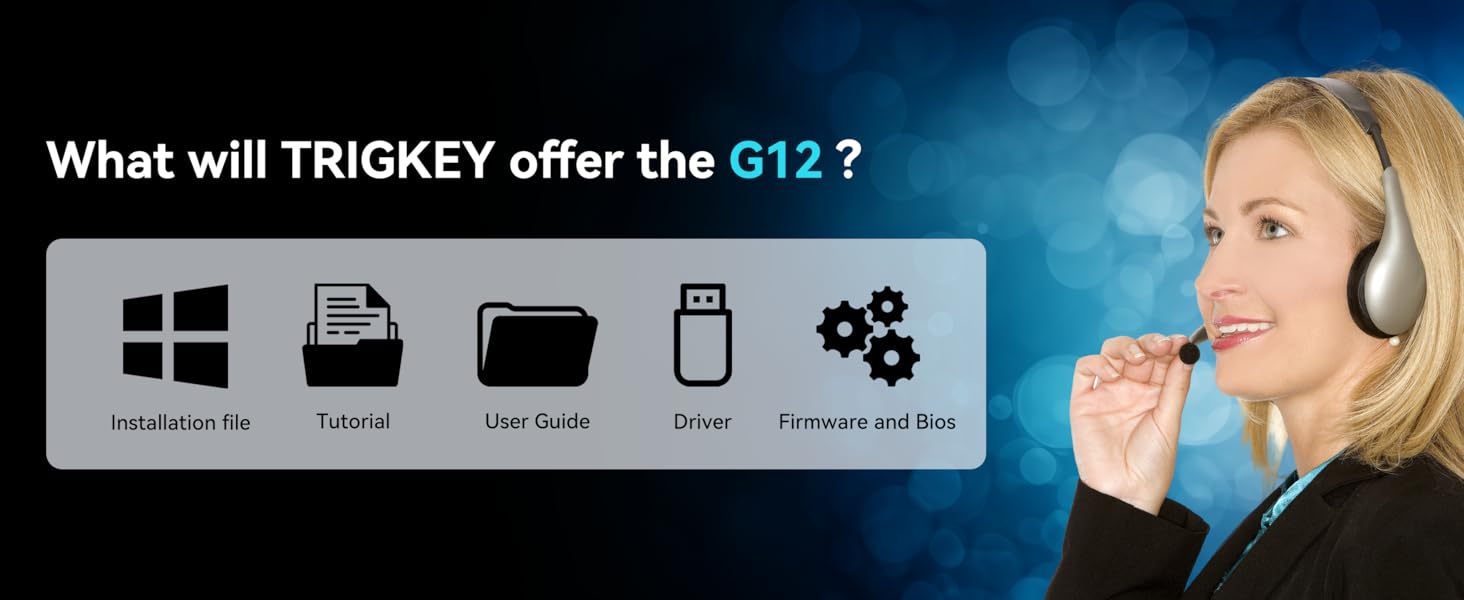
Resources provided by TRIGKEY for product support.


