1. ആമുഖം
Thank you for choosing the Ctronics CTIPC-500C 4G LTE Battery-Powered 2K Indoor PTZ Security Camera. This manual provides essential information for setting up, operating, and maintaining your camera to ensure optimal performance and security. Please read this manual thoroughly before use and retain it for future reference.

Image 1.1: Ctronics CTIPC-500C 4G LTE Battery-Powered 2K Indoor PTZ Security Camera.
2 സുരക്ഷാ വിവരങ്ങൾ
- Ensure the camera is installed in a stable location to prevent falls.
- Use only the specified charging cable and adapter to prevent damage or fire.
- Keep the camera away from water, moisture, and extreme temperatures.
- ക്യാമറ സ്വയം വേർപെടുത്താനോ നന്നാക്കാനോ ശ്രമിക്കരുത്. സഹായത്തിനായി ഉപഭോക്തൃ പിന്തുണയുമായി ബന്ധപ്പെടുക.
- പ്രാദേശിക നിയന്ത്രണങ്ങൾ അനുസരിച്ച് ബാറ്ററികൾ നീക്കം ചെയ്യുക.
3. പാക്കേജ് ഉള്ളടക്കം
നിങ്ങളുടെ പാക്കേജിൽ എല്ലാ ഇനങ്ങളും ഉണ്ടെന്ന് ഉറപ്പാക്കുക:
- Ctronics CTIPC-500C 4G LTE Camera
- യുഎസ്ബി ചാർജിംഗ് കേബിൾ
- പവർ അഡാപ്റ്റർ
- മൗണ്ടിംഗ് ബ്രാക്കറ്റും സ്ക്രൂകളും
- ഉപയോക്തൃ മാനുവൽ
- Pre-installed SIM Card (with 300MB test data)
4. ഉൽപ്പന്നം കഴിഞ്ഞുview
ക്യാമറയുടെ ഘടകങ്ങളുമായി പരിചയപ്പെടുക:
- ക്യാമറ ലെൻസ്: വീഡിയോ foo ക്യാപ്ചർ ചെയ്യുന്നുtage.
- ഇൻഫ്രാറെഡ് LED-കൾ: For night vision.
- മൈക്രോഫോൺ: ഓഡിയോ ഇൻപുട്ടിനായി.
- സ്പീക്കർ: ടു-വേ ഓഡിയോ ഔട്ട്പുട്ടിനായി.
- സിം കാർഡ് സ്ലോട്ട്: 4G LTE കണക്റ്റിവിറ്റിക്ക്.
- മൈക്രോ എസ്ഡി കാർഡ് സ്ലോട്ട്: For local storage (up to 128GB, not included).
- റീസെറ്റ് ബട്ടൺ: ഫാക്ടറി ക്രമീകരണങ്ങൾ പുനഃസ്ഥാപിക്കാൻ.
- യുഎസ്ബി ചാർജിംഗ് പോർട്ട്: പവർ ഇൻപുട്ടിനായി.
- ആൻ്റിന: For 4G signal reception.
5. സജ്ജീകരണം
5.1 പ്രാരംഭ ചാർജിംഗ്
Before first use, fully charge the camera's built-in 7800mAh battery. Connect the camera to a power source using the provided USB cable and adapter. The charging indicator light will show the charging status.

Image 5.1: The camera's fully wireless design allows flexible placement.
5.2 സിം കാർഡ് ഇൻസ്റ്റാളേഷൻ
The camera comes with a pre-installed SIM card for 4G LTE connectivity. If you need to replace it, ensure the camera is powered off. Locate the SIM card slot, insert the new Nano-SIM card correctly, and ensure it is securely seated.

Image 5.2: The camera operates via 3G/4G LTE, eliminating the need for WiFi.
5.3 ആപ്പ് ഡൗൺലോഡും ക്യാമറ ജോടിയാക്കലും
- Download the 'Ctronics' app from your smartphone's app store (iOS or Android).
- ഒരു അക്കൗണ്ട് രജിസ്റ്റർ ചെയ്ത് ലോഗിൻ ചെയ്യുക.
- ക്യാമറ ഓൺ ചെയ്യുക.
- In the app, tap '+' to add a new device.
- Follow the on-screen instructions to scan the QR code on the camera or manually enter the device ID.
- കണക്റ്റ് ചെയ്തുകഴിഞ്ഞാൽ, നിങ്ങളുടെ ക്യാമറയ്ക്ക് പേര് നൽകാനും തത്സമയം ആരംഭിക്കാനും കഴിയും. viewing.
6. പ്രവർത്തന നിർദ്ദേശങ്ങൾ
6.1 തത്സമയം View കൂടാതെ PTZ നിയന്ത്രണവും
Open the Ctronics app and select your camera to access the live view. Use the on-screen controls to pan (355° horizontally) and tilt (90° vertically) the camera lens. You can also use the 4x digital zoom feature to get a closer look.

Image 6.1: PTZ controls and 4x digital zoom for comprehensive coverage.
6.2 Motion and Human Detection (PIR)
The camera features PIR (Passive Infrared) human/motion detection up to 8 meters. When motion is detected, the camera can send real-time alerts to your phone, trigger sound and light alarms, and upload footage via FTP. This system is designed to reduce false alarms by 95%.

Image 6.2: PIR detection provides accurate alerts for human movement.
6.3 ടു-വേ ഓഡിയോ
ക്യാമറയ്ക്ക് സമീപമുള്ള വ്യക്തികളുമായി ആശയവിനിമയം നടത്താൻ ടു-വേ ഓഡിയോ സവിശേഷത ഉപയോഗിക്കുക. ലൈവിൽ മൈക്രോഫോൺ ഐക്കൺ ടാപ്പ് ചെയ്യുക view to speak, and the camera's built-in speaker will transmit your voice. You can also hear audio from the camera's location.
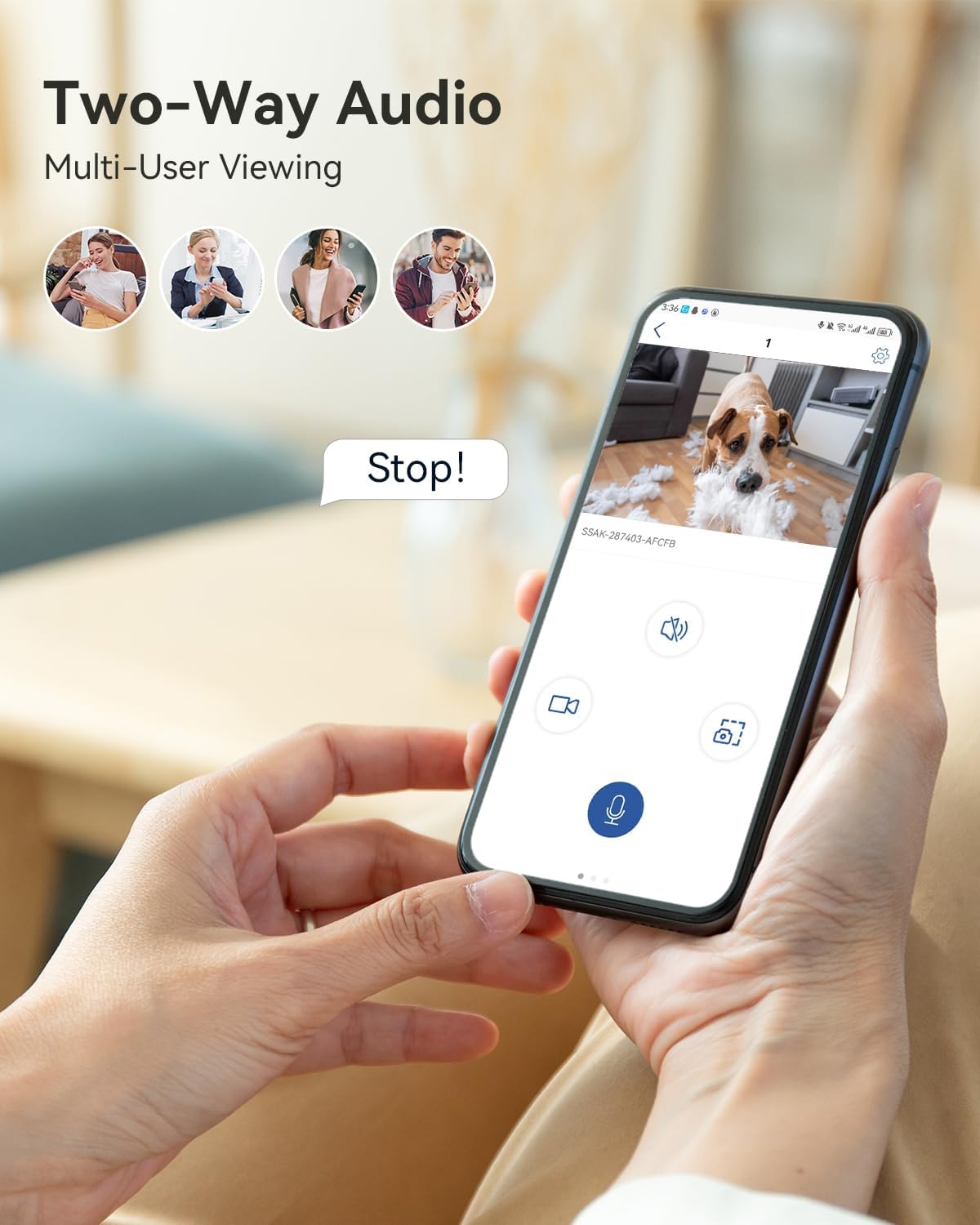
Image 6.3: Two-way audio for interactive communication.
6.4 2K Color Night Vision
The camera provides 2K 3MP resolution video with enhanced color night vision up to 20 meters. This ensures clear and detailed images even in low-light conditions, offering improved visibility compared to traditional black and white night vision.

Image 6.4: Enhanced 2K color night vision for clear images in darkness.
6.5 റെക്കോർഡിംഗും സംഭരണവും
ക്യാമറ രണ്ട് സ്റ്റോറേജ് രീതികളെ പിന്തുണയ്ക്കുന്നു:
- പ്രാദേശിക സംഭരണം: Insert a Micro SD card (up to 128GB, not included) into the designated slot. Note that 24/7 continuous recording is not supported to preserve battery life and SIM data.
- ക്ലൗഡ് സംഭരണം: Subscribe to Ctronics cloud services for secure video playback and storage. Access your recordings anytime via the app.

Image 6.5: Local and cloud storage options for video recordings.
6.6 Multi-Platform Access
Access your camera's live feed and recordings from various devices using the Ctronics app or client software. Supported platforms include iOS, Android, Windows, and Mac OS.

Image 6.6: Access your camera from multiple devices and operating systems.
7. പരിപാലനം
7.1 ബാറ്ററി ചാർജിംഗ്
Regularly check the battery level in the app. Recharge the camera when the battery is low to ensure continuous operation. The 7800mAh battery provides extended usage, but frequent alerts or live viewing will consume power faster.
7.2 വൃത്തിയാക്കൽ
Gently wipe the camera lens and body with a soft, dry cloth. Avoid using harsh chemicals or abrasive materials that could damage the camera's surface or lens.
8. പ്രശ്നപരിഹാരം
- Camera not connecting to 4G: Ensure the SIM card is correctly inserted and activated. Check for network coverage in your area. Restart the camera.
- ബാറ്ററി ചാർജ്ജുചെയ്യുന്നില്ല: Verify the charging cable and adapter are working correctly. Ensure the charging port is clean and free of debris.
- പതിവ് തെറ്റായ അലാറങ്ങൾ: Adjust the PIR detection sensitivity settings in the app. Ensure the camera is not pointed at areas with constant movement (e.g., curtains near a window).
- മോശം വീഡിയോ നിലവാരം: Check the camera's resolution settings in the app. Ensure the lens is clean.
- ടു-വേ ഓഡിയോ പ്രശ്നങ്ങൾ: Ensure microphone and speaker permissions are granted to the app on your phone. Check volume settings on both the app and the camera.
9 സ്പെസിഫിക്കേഷനുകൾ
| മോഡൽ | CTIPC-500C |
| റെസലൂഷൻ | 2K (3MP) |
| കണക്റ്റിവിറ്റി | 4G LTE (സെല്ലുലാർ) |
| ബാറ്ററി ശേഷി | 7800mAh ലിഥിയം അയൺ |
| പാൻ/ടിൽറ്റ് ശ്രേണി | പാൻ 355°, ചരിവ് 90° |
| ഡിജിറ്റൽ സൂം | 4x |
| നൈറ്റ് വിഷൻ | 2K Color Night Vision (up to 20m) |
| കണ്ടെത്തൽ | PIR Human/Motion Detection (up to 8m) |
| ഓഡിയോ | ടു-വേ ഓഡിയോ |
| സ്റ്റോറേജ് ഓപ്ഷനുകൾ | Micro SD Card (max 128GB, not included), Cloud Storage |
| അളവുകൾ (L x W x H) | 15 x 22 x 15 സെ.മീ |
| ഭാരം | 510 ഗ്രാം |
10. വാറൻ്റിയും പിന്തുണയും
Ctronics products come with a standard warranty. For detailed warranty information, please refer to the warranty card included in your package or visit the official Ctronics website. If you encounter any issues or have questions, please contact Ctronics customer support through the app or their official webസഹായത്തിനുള്ള സൈറ്റ്.


