ആമുഖം
The eKids Wireless Earbuds with Microphone are designed for seamless audio streaming and communication, perfect for school, home, or travel. These Bluetooth earbuds offer high-quality stereo sound for various activities, including listening to music, audiobooks, watching videos, and gaming. Featuring a fun Pokemon design, they provide lasting comfort with their ergonomic shape and included ear cushions.
Enjoy extended use with up to 22 hours of total music playtime, supported by a portable charging case that provides 2.5 extra charges. The built-in microphone allows for clear communication during video calls and online gaming, making them a versatile audio solution for children and adults alike.
ബോക്സിൽ എന്താണുള്ളത്
- eKids Pokemon Wireless Earbuds (Left and Right)
- Matching Charging Case with Pikachu design
- USB-C ചാർജിംഗ് കേബിൾ
- Additional Rubber Ear Cushions (3 sizes: Small, Medium, Large)

Image: The eKids Pokemon Wireless Earbuds nestled in their open charging case, showcasing the yellow earbuds with a black lightning bolt design.

Image: A flat lay of all included items: the charging case, two earbuds, a USB-C charging cable, and multiple pairs of yellow ear cushions, with dimensions indicated.
സജ്ജമാക്കുക
1. ഇയർബഡുകളും കേസും ചാർജ് ചെയ്യുന്നു
- Connect the provided USB-C charging cable to the charging port on the back of the earbud case.
- Plug the other end of the USB-C cable into a compatible USB power source (e.g., computer USB port, wall adapter).
- The indicator light on the case will show charging status. Allow approximately 1-2 hours for a full charge.
- Ensure earbuds are placed correctly in the charging case to charge them simultaneously.

ചിത്രം: ഒരു ക്ലോസ്-അപ്പ് view of the black charging case featuring a Pikachu graphic, highlighting its compact and portable design.
2. ബ്ലൂടൂത്ത് ജോടിയാക്കൽ
- ചാർജിംഗ് കേസ് തുറന്ന് രണ്ട് ഇയർബഡുകളും നീക്കം ചെയ്യുക. അവ സ്വയമേവ ജോടിയാക്കൽ മോഡിലേക്ക് പ്രവേശിക്കും.
- നിങ്ങളുടെ ഉപകരണത്തിൽ (സ്മാർട്ട്ഫോൺ, ടാബ്ലെറ്റ്, കമ്പ്യൂട്ടർ), ബ്ലൂടൂത്ത് ക്രമീകരണങ്ങളിലേക്ക് പോകുക.
- ഇതിനായി തിരയുക available devices and select "eKids Pi-B18PK" (or similar name) from the list.
- Once connected, you will hear an audio confirmation, and the earbuds' indicator lights will change.
- കേസിൽ നിന്ന് നീക്കം ചെയ്യുമ്പോൾ ഇയർബഡുകൾ അവസാനമായി ജോടിയാക്കിയ ഉപകരണത്തിലേക്ക് യാന്ത്രികമായി വീണ്ടും കണക്റ്റുചെയ്യും.

Image: A visual representation of the earbuds' compatibility with multiple devices, including PCs, smartwatches, gaming devices, mobile phones, tablets, and notebooks.
പ്രവർത്തന നിർദ്ദേശങ്ങൾ
ടച്ച് നിയന്ത്രണങ്ങൾ
The eKids Wireless Earbuds feature intuitive touch controls for easy management of audio and calls.
- പ്ലേ/താൽക്കാലികമായി നിർത്തുക: ഇയർബഡുകളിൽ ഏതെങ്കിലുമൊന്നിൽ ഒറ്റ ടാപ്പ് ചെയ്യുക.
- അടുത്ത ട്രാക്ക്: വലതുവശത്തെ ഇയർബഡിൽ രണ്ടുതവണ ടാപ്പ് ചെയ്യുക.
- മുമ്പത്തെ ട്രാക്ക്: ഇടതുവശത്തെ ഇയർബഡിൽ രണ്ടുതവണ ടാപ്പ് ചെയ്യുക.
- ഉത്തരം/അവസാന കോൾ: ഇൻകമിംഗ് കോളിലോ സജീവ കോളിലോ ഇയർബഡിൽ ഒറ്റ ടാപ്പ് ചെയ്യുക.
- കോൾ നിരസിക്കുക: ഇൻകമിംഗ് കോൾ വരുമ്പോൾ ഇയർബഡുകളിൽ ഏതെങ്കിലുമൊന്ന് 2 സെക്കൻഡ് അമർത്തിപ്പിടിക്കുക.
- വോയ്സ് അസിസ്റ്റന്റിനെ സജീവമാക്കുക: ഇയർബഡുകളിലൊന്നിൽ (നിങ്ങളുടെ ഉപകരണം പിന്തുണയ്ക്കുന്നുണ്ടെങ്കിൽ) മൂന്ന് തവണ ടാപ്പ് ചെയ്യുക.
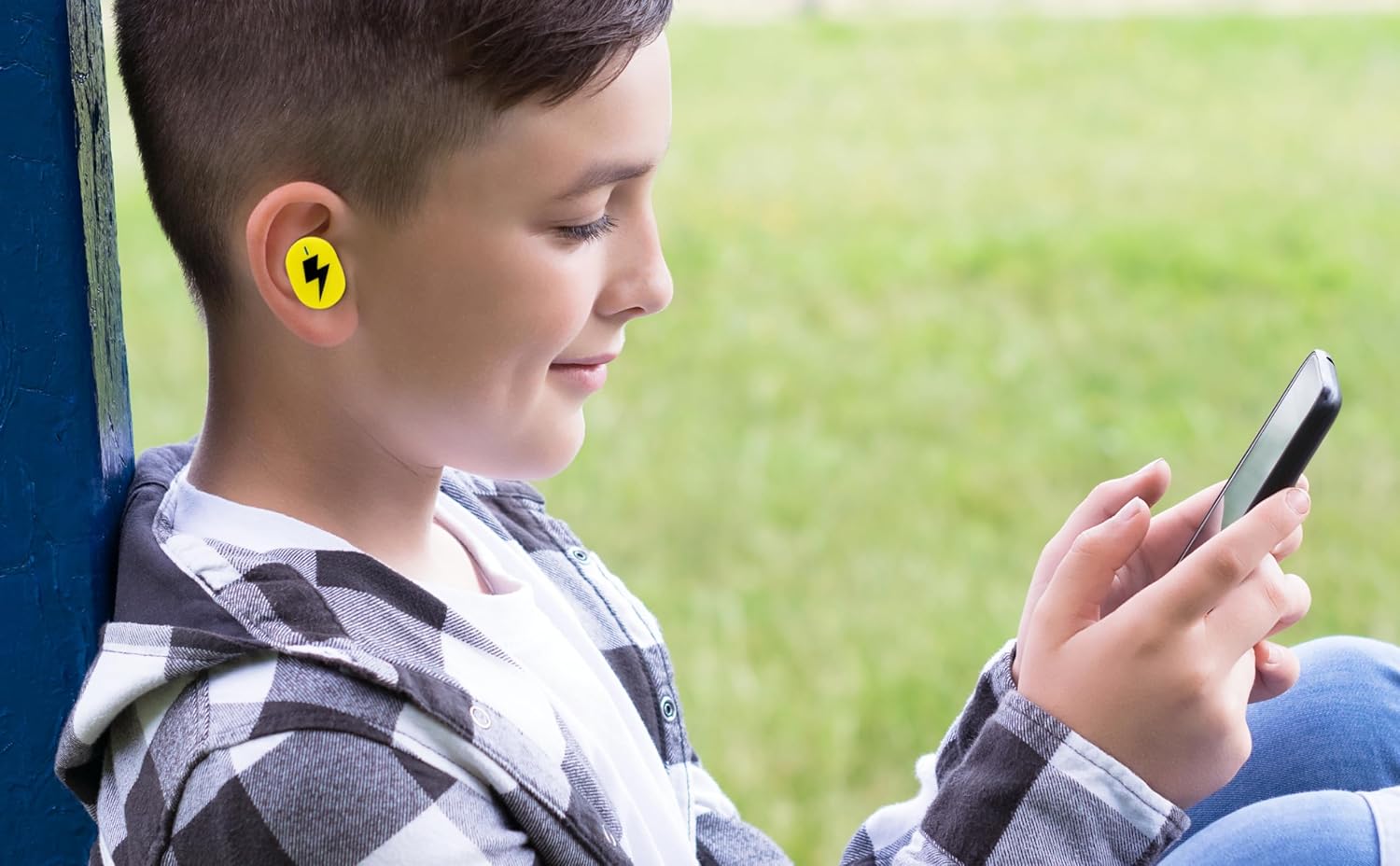
Image: A young person wearing one of the yellow earbuds, demonstrating its comfortable fit while interacting with a mobile device.
മൈക്രോഫോൺ ഉപയോഗിക്കുന്നു
The built-in microphone allows for hands-free communication. When connected to your device, you can use the earbuds for:
- ഫോൺ കോളുകൾ
- വീഡിയോ കോൺഫറൻസിങ്
- Online gaming communication
- Voice commands to your device's assistant
വീഡിയോ: ഒരു ഔദ്യോഗിക ഉൽപ്പന്ന വീഡിയോ പ്രദർശനംasing the eKids Pokemon Pikachu Wireless Earbuds, demonstrating features like wireless audio streaming, charging case, additional ear cushions, 22-hour playtime, and call answering capabilities.
മെയിൻ്റനൻസ്
- വൃത്തിയാക്കൽ: മൃദുവായതും ഉണങ്ങിയതും ലിന്റ് രഹിതവുമായ തുണി ഉപയോഗിച്ച് ഇയർബഡുകളും ചാർജിംഗ് കെയ്സും സൌമ്യമായി തുടയ്ക്കുക. കഠിനമായ രാസവസ്തുക്കളോ ഉരച്ചിലുകളോ ഉള്ള വസ്തുക്കൾ ഉപയോഗിക്കരുത്.
- ചെവി തലയണകൾ: Remove the ear cushions periodically and clean them with a damp തുണി. വീണ്ടും ഘടിപ്പിക്കുന്നതിന് മുമ്പ് അവ പൂർണ്ണമായും ഉണങ്ങിയെന്ന് ഉറപ്പാക്കുക.
- സംഭരണം: ഉപയോഗത്തിലില്ലാത്തപ്പോൾ, ഇയർബഡുകൾ ചാർജിംഗ് കേസിൽ സൂക്ഷിക്കുക, അതുവഴി അവയെ സംരക്ഷിക്കുകയും ചാർജ്ജ് ചെയ്ത് നിലനിർത്തുകയും ചെയ്യുക. നേരിട്ടുള്ള സൂര്യപ്രകാശത്തിൽ നിന്നും ഉയർന്ന താപനിലയിൽ നിന്നും അകന്ന് തണുത്തതും വരണ്ടതുമായ സ്ഥലത്ത് സൂക്ഷിക്കുക.
- ജല പ്രതിരോധം: ഈ ഇയർബഡുകൾ ജല പ്രതിരോധശേഷിയുള്ളവയല്ല. വെള്ളം, വിയർപ്പ്, ഉയർന്ന ഈർപ്പം എന്നിവയിൽ സമ്പർക്കം പുലർത്തുന്നത് ഒഴിവാക്കുക.
ട്രബിൾഷൂട്ടിംഗ്
| പ്രശ്നം | പരിഹാരം |
|---|---|
| ഇയർബഡുകൾ ജോടിയാക്കുന്നില്ല |
|
| ഒരു ഇയർബഡിൽ നിന്ന് ശബ്ദമില്ല |
|
| ചാർജിംഗ് കേസ് ചാർജുചെയ്യുന്നില്ല |
|
| മോശം ഓഡിയോ നിലവാരം |
|
സ്പെസിഫിക്കേഷനുകൾ
| ഫീച്ചർ | വിശദാംശങ്ങൾ |
|---|---|
| മോഡലിൻ്റെ പേര് | Pi-B18PK |
| കണക്റ്റിവിറ്റി ടെക്നോളജി | വയർലെസ് (ബ്ലൂടൂത്ത്) |
| ബ്ലൂടൂത്ത് പതിപ്പ് | 5.0 |
| ബാറ്ററി ലൈഫ് | 22 മണിക്കൂർ വരെ (ചാർജിംഗ് കേസിനൊപ്പം) |
| നിയന്ത്രണ തരം | ടച്ച് നിയന്ത്രണം |
| മെറ്റീരിയൽ | പ്ലാസ്റ്റിക് |
| ഇനത്തിൻ്റെ ഭാരം | 2.46 ഔൺസ് |
| പാക്കേജ് അളവുകൾ | 4.09 x 4.02 x 1.54 ഇഞ്ച് |
| നിർമ്മാതാവ് | കിഡ്ഡിസൈനുകൾ |
| യു.പി.സി | 092298960531 |
| ചെവി പ്ലേസ്മെൻ്റ് | ചെവിയിൽ |
| ഫോം ഫാക്ടർ | ചെവിയിൽ |
| പ്രതിരോധം | 32 ഓം |
| ശബ്ദ നിയന്ത്രണം | ഒന്നുമില്ല |
| പ്രായപരിധി (വിവരണം) | കുട്ടി |
വാറൻ്റിയും പിന്തുണയും
For warranty information and customer support, please refer to the documentation included with your product or visit the official eKids brand webസൈറ്റ്. നിങ്ങൾക്ക് കൂടുതൽ പിന്തുണയും ഉൽപ്പന്ന വിവരങ്ങളും ഇവിടെ കണ്ടെത്താനാകും eKids Brand Store on Amazon.
For technical assistance or inquiries, please contact eKids customer service through their official channels.


