ആമുഖം
The TOA Electronics TH-650 is a robust horn speaker designed for clear speech and sound reproduction in various environments. Its weatherproof construction ensures reliable operation outdoors. This manual provides essential information for the proper setup, operation, and maintenance of your TH-650 horn speaker.
This horn speaker is intended for use in combination with an optional driver unit, such as the TOA TU-631, TU-651, TU-631M, or TU-651M.
ഉൽപ്പന്ന സവിശേഷതകൾ
- High Speech Clarity and Sound Quality: The round shape ensures clear speech and symmetrical sound dispersion, suitable for both voice and music.
- കാലാവസ്ഥാ പ്രതിരോധ നിർമ്മാണം: Features a powder-coated finish and stainless steel screws for outdoor durability.
- മോടിയുള്ള ഡിസൈൻ: Built for reliable, long-term operation.
- ഷോക്ക്-റെസിസ്റ്റൻ്റ്: Enhanced resilience against physical impacts.
- Aluminium Horn: Lightweight yet sturdy construction with a durable powder coating.
- Driver Unit Compatibility: Designed for use with TOA driver units TU-631, TU-651, TU-631M, or TU-651M (sold separately).
ഉൾപ്പെടുത്തിയ ഘടകങ്ങൾ
The TH-650 Horn Speaker package includes the following items:
- സ്പീക്കർ യൂണിറ്റ്
- മൌണ്ടിംഗ് ബ്രാക്കറ്റ്
Note: A compatible driver unit (e.g., TU-631, TU-651) is required for operation and is sold separately.
സജ്ജീകരണ നിർദ്ദേശങ്ങൾ
- ഘടകങ്ങൾ അൺപാക്ക് ചെയ്യുക: Carefully remove the speaker unit and mounting bracket from the packaging. Inspect for any signs of damage.
- മൗണ്ടിംഗ് ലൊക്കേഷൻ തിരഞ്ഞെടുക്കുക: Choose a suitable location for installation, considering sound dispersion requirements and structural integrity to support the speaker's weight (approximately 2.9 kg / 6.4 lb). The speaker is designed for outdoor use.
- മൗണ്ടിംഗ് ബ്രാക്കറ്റ് ഘടിപ്പിക്കുക: Secure the provided mounting bracket to the desired surface. Ensure the mounting hardware (not included) is appropriate for the surface material and can safely bear the speaker's weight.
- Mount Speaker Unit: Attach the TH-650 horn speaker unit to the secured mounting bracket. Adjust the angle for optimal sound coverage.
- Install Driver Unit: If not already installed, carefully screw the compatible TOA driver unit (e.g., TU-631, TU-651) onto the rear throat of the TH-650 horn speaker. Ensure a tight, secure connection to maintain weatherproof integrity and optimal sound transfer.
- വയറിംഗ് ബന്ധിപ്പിക്കുക: നിങ്ങളുടെ ഓഡിയോ കേബിളുകൾ ബന്ധിപ്പിക്കുക amplifier or audio system to the terminals on the driver unit. Observe correct polarity (+/-) to ensure proper phase and sound quality. Refer to the driver unit's manual for specific wiring instructions.
- അന്തിമ പരിശോധന: Before powering on, double-check all connections and mounting points for security and correctness.
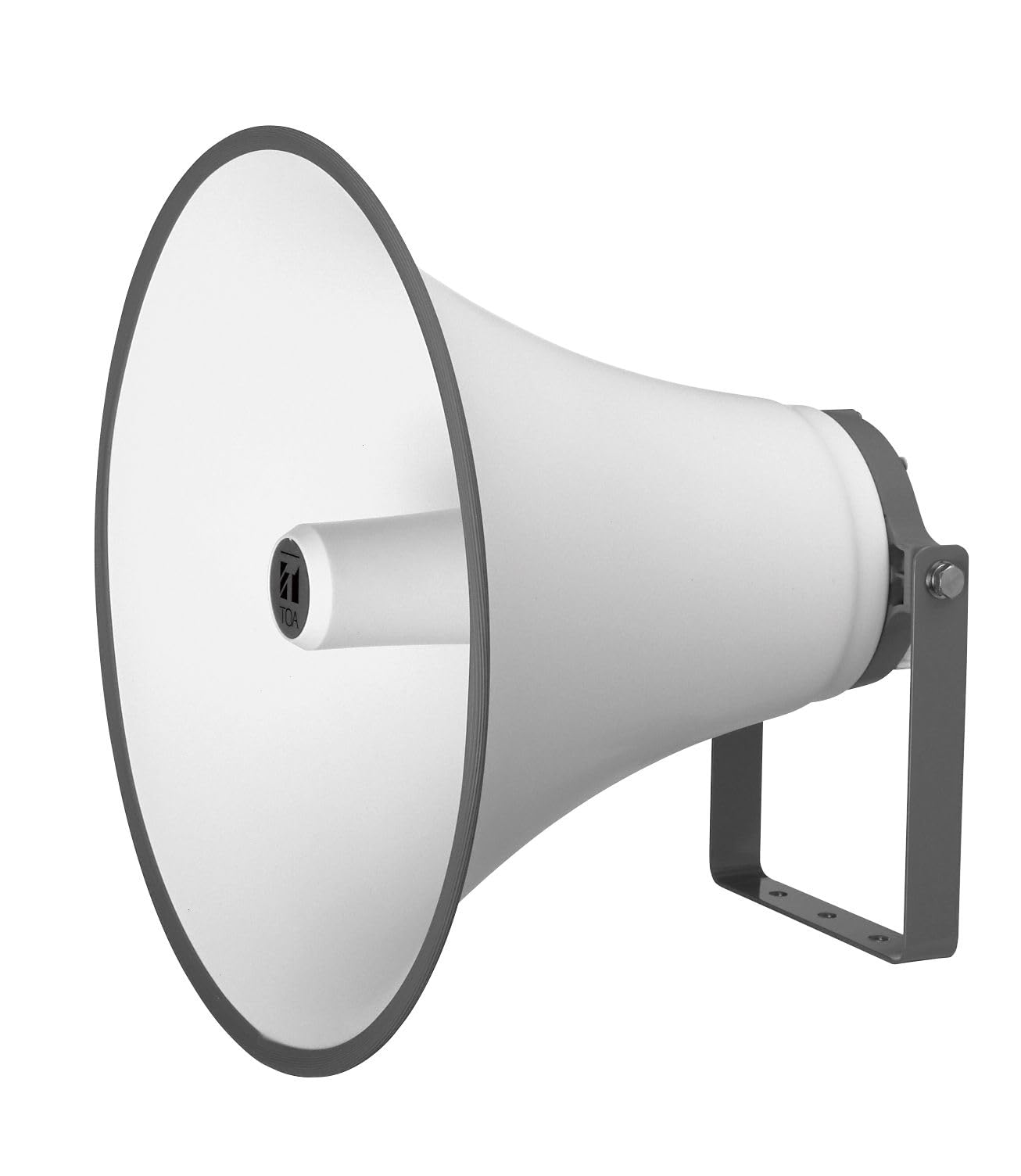
Image: The TOA Electronics TH-650 Horn Speaker, showcasing its robust design and mounting bracket. This image illustrates the overall appearance of the speaker unit.
പ്രവർത്തന നിർദ്ദേശങ്ങൾ
- പവർ ഓൺ: Once the TH-650 horn speaker is correctly installed and connected to a compatible driver unit and amplifier, power on your audio system.
- വോളിയം ക്രമീകരിക്കുക: ഉപയോഗിച്ച് ആരംഭിക്കുക amplifier volume at a low setting and gradually increase it to the desired listening level. Avoid excessively high volumes that could cause distortion or damage to the driver unit.
- ശബ്ദ നിലവാരം നിരീക്ഷിക്കുക: Listen for clear, undistorted sound. If distortion occurs, reduce the volume or check connections.
- പാരിസ്ഥിതിക പരിഗണനകൾ: While weatherproof, extreme weather conditions (e.g., direct lightning strikes, prolonged submersion) should be avoided.
മെയിൻ്റനൻസ്
The TH-650 horn speaker is designed for durability and requires minimal maintenance.
- പതിവ് വൃത്തിയാക്കൽ: ഇടയ്ക്കിടെ സ്പീക്കറിന്റെ പുറംഭാഗം മൃദുവായ, ഡി-ടച്ച് ഉപയോഗിച്ച് തുടയ്ക്കുക.amp പൊടിയും അഴുക്കും നീക്കം ചെയ്യാനുള്ള തുണി. കഠിനമായ രാസവസ്തുക്കളോ ഉരച്ചിലുകളുള്ള ക്ലീനറുകളോ ഉപയോഗിക്കുന്നത് ഒഴിവാക്കുക.
- കണക്ഷനുകൾ പരിശോധിക്കുക: Annually, inspect all wiring connections for corrosion or looseness. Ensure the driver unit remains securely attached to the horn.
- മൗണ്ടിംഗ് പരിശോധിക്കുക: Verify that the mounting bracket and speaker are still securely fastened to their support structure, especially after severe weather conditions.
- കാലാവസ്ഥ സംരക്ഷണം: Although weatherproof, consider additional protection in environments with extreme salt spray or industrial pollutants to prolong the lifespan of the finish.
ട്രബിൾഷൂട്ടിംഗ്
| പ്രശ്നം | സാധ്യമായ കാരണം | പരിഹാരം |
|---|---|---|
| സ്പീക്കറിൽ നിന്ന് ശബ്ദമില്ല |
|
|
| വികലമായ അല്ലെങ്കിൽ വ്യക്തമല്ലാത്ത ശബ്ദം |
|
|
| സ്പീക്കർ സുരക്ഷിതമായി മൌണ്ട് ചെയ്തിട്ടില്ല. |
|
|
സ്പെസിഫിക്കേഷനുകൾ
| ഫീച്ചർ | വിശദാംശങ്ങൾ |
|---|---|
| മോഡലിൻ്റെ പേര് | TH-650 Horn Speaker |
| സ്പീക്കർ തരം | ഔട്ട്ഡോർ ഹോൺ സ്പീക്കർ |
| മൗണ്ടിംഗ് തരം | ബ്രാക്കറ്റ് മ .ണ്ട് |
| പ്രത്യേക ഫീച്ചർ | Shockproof, Weatherproof |
| ശുപാർശ ചെയ്യുന്ന ഉപയോഗം | സറൗണ്ട് സൗണ്ട് സിസ്റ്റങ്ങൾക്കായി |
| ഫ്രീക്വൻസി പ്രതികരണം | 200 ഹെർട്സ് - 6 കിലോ ഹെർട്സ് |
| സംവേദനക്ഷമത (1 W, 1 മീ) | 110 ഡി.ബി |
| പ്രവർത്തന താപനില | -20 °C to +55 °C (must be free from dew condensation) |
| പൂർത്തിയാക്കുക | Aluminium, signal white (RAL 9003 or equivalent) |
| അളവുകൾ (Ø x D) | 500 x 394 mm (19.68" W x 15.5" D x 20" H) |
| ഇനത്തിൻ്റെ ഭാരം | 2.9 കി.ഗ്രാം / 6.4 പൗണ്ട് |
| നിർമ്മാതാവ് | TOA ഇലക്ട്രോണിക്സ് |
| കണക്റ്റിവിറ്റി ടെക്നോളജി | Auxiliary (requires driver unit) |
| ഓഡിയോ put ട്ട്പുട്ട് മോഡ് | മോണോ |
വാറൻ്റിയും പിന്തുണയും
Specific warranty details for the TOA Electronics TH-650 Horn Speaker are not provided in this manual. For warranty information, please refer to the documentation included with your purchase or contact the authorized TOA Electronics dealer or the seller directly.
For technical support or service inquiries, please contact your point of purchase or visit the official TOA Electronics webപ്രാദേശിക പിന്തുണാ കോൺടാക്റ്റുകൾക്കായുള്ള സൈറ്റ്.


