1. ആമുഖം
This manual provides detailed instructions for the operation and maintenance of your Luoran Kids MP3 Player, Model M4S. Please read this manual thoroughly before using the device to ensure proper functionality and to understand its features, including parental controls, media playback, and connectivity options.
2. പാക്കേജ് ഉള്ളടക്കം
പാക്കേജിൽ എല്ലാ ഇനങ്ങളും ഉണ്ടെന്ന് ഉറപ്പാക്കുക:
- Luoran Kids MP3 Player M4S
- യുഎസ്ബി-സി കേബിൾ
- വയർഡ് ഇയർഫോണുകൾ
- സിലിക്കൺ കേസ്
- നിർദ്ദേശ മാനുവൽ (ഈ പ്രമാണം)
3. ഡിവൈസ് ഓവർview
The Luoran M4S features a 4.0-inch IPS display with full touchscreen functionality, housed within a metal frame and tempered glass back. It is designed for ease of use and durability.

ചിത്രം: മുൻവശവും വശവും view of the Luoran M4S MP3 Player, displaying its user interface and physical buttons.
3.1 ശാരീരിക സവിശേഷതകൾ
- പവർ ബട്ടൺ: ഉപകരണം ഓൺ/ഓഫ് ചെയ്യുന്നതിനും സ്ക്രീൻ ലോക്ക് ചെയ്യുന്നതിനുമായി വശത്ത് സ്ഥിതിചെയ്യുന്നു.
- വോളിയം ബട്ടണുകൾ: ഓഡിയോ ഔട്ട്പുട്ട് ലെവൽ ക്രമീകരിക്കുക.
- യുഎസ്ബി-സി പോർട്ട്: ചാർജിംഗിനും ഡാറ്റ കൈമാറ്റത്തിനും.
- 3.5 എംഎം ഹെഡ്ഫോൺ ജാക്ക്: For connecting wired earphones or headphones.
- മൈക്രോ എസ്ഡി കാർഡ് സ്ലോട്ട്: സംഭരണശേഷി വർദ്ധിപ്പിക്കുന്നതിന്.

ചിത്രം: വിശദമായത് view of the device's construction, highlighting the metal frame, tempered glass back, and port locations.
4. സജ്ജീകരണം
4.1 പ്രാരംഭ പവർ ഓൺ
- സ്ക്രീൻ പ്രകാശിക്കുന്നത് വരെ പവർ ബട്ടൺ അമർത്തിപ്പിടിക്കുക.
- നിങ്ങളുടെ ഭാഷയും പ്രദേശവും തിരഞ്ഞെടുക്കാൻ ഓൺ-സ്ക്രീൻ നിർദ്ദേശങ്ങൾ പാലിക്കുക.
4.2 രക്ഷാകർതൃ നിയന്ത്രണങ്ങൾ സജ്ജീകരിക്കൽ
Upon first use, you will be prompted to set a password for Parental Management. This password is crucial for controlling app access and installation. Please remember this password.

Image: Parental Management password entry screen.
4.3 Wi-Fi-ലേക്ക് ബന്ധിപ്പിക്കുന്നു
- നാവിഗേറ്റ് ചെയ്യുക ക്രമീകരണങ്ങൾ > നെറ്റ്വർക്കും ഇൻ്റർനെറ്റും > വൈഫൈ.
- വൈഫൈ ടോഗിൾ ചെയ്യുക On.
- ലിസ്റ്റിൽ നിന്ന് നിങ്ങൾക്ക് ആവശ്യമുള്ള വൈഫൈ നെറ്റ്വർക്ക് തിരഞ്ഞെടുക്കുക.
- ആവശ്യപ്പെടുകയാണെങ്കിൽ നെറ്റ്വർക്ക് പാസ്വേഡ് നൽകി ടാപ്പ് ചെയ്യുക ബന്ധിപ്പിക്കുക.
4.4 കൈമാറ്റം Files
You can transfer music, videos, and other files to the device using the included USB-C cable. Connect the device to a computer, and it will appear as a removable storage device. Alternatively, files can be transferred via Wi-Fi using compatible applications.
4.5 ആപ്ലിക്കേഷനുകൾ ഇൻസ്റ്റാൾ ചെയ്യുകയും കൈകാര്യം ചെയ്യുകയും ചെയ്യുക
The device comes with pre-installed applications such as Spotify Kids, Spotify, Amazon Music, Audible, and HiBy Music. New application installations require approval through the Parental Controls system.

Image: Application Management interface, allowing parents to enable or disable specific applications.
5. പ്രവർത്തന നിർദ്ദേശങ്ങൾ
5.1 മ്യൂസിക് പ്ലേബാക്ക്
The device supports various music formats, including MP3, WAV, FLAC, APE, OGG, M4A, AAC, WMA, and MP2. Music can be organized and played by title, folder, artist, or album.
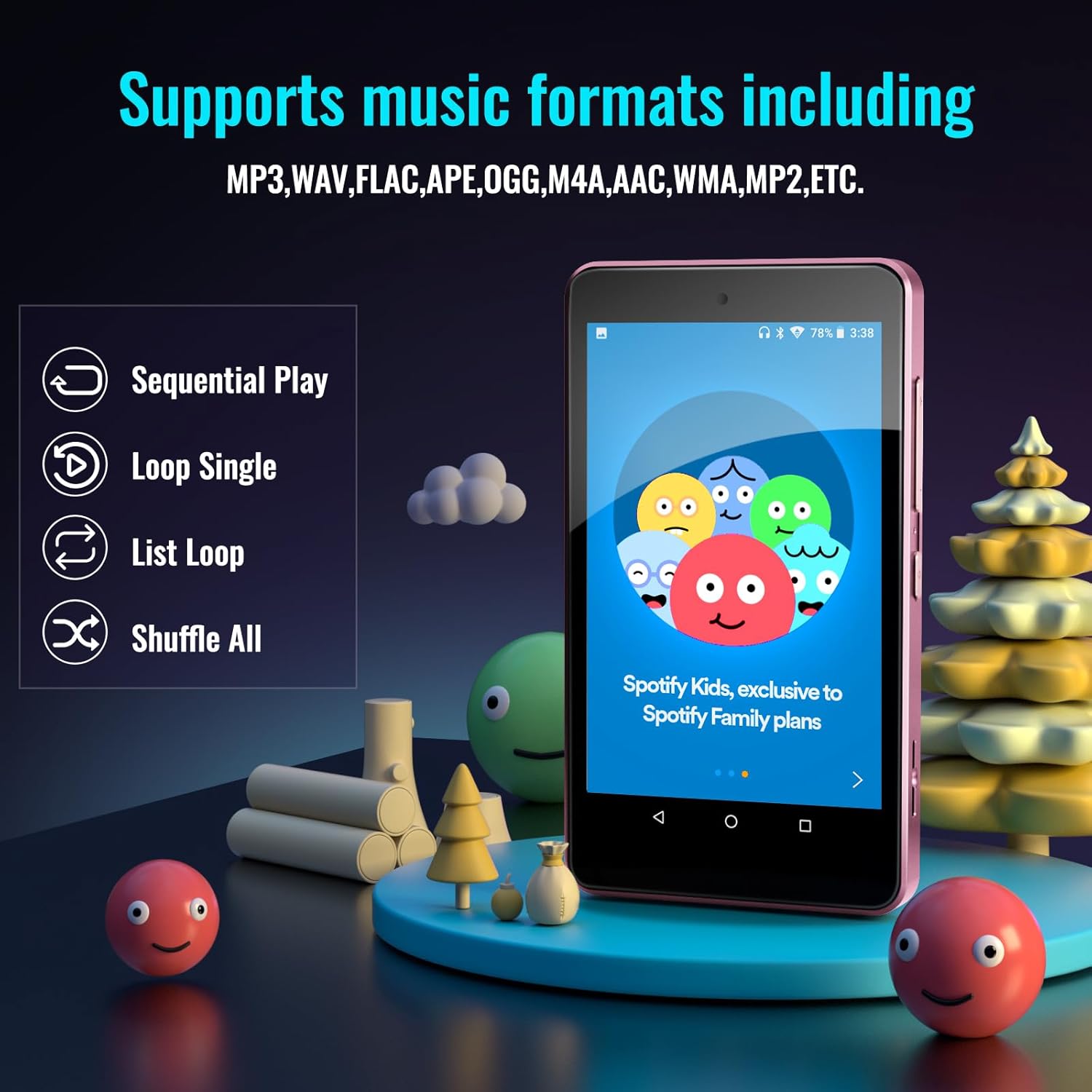
Image: Music playback options and supported formats displayed on the device screen.
5.2 വീഡിയോ പ്ലേബാക്ക്
The 4.0-inch IPS screen allows for video playback. Supported video formats can be played through the pre-installed video player application.
5.3 ബ്ലൂടൂത്ത് കണക്റ്റിവിറ്റി
The player features Bluetooth for connecting to external audio devices such as earphones, headphones, speakers, and car stereos. It provides fast pairing and stable connections.

Image: The device demonstrating Bluetooth connectivity with wireless earbuds.
5.4 വികസിപ്പിക്കാവുന്ന സംഭരണം
The device includes 16GB of internal memory and supports external storage expansion up to 256GB via a microSD card slot. It is compatible with SDXC and SDHC cards.

Image: Illustrates the expandable memory feature with a microSD card being inserted.
5.5 ബാറ്ററി മാനേജ്മെൻ്റ്
The built-in 1500mAh battery provides approximately 50 hours of music playback on a 2-hour full charge. The device includes a standby power-saving feature to optimize battery life. Charge the device using the provided USB-C cable.
6. Parental Controls Features
The Parental Controls system allows for comprehensive management of the device's usage:
- ആപ്ലിക്കേഷൻ മാനേജ്മെന്റ്: Block or unblock any installed application.
- Application Installation Control: New app installations require parental approval via the set password.
- Auto ON/OFF Time: Set specific times for the device to automatically turn on or off, controlling screen time.

Image: Parental Controls screen, detailing options for managing applications and device usage.

Image: Parental Management settings, showing options for automatic power control and app installation permissions.
7 സ്പെസിഫിക്കേഷനുകൾ
| ഫീച്ചർ | വിശദാംശങ്ങൾ |
|---|---|
| മോഡലിൻ്റെ പേര് | M4S |
| ഉൽപ്പന്ന അളവുകൾ | 0.39 x 2.4 x 4.25 ഇഞ്ച് |
| ഇനത്തിൻ്റെ ഭാരം | 4.9 ഔൺസ് |
| സ്ക്രീൻ വലിപ്പം | 4 ഇഞ്ച് |
| ഡിസ്പ്ലേ തരം | ഐ.പി.എസ് |
| മെമ്മറി സ്റ്റോറേജ് കപ്പാസിറ്റി | 16 ജിബി (256 ജിബി വരെ വികസിപ്പിക്കാം) |
| കണക്റ്റിവിറ്റി ടെക്നോളജി | ബ്ലൂടൂത്ത്, വൈഫൈ |
| പ്രത്യേക സവിശേഷതകൾ | Bluetooth and WiFi, Parental Controls |
| ബാറ്ററി | 1 ലിഥിയം പോളിമർ ബാറ്ററി (ഉൾപ്പെടുത്തിയിരിക്കുന്നു) |
| അനുയോജ്യമായ ഉപകരണങ്ങൾ | Earphones, Headphones |
| മീഡിയ തരം | SDHC, SDXC, memory card |
8. പ്രശ്നപരിഹാരം
If you encounter issues with your Luoran M4S MP3 Player, consider the following:
- ഉപകരണം ഓണാക്കുന്നില്ല: ഉപകരണം പൂർണ്ണമായും ചാർജ് ചെയ്തിട്ടുണ്ടെന്ന് ഉറപ്പാക്കുക. USB-C കേബിൾ ഉപയോഗിച്ച് ഒരു പവർ സ്രോതസ്സിലേക്ക് അത് ബന്ധിപ്പിക്കുക.
- സ്ക്രീൻ പ്രതികരിക്കുന്നില്ല: Try restarting the device by holding the power button. If unresponsive, a hard reset may be necessary (refer to support for instructions).
- Applications not working or missing: Verify Wi-Fi connectivity. For missing or upgrading applications, contact the Luoran Team for APK files and installation steps.
- Forgotten Parental Control password: It is critical to remember the password or PIN codes set for parental controls. If forgotten, contact Luoran support for assistance.
- ബ്ലൂടൂത്ത് കണക്റ്റിവിറ്റി പ്രശ്നങ്ങൾ: Ensure Bluetooth is enabled on both the player and the external device. Try unpairing and re-pairing the devices.
9. പിന്തുണയും വാറണ്ടിയും
For technical assistance, missing components, or issues with application installation, please contact the Luoran Team. They aim to respond within 12 hours.
For specific warranty information regarding your Luoran M4S MP3 Player, please refer to the product packaging or contact Luoran customer support directly. Keep your purchase receipt as proof of purchase.
Important Reminder: Please write down and remember any passwords or PIN codes you set for the device, especially for Parental Controls, as access may be restricted if forgotten.


